
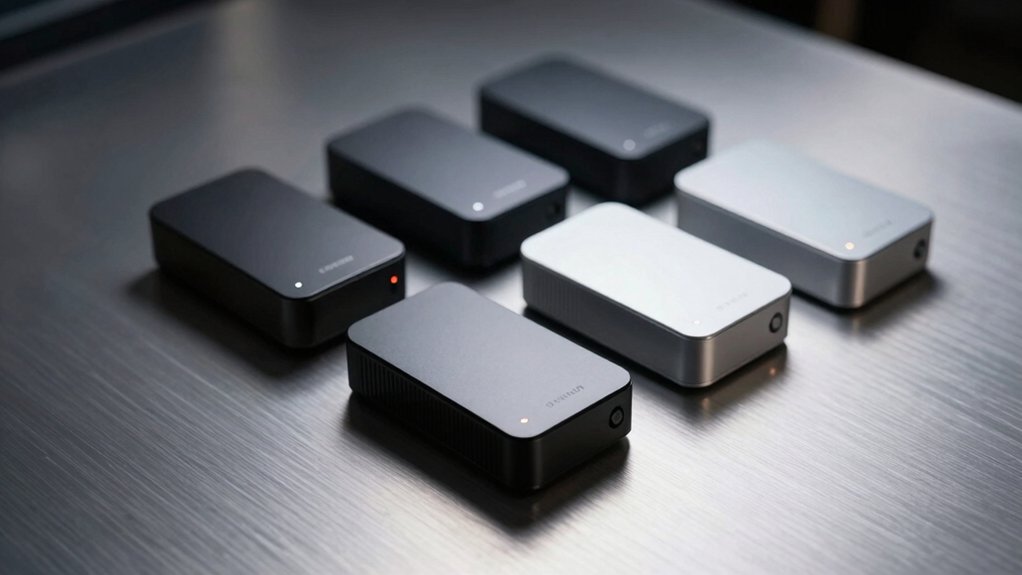

When you’re shopping for a compact desktop that doesn’t sacrifice performance, you’ll need to evaluate processors, RAM upgrades, display outputs, and cooling capabilities. Geekom offers five strong options—from Intel-based models to AMD powerhouses—each designed for specific workloads like transcoding, creative work, or everyday multitasking. Understanding what distinguishes each model will help you identify which one matches your needs, but the real decision comes down to one critical factor.
| GEEKOM A5 Mini PC AMD Ryzen 5 7430U 16GB |
| Compact & Efficient | Processor: AMD Ryzen 5 7430U (15W TDP) | RAM Configuration: 16GB DDR4 (upgradable to 64GB) | Storage: 512GB NVMe SSD (upgradable to 4TB) + 2.5″ HDD bay | VIEW LATEST PRICE | Read Our Analysis |
| GEEKOM A6 Mini PC with AMD Ryzen 7 6800H |
| Best Value | Processor: AMD Ryzen 7 6800H (8C/16T) | RAM Configuration: 16GB DDR5 (upgradable to 64GB) | Storage: 1TB PCIe Gen4 NVMe SSD (upgradable to 2TB) | VIEW LATEST PRICE | Read Our Analysis |
| GEEKOM Mini PC AI A7 MAX AMD Ryzen 9 |
![GEEKOM [2026 Edition] Mini PC AI A7 MAX with AMD](https://m.media-amazon.com/images/I/41Ts6PQcJzL._SL500_.jpg)
| Professional Powerhouse | Processor: AMD Ryzen 9 7940HS (8C/16T, up to 5.2 GHz) | RAM Configuration: 16GB DDR5 (upgradable to 128GB) | Storage: 1TB NVMe Gen4 SSD (upgradable to 4TB) | VIEW LATEST PRICE | Read Our Analysis |
| GEEKOM Mini PC IT12 12th Gen Intel i5-12450H |
![GEEKOM Mini PC[Business Cost-Saving Star] IT12(3-Year Coverage) with 12th Gen](https://m.media-amazon.com/images/I/41fBvVWjyNL._SL500_.jpg)
| Enterprise Grade | Processor: Intel i5-12450H (8C/12T, up to 4.4 GHz) | RAM Configuration: 16GB (expandable to 96GB) | Storage: 512GB NVMe SSD (up to 4TB with additional slots) | VIEW LATEST PRICE | Read Our Analysis |
| GEEKOM A5 Mini PC AMD Ryzen 7 5825U |
| Multitasking Champion | Processor: AMD Ryzen 7 5825U (8C/16T, up to 4.5 GHz) | RAM Configuration: 16GB DDR4 (expandable to 64GB) | Storage: 512GB PCIe SSD (up to 2TB NVMe + 1TB SATA + 2TB HDD) | VIEW LATEST PRICE | Read Our Analysis |
More Details on Our Top Picks
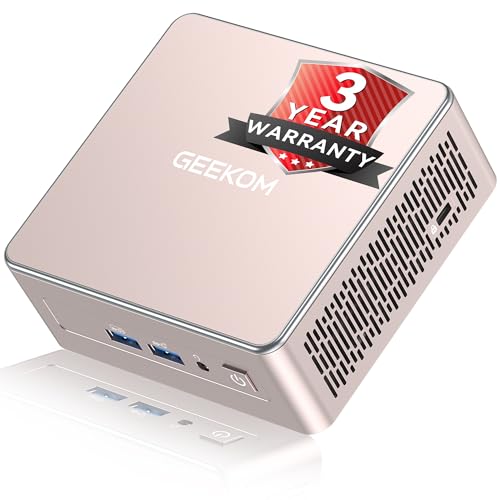
GEEKOM A5 Mini PC AMD Ryzen 5 7430U 16GB
Looking for a compact desktop that won’t consume your workspace? The GEEKOM A5 Mini PC delivers solid performance in a 4.6 x 4.4 x 1.9-inch metal chassis. You’ll get an AMD Ryzen 5 7430U processor with 16GB DDR4 RAM and 512GB NVMe SSD storage. The device supports 8K visuals through USB-C ports and 4K through HDMI outputs, handling multiple displays simultaneously. You can upgrade memory to 64GB and storage to 4TB using the M.2 slot and 2.5″ HDD bay. Windows 11 Pro comes preinstalled. Wi-Fi 6 and Bluetooth 5.2 ensure reliable connectivity. The unit includes a 3-year warranty, VESA mount, and power adapter, making it suitable for office work, video conferencing, and 4K streaming.
- Processor:AMD Ryzen 5 7430U (15W TDP)
- RAM Configuration:16GB DDR4 (upgradable to 64GB)
- Storage:512GB NVMe SSD (upgradable to 4TB) + 2.5″ HDD bay
- Display Output Capability:Up to 4 displays (2x HDMI, 2x USB-C 4K/8K)
- Warranty:3-year warranty
- Operating System:Windows 11 Pro
- Additional Feature:Upgradable to 64GB RAM
- Additional Feature:2.5″ HDD bay included
- Additional Feature:8K/4K multi-screen support
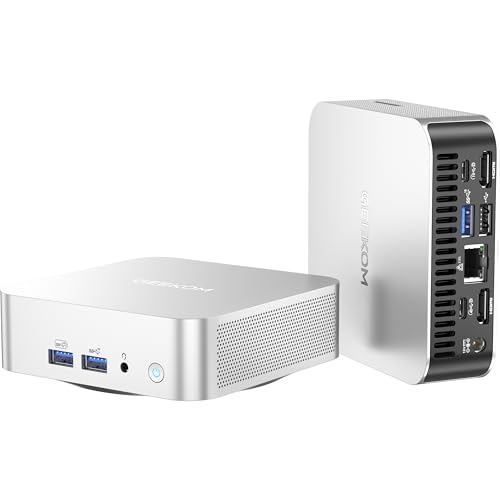
GEEKOM A6 Mini PC with AMD Ryzen 7 6800H
Need powerful computing in a space smaller than a paperback book? The A6 delivers an 8-core AMD Ryzen 7 6800H processor with integrated Radeon 680M graphics in a compact 4×4×1.4-inch aluminum chassis. You’ll get 16GB DDR5 RAM (upgradable to 64GB) and 1TB PCIe Gen4 storage (expandable to 2TB). The A6 supports quad 4K displays simultaneously through USB4 and dual HDMI ports. Windows 11 Pro comes preloaded, though you can install Linux. Its 45W power consumption keeps energy costs low. Connectivity includes 2.5Gbps Ethernet, Wi-Fi 6E, and Bluetooth 5.2. You’re protected by a 3-year warranty and 90-day return policy, making this suitable for video editing, gaming, and professional work.
- Processor:AMD Ryzen 7 6800H (8C/16T)
- RAM Configuration:16GB DDR5 (upgradable to 64GB)
- Storage:1TB PCIe Gen4 NVMe SSD (upgradable to 2TB)
- Display Output Capability:Up to 4 displays (2x HDMI 2.0, USB4, USB-C)
- Warranty:3-year warranty
- Operating System:Windows 11 Pro (supports Linux/Ubuntu)
- Additional Feature:Dual DDR5 RAM slots
- Additional Feature:Wi-Fi 6E connectivity
- Additional Feature:Quad 4K display support
GEEKOM Mini PC AI A7 MAX AMD Ryzen 9
The A7 MAX is a professional powerhouse for creators who demand desktop performance in a compact device. You’ll get an AMD Ryzen 9 7940HS processor with 8 cores, 16GB DDR5 RAM, and 1TB NVMe storage—all upgradeable. The integrated Radeon 780M handles 4K video editing in DaVinci Resolve and Premiere Pro efficiently. You can connect four displays simultaneously using dual HDMI and USB4 ports. Dual 2.5G Ethernet ports let you aggregate bandwidth or connect to network storage. The enhanced IceBlast 2.0 cooling keeps noise below 36 decibels while maintaining stability. Windows 11 Pro arrives pre-installed. You’re covered by a three-year warranty, standard industry protection.
- Processor:AMD Ryzen 9 7940HS (8C/16T, up to 5.2 GHz)
- RAM Configuration:16GB DDR5 (upgradable to 128GB)
- Storage:1TB NVMe Gen4 SSD (upgradable to 4TB)
- Display Output Capability:Up to 4 displays (2x HDMI 2.0, 2x USB4 8K)
- Warranty:3-year warranty
- Operating System:Windows 11 Pro
- Additional Feature:Dual 40 Gbps USB4 ports
- Additional Feature:Enhanced IceBlast 2.0 cooling
- Additional Feature:8K video output capable
GEEKOM Mini PC IT12 12th Gen Intel i5-12450H
Running Plex Media Server, security monitoring, or CAD work on enterprise-grade hardware? The IT12 delivers with its 12th Gen Intel i5-12450H processor—8 cores and 12 threads running up to 4.4GHz. You’ll handle 4K transcoding smoothly thanks to Intel Quick Sync, which accelerates the process by 30% or more. Expand your RAM to 96GB and storage to 4TB using the available SATA slots. The Ice-Burst cooling system keeps noise below 38dB while consuming 50% less power than traditional commercial PCs. With dual USB4 ports, 2.5Gb Ethernet, and WiFi 6E, you’re equipped for demanding enterprise tasks without compromise.
- Processor:Intel i5-12450H (8C/12T, up to 4.4 GHz)
- RAM Configuration:16GB (expandable to 96GB)
- Storage:512GB NVMe SSD (up to 4TB with additional slots)
- Display Output Capability:Up to 4 displays (2x USB4 8K, 2x HDMI 4K)
- Warranty:3-year warranty
- Operating System:Windows 11 Pro
- Additional Feature:Intel Quick Sync acceleration
- Additional Feature:Expandable to 96GB RAM
- Additional Feature:Dual 2.5G Ethernet ports
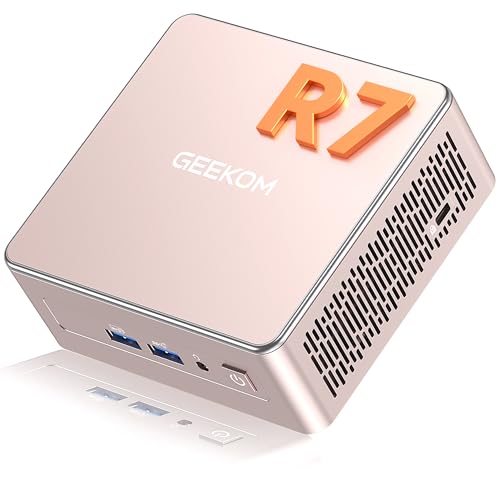
GEEKOM A5 Mini PC AMD Ryzen 7 5825U
Want a compact PC that handles multiple tasks simultaneously? The GEEKOM A5 delivers with its AMD Ryzen 7 5825U processor, offering eight cores and sixteen threads for seamless multitasking. You’ll get 16GB DDR4 RAM expandable to 64GB, plus 512GB storage upgradeable to 2TB. Connect four displays via HDMI and USB Type-C ports for productive workflows. The Radeon Vega 8 GPU handles Office suites, Adobe Creative Suite, and 4K streaming. WiFi 6 provides fast connectivity. Windows 11 Pro comes pre-installed. A three-year warranty protects your investment, and tool-free upgrades keep maintenance straightforward.
- Processor:AMD Ryzen 7 5825U (8C/16T, up to 4.5 GHz)
- RAM Configuration:16GB DDR4 (expandable to 64GB)
- Storage:512GB PCIe SSD (up to 2TB NVMe + 1TB SATA + 2TB HDD)
- Display Output Capability:Up to 4 displays (2x HDMI, 2x USB-C 8K@120Hz)
- Warranty:3-year warranty
- Operating System:Windows 11 Pro
- Additional Feature:Upgradable to 64GB RAM
- Additional Feature:8K@120Hz Type-C output
- Additional Feature:Triple-reinforced ABS+PC shell
Factors to Consider When Choosing a Geekom Mini PC
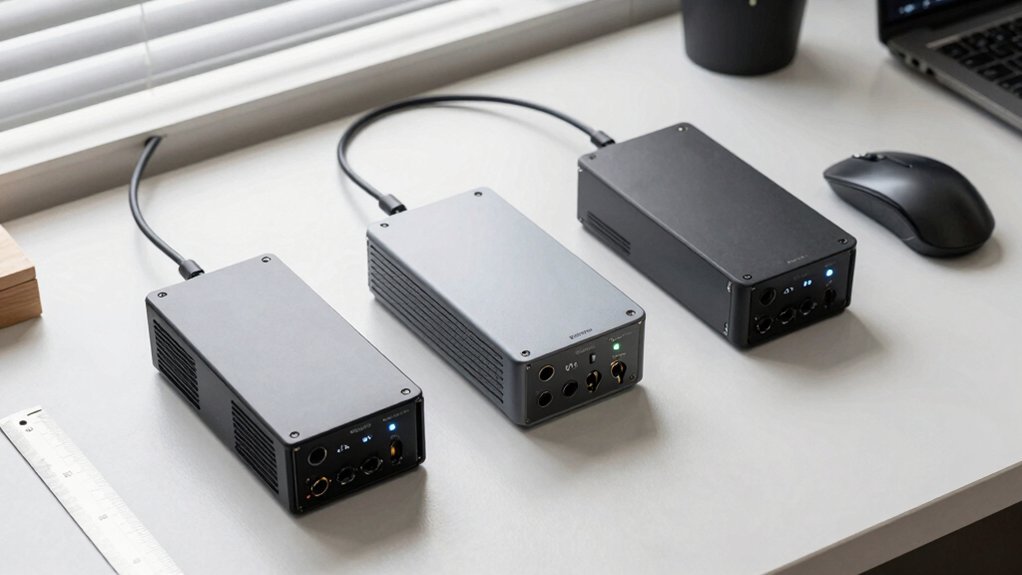
When selecting a Geekom Mini PC, you’ll want to evaluate processor power and performance first, since this determines how quickly your system handles tasks and applications. Next, check the memory and storage capacity to ensure you have enough RAM for multitasking and sufficient storage for your files, programs, and operating system. Finally, review the display and connectivity options available, including the number and types of ports, to confirm the mini PC connects properly to your monitors, peripherals, and network devices.
Best Geekom Mini PC
How do you know which Geekom mini PC fits your needs? Start by assessing your primary workload. If you’re running AI tasks or need 8K multi-display output, prioritize the Ryzen 9 7940HS processor found in the A7 MAX. Next, evaluate your expandability requirements. Models supporting up to 128 GB RAM and multiple NVMe slots handle heavy multitasking and large datasets effectively. Then consider your display setup. Four-display support through 2× HDMI 2.0 and 2× USB4 connections enables robust multi-monitor configurations. For business use, verify enterprise features: 3-year warranties, enterprise OS options, and remote management capabilities. Finally, review cooling and power efficiency specs. Advanced IceBlast cooling and low TDP designs reduce noise and energy costs over time.
Factors to Consider When Choosing Geekom Mini PC
Several key factors’ll determine which Geekom mini PC matches your needs, and you should evaluate them in a logical order. First, assess your workload: light multitasking needs a Ryzen 5 with integrated RDNA graphics, while 4K video editing or gaming demands a Ryzen 7 H series. Second, check RAM and storage capacity—up to 64 GB RAM and expandable NVMe drives future-proof your system. Third, verify display and I/O support for your setup: confirm HDMI, USB-C 4K/8K output, and USB4 availability. Fourth, review connectivity options like Wi-Fi 6E and Bluetooth 5.2 for reliable networking. Finally, examine cooling systems, aluminum chassis durability, and warranty coverage to ensure long-term reliability in your environment.
Processor Power And Performance
The processor you select determines how well your Geekom mini PC handles everything from everyday browsing to demanding creative work, so you’ll want to match CPU performance to your actual tasks. Look for 8–16 core CPUs operating in the multi-GHz range to manage multitasking and heavier workloads across productivity and creative applications. Mobile-grade Ryzen 5/7/9 or Intel i5/i7 processors balance power efficiency with sustained processing capability. Check the specific CPU model and generation, as these directly impact AI acceleration support, media transcoding speed, and 4K/8K output compatibility. Integrated graphics like Radeon Vega 7 or 680M handle GPU-accelerated tasks and light gaming alongside CPU performance. Matching your processor choice to your workload ensures your mini PC delivers the performance you need without oversupending on unnecessary specifications.
Memory And Storage Capacity
What amount of RAM and storage do you actually need for your Geekom mini PC?
Start by assessing your workload. Basic tasks like browsing and office work require 16 GB RAM, while video editing and programming demand 32 GB or more. Newer models offer DDR5 RAM for better speed and future upgradability compared to older DDR4 options.
For storage, begin with 512 GB NVMe SSD as your baseline, though 1 TB suits most users. Upgrade to 2–4 TB if you work with large files or games. Check whether your model supports memory upgrades—some allow expansion to 64–96 GB, while others have soldered RAM limiting upgrades. Many mini PCs include additional M.2 slots or 2.5″ bays, letting you add storage capacity without replacing existing drives.
Display And Connectivity Options
How many monitors do you plan to connect to your Geekom mini PC? Many models support up to four displays through combinations of HDMI and USB-C ports. Dual HDMI outputs let you run two independent 4K displays simultaneously or mirror content across screens. USB4 and USB-C ports deliver even higher performance, supporting 4K at 120Hz or 8K at lower refresh rates depending on your model and display compatibility.
Beyond video outputs, consider your connectivity needs. Many Geekom minis include SD card readers for media workflows and Ethernet ports for stable network connections. These additions streamline workstation setups by consolidating your connectivity options into one compact device, eliminating the need for external hubs or adapters.
Cooling And Thermal Management
While connectivity options handle your external device needs, your Geekom mini PC’s internal cooling system directly impacts how long it’ll perform at peak speeds without throttling. Look for models featuring enhanced IceBlast 2.0 cooling, dual copper heat pipes, and enlarged silent fans that reduce temperatures while keeping noise below 36–40 dB during operation. An all-aluminum or robust metal chassis improves heat dissipation and structural stability, supporting extended use without performance drops. Check whether the system includes built-in dust-cleaning mechanisms that prevent vent clogging over time, maintaining thermal efficiency automatically. Pair these cooling features with low TDP CPUs and energy-saving features to balance performance and heat output effectively, ensuring your mini PC sustains demanding workloads reliably.
Final Thoughts
You’ll find the right Geekom mini PC by matching your needs to each model’s strengths. Choose the IT12 for enterprise tasks and 4K transcoding. Pick the A5 or A6 if you need upgradeable components and multiple display outputs. Select the AI A7 MAX for creative work demanding high performance and cooling. Evaluate your workspace size, budget, and workload requirements to make your decision.

Meet Ry, “TechGuru,” a 36-year-old technology enthusiast with a deep passion for tech innovations. With extensive experience, he specializes in gaming hardware and software, and has expertise in gadgets, custom PCs, and audio.
Besides writing about tech and reviewing new products, he enjoys traveling, hiking, and photography. Committed to keeping up with the latest industry trends, he aims to guide readers in making informed tech decisions.