
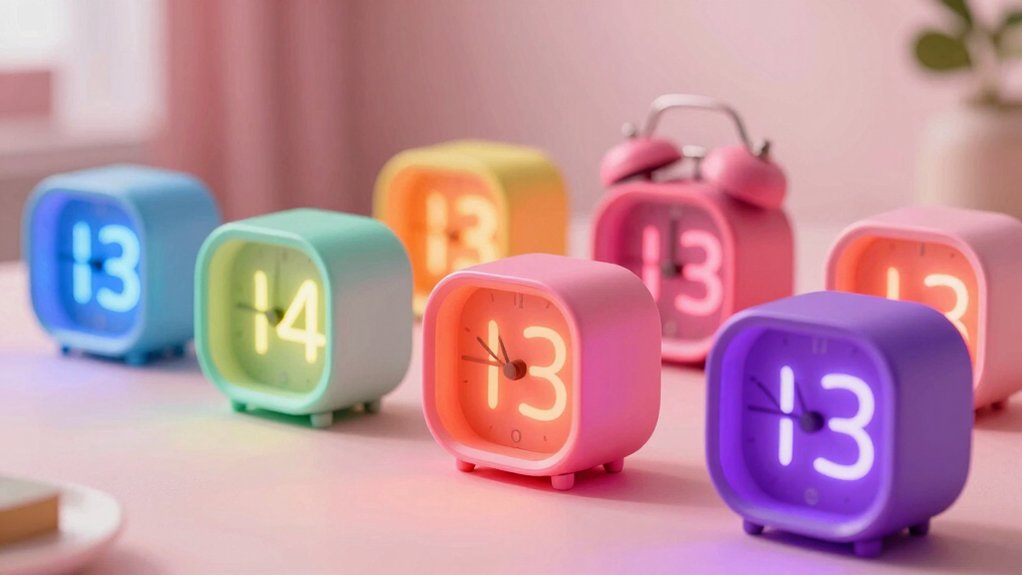

You’re looking for a digital clock that’ll actually get your kid out of bed on time. The challenge isn’t just finding one that works—it’s finding one that your kid will actually use without complaints. Display size, alarm volume, light features, and design all matter. Some models offer adjustable brightness for sensitive sleepers, while others include color-changing lights or extra-loud alarms for heavy sleepers. Here’s how to pick the right one.
| HODIK Digital Alarm Clock for Kids (7 Color Dimmable) |

| Most Colorful Choice | Display Type: 7-color digital display | Brightness Control: 4 dimmable backlight levels (HIGH to OFF) | Alarm Volume Settings: 3 volume levels (55dB, 70dB, 90dB) | VIEW LATEST PRICE | Read Our Analysis |
| DreamSky RGB Digital Alarm Clock for Bedrooms |

| Best Budget Option | Display Type: RGB digital display with 2-inch jumbo LED digits | Brightness Control: Brightness dimmer adjustment | Alarm Volume Settings: Adjustable 30-90 dB range | VIEW LATEST PRICE | Read Our Analysis |
| Amazon Basics Small Digital Oval Alarm Clock |

| Most Compact Design | Display Type: 0.7-inch green LED display | Brightness Control: Built-in nightlight only | Alarm Volume Settings: Single alarm (volume not specified) | VIEW LATEST PRICE | Read Our Analysis |
| Topski Loud Alarm Clock for Heavy Sleepers with Night Light |

| Loudest for Heavy Sleepers | Display Type: 7-inch RGB LED display | Brightness Control: Adjustable brightness for clock and night light | Alarm Volume Settings: 3 volume levels (very low to extra loud) | VIEW LATEST PRICE | Read Our Analysis |
| Cadmos Modern Curved Digital Alarm Clock (Pink) |

| Best All-in-One Features | Display Type: Colorful LED display with 2 jumbo illuminated digits | Brightness Control: 4 levels of adjustable brightness | Alarm Volume Settings: 3 volume levels up to 105 dB | VIEW LATEST PRICE | Read Our Analysis |
More Details on Our Top Picks
HODIK Digital Alarm Clock for Kids (7 Color Dimmable)
Want the most colorful choice for your child’s bedroom or classroom? The HODIK H9 offers seven color display options, including solid colors and color-changing modes. You’ll control four dimmable backlight levels from HIGH to OFF, accommodating different lighting preferences. Set your preferred volume from three options: 55DB, 70DB, or 90DB. The clock supports both 12 and 24-hour formats and includes auto daylight saving time adjustment. You’ll plug it into USB power with three AAA batteries for backup. During power loss, the batteries retain your time, date, and alarm settings. The compact 5.5-inch design fits easily on nightstands or classroom shelves. Its snooze function and re-illumination button help kids manage their mornings effectively.
- Display Type:7-color digital display
- Brightness Control:4 dimmable backlight levels (HIGH to OFF)
- Alarm Volume Settings:3 volume levels (55dB, 70dB, 90dB)
- Time Format Options:12/24-hour format
- Snooze Function:Snooze function included
- Power and Backup:USB powered with 3 AAA battery backup for data
- Additional Feature:7 color display options
- Additional Feature:Auto DST calendar function
- Additional Feature:Screen re-illumination button
DreamSky RGB Digital Alarm Clock for Bedrooms
Looking for a dependable alarm clock that won’t drain your wallet? The DreamSky RGB Digital Alarm Clock delivers practical features for kids and adults alike. Its 2-inch jumbo LED display shows the time clearly without strain. You’ll adjust brightness with the dimmer to prevent jarring wake-ups or difficulty reading during dark hours. The single alarm includes a 9-minute snooze and adjustable sound from 30-90 decibels. An ON/OFF button lets you disable the alarm on weekends. The clock runs on a DC adapter with a 59-inch USB cord and includes a smartphone charging port. For backup during power outages, insert two AAA batteries to preserve your time and alarm settings. Setup requires no complicated steps—intuitive buttons make configuration straightforward.
- Display Type:RGB digital display with 2-inch jumbo LED digits
- Brightness Control:Brightness dimmer adjustment
- Alarm Volume Settings:Adjustable 30-90 dB range
- Time Format Options:Format not specified
- Snooze Function:9-minute snooze
- Power and Backup:Adapter powered with 2 AAA battery backup (not included)
- Additional Feature:2-inch jumbo LED digits
- Additional Feature:Integrated smartphone USB charging
- Additional Feature:ON/OFF weekend alarm toggle
Amazon Basics Small Digital Oval Alarm Clock
The Amazon Basics Small Digital Oval Alarm Clock offers the most compact design for kids who need a no-fuss bedside alarm. Its 0.7-inch green LED display shows the time clearly in dark rooms. The built-in nightlight softly illuminates your child’s bedroom without being distracting. You’ll set a repeating snooze function that lets them rest a few extra minutes before getting up. The clock runs on AC power and includes battery backup that maintains the time and alarm settings for up to 8 hours during outages. Measuring 4.5 x 3.5 x 2.4 inches, it fits easily on any nightstand. This straightforward, reliable clock provides essential alarm features without unnecessary complexity.
- Display Type:0.7-inch green LED display
- Brightness Control:Built-in nightlight only
- Alarm Volume Settings:Single alarm (volume not specified)
- Time Format Options:Format not specified
- Snooze Function:Repeating snooze function
- Power and Backup:AC powered with battery backup up to 8 hours (not included)
- Additional Feature:Built-in nightlight feature
- Additional Feature:Green LED display
- Additional Feature:8-hour battery memory backup
Topski Loud Alarm Clock for Heavy Sleepers with Night Light
If you’re a heavy sleeper who struggles to wake up, Topski’s alarm clock delivers the loudest sound you’ll need. The 7-inch LED display features large 2.36-inch characters readable from across your room. You can toggle the RGB display through different colors and adjust brightness to your preference. The clock includes two separate alarm settings with three volume levels, letting you customize loudness for your needs. Tap the large snooze button for nine minutes of extra sleep. The night light offers nine color effects for a calming bedroom environment. Battery backup preserves your settings during power outages, though you’ll need two AAA batteries for this feature.
- Display Type:7-inch RGB LED display
- Brightness Control:Adjustable brightness for clock and night light
- Alarm Volume Settings:3 volume levels (very low to extra loud)
- Time Format Options:12/24-hour format (Military/Standard modes)
- Snooze Function:9-minute snooze with large top button
- Power and Backup:Outlet powered with 2 AAA battery backup (not included)
- Additional Feature:7-inch extra-large display
- Additional Feature:9 color night light effects
- Additional Feature:Dual alarm settings available
Cadmos Modern Curved Digital Alarm Clock (Pink)
Kids who need a reliable alarm clock that combines multiple essential features in one device should consider this Cadmos model. You’ll set dual alarms using the 12/24-hour format option and adjust the loud alarm to one of three volume levels, reaching up to 105 dB. The 4-brightness settings let you customize the display visibility for your room. You can activate weekday/weekend mode to set different schedules, use the 10-minute snooze function when needed, and enjoy the 7-color nightlight during bedtime. The USB charging port charges your phone while the battery backup maintains settings during power outages.
- Display Type:Colorful LED display with 2 jumbo illuminated digits
- Brightness Control:4 levels of adjustable brightness
- Alarm Volume Settings:3 volume levels up to 105 dB
- Time Format Options:12/24-hour format option
- Snooze Function:10-minute snooze function
- Power and Backup:USB adapter powered with battery backup (type not specified)
- Additional Feature:8 colorful dynamic RGB screens
- Additional Feature:7-color rainbow nightlight
- Additional Feature:10-minute ringer duration
Factors to Consider When Choosing a Digital Clock for Kids
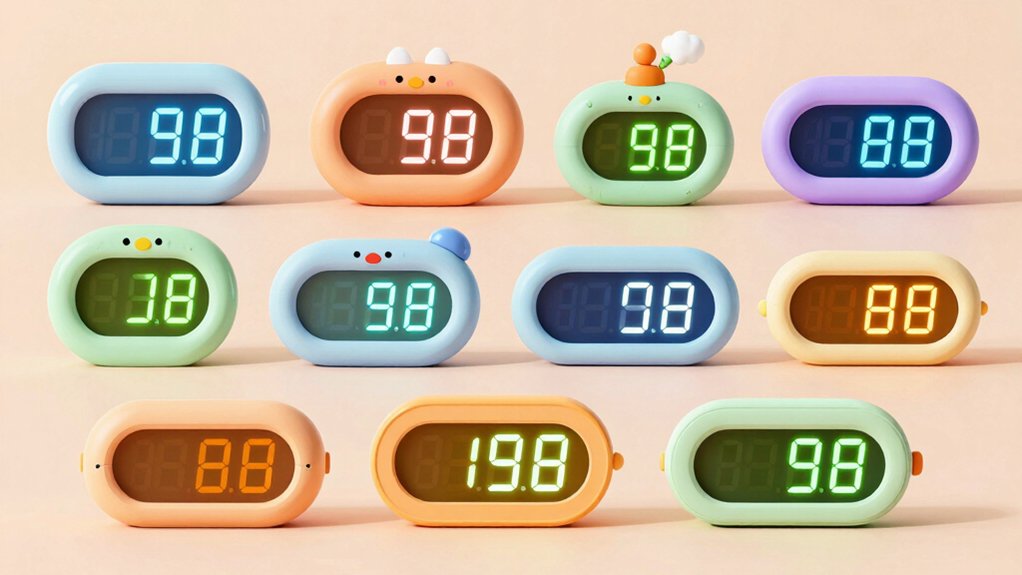
When selecting a digital clock for your child, you’ll want to evaluate several key factors that directly impact usability and safety. Consider the display size relative to your child’s age and eyesight, the brightness settings and nightlight features that won’t disrupt sleep, the alarm volume and customization options that’ll actually wake them up, the power source and battery backup to ensure reliability, and the durability plus safety features that withstand daily use and eliminate hazards. Each of these elements plays a specific role in determining whether your child will use the clock consistently and safely.
Age-Appropriate Display Size
How large should your child’s digital clock display actually be? Display size directly affects how well your child reads the time. For bedside clocks, choose 2–3 inch digit heights. Your child can read these clearly from arm’s length without straining their eyes. For clocks placed across the room, select 7-inch displays instead. This size allows quick time-checks from a distance without requiring your child to get out of bed or approach the clock. Pair larger digits with high-contrast colors—green or white digits on dark backgrounds work best for beginners. This contrast combination reduces eye strain during early morning hours when your child’s vision isn’t fully adjusted. Match display size to your child’s room layout and reading ability.
Brightness and Nightlight Options
Why does brightness matter so much for a kids’ digital clock? Excessive brightness causes glare that disrupts sleep and creates discomfort in dark rooms. You’ll want to select a clock with adjustable brightness levels so you can customize the display for different times of day and your child’s sensitivity.
Look for models offering multiple settings, including an OFF option for the display. Some clocks feature separate controls: one for the main display brightness and another for the built-in nightlight. This separation lets you dim the numbers for reading while maintaining a soft ambient glow.
Consider RGB or color-changing backlights carefully, as these affect perceived brightness. Choose dimmable options that won’t interfere with sleep quality, allowing your child comfortable nighttime visibility without stimulation.
Alarm Volume and Settings
Getting your child awake on time requires an alarm that’s loud enough to cut through sleep but not so jarring that it startles them into distress. Check what volume options the clock offers—many provide multiple levels like 55dB, 70dB, and 90dB so you can match your child’s sleep depth. Some clocks include heavy sleeper modes with volumes reaching 105dB for deeper sleepers. Look for user-accessible volume controls with clear level indicators, letting you adjust without guessing. Examine snooze duration, typically 9-10 minutes, which paces wake-up timing. If your child sleeps differently on weekends versus weekdays, select a clock with scheduling features to disable alarms on specific days. This prevents unnecessary volume adjustments and protects sleep schedules.
Power and Battery Backup
When you’re selecting a digital clock for your child, understanding its power source and backup capabilities matters because you’ll want the clock to keep functioning and retain settings even during power outages. First, check whether the clock runs on USB power alone or includes battery backup. Some models use AAA batteries to preserve only the time and alarm settings, not the display. Others power the entire clock during outages. Verify how long the backup retains memory during total power loss. If your clock requires batteries for backup, install them alongside the main power source. Confirm the backup type—whether it preserves time and alarms only or maintains full operation—to ensure your child’s alarm works reliably.
Durability and Safety Features
Once you’ve confirmed that your child’s clock will keep running during power outages, you’ll want to focus on how well it can withstand daily use and whether it poses any safety risks. Select a clock with a sturdy plastic or ABS frame featuring rounded edges to minimize injury from bumps or drops. Verify it has a non-slip base or feet that prevent tipping on nightstands or desks. Check that the display is covered or recessed and wiring remains protected to reduce tampering and moisture damage. Ensure the clock emits minimal heat and contains no small detachable parts that could create choking hazards. Confirm it’s labeled for indoor use only and meets child-safety standards for appropriate materials and construction.
Color Customization Capabilities
Color customization capabilities in digital clocks for kids serve two important functions: they make the clock visually appealing and they affect how easily your child can read the display. Consider clocks offering multiple fixed colors or color-changing modes, which expand your options beyond a single hue. Adjustable backlight or RGB display settings let you tailor brightness and contrast to your child’s visual preferences and your room’s lighting conditions. Evaluate whether separate controls exist for display color and ambient lighting, allowing you to synchronize them or keep them distinct. Be aware that RGB or multicolor displays may increase visual stimulation, potentially affecting sleep routines. Test the clock’s visibility during different times of day and lighting conditions to ensure your child can read it quickly at a glance.
Ease of Use and Setup
How much time you’re willing to spend configuring a digital clock matters when you’re choosing one for your child’s bedroom. Look for models with clearly labeled buttons and simple menus that don’t require a manual to operate. The best options offer straightforward 12 or 24-hour time formats and one-touch alarm setup. Choose clocks with automated features like daylight saving time adjustments so you don’t reprogram them twice yearly. Check that the display uses large, high-contrast digits your child can read quickly in any lighting. Select clocks with USB power and battery backup to maintain alarm settings during power outages. These features combine to reduce setup frustration and daily adjustments, letting your child focus on waking up rather than fighting with confusing controls.
Bedroom or Classroom Suitability
Beyond selecting a clock that’s simple to set up, you’ll want to contemplate where your child will actually use it. For bedrooms, choose a clock with adjustable brightness to prevent sleep disruption and a gentle nightlight feature that won’t create glare. Classroom clocks need durability and multiple alarm options to withstand frequent handling and support structured schedules. Both settings benefit from large, clear displays that remain visible from various distances. Consider power sources carefully: USB power with battery backup ensures your clock maintains time and alarms during outages. Select multi-format time display (12/24 hour) to accommodate your child’s learning stage. Evaluate the snooze button placement and responsiveness to match your child’s morning routine needs and physical coordination level.
Final Thoughts
You’ve reviewed five quality options tailored to different needs. Match your choice to your child’s requirements: pick DreamSky for brightness control, HODIK for customizable colors, Amazon Basics for simplicity, Topski for heavy sleepers needing loud alarms, or Cadmos for dual alarms and nightlight features. Consider display size, alarm volume, and lighting preferences before purchasing. Test the clock’s usability with your child to ensure they’ll actually use it independently each morning.

Meet Ry, “TechGuru,” a 36-year-old technology enthusiast with a deep passion for tech innovations. With extensive experience, he specializes in gaming hardware and software, and has expertise in gadgets, custom PCs, and audio.
Besides writing about tech and reviewing new products, he enjoys traveling, hiking, and photography. Committed to keeping up with the latest industry trends, he aims to guide readers in making informed tech decisions.