
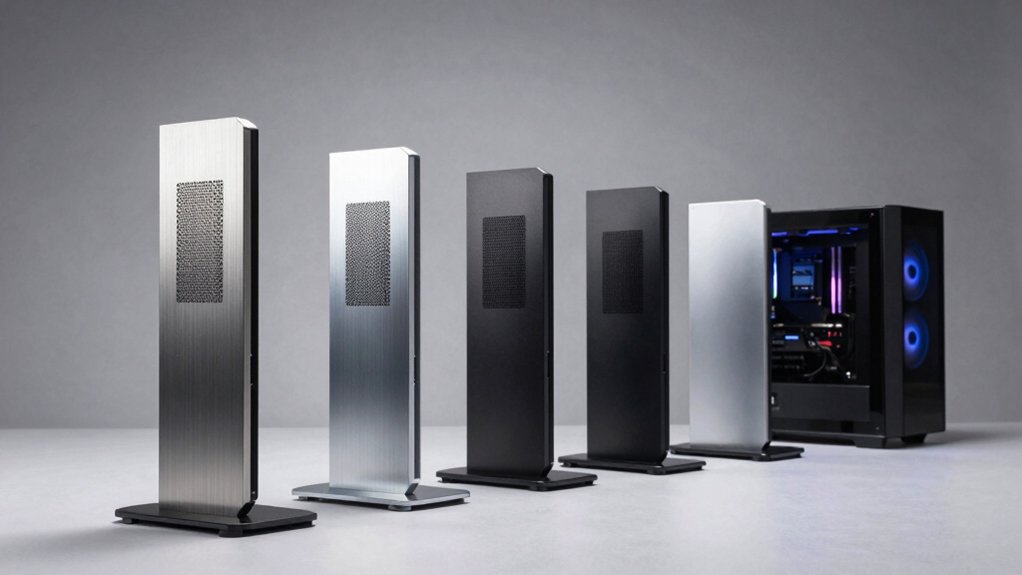

When your mini PC runs hot, you need the right cooling solution fast. You can choose from several stand types: aluminum frames with built-in fans, USB-powered cooling units, or specialized stands for specific devices like Mac minis. Each option offers different cooling methods and portability levels. The key is matching your device type and space constraints to the right stand. But which one works best for your setup?
| Aluminum Mini PC Cooler Stand with 120mm Fan |

| Best Dual-Mode Cooler | Cooling Method: Passive aluminum + active 120mm fan | Power Source: USB powered | Noise Level: Not specified | VIEW LATEST PRICE | Read Our Analysis |
| Wathai 120mm Cooling Case Fan for DVR Xbox Router |

| Best Budget Fan | Cooling Method: Active 120mm fan only | Power Source: USB powered | Noise Level: 23 dBA | VIEW LATEST PRICE | Read Our Analysis |
| Quiet 80mm USB Cooling Fan for Electronics |
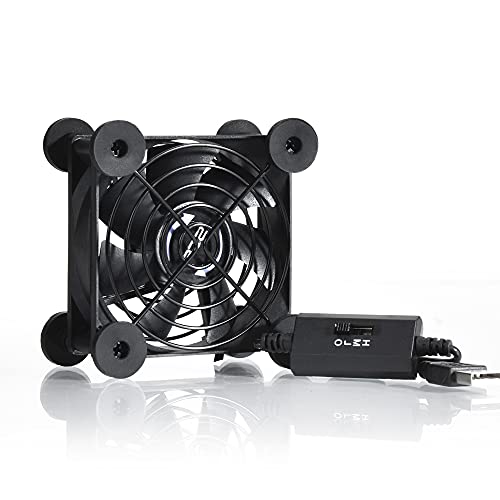
| Quietest Option | Cooling Method: Active 80mm fan only | Power Source: USB powered | Noise Level: 21 dB (low speed) | VIEW LATEST PRICE | Read Our Analysis |
| Mac mini Stand with RGB LED Cooler Display |
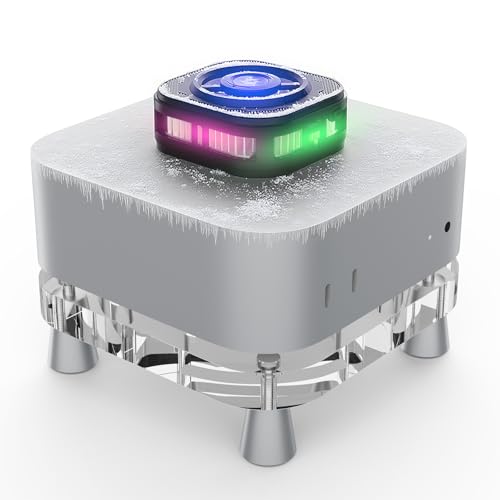
| Best Premium Design | Cooling Method: TEC semiconductor + 7-blade turbine fan | Power Source: Not specified | Noise Level: Below 25 dB | VIEW LATEST PRICE | Read Our Analysis |
| Adjustable Computer Tower Stand with Cooling Fan |

| Best Mobility Solution | Cooling Method: Integrated bottom cooling fan | Power Source: Not specified | Noise Level: Not specified | VIEW LATEST PRICE | Read Our Analysis |
More Details on Our Top Picks
Aluminum Mini PC Cooler Stand with 120mm Fan
How do you keep your Mac mini, router, or modem running cool? This aluminum stand offers two cooling options. For 24/7 devices like routers, use passive cooling mode—the aerospace-grade aluminum lowers temperatures 8–20°C without noise. For high-performance needs, activate the 120mm fan via the included switch controller. The stand’s compact 6.69 × 5.71 × 1.77-inch design fits entertainment centers and tight spaces. The anodized aluminum surface resists scratches and corrosion. A USB passthrough preserves your connected device’s ports. The replaceable fan ensures long-term value. At 1.1 lbs, you can easily transport it between locations.
- Cooling Method:Passive aluminum + active 120mm fan
- Power Source:USB powered
- Noise Level:Not specified
- Operating Speed Control:Switch controller (on/off)
- Primary Material:Anodized aluminum alloy
- Compatibility:Mac mini, router, modem, network switch, TV box
- Additional Feature:Dual-mode passive/active cooling
- Additional Feature:USB passthrough port included
- Additional Feature:Replaceable fan design
Wathai 120mm Cooling Case Fan for DVR Xbox Router
Looking for affordable cooling that won’t drain your wallet? The Wathai 120mm fan offers reliable thermal management at a budget-friendly price. This USB-powered fan runs at 1500 RPM, delivering 56.7 CFM of airflow while maintaining quiet operation at just 23 dBA. Installation requires a simple USB connection to any power source. The package includes mounting hardware, protective netting, and foot columns for flexible placement. Compatible with DVRs, routers, gaming consoles, and mini PCs, this fan effectively reduces heat buildup in confined spaces. Its 35,000-hour lifespan ensures long-term durability. The 55-centimeter cable provides adequate reach for most setups, making this option practical for home theater environments and electronics requiring passive cooling solutions.
- Cooling Method:Active 120mm fan only
- Power Source:USB powered
- Noise Level:23 dBA
- Operating Speed Control:Single speed (1500 RPM fixed)
- Primary Material:Plastic
- Compatibility:DVR, Xbox, router, TV box, microcomputers
- Additional Feature:35,000-hour lifespan rating
- Additional Feature:Protective net included
- Additional Feature:Four mounting foot columns
Quiet 80mm USB Cooling Fan for Electronics
Need reliable cooling without the noise? The Quiet 80mm USB Cooling Fan delivers consistent airflow at just 21dB on low speed. You’ll appreciate its three-speed controller, which lets you balance noise levels against cooling power. The fan’s 7 blades push strong airflow through dual iron grills that protect your equipment. Its double ball bearing system supports 65,000 hours of service life. You can place it flat or upright using shockproof foot pads. Simply connect the USB plug to any audio-visual device, game console, or computer cabinet. This portable cooler works for Xbox, PlayStation, routers, DVRs, and TV receivers.
- Cooling Method:Active 80mm fan only
- Power Source:USB powered
- Noise Level:21 dB (low speed)
- Operating Speed Control:Three speeds (low, middle, high)
- Primary Material:Plastic with iron grills
- Compatibility:Xbox, DVR, PlayStation, router, TV receiver
- Additional Feature:Three-speed control settings
- Additional Feature:65,000-hour service life
- Additional Feature:Flat/upright placement options
Mac mini Stand with RGB LED Cooler Display
If you’re running intensive tasks on your Mac mini M4 and need premium design cooling that actually works, this TEC refrigeration stand delivers third-generation semiconductor cooling technology with visible frost capability. The stand uses a 7-blade turbine fan and 90 ultra-thin alloy cooling fins to spread heat rapidly and uniformly. You’ll get silent operation below 25 dB, so the cooler won’t distract you during work. The dual-gear cooling system can produce actual frost formation on the second setting, maintaining optimal temperatures effectively. Its transparent acrylic design with magnetic RGB LED display provides both function and visual appeal. The stand fits Mac mini M4 mounts and Apple phones, making it versatile for your setup.
- Cooling Method:TEC semiconductor + 7-blade turbine fan
- Power Source:Not specified
- Noise Level:Below 25 dB
- Operating Speed Control:Two-gear dual cooling system
- Primary Material:Acrylic with alloy cooling fins
- Compatibility:Mac mini M4, Apple phones
- Additional Feature:TEC semiconductor cooling technology
- Additional Feature:Visible frost formation capability
- Additional Feature:Magnetic RGB LED display
Adjustable Computer Tower Stand with Cooling Fan
The Adjustable Computer Tower Stand with Cooling Fan delivers superior mobility for users who need to relocate their rigs frequently while maintaining consistent cooling performance. The stand’s four 360° swivel casters enable easy movement across floors for cleaning or repositioning. Lock the front casters when you need stability. The integrated bottom cooling fan actively disperses heat, protecting your computer host. The width adjusts from 9.05 to 12.2 inches, accommodating various tower sizes. The metal steel construction supports up to 88 pounds reliably. Bump-proof rounded edges prevent damage. Quick assembly requires no tools. Elevated positioning allows easy cable access and ground clearance for optimal airflow management.
- Cooling Method:Integrated bottom cooling fan
- Power Source:Not specified
- Noise Level:Not specified
- Operating Speed Control:Integrated (speed not adjustable)
- Primary Material:Metal steel pipe with PS panel
- Compatibility:Most computer towers of various sizes
- Additional Feature:360° swivel casters
- Additional Feature:Supports 88 LBS capacity
- Additional Feature:Tool-free quick assembly
Factors to Consider When Choosing a Mini PC Cooler Stand
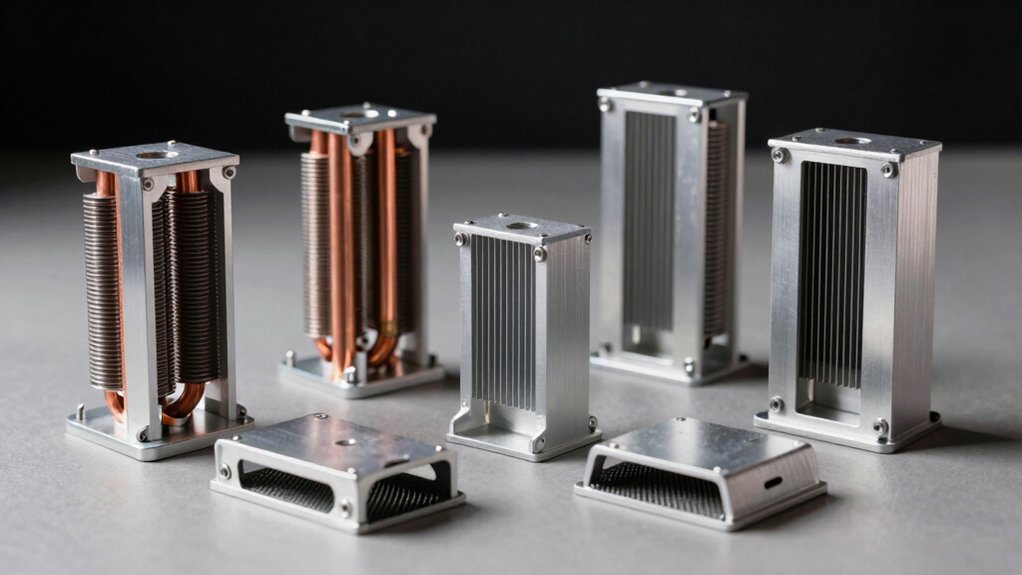
When you’re selecting a mini PC cooler stand, you’ll need to evaluate five key factors: cooling performance and efficiency, noise level considerations, build quality and materials, device compatibility, and size with portability features. Start by checking the stand’s cooling specifications and decibel ratings to ensure it’ll cool your rig effectively without creating excessive noise during use. Finally, verify that the stand’s dimensions fit your space and that its mounting system accommodates your specific mini PC model.
Cooling Performance and Efficiency
How do you choose between passive and active cooling when selecting a mini PC cooler stand? Passive cooling uses an aluminum stand to reduce temperatures by 8–20°C without consuming power, making it ideal if you prioritize silent operation and energy efficiency. Active cooling deploys a 120mm fan for maximum airflow when your device generates significant heat during intensive tasks. Consider your device’s heat output and your noise tolerance. If you want flexibility, select a stand with a fan-controlled switch to adjust cooling intensity and noise levels to match your actual needs. Additionally, choose models with replaceable fans to maintain long-term performance. USB-powered cooling options preserve your available ports while delivering targeted temperature management.
Noise Level Considerations
Noise levels matter just as much as cooling performance, especially if you’ll use your mini PC in quiet spaces like bedrooms or offices. Compact cooling stands typically operate between 21 and 25 dB on low settings, with noise increasing at higher fan speeds. Check the fan type: ball bearing designs maintain quieter operation longer than sleeve bearings, which develop hum over time. Consider models with passive cooling modes that produce no noise when active cooling isn’t needed. Look for units with switched controllers that let you cycle the fan on and off based on your cooling demands. This approach eliminates constant fan noise while maintaining adequate temperature control. Match your noise tolerance to the stand’s specifications before purchasing.
Build Quality and Materials
Durability depends heavily on the materials and construction methods used in your mini PC cooler stand. Look for aluminum construction with anodized finishes, which resist scratches and withstand daily wear. Verify that the stand features CNC-machined components, indicating precision manufacturing and reliable performance. Check for sturdy, rounded edges and smooth machining that prevent injuries and improve handling. Examine the stand’s footprint to ensure it doesn’t obstruct USB ports or ventilation pathways. Inspect protective features like shock-absorbing feet and protective grills that guard both your device and the stand during use. Confirm that key components, such as fan modules, are replaceable or upgradable so you can extend the stand’s lifespan without replacing the entire unit.
Device Compatibility Matters
What device will you actually place on your cooler stand? You need to match the stand’s dimensions to your specific device—whether it’s a Mac mini, router, modem, network switch, or TV box. Check the stand’s footprint against your device’s measurements to ensure proper fit and alignment. Next, verify that ports remain accessible after placement; you shouldn’t have to remove the device to connect cables. Confirm whether the stand supports both passive and active cooling modes for your device type. Additionally, check if the stand offers USB passthrough so you can share power between connected devices, or if you’ll need a separate power source. Finally, determine whether the stand accommodates multiple compact devices simultaneously, maximizing your setup’s efficiency.
Size and Portability Features
How will you move your cooler stand between rooms or transport it to different setups? Consider compact dimensions first—stands measuring 6.69 × 5.71 × 1.77 inches and weighing 1.1 lbs fit easily into tight spaces and relocate without difficulty. Check for tool-free assembly and lightweight construction, which simplify moving your stand between locations. Look for carrying handles that enable one-handed transport. Examine whether the stand features removable or replaceable fans, allowing you to reduce weight during transit. A low-profile footprint prevents obstruction of desk space and nearby devices. For flexibility, select width-adjustable stands that accommodate different device sizes without requiring additional equipment. Switchable passive and active cooling modes let you adapt the stand to stationary or mobile deployments. These features ensure your cooler stand remains practical regardless of your setup changes.
Long-Term Durability Value
When you’re investing in a mini PC cooler stand, you’ll want to prioritize features that protect your equipment over months and years of use. Look for heavy-duty aluminum construction with anodized coating, which resists scratches and corrosion effectively. Choose stands with precision CNC machining and smooth edges to minimize wear during repeated handling and setup. Select models with replaceable fan designs, allowing you to upgrade or replace components without discarding the entire unit. Verify that your stand supports USB-powered operation with a switch controller, enabling durable cooling modes that reduce component failure. Finally, confirm the stand’s compact, low-footprint design fits your space securely, preventing accidental damage from unstable or bulky setups that could compromise long-term performance.
Final Thoughts
You’ve reviewed five effective cooling stand options suited to different needs. Select based on your specific requirements: choose aluminum stands for portability, the Wathai fan for DVRs and gaming consoles, the 80mm fan for quiet operation, the Mac mini stand for premium cooling with RGB display, or the tower stand for larger setups. Evaluate your device size, noise tolerance, and budget. Install your chosen stand following the manufacturer’s instructions to ensure optimal heat management and equipment longevity.

Meet Ry, “TechGuru,” a 36-year-old technology enthusiast with a deep passion for tech innovations. With extensive experience, he specializes in gaming hardware and software, and has expertise in gadgets, custom PCs, and audio.
Besides writing about tech and reviewing new products, he enjoys traveling, hiking, and photography. Committed to keeping up with the latest industry trends, he aims to guide readers in making informed tech decisions.