
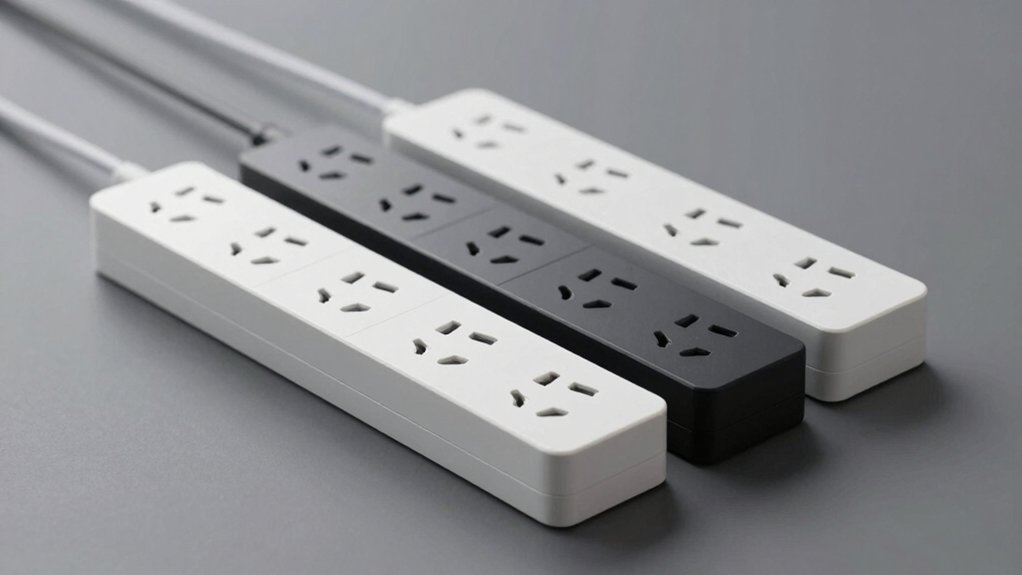

You’re looking to reclaim your living space from tangled cords and visible power strips. Slim outlet extenders solve this problem by fitting snugly behind furniture while keeping your outlets accessible. You’ll find models with ultra-thin profiles, flat plugs, and built-in USB ports that handle multiple devices simultaneously. But choosing the right one depends on specific features you need—and there are seven standout options worth exploring.
| Olcorife Power Strip Surge Protector with USB Ports |

| Best Multi-Device Charging | AC Outlets: 6 outlets | USB Ports: 3 ports (2 USB-A, 1 USB-C) | Cord Length: 5 feet | VIEW LATEST PRICE | Read Our Analysis |
| Sleek Socket Flat Outlet Concealer with Extension Cord Kit |

| Best Cord Concealment | AC Outlets: 3 outlets | USB Ports: 0 ports | Cord Length: 3 feet | VIEW LATEST PRICE | Read Our Analysis |
| EZ Outlet Electrical Extender with USB and AC Outlets |

| Best Adjustable Reach | AC Outlets: 2 outlets | USB Ports: 2 ports (1 USB-A, 1 USB-C) | Cord Length: Adjustable (22-34 inches) | VIEW LATEST PRICE | Read Our Analysis |
| TROND Flat Outlet Extender with 6 Inch Cord |

| Best Compact Design | AC Outlets: 3 outlets | USB Ports: 0 ports | Cord Length: 6 inches | VIEW LATEST PRICE | Read Our Analysis |
| LIDER Flat-Face Outlet Extender with 3 Receptacles |

| Best Budget Option | AC Outlets: 3 outlets | USB Ports: 0 ports | Cord Length: 3 feet | VIEW LATEST PRICE | Read Our Analysis |
| TROND 360° Rotating Power Strip with USB Ports |

| Best Surge Protection | AC Outlets: 5 outlets | USB Ports: 3 ports (2 USB-A, 1 USB-C) | Cord Length: 3 feet | VIEW LATEST PRICE | Read Our Analysis |
| TESSAN Flat Plug Extension Cord with Surge Protector |

| Best Space-Saving Angles | AC Outlets: 4 outlets | USB Ports: 3 ports (2 USB-A, 1 USB-C) | Cord Length: 5 feet | VIEW LATEST PRICE | Read Our Analysis |
More Details on Our Top Picks
Olcorife Power Strip Surge Protector with USB Ports
The Olcorife Power Strip excels for anyone who charges multiple devices simultaneously. This unit features six outlets, two USB-A ports, and one USB-C port, allowing you to power up to nine devices at once. Its 0.27-inch ultra-thin flat plug slides easily behind furniture without creating bulges or gaps. The five-foot cord gives you flexibility in positioning. Mount it on your wall using the two holes on the back, or leave it portable for travel and dorm rooms. Built-in overload protection automatically cuts power if you exceed the rated capacity, preventing overcurrent damage. Use the USB ports for phones and tablets while plugging in larger devices like lamps or computers into the standard outlets.
- AC Outlets:6 outlets
- USB Ports:3 ports (2 USB-A, 1 USB-C)
- Cord Length:5 feet
- Surge Protection:Yes (circuit breaker)
- Max Wattage/Power:Not specified
- Wall-Mountable:Yes (2 mounting holes)
- Additional Feature:3-sided outlet design
- Additional Feature:Charges 9 devices simultaneously
- Additional Feature:Ultra-thin 0.27-inch flat plug
Sleek Socket Flat Outlet Concealer with Extension Cord Kit
If you’re looking to hide outlets and cables throughout your kitchen, bedroom, or any tight space behind furniture, Sleek Socket‘s flat outlet concealer offers superior cord management through its ultra-thin design and included adhesive accessories. The kit includes a 3-foot outlet concealer, 3-outlet power strip, adhesive strips, and cord clips. You’ll attach the concealer to your duplex outlet without tools using a traditional plug connection. The flat extension cord enables sleek cable routing along walls. Use the adhesive strips and clips to secure cords neatly against surfaces, keeping them out of sight and organized. This solution works with standard duplex outlets and meets UL safety standards. The removable adhesive allows repositioning without damage, making it a cost-effective way to reduce hazards and clutter while maintaining your home’s aesthetic appeal.
- AC Outlets:3 outlets
- USB Ports:0 ports
- Cord Length:3 feet
- Surge Protection:No
- Max Wattage/Power:Not specified
- Wall-Mountable:No (attaches to existing outlet)
- Additional Feature:Adhesive cord concealer kit
- Additional Feature:No-tool attachment required
- Additional Feature:USA family-owned small business
EZ Outlet Electrical Extender with USB and AC Outlets
You”ll want this extender if you”re tired of wrestling with furniture to reach outlets. The EZ Outlet extends 22 to 34 inches and rotates 180 degrees, fitting behind couches, nightstands, and desks. It provides two AC outlets and both USB-A and USB-C ports delivering 5V 2.4A output. A phone ledge on top holds your device while charging. Installation takes seconds—plug it into an existing outlet. The included damage-free Velcro command strips secure it without tools or mess. ETL certification ensures safe indoor use. This setup consolidates all your charging needs in one accessible location.
- AC Outlets:2 outlets
- USB Ports:2 ports (1 USB-A, 1 USB-C)
- Cord Length:Adjustable (22-34 inches)
- Surge Protection:No
- Max Wattage/Power:Not specified
- Wall-Mountable:No (Velcro command strips)
- Additional Feature:Extends 22–34 inches adjustable
- Additional Feature:180° rotating base
- Additional Feature:Phone charging ledge included
TROND Flat Outlet Extender with 6 Inch Cord
TROND’s flat outlet extender offers a compact design that fits snugly behind furniture where standard outlets can’t reach. The 0.33-inch low-profile plug lays flush against walls, and its 6-inch cord lets you position it conveniently out of sight. You’ll gain three additional outlets arranged on different sides, allowing three large plugs simultaneously without blocking neighbors. The extender handles up to 1875W at 125V/15A and includes an LED power indicator. It’s ETL listed with flame-retardant materials for safety. Note that it lacks surge protection and works only with standard outlets, not recessed or floor models. This unit suits bedrooms, bathrooms, kitchens, and travel situations where extra outlets matter.
- AC Outlets:3 outlets
- USB Ports:0 ports
- Cord Length:6 inches
- Surge Protection:No
- Max Wattage/Power:1875W
- Wall-Mountable:Not mentioned
- Additional Feature:3-sided outlet arrangement
- Additional Feature:6-inch short extension cord
- Additional Feature:Travel-portable design
LIDER Flat-Face Outlet Extender with 3 Receptacles
Looking for affordable outlet expansion without the eyesore of bulky plugs? The LIDER model LWE3-315-W delivers three standard outlets through a slim wall plate design that sits flush against your wall. Its ultra-thin profile eliminates protruding plugs that catch on furniture. The unit handles up to 15 amps and 1,625 watts, suitable for most household devices. Installation requires no tools—simply insert the plug into your existing outlet and mount the flat faceplate. The included 3-foot cord extends power to inconvenient locations like behind desks, under countertops, or near bathrooms. LIDER backs this extender with a 10-year warranty, and it’s ETL-listed for safety compliance.
- AC Outlets:3 outlets
- USB Ports:0 ports
- Cord Length:3 feet
- Surge Protection:No
- Max Wattage/Power:1625W
- Wall-Mountable:Yes (permanent/temporary installation)
- Additional Feature:Ultra-thin flat-face design
- Additional Feature:10-year warranty included
- Additional Feature:Multiple color coordination options
TROND 360° Rotating Power Strip with USB Ports
The TROND 360° Rotating Power Strip delivers surge protection through 1440 Joules of defense against electrical spikes, making it ideal for anyone who’s cluttered their bedroom, kitchen, or office with multiple devices that need simultaneous charging. You get 5 AC outlets plus 3 USB ports (1 USB-C, 2 USB-A) on a compact unit with a 3-foot cord. Mount it vertically or horizontally using the 360° rotating plug, wall-mounting holes, or adhesive pad. The all-metal construction with flame-retardant enclosure handles up to 1625W continuously. Use the included cable clips to organize your cord, and monitor the green LED indicator to confirm surge protection status remains active during operation.
- AC Outlets:5 outlets
- USB Ports:3 ports (2 USB-A, 1 USB-C)
- Cord Length:3 feet
- Surge Protection:Yes (1440 Joules)
- Max Wattage/Power:1625W
- Wall-Mountable:Yes (pre-drilled holes, adhesive pad or screws)
- Additional Feature:360° rotating plug design
- Additional Feature:1440 Joules surge protection
- Additional Feature:5 cable clips included
TESSAN Flat Plug Extension Cord with Surge Protector
TESSAN’s flat plug extension cord works well for anyone who needs to maximize outlets in cramped spaces. The 7-in-1 power strip gives you 4 AC outlets, 1 USB-C port, and 2 USB-A ports in a compact design. Its ultra-slim 0.31-inch flat head slides easily behind furniture, and the 45-degree right-angle design creates room for additional plugs. The 5-foot cord provides adequate reach for most setups. You’ll get 900 Joules of surge protection plus short-circuit and over-current safeguards. Mount it using the two bottom holes or place it on desks and nightstands with the four rubber feet for stability. Note that using all three USB ports simultaneously may reduce charging speeds.
- AC Outlets:4 outlets
- USB Ports:3 ports (2 USB-A, 1 USB-C)
- Cord Length:5 feet
- Surge Protection:Yes (900 Joules)
- Max Wattage/Power:1250W
- Wall-Mountable:Yes (2 mounting holes)
- Additional Feature:45-degree right-angle design
- Additional Feature:900 Joules surge protection
- Additional Feature:4 rubber feet stability
Factors to Consider When Choosing a Slim Outlet Extender for Behind Furniture
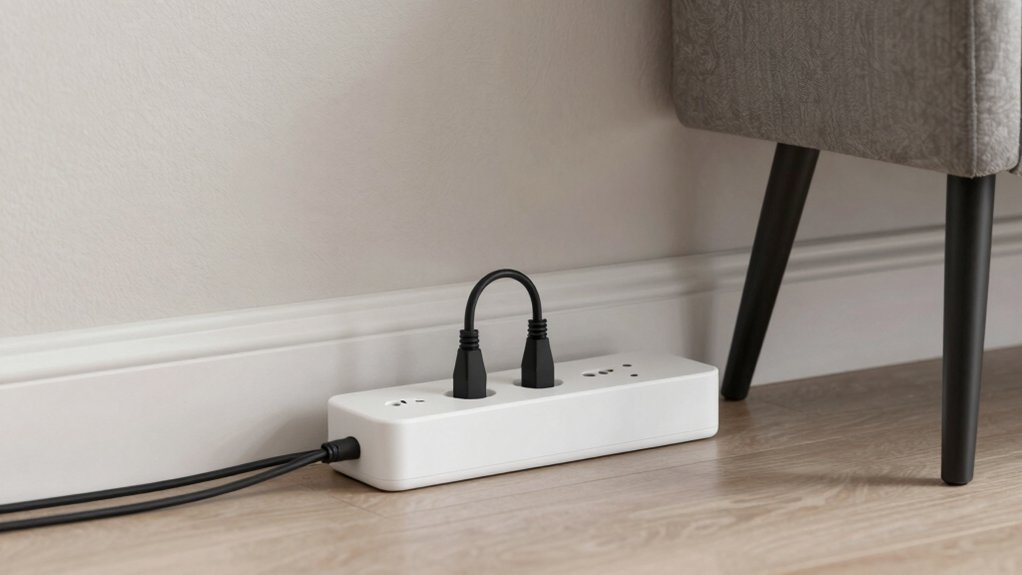
When selecting a slim outlet extender for behind furniture, you’ll need to evaluate five key factors: the profile depth and clearance to ensure it fits in tight spaces, the cord length and flexibility to reach your devices, the number of outlets and their spacing to accommodate your equipment, the availability of USB ports for charging electronics, and the surge protection capabilities to safeguard your devices from power spikes. Start by measuring the gap behind your furniture and comparing it to the extender’s depth, then assess how many devices you’ll plug in and whether you need USB charging options. Finally, confirm that the model includes surge protection rated for your region’s standard voltage to protect your electronics from electrical damage.
Profile Depth And Clearance
How much space do you actually have behind your furniture? Measure the gap between your wall and the back of your piece to determine the maximum plug depth you can accommodate. Look for slim outlet extenders with a low-profile plug depth between 0.27 to 0.33 inches. This shallow measurement allows the extender to sit flush against the wall without protruding excessively. Choose a flat-face or flat-head design, which further reduces protrusion and prevents bulk from accumulating behind furniture. If you’re working with extremely limited space, opt for a 3-sided outlet design that directs outlets sideways rather than outward, improving clearance around adjacent outlets. These design choices directly impact how well your extender hides and how much accessible space remains for furniture placement.
Cord Length And Flexibility
Once you’ve confirmed your outlet extender fits behind the furniture, you’ll need to address how the cord itself reaches from the wall outlet to your device. Measure the distance from your wall outlet to where you’ll place the extender, then choose a cord length accordingly. Three-foot cords work well for tight spaces but limit positioning flexibility. Five- to six-foot cords offer greater reach and placement options, though excess slack may develop. Select a flat or low-profile cord design to minimize protrusion behind furniture. Avoid tight bends that can damage the cord over time. Consider swivel or rotating outlets paired with appropriate cord length to improve accessibility without moving furniture, ensuring your setup remains functional and discreet.
Outlet Quantity And Spacing
Three factors determine whether a slim outlet extender will work behind your furniture: the total number of outlets and USB ports, the physical spacing between them, and the design of each receptacle. Count the devices you plan to plug in simultaneously, then select an extender with at least that many ports. Check the spacing between outlets to ensure large power bricks won’t block adjacent plugs. Look for 3-sided or 4-sided designs that distribute receptacles across multiple surfaces, reducing crowding on one side. Verify that the extender has adequate distance between each outlet—typically at least one inch—so bulky adapters won’t interfere with neighboring plugs. This prevents you from losing usable outlets and keeps your setup functional.
USB Port Availability
What combination of USB ports’ll actually work for your setup? Start by counting how many devices you need to charge simultaneously. Next, determine which port types you need: USB-A for older devices or USB-C for newer phones and tablets. Consider power distribution—when you use multiple ports at once, charging speeds decrease. Some slim extenders deliver 5V 2.4A total across all USB ports, meaning each port gets less power when shared.
Before purchasing, verify the specific USB configuration. Models typically offer either two USB-A ports plus one USB-C, or variations of this combination. Finally, ensure your chosen extender positions USB ports accessibly when placed behind furniture. Blocked or obstructed ports defeat the purpose of having them. Match the port availability directly to your device inventory and location needs.
Surge Protection Capabilities
Beyond ensuring you’ve got enough USB ports for your devices, you’ll also want to verify that your slim outlet extender actually protects those devices from electrical damage. Check the product specifications for an explicit surge protection rating measured in Joules—look for ratings like 1440J or 900J, with higher numbers indicating stronger protection. Not all slim extenders include surge protection, so don’t assume it’s built in. Additionally, confirm the unit has a circuit breaker that automatically cuts power during overload or short-circuit conditions. When mounting your extender behind furniture, ensure ventilation remains unobstructed and protection indicators stay accessible. This setup guarantees your hidden outlet extender maintains active surge defense for connected devices.
Wall Mounting Options
How you’ll mount your slim outlet extender behind furniture depends on the wall type and mounting hardware the unit provides. Check whether your extender offers dedicated mounting holes, brackets, or adhesive solutions. Screw-based systems work best on drywall, while Velcro or adhesive options suit renters and those avoiding wall damage. Measure your wall space and furniture clearance before selecting a mounting method. If your extender includes rotation capabilities, test the reorientation to ensure cords route smoothly around furniture. For concrete or tile walls, prioritize adhesive or bracket systems since drilling becomes difficult. Verify the mounting hardware supports your extender’s weight without sagging. Install the mounting system first, then position the extender flush against the wall to minimize visibility and gaps behind furniture.
Safety Certifications And Standards
Once you’ve secured your slim outlet extender to the wall, verify that the unit itself meets established safety certifications and standards before plugging it in. Look for UL or ETL markings on the product, which indicate compliance with recognized electrical safety standards. Check that the enclosure material carries a UL94 V-0 flame-retardant rating, typically made from PC+ABS plastic. Confirm the voltage and amperage ratings match your region’s standards—125V/15A for North America—and note the maximum wattage capacity, usually around 1625W, to prevent overloading. Review product documentation for explicit protection features including surge protection, overload protection, and short-circuit protection. Verify the unit discloses grounding specifications and leakage current information. These certifications and specifications directly reduce fire and electrical shock hazards when the extender remains hidden behind furniture.
Heat Dissipation And Durability
The enclosure material you select directly impacts how well your slim outlet extender sheds heat when plugged in behind furniture. Metal or heavy-duty plastic housings dissipate heat more effectively than thin, low-profile designs, extending the unit’s lifespan. When outlets are arranged in rotating or multi-sided configurations, heat can concentrate at adjacent outlets, so choose models with adequate spacing and ventilation channels. Built-in surge protection and circuit breakers prevent overcurrent conditions that cause dangerous heat buildup. Check that your extender uses flame-retardant materials and carries UL or ETL certifications. Finally, verify the LED indicator draws minimal power to avoid adding heat. These practical measures ensure your extender operates safely and durably even when concealed in tight spaces behind furniture.
Final Thoughts
You’ll choose the right slim outlet extender by matching your space requirements to specific features. Measure your available space behind furniture and select units under 0.33 inches thick. Count the outlets and USB ports you need, then verify surge protection ratings and safety certifications. Install your extender using wall-mount brackets or adhesive backing, routing the cord along baseboards for clean concealment. Test all outlets before placing furniture to confirm proper function.

Meet Ry, “TechGuru,” a 36-year-old technology enthusiast with a deep passion for tech innovations. With extensive experience, he specializes in gaming hardware and software, and has expertise in gadgets, custom PCs, and audio.
Besides writing about tech and reviewing new products, he enjoys traveling, hiking, and photography. Committed to keeping up with the latest industry trends, he aims to guide readers in making informed tech decisions.