
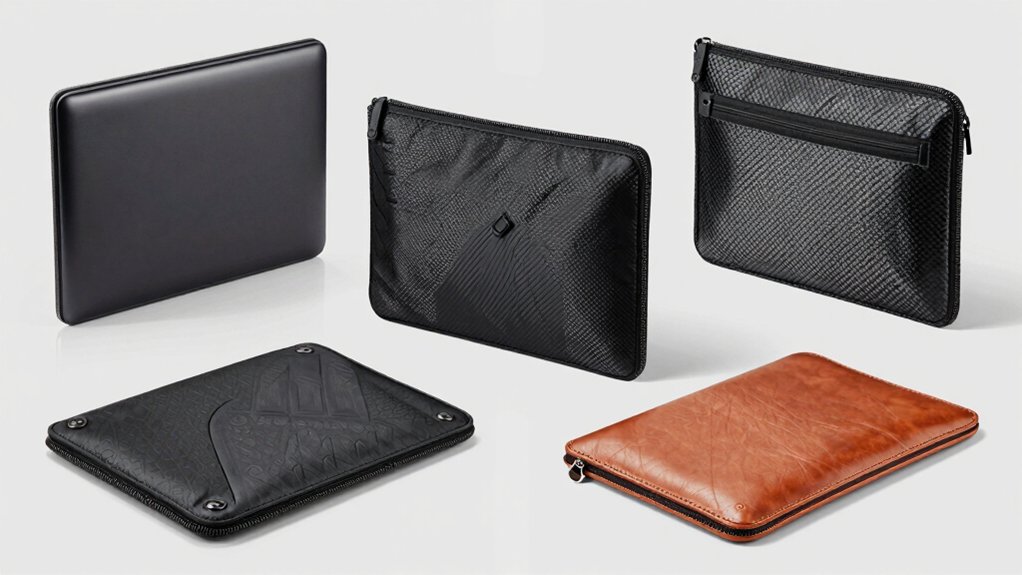

You need a laptop sleeve that actually stops damage instead of just looking protective. Hard shell cases with rigid EVA or polycarbonate construction, sealed seams, and quality YKK zippers provide real defense against drops and moisture. The right sleeve balances protection with portability—think slim profiles under 1.4 inches and practical carrying handles. But which model meets your specific needs?
| FINPAC Hard Laptop Sleeve Case for MacBook & Dell |

| Best for MacBooks | Protection Type: Shockproof semi-hard EVA shell with 5mm padding | Device Compatibility: 13–14 inch laptops and tablets (MacBook Air/Pro, Dell XPS, Surface Laptop, iPad Pro) | Water Resistance: Enhanced water-repellent polyester exterior | VIEW LATEST PRICE | Read Our Analysis |
| DOMISO 15.6 inch Laptop Sleeve with Handle |

| Most Versatile Storage | Protection Type: Thickened EVA hard shell with soft foam interior | Device Compatibility: 15.6 inch laptops (Lenovo, Dell, HP) | Water Resistance: Water-repellent shell with moisture protection | VIEW LATEST PRICE | Read Our Analysis |
| SITHON Hard Shell Laptop Sleeve Case 15.6 Inch |

| Maximum Drop Protection | Protection Type: Quad-layer protection with 4mm shock absorption pad | Device Compatibility: 15.6 inch laptops (Acer, ASUS, Lenovo, Dell, HP, Surface Book) | Water Resistance: Not explicitly water-resistant | VIEW LATEST PRICE | Read Our Analysis |
| Laptop Sleeve 15.6 Inch Shockproof Protective Carrying Case |
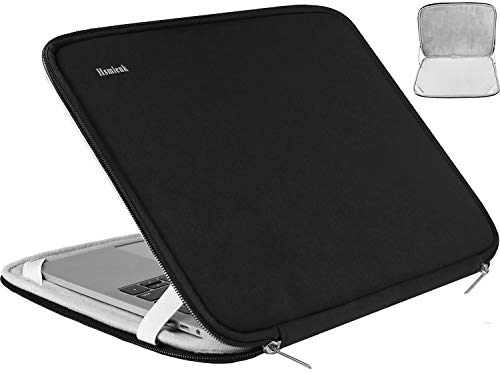
| Best Budget Option | Protection Type: Polyester foam padding with soft enclosure | Device Compatibility: 15.6 inch laptops (HP, ASUS, Lenovo, Acer) | Water Resistance: Water-resistant neoprene shell | VIEW LATEST PRICE | Read Our Analysis |
| MOSISO Waterproof Laptop Hard Case 15-16 Inch |
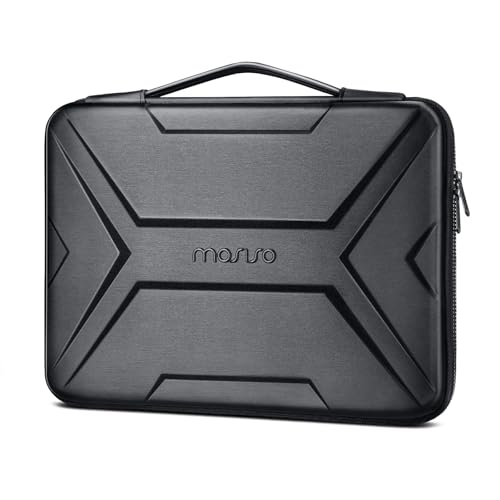
| Best All-In-One Design | Protection Type: Shock-resistant bubble foam padding with hard EVA/PU shell | Device Compatibility: 15–16 inch laptops (MacBook Pro 16, Dell, HP, Lenovo, ASUS, Surface Book) | Water Resistance: Waterproof EVA/PU material | VIEW LATEST PRICE | Read Our Analysis |
More Details on Our Top Picks
FINPAC Hard Laptop Sleeve Case for MacBook & Dell
If you’re protecting a MacBook Air or Pro, the FINPAC Hard Laptop Sleeve Case offers compatible sizing for models M5 through M1. The case features a semi-hard EVA shell with 5mm padding that delivers 360° protection against drops, scratches, and dust. Its 1600D polyester exterior resists water and wear effectively. Premium YKK zippers ensure secure closure during transport. The internal dimensions of 12.6 x 9 x 0.8 inches fit 13–14 inch laptops and tablets. You can carry it by hand strap or slip it into briefcases and backpacks. This case works for Dell XPS, Surface Laptop, and HP devices within the specified size range.
- Protection Type:Shockproof semi-hard EVA shell with 5mm padding
- Device Compatibility:13–14 inch laptops and tablets (MacBook Air/Pro, Dell XPS, Surface Laptop, iPad Pro)
- Water Resistance:Enhanced water-repellent polyester exterior
- Carry Options:Hand strap; fits into briefcases, backpacks, luggage
- Access Design:Top zippered closure
- Interior Organization:No interior pockets mentioned
- Additional Feature:5mm thick padding protection
- Additional Feature:Premium YKK zippers
- Additional Feature:Wide multi-brand compatibility
DOMISO 15.6 inch Laptop Sleeve with Handle
The DOMISO 15.6 inch sleeve offers the most versatile storage for professionals and students who need reliable protection without sacrificing portability. Its thickened EVA hard shell and soft foam interior absorb daily impacts and drops effectively. The water-repellent exterior shields your device from moisture and spills. At just 1.53 inches thick and 0.6 kilograms, it fits easily into bags or under your arm. The leather-trimmed handles enable quick grab-and-go access. Inside, two pockets and one zippered compartment organize chargers, cables, and accessories separately. Hand wash with mild soap and air dry to maintain durability. This design suits office commutes, travel, and campus use while keeping your gear organized and protected.
- Protection Type:Thickened EVA hard shell with soft foam interior
- Device Compatibility:15.6 inch laptops (Lenovo, Dell, HP)
- Water Resistance:Water-repellent shell with moisture protection
- Carry Options:Leather-trimmed retractable handles
- Access Design:Smooth zippered compartment
- Interior Organization:Built-in zippered compartment for charger, cables, phones, pens
- Additional Feature:Built-in zippered compartment
- Additional Feature:Leather-trimmed handles
- Additional Feature:21-year guarantee
SITHON Hard Shell Laptop Sleeve Case 15.6 Inch
Looking for maximum drop protection for your 15.6-inch laptop? The SITHON Hard Shell Laptop Sleeve Case delivers quad-layer protection through its hard EVA shell, 4mm shock absorption pad, anti-scratch polyester fabric, and durable YKK zipper. This combination shields your device from bumps, scratches, and impacts during daily travel and business trips. The textured exterior prevents accidental drops by improving grip. You’ll appreciate the 90–180 degree opening, which allows you to insert and remove your laptop without struggling. The sleeve fits most 15.6-inch laptops, including models from Acer, ASUS, Lenovo, Dell, Surface, ThinkPad, and HP. Before purchasing, verify your laptop’s exact dimensions to ensure proper fit and maximum protection.
- Protection Type:Quad-layer protection with 4mm shock absorption pad
- Device Compatibility:15.6 inch laptops (Acer, ASUS, Lenovo, Dell, HP, Surface Book)
- Water Resistance:Not explicitly water-resistant
- Carry Options:No handles mentioned
- Access Design:90–180 degree opening for easy insertion/removal
- Interior Organization:No interior pockets mentioned
- Additional Feature:Quad-layer drop protection
- Additional Feature:90-180 degree opening
- Additional Feature:Textured grip exterior
Laptop Sleeve 15.6 Inch Shockproof Protective Carrying Case
Budget-conscious professionals and students who need affordable laptop protection’ll find this 15.6-inch sleeve delivers essential shockproof features without premium pricing. The neoprene soft shell with polyester foam padding and fleece lining absorbs impact from bumps and pressure in backpacks or suitcases. Dual zippers open 90–180 degrees for quick access to your device. Water-resistant outer fabric guards against dust and scratches during daily commutes and business travel. Internal dimensions of 15.2 x 10.7 x 0.8 inches fit most 15.6-inch laptops, though you should verify your device’s measurements before purchasing. The lightweight, slim design slides easily into larger bags or functions independently as a briefcase.
- Protection Type:Polyester foam padding with soft enclosure
- Device Compatibility:15.6 inch laptops (HP, ASUS, Lenovo, Acer)
- Water Resistance:Water-resistant neoprene shell
- Carry Options:Can be used as briefcase or slide into bag
- Access Design:Top opening with double zippers; 90–180 degree opening
- Interior Organization:No interior pockets mentioned
- Additional Feature:Double zipper top opening
- Additional Feature:Fluffy fleece fabric lining
- Additional Feature:Neoprene soft enclosure
MOSISO Waterproof Laptop Hard Case 15-16 Inch
Need a laptop case that handles multiple carrying styles without sacrificing protection? The MOSISO hard case offers waterproof, dustproof, and shockproof protection for 15-16 inch laptops. Its geometric EVA/PU shell features shock-resistant bubble foam padding and a 180-degree opening for quick access. You can switch between briefcase and sleeve modes using the extendable handle, which tucks away completely when not needed. An interior mesh pocket secures your laptop with hook-and-loop fasteners, while an additional pocket organizes accessories like mice, earphones, and pens. The case fits MacBook Pro, Surface Book, ASUS ZenBook, Lenovo IdeaPad, and most Dell and HP 15.6-inch models.
- Protection Type:Shock-resistant bubble foam padding with hard EVA/PU shell
- Device Compatibility:15–16 inch laptops (MacBook Pro 16, Dell, HP, Lenovo, ASUS, Surface Book)
- Water Resistance:Waterproof EVA/PU material
- Carry Options:Extendable handle; briefcase or sleeve modes
- Access Design:180-degree open design for easy access
- Interior Organization:Inner mesh pocket for mouse, earphones, pens, notepads
- Additional Feature:Extendable/convertible handle design
- Additional Feature:Hook-and-loop laptop fastener
- Additional Feature:180-degree open access
Factors to Consider When Choosing a Hard Shell Protective Laptop Sleeve
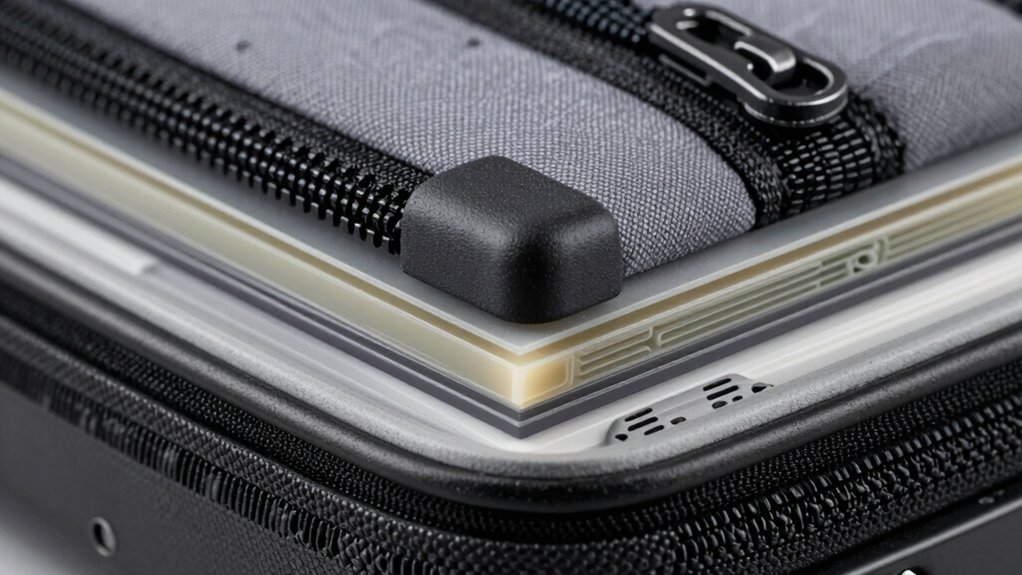
When you’re selecting a hard shell protective laptop sleeve, you’ll need to verify that your device’s dimensions match the sleeve’s size range, check the shock absorption rating to ensure it meets your protection needs, and examine the material quality for durability against daily wear. Next, you should assess the water resistance level—whether it offers splash protection or full waterproofing—and confirm that the carrying features, such as handles or strap attachments, fit your portability requirements. Finally, compare these five factors across multiple options to find the sleeve that balances all your priorities rather than excelling in just one area.
Device Size Compatibility Match
How can you tell if a hard shell laptop sleeve will actually fit your device? Begin by measuring your laptop’s thickness and width in inches, not just its diagonal screen size. Next, check the sleeve’s internal dimensions against your measurements to confirm adequate space. Then compare the sleeve’s external dimensions to your bag or briefcase to ensure it fits without obstruction. Look for sleeves offering 360-degree padding, which protects devices near upper or lower size limits without clamping. Verify compatibility notes distinguishing 13–14 inch versus 15.6 inch models, since sleeves designed for one size often support multiple brands within that range. Finally, confirm the shell material thickness and inner pocket design match your device’s protection requirements at its specific dimensions.
Shock Absorption Quality Levels
The shock absorption capability of a hard shell laptop sleeve depends on the materials and construction methods used in its core and padding layers. You’ll want to examine the padding thickness—aim for 4–5 mm of foam or similar shock-absorbing material surrounding the hard shell. Multi-layer construction offers superior protection; the hard exterior resists crushing while interior padding dampens impact forces. Check that the padding extends to all edges and corners where drops typically cause damage. When evaluating options, press the padding firmly; quality foam rebounds quickly and doesn’t compress permanently. Verify that zippers don’t create gaps that reduce protection. Test the opening range—sleeves offering 90–180 degree access let you insert and remove your laptop safely without forcing it through tight spaces that increase drop risk.
Material Durability And Construction
What materials should you prioritize when selecting a hard shell laptop sleeve? Start by examining the outer shell composition. Look for crush-proof EVA or similar impact-absorbing materials that withstand drops and bumps effectively. Next, evaluate the exterior fabric—1600D polyester or tear-resistant coated surfaces offer durability against scratches and abrasion during daily use. Inspect the interior padding thickness, typically 4–5 mm, which provides 360-degree protection without excessive bulk. Check the zipper quality; YKK zippers prevent snags and maintain long-term integrity. Finally, verify multi-layer construction with a hard shell outer, soft inner lining, and anti-scratch fabrics. These layers reduce internal movement and impact transmission. By systematically checking each component, you’ll identify sleeves with genuine protective capability.
Water Resistance Protection Features
When you’re evaluating a hard shell laptop sleeve, you’ll want to examine its water resistance capabilities carefully, as protection levels vary substantially across models. Check whether the sleeve uses water-repellent fabrics or claims full waterproof protection. Many hard-shell options combine EVA shells with water-repellent polyester to defend against splashes and minor submersion. Inspect additional features like dustproof seals and water-resistant zippers that block water entry at vulnerable points. Look at the internal padding and sealed seams—these prevent moisture from reaching your device through openings. Most importantly, verify the specific water protection rating or test standard the manufacturer claims rather than relying on vague terms like “waterproof.” Compare multiple models to understand what protection level matches your actual needs.
Carrying Convenience And Portability
Portability directly affects how often you’ll actually use your laptop sleeve, so you’ll want to prioritize designs that fit your daily routine. Choose sleeves with cushioned, multi-pocket designs and comfortable handles for quick transitions between locations. Slim, lightweight profiles measuring 0.8–1.4 inches thick reduce bulk when placed in backpacks or briefcases. Select sleeves with integrated top or 90–180 degree opening zippers for fast laptop insertion and removal. Consider detachable or tuck-away handles that offer dual carrying options—briefcase-style or as a sleeve—allowing you to adapt transport modes based on your schedule. These features combine to create practical solutions that match your commute patterns and travel needs without compromising protection.
Final Thoughts
You’ll find solid protection by selecting a sleeve with rigid EVA or polycarbonate construction and at least 4–5 mm padding. Check that yours has sealed seams, YKK zippers, and fits your 15–16 inch laptop. Verify the opening angle reaches 90–180 degrees for easy insertion. Pick one with multiple pockets for accessories and a comfortable carry handle or strap. These features ensure your device stays protected during daily transport.

Meet Ry, “TechGuru,” a 36-year-old technology enthusiast with a deep passion for tech innovations. With extensive experience, he specializes in gaming hardware and software, and has expertise in gadgets, custom PCs, and audio.
Besides writing about tech and reviewing new products, he enjoys traveling, hiking, and photography. Committed to keeping up with the latest industry trends, he aims to guide readers in making informed tech decisions.