
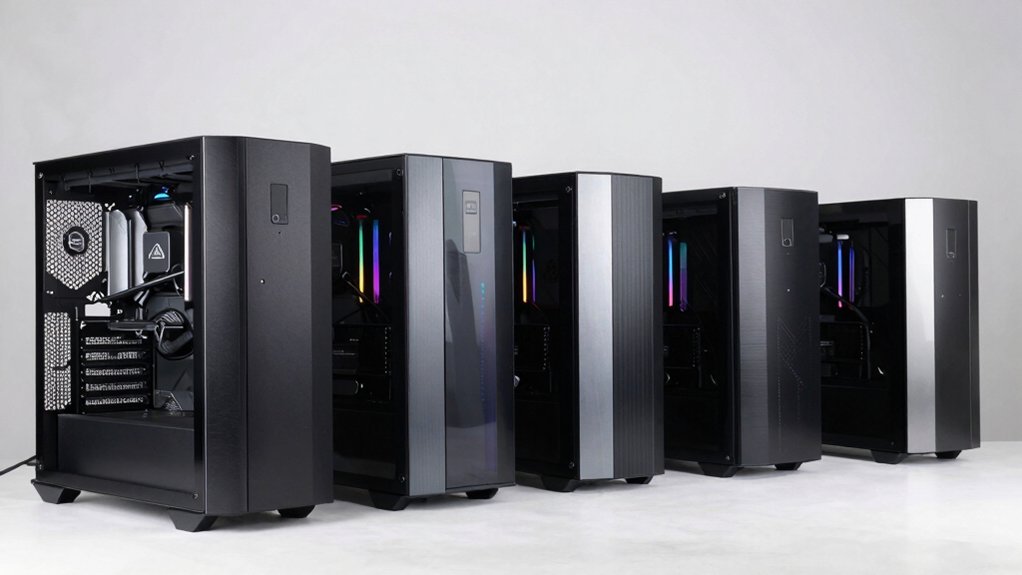

You’re looking to build a PC that showcases premium components while maintaining reliable cooling and expansion options. ASUS offers several mid-tower and EATX cases that deliver on these fronts, each with distinct advantages depending on your build type and budget. Understanding what separates these five models—from modular drive bays to multi-GPU capability—helps you choose the right foundation. Here’s what you need to know.
| ASUS A31 Black ATX Mid-Tower Gaming Case |

| Premium Showcase Design | Motherboard Support: ATX | Tempered Glass Panels: Dual-sided frameless design | Liquid Cooling Support: Up to 360mm AIO with 80mm clearance | VIEW LATEST PRICE | Read Our Analysis |
| ASUS TUF Gaming GT501 Mid-Tower Case |
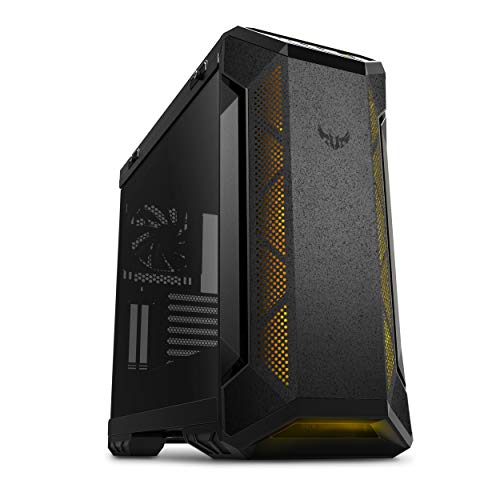
| Best Versatility | Motherboard Support: EATX | Tempered Glass Panels: 4mm-thick smoked full-view side panel | Liquid Cooling Support: Top/front 360mm or rear 140mm radiators | VIEW LATEST PRICE | Read Our Analysis |
| ASUS TUF Gaming GT502 ATX Mid-Tower PC Case |

| Dual-Chamber Innovation | Motherboard Support: ATX | Tempered Glass Panels: Tempered tinted front/side panels | Liquid Cooling Support: Up to 13 fan support with water cooling compatibility | VIEW LATEST PRICE | Read Our Analysis |
| ASUS ROG Strix Helios GX601 RGB Gaming Case |

| Best Overall | Motherboard Support: ATX/EATX | Tempered Glass Panels: 4mm-thick smoked side panels | Liquid Cooling Support: Up to 420mm radiator support | VIEW LATEST PRICE | Read Our Analysis |
| ASUS ROG Hyperion GR701 EATX Gaming Case |
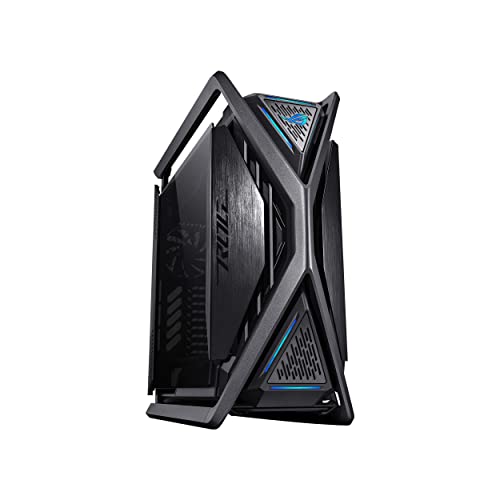
| Ultimate Full-Tower | Motherboard Support: ATX/EATX | Tempered Glass Panels: Not specified | Liquid Cooling Support: Up to 2x 420mm radiators | VIEW LATEST PRICE | Read Our Analysis |
More Details on Our Top Picks
ASUS A31 Black ATX Mid-Tower Gaming Case
Want a case that prioritizes premium showcase design? The ASUS A31 Black delivers dual-sided tempered glass panels with an 8° angled base that enhances both airflow and your view of internal components. You’ll get mainstream ATX compatibility supporting 360mm AIOs and high-end GPUs like the RTX 5090. The BTF hidden connector design conceals cables behind the motherboard, keeping your build clean. With 34mm space behind the tray and up to 80mm AIO clearance, you can route cables efficiently. Color-matched modular cables and ARGB amplification complete the streamlined aesthetic.
- Motherboard Support:ATX
- Tempered Glass Panels:Dual-sided frameless design
- Liquid Cooling Support:Up to 360mm AIO with 80mm clearance
- RGB Lighting:ARGB enhancements amplified by design
- Cable Management:BTF Hidden Connector Design with 34mm space behind motherboard
- Form Factor:ATX Mid-Tower
- Additional Feature:Dual-sided tempered glass panels
- Additional Feature:8° angled base design
- Additional Feature:BTF hidden connector design
ASUS TUF Gaming GT501 Mid-Tower Case
The ASUS TUF Gaming GT501 offers versatile expansion for builders who need multiple cooling and storage options. You’ll find seven drive bays and nine expansion slots to accommodate large builds. The case supports EATX motherboards and includes four pre-installed RGB fans. You can add up to seven more fans or install custom liquid cooling through top, front, or rear radiator mounting points. Built-in handles let you transport the case safely up to 65 pounds. The smoked tempered glass side panel displays your components while magnetic dust filters keep your system clean.
- Motherboard Support:EATX
- Tempered Glass Panels:4mm-thick smoked full-view side panel
- Liquid Cooling Support:Top/front 360mm or rear 140mm radiators
- RGB Lighting:Three 120mm Aura Sync RGB fans included
- Cable Management:Standard cable routing with dust filters
- Form Factor:Mid-Tower
- Additional Feature:Pre-installed RGB fan setup
- Additional Feature:Built-in woven-cotton handles
- Additional Feature:Seven drive bays included
ASUS TUF Gaming GT502 ATX Mid-Tower PC Case
Looking to separate your cooling zones efficiently? The ASUS TUF Gaming GT502 delivers a dual-chamber design that isolates your CPU and GPU cooling independently. You’ll support up to 13 fans across 13 internal bays, accommodating both air and water cooling setups. The panoramic tempered glass panels let you view your hardware while the tool-free side panels enable quick access for installation. You’ll connect peripherals through the front USB Type-C 10 Gbps port for fast data transfer. At 17.56″ deep by 11.22″ wide by 17.72″ tall, this mid-tower fits ATX motherboards and weighs 13 kilograms. ASUS backs it with a two-year warranty.
- Motherboard Support:ATX
- Tempered Glass Panels:Tempered tinted front/side panels
- Liquid Cooling Support:Up to 13 fan support with water cooling compatibility
- RGB Lighting:ARGB lighting compatible
- Cable Management:Fully modular design with tool-free panels
- Form Factor:ATX Mid-Tower
- Additional Feature:Dual-chamber cooling architecture
- Additional Feature:USB Type-C 10 Gbps port
- Additional Feature:Tool-free modular panels
ASUS ROG Strix Helios GX601 RGB Gaming Case
If you’re building a high-performance gaming PC that demands superior cooling and expandability, the ASUS ROG Strix Helios GX601 RGB stands above alternatives through its complete feature set. This mid-tower case accommodates ATX and EATX motherboards with seven expansion slots and nine 3.5″ drive bays for storage. You’ll find four pre-installed 140mm fans with support for seven additional fans, plus 420mm radiator compatibility for custom liquid cooling. The case includes GPU mounting flexibility—position your graphics card vertically or horizontally. Cable management features adjustable covers and pre-run cables for organized builds. Front connectivity provides five USB ports total, including three USB 3.0 ports. Tempered glass panels and Aura Sync lighting showcase your components while three dust filters maintain system cleanliness.
- Motherboard Support:ATX/EATX
- Tempered Glass Panels:4mm-thick smoked side panels
- Liquid Cooling Support:Up to 420mm radiator support
- RGB Lighting:Aura Sync front panel lighting with 4x140mm RGB fans
- Cable Management:Premium cable management with adjustable cover
- Form Factor:Mid-Tower
- Additional Feature:Vertical/horizontal GPU mounting options
- Additional Feature:Up to 420mm radiator support
- Additional Feature:Nine storage drive bays
ASUS ROG Hyperion GR701 EATX Gaming Case
ASUS ROG Hyperion GR701’s ultimate full-tower design suits builders who’re creating high-end gaming systems with multiple graphics cards, extensive cooling, or custom water-cooling loops. The diecast aluminum frame supports EATX motherboards and accommodates up to two 420mm radiators for advanced cooling setups. You’ll access six PWM fan headers and eight ARGB headers for managing multiple cooling solutions. The integrated graphics card holder lets you mount your GPU vertically or horizontally. Its hinged side panel opens tool-free, simplifying component installation. Two front USB Type-C ports with 60W fast charging add convenience. At 24.95 kg, this case demands sturdy desk placement or dedicated stand support.
- Motherboard Support:ATX/EATX
- Tempered Glass Panels:Not specified
- Liquid Cooling Support:Up to 2x 420mm radiators
- RGB Lighting:Aura Sync compatibility with ROG-themed ARGB lighting
- Cable Management:Tool-free hinged side panel for accessibility
- Form Factor:Full-Tower
- Additional Feature:Diecast aluminum-alloy frame construction
- Additional Feature:Integrated graphics card holder
- Additional Feature:USB Type-C 60W fast charging
Factors to Consider When Choosing an Asus PC Case
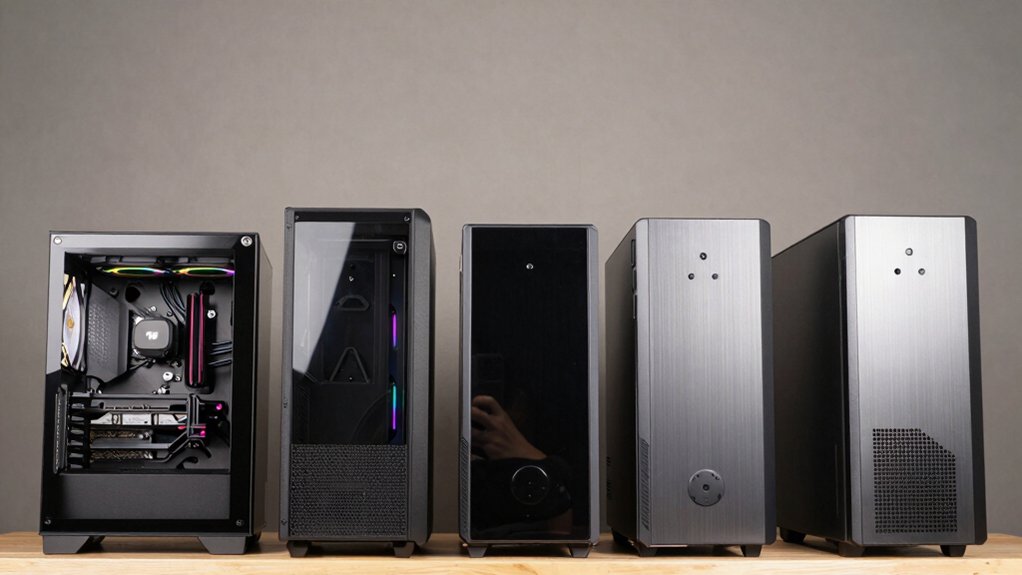
When you’re selecting an ASUS PC case, you’ll need to verify that your motherboard size (ATX, Micro-ATX, or Mini-ITX) fits within the case’s internal layout, check whether your cooling solution—whether it’s an air cooler or liquid radiator—has adequate clearance and support options, and ensure the case accommodates your radiator size (120mm, 240mm, 280mm, or 360mm). Next, examine the cable management design by looking at routing holes, tie-down points, and rear panel organization to keep your build clean and functional. Finally, consider whether a tempered glass side panel matters to you, as it displays your components but requires regular cleaning and affects airflow compared to solid metal panels.
Motherboard Compatibility Needs
How do you know if your motherboard will actually fit in your chosen ASUS case? First, check the case’s maximum motherboard size specification, which typically lists ATX, EATX, or micro-ATX support. Compare this against your selected motherboard’s form factor. Next, verify the number and positioning of mounting standoffs inside the case match your motherboard’s screw holes. Examine the drive bay layout and ensure it doesn’t obstruct motherboard installation. If you’re adding multiple PCIe GPUs, confirm the case provides sufficient internal clearance and doesn’t block expansion slots. Finally, check if the case’s rear I/O cutout aligns with your motherboard’s port configuration, including USB headers and power connectors. Mismatched compatibility creates installation problems and potential hardware damage.
Cooling System Requirements
Beyond ensuring your motherboard fits properly, you’ll need to evaluate the case’s cooling capacity to prevent thermal throttling and hardware damage. Check the maximum radiator size the case supports—many ASUS cases accommodate 360mm AIOs for superior liquid cooling. Review pre-installed fans, typically 120mm or 140mm arrays, and count additional mounting points for future upgrades. Verify compatibility with both air and water cooling methods by examining top and front radiator mounting options. Assess cable management features and magnetic dust filters, which maintain clean airflow paths essential for cooling efficiency. Determine whether you need dual-chamber layouts that separate CPU and GPU cooling zones. Match these specifications against your planned components’ thermal output to ensure adequate heat dissipation without performance degradation.
Radiator Support Options
Since different ASUS cases support varying radiator sizes and configurations, you’ll need to identify which mounting positions your case offers before selecting a cooler. Check your case’s specifications for front, top, and rear radiator compatibility. Some models accommodate 360mm radiators in top or front positions, while others support dual 420mm radiators in specific setups. Verify the clearance available—many cases provide up to 80mm clearance for larger CPU coolers. Note the pre-installed fans, typically three 120mm and one 140mm, as these affect cooling performance. Review mounting hardware details to confirm your case includes dedicated water-cooling brackets or reservoir/pump holes if you’re planning a custom liquid cooling build. Match your cooler choice to these specifications for optimal performance.
Cable Management Design
After you’ve selected your cooler based on radiator support, you’ll want to examine how the case handles cables behind the scenes. Look for dedicated cable management channels and at least 34mm of space behind the motherboard tray to route wires cleanly. Check if the case features hidden connector designs that conceal cables out of view. Built-in cable covers and modular cables with color matching minimize visible wiring. For cases with frameless glass panels, integrated covers maintain a tidy appearance by hiding routing areas. Tool-free side panels allow you to access and organize cables during assembly and maintenance. These features work together to keep your interior organized and aesthetically clean throughout your build.
Glass Panel Visibility
The glass panel on your case determines what components you’ll showcase and how clearly you’ll see them. Dual-sided tempered glass panels provide unobstructed views of your internal hardware from multiple angles. Frameless, pillar-free designs eliminate visual obstructions, allowing you to see cooling systems, ARGB lighting, and cable management without interruption. Consider the glass thickness and attachment method, as these impact viewing clarity and reduce glare. Tinted or smoked glass subtly alters how your components appear—colors may look deeper and lighting brightness shifts slightly. Multi-chamber layouts affect how easily you can evaluate individual hardware components through the panels. Choose based on what you want to display: cooling performance, lighting effects, or overall internal organization.
Storage Drive Capacity
While showcasing your components through glass panels matters for aesthetics, planning your storage capacity determines whether your case’ll actually support your needs. Start by counting the internal drive bays available in your chosen case—models like the GT502 and GR701 offer multiple bays for expanded storage. Next, verify that your case supports both 3.5” and 2.5″ drives with dedicated mounting points, optimizing your storage density. Check whether your case features modular drive trays or detachable panels, which simplify adding or replacing drives without disassembling everything. Confirm that front panels or modular sections provide easy access to internal bays, enabling quick upgrades and maintenance. Finally, match the total number of bays and expansion slots against your planned storage configuration and anticipated future growth requirements.
Expansion Slot Availability
How many add-in cards do you plan to install in your system? This question determines which ASUS case you should select. Look for cases offering 7 to 9 total expansion slots to accommodate full-sized GPUs, multiple PCIe cards, and cooling components. Check the rear panel for 3 to 4 PCIe slots that provide mounting points for your add-in cards. Verify whether the case supports vertical GPU mounting, which affects your layout options and space management behind the motherboard tray. Cases labeled with full ATX or EATX support deliver superior expansion capacity compared to standard mid-tower designs. Count available internal bays for risers and brackets that enable additional adapters. Match your expansion needs directly to the case’s slot configuration before purchasing.
Build Size Considerations
Once you’ve determined your expansion requirements, you’ll need to evaluate what physical size your case should be to fit your motherboard and components. ATX mid-tower cases support standard ATX motherboards and graphics cards, fitting most builds within a compact footprint. If you’re using EATX motherboards or longer GPUs, full-tower and EATX cases provide the necessary internal space. Check your case’s exact dimensions—for example, the GT501 measures 21.7″ W x 21.5″ H x 21.7″ D, while the GR701 spans 25.9″ D x 10.6″ W x 25.2″ H. Verify these measurements against your desk or cabinet space. Larger cases weigh considerably more; the GR701 reaches 24.95 kg, requiring sturdy mounting and handles for safe installation and relocation.
Final Thoughts
You’ve reviewed five ASUS cases with different sizes and features. Choose based on your motherboard type: the A31, GT501, or GT502 for standard builds; the Helios for RGB emphasis; the Hyperion for multiple GPUs. Check your motherboard’s form factor, plan your cooling setup, and measure your space. Verify component compatibility before purchasing. These cases deliver reliable performance across various build requirements.

Meet Ry, “TechGuru,” a 36-year-old technology enthusiast with a deep passion for tech innovations. With extensive experience, he specializes in gaming hardware and software, and has expertise in gadgets, custom PCs, and audio.
Besides writing about tech and reviewing new products, he enjoys traveling, hiking, and photography. Committed to keeping up with the latest industry trends, he aims to guide readers in making informed tech decisions.