
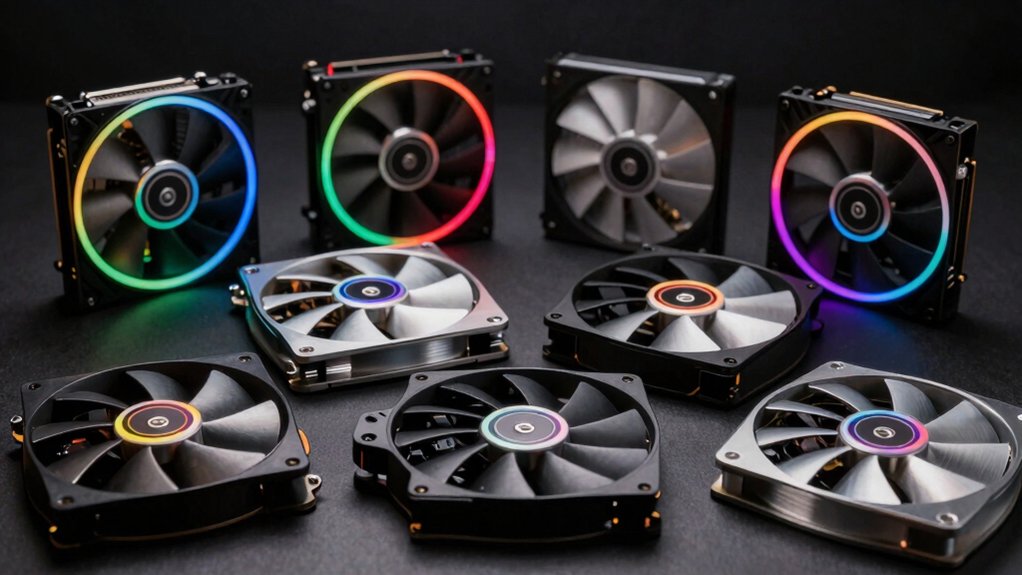

If your PC runs hot during intense gaming or workloads, you need external cooling fans to maintain peak performance. You’ve got several options—from compact 80mm USB fans to powerful 140mm models—each offering different airflow rates, noise levels, and power sources. The right choice depends on your setup’s size, your noise tolerance, and how much cooling power you actually need. Here’s how to find the perfect fit for your rig.
| ELUTENG Dual Cooling Fan 80mm USB Compatible PS4/PS5 |

| Best For Consoles | Fan Size: 80mm | Power Source: USB (5V) | Speed Control: 3-speed adjustable | VIEW LATEST PRICE | Read Our Analysis |
| ELUTENG Dual USB 120mm Computer Cooling Fan |
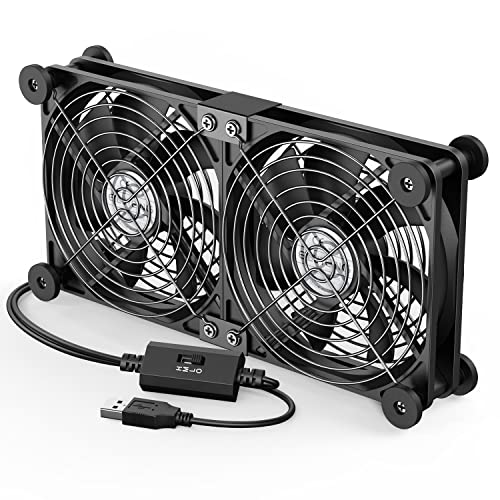
| Best Dual Fan Setup | Fan Size: 120mm | Power Source: USB (5V) | Speed Control: 3-speed adjustable | VIEW LATEST PRICE | Read Our Analysis |
| Wathai 120mm Computer Fan with Speed Controller |

| Most Powerful Cooling | Fan Size: 120mm | Power Source: AC plug (110V-240V) | Speed Control: Variable (3V-12V via knob controller) | VIEW LATEST PRICE | Read Our Analysis |
| AC Infinity MULTIFAN S3 Quiet 120mm USB Fan |
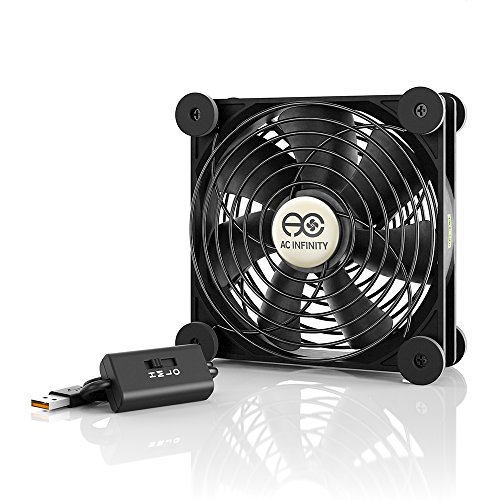
| Quietest Operation | Fan Size: 120mm | Power Source: USB (5V) | Speed Control: Fixed speed | VIEW LATEST PRICE | Read Our Analysis |
| Computer Fan 120mm Variable Speed with Controller |

| Best Budget Option | Fan Size: 120mm | Power Source: AC plug (110V-240V) | Speed Control: Variable (3V-12V via controller) | VIEW LATEST PRICE | Read Our Analysis |
| Kootek Laptop Cooling Pad with 5 Quiet Fans |

| Best For Laptops | Fan Size: Multiple (one 120mm + four 70mm) | Power Source: USB | Speed Control: Dual on/off switches (1 fan, 4 fans, or all 5) | VIEW LATEST PRICE | Read Our Analysis |
| X3 USB Cooling Fan 140mm Ultra Quiet |
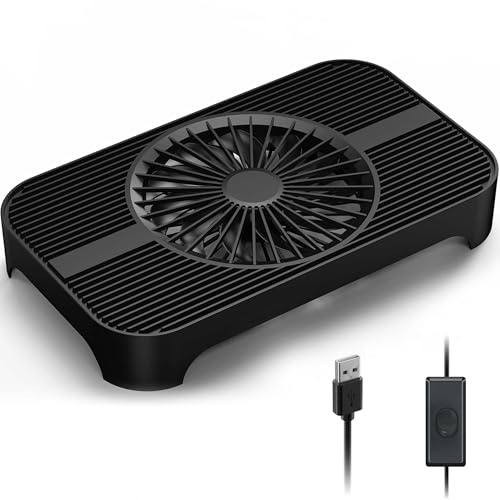
| Ultra-Quiet Pick | Fan Size: 140mm | Power Source: USB | Speed Control: One-touch switch | VIEW LATEST PRICE | Read Our Analysis |
| USB Computer Cooling Fan High Airflow 1900RPM |

| Best High Airflow | Fan Size: Dual fans (size unspecified) | Power Source: USB (5V) | Speed Control: Fixed speed | VIEW LATEST PRICE | Read Our Analysis |
More Details on Our Top Picks
ELUTENG Dual Cooling Fan 80mm USB Compatible PS4/PS5
The ELUTENG Dual Cooling Fan works especially well for gaming consoles because it’s USB powered and doesn’t require internal installation. You’ll connect the 3-foot cable to your PS4, PS5, router, or PC, then position the dual 80mm fans horizontally or vertically based on your setup. Choose between three speed settings: low (25.6dB), medium, or high (32.5dB). The fans operate continuously for 24 hours while maintaining quiet performance. Hydraulic bearings ensure durability, and rubber shock absorbers reduce vibration. With airflow ranging from 23.9 to 31.98 CFM per fan, you’ll effectively cool heat-generating devices. This straightforward setup delivers efficient cooling without complicated installation steps or additional equipment.
- Fan Size:80mm
- Power Source:USB (5V)
- Speed Control:3-speed adjustable
- Noise Level:25.6-32.5 dB
- Airflow Capacity:47.98 CFM max (dual fans combined)
- Bearing Type:Hydraulic
- Additional Feature:Metal grids prevent finger injuries
- Additional Feature:Removable rubber shock absorbers included
- Additional Feature:24-hour continuous operation capability
ELUTENG Dual USB 120mm Computer Cooling Fan
For users seeking dual cooling capacity without installation complexity, ELUTENG’s 120mm fan delivers two independent units in a single package. You’ll plug the USB connector into any powered port on your PC, router, or gaming console. The 3-speed controller lets you select 900, 1200, or 1500 RPM based on your cooling needs. Each fan produces up to 31.98 CFM airflow while operating quietly at 32.5 dB maximum. The hydraulic bearings run continuously for 24 hours without maintenance. Rubber shock absorbers minimize vibration, and metal grids protect against accidents. You’ll position the fans horizontally or vertically depending on your setup requirements.
- Fan Size:120mm
- Power Source:USB (5V)
- Speed Control:3-speed adjustable
- Noise Level:25.6-32.5 dB
- Airflow Capacity:63.96 CFM max (dual fans combined)
- Bearing Type:Hydraulic
- Additional Feature:Compatible with 12x12cm size devices
- Additional Feature:Wear-resistant cable joint protection
- Additional Feature:Wide device compatibility range
Wathai 120mm Computer Fan with Speed Controller
Need the most powerful cooling solution for a compact setup? The Wathai 120mm fan kit gives you two 85 CFM fans with a variable speed controller. You’ll get 110V–240V AC power compatibility and adjustable speeds from 3V to 12V. Mount the fans flat or upright, positioning them for intake or exhaust airflow. The dual-ball bearings last approximately 50,000 hours, and noise stays at 35 dB. Use the included knob controller to regulate fan speed based on your cooling needs. These fans work well for servers, mining rigs, desktop cases, and small enclosed spaces requiring reliable airflow management.
- Fan Size:120mm
- Power Source:AC plug (110V-240V)
- Speed Control:Variable (3V-12V via knob controller)
- Noise Level:35 dB
- Airflow Capacity:170 CFM (dual fans combined)
- Bearing Type:Dual-ball (~50,000 hours lifespan)
- Additional Feature:AC plug 110V-240V operation
- Additional Feature:Variable speed 3V-12V adjustment
- Additional Feature:Dual-ball bearing 50,000-hour lifespan
AC Infinity MULTIFAN S3 Quiet 120mm USB Fan
AC Infinity’s MULTIFAN S3 offers the quietest operation among compact cooling solutions, running at just 18 dBA while delivering 52 CFM of airflow. The fan measures 4.7 by 4.7 by 1 inch and connects via USB power at 5V, 5W—compatible with receiver ports, gaming consoles, and computer setups. Dual-ball bearings provide a 67,000-hour lifespan. You can position it flat or upright depending on your space. The maximum rotational speed reaches 1300 RPM. For electronics requiring silent, efficient cooling without complex installation, this fan handles basic thermal management effectively and consistently.
- Fan Size:120mm
- Power Source:USB (5V)
- Speed Control:Fixed speed
- Noise Level:18 dBA
- Airflow Capacity:52 CFM
- Bearing Type:Dual-ball (67,000-hour lifespan)
- Additional Feature:UL-certified electronics cooling
- Additional Feature:Dual-ball bearing 67,000-hour lifespan
- Additional Feature:Lays flat or stands upright
Computer Fan 120mm Variable Speed with Controller
The Easy Cloud 120mm axial fan delivers reliable cooling without breaking your budget. This model operates at voltages ranging from 110V to 220V AC through its included controller, making it adaptable to different power setups. You’ll adjust fan speed between 700 and 2800 RPM using the 3V–12V multi-speed controller to balance cooling performance with noise levels. The fan generates 95.8 CFM airflow while maintaining noise below 41 dB. Dual ball bearings provide approximately 50,000 hours of operational life. Install it in your PC case, server cabinet, or entertainment equipment using the 2-pin power connector. This replacement option suits desktops, gaming consoles, and various appliances requiring effective ventilation.
- Fan Size:120mm
- Power Source:AC plug (110V-240V)
- Speed Control:Variable (3V-12V via controller)
- Noise Level:<41 dB
- Airflow Capacity:95.8 CFM
- Bearing Type:Dual ball (~50,000 hours lifespan)
- Additional Feature:AC plug 120V/110V/220V compatible
- Additional Feature:Speed range 700-2800 RPM
- Additional Feature:Suitable as fan replacement
Kootek Laptop Cooling Pad with 5 Quiet Fans
Looking for a cooling solution that handles laptops ranging from 12 to 17 inches? The Kootek Laptop Cooling Pad delivers efficient thermal management with five quiet fans: one large 4.72-inch fan and four smaller 2.76-inch fans. You’ll control fan operation through dual switches, selecting one fan, four fans, or all five based on your cooling needs. The metal mesh enclosure houses these fans while maintaining whisper-quiet performance. Six adjustable height settings let you customize your viewing angle for work or gaming. A built-in dual USB hub expands your connectivity options. The device weighs 1.16 kg and measures 14.96 by 11.81 by 1.38 inches, with front stoppers preventing laptop slippage during operation.
- Fan Size:Multiple (one 120mm + four 70mm)
- Power Source:USB
- Speed Control:Dual on/off switches (1 fan, 4 fans, or all 5)
- Noise Level:Whisper-quiet (specific dB not listed)
- Airflow Capacity:Unspecified total airflow
- Bearing Type:Not specified
- Additional Feature:6 adjustable height settings
- Additional Feature:Built-in dual USB hub
- Additional Feature:Blue LED lighting included
X3 USB Cooling Fan 140mm Ultra Quiet
GSCOLER’s X3 USB Cooling Fan delivers quiet, efficient cooling for your setup. This 140mm fan operates at just 18 decibels, allowing you to work or game without distraction. Connect the built-in 31.5-inch USB cable to your computer, router, or gaming console, then flip the one-touch switch to start cooling. The fan produces 65.8 CFM airflow with 11 high-pressure blades, cooling devices by approximately 20% within seconds. Four shock-absorbing pads prevent vibration and surface damage. Its upgraded hydraulic bearing supports over 40,000 hours of operation, making it a durable choice for extended use across multiple electronics.
- Fan Size:140mm
- Power Source:USB
- Speed Control:One-touch switch
- Noise Level:18 decibels
- Airflow Capacity:65.8 CFM
- Bearing Type:Upgraded hydraulic (40,000+ hours lifespan)
- Additional Feature:11 high-pressure blade design
- Additional Feature:Built-in 31.5-inch USB cable
- Additional Feature:Shock-absorbing pads included
USB Computer Cooling Fan High Airflow 1900RPM
Need efficient cooling for multiple devices without cluttering your desk with cables? The SUOHUI Metal-Fan-240-black delivers dual fans running simultaneously at up to 1900 RPM for high airflow. You’ll appreciate its compact metal construction with an aluminum alloy mask that protects your fingers while blocking debris. The USB-powered design requires no extra outlet—just plug it into any USB port on your computer, router, PS5, laptop, or tablet. At only 14.4 decibels, it operates quietly while keeping your electronics cool. The durable metal build includes a one-year warranty, making it a reliable choice for portable cooling across multiple devices.
- Fan Size:Dual fans (size unspecified)
- Power Source:USB (5V)
- Speed Control:Fixed speed
- Noise Level:14.4 decibels
- Airflow Capacity:Unspecified
- Bearing Type:Not specified
- Additional Feature:Full aluminum alloy metal cover
- Additional Feature:Dual fans run simultaneously
- Additional Feature:Portable USB-powered design
Factors to Consider When Choosing an External Fan for PC
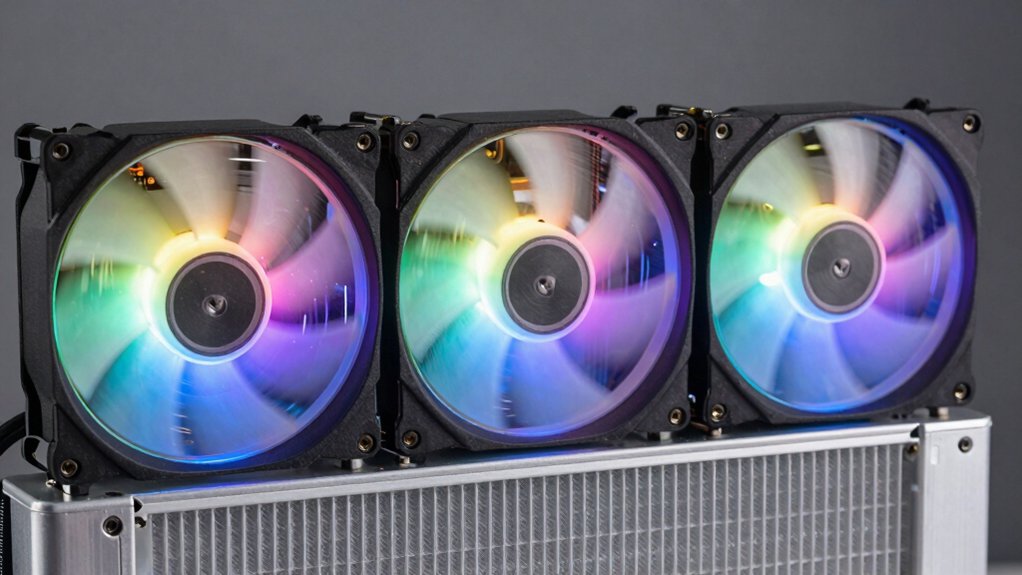
When you’re selecting an external fan for your PC, you’ll need to evaluate five key factors: noise level (measured in decibels, where lower numbers mean quieter operation), airflow capacity (measured in CFM or cubic feet per minute, which determines cooling effectiveness), power source compatibility (whether the fan uses USB, standard power connectors, or batteries), fan size and dimensions (typically ranging from 80mm to 200mm, affecting where it fits on your case), and bearing type (such as ball bearings for durability or sleeve bearings for quieter operation). Each of these factors directly impacts your cooling performance, system noise, and installation options, so you’ll want to prioritize them based on your specific setup and preferences. Start by identifying your case’s available space, then determine your acceptable noise level, and finally match those requirements against fans with sufficient airflow for your components.
Noise Level Considerations
How loud should your external PC fan actually be? Most external PC fans range from 14 dB to 41 dB, with typical models operating between 25–33 dB. You’ll find quieter operation at lower RPMs, typically 700–1500 RPM, though this reduces airflow and cooling capacity. Consider larger-diameter fans like 120 mm models, which deliver higher airflow at comparable or lower noise levels than smaller 80 mm units. Look for fans with specific noise ratings—such as 18 dBA or 25.6 dB at low speed—to establish concrete benchmarks for your environment. If you need consistent quiet cooling during extended use, prioritize fans with 24-hour continuous operation ratings. Match your noise tolerance against your cooling requirements, then select accordingly.
Airflow Capacity Requirements
What role does airflow play in your cooling strategy? Airflow capacity, measured in CFM (cubic feet per minute), directly determines how effectively your fan removes heat from your PC. You’ll find external fans ranging from 23.9 CFM to 95.0 CFM per unit. Higher CFM values deliver greater cooling potential for your system.
To select the right airflow capacity, match it to your device’s heat output and enclosure volume. Larger or more enclosed spaces require higher-CFM fans for effective cooling. If you’re using dual-fan configurations, multiply the CFM rating by two to calculate total airflow. Remember that higher CFM typically produces more noise, so you’ll need to balance cooling performance against acceptable sound levels for your setup.
Power Source Compatibility
Your external PC fan’s power source determines whether it’ll run efficiently in your setup, so you’ll need to verify compatibility before purchasing. Check if the fan uses USB power (5V via USB-A or USB-C) or AC power through a controller. USB-powered fans draw from your port’s available current, typically 0.5–2.5 amps total, which may limit RPM and airflow. AC-powered fans accept wider voltage ranges (110–240V) and deliver higher performance through speed controllers. Confirm your power source can sustain continuous 24-hour operation if you need long-term cooling. Some models feature dual connectors or 4-pin designs for flexible power delivery and precise speed control. Match the fan’s connector type and voltage requirements exactly to your available power supply before installation.
Fan Size And Dimensions
When you’re choosing an external fan for your PC, the physical dimensions matter just as much as the fan’s performance specs. Most fans list three measurements: height, width, and depth in millimeters. Common sizes are 80 mm, 120 mm, and 140 mm, with 120 mm and 140 mm being most popular for case cooling. Check your case’s mounting bracket specifications to confirm compatibility. Depth in particular affects fitment—most 120 mm fans measure 25 mm thick, which influences clearance around internal components. Larger fans like 140 mm can move equivalent airflow at lower RPMs, reducing noise output. Before purchasing, verify your case supports your chosen fan size and that mounting hole spacing aligns with your enclosure’s specifications.
Bearing Type And Durability
How you choose a fan’s bearing type directly impacts how long it’ll last and how quietly it’ll run. Hydraulic bearings deliver smoother operation and extended lifespan compared to sleeve bearings, making them ideal for continuous use. Dual-ball bearings offer even greater longevity—often reaching tens of thousands of hours—while resisting fan tilting and dust buildup more effectively. Check the maximum rated lifespan, typically around 50,000 hours for quality models, as this metric reflects bearing quality and protective housing. For 24/7 cooling scenarios or harsh environments, prioritize fans with sealed or protected bearings and metal grids. These features minimize wear and maintain consistent performance over time. Lower noise depends on RPM and bearing precision rather than bearing type alone.
Speed Control Options
What speed settings do you actually need for your cooling setup? Most external PC fans offer three-speed control options: low, medium, and high. Low speeds typically run around 900 RPM, while high speeds reach 1500–2800 RPM depending on your model. You’ll find two main controller types: adjustable 3V–12V controllers for AC-plug fans and USB-powered multi-speed controllers. Low speeds produce quieter operation at approximately 25.6 dB and consume less power. Medium speeds balance cooling performance with noise levels around 28–29 dB. High speeds deliver maximum airflow up to 31.98 CFM but generate noise around 32.5 dB. Select your controller based on your power source and desired cooling intensity. Adjust speeds seasonally or when your PC demands increased thermal management.
Device Mounting Flexibility
Mounting flexibility determines whether you’ll successfully install your external fan without modification or frustration. Check your chassis layout first—identify whether you need horizontal or vertical mounting options. Verify that the fan’s standard sizes (80mm, 120mm) match your available screw holes and open spaces. Look for fans with compatible brackets that align precisely with your existing setup. Dual-sided metal grilles and shock absorbers stabilize the fan during installation, reducing wobble. Confirm the fan has a compact footprint and flat back surface to sit flush against external housings or walls. Finally, ensure the cable length reaches your power connector without crowding nearby ports. A 1-meter cable with a 4-pin connector typically provides adequate reach and compatibility for most configurations.
Final Thoughts
You’ve reviewed eight external cooling fans with different sizes, power sources, and airflow ratings. To choose the right fan, identify your PC’s cooling needs and available space. Compare the options: USB-powered fans for portability, AC-powered models for consistent performance, and laptop pads for multiple fans. Check CFM ratings and noise levels. Select the fan that matches your budget and cooling requirements, then install it according to the manufacturer’s instructions.

Meet Ry, “TechGuru,” a 36-year-old technology enthusiast with a deep passion for tech innovations. With extensive experience, he specializes in gaming hardware and software, and has expertise in gadgets, custom PCs, and audio.
Besides writing about tech and reviewing new products, he enjoys traveling, hiking, and photography. Committed to keeping up with the latest industry trends, he aims to guide readers in making informed tech decisions.