
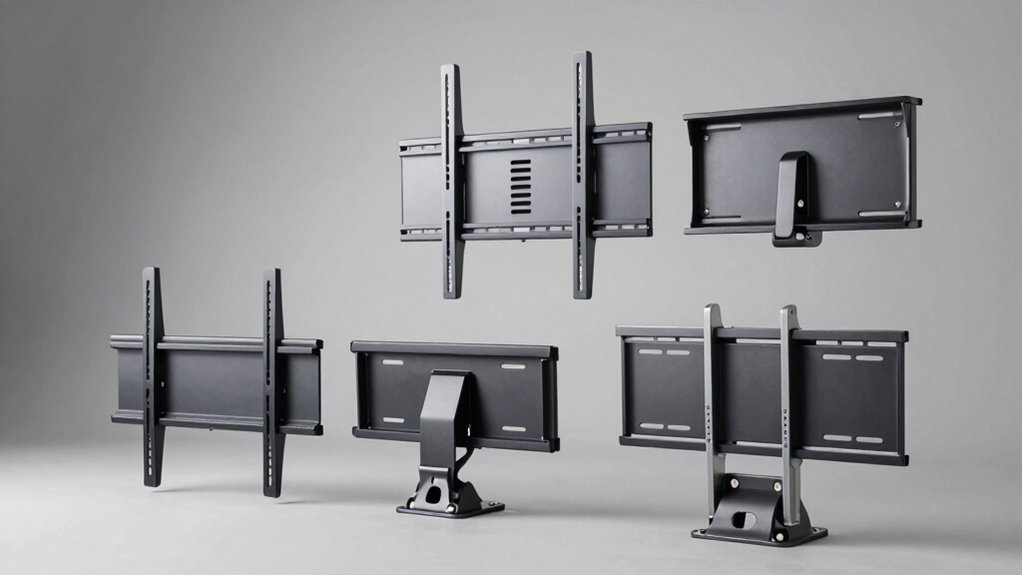

If you’re renting or don’t want to drill into your walls, you’ll need a no-stud TV mount that actually works. You have several solid options available, each with different weight capacities and installation methods. Before you choose one, you should understand what factors matter most for your specific setup. Here’s what you need to know to make the right decision.
| No Stud TV Wall Mount for 12-55 Inch TVs |
| Best for Small Spaces | Maximum Weight Capacity: 99 lbs | Compatible TV Size Range: 13–55 inches | VESA Compatibility: 100x100mm to 400x400mm | VIEW LATEST PRICE | Read Our Analysis |
| ECHOGEAR No Stud TV Mount for Drywall (100lbs) |

| Best Budget Option | Maximum Weight Capacity: 100 lbs | Compatible TV Size Range: 32–77 inches | VESA Compatibility: 75mm–625mm | VIEW LATEST PRICE | Read Our Analysis |
| HangSmart TV Wall Mount for 19-100″ TVs (150LBS) |

| Best for Large TVs | Maximum Weight Capacity: 150 lbs | Compatible TV Size Range: 19–100 inches | VESA Compatibility: Not specified | VIEW LATEST PRICE | Read Our Analysis |
| monTEK No Stud TV Wall Mount 32-100 Inch |

| Best Heavy-Duty Mount | Maximum Weight Capacity: 175 lbs (drywall), 220 lbs (wood studs/concrete/brick) | Compatible TV Size Range: 32–100 inches | VESA Compatibility: 150×100 mm to 1000×600 mm | VIEW LATEST PRICE | Read Our Analysis |
More Details on Our Top Picks
No Stud TV Wall Mount for 12-55 Inch TVs
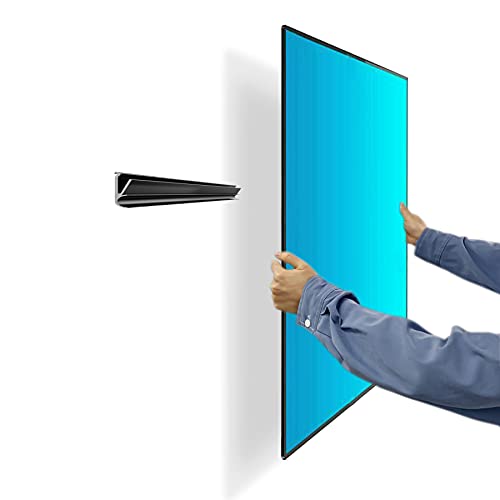
Are you renting your space or concerned about wall damage? The No Stud TV Wall Mount offers a drill-free solution for drywall mounting. This mount fits TVs from 13 to 55 inches weighing up to 99 lbs with VESA patterns between 100x100mm and 400x400mm. Installation takes three minutes using included hardware and a graphical guide. The high-quality cold-formed steel bracket secures to your wall without studs or drilling, then you attach your TV bracket. The package includes nails, bolts in multiple sizes, a bubble level, and a steel cable for added security. You can remove and reinstall the mount repeatedly without damaging walls.
- Maximum Weight Capacity:99 lbs
- Compatible TV Size Range:13–55 inches
- VESA Compatibility:100x100mm to 400x400mm
- Wall Types Supported:Drywall only
- Installation Method:No studs/drilling; uses nails and anchors
- Warranty Period:Not specified
- Additional Feature:3-minute installation time
- Additional Feature:Full-motion monitor mount capability
- Additional Feature:1.1 inch minimal wall clearance
ECHOGEAR No Stud TV Mount for Drywall (100lbs)
Looking to mount your TV without finding studs or drilling holes? The ECHOGEAR No Stud TV Mount handles drywall installation using 32 nails for secure support. This mount accommodates TVs up to 100 pounds and fits screen sizes from 32 to 77 inches with VESA patterns between 75mm and 625mm. The slim design sits just 1.18 inches from your wall, offering a low-profile appearance. Installation includes a built-in bubble level for alignment and a safety button for added security. You’ll access cables easily behind the mount, and magnetic standoffs create a flush finish when you don’t need tilting capability. The mount provides up to 5 degrees of tilt adjustment for glare reduction.
- Maximum Weight Capacity:100 lbs
- Compatible TV Size Range:32–77 inches
- VESA Compatibility:75mm–625mm
- Wall Types Supported:Drywall only
- Installation Method:No studs/drilling; uses 32 nails
- Warranty Period:Warranty available (terms not specified)
- Additional Feature:Magnetic standoffs for flush finish
- Additional Feature:5-degree tilt adjustment range
- Additional Feature:32 nails distributed support system
HangSmart TV Wall Mount for 19-100″ TVs (150LBS)
The HangSmart no-stud mount accommodates televisions up to 100 inches and 150 pounds, making it ideal for mounting larger screens without locating wall studs. You’ll install it on drywall, brick, cement, wood, or concrete using the included screws and anchors. The mount fits most LED, LCD, and curved flat screens from Samsung, Sony, LG, Vizio, and other major brands. Its fixed design minimizes wall damage, making it perfect for renters. The complete kit includes all necessary hardware. You’ll benefit from hassle-free installation and removal. HangSmart backs the mount with a one-year warranty and offers a 30-day return guarantee through Amazon.
- Maximum Weight Capacity:150 lbs
- Compatible TV Size Range:19–100 inches
- VESA Compatibility:Not specified
- Wall Types Supported:Drywall, brick, cement, wood, concrete
- Installation Method:No studs/drilling; includes screws and anchors
- Warranty Period:1 year
- Additional Feature:Mounts on multiple surface types
- Additional Feature:Patented easy install solution
- Additional Feature:Ideal for renters/movers
monTEK No Stud TV Wall Mount 32-100 Inch
Need to mount a large TV without drilling into studs? monTEK’s heavy-duty mount secures sets from 32 to 100 inches using drywall anchors alone, holding up to 175 lbs on drywall or 220 lbs when installed on wood studs, concrete, or brick. The 0.9-inch slim profile positions your TV close to the wall while the smart slide-in design lets you mount, remove, or reposition without damage. Installation requires no drilling or studs—ideal for renters. The mount supports VESA patterns from 150×100 mm to 1000×600 mm, fitting most major brands. Rubber spacers minimize wall marks. A 10-year warranty and included hardware for all wall types back your purchase.
- Maximum Weight Capacity:175 lbs (drywall), 220 lbs (wood studs/concrete/brick)
- Compatible TV Size Range:32–100 inches
- VESA Compatibility:150×100 mm to 1000×600 mm
- Wall Types Supported:Drywall, wood studs, concrete, brick
- Installation Method:No studs/drilling; smart slide-in design with anchors
- Warranty Period:10 years
- Additional Feature:Smart slide-in design system
- Additional Feature:4X load tested construction
- Additional Feature:0.9 inch ultra-slim profile
Factors to Consider When Choosing a No Stud or Drill TV Mount
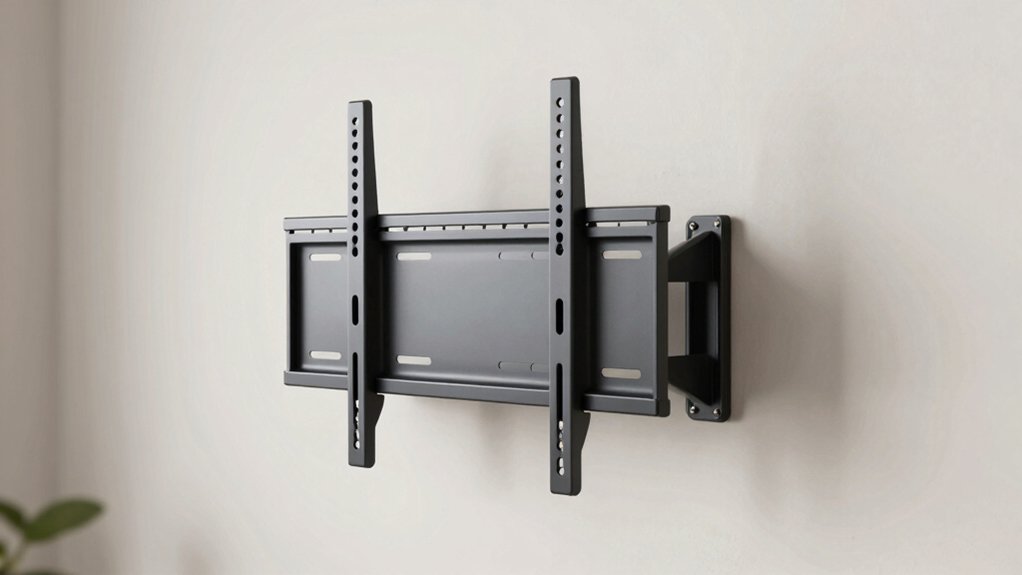
Before you purchase a no stud or drill TV mount, you’ll need to verify your TV’s size and weight against the mount’s load capacity, check that your wall type (drywall, plaster, brick, or tile) matches the mount’s compatibility, and confirm the VESA pattern on your TV’s back matches the mount’s specifications. Installation time varies by model and your experience level, so review the manufacturer’s estimated setup duration and required tools before buying. These five factors work together to ensure your mount safely holds your TV without damaging your walls or risking equipment failure.
TV Size And Weight
How do you know if a no stud or drill mount can actually support your TV? Start by checking your TV’s weight and comparing it to the mount’s maximum load capacity, typically 100–150 lbs. Next, verify the VESA pattern on your TV’s back panel—the bolt hole spacing measured in millimeters. Match this pattern to the mount’s compatible range, whether 100×100 mm to 400×400 mm or up to 625×625 mm. Then confirm your screen size fits the mount’s range, such as 32–100 inches. Finally, account for added weight from cables and accessories. This systematic approach ensures your mount safely holds your specific TV without failure or damage.
Wall Type Compatibility
What’s your wall made of? Different surfaces require different mounting hardware. Drywall walls work with standard anchors or nails, while brick, cement, concrete, and wood walls need specific fasteners designed for those materials. Check your mount’s compatibility specifications before purchasing. Most no-stud mounts clearly state which wall types they support. For drywall installations, you’ll use toggle bolts or heavy-duty anchors rated for your TV’s weight. Brick and concrete require masonry anchors or lag bolts. Wood studs, if present, offer the strongest option. Review the mount’s maximum load rating for your specific wall type—ratings often vary by surface. Match your wall material to the mount’s tested specifications to ensure safety and stability.
Installation Time Required
One of the biggest advantages of no-stud mounts is their speed—most models go up in just a few minutes without requiring any drilling or stud-finding equipment. You’ll typically complete installation in three to five minutes, depending on your TV’s size and VESA pattern. Most mounts include complete kits with all necessary hardware and detailed guides that reduce setup time significantly. Many designs support single-person installation, eliminating the need for an extra set of hands. The drywall-friendly anchors require no holes or studs, streamlining your entire process. Setup time varies based on your specific TV model and wall condition, but expect rapid, straightforward mounting overall. Check compatibility charts before purchasing to ensure minimal adjustments during installation.
VESA Pattern Support
Before you buy a no-stud mount, you’ll need to check your TV’s VESA pattern—the standardized measurement of the mounting holes on the back of your television. Most no-stud mounts support patterns ranging from 100×100 mm up to 400×400 mm, covering the majority of common TV sizes. Some mounts advertise broader compatibility, extending from 75×75 mm to 625×625 mm, so verify the exact maximum supported pattern for your specific model. Confirm that the mount supports both your TV’s horizontal and vertical hole spacings—for example, 200×200 or 400×400. If your TV’s VESA pattern exceeds the mount’s maximum capability, you’ll need to explore alternative mounting solutions or adapters designed for larger patterns.
Load Capacity Ratings
Once you’ve confirmed your TV’s VESA pattern matches the mount, you’ll need to verify the load capacity rating—the maximum weight the mount can safely hold. No-stud mounts typically support between 100 and 175 pounds, depending on the model and wall reinforcement method you choose.
Calculate your TV’s total weight by adding the set’s base weight plus any accessories like soundbars or additional hardware you’ll attach. Compare this total to the mount’s maximum load rating. If your TV weighs 110 pounds with accessories, select a mount rated for at least 120 pounds to maintain a safety margin.
For heavier televisions exceeding standard drywall capacity, consider reinforced anchors or stud alternatives that accommodate higher weight ratings. Always verify both the load capacity and VESA compatibility before purchasing to ensure safe installation.
Wall Clearance Dimensions
How much space do you actually need between your TV and the wall? Most no stud mounts deliver 0.9 to 1.18 inches of clearance, which accommodates standard cable connections and ventilation. You should measure your TV’s depth and add space for any cables you’ll run behind it. Fixed-mount designs provide consistent spacing, making installation straightforward. If you want minimal gaps, choose models with magnetic standoffs or low-profile brackets—these reduce protrusion significantly. Consider bracket depth carefully, as spacers and rubber pads alter final clearance. For drywall-only installations, verify that slim-profile designs won’t interfere with baseboards or furniture placement. Check your specific mount’s specifications against your wall layout before purchasing to ensure adequate clearance for your setup.
Hardware Included Quality
What’s included in your mount’s hardware kit can make or break a successful installation. You need to verify that your kit contains multiple bolt sizes—M4, M5, M6, and M8—to accommodate various VESA patterns ranging from 100×100 mm up to 400×400 mm or larger. Check that the package includes essential components: a bubble level for proper alignment, sufficient nails or anchors for your wall type, and a steel cable or security screw for additional stability. For drywall-only installations, confirm the kit provides around 32 nails to safely support your specified weight rating. Verify the hardware supports your television’s maximum load capacity, whether you’re mounting on drywall, wood studs, or concrete. These details directly determine installation success and long-term safety.
Warranty And Protection
You’ll want to verify the warranty period your mount offers before making a purchase, as this directly protects your investment against defects and failures. Check whether the manufacturer provides a specific timeframe, such as one year or ten years, and confirm what’s covered—defects, parts, or craftsmanship. Review the return policy for a standard 30-day window allowing voluntary returns if the product underperforms. Locate the documented warranty claims process on the manufacturer’s or seller’s website for straightforward support access. Confirm whether registration, proof of purchase, or specific installation conditions are required to keep your warranty valid. Compare warranty lengths across models, as longer terms often indicate higher reliability and rigorous testing standards like multiple load scenarios or four-times load testing.
Final Thoughts
You’ll choose your no-stud mount by matching your TV size and weight to each option’s capacity. The Echogear suits smaller TVs up to 55 inches, while monTEK handles larger screens to 100 inches. Check your wall type and VESA compatibility before purchasing. Install according to manufacturer instructions, using appropriate anchors for drywall. All four mounts deliver reliable support without drilling studs, making them ideal for renters or temporary setups.

Meet Ry, “TechGuru,” a 36-year-old technology enthusiast with a deep passion for tech innovations. With extensive experience, he specializes in gaming hardware and software, and has expertise in gadgets, custom PCs, and audio.
Besides writing about tech and reviewing new products, he enjoys traveling, hiking, and photography. Committed to keeping up with the latest industry trends, he aims to guide readers in making informed tech decisions.