
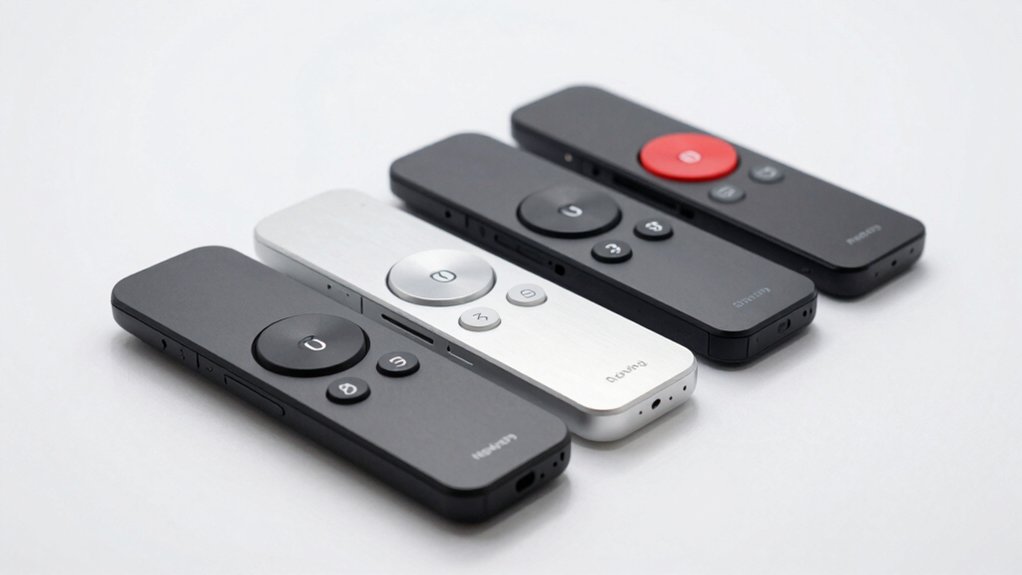

When you’re presenting to an audience, you need a clicker that won’t fail you. Your choice affects how smoothly you navigate slides and engage your listeners. You’ll want to consider range, comfort, battery life, and compatibility with your devices. The right presenter remote keeps you focused on your content, not your equipment. We’ve tested the top five options that deliver consistent performance—and here’s what you need to know about each one.
| Logitech Wireless Presenter R400 with Laser Pointer |

| Classic & Reliable | Wireless Range: Up to 50 feet | Laser Pointer: Built-in Class 2 red laser pointer | Battery Type: AAA batteries | VIEW LATEST PRICE | Read Our Analysis |
| Wireless Presenter Remote with Volume Control for PowerPoint |

| Most Versatile Features | Wireless Range: Up to 100 feet | Laser Pointer: Bright red light for visibility | Battery Type: 2 AAA batteries (not included) | VIEW LATEST PRICE | Read Our Analysis |
| Wireless USB Presenter Remote for PowerPoint Presentations |

| Best All-Around Value | Wireless Range: Up to 98 feet | Laser Pointer: Built-in laser pointer with 328 ft range | Battery Type: 2 AAA alkaline batteries (included) | VIEW LATEST PRICE | Read Our Analysis |
| Wireless Presentation Clicker with Laser Pointer Remote |
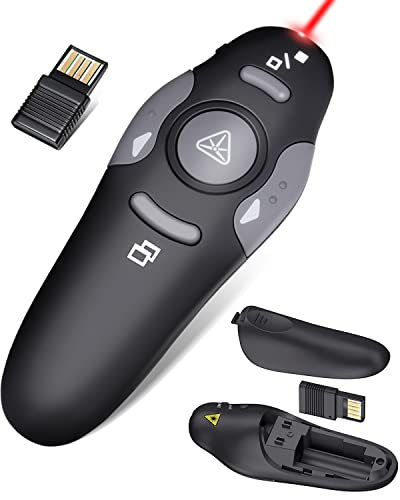
| Most Compact Design | Wireless Range: Up to 100 feet | Laser Pointer: Laser pointer with 328 ft range | Battery Type: 1 AAA battery | VIEW LATEST PRICE | Read Our Analysis |
| Wireless Laser Pointer Presenter Clicker for Presentations |

| Best Budget Option | Wireless Range: Up to 82 feet | Laser Pointer: Red laser pointer with 656 ft maximum distance | Battery Type: AAA battery type (specific quantity not specified) | VIEW LATEST PRICE | Read Our Analysis |
More Details on Our Top Picks
Logitech Wireless Presenter R400 with Laser Pointer
Need a presenter clicker that’s classic and reliable? The Logitech R400 delivers straightforward presentation control without complications. Plug the USB receiver into your computer—no software installation required. The device connects via 2.4GHz wireless technology, giving you up to 50 feet of range to move freely around your room. Use the intuitive touch keys to advance slides during your PowerPoint presentation. The built-in red laser pointer highlights specific content on your screen. Insert two AAA batteries into the remote and you’re ready to present. Store the receiver in the docking bay on the remote for convenient portability. This presenter clicker combines essential features: wireless connectivity, laser pointer functionality, and battery-powered operation.
- Wireless Range:Up to 50 feet
- Laser Pointer:Built-in Class 2 red laser pointer
- Battery Type:AAA batteries
- Connectivity:2.4GHz RF wireless with USB receiver
- Setup Requirements:Plug-and-play, no software installation
- Receiver Storage:Receiver stores in docking bay on remote
- Additional Feature:Intuitive touch-key controls
- Additional Feature:Class 2 red laser pointer
- Additional Feature:50-foot wireless range
Wireless Presenter Remote with Volume Control for PowerPoint
You’ve got presentations to control from anywhere in the room—this wireless presenter remote offers the most versatile features for speakers who need volume management alongside slide advancement. The WP503 model includes dedicated buttons for slides, volume, window switching, and full-screen modes. Its ergonomic design fits comfortably in your hand, and contoured keys let you locate functions by touch alone. The 2.4 GHz receiver works up to 100 feet away, allowing you to move freely while presenting. Simply plug the USB dongle into your device—no software installation required. Two AAA batteries power the remote, and the magnetic holder keeps the receiver secure when not in use.
- Wireless Range:Up to 100 feet
- Laser Pointer:Bright red light for visibility
- Battery Type:2 AAA batteries (not included)
- Connectivity:2.4GHz receiver with USB Type-C dual-head design
- Setup Requirements:Plug-and-play, no software installation required
- Receiver Storage:Receiver stores inside presenter with magnetic holder
- Additional Feature:Dual USB/Type-C design
- Additional Feature:Volume control functionality
- Additional Feature:100-foot wireless range
Wireless USB Presenter Remote for PowerPoint Presentations
The VILNIU WP71-RC delivers top-tier value for presenters who need reliable wireless control across multiple applications. Simply plug the USB receiver into your computer—no installation required. The remote operates up to 98 feet away, letting you move freely while presenting PowerPoint, Google Slides, or Office files. The integrated laser pointer reaches 328 feet for emphasizing content. Large buttons prevent accidental clicks, and the ergonomic grip reduces hand fatigue during lengthy presentations. Two included AAA batteries power the device with extended life thanks to the on/off switch. Store the USB dongle in the remote’s built-in slot when traveling. This single remote handles presentations across Windows, Mac, and Linux systems.
- Wireless Range:Up to 98 feet
- Laser Pointer:Built-in laser pointer with 328 ft range
- Battery Type:2 AAA alkaline batteries (included)
- Connectivity:Radio frequency wireless with USB dongle
- Setup Requirements:Plug-and-play, no installation required
- Receiver Storage:Dongle slips into slot on remote handle
- Additional Feature:Batteries included in package
- Additional Feature:Large ergonomic buttons
- Additional Feature:98-foot presenter control range
Wireless Presentation Clicker with Laser Pointer Remote
Looking for a presenter remote that won’t weigh you down? The Wireless Presentation Clicker with Laser Pointer Remote delivers compact functionality at just 38 grams. Plug the USB dongle into your computer—no drivers required. Press the connect button and start advancing slides immediately. You’ll control presentations from up to 100 feet away while the laser pointer reaches 328 feet. The device works with Windows, Mac, and Linux systems, supporting PowerPoint, Google Slides, Keynote, and PDFs. One AAA battery lasts approximately two months. Store the dongle inside the battery compartment for convenient portability. The ergonomic design fits easily in your pocket or bag, making it ideal for teaching, conferences, and speeches.
- Wireless Range:Up to 100 feet
- Laser Pointer:Laser pointer with 328 ft range
- Battery Type:1 AAA battery
- Connectivity:USB dongle wireless connection
- Setup Requirements:Plug-and-play, no drivers required
- Receiver Storage:USB dongle stored inside battery compartment
- Additional Feature:Single AAA battery operation
- Additional Feature:Compact 38g weight
- Additional Feature:Pocket-sized portability
Wireless Laser Pointer Presenter Clicker for Presentations
Need a presenter remote that won’t drain your budget? The NinjajoyOX WP205 offers solid functionality at an affordable price point. This wireless clicker features a 2.4GHz connection with an 82-foot range, letting you control slides from a practical distance. The four-button layout handles page navigation, full-screen mode, hyperlink access, and volume adjustments. Setup requires no software installation—simply plug the USB receiver into your computer. The device works with PowerPoint, Keynote, Excel, and Google Slides across Windows, Mac, and Linux systems. A magnetic receiver storage compartment keeps the dongle secure, while the pen clip enables easy portability. If you lose the receiver within a year, replacements are available.
- Wireless Range:Up to 82 feet
- Laser Pointer:Red laser pointer with 656 ft maximum distance
- Battery Type:AAA battery type (specific quantity not specified)
- Connectivity:2.4GHz wireless with USB receiver
- Setup Requirements:Plug-and-play, no software installation required
- Receiver Storage:Magnetic receiver storage inside clicker
- Additional Feature:Four-button minimalist design
- Additional Feature:Pen clip for attachment
- Additional Feature:Receiver replacement guarantee
Factors to Consider When Choosing a Clicker for Power Point Presentations
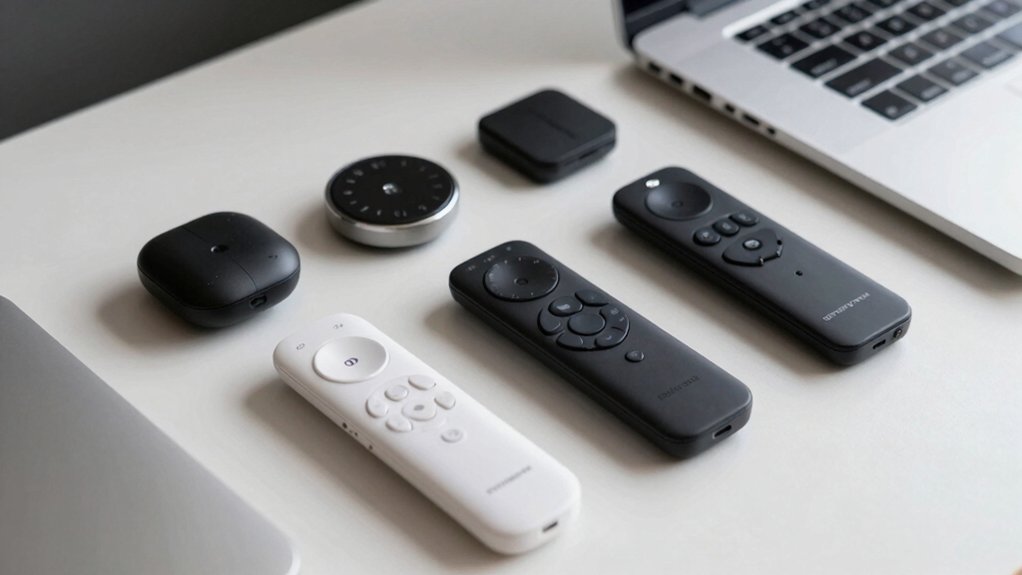
When you’re selecting a clicker for PowerPoint presentations, you’ll want to evaluate wireless range and coverage to ensure the device works reliably from your speaking position, check the laser pointer’s visibility in various lighting conditions, and assess battery life to avoid interruptions during presentations. Consider the ergonomic design features of the clicker itself—such as button placement and grip comfort—since you’ll be holding it for extended periods, and verify that it’s compatible with your specific devices and operating systems before purchasing. These five factors directly impact your presentation experience and help you choose a clicker that’ll perform consistently across different venues and situations.
Wireless Range And Coverage
How far can you move from your laptop before your clicker stops working? Most standard presentation clickers offer wireless range between 30 and 100 feet, which covers typical classroom and conference room sizes. However, range specifications vary by function. Your laser pointer might reach up to 100 meters, while presentation controls stay limited to around 30 meters. Before purchasing, verify both ranges separately to avoid confusion. Battery-powered USB receivers plug directly into your laptop and store inside the remote for portability. Longer-range models let you move freely around the room and engage with your audience without returning to the podium. Check the manufacturer’s specifications for your specific venue size to ensure adequate coverage throughout your presentation space.
Laser Pointer Visibility
What makes a laser pointer actually visible on your presentation slides? You’ll want a bright red laser, which stands out clearly against most backgrounds. Class 2 red lasers work well for typical presentation rooms, offering good visibility without safety concerns.
Your laser pointer’s range matters significantly. Look for models that project beams up to 100 meters, ensuring visibility from back-row seats. However, ambient lighting affects performance—dimmer rooms enhance contrast and make the beam more noticeable.
Consider choosing a clicker with indicator lighting on the device itself. This feature helps you track when your laser is active, preventing accidental pointing during transitions. Combine these elements—bright red laser, adequate range, and indicator lighting—to ensure your audience sees exactly where you’re directing their attention.
Battery Life And Power
Battery performance determines how long you can present without interruption, making it a critical factor in your clicker selection. Check whether your clicker uses AAA batteries or rechargeable options, as this affects replacement frequency and long-term costs. Models with built-in receivers eliminate battery drain from separate devices, extending overall runtime. Review the battery specifications to understand expected usage hours—some clickers run for 30 hours, while others last several months with standby modes. Look for features like automatic power-down that conserve energy when not actively in use. Consider your presentation schedule: frequent presenters benefit from rechargeable models, while occasional users may prefer standard batteries. Store your receiver inside the device during travel to prevent battery depletion and ensure uninterrupted performance during important presentations.
Ergonomic Design Features
When you’re presenting for an hour or more, your clicker’s physical design directly affects your comfort and presentation quality. Look for a device with an ergonomic grip that fits naturally in your hand and contoured buttons positioned for easy thumb access. Choose a compact model around 100 mm in length weighing 30–70 grams, making it portable and reducing hand fatigue. Verify the clicker has a non-slip surface that maintains stability during extended holding periods. Check that buttons are clearly labeled and spaced to prevent accidental presses. Select a clicker offering audible or tactile feedback so you’ll know your click registered without glancing down at the device. Balanced weight distribution across the clicker ensures comfortable handling throughout your entire presentation.
Device Compatibility Options
Beyond physical comfort, you’ll need to verify that your clicker works with your operating system and presentation software. Most USB receivers support Windows, Mac OS, Linux, and Chrome OS without requiring additional software installation. Check that your clicker’s compatibility covers PowerPoint, Google Slides, Keynote, or whichever platform you use. If you own multiple devices, consider clickers with USB Type-C dual-head connectivity, which work with both traditional USB-A ports and newer USB-C devices. Some models store the receiver inside the remote itself, simplifying portability between computers. Confirm the wireless range meets your needs—typical models reach 30 meters, sufficient for most presentation spaces. Verify these specifications before purchasing to ensure seamless functionality across your devices.
Plug-And-Play Setup Requirements
How simple do you want your clicker setup to be? Plug-and-play remotes require minimal effort to get working. You’ll plug the USB receiver directly into your computer’s port, and the device activates immediately without installing software. Most clickers use 2.4 GHz wireless technology that’s compatible with Windows, Mac, and Linux systems.
Battery-powered operation is standard, typically using AAA batteries, so you won’t need external power sources. Many models feature USB receivers that store inside the device itself, keeping the receiver portable and preventing loss. Some newer clickers use USB Type-C or dual-head USB-C designs, eliminating the need for adapters when connecting to multiple devices.
These features combine to deliver straightforward, functional presentations without technical complications.
Portability And Storage Solutions
Now that you’ve got your clicker set up and working, you’ll want to assure it stays protected and organized during transport. Most quality presenters offer built-in receiver storage slots where you can dock the USB dongle directly into the remote itself. This keeps everything together in one compact package, typically weighing 38–70 grams and measuring around 105–110 mm long—small enough to slip into your pocket or briefcase easily. Some models feature magnetic holders that secure the receiver, preventing accidental loss when you disconnect it. Additionally, retractable pen clips let you attach the clicker to folders or notebooks for quick access. Battery compartments sometimes include dedicated slots for tucking away the dongle, eliminating clutter and streamlining your setup when presenting.
Button Functions And Controls
What makes a clicker truly functional comes down to its button layout and the specific controls it offers. You’ll want dedicated buttons for next, previous, black screen, and white screen functions positioned where your thumb naturally rests. Check that your model supports universal shortcuts like Page Up and Page Down, ensuring compatibility with PowerPoint, Google Slides, and Keynote. Examine the button placement against your hand size—smaller hands need compact designs while larger hands benefit from spread-out controls. Look for tactile feedback or clear labeling so you can navigate without looking down. Multi-action buttons and toggles prevent accidental presses during movement. Test the button responsiveness to confirm slides advance smoothly without lag or double-advancing.
Final Thoughts
You’ll find the right clicker by matching your needs to available options. Check compatibility with your device, test the laser’s visibility in your presentation space, and verify battery life meets your schedule. Consider ergonomics if you’ll present frequently. Start with the Logitech R400 for reliability, or choose the NinjajoyOX WP205 for budget-conscious needs. Test your selection before presenting to ensure smooth operation.

Meet Ry, “TechGuru,” a 36-year-old technology enthusiast with a deep passion for tech innovations. With extensive experience, he specializes in gaming hardware and software, and has expertise in gadgets, custom PCs, and audio.
Besides writing about tech and reviewing new products, he enjoys traveling, hiking, and photography. Committed to keeping up with the latest industry trends, he aims to guide readers in making informed tech decisions.