
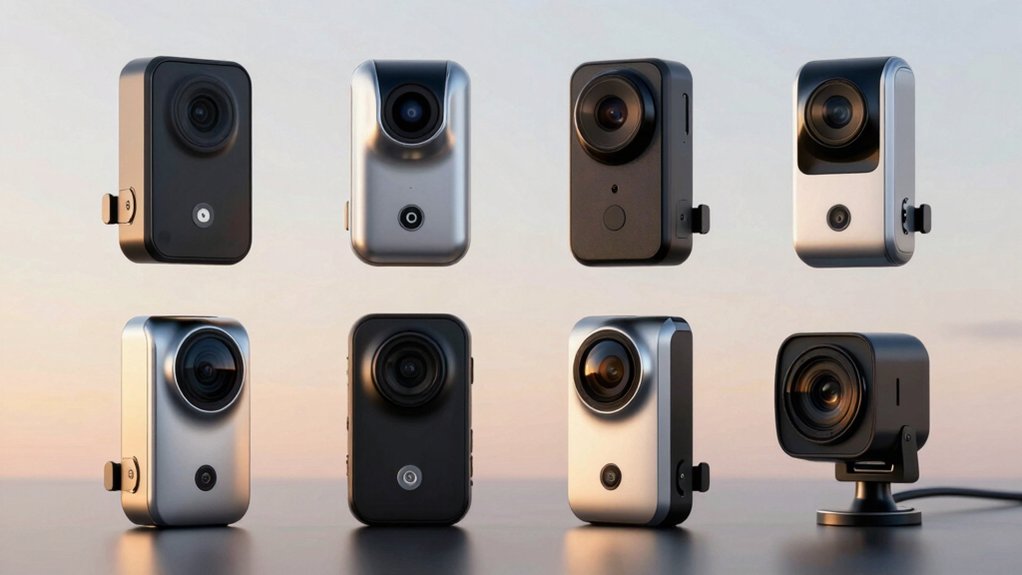

When you’re shopping for a rearview mirror dash cam, you’ll need to evaluate several key specifications to protect yourself on the road. Consider front resolution (4K preferred), rear camera quality (1080P minimum), field of view angles, night vision capabilities, and screen size. You’ll also want to check for safety features like G-Sensor protection, parking mode, and GPS tracking. But which model actually delivers all these features without draining your budget?
| WOLFBOX G930 4K Dash Cam Rearview Mirror Camera |

| Best Overall | Front Camera Resolution: 4K | Rear Camera Resolution: 1080P | Display Size: 9.66″ | VIEW LATEST PRICE | Read Our Analysis |
| Veement 4K Rear View Mirror Dash Cam with Backup Camera |

| Best Voice Control | Front Camera Resolution: 4K | Rear Camera Resolution: 1080P | Display Size: 10″ | VIEW LATEST PRICE | Read Our Analysis |
| WOLFBOX G850 4K Rear View Mirror Dash Cam with WiFi |

| Best Display Size | Front Camera Resolution: 4K | Rear Camera Resolution: 1080P | Display Size: 12″ | VIEW LATEST PRICE | Read Our Analysis |
| Pelsee S12 Pro Mirror Dash Cam 4K Front 1080P Rear |

| Best Night Vision | Front Camera Resolution: 4K | Rear Camera Resolution: 1080P | Display Size: 12″ | VIEW LATEST PRICE | Read Our Analysis |
| WOLFBOX G850 PRO 4K Mirror Dash Cam with WiFi |

| Most Advanced Safety | Front Camera Resolution: 4K (2160p@30fps) | Rear Camera Resolution: 1080P@25fps | Display Size: 12″ | VIEW LATEST PRICE | Read Our Analysis |
| AZDOME 4K+2.5K Mirror Dash Cam with ADAS |

| Highest Rear Resolution | Front Camera Resolution: 4K (3840×2160@30fps) | Rear Camera Resolution: 2.5K (2560×1440@30fps) | Display Size: 12″ | VIEW LATEST PRICE | Read Our Analysis |
| KBD OEM Rear View Mirror Dash Cam with Backup Camera |

| Best OEM Integration | Front Camera Resolution: 2K | Rear Camera Resolution: 1080P | Display Size: 9.66″ | VIEW LATEST PRICE | Read Our Analysis |
| 4K Rear View Mirror Dash Cam with Backup Camera |

| Best Value | Front Camera Resolution: 4K | Rear Camera Resolution: 2.5K | Display Size: 12″ | VIEW LATEST PRICE | Read Our Analysis |
| Car Dash Cam Backup Rearview Mirror Camera 4.3 |
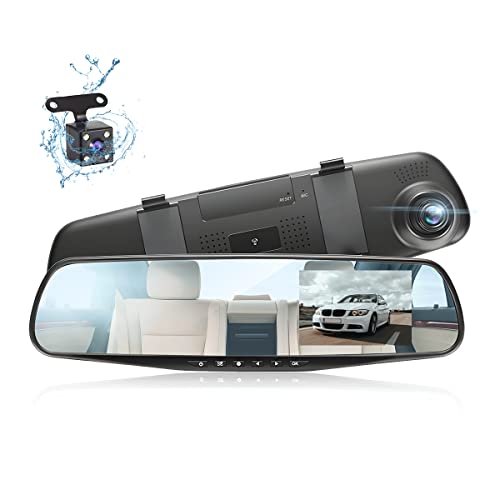
| Budget-Friendly Pick | Front Camera Resolution: 1080P | Rear Camera Resolution: 1080P | Display Size: 4.3″ | VIEW LATEST PRICE | Read Our Analysis |
More Details on Our Top Picks
WOLFBOX G930 4K Dash Cam Rearview Mirror Camera
Looking for a rearview mirror camera that doesn’t sacrifice front recording quality? The WOLFBOX G930 delivers 4K front video and 1080P rear recording simultaneously. You’ll get a 9.66-inch touch screen with a 170-degree field of view, letting you monitor traffic behind and ahead. The included 64GB memory card supports loop recording in 1-3 minute intervals, automatically overwriting old footage. You can adjust the display by swiping left or right to view front, rear, or split-screen modes. The built-in G-Sensor locks footage when it detects collision impact. GPS tracking records your speed and location for each drive. Connect via the WOLFBOX app to download and share videos directly from your phone using 5.8GHz WiFi.
- Front Camera Resolution:4K
- Rear Camera Resolution:1080P
- Display Size:9.66″
- WiFi Connectivity:5.8GHz WiFi
- Included Memory Card:64GB
- GPS Functionality:GPS included with real-time speed/direction display
- Additional Feature:9.66″ streaming rearview display
- Additional Feature:Enhanced 5.8GHz WiFi connectivity
- Additional Feature:Auto-locks video on collision
Veement 4K Rear View Mirror Dash Cam with Backup Camera
Want hands-free camera control while driving? The Veement VT10 offers voice commands to lock footage, toggle audio, and snap photos without taking your hands off the wheel. Its 10″ touchscreen displays 4K front and 1080P rear video simultaneously. The F1.8 aperture captures clear images in various lighting conditions, while night vision ensures visibility after dark. Wide-angle lenses—170° front and 160° rear—reduce blind spots during reversing. G-Sensor technology automatically locks footage when detecting collisions. Twenty-four-hour parking mode monitors your vehicle when parked. The included 32GB SD card expands to 256GB, storing extended video footage for comprehensive protection.
- Front Camera Resolution:4K
- Rear Camera Resolution:1080P
- Display Size:10″
- WiFi Connectivity:Not specified
- Included Memory Card:32GB
- GPS Functionality:Not specified
- Additional Feature:Voice control hands-free operation
- Additional Feature:24H parking mode capability
- Additional Feature:Automatic rear view reversing
WOLFBOX G850 4K Rear View Mirror Dash Cam with WiFi
The 12-inch display mirror sets this camera apart for drivers who need expansive visibility. You get 4K front recording and 1080P rear capability with a 170-degree front field of view. The included 64GB memory card handles loop recording, automatically overwriting old files when full. You’ll access footage through the smartphone app via 5.8GHz WiFi for quick downloads. The G-sensor protects collision footage from being deleted. Install the unit on your driver-side windshield using the included 11-foot charger and 20-foot rear cable. Enable voice control for hands-free operation during driving. The camera works in cars, trucks, minivans, and buses.
- Front Camera Resolution:4K
- Rear Camera Resolution:1080P
- Display Size:12″
- WiFi Connectivity:5.8GHz WiFi
- Included Memory Card:64GB
- GPS Functionality:GPS included
- Additional Feature:12″ touch screen display
- Additional Feature:Intelligent voice control included
- Additional Feature:Parking monitor option available
Pelsee S12 Pro Mirror Dash Cam 4K Front 1080P Rear
Pelsee’s S12 Pro excels for drivers who need superior night vision through its STARVIS 2 technology, which captures true color in low-light conditions while balancing bright headlights against dark shadows for 24/7 visibility. You’ll get 4K front recording at 25fps paired with 1080P rear recording, both equipped with HDR and WDR for clear license plates and road signs in any lighting. The 160° wide-angle lens covers what you need to see, and dynamic parking guidelines appear on your rear display when reversing. You can access live feeds and download videos through the Pelsee App via 5.8GHz Wi-Fi 6, reaching transfer speeds up to 20MB/s. Advanced ADAS alerts warn you of lane departures, forward collisions, and pedestrians through voice notifications. The unit fits standard 12-inch rearview mirrors and includes a 64GB memory card with support for up to 256GB expansion.
- Front Camera Resolution:4K
- Rear Camera Resolution:1080P
- Display Size:12″
- WiFi Connectivity:5.8GHz WiFi 6
- Included Memory Card:64GB
- GPS Functionality:Not specified
- Additional Feature:STARVIS 2 night vision master
- Additional Feature:Advanced ADAS collision alerts
- Additional Feature:AI-powered full-color night vision
WOLFBOX G850 PRO 4K Mirror Dash Cam with WiFi
Looking for the most advanced safety features in a rearview mirror dash cam? The WOLFBOX G850 PRO delivers 4K front recording at 2160P and rear 1080P coverage. You’ll get a 12-inch touchscreen display, 170-degree field of view, and night vision capability. The built-in ADAS system alerts you to forward collisions, pedestrian hazards, and lane departures. BSD technology detects blind spots and warns you during lane changes. You control it via smartphone app, voice commands, or the touch interface. The 64GB memory card comes included, supporting up to 256GB expansion. WiFi connectivity lets you download and share footage directly from your vehicle.
- Front Camera Resolution:4K (2160p@30fps)
- Rear Camera Resolution:1080P@25fps
- Display Size:12″
- WiFi Connectivity:5.8GHz WiFi
- Included Memory Card:64GB
- GPS Functionality:Built-in GPS with external antenna
- Additional Feature:Advanced ADAS and BSD
- Additional Feature:12 programmable voice commands
- Additional Feature:Enhanced blind spot detection
AZDOME 4K+2.5K Mirror Dash Cam with ADAS
If you’re driving a car, bus, minivan, or truck and need the highest rear resolution available in a rearview mirror dash cam, the AZDOME PG17 Max delivers 2.5K rear video capture at 30fps—a step above standard 1080p systems. The front camera records 4K video, giving you comprehensive coverage. You’ll access recorded footage through the AZDOME app via 5.8GHz WiFi for downloads and sharing. The 12-inch mirror display features touch controls and voice commands with ten preset options. Install the included 64GB microSD card and connect accessories like the rear camera cable and GPS antenna. Advanced ADAS technology monitors forward collisions, pedestrian hazards, lane departures, and blind spots. The G-sensor automatically locks critical footage, while loop recording ensures continuous protection without manual intervention.
- Front Camera Resolution:4K (3840×2160@30fps)
- Rear Camera Resolution:2.5K (2560×1440@30fps)
- Display Size:12″
- WiFi Connectivity:5.8GHz WiFi
- Included Memory Card:64GB
- GPS Functionality:Built-in GPS
- Additional Feature:Front 4K + 2.5K rear
- Additional Feature:Advanced ADAS with BSD/LCA
- Additional Feature:10 voice control commands
KBD OEM Rear View Mirror Dash Cam with Backup Camera
The KBD OEM Rear View Mirror Camera delivers factory-level integration that truck, van, and SUV owners need. You’ll get a 9.66″ touch screen with 2K front recording and 1080P rear capability, plus night vision and parking monitor features. The custom OEM mount bracket ensures rock-solid stability without wobble. Installation requires comparing mounting adapters with your vehicle’s factory points—contact support for exact bracket fit. You can hardwire the unit with intelligent low-voltage protection for 24/7 monitoring. Built-in WiFi lets you preview and download recordings via smartphone. The package includes 64GB memory card, supporting up to 128GB storage. The 1-year warranty covers model YV096 2K Pro.
- Front Camera Resolution:2K
- Rear Camera Resolution:1080P
- Display Size:9.66″
- WiFi Connectivity:Built-in WiFi
- Included Memory Card:64GB
- GPS Functionality:Not specified
- Additional Feature:Custom OEM mount bracket
- Additional Feature:Intelligent low-voltage protection
- Additional Feature:IMX307 sensor night vision
4K Rear View Mirror Dash Cam with Backup Camera
Want dashboard recording that covers both front and rear without replacing your entire mirror? The VT15 model delivers 4K front and 2.5K rear video capture through a 12-inch touchscreen mirror. You’ll get a 170° front field of view, which captures lane changes and road hazards. Install it using the included rearview mirror mount, front-to-rear cables, and adhesive mount. The built-in WiFi lets you download footage directly to your phone via the app. GPS tracking records your route, speed, and location automatically. You can expand storage up to 256GB beyond the included 32GB card. Voice control enables hands-free operation while driving. The wide dynamic range night vision performs well in low-light conditions. You receive a two-year warranty covering manufacturer defects.
- Front Camera Resolution:4K
- Rear Camera Resolution:2.5K
- Display Size:12″
- WiFi Connectivity:Built-in WiFi
- Included Memory Card:32GB
- GPS Functionality:Integrated GPS
- Additional Feature:4K front + 2.5K rear
- Additional Feature:2-year warranty coverage
- Additional Feature:Reverse assist for parking
Car Dash Cam Backup Rearview Mirror Camera 4.3
For drivers who need reliable dual-camera protection without overspending, the Car Dash Cam Backup Rearview Mirror Camera 4.3 serves as your budget-friendly pick. You’ll get a 4.3-inch display screen that captures 1080P video from both front and rear cameras simultaneously. The built-in G-Sensor automatically saves and locks footage when it detects impacts. Night vision enhancement helps you record clearly in low-light conditions. Loop recording lets you maintain continuous footage without manual deletion. The water-resistant rear camera connects via a 23-foot cable, and you’ll receive two cameras, connection cables, and a USB charger. AUKEPO backs this model with a 12-month warranty and a 30-day return guarantee.
- Front Camera Resolution:1080P
- Rear Camera Resolution:1080P
- Display Size:4.3″
- WiFi Connectivity:Not specified
- Included Memory Card:Not specified
- GPS Functionality:Not specified
- Additional Feature:4.3″ compact display screen
- Additional Feature:Water-resistant rear camera
- Additional Feature:Dual-camera simultaneous observation
Factors to Consider When Choosing a Rearview Mirror Backup Dash Camera
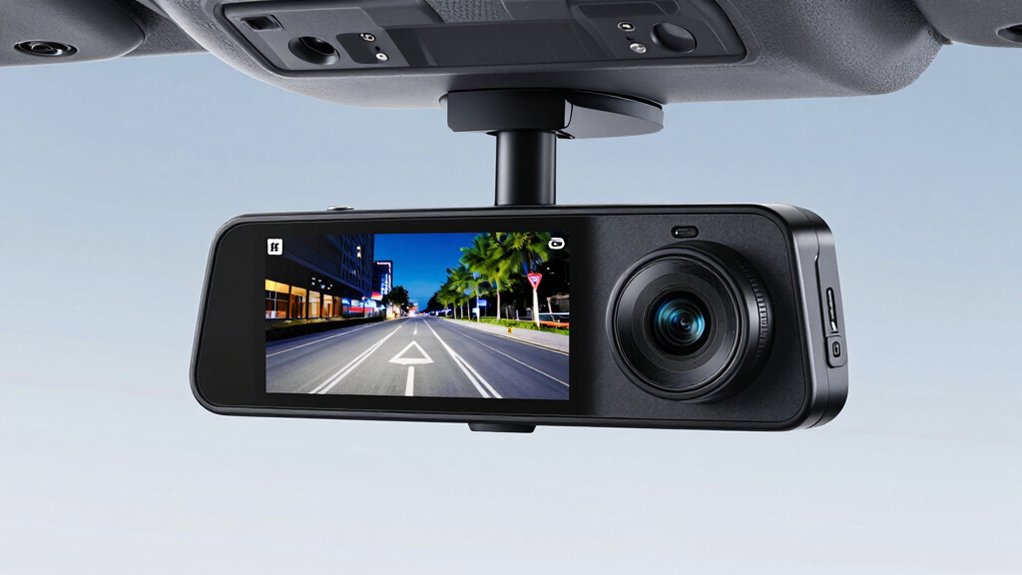
When selecting a rearview mirror backup dash camera, you’ll need to evaluate five key factors: display size and resolution to ensure you can see details clearly, video quality and night vision capabilities for low-light situations, field of view coverage to capture what’s behind and around your vehicle, GPS and WiFi connectivity for tracking and footage access, and installation requirements to confirm compatibility with your specific vehicle model. Start by determining your budget and priority needs—whether that’s superior night vision, wide-angle coverage, or advanced connectivity features—then compare cameras that meet those specifications. Check the display dimensions against your vehicle’s mirror space, verify mounting compatibility with your car’s make and model, and read user reviews that confirm the camera performs reliably in conditions you’ll actually encounter.
Display Size And Resolution
How much screen space you’ll actually use depends on your viewing habits and vehicle setup. Larger displays—10 to 12 inches—let you view front and rear footage simultaneously without straining to see details. Smaller 4 to 5 inch screens work for basic monitoring but limit what you can observe at once.
Resolution matters equally. Choose a 4K front camera to capture sharp license plate details in live view and recordings. Pair it with a 1080P rear camera to maintain strong image quality while keeping file sizes manageable.
Select a touchscreen interface for easier navigation between split-screen views and rear-view modes. Look for IPS panels or glare reduction features to improve visibility in bright or low-light driving conditions.
Video Quality And Night Vision
Prioritize camera resolution and sensor quality to capture clear footage in all lighting conditions. Front cameras should offer 4K (3840×2160) resolution, while rear models need at least 1080p or 2.5K for adequate detail. Examine lens design—6-glass lenses with F1.8 apertures improve sharpness and low-light performance across your entire scene.
For night vision, evaluate WDR (wide dynamic range) and HDR processing capabilities. These features preserve visibility when headlights create high-contrast conditions and shadows obscure details. Enhanced low-light performance, glare reduction, and dynamic range processing help you capture readable license plates and road information after dark.
Check field of view specifications—170° front and 140–160° rear coverage—to identify potential blind spots. These factors directly influence your ability to document incidents clearly, regardless of time or lighting.
Field Of View Coverage
Beyond capturing sharp images, you’ll want to guarantee your cameras cover enough road area to eliminate blind spots. Front cameras with 170° field of view capture more roadway ahead and adjacent lanes, while rear cameras near 160° improve quarter visibility when reversing. Ultra-wide angles reveal vehicle-side details, helping with lane changes and parking assessments. However, excessively wide fields of view introduce edge distortion that can blur license plates or distant objects. Check that your system maintains consistent overlap between front and rear views, creating a shared coverage zone that enhances situational awareness during driving and reversing. This overlap ensures you’ll monitor transitions smoothly without gaps in visual coverage around your vehicle.
GPS And WiFi Connectivity
What connectivity features’ll you actually use in your dash camera? GPS tracks your vehicle’s location and speed, recording this data alongside your video footage. You can view speed overlays and route maps on playback. WiFi, typically operating at 5.8GHz, enables wireless video transfer to your smartphone or cloud storage for quick access and remote monitoring. Before purchasing, determine which features match your needs. If you want speed documentation and accident reconstruction, prioritize GPS functionality. If you need quick video sharing and live viewing capabilities, choose WiFi-enabled models. Note that GPS may require an external antenna, and WiFi connectivity demands compatible apps. Some systems combine both features, offering comprehensive data logging and wireless convenience for complete backup camera functionality.
Installation And Vehicle Compatibility
Once you’ve decided on GPS and WiFi features that suit your needs, you’ll need to confirm that the camera system actually fits your vehicle. Check the mounting type first—whether it uses an OEM mount or attaches directly to your rearview mirror. Verify compatibility with your vehicle type: cars, trucks, minivans, or buses. Next, measure your windshield space and confirm the display size won’t obstruct your view. Determine if you need driver-side or front-inside orientation. Finally, examine the power setup requirements. Check if hardwire kits are available for your vehicle and whether you’ll need additional wiring for parking modes. These steps ensure proper installation before purchasing.
Safety Features And Alerts
Multiple safety features work together to protect you on the road, and you’ll want to verify that your rearview mirror dash camera includes the key ones. Check for ADAS alerts like forward collision warnings, lane departure alerts, and pedestrian detection to identify hazards ahead. Confirm the camera has a G-Sensor that auto-locks footage when sudden impacts occur, preserving critical incident evidence. Look for parking monitoring or 24-hour parking mode to record activity while your vehicle sits unattended. Verify the system includes night vision and WDR/HDR processing for clear footage in low-light or high-contrast conditions. Additionally, ensure dynamic guidelines appear on the reverse display to eliminate blind spots when backing up. These combined features significantly reduce accidents and protect you legally.
Storage Capacity And Memory
Your rearview mirror dash camera’s storage capacity directly determines how long you can retain recorded footage before the system overwrites older files. Most models come with a 32GB or 64GB microSD card, though you can upgrade to cards up to 256GB for extended retention. Loop recording settings—typically 1, 2, or 3 minutes—control how quickly new clips replace old ones. Choose shorter intervals if you need frequent updates; select longer intervals to preserve more footage. Higher capacity cards improve reliability, especially with 4K front and 1080P rear cameras recording simultaneously. Many units feature a G-Sensor that automatically locks important event footage, preventing accidental deletion. This protection ensures critical clips remain intact regardless of your loop recording settings.
Warranty And Technical Support
What coverage does the manufacturer provide when you purchase a rearview mirror dash camera? Most models include a manufacturer warranty spanning 1 to 2 years, covering defects and certain malfunctions during normal use. Review the warranty terms carefully to understand what’s excluded.
Next, evaluate the technical support options available to you. Many brands advertise 24/7 support with dedicated teams ready to assist. Check whether they offer remote assistance, app-based troubleshooting, or in-app chat for setup and troubleshooting. These support channels help you resolve issues quickly without shipping your device.
Additionally, verify whether the manufacturer provides free lifetime software updates or periodic firmware upgrades. These updates improve features and compatibility over time, extending your camera’s usefulness and performance. Confirm update availability before purchasing.
Final Thoughts
You’ll want to compare the nine models based on your specific needs: resolution quality, screen size, and storage capacity. Check each camera’s night vision performance, GPS features, and app compatibility before purchasing. Verify mounting options fit your vehicle’s dashboard. Read customer reviews focusing on reliability and customer service. Once you’ve selected a model, install it properly and configure loop recording and parking mode for continuous protection on every drive.

Meet Ry, “TechGuru,” a 36-year-old technology enthusiast with a deep passion for tech innovations. With extensive experience, he specializes in gaming hardware and software, and has expertise in gadgets, custom PCs, and audio.
Besides writing about tech and reviewing new products, he enjoys traveling, hiking, and photography. Committed to keeping up with the latest industry trends, he aims to guide readers in making informed tech decisions.