
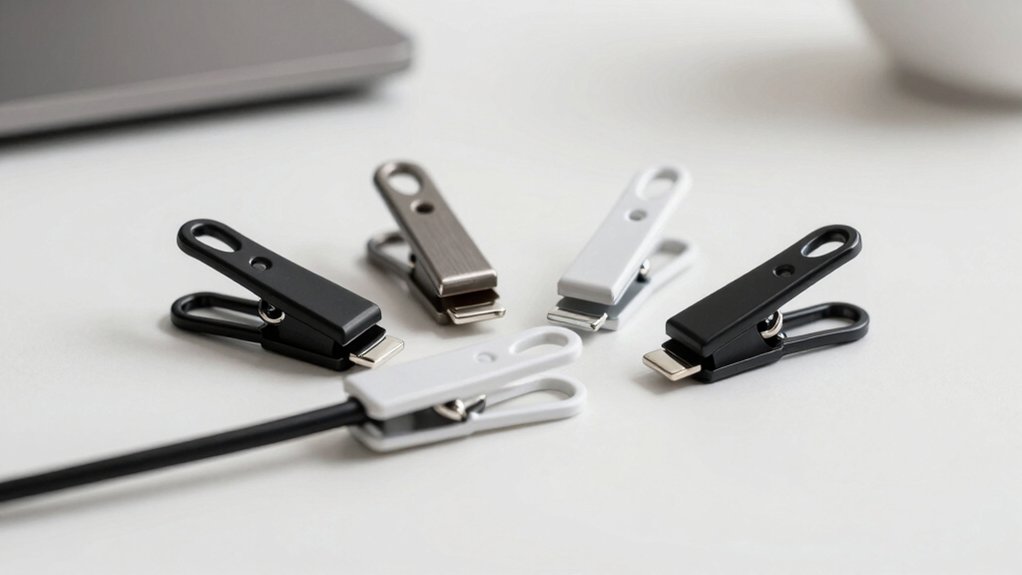

Your desk likely has cables everywhere—charging cords, headphone wires, and monitor cables tangled together. You can organize this mess with the right cable clips. These simple tools grip your cords securely and attach to your desk without causing damage. You’ll find different types available, each with specific strengths depending on your setup and needs. Choosing the right one depends on several key factors.
| Flezoo Adhesive Cable Clips Cord Organizer (12-Pack) |
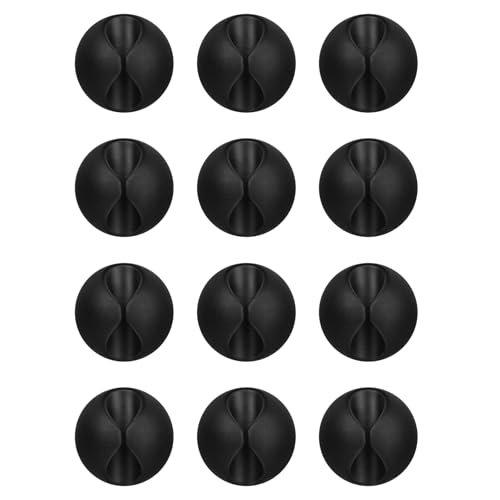
| Best Basic Pack | Quantity Per Pack: 12-pack | Adhesive Type: Self-adhesive | Compatible Surfaces: Wood, wall, plastic, glass, metal, rubber | VIEW LATEST PRICE | Read Our Analysis |
| SOULWIT Self Adhesive Cable Management Clips (50-Pack) |

| Best Value Bundle | Quantity Per Pack: 50-pack | Adhesive Type: Self-adhesive | Compatible Surfaces: Desks, walls, cabinets, wood, ceramics, metal | VIEW LATEST PRICE | Read Our Analysis |
| INCHOR White Cable Clips Cord Organizer (2-Pack) |
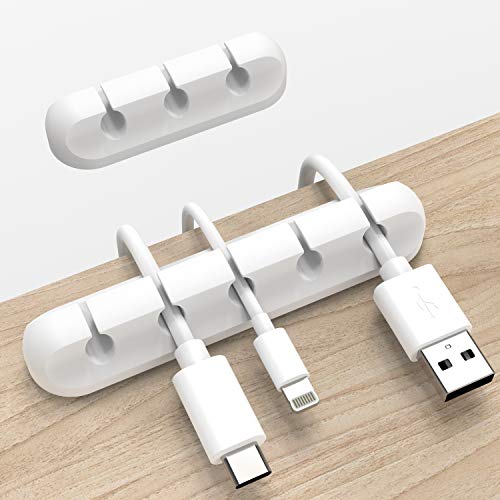
| Best Compact Design | Quantity Per Pack: 2-pack | Adhesive Type: 3M adhesive pad | Compatible Surfaces: Glass, plastic, metal, wood | VIEW LATEST PRICE | Read Our Analysis |
| JOYROOM Magnetic Cable Clips Cord Holder (9-Pack) |
![9 Pack Magnetic Cable Clips [Cable Smooth Adjustable] Cord Holder,](https://m.media-amazon.com/images/I/41ebUhGvhHL._SL500_.jpg)
| Best Magnetic Solution | Quantity Per Pack: 9-pack | Adhesive Type: Enhanced no-residue acrylic adhesive | Compatible Surfaces: Wood, glass, ceramic tiles | VIEW LATEST PRICE | Read Our Analysis |
| OHill 16-Pack Black Adhesive Cable Organizer Clips |

| Best Versatile Set | Quantity Per Pack: 16-pack | Adhesive Type: Strong sticky backing | Compatible Surfaces: Various surfaces (damage-free removal) | VIEW LATEST PRICE | Read Our Analysis |
More Details on Our Top Picks
Flezoo Adhesive Cable Clips Cord Organizer (12-Pack)
Looking for an affordable starting point to organize your desk cables? The Flezoo 12-pack offers black adhesive clips that secure phone chargers, headsets, power cords, and mice to surfaces. Installation requires three steps: clean your surface, peel the protective film, and apply the clip firmly. Wait 24 hours for optimal bonding before using. The adhesive works on wood, walls, plastic, glass, metal, and rubber. When you need removal, simply twist the clip away. Each clip measures 1.14 inches long by 0.6 inches high, making them suitable for various cable thicknesses. You’ll prevent wires from slipping or tangling on the ground while maintaining a tidy desk space throughout your home or office.
- Quantity Per Pack:12-pack
- Adhesive Type:Self-adhesive
- Compatible Surfaces:Wood, wall, plastic, glass, metal, rubber
- Removal Method:Twist to remove
- Bonding/Curing Time:24 hours optimal
- Cable Capacity:Single cable per clip
- Additional Feature:Twist-to-remove installation method
- Additional Feature:Supports multiple cable types
- Additional Feature:Compact 1.14L x 0.6H size
SOULWIT Self Adhesive Cable Management Clips (50-Pack)
If you’re managing multiple cables across your desk or office, this 50-pack offers exceptional value for all-encompassing cable organization. You’ll stick these self-adhesive clips onto clean surfaces—desks, walls, cabinets, wood, ceramics, or metal—then open the tab, insert your cables, and close it. The eco-friendly polyamide material resists static and provides durability for power, network, audio, and video cables. Use them in data centers, offices, or home setups to prevent cables from snagging underfoot and creating clutter. Simply contact customer support if you encounter any issues with your purchase.
- Quantity Per Pack:50-pack
- Adhesive Type:Self-adhesive
- Compatible Surfaces:Desks, walls, cabinets, wood, ceramics, metal
- Removal Method:Removable with no residue
- Bonding/Curing Time:Not specified
- Cable Capacity:Multiple cables per clip
- Additional Feature:Eco-friendly Polyamide66 material
- Additional Feature:Anti-static protection included
- Additional Feature:Holds multiple cables simultaneously
INCHOR White Cable Clips Cord Organizer (2-Pack)
The INCHOR White Cable Clips offer a compact design that solves cable clutter on desks, in cars, and throughout your home. These silicone clips accommodate wires up to 6mm in diameter and come with a strong 3M adhesive backing for installation on smooth surfaces like glass, plastic, metal, and wood. Before applying, clean your surface thoroughly to remove dust, oil, and moisture. Press the clip firmly into place and wait 24 hours for optimal adhesion. Beyond cable management, you can repurpose these clips as pen holders, toothbrush holders, or floss organizers, making them versatile desk accessories.
- Quantity Per Pack:2-pack
- Adhesive Type:3M adhesive pad
- Compatible Surfaces:Glass, plastic, metal, wood
- Removal Method:Easy removal (implied)
- Bonding/Curing Time:24 hours recommended
- Cable Capacity:3-5 slots per organizer
- Additional Feature:High-quality flexible silicone construction
- Additional Feature:Multi-purpose holder functionality
- Additional Feature:Fits 0.26 inch wire diameter
JOYROOM Magnetic Cable Clips Cord Holder (9-Pack)
JOYROOM’s magnetic cable clips solve desk clutter for anyone managing multiple cords in tight spaces. This 9-pack uses a 60° rotating shaft with magnetic locking to secure cables firmly. The 7.5mm slot fits most cables: phone chargers, USB cords, HDMI cables, and power cords. Installation requires cleaning your surface, pressing each clip for 30 seconds, then waiting 12–24 hours for full adhesion. The enhanced acrylic adhesive bonds to wood, glass, and ceramic without leaving residue. You’ll remove cables with a smooth pull, and the clips feature no-damage removal with a replacement pad included. Position them under desks, on walls, dashboards, or nightstands for organized cord management throughout your workspace.
- Quantity Per Pack:9-pack
- Adhesive Type:Enhanced no-residue acrylic adhesive
- Compatible Surfaces:Wood, glass, ceramic tiles
- Removal Method:No-damage removal with transparent pad
- Bonding/Curing Time:12-24 hours best results
- Cable Capacity:Single cable with rotating shaft
- Additional Feature:60° rotating magnetic shaft
- Additional Feature:One-hand placement and removal
- Additional Feature:Fits 7.5mm slot diameter
OHill 16-Pack Black Adhesive Cable Organizer Clips
Are you struggling to manage cables across multiple surfaces in your workspace? The OHill 16-Pack offers adhesive clips in multiple sizes to organize chargers, USB cables, and computer wires on desks, walls, and cars. Each clip features strong sticky backing designed for damage-free removal. Installation requires three steps: prepare your surface by cleaning it, peel the adhesive backing, and press the clip firmly in place. The 16 clips accommodate various cable thicknesses around power strips, monitors, and filing cabinets. OHill backs this product with a two-year manufacturer’s warranty, ensuring long-term reliability for your cable management needs.
- Quantity Per Pack:16-pack
- Adhesive Type:Strong sticky backing
- Compatible Surfaces:Various surfaces (damage-free removal)
- Removal Method:Damage-free removal
- Bonding/Curing Time:Not specified
- Cable Capacity:Single cable per clip
- Additional Feature:Multiple size options included
- Additional Feature:Two-year manufacturer’s warranty
- Additional Feature:Damage-free removal guaranteed
Factors to Consider When Choosing Cable Clips for Desk
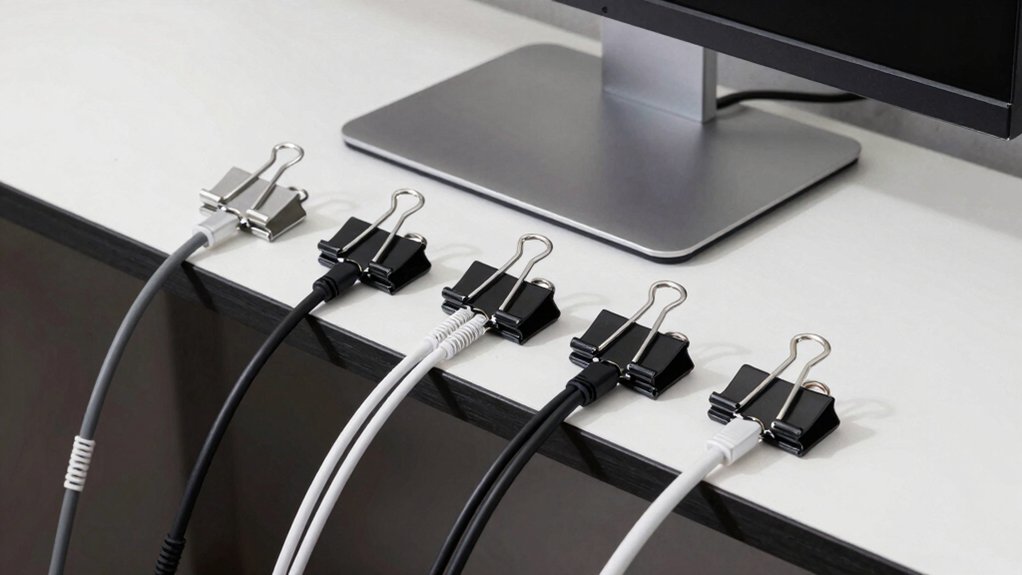
You’ll want to evaluate five key aspects before purchasing cable clips: adhesive strength and durability to ensure they hold securely over time, cable capacity and compatibility to match your specific cord types and quantities, and surface material compatibility so the clips don’t damage your desk finish. Next, assess the installation and removal process to determine whether you can set up and adjust the clips without tools or special equipment, then verify that the material quality and safety standards meet your needs and won’t release harmful chemicals or fail unexpectedly. Making these comparisons upfront prevents you from buying clips that won’t work for your setup or that’ll fail after a few weeks of use.
Adhesive Strength And Durability
The adhesive strength of cable clips directly determines whether they’ll stay put on your desk or gradually slip away. Quality matters here—choose clips with 3M adhesive pads or acrylic backing for reliable holding power across wood, glass, plastic, metal, and ceramic surfaces. Before applying clips, clean your surface thoroughly to remove dust and oils that weaken adhesion. Allow 24 hours of bonding time before placing cables on the clips. Consider your cable load: heavier setups with multiple HDMI or power cords require stronger adhesive and reinforced clip design to prevent slipping. Select no-residue adhesives if you might relocate clips later, protecting surface integrity. Environmental factors like humidity and dust can degrade adhesion over time, so check clips periodically for loosening.
Cable Capacity And Compatibility
Most cable clips come in different sizes, so you’ll need to match the clip’s diameter range to your specific cables before making a purchase. Check the maximum cable diameter each clip holds—silicone clips typically accommodate 0.26 inches (6 mm), while magnetic or multi-slot designs handle larger sizes. Verify whether you need single or multiple cable capacity, since some clips hold several cables simultaneously to reduce clutter. Examine the entry slot width to ensure it fits your cable types: phone chargers, USB, HDMI, ethernet, or power cords with thick connectors. Consider clips with flexible or adjustable clamping to accommodate mixed cable sets of varying diameters. Confirm surface compatibility with your desk material—wood, plastic, glass, ceramic, metal, or painted walls—since adhesive strength varies significantly by surface type.
Surface Material Compatibility
How well’ll your cable clip actually stick depends entirely on what your desk’s made of. Non-porous surfaces like glass, metal, and ceramic tiles provide the strongest adhesive grip and require minimal prep work. Smooth wood surfaces work well but need cleaning first to remove dust and oils. Rough or textured surfaces reduce hold strength significantly. Before applying any clip, wipe your desk with a clean cloth to eliminate debris. Check your clip’s specifications—some require 12–24 hours of curing time before reaching full strength. Avoid painted or varnished surfaces if possible, since adhesive removal can damage the finish. If your desk has an unsuitable surface, consider clips with alternative mounting options like screws or clamps instead.
Installation And Removal Process
Installing your cable clips correctly ensures they’ll hold securely and last longer, while removing them properly prevents damage to your desk’s surface. Start by cleaning the area where you’ll attach the clip, removing dust and oils. Peel off the protective film and press the clip firmly onto the surface for the recommended duration, typically 30 seconds. Allow 24 hours for the adhesive to cure before placing cables inside. For removal, twist or peel the clip slowly at a low angle to minimize surface damage and residue. If your clips use magnetic or screw-free mechanisms, you’ll skip the waiting period and can adjust them immediately without tools or permanent installation, making repositioning simple whenever you reorganize your desk.
Material Quality And Safety
When you’re selecting cable clips for your desk, what matters most is choosing materials that’ll withstand daily use without breaking down or creating safety hazards. Look for clips made from silicone or high-quality polyamide, which resist deformation under cable pressure. Check that the adhesive backing is strong—3M-backed pads or epoxy coatings work best on wood, metal, plastic, or glass surfaces. Verify the clips have dielectric properties and anti-static formulations to protect against electrical risks near powered cables. Select corrosion-resistant materials that you can easily clean in dusty or humid environments. Finally, ensure the clips grip cables without excessive compression, preserving flexibility and preventing damage from repeated insertions and removals.
Space And Desk Footprint
Where’ll you actually place your cable clips on your desk? Start by measuring your available space. Check your desk edge width and under-desk clearance. Select compact clips, like 0.87-inch wide options, that fit narrow gaps without blocking your workspace. Count your cable runs to determine how many clips you need, spacing them to prevent overcrowding. Avoid clustering multiple clips in one area, which creates visual clutter and reduces functionality. Match the clip’s mounting method to your surface type—adhesive for wood, magnetic for metal, screw-free for glass. Ensure clips don’t interfere with keyboard placement, monitor positioning, or frequent desk movements. Test placement before final installation. This strategic positioning maximizes organization while preserving usable desk real estate.
Final Thoughts
You’ve got five solid cable clip options to organize your desk. Pick adhesive clips if you want permanent mounting, magnetic clips if you need flexibility, or silicone clips for damage protection. Match your choice to your cable thickness and surface type. Consider your budget and whether you’ll reconfigure your setup often. Install clips along your desk edge or wall, securing cords firmly without crimping them.

Meet Ry, “TechGuru,” a 36-year-old technology enthusiast with a deep passion for tech innovations. With extensive experience, he specializes in gaming hardware and software, and has expertise in gadgets, custom PCs, and audio.
Besides writing about tech and reviewing new products, he enjoys traveling, hiking, and photography. Committed to keeping up with the latest industry trends, he aims to guide readers in making informed tech decisions.