
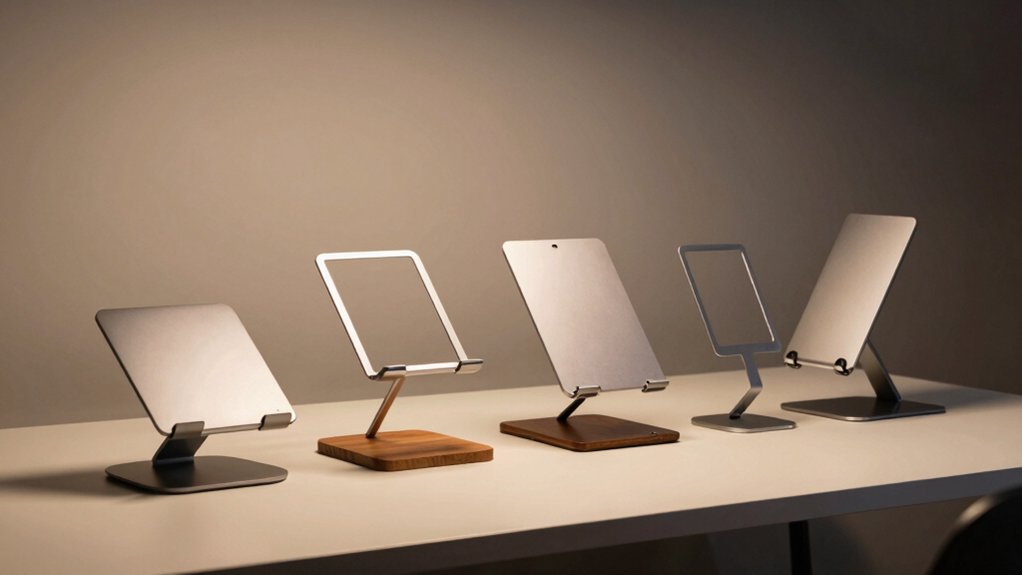

If you’re working with a cramped desk, you need to reclaim your space efficiently. Vertical laptop stands solve this by storing your device upright, which frees up room for monitors, keyboards, and other tools you actually use daily. You’ll find several solid options available—each with different features like adjustable widths, multiple slots, or premium materials. The right choice depends on your specific setup needs and how many devices you’re storing.
| UGREEN Vertical Laptop Stand for MacBook Pro/Air |

| Best for MacBooks | Maximum Laptop Size: Up to 17.3 inches | Material Construction: Aluminum alloy | Adjustable Thickness Range: 0.47 to 1 inch | VIEW LATEST PRICE | Read Our Analysis |
| OMOTON Vertical Aluminum Laptop Stand (Up to 17.3″) |
![OMOTON Vertical Laptop Stand [Updated Double Version], Desktop Aluminum Mac](https://m.media-amazon.com/images/I/31VcGU+e8sL._SL500_.jpg)
| Dual-Laptop Setup | Maximum Laptop Size: Up to 17.3 inches | Material Construction: Anodized aluminum alloy | Adjustable Thickness Range: 0.55 to 1.65 inches | VIEW LATEST PRICE | Read Our Analysis |
| Vaydeer Vertical Laptop Stand for All Laptops |

| Best Multi-Device Stand | Maximum Laptop Size: All laptop widths | Material Construction: ABS plastic | Adjustable Thickness Range: 0.55 to 1.69 inches | VIEW LATEST PRICE | Read Our Analysis |
| UGREEN 3-Slot Vertical Laptop Stand Holder (Up to 17.3″) |

| Best for Collections | Maximum Laptop Size: Up to 17.3 inches | Material Construction: Aluminum alloy | Adjustable Thickness Range: 0.47 to 1 inch | VIEW LATEST PRICE | Read Our Analysis |
| Adjustable Vertical Laptop Stand with Wood Dock |
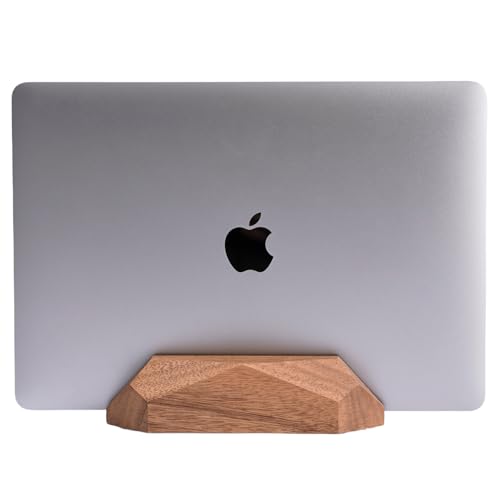
| Premium Design Pick | Maximum Laptop Size: MacBook/Surface Pro (unspecified max size) | Material Construction: Natural wood | Adjustable Thickness Range: Not specified | VIEW LATEST PRICE | Read Our Analysis |
More Details on Our Top Picks
UGREEN Vertical Laptop Stand for MacBook Pro/Air
The UGREEN Vertical Laptop Stand excels for MacBook owners who need to reclaim desk real estate. This aluminum stand reduces your workspace clutter by positioning your laptop vertically instead of flat. The adjustable slot accommodates laptops from 0.47 to 1 inch thick, fitting MacBook Air, MacBook Pro, and other brands up to 17.3 inches. You’ll twist the screw to customize the width for your specific model. Silicone pads inside protect your screen from scratches while preventing slipping. The stable base won’t wobble during use. At 5.9 x 3.2 x 2 inches, you can easily transport it between locations. This stand works best when you’re using an external monitor or keyboard simultaneously.
- Maximum Laptop Size:Up to 17.3 inches
- Material Construction:Aluminum alloy
- Adjustable Thickness Range:0.47 to 1 inch
- Anti-Slip Protection:Silicone pads on base and interior
- Number of Laptop Slots:Single slot
- Space-Saving Design:Vertical placement reduces desk footprint
- Additional Feature:Premium aluminum alloy construction
- Additional Feature:Portable 5.9 x 3.2 x 2 inches
- Additional Feature:Twist screw width adjustment
OMOTON Vertical Aluminum Laptop Stand (Up to 17.3″)
OMOTON’s updated double-dock aluminum stand solves desk clutter for professionals managing dual-laptop setups. The stand accommodates laptops up to 17.3 inches with adjustable width slots, supporting devices between 0.55 and 1.65 inches thick. Protective silicone mats line each dock to prevent scratches, while non-slip pads on the base ensure stability. The anodized aluminum frame resists scratches and matches MacBook finishes through its brushed, sandblasted design. You’ll secure two laptops simultaneously in a compact vertical arrangement, freeing significant desktop space while maintaining easy access to both devices.
- Maximum Laptop Size:Up to 17.3 inches
- Material Construction:Anodized aluminum alloy
- Adjustable Thickness Range:0.55 to 1.65 inches
- Anti-Slip Protection:Non-slip silicone mats and base pads
- Number of Laptop Slots:Double dock (two laptops)
- Space-Saving Design:Vertical stacking design
- Additional Feature:Supports two laptops simultaneously
- Additional Feature:Sandblasted brushed CNC finish
- Additional Feature:Anodized scratch-resistant surface
Vaydeer Vertical Laptop Stand for All Laptops
Looking to consolidate multiple devices on your desk? The Vaydeer Vertical Laptop Stand accommodates laptops, phones, and tablets simultaneously in one compact unit. Its adjustable width fits laptops ranging from 0.55 to 1.69 inches thick, supporting MacBooks, Dell, HP, Lenovo, and most brands. You’ll use the included Allen wrench to customize the fit precisely. Soft silicone mats protect your devices from scratches during placement. The lightweight ABS plastic construction keeps everything stable without tipping. This stand maximizes your workspace while maintaining an organized setup for work, studying, or everyday use.
- Maximum Laptop Size:All laptop widths
- Material Construction:ABS plastic
- Adjustable Thickness Range:0.55 to 1.69 inches
- Anti-Slip Protection:Soft silicone mats
- Number of Laptop Slots:Single slot (3-in-1 with phone/tablet)
- Space-Saving Design:Vertical cradle with compact footprint
- Additional Feature:3-in-1 cradle design
- Additional Feature:Holds phone or iPad
- Additional Feature:Lightweight ABS plastic construction
UGREEN 3-Slot Vertical Laptop Stand Holder (Up to 17.3″)
If you’re managing multiple laptops across your workspace, UGREEN’s 3-slot vertical stand is built to organize them efficiently. This aluminum tower holds up to three laptops simultaneously in upright positions, accommodating devices up to 17.3 inches. You’ll adjust the slot width by loosening base screws to fit laptop thicknesses between 0.47 and 1 inch—no tools required. Silicone pads line each slot and the base, preventing scratches and slipping. The Space Gray finish complements most desk setups. Compatible with MacBook Pro, Surface Book, and various other brands, this stand transforms cluttered workspaces into organized, accessible storage systems.
- Maximum Laptop Size:Up to 17.3 inches
- Material Construction:Aluminum alloy
- Adjustable Thickness Range:0.47 to 1 inch
- Anti-Slip Protection:Silicone pads on base and interior
- Number of Laptop Slots:Triple slot (three laptops)
- Space-Saving Design:Vertical 3-slot tower design
- Additional Feature:Supports three laptops simultaneously
- Additional Feature:Space Gray finish color
- Additional Feature:No-tool screw adjustment system
Adjustable Vertical Laptop Stand with Wood Dock
The Nuvograin wood dock delivers premium design pick functionality for professionals who need a clutter-free workspace. This walnut stand features an adjustable single slot that accommodates various laptop models, including MacBooks and Surface Pro devices. The 100% natural wood construction includes EVA protection pads that prevent scratches on both your desk and laptop. Anti-slip bottom pads keep the stand stable during use. You can position your laptop in closed-lid state while charging, maximizing desk space efficiently. At 7.0″ x 3.5″ x 1.65″, this compact stand fits most workspaces. The manufacturer provides a 2-year warranty and supports a 30-day return policy through Amazon.
- Maximum Laptop Size:MacBook/Surface Pro (unspecified max size)
- Material Construction:Natural wood
- Adjustable Thickness Range:Not specified
- Anti-Slip Protection:Anti-slip bottom pads and EVA protection pad
- Number of Laptop Slots:Single slot
- Space-Saving Design:Compact dimensions (7.0″ x 3.5″ x 1.65″)
- Additional Feature:100% natural wood material
- Additional Feature:Elegant walnut aesthetic design
- Additional Feature:2-year manufacturer warranty included
Factors to Consider When Choosing Vertical Laptop Stands
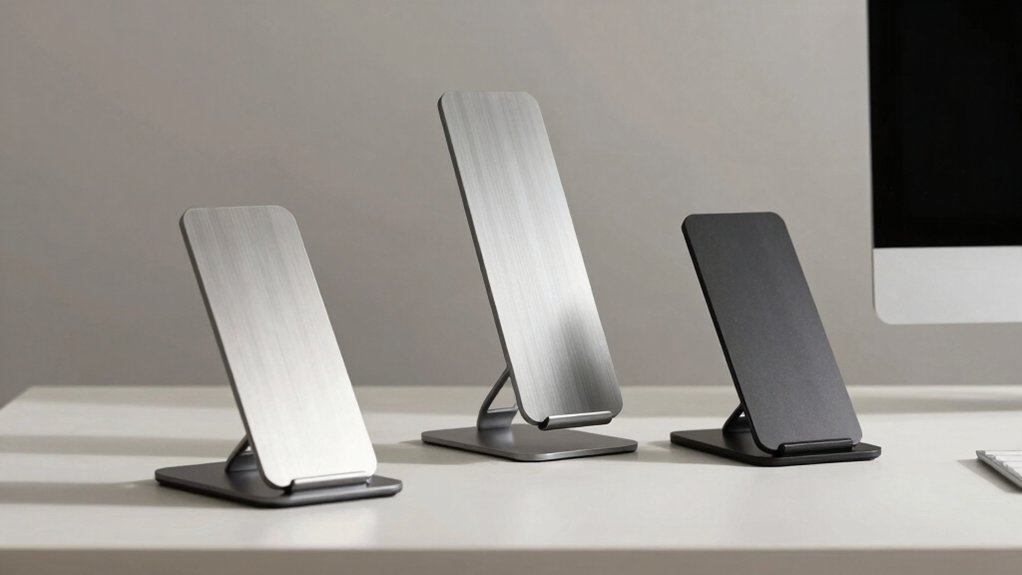
When you’re selecting a vertical laptop stand, you’ll need to evaluate material quality and durability to ensure it withstands daily use, check compatibility with your device’s size and weight capacity, and verify that it offers stability with anti-slip protection to prevent sliding. Next, consider whether the stand provides adjustability to accommodate various laptop sizes, and confirm that it’ll actually save desk space rather than add clutter to your workspace. Finally, prioritize stands that balance all these factors together, since a durable stand that’s incompatible with your laptop or unstable won’t serve your setup well.
Material Quality And Durability
Durability depends on the materials you choose for your vertical laptop stand, so you’ll want to prioritize aluminum alloy or anodized aluminum construction over plastic or low-grade steel. These materials resist corrosion and maintain their appearance over extended use. Examine the stand’s base and support structure to confirm it’s solid and prevents wobbling during operation. Check for protective interior pads or silicone inserts lining the laptop slots—these prevent scratches and dents on your device. Verify the stand features scratch-resistant finishes or coatings that preserve its look despite daily handling. Finally, confirm non-slip silicone pads secure the stand’s base to your desk, reducing unwanted movement. These specific features work together to guarantee your investment remains stable and attractive long-term.
Compatibility And Device Support
How do you know if a vertical laptop stand will actually work with your device? Check the stand’s maximum thickness specification, which typically ranges from 0.47 to 1.69 inches, and compare it to your laptop’s dimensions. Verify the width-adjustment mechanism—whether it uses a twist screw or Allen wrench—to confirm it accommodates your device. If you own a larger notebook or non-Mac device, confirm the stand supports sizes up to 17.3 inches. For multiple devices, determine whether you need a stand holding two or three laptops simultaneously. Finally, examine the padding materials, such as silicone pads or non-slip interiors, to ensure they’re compatible with your device’s finish and won’t cause scratches.
Stability And Anti-Slip Protection
Once you’ve confirmed your laptop fits the stand’s dimensions, you’ll want to verify that the stand itself won’t budge during daily use. Check that the base is wide enough to distribute weight evenly across your desk. Look for non-slip silicone feet that grip surfaces without sliding when you adjust your laptop position. Inspect the frame material—anodized aluminum provides superior stability and reduces wobble compared to plastic alternatives. Examine how the stand secures your laptop inside its slots. Silicone pads should grip firmly while protecting against scratches. Test adjustable tension settings if available, ensuring they hold various laptop thicknesses without shifting. A sturdy construction minimizes movement during typing or when accessing ports. These features combined prevent tipping and sliding, creating a reliable workspace foundation.
Adjustability For Various Laptops
Beyond stability, you’ll need a stand that fits your specific laptop size—and potentially future devices. Check your laptop’s thickness first, then select a stand with adjustable width mechanisms using twist screws or Allen-wrenches, which typically accommodate 0.47–1.69 inches. Verify the stand’s maximum width extension matches your screen size; most models fit 13–17 inch laptops, with some extending to 17.3 inches. If you own multiple devices, choose dual-dock or multi-slot designs that hold one or two laptops simultaneously. Look for silicone pads that prevent wobbling and scratching across different thicknesses. Test the adjustment mechanism—whether hand-adjusted or tool-assisted—to ensure you can secure your ultrabook or gaming notebook firmly without excess movement.
Space-Saving Desk Organization
With your laptop secured firmly in an adjustable stand, you’re ready to maximize your desk’s usable surface. Vertical stands free up horizontal workspace by elevating your device, giving you room for a monitor, keyboard, and accessories without crowding your desk. Choose a stand with a compact footprint to minimize the area it occupies. Look for lightweight models you can easily reposition when your needs change. Select designs with multi-slot or adjustable-width features to accommodate different laptop sizes without taking extra space. Ensure the stand has non-slip bases and silicone pads to keep your laptop secure and protect it from damage. These features combine to create a tidier, more organized workspace while maintaining easy access to all your work tools.
Final Thoughts
You’ll improve your desk setup by selecting a vertical laptop stand that matches your needs. First, measure your laptop’s thickness to guarantee it fits your chosen stand’s width range. Next, decide whether you need a single-slot or multi-slot design based on how many devices you’re storing. Finally, pick a material—aluminum for durability or wood for aesthetics—then position your stand to maximize desk space and create an organized workstation.

Meet Ry, “TechGuru,” a 36-year-old technology enthusiast with a deep passion for tech innovations. With extensive experience, he specializes in gaming hardware and software, and has expertise in gadgets, custom PCs, and audio.
Besides writing about tech and reviewing new products, he enjoys traveling, hiking, and photography. Committed to keeping up with the latest industry trends, he aims to guide readers in making informed tech decisions.