
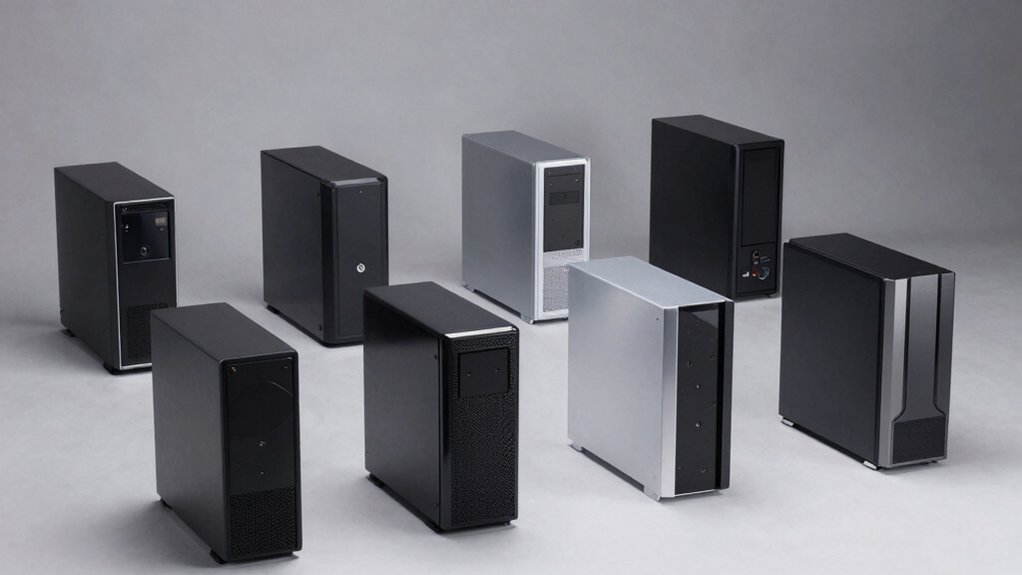

When you’re building a PC, you need a case that protects your components without weighing you down. You’ll want reinforced frames, durable materials, and smart cable management that keeps everything stable during transport. Tempered glass panels, integrated dust filters, and modular drive cages all help maintain protection while staying lightweight. But finding the right balance between portability and durability requires knowing what features matter most—and that’s where the following cases come in.
| PC Case 6 PWM ARGB Fans Mid-Tower Gaming (G8) |

| Best Cooling Performance | Motherboard Compatibility: ATX | Pre-Installed ARGB Fans: 6x 120mm PWM ARGB | Tempered Glass Panel: 270° panoramic | VIEW LATEST PRICE | Read Our Analysis |
| GAMDIAS White ATX Mid Tower Gaming PC Case |

| Best Aesthetics | Motherboard Compatibility: ATX | Pre-Installed ARGB Fans: 4x 120mm ARGB | Tempered Glass Panel: Panoramic side panel | VIEW LATEST PRICE | Read Our Analysis |
| CORSAIR 4000D RS ARGB Modular Mid-Tower ATX Case |

| Most Customizable | Motherboard Compatibility: ATX, mATX, ITX | Pre-Installed ARGB Fans: 3x 120mm RS ARGB PWM | Tempered Glass Panel: Standard side panel | VIEW LATEST PRICE | Read Our Analysis |
| Cooler Master MasterBox Q300L Micro-ATX PC Case |

| Best Compact Design | Motherboard Compatibility: Micro-ATX, Mini-ITX | Pre-Installed ARGB Fans: 1x 120mm | Tempered Glass Panel: Edge-to-edge transparent side | VIEW LATEST PRICE | Read Our Analysis |
| FOIFKIN F100 PC Case with ARGB Fans & Glass Panel |

| Best Budget-Friendly | Motherboard Compatibility: Micro-ATX, Mini-ITX | Pre-Installed ARGB Fans: 3x 120mm ARGB | Tempered Glass Panel: 270° panoramic | VIEW LATEST PRICE | Read Our Analysis |
| GAMDIAS White Mid Tower Gaming Computer Case with ARGB Fans |

| Best Mid-Range | Motherboard Compatibility: ATX, Micro-ATX, Mini-ITX | Pre-Installed ARGB Fans: 3x 120mm ARGB PWM | Tempered Glass Panel: Panoramic side panel | VIEW LATEST PRICE | Read Our Analysis |
| MOROVOL MATX Gaming PC Case with Tempered Glass |

| Best Space-Efficient | Motherboard Compatibility: Micro-ATX, Mini-ITX | Pre-Installed ARGB Fans: 3x 120mm ARGB | Tempered Glass Panel: 270° panoramic | VIEW LATEST PRICE | Read Our Analysis |
| b-Knights RGB Gaming Case with 6 Fans & Tempered Glass |

| Best RGB Lighting | Motherboard Compatibility: ATX, Micro-ATX, ITX | Pre-Installed ARGB Fans: 6x 120mm RGB | Tempered Glass Panel: Front and side tempered glass | VIEW LATEST PRICE | Read Our Analysis |
| TGDGAMER Matx High Airflow Micro ATX Case |

| Best Airflow Value | Motherboard Compatibility: Micro-ATX, Mini-ITX | Pre-Installed ARGB Fans: Pre-mounted 80mm fans | Tempered Glass Panel: No tempered glass | VIEW LATEST PRICE | Read Our Analysis |
| MONTECH XR-B ATX Mid-Tower Gaming Case |

| Best Premium Build | Motherboard Compatibility: ATX, Micro-ATX, Mini-ITX | Pre-Installed ARGB Fans: 3x 120mm ARGB | Tempered Glass Panel: Full-view dual panel | VIEW LATEST PRICE | Read Our Analysis |
| CORSAIR 3500X RS ARGB Mid-Tower PC Case White |

| Best All-Around Protection | Motherboard Compatibility: Mini-ITX to EATX | Pre-Installed ARGB Fans: 3x RS120-R ARGB | Tempered Glass Panel: Removable front and side panels | VIEW LATEST PRICE | Read Our Analysis |
More Details on Our Top Picks
PC Case 6 PWM ARGB Fans Mid-Tower Gaming (G8)
Looking for superior cooling without sacrificing portability? The G8 mid-tower case delivers both. You’ll find six pre-installed PWM ARGB fans arranged strategically: three reverse-blade fans on the bottom, one forward-blade fan at the rear, and two reverse-blade fans on the side. This setup creates dual-channel airflow, directing horizontal flow to your CPU and vertical flow to your GPU. The top serves as your main exhaust point. You can expand up to ten 120mm fans total and install 360mm radiators on top. The 270° tempered glass panel lets you monitor your build while maintaining airflow efficiency through upgraded mesh design.
- Motherboard Compatibility:ATX
- Pre-Installed ARGB Fans:6x 120mm PWM ARGB
- Tempered Glass Panel:270° panoramic
- Maximum GPU Length Support:Up to 440mm
- Top Radiator Support:Up to 360mm
- ARGB Control Method:+5V ARGB motherboard header (no controller required)
- Additional Feature:Supports up to 10 fans
- Additional Feature:440mm GPU clearance
- Additional Feature:Back-connect cable management
GAMDIAS White ATX Mid Tower Gaming PC Case
Who wants a mid-tower case that combines sleek white aesthetics with solid airflow performance? The GAMDIAS AURA GC1 ELITE WH ARGB delivers both. You get four built-in 120mm ARGB fans pre-installed in the mesh front panel, with room for up to six total fans for customized cooling. The panoramic tempered glass side panel showcases your components while the mesh design maximizes airflow. You can fit 360mm radiators, support GPUs up to 340mm, and cool CPU air coolers up to 160mm. The case weighs just 4.9 pounds, making it portable without sacrificing structural integrity. Five expansion slots and one internal bay give you flexibility for high-performance builds.
- Motherboard Compatibility:ATX
- Pre-Installed ARGB Fans:4x 120mm ARGB
- Tempered Glass Panel:Panoramic side panel
- Maximum GPU Length Support:Up to 340mm
- Top Radiator Support:Up to 360mm AIO
- ARGB Control Method:RGB lighting control button
- Additional Feature:4x120mm pre-installed fans
- Additional Feature:340mm GPU clearance
- Additional Feature:LED control button included
CORSAIR 4000D RS ARGB Modular Mid-Tower ATX Case
The CORSAIR 4000D RS ARGB is the most customizable case for builders who upgrade components frequently. You’ll benefit from the Frame Modular system, which lets you swap the motherboard tray and front I/O panel as your needs change. The case weighs 22.74 pounds and measures 19.17″ deep by 9.41″ wide by 19.13″ tall, making it reasonably portable. Three pre-installed RS ARGB fans provide adequate airflow through the 3D Y-Pattern front panel. You can mount additional fans using the InfiniRail system up to 200mm on front or 140mm on roof. The case supports ATX, mATX, and ITX motherboards plus dual 360mm radiators, ensuring compatibility with most upgrades you’ll make.
- Motherboard Compatibility:ATX, mATX, ITX
- Pre-Installed ARGB Fans:3x 120mm RS ARGB PWM
- Tempered Glass Panel:Standard side panel
- Maximum GPU Length Support:Supports powerful graphics cards
- Top Radiator Support:Up to 360mm (dual 360mm supported)
- ARGB Control Method:+5V ARGB PWM daisy-chainable connectors
- Additional Feature:Frame modular customization system
- Additional Feature:InfiniRail fan mounting system
- Additional Feature:Dual 360mm radiator support
Cooler Master MasterBox Q300L Micro-ATX PC Case
Cooler Master’s Q300L delivers a compact design that suits builders who need reliable protection in minimal desk space. You’ll fit Micro-ATX and Mini-ITX motherboards inside its cube frame while accommodating CPU coolers up to 159mm tall and GPUs extending 360mm. The perforated steel sides and magnetic dust filters manage airflow effectively without sacrificing component safety. You can position the modular I/O panel in six different locations to match your setup. With support for 240mm liquid coolers and up to five fans, you’re equipped for adequate cooling performance in this lightweight 480-gram case.
- Motherboard Compatibility:Micro-ATX, Mini-ITX
- Pre-Installed ARGB Fans:1x 120mm
- Tempered Glass Panel:Edge-to-edge transparent side
- Maximum GPU Length Support:Up to 360mm
- Top Radiator Support:Up to 240mm
- ARGB Control Method:No ARGB control (single pre-installed fan)
- Additional Feature:Adjustable I/O panel (6 positions)
- Additional Feature:360mm GPU clearance
- Additional Feature:Magnetic dust filters
FOIFKIN F100 PC Case with ARGB Fans & Glass Panel
Looking to build a compact system without sacrificing airflow or visibility? The FOIFKIN F100 delivers a dual-chamber design that separates your components from power supply and cables, keeping your build organized and cool. You’ll get three pre-installed 120mm ARGB fans plus support for 240mm radiators in front or top positions, giving you flexibility for air or water cooling. The case accommodates Micro-ATX and Mini ITX motherboards, GPUs up to 320mm, and PSUs up to 170mm. Its 270° tempered glass panel lets you showcase your hardware while maintaining protection. Three 3.5″ storage bays provide space for drives. At 4.4 stars from 86 reviews, this case proves you can build efficiently without compromising performance or aesthetics.
- Motherboard Compatibility:Micro-ATX, Mini-ITX
- Pre-Installed ARGB Fans:3x 120mm ARGB
- Tempered Glass Panel:270° panoramic
- Maximum GPU Length Support:Up to 320mm
- Top Radiator Support:Up to 240mm
- ARGB Control Method:ARGB fans (control method not specified)
- Additional Feature:Dual-chamber design layout
- Additional Feature:2x240mm radiator support
- Additional Feature:320mm GPU clearance
GAMDIAS White Mid Tower Gaming Computer Case with ARGB Fans
Want a mid-range case that balances RGB customization with practical cooling? The GAMDIAS Atlas M1 White fits ATX, microATX, and mini-ITX motherboards, weighing 8,000 grams. You’ll get three 120mm ARGB PWM fans installed, expandable to six total. The case supports graphics cards up to 410mm and 360mm AIO radiators for efficient heat management. Its white exterior houses customizable RGB lighting with programmable effects through the integrated LED control button. You’ll find two USB 3.0 ports, built-in dust filters, and spacious cable management routing. This case accommodates both AMD and Intel processors while maintaining organized airflow without obstruction.
- Motherboard Compatibility:ATX, Micro-ATX, Mini-ITX
- Pre-Installed ARGB Fans:3x 120mm ARGB PWM
- Tempered Glass Panel:Panoramic side panel
- Maximum GPU Length Support:Up to 410mm
- Top Radiator Support:Up to 360mm AIO
- ARGB Control Method:RGB lighting with LED control button
- Additional Feature:410mm GPU clearance
- Additional Feature:Customizable RGB lighting effects
- Additional Feature:360mm AIO/radiator support
MOROVOL MATX Gaming PC Case with Tempered Glass
The MOROVOL V3 delivers efficient space utilization for builders working in tight environments. You’ll appreciate the 270° tempered glass panel that showcases your components while the compact 13.39″ × 10.87″ × 12.44″ footprint fits on most desks. The case supports Micro-ATX and Mini-ITX motherboards, accommodating GPUs up to 320mm and CPU coolers up to 158mm. You can install up to seven fans total—three come pre-installed. Choose between three 2.5″ SSDs plus two 3.5″ HDDs, or three 2.5″ plus one 3.5″ for storage flexibility. The A/B division cooling system separates your power supply and hard drives behind the motherboard, creating distinct airflow channels for better thermal management.
- Motherboard Compatibility:Micro-ATX, Mini-ITX
- Pre-Installed ARGB Fans:3x 120mm ARGB
- Tempered Glass Panel:270° panoramic
- Maximum GPU Length Support:Up to 320mm
- Top Radiator Support:Up to 280mm
- ARGB Control Method:ARGB fans (control method not specified)
- Additional Feature:A/B division cooling separation
- Additional Feature:7 total fans supported
- Additional Feature:280mm radiator support
b-Knights RGB Gaming Case with 6 Fans & Tempered Glass
For gamers who want superior RGB lighting effects integrated throughout their build, the b-Knights case delivers configurable fan illumination you’ll control with a dedicated LED button. You’ll install your motherboard—ATX, Micro-ATX, or ITX—into the spacious interior, then connect your standard ATX power supply. The six preinstalled 120mm RGB fans mount across the front and sides, drawing cool air through the mesh cover and tempered glass panel. You can support a 360mm front water cooler or add a rear 120mm fan for additional cooling. Connect your peripherals using the USB 3.0, USB 2.0, and HD audio ports. The tempered glass side panel displays your components while maximizing airflow.
- Motherboard Compatibility:ATX, Micro-ATX, ITX
- Pre-Installed ARGB Fans:6x 120mm RGB
- Tempered Glass Panel:Front and side tempered glass
- Maximum GPU Length Support:Not specified
- Top Radiator Support:Up to 360mm front
- ARGB Control Method:LED button for RGB color/mode changes
- Additional Feature:6x120mm pre-installed fans
- Additional Feature:360mm front water cooling
- Additional Feature:Configurable RGB lighting modes
TGDGAMER Matx High Airflow Micro ATX Case
Building a compact PC doesn’t mean sacrificing cooling performance—and here’s why this case delivers superior airflow value through its perforated front panel design. The TGDGAMER Matx supports Mini-ITX and Micro-ATX motherboards with standard ATX power supplies. You’ll fit up to two 120mm fans and one 80mm fan inside. Plan your GPU length carefully: without a front fan, you can install cards up to 250mm; with a front fan installed, the maximum drops to 225mm. Radiators reach heights up to 135mm. The case includes one USB 3.0 port and one USB 2.0 port for connectivity.
- Motherboard Compatibility:Micro-ATX, Mini-ITX
- Pre-Installed ARGB Fans:Pre-mounted 80mm fans
- Tempered Glass Panel:No tempered glass
- Maximum GPU Length Support:Up to 250mm (no front fan) / 225mm (with front fan)
- Top Radiator Support:Up to 135mm radiator height
- ARGB Control Method:No ARGB system
- Additional Feature:Perforated front air filtering
- Additional Feature:135mm radiator height limit
- Additional Feature:Slim compact case design
MONTECH XR-B ATX Mid-Tower Gaming Case
Looking to pair premium cooling performance with elegant aesthetics? The MONTECH XR-B delivers both in a compact ATX mid-tower design. This case weighs just 14.5 pounds while supporting advanced cooling setups. You’ll find three pre-installed ARGB fans running at 1500 RPM, with room for up to nine total fans. The dual tempered glass panels showcase your build, while the wood-grain I/O design adds sophistication. Install a 360mm radiator on top for liquid cooling. The case accommodates high-end GPUs, including 40 series cards, and supports ATX, Micro-ATX, and Mini-ATX motherboards. With dust filters on top, bottom, and side panels, you’ll maintain cleanliness while maximizing airflow and heat dissipation.
- Motherboard Compatibility:ATX, Micro-ATX, Mini-ITX
- Pre-Installed ARGB Fans:3x 120mm ARGB
- Tempered Glass Panel:Full-view dual panel
- Maximum GPU Length Support:Supports 40-series GPUs
- Top Radiator Support:Up to 360mm
- ARGB Control Method:ARGB fans with motherboard control
- Additional Feature:Dual tempered glass panels
- Additional Feature:Wood-grain design I/O interface
- Additional Feature:Supports up to 9 fans
CORSAIR 3500X RS ARGB Mid-Tower PC Case White
The CORSAIR 3500X RS ARGB delivers thorough all-around protection through its wraparound glass design and robust cooling infrastructure. You’ll appreciate the three pre-installed RS120-R ARGB fans that provide high-performance cooling while maintaining excellent airflow. The case supports motherboards from Mini-ITX to EATX, accommodating most builds. You can mount additional fans on the side, roof, and PSU area, scaling up to ten 120mm fans total. Removable tempered glass panels on the front and side enable straightforward component installation and maintenance. The +5V ARGB header control lets you synchronize fan lighting across your system. Reverse Connection Motherboards—like ASUS BTF and MSI Project Zero—fit seamlessly, preserving your view of the back-board connections.
- Motherboard Compatibility:Mini-ITX to EATX
- Pre-Installed ARGB Fans:3x RS120-R ARGB
- Tempered Glass Panel:Removable front and side panels
- Maximum GPU Length Support:Not specified
- Top Radiator Support:Supports radiator mounting
- ARGB Control Method:+5V ARGB header control
- Additional Feature:Wraparound glass aesthetic design
- Additional Feature:Reverse connection motherboard compatibility
- Additional Feature:Removable front/side panels
Factors to Consider When Choosing Lightweight PC Cases
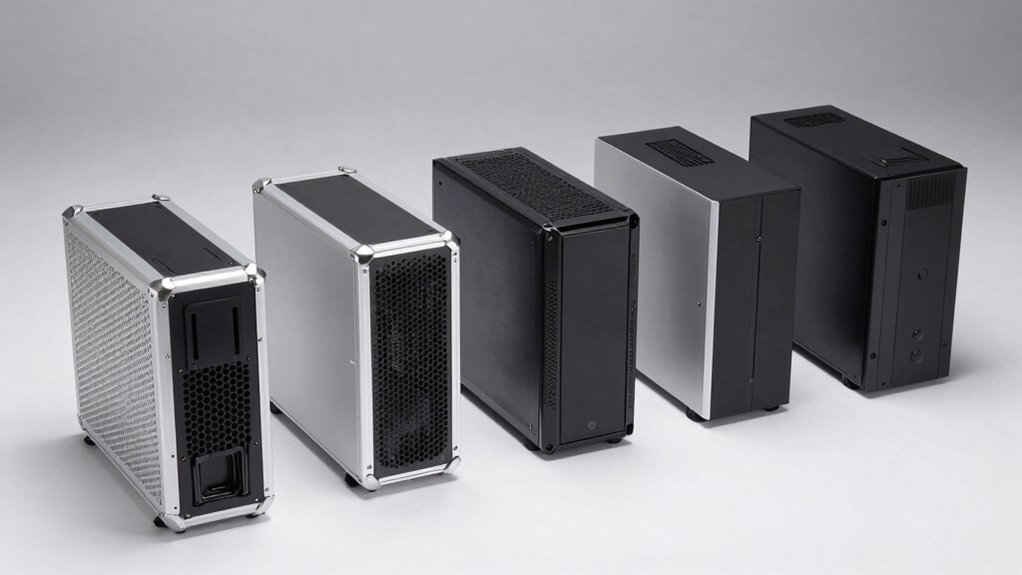
When selecting a lightweight PC case, you’ll need to evaluate weight and portability against material quality standards to guarantee your components stay protected during transport and use. Next, assess cooling performance trade-offs by checking fan mounting options and airflow design, then measure your motherboard type and verify compatibility with the case’s internal layout and cable management space. Finally, confirm that the case accommodates your specific motherboard size (ATX, Micro-ATX, or Mini-ITX) and leaves adequate room for cable routing behind the motherboard tray.
Weight And Portability
How much does portability matter for your build? If you transport your PC frequently, prioritize cases under 5 kg, typically micro-ATX models. Mini-tower designs offer the best weight-to-size ratio, balancing compactness with adequate space. Examine internal layouts: cases with fewer drive bays and simplified designs weigh less while maintaining essential expandability. Check material composition carefully. Thin-seamed steel and tempered glass reduce weight but may sacrifice rigidity and durability. Compensate by selecting cases with built-in carrying handles or reinforced side panels, which improve grip and transport stability. Evaluate your specific needs: frequent travel demands lighter construction and handles, while stationary builds allow more flexibility. Match case weight directly to your portability requirements.
Material Quality Standards
What materials should you prioritize when selecting a lightweight PC case? Look for aluminum alloys and steel combined with plastic composites, which balance weight reduction with structural integrity. Evaluate the front panel options: perforated mesh reduces mass but may compromise dust protection, while tempered glass adds visual appeal but increases weight and fragility. Consider acrylic or polycarbonate alternatives if you want transparency without the extra heft. Check the internal bracing system—modular frames and lattice-style supports maintain strength without unnecessary weight. Examine how the case distributes components: PSU placement, drive bay count, and hollow support structures all affect total weight. Verify that whatever materials you choose provide adequate impact resistance and durability for your intended use and transport frequency.
Cooling Performance Trade-offs
Selecting lightweight materials and designs directly impacts how well your system manages heat, so you’ll need to evaluate cooling capabilities alongside weight savings. Thinner panels and reduced metal mass compromise heat dissipation, requiring you to compensate with active cooling solutions. Check whether your case supports larger radiators—360mm options work best—and verify fan mounting points before purchasing. Open or perforated panels improve airflow but increase dust and noise, so plan filtration accordingly. Fewer drive bays and constrained layouts limit GPU and radiator placement, potentially restricting your build options. Assess your components’ thermal output against the case’s cooling potential. If you’re using high-performance parts, prioritize cases offering multi-channel airflow design and maximum radiator compatibility over minimal weight.
Cable Management Space
Why does cable management matter in a lightweight case? Thinner panels and compact designs create tight routing paths behind your motherboard tray. You’ll need to assess drive bay configurations and PSU shroud placement, as these directly impact available cable-tensioning space. Check case depth first—deeper cases offer more slack for multi-component cables. Next, identify back-panel cutouts and grommets that guide cables without adding bulk. Evaluate modular drive cages, since removable components free routing paths considerably. Finally, examine mounting bracket locations, as they constrain cable positioning and airflow optimization. Select cases featuring dedicated cable channels to conceal wires efficiently. These practical steps ensure you maintain clean airflow and component access despite lightweight construction limitations.
Motherboard Compatibility Range
Most lightweight cases support Micro-ATX, Mini-ITX, or ATX motherboards, and you’ll need to verify which form factors your chosen case accepts before purchasing. Check your case’s specifications to confirm motherboard compatibility, as some models explicitly limit support to smaller boards like Mini-ITX only. Review the standoff spacing and rear I/O layout, which typically align with standard Micro-ATX and ITX configurations. If you’re planning a future upgrade, select a case that supports a wider range of motherboard sizes, from ITX to ATX. These cases feature flexible mounting options and adjustable brackets that accommodate different boards without adding weight. Match your current motherboard’s dimensions against the case’s maximum supported form factor to ensure proper fit and installation without complications.
Expansion Slot Availability
Once you’ve confirmed your motherboard fits properly in the case, you’ll need to assess how many expansion slots you require for your build. Count the PCIe devices you plan to install—graphics cards, sound cards, and network adapters—to determine your slot needs. Lightweight cases typically offer 4–7 expansion slots, though compact micro-ATX and mini-ITX designs may provide only 4 or fewer. Match your device count to the case’s available slots, accounting for future upgrades. Remember that multiple high-power devices increase cooling demands in lightweight cases, potentially requiring better ventilation solutions. Review the case specifications to confirm slot positioning and clearance, ensuring your largest components fit without obstruction. This step prevents purchasing a case that can’t accommodate your planned configuration.
Thermal Dissipation Efficiency
Because lightweight cases reduce weight through smaller volumes and fewer drive bays, you’ll need to prioritize airflow design to keep your components cool. Look for cases with perforated front panels and mesh openings that maximize intake airflow and reduce internal cooling resistance. Choose models featuring front-to-back or bottom-to-top airflow designs with dust filters to maintain steady airflow while minimizing thermal buildup. Select cases with multiple pre-installed ARGB fans, which provide active cooling performance without adding significant weight compared to custom cooling solutions. Consider cases with thinner acrylic or tempered glass panels, or fewer panels overall, since these reduce stagnant air zones and improve thermal performance. Verify that your case accommodates radiator mounting if you’re using liquid cooling. Balance weight savings against cooling capacity to prevent component overheating.
Build Quality Durability
While optimizing airflow keeps your components running cool, you’ll also need to evaluate how well a lightweight case can withstand the physical demands of housing heavy components and surviving transport or accidental bumps. Check for rigid frame materials like alloy steel or tempered glass that resist flex under full component load. Examine multi-point screw fixation at panel joins to prevent warping. Look for reinforced edge structures and internal bracing that increase torsional stiffness without adding significant weight. Verify the case includes secure mounting options for heavy GPUs and long radiators. Assess protective dust filters and cable management systems that improve structural integrity. If the case features tempered glass panels, confirm they’re mounted securely with vibration damping to minimize breakage risk from impacts during transport or installation.
Final Thoughts
You’ll find the right lightweight case by matching your PC’s size to the case type, checking GPU and radiator clearance specs, and verifying fan mounting options. Compare material thickness and frame reinforcement across models. Prioritize cases with tool-free drive installation and integrated dust filters to simplify maintenance. Examine airflow designs that balance ventilation with component protection. Test cable routing space before purchasing to ensure you can build efficiently without compromising stability.

Meet Ry, “TechGuru,” a 36-year-old technology enthusiast with a deep passion for tech innovations. With extensive experience, he specializes in gaming hardware and software, and has expertise in gadgets, custom PCs, and audio.
Besides writing about tech and reviewing new products, he enjoys traveling, hiking, and photography. Committed to keeping up with the latest industry trends, he aims to guide readers in making informed tech decisions.