
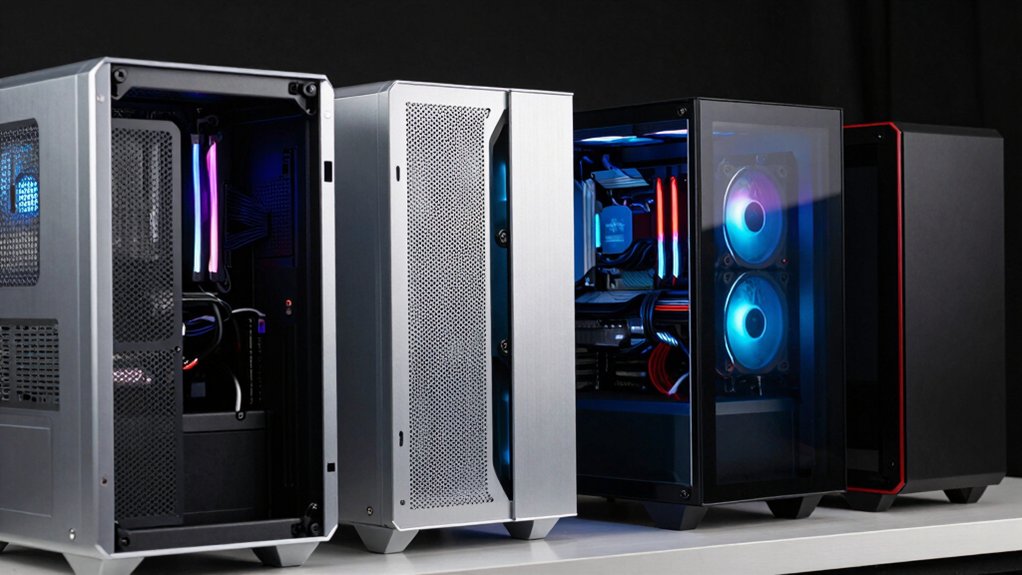

When you’re planning a custom water cooling build, your case choice directly affects your loop’s performance and longevity. You’ll need adequate radiator space, proper clearances for components, and reliable airflow management to keep temperatures stable. The right case provides mounting flexibility, cable organization, and durability—but not all cases handle these demands equally. Understanding what separates professional-grade options from standard models is essential before you invest.
| darkFlash DS900 ATX Mid-Tower PC Gaming Case |

| Best Panoramic View | Maximum Radiator Support: 360mm | Pre-Installed Fans: 4 PWM ARGB fans | Motherboard Compatibility: ATX only | VIEW LATEST PRICE | Read Our Analysis |
| CORSAIR 4000D RS ARGB Mid-Tower ATX PC Case |

| Most Customizable | Maximum Radiator Support: Dual 360mm | Pre-Installed Fans: 3 RS ARGB PWM fans | Motherboard Compatibility: ATX, Micro-ATX, Mini-ITX | VIEW LATEST PRICE | Read Our Analysis |
| PC CASE 9 PWM ARGB Fans Mid-Tower Gaming (K9) |

| Maximum Fan Support | Maximum Radiator Support: 420mm/360mm | Pre-Installed Fans: 9 PWM ARGB fans | Motherboard Compatibility: ATX, Micro-ATX, Mini-ITX | VIEW LATEST PRICE | Read Our Analysis |
| MUSETEX Y6 ATX Mid Tower Gaming PC Case |
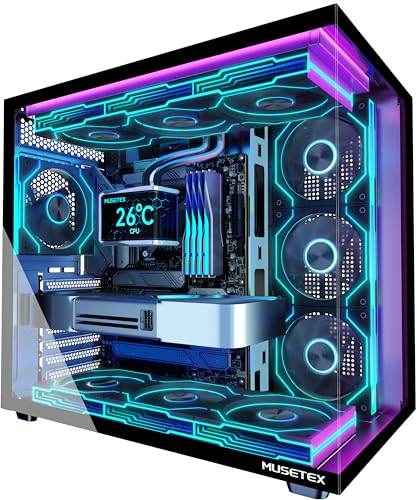
| Best RGB Aesthetics | Maximum Radiator Support: 360mm | Pre-Installed Fans: 7 Infinity Mirror PWM ARGB fans | Motherboard Compatibility: ATX, Micro-ATX, Mini-ITX | VIEW LATEST PRICE | Read Our Analysis |
| MUSETEX ATX Gaming PC Case with ARGB Fans |

| Premium White Edition | Maximum Radiator Support: 360mm | Pre-Installed Fans: 6 PWM ARGB fans | Motherboard Compatibility: ATX, Micro-ATX, Mini-ITX | VIEW LATEST PRICE | Read Our Analysis |
| Thermaltake Tower 600 Mid-Tower ATX Case (Blue) |

| Most Innovative Design | Maximum Radiator Support: 420mm | Pre-Installed Fans: Not specified | Motherboard Compatibility: ATX, Micro-ATX, Mini-ITX | VIEW LATEST PRICE | Read Our Analysis |
| CORSAIR 3500X RS ARGB Mid-Tower PC Case |
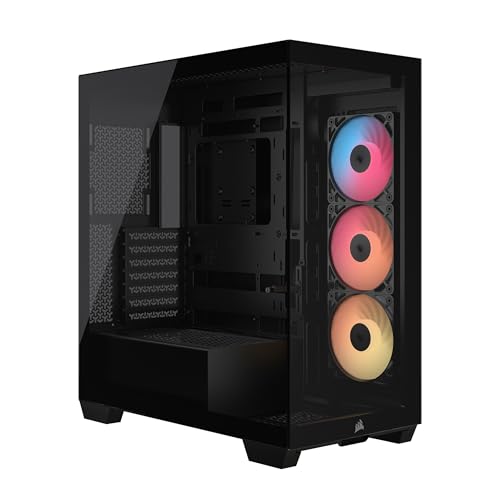
| Best Cable Management | Maximum Radiator Support: Not specified | Pre-Installed Fans: 3 RS120-R ARGB fans | Motherboard Compatibility: Mini-ITX to EATX | VIEW LATEST PRICE | Read Our Analysis |
| NZXT H5 Flow Compact ATX Mid-Tower Gaming Case |

| Most Compact | Maximum Radiator Support: Front 360mm, Top 240mm | Pre-Installed Fans: 2 x 120mm Quiet Airflow fans | Motherboard Compatibility: Micro-ATX, ATX, Mini-ITX | VIEW LATEST PRICE | Read Our Analysis |
| KEDIERS ATX Mid Tower PC Case with Tempered Glass |

| Best Expansion Capacity | Maximum Radiator Support: 420mm/360mm | Pre-Installed Fans: 5 fans (3x intake, 2x exhaust) | Motherboard Compatibility: ATX, Micro-ATX, Mini-ITX | VIEW LATEST PRICE | Read Our Analysis |
| PCCOOLER C3T500 ARGB Mid Tower Gaming PC Case |

| Best Value Pick | Maximum Radiator Support: 360mm | Pre-Installed Fans: 6 ARGB fans (120mm) | Motherboard Compatibility: ATX, Micro-ATX, Mini-ITX | VIEW LATEST PRICE | Read Our Analysis |
More Details on Our Top Picks
darkFlash DS900 ATX Mid-Tower PC Gaming Case
Looking for a case that won’t obstruct your view of custom water cooling components? The darkFlash DS900 offers a 270° panoramic tempered glass panel that displays your setup clearly. You’ll install up to 360mm water cooling radiators with room to spare. The case supports ten total fans, giving you flexibility for both air and water cooling configurations. Four pre-installed PWM ARGB fans come ready to use. You mount your power supply at the bottom, freeing interior space for radiators and tubing. The ATX-compatible mid-tower design accommodates standard gaming components efficiently. You get two internal bays for drive storage. A magnetic top dust filter keeps your cooling system clean. The case weighs fifteen pounds with dimensions of 8.6 inches deep, 17.8 inches wide, and 17 inches tall.
- Maximum Radiator Support:360mm
- Pre-Installed Fans:4 PWM ARGB fans
- Motherboard Compatibility:ATX only
- Tempered Glass Panels:270° panoramic single panel
- USB Type-C Port:Yes (1x Type-C)
- Case Weight:15 lbs
- Additional Feature:270° panoramic glass panel
- Additional Feature:Bottom-mounted power supply
- Additional Feature:Supports up to 10 fans
CORSAIR 4000D RS ARGB Mid-Tower ATX PC Case
The CORSAIR 4000D RS ARGB’s most customizable frame system lets you upgrade and reconfigure core components as your build evolves. You’ll mount fans using the InfiniRail system, which supports up to 200mm front fans or 140mm roof fans. The 3D Y-Pattern airflow panel maximizes cooling performance with three-dimensional perforation. You can fit dual 360mm radiators for advanced water cooling setups. The case accommodates ATX, mATX, and ITX motherboards, giving you flexibility across motherboard sizes. Three pre-installed CORSAIR RS ARGB fans feature daisy-chainable connectors and Zero RPM mode for efficient operation.
- Maximum Radiator Support:Dual 360mm
- Pre-Installed Fans:3 RS ARGB PWM fans
- Motherboard Compatibility:ATX, Micro-ATX, Mini-ITX
- Tempered Glass Panels:Full-view design
- USB Type-C Port:Not specified
- Case Weight:22.74 lbs
- Additional Feature:FRAME modular case system
- Additional Feature:InfiniRail fan mounting system
- Additional Feature:3D Y-pattern airflow panel
PC CASE 9 PWM ARGB Fans Mid-Tower Gaming (K9)
ANSAITE’s K9 delivers maximum fan support with 9 pre-installed PWM ARGB fans across three mounting zones. You’ll find three 120mm forward-blade fans on top, three reverse-blade fans on the bottom, and three reverse-blade fans on the side. This configuration creates horizontal CPU-focused airflow with vertical circulation. The case supports radiators up to 420mm on top, accommodating larger water cooling systems. You can control all ARGB lighting through a single +5V header without purchasing extra controllers. The 270° tempered glass panel displays your cooling setup clearly. Compatible with ATX, mATX, and mITX motherboards, this mid-tower handles graphics cards up to 460mm and CPU coolers up to 175mm tall.
- Maximum Radiator Support:420mm/360mm
- Pre-Installed Fans:9 PWM ARGB fans
- Motherboard Compatibility:ATX, Micro-ATX, Mini-ITX
- Tempered Glass Panels:270° panoramic single panel
- USB Type-C Port:Yes (1x USB 3.2 Gen 2 Type-C)
- Case Weight:13.5 lbs
- Additional Feature:Nine pre-installed prism fans
- Additional Feature:Horizontal CPU-focused airflow
- Additional Feature:Supports 460mm graphics cards
MUSETEX Y6 ATX Mid Tower Gaming PC Case
Want a mid-tower case that delivers striking RGB aesthetics without sacrificing water cooling capability? The MUSETEX Y6 supports radiators up to 360mm, making it suitable for most liquid cooling setups. You’ll get seven pre-installed 120mm ARGB fans with customizable lighting controlled through motherboard software. The case accommodates graphics cards up to 410mm and CPU coolers up to 160mm, giving you flexibility with components. Its dual tempered glass panels provide visibility of your cooling system while the metal construction ensures durability. You can mount radiators in multiple positions using the three internal bays. Type-C and USB 3.0 ports on the front panel offer convenient connectivity for your build.
- Maximum Radiator Support:360mm
- Pre-Installed Fans:7 Infinity Mirror PWM ARGB fans
- Motherboard Compatibility:ATX, Micro-ATX, Mini-ITX
- Tempered Glass Panels:270° dual panels
- USB Type-C Port:Yes (Type-C I/O)
- Case Weight:14.6 lbs
- Additional Feature:Seven infinity mirror fans
- Additional Feature:Dual 270° tempered glass
- Additional Feature:Anti-vortex blade design
MUSETEX ATX Gaming PC Case with ARGB Fans
MUSETEX’s premium white edition Y6 mid-tower delivers the internal space and cooling capacity you need for water-cooling setups. You’ll fit radiators up to 360mm on top and GPUs up to 400mm, accommodating most custom loops. The six pre-installed PWM ARGB fans provide baseline cooling; you can replace them with higher-performance units as needed. Built-in dust filters on top and bottom protect your components from debris. The 270° tempered glass panels let you monitor your cooling system’s performance. USB 3.2 Type-C connectivity supports external devices. The case supports ATX, Micro-ATX, and Mini-ITX motherboards, giving you flexibility in component selection for your water-cooling build.
- Maximum Radiator Support:360mm
- Pre-Installed Fans:6 PWM ARGB fans
- Motherboard Compatibility:ATX, Micro-ATX, Mini-ITX
- Tempered Glass Panels:270° dual panels
- USB Type-C Port:Yes (USB 3.2 Type-C)
- Case Weight:17.8 lbs
- Additional Feature:Pure white mid-tower finish
- Additional Feature:Reverse blade side fans
- Additional Feature:10-year manufacturer warranty
Thermaltake Tower 600 Mid-Tower ATX Case (Blue)
The Thermaltake Tower 600 delivers the most innovative design for builders who demand seamless cable management and maximum cooling flexibility. This mid-tower case accommodates radiators up to 420 mm on multiple panels and supports nine fans total. You’ll appreciate the hidden-connector motherboard support that keeps cables out of sight while maintaining three tempered glass panels for visibility. With CPU cooler clearance reaching 210 mm and GPU clearance up to 400 mm without the power cover, you’ve got substantial space for high-end components. The vertical octagonal interior layout optimizes airflow, and you can install ATX, Micro ATX, or Mini ITX boards seamlessly.
- Maximum Radiator Support:420mm
- Pre-Installed Fans:Not specified
- Motherboard Compatibility:ATX, Micro-ATX, Mini-ITX
- Tempered Glass Panels:3 x tempered glass panels
- USB Type-C Port:Yes (1x USB 3.2 Gen 2 Type-C)
- Case Weight:21.39 lbs
- Additional Feature:Hidden-connector motherboard support
- Additional Feature:Three tempered glass panels
- Additional Feature:Supports 420mm radiators
CORSAIR 3500X RS ARGB Mid-Tower PC Case
Looking for a case that won’t hide your cable management? The CORSAIR 3500X RS ARGB supports reverse-connection motherboards from ASUS, MSI, and Gigabyte, keeping cables out of sight. You’ll mount your motherboard form—Mini-ITX through EATX—and route connections from the back panel. The wraparound glass panels let you view the interior unobstructed. Three pre-installed RS120-R ARGB fans come ready to connect via the +5V ARGB header. You can add up to seven more 120mm fans across side, roof, and PSU locations for enhanced cooling capacity. Removable tempered glass front and side panels make building and maintenance straightforward.
- Maximum Radiator Support:Not specified
- Pre-Installed Fans:3 RS120-R ARGB fans
- Motherboard Compatibility:Mini-ITX to EATX
- Tempered Glass Panels:Wraparound glass aesthetic
- USB Type-C Port:Not specified
- Case Weight:Not specified
- Additional Feature:Wraparound glass aesthetic design
- Additional Feature:Reverse-connection motherboard compatible
- Additional Feature:Mini-ITX to EATX support
NZXT H5 Flow Compact ATX Mid-Tower Gaming Case
NZXT’s H5 Flow is the most compact mid-tower option when you need serious water-cooling capability without sacrificing space. You’ll find front radiator support up to 360mm and top support up to 240mm, giving you flexible cooling configurations. The case includes two 120mm fans pre-installed for baseline airflow. Its ultra-fine mesh panels on the front, top, and sides maximize ventilation while the perforated PSU shroud enables additional intake. The internal layout supports Micro-ATX, ATX, and Mini-ITX motherboards with optimized GPU cooling space. Cable management features wide channels and straps for clean builds. At 8.86 inches deep, 16.93 inches wide, and 18.31 inches tall, it fits compact builds without compromising radiator compatibility.
- Maximum Radiator Support:Front 360mm, Top 240mm
- Pre-Installed Fans:2 x 120mm Quiet Airflow fans
- Motherboard Compatibility:Micro-ATX, ATX, Mini-ITX
- Tempered Glass Panels:Tempered glass
- USB Type-C Port:Not specified
- Case Weight:8 kg (17.6 lbs)
- Additional Feature:Ultra-fine mesh airflow panels
- Additional Feature:Perforated PSU shroud design
- Additional Feature:Seamless cable management channels
KEDIERS ATX Mid Tower PC Case with Tempered Glass
KEDIERS’ K4 (MAX) offers unmatched room for your water cooling components. You can install 420mm or 360mm radiators without compatibility issues. The case supports CPU coolers up to 175mm tall and GPUs stretching 460mm long. Five pre-installed fans handle initial airflow, but you’ll expand to eleven 120mm fans total for optimal water cooling performance. Seven PCIe slots accommodate your graphics card and cooling controllers. Tempered glass panels on front and side let you display your custom loop setup. Built-in HDD/SSD trays keep your drives organized while radiators occupy prime mounting positions.
- Maximum Radiator Support:420mm/360mm
- Pre-Installed Fans:5 fans (3x intake, 2x exhaust)
- Motherboard Compatibility:ATX, Micro-ATX, Mini-ITX
- Tempered Glass Panels:Dual full-view panels
- USB Type-C Port:Yes (1x USB-C)
- Case Weight:7.17 kg (15.8 lbs)
- Additional Feature:Diamond-cut angle aesthetic design
- Additional Feature:Built-in HDD/SSD trays
- Additional Feature:270° panoramic glass coverage
PCCOOLER C3T500 ARGB Mid Tower Gaming PC Case
Why choose a case that delivers water cooling capability without breaking your budget? The PCCOOLER C3T500 supports 280mm and 360mm radiators in reserved top and bottom positions, letting you install liquid cooling systems efficiently. You’ll fit ATX, M-ATX, or ITX motherboards inside the column-free design. The case includes six 120mm ARGB fans with PWM speed control for reliable airflow. You get USB 3.1 Gen 2 Type-C connectivity and tool-free side panel installation. Air cooling works too—your CPU cooler can reach 175mm in height. The tempered glass front displays your components clearly. A two-year warranty backs your investment.
- Maximum Radiator Support:360mm
- Pre-Installed Fans:6 ARGB fans (120mm)
- Motherboard Compatibility:ATX, Micro-ATX, Mini-ITX
- Tempered Glass Panels:3MM clear tempered glass
- USB Type-C Port:Yes (USB 3.1 Gen 2 Type-C)
- Case Weight:Not specified
- Additional Feature:Column-free interior design
- Additional Feature:Snap-on quick-release side panel
- Additional Feature:Two-year manufacturer warranty
Factors to Consider When Choosing a PC Case for Water Cooling
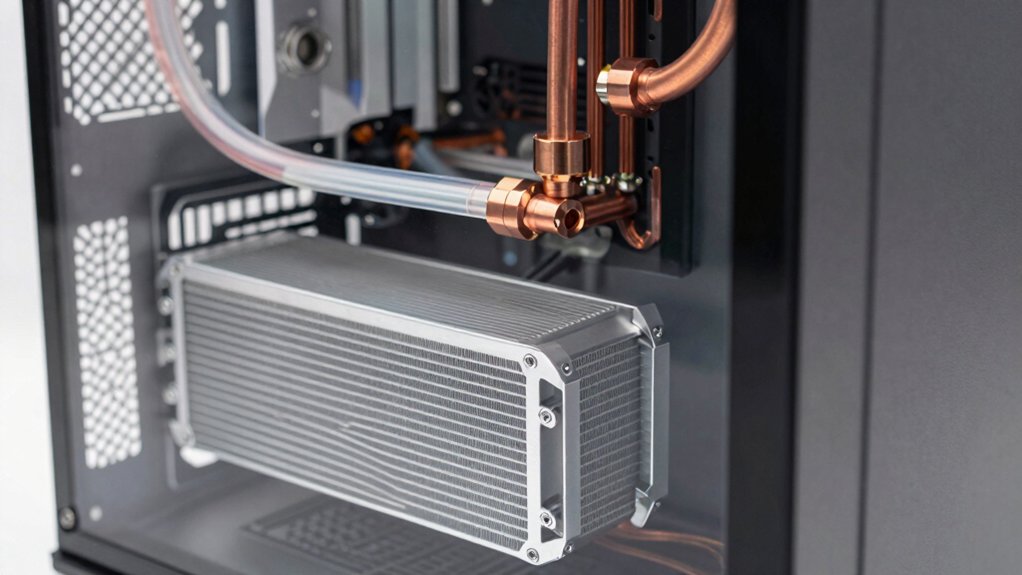
When you’re selecting a PC case for water cooling, you’ll need to verify that the case accommodates your radiator size (240mm, 280mm, 360mm, or larger), check the internal dimensions to ensure your pump, reservoir, and components fit without obstruction, and confirm the available fan mounting locations match your cooling configuration. Next, examine the case’s airflow design by reviewing where intake and exhaust fans mount, then assess how the layout guides air through your radiator and past your components efficiently. Finally, evaluate the cable management features—including routing holes, clips, and hidden channels—so you can organize power cables and tubing without blocking airflow or creating pressure points on your loops.
Radiator Size Compatibility
Before you choose a PC case for water cooling, you’ll need to verify that it can physically accommodate your radiator in the positions you want. Check the case manufacturer’s specifications for maximum radiator lengths at each mounting location: front, top, and rear. A case might support 360 mm front radiators but only 240 mm top radiators, for example. Beyond dimensions, confirm adequate clearance for fans, RAM height, and motherboard components. Verify that your radiator won’t interfere with your GPU, CPU cooler, or power supply cables. Some cases support multiple radiator sizes across different panels, giving you flexibility. Compare your cooling solution’s radiator dimensions against these specifications before purchasing to ensure proper fit and functionality.
Internal Space Requirements
Once you’ve confirmed your radiator fits in the desired mounting locations, you’ll need to measure the case’s total internal dimensions to ensure everything works together without conflicts. Check the CPU cooler height clearance against the case’s internal height, accounting for radiator thickness and fan depth. Verify GPU length won’t obstruct radiator hoses or mounting brackets. Examine cable routing pathways to ensure hoses won’t pinch or kink during installation. Confirm the case provides adequate space between components for proper water circulation and maintenance access. Review the motherboard tray positioning—it should allow sufficient room for pump blocks and fittings underneath without interference. Document all measurements and compare them against your loop components before purchasing to prevent costly incompatibilities.
Fan Mounting Configurations
How many radiators can you actually fit in your case, and where should they go? Check your case’s fan mounting positions on the front, top, rear, and bottom. Each position accepts specific radiator sizes—typically 120mm, 240mm, 360mm, or 420mm fans. Count available slots: front mounts usually hold larger radiators, while rear positions fit smaller units. Verify pre-installed fans and whether your case includes a fan hub; if not, you’ll need a separate controller to manage multiple fans. Determine your radiator orientation based on mount location. Front and top mounts push hot air outward; rear and bottom mounts pull air in. Match your loop’s cooling capacity to available mounting space, then plan tubing routes around GPU clearance and CPU cooler height restrictions.
Airflow Design Efficiency
Your radiator placement decisions set the foundation for airflow, but the case’s internal design determines whether that air actually moves efficiently through your system. Look for cases with multiple intake and exhaust paths—front, top, and bottom fans—to create directional flow and eliminate stagnation around your CPU and GPU. Choose cases with perforated front panels or tri-level designs that minimize fan obstruction and maximize volumetric airflow. Verify the case maintains positive pressure by distributing intake evenly across filtered paths, which reduces dust ingress through gaps. Check that radiator mounting aligns with intake fans to sustain consistent static pressure. Finally, confirm the case supports pre-installed or easily upgradeable PWM ARGB fans, allowing you to adjust speeds precisely according to thermal load without excessive noise.
Cable Management Solutions
Because water cooling systems introduce additional tubing runs alongside standard power and data cables, you’ll need a case that simplifies routing and maintains organization throughout your build. Look for cases with full-length PSU shrouds or bottom-mounted power supplies that hide cables and create clear pathways for coolant tubing. Built-in features like wide cable cutouts, multiple tie-down points, and pre-installed channels reduce clutter around radiator and fan mounts. Choose a case with removable or accessible dust filters and tool-free panels to simplify disassembly during maintenance or upgrades. Cases supporting large radiators—360 mm or 420 mm—typically offer robust cable routing behind the motherboard tray and along interior walls, giving you flexibility in organizing both power lines and cooling loops efficiently.
GPU Clearance Considerations
When you’re planning a water-cooled build, where does your graphics card actually fit in the case? GPU clearance directly affects your component compatibility and cooling performance. First, check the case’s maximum GPU length specification—look for cases supporting 400 mm or longer for high-end cards. Next, examine radiator placement: front and top radiators can obstruct GPU space, so verify clearance diagrams before purchasing. Third, inspect power cover designs and PCIe shrouds that may reduce available room. Consider vertical GPU mounting options if standard horizontal placement creates conflicts with radiator fans or motherboard components. Finally, ensure the GPU exhaust path remains unobstructed by case internal structures. Measure your specific graphics card length and cross-reference it against your chosen case’s documented clearance to avoid compatibility issues.
Motherboard Layout Support
Once you’ve confirmed your GPU fits without obstruction, the motherboard’s physical layout becomes your next compatibility checkpoint. You must verify that your case supports your motherboard’s form factor—ATX, mATX, ITX, or E-ATX. Check the clearance around your CPU socket, RAM slots, and PCIe slots to ensure water-cooling components won’t collide with installed hardware. Examine the I/O shield positioning and power delivery area topology, as these directly affect custom loop routing options. Confirm radiator mounting positions align with your motherboard’s layout. Some cases offer modular tray designs that let you upgrade or reposition the motherboard tray later, providing flexibility for future cooling modifications. Review the case manual for reverse-connection validation on your specific motherboard model to confirm cable routing won’t obstruct cooling paths or your panoramic view.
Final Thoughts
You’ll want to prioritize radiator space, internal volume, and cable management when selecting your water cooling case. Check that your case supports 360–420mm radiators, offers tempered glass panels, and includes pre-installed ARGB fans. Verify clearances for your GPU and CPU cooler, then confirm front, top, and bottom mounting options. Match these specifications to your loop’s size and component configuration before purchasing.

Meet Ry, “TechGuru,” a 36-year-old technology enthusiast with a deep passion for tech innovations. With extensive experience, he specializes in gaming hardware and software, and has expertise in gadgets, custom PCs, and audio.
Besides writing about tech and reviewing new products, he enjoys traveling, hiking, and photography. Committed to keeping up with the latest industry trends, he aims to guide readers in making informed tech decisions.