
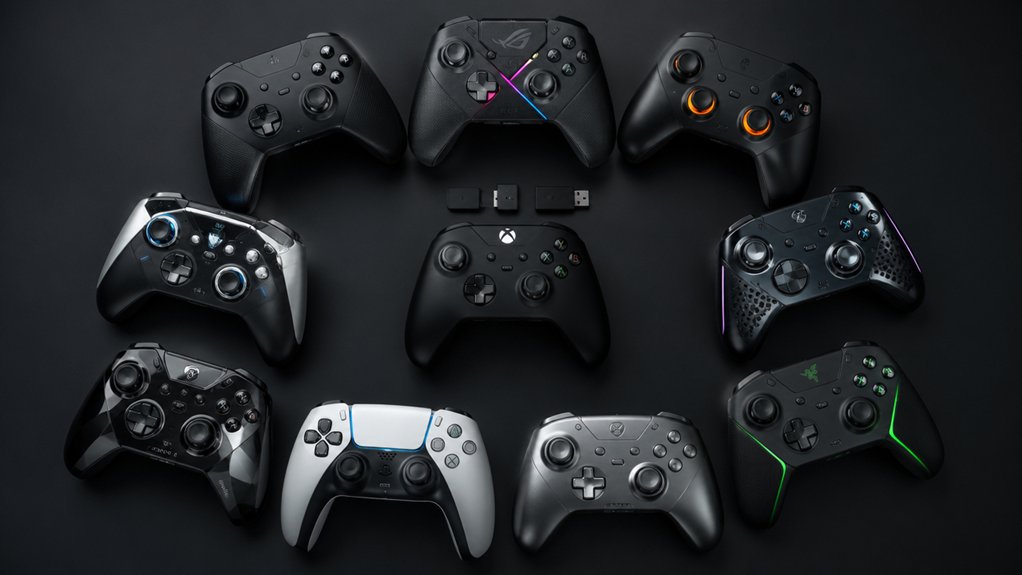

You’re looking for an Android joystick controller that won’t let you down during competitive gameplay. Start by identifying your priorities: drift-free performance, fast Bluetooth connectivity, and battery longevity. Next, consider your device type—phone or tablet—and whether you need a wired or wireless option. The market offers several proven choices with Hall Effect sticks and customizable software, but finding the right fit depends on specific features you’ll discover in each model.
| GameSir X5 Lite Mobile Gaming Controller for iPhone & Android |

| Best For iPhone | Joystick Technology: Hall Effect joystick | Connectivity Type: USB-C wired connection | Device Compatibility: iPhone 15/16, Android phones, iPad Mini, tablets | VIEW LATEST PRICE | Read Our Analysis |
| Mocagen MC1 Wireless Mobile Gaming Controller for iPhone/Android |

| Best Durability | Joystick Technology: Hall-effect joystick with ~5 million cycles | Connectivity Type: Bluetooth wireless | Device Compatibility: All iPhone models, all Android devices, cloud gaming | VIEW LATEST PRICE | Read Our Analysis |
| abxylute M4 Snap-On Mobile Gaming Controller for Android & iPhone |

| Best For Retro | Joystick Technology: Dual joystick | Connectivity Type: Bluetooth wireless with magnetic snap-on | Device Compatibility: Android, iOS/iPhone, Switch 1&2, retro emulators | VIEW LATEST PRICE | Read Our Analysis |
| arVin Wireless Gaming Controller for iPhone/iPad/Android/PC |

| Most Versatile | Joystick Technology: 3D joystick with 360° control | Connectivity Type: Bluetooth 5.0 wireless (32.8 feet range) | Device Compatibility: iPhone, iPad, Android, Samsung, PC, MacBook | VIEW LATEST PRICE | Read Our Analysis |
| 8Bitdo Ultimate Mobile Gaming Controller Bluetooth Gamepad |

| Best Premium Pick | Joystick Technology: Hall Effect joysticks | Connectivity Type: Bluetooth wireless | Device Compatibility: Apple and Android devices | VIEW LATEST PRICE | Read Our Analysis |
| GameSir G8 Plus Wireless Bluetooth Gaming Controller |

| Best Overall | Joystick Technology: Hall Effect sensing sticks | Connectivity Type: Bluetooth wireless (mobile); wired option for PC | Device Compatibility: Phones, Switch, tablets, PC | VIEW LATEST PRICE | Read Our Analysis |
| Vakili Mobile Phone Game Joystick Controller (2-Pack) |

| Budget-Friendly Pick | Joystick Technology: High-sensitivity plastic rocker (adhesive touch-screen) | Connectivity Type: No connectivity (adhesive touch-screen) | Device Compatibility: Any touch-screen device (iPad, iPhone, Android, tablet) | VIEW LATEST PRICE | Read Our Analysis |
| PUK Mobile Gaming Thumbstick Magnetic Joystick Controller |

| Best For Touchscreen | Joystick Technology: Magnetic joystick (touch-screen overlay) | Connectivity Type: No connectivity (magnetic touch-screen overlay) | Device Compatibility: iPhone and Android phones | VIEW LATEST PRICE | Read Our Analysis |
| Mocagen MC2 Mobile Gaming Controller for Multiple Platforms |

| Best Multi-Platform | Joystick Technology: Upgraded joysticks with no drift | Connectivity Type: Bluetooth wireless | Device Compatibility: Android, iPhone, Switch, PC (wireless/wired) | VIEW LATEST PRICE | Read Our Analysis |
| AceGamer Aurora II Wireless Gaming Controller Multi-Platform |
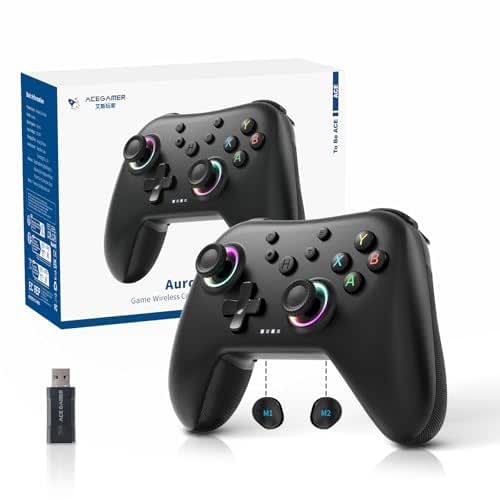
| Best Value | Joystick Technology: RGB Hall Effect joysticks | Connectivity Type: 2.4G wireless or Bluetooth options | Device Compatibility: PC Windows, Switch, iOS, Android | VIEW LATEST PRICE | Read Our Analysis |
More Details on Our Top Picks
GameSir X5 Lite Mobile Gaming Controller for iPhone & Android
The GameSir X5 Lite Mobile Gaming Controller works across iPhone 15/16 and Android devices for serious gamers who need multi-platform compatibility. You’ll appreciate the Hall Effect joysticks that deliver precise 360° control without drift issues. The lightweight ergonomic design weighs just 135.4 grams, making extended gaming sessions comfortable. You can customize button assignments through the GameSir app, assigning Turbo functions to M, A, B, X, Y, L1, R1, LT, or RT buttons. The stretchable mount accommodates screens up to 213 millimeters, including iPad Mini and Android tablets. Pass-through USB-C charging lets you game while powering your device simultaneously. Cloud gaming, Xbox Game Pass, and Steam streaming all work without lag.
- Joystick Technology:Hall Effect joystick
- Connectivity Type:USB-C wired connection
- Device Compatibility:iPhone 15/16, Android phones, iPad Mini, tablets
- Battery Life:Pass-through charging (wired)
- Ergonomic Design:Lightweight (135.4g), textured grips, cushioned triggers
- Special Features:Turbo mode, customizable buttons, GameSir app software
- Additional Feature:Pass-through charging capability
- Additional Feature:Customizable turbo button assignments
- Additional Feature:Stretchable to 213mm (iPad compatible)
Mocagen MC1 Wireless Mobile Gaming Controller for iPhone/Android
Mocagen MC1 delivers exceptional durability through Hall-effect joysticks rated for 5 million cycles—2.5 times longer than standard controllers—making it ideal for serious gamers who demand extended lifespan without drift issues. You’ll pair the MC1 quickly by turning on Bluetooth, accessing your phone’s pairing screen, then pressing and holding Home for 3 seconds until the LED flashes. Select “XBOX Wireless Controller” to complete pairing. The 600mAh battery provides up to 6 hours of gameplay. You can customize turbo settings at 5, 12, or 20 shots per second through the KeyLinker app, which also adjusts vibration motor intensity. The controller supports iPhones, Android devices, cloud gaming services, and native mobile games that accept controller input.
- Joystick Technology:Hall-effect joystick with ~5 million cycles
- Connectivity Type:Bluetooth wireless
- Device Compatibility:All iPhone models, all Android devices, cloud gaming
- Battery Life:Up to 6 hours (600mAh battery)
- Ergonomic Design:Laser-engraved texture, ergonomic grip, anti-slip
- Special Features:7-color RGB light ring, 3-level turbo, dual vibration motors
- Additional Feature:7-color RGB light ring
- Additional Feature:5-million cycle lifespan
- Additional Feature:3-level turbo customization
abxylute M4 Snap-On Mobile Gaming Controller for Android & iPhone
Looking for a controller that prioritizes retro gaming on your phone? The abxylute M4 snaps magnetically onto your device, making it ideal for quick gaming sessions. To set it up, power on the controller and connect via Bluetooth. If you’ve got a MagSafe case, snap the magnetic ring directly to it. Without MagSafe, attach the included magnetic sticker to your phone case first, then snap the controller on. The M4 works with Android, iPhone 11 and earlier, and newer iPhones with MagSafe. It supports retro emulators like Delta and RetroArch plus platforms including NES, SNES, N64, and GBA. With 18 buttons and a 12-hour battery, you’ll handle extended portable gaming anywhere.
- Joystick Technology:Dual joystick
- Connectivity Type:Bluetooth wireless with magnetic snap-on
- Device Compatibility:Android, iOS/iPhone, Switch 1&2, retro emulators
- Battery Life:12-hour battery life
- Ergonomic Design:Pocket-sized (56g), compact retro design with stand
- Special Features:Magnetic snap-on, MagSafe compatible, retro emulator support
- Additional Feature:Magnetic snap-on design
- Additional Feature:MagSafe compatibility included
- Additional Feature:12-hour battery life
arVin Wireless Gaming Controller for iPhone/iPad/Android/PC
arVin’s most versatile wireless controller works with iPhones, iPads, Android phones, and PCs through a single device. The Bluetooth 5.0 connection pairs directly without apps or jailbreaks, reaching up to 32.8 feet wirelessly. The ergonomic design accommodates phones up to 6.9 inches with rubberized clamps that prevent slipping. Control games like COD Mobile and Asphalt 9 using the 3D joystick, analog triggers, and programmable back buttons. Battery life extends to 18 hours per charge cycle. Charge for 2–3 hours before gaming sessions. Note that iOS PUBG isn’t supported, though most titles work seamlessly across platforms.
- Joystick Technology:3D joystick with 360° control
- Connectivity Type:Bluetooth 5.0 wireless (32.8 feet range)
- Device Compatibility:iPhone, iPad, Android, Samsung, PC, MacBook
- Battery Life:Up to 18 hours (400 mAh battery)
- Ergonomic Design:Rubberized clamps, precise 360° control, camera lens clearance
- Special Features:Macro programming button, M1/M2 back buttons, no jailbreak needed
- Additional Feature:32.8 feet wireless range
- Additional Feature:400mAh battery (18 hours)
- Additional Feature:Macro programming button
8Bitdo Ultimate Mobile Gaming Controller Bluetooth Gamepad
The 8Bitdo Ultimate stands as the premium choice for Android gamers who demand precision and durability. You’ll appreciate the Hall Effect joysticks and triggers that deliver higher sensitivity and accuracy than standard controllers. The wear-resistant metal rings protect against degradation during intense gameplay sessions. Connect via Bluetooth to your Android device and enjoy Xbox Cloud Gaming support. The stretchable phone mount accommodates devices between 100–170mm, securing your phone firmly during play. Access the 8BitDo Ultimate Software V2 on mobile to customize controls and adjust settings. Two Pro back paddle buttons let you program additional commands for competitive advantage. The tactile bumpers and D-pad provide responsive feedback for precise inputs.
- Joystick Technology:Hall Effect joysticks
- Connectivity Type:Bluetooth wireless
- Device Compatibility:Apple and Android devices
- Battery Life:Not specified
- Ergonomic Design:Stretchable design, fits most phones (100–170mm)
- Special Features:2 Pro back paddle buttons, Xbox officially licensed, Apple supported
- Additional Feature:Officially Xbox licensed
- Additional Feature:2 pro back paddle buttons
- Additional Feature:Metal joystick rings (wear-resistant)
GameSir G8 Plus Wireless Bluetooth Gaming Controller
Want precision controls that won’t wear out after months of heavy gaming? The GameSir G8 Plus delivers Hall Effect sensing sticks and triggers that resist wear while maintaining smooth, accurate responses. You’ll get a 6-axis gyroscope for motion control and dual-motor vibration feedback. The controller connects via Bluetooth to Android devices, iOS, Nintendo Switch, and tablets, or wired to PC. Its extendable design accommodates various device sizes. With console-sized buttons and sticks, you can play comfortably for extended sessions. The 500 mAh battery per side powers wireless gameplay. Interchangeable magnetic components let you customize appearance and functionality to match your preferences.
- Joystick Technology:Hall Effect sensing sticks
- Connectivity Type:Bluetooth wireless (mobile); wired option for PC
- Device Compatibility:Phones, Switch, tablets, PC
- Battery Life:500 mAh per side battery
- Ergonomic Design:Console-sized sticks/buttons, extendable design, 630g
- Special Features:6-axis gyroscope, dual motors, interchangeable magnetic components
- Additional Feature:6-axis gyroscope motion sensing
- Additional Feature:Interchangeable magnetic components
- Additional Feature:Dual motor vibration feedback
Vakili Mobile Phone Game Joystick Controller (2-Pack)
Looking for a budget-friendly pick that doesn’t require batteries or Bluetooth? The Vakili joystick controller offers directional control for touch-screen gaming on any device. You simply paste the 0.99-inch joystick onto your screen and start playing immediately. The elastic material adheres firmly without scratching, and you can rotate your device while it’s attached. The high-sensitivity plastic rocker reduces finger fatigue during extended gaming sessions. You’ll experience improved precision in games like King of Fighters 97 and Dragon Nest, with players reporting up to 50% performance improvement. Remove it anytime without leaving residue or marks. Note that it’s designed for direction control only, not sprinting actions in competitive games like PUBG.
- Joystick Technology:High-sensitivity plastic rocker (adhesive touch-screen)
- Connectivity Type:No connectivity (adhesive touch-screen)
- Device Compatibility:Any touch-screen device (iPad, iPhone, Android, tablet)
- Battery Life:No battery required (adhesive)
- Ergonomic Design:No residue, 0.99″ diameter, anti-sweat plastic
- Special Features:360° rotation, easily removable, no wires/batteries/Bluetooth
- Additional Feature:2-pack bundle included
- Additional Feature:No battery/Bluetooth needed
- Additional Feature:360° rotation screen-safe
PUK Mobile Gaming Thumbstick Magnetic Joystick Controller
Serious gamers who want console-quality control on touchscreen devices should consider the PUK Mobile Gaming Thumbstick—a magnetic joystick that attaches to your phone’s back without requiring Bluetooth, batteries, or apps. You’ll attach the magnetic anchor to your device’s back, then place the joystick on your screen to start playing immediately. The setup delivers zero-delay responsive gaming, eliminating the input lag common with wireless controllers. You get a complete kit with the thumbstick, anchor base, thumb sleeve, backup stylus, and adhesive pads for secure attachment. This controller works with all touchscreen games including Fortnite, Call of Duty Mobile, and PUBG on both iPhone and Android devices. The precise analog input reduces finger fatigue during extended gaming sessions while maintaining stable attachment throughout gameplay.
- Joystick Technology:Magnetic joystick (touch-screen overlay)
- Connectivity Type:No connectivity (magnetic touch-screen overlay)
- Device Compatibility:iPhone and Android phones
- Battery Life:No battery required (magnetic)
- Ergonomic Design:Magnetic anchor, thumb sleeve, reduces finger fatigue
- Special Features:Zero-lag response, instant magnetic setup, no configuration needed
- Additional Feature:Magnetic anchor base included
- Additional Feature:Precision thumb sleeve grip
- Additional Feature:Adhesive pads attachment system
Mocagen MC2 Mobile Gaming Controller for Multiple Platforms
The Mocagen MC2 spans across Android, iPhone, Switch, and PC through a single wireless or wired connection, making it the controller to grab if you own multiple gaming devices. You’ll appreciate the programmable back buttons and adjustable turbo modes (5, 12, or 20 presses per second) for competitive games like Fortnite and Call of Duty Mobile. The controller fits phones 4.5–8.1 inches without removing your case, and its dual vibration motors deliver realistic feedback during gameplay. You’ll get up to 18 hours of battery life with a 2-hour recharge time. The ergonomic grip suits extended gaming sessions across all skill levels.
- Joystick Technology:Upgraded joysticks with no drift
- Connectivity Type:Bluetooth wireless
- Device Compatibility:Android, iPhone, Switch, PC (wireless/wired)
- Battery Life:Up to 18 hours (quick 2-hour recharge)
- Ergonomic Design:Big grip design, case-friendly (4.5–8.1″), comfortable long play
- Special Features:2 programmable back buttons, rapid-fire trigger mode, dynamic lighting
- Additional Feature:Up to 18-hour battery
- Additional Feature:Fits 4.5–8.1 inch devices
- Additional Feature:Rapid-fire trigger mode
AceGamer Aurora II Wireless Gaming Controller Multi-Platform
AceGamer’s Aurora II offers solid value across multiple platforms without forcing you to choose between PC, Switch, iOS, and Android compatibility. The controller features Hall Effect joysticks that reduce drift and deliver precise input. You’ll get wireless 2.4G connectivity with plug-and-play setup—just hold A, then press HOME for three seconds to pair. Alternatively, hold HOME for Bluetooth pairing and select “Xbox Wireless Controller” on your device. The 1000mAh battery supports extended gaming sessions, while two programmable back buttons let you customize trigger combos. Note that this controller doesn’t work with Xbox systems, though it ranks highly across PC, Switch, and mobile gaming categories with a 4.3/5 rating from 2,507 reviews.
- Joystick Technology:RGB Hall Effect joysticks
- Connectivity Type:2.4G wireless or Bluetooth options
- Device Compatibility:PC Windows, Switch, iOS, Android
- Battery Life:1000mAh extended playtime battery
- Ergonomic Design:Programmable back buttons, rotary motors, 0.32kg weight
- Special Features:Enhanced encryption dongle, auto-sleep mode, reduced Hall Stick drift
- Additional Feature:1000mAh upgraded battery capacity
- Additional Feature:2.4G wireless transmission
- Additional Feature:Programmable back button switches
Factors to Consider When Choosing an Android Joystick Controller
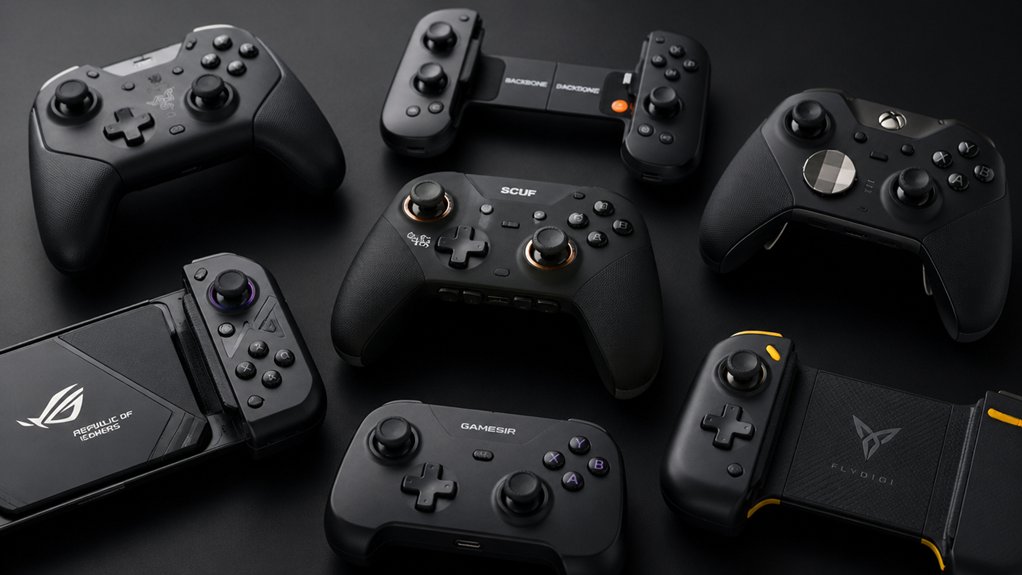
Before you buy an Android joystick controller, you’ll need to check compatibility with your specific device, verify the connection type (Bluetooth or wired) and test its stability, and assess battery life if it’s wireless. You should also evaluate the ergonomic design by considering grip comfort and button layout for extended gaming sessions, while examining build quality through material durability and construction reviews. These five factors—compatibility, connection stability, battery performance, ergonomic comfort, and overall durability—form the foundation of choosing a controller that matches your gaming needs.
Compatibility With Your Device
How do you know if a joystick controller will actually work with your phone? Start by checking the controller’s compatibility list for your Android OS version and device model. Next, measure your phone’s screen size and case thickness, then compare these measurements against the controller’s supported range. Verify the connection type—whether it uses Bluetooth, USB-C, or 2.4G wireless—and confirm your phone supports that technology. Review case compatibility notes to ensure thick cases won’t prevent proper fit or button alignment. Finally, confirm the controller supports your intended games and services like Xbox Game Pass or GeForce NOW. Cross-checking these specifications prevents purchasing incompatible equipment and ensures smooth gameplay without frustrating connection or alignment problems.
Connection Type And Stability
What connection method you choose directly affects your gaming experience, lag levels, and setup convenience. You have two primary options: USB-C wired or Bluetooth wireless.
USB-C connections provide stable, low-latency gameplay with plug-and-play setup and no additional apps required. You simply connect the controller to your Android device’s USB-C port and start playing immediately.
Bluetooth enables wireless play across multiple devices. To pair, turn on Bluetooth, select the controller from your pairing menu, complete the initial pairing process, and reconnect quickly on subsequent uses.
Consider your gaming needs when deciding. Choose USB-C for competitive games requiring minimal lag. Select Bluetooth for convenience and multi-device compatibility, though some models may constrain features across platforms like Android, iOS, PC, and Switch.
Battery Life And Power
Battery life directly impacts how long you can play before needing to recharge or swap batteries, making it a critical factor in your controller choice. Most controllers use rechargeable batteries ranging from 400–1000 mAh, which determine your playtime between charges. Battery life varies significantly—some models last around 6 hours in brightness mode, while others reach 18 hours on a single charge. Check recharge times too; many controllers restore power within 2–3 hours. Consider features that drain power faster, including turbo backlighting, vibration motors, and continuous wireless use. If extended play matters to you, look for wired PC options or charging pass-through capabilities that eliminate battery swapping interruptions. Review your controller’s battery specifications before purchasing to match your gaming sessions.
Ergonomic Design And Comfort
When you’re gaming for hours, your controller’s design directly affects your comfort and performance. You should prioritize ergonomic shapes with lightweight construction to reduce hand fatigue during extended sessions. Look for textured, grippy surfaces like laser-engraved or anti-slip grips that maintain a secure hold and minimize strain. Check that the controller features balanced weight distribution and compact dimensions for comfortable one-handed use without reaching. Examine the button layout carefully to ensure intuitive placement that doesn’t require excessive finger movement. Programmable back buttons streamline your actions and reduce repetitive strain. Hall Effect sticks provide drift-free precision while eliminating frequent recalibration needs. Cushioned triggers further enhance comfort during long gaming periods. Test the controller’s fit in your hand before purchasing to confirm it matches your grip style and hand size.
Build Quality And Durability
Durability determines how long your controller’ll perform reliably before you’re forced to replace it. Examine the joystick mechanism first—Hall Effect sensors offer drift-free precision and outlast standard carbon-film components significantly. Check the endurance rating; aim for controllers rated at approximately 5 million cycles, which indicates they’ll withstand extensive gaming sessions without degradation.
Inspect the physical construction next. Look for anti-slip grips, reinforced materials, and wear-resistant components that resist damage from heavy use. Prioritize controllers featuring cushioned, durable button and trigger membranes that maintain responsiveness over time.
Finally, consider modular design features. Magnetic or snap-on components reduce wear on attachment points and allow straightforward replacements when parts deteriorate, extending your controller’s overall lifespan significantly.
Control Precision And Features
What separates a responsive controller from a sluggish one? Hall Effect joystick sensors. They provide 360° precise control and resist drift better than standard carbon-film sticks, giving you consistent performance across hundreds of hours of play.
Next, consider turbo features. Configurable button mappings and adjustable shots-per-second settings let you execute faster inputs for competitive games. Back or auxiliary buttons expand your input options beyond standard A/B/X/Y controls, letting you reach additional commands without repositioning your hands.
Software customization apps are essential. You’ll adjust sensitivity, reconfigure button layouts, and create macro combinations on the fly. Finally, verify multi-mode support. Check compatibility with HID mode, local Android games, PS/Nintendo modes, and emulators to ensure your controller works across your entire gaming library.
Game Support And Ecosystem
Three key compatibility areas’ll determine whether your controller unlocks your entire game library: cloud gaming ecosystems, native Android support, and multi-platform functionality.
First, verify your controller works with your preferred platform. If you use Xbox Game Pass or GeForce NOW, confirm the controller integrates seamlessly with those services. For native Android gaming, check that it supports your specific phone model and fits your device with its case attached.
Second, research individual game compatibility. Many titles don’t automatically support all Bluetooth controllers, so review each game’s requirements before purchasing. Third, evaluate multi-platform capability if you switch between Android, iOS, Switch, or PC. This flexibility prevents you from needing multiple controllers.
Finally, prioritize controllers offering software customization apps. These tools let you remap buttons and adjust settings for specific games, maximizing your library’s playability.
Portability And Form Factor
When you’re choosing an Android joystick controller, consider how you’ll carry and use it. Snap-on designs weigh 56 to 135 grams and attach directly to your phone, eliminating the need for separate bags or cables. Magnetic or clip-on mechanisms let you quickly attach and detach the controller without tools. Check if the controller folds or stretches to fit phones up to 6.9 inches or tablets for larger screens. Wireless options using Bluetooth or 2.4G connectivity reduce bulk compared to tethered controllers. Verify case compatibility by checking maximum thickness ratings, ensuring your phone’s protective case won’t prevent attachment. Match the controller’s attachment method to your device and daily routine. These form factors determine whether you’ll actually carry your controller regularly.
Final Thoughts
You’ve reviewed eight top controllers offering drift-free Hall Effect sticks, USB-C charging, and customizable software. To choose your controller, first identify your primary device type—phone, tablet, or PC. Next, decide between wireless or wired play. Then, compare battery life and build quality against your budget. Finally, verify case compatibility and check return policies before purchasing to ensure you’re getting reliable performance for serious gaming.

Meet Ry, “TechGuru,” a 36-year-old technology enthusiast with a deep passion for tech innovations. With extensive experience, he specializes in gaming hardware and software, and has expertise in gadgets, custom PCs, and audio.
Besides writing about tech and reviewing new products, he enjoys traveling, hiking, and photography. Committed to keeping up with the latest industry trends, he aims to guide readers in making informed tech decisions.