

You’re managing multiple devices daily—phones, tablets, smartwatches, and laptops—yet you’re scrambling for outlets. A multi-device charging station consolidates everything into one spot, eliminating cable clutter and outlet hunting. These stations range from wireless 3-in-1 setups for Apple devices to high-powered desktop hubs with 10+ ports and 250W capacity. But which one actually fits your needs, your desk space, and your budget? Here’s what you need to evaluate.
| Wireless Charger 3 in 1 Station for iPhone Apple Watch AirPods |

| Apple Ecosystem Essential | Total Power Output: 15W | Number of Ports: 3 (wireless) | Primary Device Compatibility: Apple devices (iPhone, Apple Watch, AirPods) | VIEW LATEST PRICE | Read Our Analysis |
| Zobirez 10-Port Fast Charging Station for Multiple Devices |

| Multi-Device Powerhouse | Total Power Output: 750W | Number of Ports: 10 (5 USB-C, 5 USB-A) | Primary Device Compatibility: Laptops, phones, tablets, multiple devices | VIEW LATEST PRICE | Read Our Analysis |
| Unittype Bamboo Multi Device Organizer Charging Station |

| Organized Workspace Solution | Total Power Output: Not specified | Number of Ports: 7 slots | Primary Device Compatibility: Laptops, smartphones, tablets | VIEW LATEST PRICE | Read Our Analysis |
| Anker Prime 250W 6-Port GaN USB-C Charging Station |

| Smart Display Leader | Total Power Output: 250W | Number of Ports: 6 (4 USB-C, 2 USB-A) | Primary Device Compatibility: iPhone, Galaxy, MacBook, Dell, multi-device | VIEW LATEST PRICE | Read Our Analysis |
| 100W GaN USB-C 6 Port Fast Charging Station Hub |
![[2026 Updated] USB C Fast Charger, 100W GaN 6 Port](https://m.media-amazon.com/images/I/31zccLFEzqL._SL500_.jpg)
| Compact Travel Pick | Total Power Output: 100W | Number of Ports: 6 (3 USB-C, 3 USB-A) | Primary Device Compatibility: iPhone, iPad, Apple Watch, Samsung Galaxy, Google Pixel, multi-device | VIEW LATEST PRICE | Read Our Analysis |
| 3 in 1 Wireless Charger Stand for Apple Devices |

| Best Overall Value | Total Power Output: 15W | Number of Ports: 3 (wireless) | Primary Device Compatibility: Apple devices (iPhone, Apple Watch, AirPods) | VIEW LATEST PRICE | Read Our Analysis |
| Anker Prime 14-Port Docking Station with 160W Output |

| Professional Docking Station | Total Power Output: 160W | Number of Ports: 14 ports | Primary Device Compatibility: USB-C/USB4/Thunderbolt laptops | VIEW LATEST PRICE | Read Our Analysis |
| Anker Prime 200W 6-Port GaN Charging Station |

| High-Power Desktop Champion | Total Power Output: 200W | Number of Ports: 6 (USB-C) | Primary Device Compatibility: iPhone, Galaxy, MacBook, iPad, multi-device | VIEW LATEST PRICE | Read Our Analysis |
More Details on Our Top Picks
Wireless Charger 3 in 1 Station for iPhone Apple Watch AirPods
The Wireless Charger 3 in 1 Station—an Apple ecosystem essential—consolidates charging for your iPhone, Apple Watch, and AirPods into one compact device. This foldable station delivers up to 7.5W for phones, 3W for earbuds, and 2.5W for watches simultaneously. It works with iPhone 8 through 17 Pro Max, all Apple Watch series, and AirPods models with compatible charging cases. The non-slip surface accommodates cases up to 4mm thick, though you’ll want to remove metal rings or magnetic accessories beforehand. Built-in safety features protect against overcurrent, overvoltage, and overheating. Connect via USB Type-C, and LED indicators show charging status. Its portable design suits desks, offices, and travel scenarios.
- Total Power Output:15W
- Number of Ports:3 (wireless)
- Primary Device Compatibility:Apple devices (iPhone, Apple Watch, AirPods)
- Form Factor:Foldable wireless stand
- Safety Features:Overcurrent, overvoltage, overheating protection
- Warranty:1-year warranty
- Additional Feature:Foldable, portable design
- Additional Feature:Case-friendly up to 4mm
- Additional Feature:LED charging status indicators
Zobirez 10-Port Fast Charging Station for Multiple Devices
Need to charge a laptop, phone, tablet, and accessories simultaneously? The Zobirez 10-Port station handles it. You get 5 USB-C ports delivering up to 120W each for laptops like MacBook Pro and iPad Pro, plus 5 USB-A ports at 30W each for iPhones, Android devices, AirPods, and power banks. The 750W total output powers everything at once without performance drops. Devices stay upright in individual slots with space between them, preventing heat buildup. The package includes one 100W USB-C cable and nine additional cables—USB-C, Lightning, and Micro USB options. Built-in protections guard against overcurrent, overvoltage, overload, and short circuits, ensuring safe charging for your entire device collection.
- Total Power Output:750W
- Number of Ports:10 (5 USB-C, 5 USB-A)
- Primary Device Compatibility:Laptops, phones, tablets, multiple devices
- Form Factor:Upright desktop charging hub
- Safety Features:Overcurrent, overvoltage, overload, overheat, overcharge, short-circuit protection
- Warranty:Not specified
- Additional Feature:Complete 10-cable kit included
- Additional Feature:Upright device spacing design
- Additional Feature:Laptop/tablet center bay support
Unittype Bamboo Multi Device Organizer Charging Station
Bamboo’s natural durability makes this organizer ideal for professionals who need an organized workspace solution without sacrificing desk real estate. The Unittype model features seven vertical slots that accommodate laptops, tablets, smartphones, and drawing pads simultaneously. You’ll position devices upright in the removable slots, keeping cables accessible for charging. The non-slip rubber feet prevent sliding on your desk surface. Use it as a charging station in home offices, meeting rooms, or classrooms. You can also repurpose the slots for storing files, folders, and magazines. The compact 25.4 x 16.5 x 17.8 cm footprint fits standard desks efficiently.
- Total Power Output:Not specified
- Number of Ports:7 slots
- Primary Device Compatibility:Laptops, smartphones, tablets
- Form Factor:Bamboo vertical organizer rack
- Safety Features:Non-slip rubber feet
- Warranty:Product warranty available
- Additional Feature:Bamboo construction material
- Additional Feature:Removable 6-slot design
- Additional Feature:File/mail organizer functionality
Anker Prime 250W 6-Port GaN USB-C Charging Station
Want to charge six devices at once without cluttering your workspace? The Anker Prime 250W 6-Port GaN USB-C Charging Station delivers 250W of total power across four USB-C ports and two USB-A ports. Use the first USB-C port to charge your MacBook Pro to 50% in just 25 minutes with its dedicated 140W output. Monitor real-time charging status on the 2.26-inch LCD display, then adjust power distribution using the smart control dial to optimize each device’s charging speed. This desktop-focused charger measures 4.18 by 3.64 inches and weighs 22.58 ounces, making it ideal for home offices and gaming setups. Register via the Anker app for IoT connectivity and smart management features across your multiple devices simultaneously.
- Total Power Output:250W
- Number of Ports:6 (4 USB-C, 2 USB-A)
- Primary Device Compatibility:iPhone, Galaxy, MacBook, Dell, multi-device
- Form Factor:Desktop power station with LCD display
- Safety Features:Smart power management (not specified in detail)
- Warranty:24-month warranty
- Additional Feature:2.26″ LCD display feedback
- Additional Feature:Smart control dial adjustment
- Additional Feature:140W single USB-C port
100W GaN USB-C 6 Port Fast Charging Station Hub
The BREEKET HNT-PC606 serves business travelers and remote workers who need simultaneous charging for multiple devices without sacrificing desk or luggage space. This 100W station features three USB-C ports (20W max each) and three USB-A ports (18W max each), charging six devices at once. The compact cube design measures 3.4 x 2.2 x 0.9 inches and includes a 5ft AC extension cable. Built-in protections prevent short circuits, overcharging, and overheating. Compatible with iPhones, iPads, Samsung phones, Google Pixel devices, and smartwatches, this charger handles most everyday electronics except laptops. A one-year warranty backs your purchase.
- Total Power Output:100W
- Number of Ports:6 (3 USB-C, 3 USB-A)
- Primary Device Compatibility:iPhone, iPad, Apple Watch, Samsung Galaxy, Google Pixel, multi-device
- Form Factor:Compact cube block with 5ft extension cable
- Safety Features:Short circuit, overcurrent, overvoltage, overheating, overcharging protection
- Warranty:1-year warranty
- Additional Feature:Compact cube block design
- Additional Feature:5-foot AC extension cable
- Additional Feature:Portable pocket-sized form
3 in 1 Wireless Charger Stand for Apple Devices
Looking for a single charging solution that handles your iPhone, Apple Watch, and AirPods simultaneously? The GETPALS W336 wireless charger delivers exactly that. This foldable 3-in-1 stand charges iPhones up to 7.5W, Apple Watches at 3W, and AirPods at 5W using a single USB-C cable. The magnetic design keeps your devices properly aligned and organized on your desk, bedside, or office window sill. It supports phone cases up to 3.8mm thick and includes protective features against power surges. Note that AirPods 2, 3, and 4 require MagSafe cases for compatibility.
- Total Power Output:15W
- Number of Ports:3 (wireless)
- Primary Device Compatibility:Apple devices (iPhone, Apple Watch, AirPods)
- Form Factor:Foldable wireless stand
- Safety Features:Overcurrent, overvoltage, overheating protection
- Warranty:Product warranty available; 30-day return policy
- Additional Feature:Fast wireless charging capability
- Additional Feature:Non-slip surface design
- Additional Feature:Foldable portable configuration
Anker Prime 14-Port Docking Station with 160W Output
If you’re powering multiple devices simultaneously, Anker’s professional docking station delivers what you need: 14 ports with 160W total output that’ll charge everything at once. The station includes three USB-C ports supplying up to 100W each, one USB-A port at 12W, dual HDMI outputs, and eleven data ports reaching 10Gbps speeds. You’ll connect your laptop via the included upstream USB-C cable while charging phones, tablets, and accessories through separate ports. The dual 4K display support accommodates two external monitors at 2K@60Hz. Compatible with USB-C, USB4, and Thunderbolt laptops running Windows, macOS, or ChromeOS, this 14-in-1 dock consolidates your entire workspace into one compact 1.28kg unit.
- Total Power Output:160W
- Number of Ports:14 ports
- Primary Device Compatibility:USB-C/USB4/Thunderbolt laptops
- Form Factor:14-in-1 docking station
- Safety Features:Built-in protection features
- Warranty:24-month warranty
- Additional Feature:Dual 4K display support
- Additional Feature:10Gbps data transfer speeds
- Additional Feature:Integrated Ethernet connectivity
Anker Prime 200W 6-Port GaN Charging Station
Anker’s high-power desktop champion delivers 200W across six ports, making it ideal for anyone who regularly powers multiple laptops, tablets, and phones simultaneously. Each USB-C port supports up to 100W when used alone, enabling you to charge two 14″ MacBook Pros to 50% in just 28 minutes. You’ll appreciate the continuous temperature monitoring that protects your devices throughout charging. The GaN technology keeps the 1.24 lb unit compact for desktop placement. Compatible with iPhones, Galaxy devices, MacBooks, and Dell computers, this station handles your entire device ecosystem. The included 5 ft AC cord and 24-month warranty provide dependable coverage for stationary setups requiring serious power capacity.
- Total Power Output:200W
- Number of Ports:6 (USB-C)
- Primary Device Compatibility:iPhone, Galaxy, MacBook, iPad, multi-device
- Form Factor:Rectangular desktop power brick
- Safety Features:Anker safety system with continuous temperature monitoring
- Warranty:24-month warranty
- Additional Feature:Temperature monitoring safety system
- Additional Feature:Dual 14″ MacBook Pro charging
- Additional Feature:5-foot AC power cord
Factors to Consider When Choosing a Charging Station for Multiple Devices
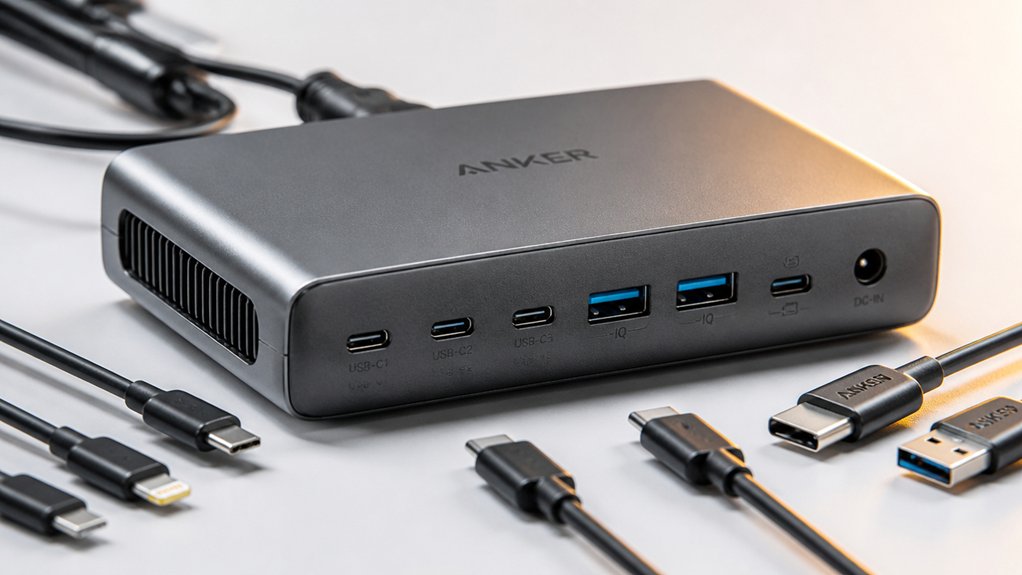
You’ll want to evaluate five key criteria to find the right charging station for your needs: total power output capacity, which determines how many devices you can charge simultaneously at full speed; port types and quantity, since you need USB-C, USB-A, and possibly Lightning ports to match your devices; device compatibility range, which ensures the station works with smartphones, tablets, laptops, and other gadgets you own; safety protection features like surge protection and temperature control, which prevent damage to your electronics; and physical design and portability, which affect whether you can use the station at your desk, in your bag, or while traveling.
Total Power Output Capacity
How much total wattage does a charging station actually deliver to all your devices at once? Total power output capacity tells you the maximum combined wattage available across all ports simultaneously. You’ll find stations ranging from 250W to 750W total capacity. Check whether the station splits power among ports or dedicates higher wattage to individual ports—some offer up to 140W on a single USB-C port while maintaining overall capacity. Calculate the total draw of your devices to ensure the station won’t overload. For example, charging a laptop and two smartphones simultaneously requires sufficient wattage to prevent throttling or overheating. Match your station’s total output to your actual device needs, not just the number of ports available.
Port Types And Quantity
What combination of USB-C and USB-A ports actually fits your device lineup? Start by counting your devices and identifying which ports each requires. Most modern laptops and tablets need USB-C, while older phones and accessories use USB-A. A balanced station offers both types—for example, 5 USB-C ports and 5 USB-A ports in a 10-port setup.
Next, verify per-port power delivery. USB-C ports should support Power Delivery (PD) up to 120W for laptops, while USB-A ports typically handle 12W to 24W for phones and tablets. Check whether the station delivers full power simultaneously across multiple ports or reduces output when all ports are in use. This determines how many high-power devices you can charge at once without throttling performance.
Device Compatibility Range
Before selecting a charging station, determine which devices you need to charge regularly and verify that the station supports them all. Check the manufacturer’s compatibility list for iPhones, Android phones, laptops, tablets, and wearables like Apple Watches and AirPods. Confirm whether high-power devices require specific USB-C Power Delivery ports and minimum wattage levels. Review port specifications to ensure simultaneous charging meets your needs. Verify that the station accommodates your devices’ cases, particularly thick or metal-backed cases that may interfere with charging. Note any limitations regarding proprietary charging cases. Cross-reference each device’s charging requirements against the station’s maximum per-port output and total wattage capacity. This systematic approach prevents purchasing a station incompatible with your device ecosystem.
Safety Protection Features
When you’re charging multiple devices simultaneously, why shouldn’t you prioritize safety protections that guard against electrical damage? Look for stations with overcurrent, overvoltage, overheating, and short-circuit protection built in. These features prevent damage to your devices and reduce fire hazards. Check that your station has UL or CE safety certifications, which confirm it meets electrical safety standards. Verify the power management system distributes power safely across all ports without overloading individual connections. Select models with intelligent charging that automatically stops when devices reach full capacity. Additionally, choose stations with temperature monitoring to prevent heat buildup. A stable, non-slip enclosure keeps the unit from shifting during use. These protections work together to ensure safe, reliable charging for all your devices.
Physical Design And Portability
Why does your charging station’s physical design matter as much as its electrical performance? A well-designed dock keeps your devices accessible and organized while fitting seamlessly into your space. Look for a compact form factor with a stable, non-slip base that prevents tipping when holding multiple devices. Choose a modular or slot-based layout that positions each device upright and separated, allowing proper airflow and reducing heat buildup. Check that the station accommodates devices with protective cases up to several millimeters thick without forcing or straining connections. Verify the power cord length reaches at least five feet to eliminate tangled cables and awkward positioning. Examine the enclosure material—durable, flame-retardant ABS plastic provides reliable protection. These design features directly impact functionality, safety, and how effectively the station serves your daily charging needs.
Cable And Accessory Inclusions
The cables and accessories included with your charging station determine whether you’ll need to purchase additional equipment or can start charging immediately. Review what cables come standard: USB-C to USB-C, USB-A options, or Lightning connectors. Check cable lengths—5-foot AC extensions and 3.3 to 5-foot USB cables reach most desk setups. Verify you receive enough cables for each port if charging multiple devices simultaneously. Examine whether the station includes a power cord and whether it matches your outlet distance. Look for cable management features like dedicated slots or organizers that prevent tangling. Confirm the package contains user manuals and safety documentation. These accessories guide proper setup and multi-device charging procedures. Matching your cable needs before purchasing saves money and setup time.
Charging Speed Performance
How fast your charging station powers up multiple devices depends on its total wattage capacity and individual port outputs—specifications you’ll find in the product documentation or on the manufacturer’s website. USB-C PD ports deliver higher wattage, typically 20–140W per port, while USB-A ports max out around 18–30W. When charging multiple devices simultaneously, add up each port’s power draw to ensure it doesn’t exceed the station’s total wattage rating, or throttling will occur. Check your devices’ power requirements and match them to compatible ports. GaN technology enables efficient multi-device charging by supporting high outputs in compact designs. Remember that real-world speeds depend on device compatibility with the station’s PD tier, so older devices may charge slower than the station’s maximum capability allows.
Warranty And Support Coverage
When you’re investing in a multi-device charging station, you’ll want to verify what protection comes with your purchase before deciding between models. Most charging stations include 1–2 years of warranty coverage, commonly 24 months. Check your product page or packaging for specific warranty details, as coverage requirements vary. You’ll likely need to register your purchase or provide proof to file claims. Warranties typically cover safety protections like overcurrent, overvoltage, and overheating protection. Beyond the warranty period, confirm whether customer service hotlines or online support remain available. Review your retailer’s return policy—many offer 30-day windows like Amazon—since these affect your post-purchase options. Evaluate all these factors together to ensure comprehensive protection for your multi-device charging needs.
Final Thoughts
You’ll want to match your charging station to your specific device count and power needs. Review the port types (USB-C and USB-A) each model offers, then calculate total wattage required for your devices. Select a station with at least 250W capacity and GaN technology for efficiency. Verify cable compatibility, consider your workspace layout, and prioritize models with temperature monitoring and safety protections to prevent damage and overheating during simultaneous charging.

Meet Ry, “TechGuru,” a 36-year-old technology enthusiast with a deep passion for tech innovations. With extensive experience, he specializes in gaming hardware and software, and has expertise in gadgets, custom PCs, and audio.
Besides writing about tech and reviewing new products, he enjoys traveling, hiking, and photography. Committed to keeping up with the latest industry trends, he aims to guide readers in making informed tech decisions.