
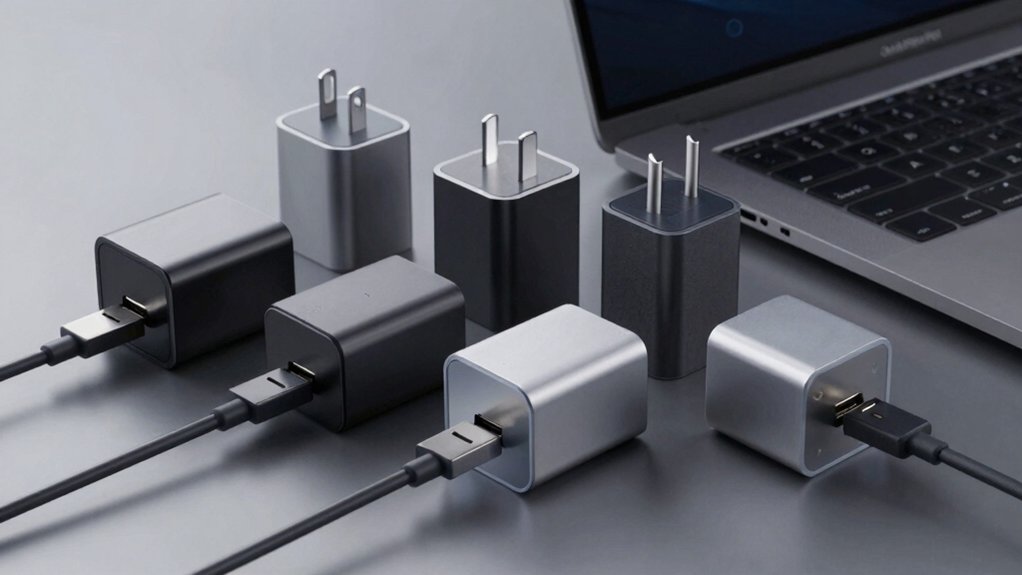

When you’re shopping for a MacBook Pro charger, you’ll want one that delivers true 100W output through USB-C Power Delivery while keeping your device safe. You’ve got several reliable options available, each offering different features like multiple ports, foldable designs, and temperature monitoring. Understanding what separates the best chargers from the rest will help you make the right choice for your needs—so let’s examine each option.
| Mac Book Pro 100W USB-C Fast Charger |

| Best Budget Option | Power Output: 100W | USB-C Ports: 1 USB-C port | Included Cable: No cable included | VIEW LATEST PRICE | Read Our Analysis |
| Anker 100W USB-C MacBook Charger with Cable |

| Best With Cable | Power Output: 100W | USB-C Ports: 1 USB-C port | Included Cable: 5ft USB-C to USB-C cable | VIEW LATEST PRICE | Read Our Analysis |
| Anker 100W USB-C Charger for MacBook Pro & Devices |

| Best Compact Design | Power Output: 100W | USB-C Ports: 1 USB-C port | Included Cable: 5ft USB-C to USB-C cable | VIEW LATEST PRICE | Read Our Analysis |
| 100W GaN Charger for MacBook Pro & Air |

| Best GaN Technology | Power Output: 100W | USB-C Ports: 1 USB-C port | Included Cable: 6.6ft USB-C cables (2 types) | VIEW LATEST PRICE | Read Our Analysis |
| Mac Book 100W USB-C Charger Power Adapter |

| Best Overall Value | Power Output: 100W | USB-C Ports: 1 USB-C port | Included Cable: 6.6ft USB-C to USB-C cable | VIEW LATEST PRICE | Read Our Analysis |
| Mac Book Pro 120W USB-C Fast Charger Adapter |

| Fastest Charging Speed | Power Output: 120W | USB-C Ports: 1 USB-C port | Included Cable: 6.6ft cable | VIEW LATEST PRICE | Read Our Analysis |
| INIU 100W GaN Fast Charging MacBook Pro Charger (3-Port) |

| Best Multi-Device Charging | Power Output: 100W | USB-C Ports: 2 USB-C ports | Included Cable: USB-C cable included | VIEW LATEST PRICE | Read Our Analysis |
More Details on Our Top Picks
Mac Book Pro 100W USB-C Fast Charger
Are you looking for a single charger that’ll power your MacBook Pro, iPad, and phone without carrying multiple adapters? The DJW 100W USB-C Fast Charger delivers 20V at 4.7A output, compatible with MacBook Pro models from 2016–2024 and MacBook Air 2018–2025, including all M-series chips. It supports iPad Pro, iPad Air, and any USB-C device. The built-in IC chip protection guards against overload and short circuits. You’ll receive one wall charger and an instruction manual. The charger features a compact design weighing 8.6 ounces and includes CE, FCC, and RoHS certifications. A 30-day return guarantee and 24/7 email support are included.
- Power Output:100W
- USB-C Ports:1 USB-C port
- Included Cable:No cable included
- Portability:Portable wall mount
- Safety Protection:IC chip overload/short circuit/overheating protection
- Warranty:60-day support with 24/7 email assistance
- Additional Feature:480Mbps data syncing capability
- Additional Feature:Built-in IC chip protection
- Additional Feature:Wide universal device compatibility
Anker 100W USB-C MacBook Charger with Cable
Looking for a charger that delivers full power to your MacBook Pro without taking up valuable space in your bag? The Anker 100W USB-C MacBook Charger with Cable offers exactly that. Its foldable plug design compacts for portability, and the included 5-foot USB-C cable provides convenient charging reach. The 100W USB-C port delivers high-speed charging—your MacBook Pro 16 (M1 Max, 2021) reaches full battery in approximately 1 hour 20 minutes. PowerIQ 3.0 technology ensures seamless compatibility across phones, laptops, and other devices. ActiveShield safety technology monitors temperature continuously for protection. You receive the charger, cable, and welcome guide. An 18-month warranty backs your purchase with friendly customer support.
- Power Output:100W
- USB-C Ports:1 USB-C port
- Included Cable:5ft USB-C to USB-C cable
- Portability:Foldable plug, compact
- Safety Protection:ActiveShield 24/7 temperature monitoring
- Warranty:18-month worry-free warranty
- Additional Feature:PowerIQ 3.0 technology
- Additional Feature:ActiveShield 24/7 temperature monitoring
- Additional Feature:Foldable plug design
Anker 100W USB-C Charger for MacBook Pro & Devices
The Anker 317 Charger delivers the versatility you’ll need if you’re juggling multiple devices—from your MacBook Pro to your smartphone and tablet—and want a single charger that handles them all efficiently. Its 100W USB-C port supports fast charging across phones, laptops, and tablets. PowerIQ 3.0 technology ensures broad compatibility with Samsung Galaxy, iPad Pro, and other devices. The foldable plug reduces bulk in your travel bag, while ActiveShield 24/7 monitors temperature for safe charging. You’ll receive a 5-foot USB-C cable, welcome guide, and 18-month warranty. Customer service backs your purchase, making this charger a practical, reliable choice for daily use.
- Power Output:100W
- USB-C Ports:1 USB-C port
- Included Cable:5ft USB-C to USB-C cable
- Portability:Foldable plug, compact
- Safety Protection:ActiveShield 24/7 temperature monitoring
- Warranty:18-month worry-free warranty
- Additional Feature:PowerIQ 3.0 technology
- Additional Feature:ActiveShield 24/7 temperature monitoring
- Additional Feature:Cable organization compartment tray
100W GaN Charger for MacBook Pro & Air
If you need your 14-inch MacBook Pro fully charged in roughly 90 minutes, this 100W GaN charger delivers what you’re looking for. The charger works with MacBook Pro 14/16 inch models (M1 through M4) and MacBook Air 13/15 inch (M2 through M4). Two included braided cables—USB-C to Magnetic3 and USB-C to USB-C—provide flexibility for different charging situations. The USB-C to USB-C cable supports 5A current and 100W power output, enabling 480Mbps data syncing simultaneously. LED indicators show yellow during charging and green when complete. A 365-day warranty covers defects, and Amazon’s 30-day return guarantee protects your purchase.
- Power Output:100W
- USB-C Ports:1 USB-C port
- Included Cable:6.6ft USB-C cables (2 types)
- Portability:Braided cable design
- Safety Protection:GaN technology with LED indicator
- Warranty:365-day stress-free warranty
- Additional Feature:40% faster than 70W
- Additional Feature:LED charging state indicator
- Additional Feature:6.6FT extra-long braided cable
Mac Book 100W USB-C Charger Power Adapter
Need a charger that works with your MacBook Pro 16, 15, 14, or 13-inch model, plus your iPad Pro and other USB-C devices? The Mac Book 100W USB-C Charger Power Adapter delivers 100W maximum output with multiple voltage options: 5V/3A, 9V/3A, 12V/3A, 18V/3A, and 20V/5A. It charges most laptops fully in approximately 1.5 hours and phones from 0% to 80% in roughly 20 minutes. The charger includes a 6.6-foot Type-C to Type-C cable and features built-in protections against overload, short circuits, and overheating. Its foldable plug design provides portability. The unit operates at 96% efficiency and comes with a one-year warranty plus 60-day support.
- Power Output:100W
- USB-C Ports:1 USB-C port
- Included Cable:6.6ft USB-C to USB-C cable
- Portability:Foldable plug design
- Safety Protection:IC chip protective features with cooling system
- Warranty:60-day support with 24/7 email assistance
- Additional Feature:480Mbps data throughput
- Additional Feature:Built-in cooling system
- Additional Feature:6.6ft Type-C cable included
Mac Book Pro 120W USB-C Fast Charger Adapter
You’ll want this 120W charger if you own a MacBook Pro or MacBook Air and need a single adapter that handles both your laptop and mobile devices efficiently. The charger fully charges most laptops in about 1 hour 20 minutes and fast charges phones from 0% to 80% in 18 minutes. Its 6.6-foot cable offers flexible placement while working or relaxing. The foldable design protects your screen during transport. Built-in protection guards against short-circuits and overheating. The intelligent charging system maintains maximum battery capacity at 97% and extends battery lifespan by approximately 2x. Compatible with all USB-C MacBooks, iPads, and devices, this adapter delivers 97% charging efficiency with proven durability through 20,000+ bend tests.
- Power Output:120W
- USB-C Ports:1 USB-C port
- Included Cable:6.6ft cable
- Portability:Foldable design
- Safety Protection:IC chip short-circuit/overheating protection
- Warranty:Warranty coverage (specific duration not detailed)
- Additional Feature:120W ultra-high power output
- Additional Feature:20,000+ bend-tested durability
- Additional Feature:Maintains 97% battery capacity
INIU 100W GaN Fast Charging MacBook Pro Charger (3-Port)
The INIU 100W GaN charger works best for anyone who regularly charges multiple devices at once and wants to eliminate desk clutter with a single compact unit. This three-port charger features two USB-C ports and one USB-A port, delivering 100W total output. You can charge two devices simultaneously without reducing speed. The foldable design makes it ideal for travel, photographers, and professionals managing multiple gadgets. It supports MacBook Pro and Air models, iPhone 14–17 series, Samsung Galaxy devices, Google Pixel, iPad Pro, and Nintendo Switch. The charger includes PD 2.0 and PD 3.0 compatibility, ensuring universal device support. With ETL and FCC certifications plus a three-year warranty, you get reliable performance and manufacturer support.
- Power Output:100W
- USB-C Ports:2 USB-C ports
- Included Cable:USB-C cable included
- Portability:Compact, foldable
- Safety Protection:GaN technology with certifications
- Warranty:3-year warranty
- Additional Feature:Triple-port simultaneous charging capability
- Additional Feature:GaN technology efficiency
- Additional Feature:Compact multi-device replacement charger
Factors to Consider When Choosing 100W Chargers for MacBook Pro
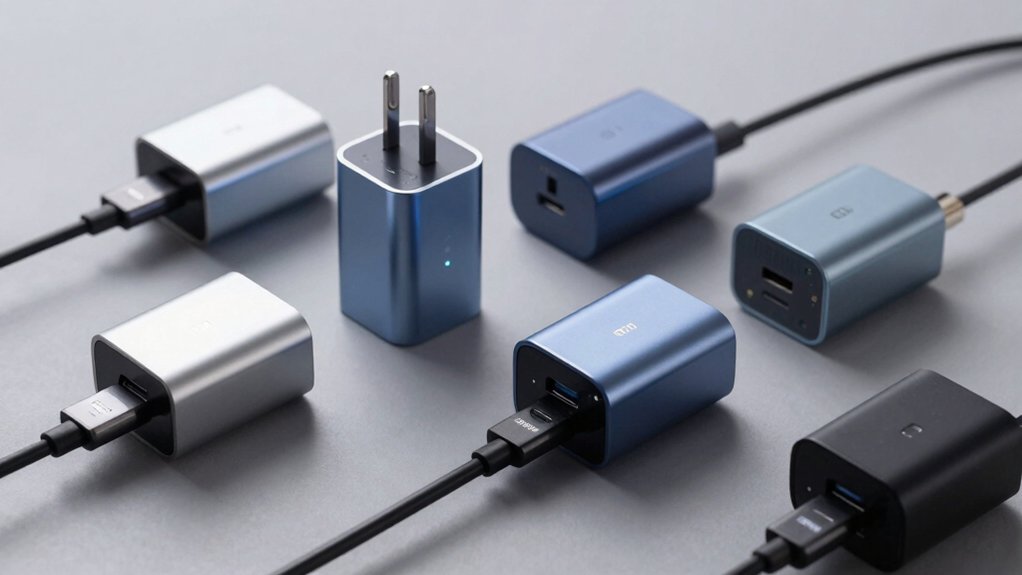
When selecting a 100W charger for your MacBook Pro, you’ll need to evaluate five key factors: the power output and wattage it delivers, the cable length and portability features that fit your usage environment, the safety features and protection mechanisms that prevent damage, the device compatibility range across your Apple and non-Apple products, and the build quality and durability that determine how long the charger lasts. Each factor directly affects whether the charger meets your specific needs, charges efficiently, and protects your devices from electrical harm. You should assess your daily charging scenarios—such as desk work, travel, or multi-device charging—and match these factors to your actual usage patterns before making a purchase.
Power Output And Wattage
How do you know if a charger’s wattage will actually power your MacBook Pro? Check your specific MacBook model’s power requirements first. Most 14″ and 16″ MacBook Pros need 100W maximum. A 100W charger delivers power through USB-C PD, negotiating the exact wattage your device requires automatically. Look for chargers rated at 20V and 5A output, which equals 100W total capacity. This configuration ensures your MacBook receives sufficient power without damage. If you plan future device upgrades or want extra headroom for demanding tasks, consider 120W chargers instead. They provide additional power reserves while remaining compatible with your current MacBook. Verify the charger supports USB-C PD technology to guarantee proper power delivery to your machine.
Cable Length And Portability
Several cable length options exist for 100W chargers, and you’ll want to match yours to your charging habits. A 6.6 ft cable gives you extended reach and flexibility when charging away from outlets, allowing you to position your MacBook Pro farther from power sources. Shorter cables, conversely, save valuable space in compact bags and reduce bulk during travel.
Consider foldable plug designs that enhance portability by minimizing the charger’s footprint in your bag. Integrated or braided cables prevent tangling and add durability for mobile use, protecting your investment during frequent travel.
If you carry multiple devices, choose multi-port options like 2 USB-C plus 1 USB-A configurations. This setup reduces the need for extra cords when traveling with your MacBook Pro and accessories, streamlining your charging setup.
Safety Features And Protection
Beyond selecting the right cable and portability features, you’ll need to prioritize built-in safety mechanisms that protect both your MacBook Pro and charger during extended use. Look for chargers with IC chips that provide overload, short-circuit, and overheating protection. Check for temperature monitoring technology like ActiveShield, which continuously tracks heat and throttles power if unsafe conditions develop. Verify the charger uses GaN or advanced topology to improve efficiency and reduce heat generation, protecting your battery long-term. A built-in cooling system actively manages heat during high-power charging, reducing thermal stress on internal components. Finally, confirm the charger holds safety certifications such as CE, FCC, or RoHS, indicating compliance with recognized safety standards and quality controls.
Device Compatibility Range
What matters most when selecting a 100W charger is confirming it supports USB-C Power Delivery (PD) to safely charge your MacBook Pro, whether you’re using a 13-inch, 14-inch, or 16-inch model with M1, M2, M3, M4, or M5 chips. Your charger should deliver 20V output at up to 5A to meet peak power demands across different configurations. Beyond MacBook Pro, verify the charger works with MacBook Air models (13″ and 15″) and intelligently identifies other USB-C devices like iPhones, iPads, and tablets to prevent overcharging or undercharging during simultaneous use. Check specifications confirming the charger negotiates power appropriately with multiple device types. This ensures safe, efficient charging across your entire USB-C ecosystem without compromising performance or battery health.
Build Quality And Durability
Durability directly affects how long your 100W charger‘ll last and how safely it handles peak power delivery to your MacBook Pro. Select chargers with sturdy, heat-dissipating enclosures made from metal or reinforced plastic, paired with reliable cooling systems that prevent thermal throttling. Choose cables and connectors rated for high current at 5A, using reinforced braided or thick copper wiring to withstand frequent bending and daily use. Prioritize models with foldable plugs and detachable cables to reduce connector wear during travel. Examine rugged build features like reinforced stress relief at plug and cable ends to resist fraying. Verify certifications such as CE, FCC, and RoHS. Review warranty terms, which indicate manufacturer confidence in long-term reliability and after-sales support quality.
Warranty And Support Options
While build quality ensures your charger can withstand daily wear, warranty and support options determine what happens if something goes wrong after purchase. Most 100W USB-C chargers offer 18-month warranties, though some provide only 365-day coverage. Review what each warranty includes: free replacements, repairs, or both. Check if your purchase qualifies for Amazon’s 30-day return policy alongside manufacturer coverage. Locate warranty details on the product page or manufacturer website. Register your charger and keep proof of purchase—many claims require this documentation. Contact customer support before making a claim; most brands offer 24/7 email assistance with responses within 24 hours. Confirm whether troubleshooting or welcome guides are available to resolve minor issues independently before filing warranty claims.
Final Thoughts
You’ve reviewed seven reliable 100W chargers designed for MacBook Pro fast charging. To choose the right one, match your device needs with the charger’s port count and cable type. Verify USB-C PD support and 20V/5A output. Check certifications like UL or ETL for safety. Compare warranty length and customer support responsiveness. Select based on your budget, portability preference, and whether you need multi-device charging capability.

Meet Ry, “TechGuru,” a 36-year-old technology enthusiast with a deep passion for tech innovations. With extensive experience, he specializes in gaming hardware and software, and has expertise in gadgets, custom PCs, and audio.
Besides writing about tech and reviewing new products, he enjoys traveling, hiking, and photography. Committed to keeping up with the latest industry trends, he aims to guide readers in making informed tech decisions.