
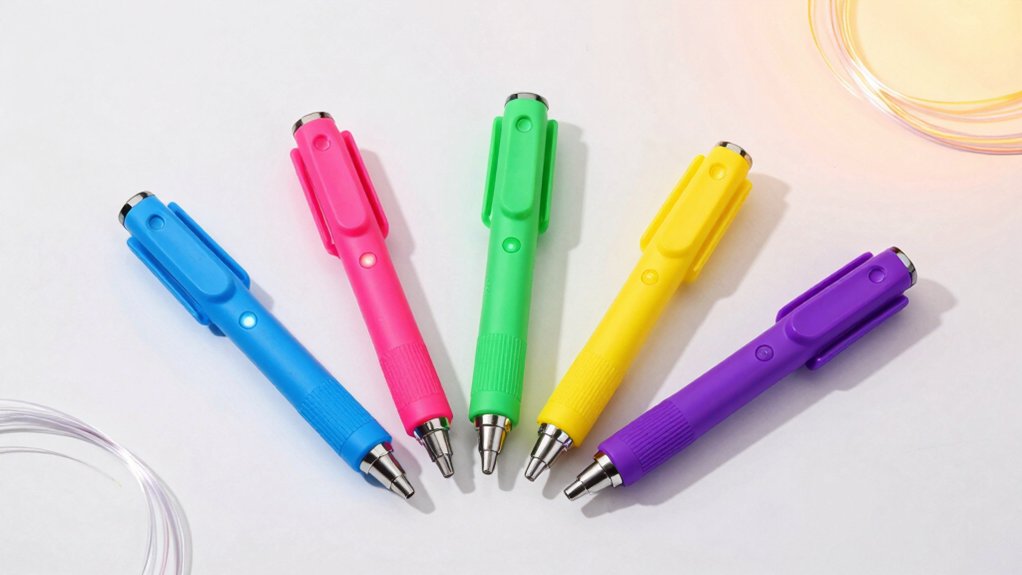

You’re looking for a 3D printing pen that your kid will actually use instead of abandoning in a drawer. The right choice depends on their age, skill level, and what features matter most—safety controls, ease of use, or included accessories. We’ve identified five models that balance these priorities effectively, but first you need to understand what separates a pen your child will love from one they’ll ignore.
| SCRIB3D P1 3D Printing Pen with Display & Filament |

| Best for Beginners | Target Age Group: All ages (beginners to advanced) | Filament Type: PLA | Temperature Control: Adjustable (160–235°C for PLA/ABS) | VIEW LATEST PRICE | Read Our Analysis |
| 3Doodler Start+ 3D Pen for Kids Ages 6 |
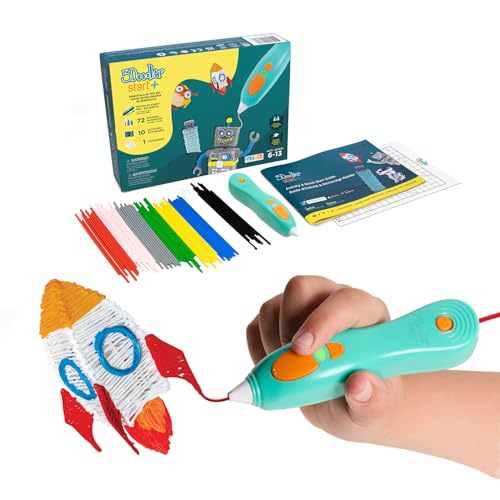
| Safest for Kids | Target Age Group: Ages 6+ | Filament Type: 3Doodler Start plastic (proprietary) | Temperature Control: No adjustable temperature control | VIEW LATEST PRICE | Read Our Analysis |
| MYNT3D Super 3D Pen 1.75mm ABS and PLA Compatible 3D Printing Pen |

| Best Value | Target Age Group: All ages (kids, artists, engineers) | Filament Type: PLA and ABS compatible | Temperature Control: No adjustable temperature control | VIEW LATEST PRICE | Read Our Analysis |
| MYNT3D Professional Printing 3D Pen with OLED Display |
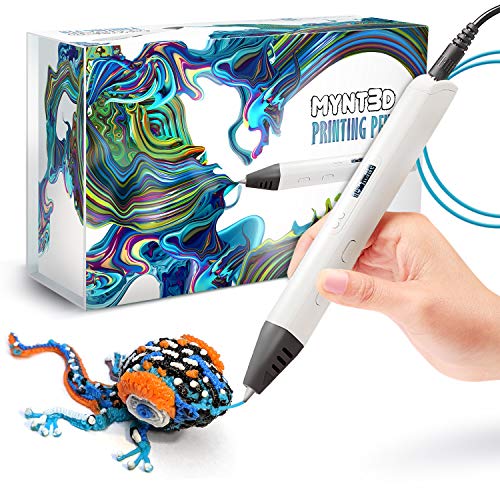
| Professional Grade | Target Age Group: All ages (kids, artists, engineers) | Filament Type: PLA | Temperature Control: Adjustable (140–230°C in 1-degree increments) | VIEW LATEST PRICE | Read Our Analysis |
| GWCASE Compatible with 3Doodler Start+ 3D Pen |
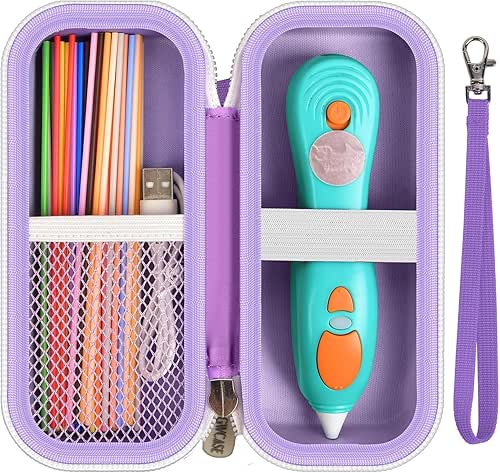
| Best Accessory | Target Age Group: Kids (accessory only) | Filament Type: N/A (storage case) | Temperature Control: N/A (storage case) | VIEW LATEST PRICE | Read Our Analysis |
More Details on Our Top Picks
SCRIB3D P1 3D Printing Pen with Display & Filament
Are you searching for a 3D printing pen that works right out of the box without complicated setup? The SCRIB3D P1 includes everything you need: the pen, three PLA filament colors, a stencil book, and a power adapter. Plug in the adapter, wait two to three minutes for the red light to indicate warmup, then feed filament through the back. Double-click the forward button to start drawing. Control temperature between 160–210°C for PLA or adjust the speed slider for precision work. When finished, hold the reverse button to retract filament. The ceramic nozzle prevents clogging, and the pen auto-sleeps after two minutes of inactivity.
- Target Age Group:All ages (beginners to advanced)
- Filament Type:PLA
- Temperature Control:Adjustable (160–235°C for PLA/ABS)
- Speed Control:Stepless speed slider
- Included Filament:3 starter colors (30 feet PLA)
- Warranty:1-year guarantee
- Additional Feature:Ceramic nozzle reduces clogging
- Additional Feature:2-minute auto-sleep feature
- Additional Feature:Includes stencil book & guide
3Doodler Start+ 3D Pen for Kids Ages 6
The 3Doodler Start+ stands out as the ideal choice for children aged 6 and up who’re ready to explore 3D creation without safety concerns. This pen features no hot parts, making the nozzle and plastic completely safe to touch. The kit includes the 3D pen, 72 strands of mixed-color plastic filaments, a DoodlePad, USB-C cable, and an activity guide. The pen charges 50% faster than previous models and operates 50% faster. You’ll find 10 new stencils included for guided projects. The device activates a safety stand-by mode automatically, preventing accidental extrusion. Use the included materials to create 3D objects directly, building STEM skills through hands-on learning without screen time.
- Target Age Group:Ages 6+
- Filament Type:3Doodler Start plastic (proprietary)
- Temperature Control:No adjustable temperature control
- Speed Control:Fixed speed
- Included Filament:72 strands mixed colors
- Warranty:1-year manufacturer warranty
- Additional Feature:Cool nozzle, burn-proof design
- Additional Feature:50% faster charging time
- Additional Feature:100% recyclable packaging included
MYNT3D Super 3D Pen 1.75mm ABS and PLA Compatible 3D Printing Pen
Looking to introduce a young artist or budding engineer to 3D creation? The MYNT3D Super 3D Pen transforms flat drawings into three-dimensional sculptures. This pen accepts both ABS and PLA filament at 1.75mm diameter, giving you material flexibility. Use the stepless speed slider to control filament flow precisely while you draw, allowing optimal material management. The ultrasonic sealed nozzle resists clogging, reducing frustration during projects. You’ll receive three PLA filament colors and an AC adapter in the kit. The slim, ergonomic design fits comfortably in your hand during extended use. With its market-leading durability and one-year limited warranty, this pen supports creative exploration across multiple skill levels.
- Target Age Group:All ages (kids, artists, engineers)
- Filament Type:PLA and ABS compatible
- Temperature Control:No adjustable temperature control
- Speed Control:Stepless speed slider
- Included Filament:3 colors PLA
- Warranty:1-year limited warranty
- Additional Feature:Ultrasonic sealed clog-proof nozzle
- Additional Feature:Slim ergonomic pen design
- Additional Feature:Stepless speed slider control
MYNT3D Professional Printing 3D Pen with OLED Display
If you’re seeking precise control and professional-grade features in a 3D printing pen, the MYNT3D Professional offers the tools you’ll need. The OLED display lets you monitor material temperature in real time. You’ll adjust the feed speed to regulate flow, giving you better control over your designs. The temperature dial works in 1-degree increments from 140 to 230°C, allowing fine-tuning for different effects. The pen’s slim, ergonomic design fits comfortably in your hand during extended use. It comes with three PLA filament colors and an A/C adapter. This professional model suits users wanting enhanced precision and detailed work capabilities.
- Target Age Group:All ages (kids, artists, engineers)
- Filament Type:PLA
- Temperature Control:Adjustable (140–230°C in 1-degree increments)
- Speed Control:Adjustable feed control
- Included Filament:3 colors PLA
- Warranty:1-year limited warranty
- Additional Feature:Large OLED temperature display
- Additional Feature:1-degree temperature increment precision
- Additional Feature:Professional-grade detailing capability
GWCASE Compatible with 3Doodler Start+ 3D Pen
GWCASE’s hard EVA storage case works best for kids who need portable protection when carrying their 3Doodler Start+ pen sets to school, friends’ homes, or craft events. The case measures 6.73 x 2.95 x 2.75 inches and features drop-proof, shock-resistant construction. Inside, you’ll find a mesh pouch for organizing refills, chargers, and accessories. An elastic strap secures the pen kit to prevent shifting during transport. The sturdy zipper opens and closes smoothly, while the detachable hand strap makes carrying convenient. Multiple color options let you choose between contrasting or monochrome designs. This lightweight case fits easily into backpacks and school bags, helping you protect equipment and save setup time during craft classes.
- Target Age Group:Kids (accessory only)
- Filament Type:N/A (storage case)
- Temperature Control:N/A (storage case)
- Speed Control:N/A (storage case)
- Included Filament:N/A (storage case)
- Warranty:N/A (storage case)
- Additional Feature:Hard EVA drop-proof protection
- Additional Feature:Detachable hand strap included
- Additional Feature:Mesh interior organization pouch
Factors to Consider When Choosing 3D Printing Pens for Kids
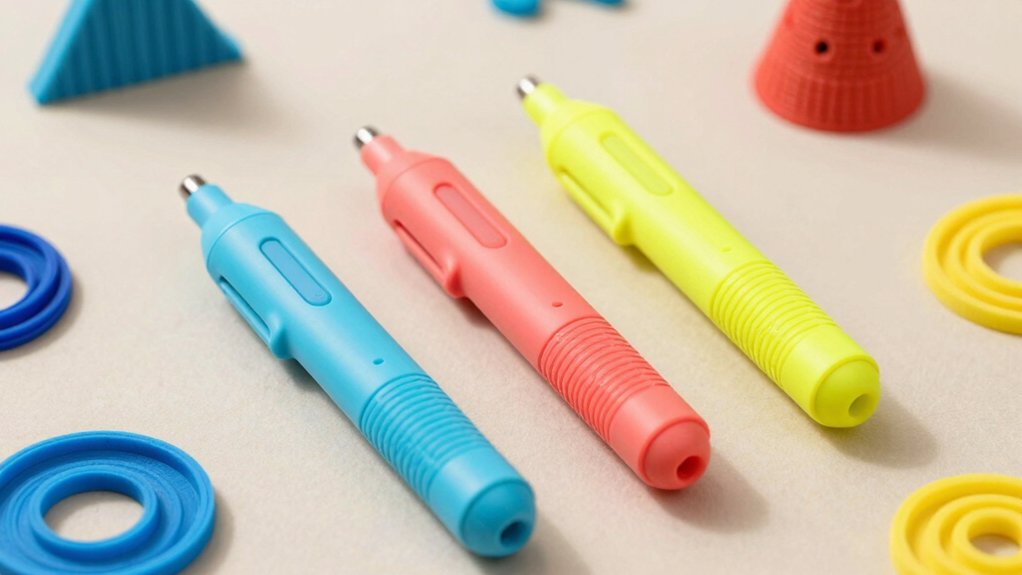
When you’re selecting a 3D printing pen for your child, you’ll need to evaluate several key factors that directly affect the pen’s performance and safety. First, examine the safety features and design appropriate for your child’s age and skill level, then assess how easy the pen is to use and set up. Next, check the temperature control capabilities and research which filament types the pen accepts, since these specifications determine what your child can create and how comfortably they’ll work.
Safety Features And Design
What should you prioritize when evaluating a 3D printing pen’s safety for your child? First, check for no-hot-parts designs or multipoint heat control systems that minimize burn risks. Second, verify the pen operates at low temperatures suitable for beginners, reducing skin contact hazards when handling filament. Third, confirm it includes automatic standby or auto-sleep modes to prevent accidental activation during breaks. Fourth, examine the filament material—ensure it’s child-safe and non-toxic. Fifth, look for automatic filament retraction features that prevent jams and injuries. Finally, assess the physical design: choose lightweight, ergonomic models with sturdy construction that resist drops and allow controlled handling. Select pens labeled for your child’s age group, such as 6+, to guarantee appropriate safety standards and features.
Age Appropriateness And Skill Level
Beyond selecting a physically safe pen, you’ll want to match the tool to your child’s age and ability level, since developmental readiness directly affects both learning outcomes and safe operation. For ages 6–8, choose pens with simple, intuitive controls and basic guided activities that teach fundamental 3D creation. Ages 9–12 benefit from pens offering moderate speed and temperature adjustments, allowing practice with precision while building confidence. Teenagers can handle advanced features and complex projects requiring fine motor control. Review included starter materials to ensure they align with your child’s current skills. Pens with adjustable settings let your child progress without replacing equipment. Match the learning curve—from straightforward prompts for beginners to detailed instructions for experienced users—to prevent frustration and support steady skill development.
Ease Of Use And Setup
How straightforward is the startup process for your child’s 3D printing pen? You’ll want a model that requires only two steps: plug it in and wait for a brief warmup period. Once ready, your child feeds filament into the pen and begins drawing immediately. Look for pens with intuitive controls, including forward and reverse buttons for easy filament management and simple retraction options. A clear method to end each drawing session prevents confusion and ensures safety. Check that temperature and speed settings are adjustable so you can match different filament types and your child’s drawing pace. Included instructions should be beginner-friendly and easy to follow. Avoid pens requiring complex assembly, multiple startup steps, or confusing control layouts that frustrate young users and slow learning progress.
Temperature Control Capabilities
Once you’ve confirmed your child’s pen has intuitive controls and a straightforward startup process, you’ll want to examine its temperature control capabilities, since different filament types require specific heat settings to work properly. PLA filament needs 160–210°C, while ABS requires 210–235°C. Pens offering adjustable temperature in small increments—such as 1-degree adjustments—let you fine-tune melting and extrusion for optimal results. An OLED display or clear temperature readout helps your child monitor the current material temperature during use. A wide temperature range enables experimentation with varied materials while keeping operation safe under supervision. Consistent temperature control reduces clogging and improves flow, delivering smoother 3D drawing with fewer interruptions and restarts.
Filament Types And Compatibility
What filament your child’s 3D pen accepts will determine which materials you can use and how versatile the pen becomes for different projects. Most kid-friendly pens use 1.75mm filament, the standard size, though some models require 3.0mm or proprietary cartridges. Check your pen’s specifications before purchasing extra supplies.
PLA filament works at lower temperatures (around 160–190°C) and suits beginners since it’s easier to control and safer. ABS filament requires higher heat (190–235°C) and produces stronger models but demands more skill. Some pens support both materials with adjustable temperature settings, while others work with only one type.
Verify compatibility with your specific pen model. Review included starter filaments and available refill packs. Multiple filament options expand your child’s project possibilities and learning opportunities significantly.
Included Materials And Accessories
The starter kit you choose will substantially affect your child’s ability to begin projects immediately without additional purchases. Examine whether the package includes pre-loaded filament strands—typically 30 feet across multiple colors or 72 mixed strands—to enable immediate creativity without buying extras. Verify that accessories support hands-on learning: DoodlePads, activity guides, or stencils provide structured project ideas for beginners. Check the power delivery method; USB-C adapters offer convenient charging, while standard power adapters ensure consistent operation. Count the available colors, as variety encourages creative exploration. Finally, confirm storage solutions exist—compact cases or organizers keep filaments organized and protected during transport and storage. These included materials and accessories directly determine whether your child can start creating confidently without frustrating delays.
Durability And Build Quality
How long will your child’s 3D printing pen last through regular creative sessions? You should prioritize pens with sealed nozzle designs that resist clogs and extend operational life. Select models featuring slim, lightweight ergonomic bodies to minimize fatigue during multi-hour use and reduce mechanical stress. Check warranty coverage of one year or longer, which indicates the manufacturer’s confidence in durability and covers parts replacement. Verify safety features like cool-touch nozzles that won’t burn skin during extended handling. Purchase kits including hard storage cases and protective nozzle covers to prevent transport damage and component degradation. These protective accessories safeguard your investment and maintain pen functionality between uses. Examining these build quality factors ensures you select a pen that withstands consistent creative use and delivers reliable performance.
Warranty And Support Options
When you’re evaluating 3D printing pens for kids, warranty and support options should rank among your top priorities because they directly affect your ability to address problems quickly and protect your investment. Look for manufacturers offering clear warranty periods, typically one year, with straightforward coverage for defects and workmanship issues. Verify that warranty terms specify exactly what’s covered and what’s excluded. Check whether the company provides accessible support through documented channels like email or live chat. Confirm a stated return window, such as 30 days, alongside the warranty. Finally, determine if replacement parts or repair services are readily available to minimize downtime when components fail. These concrete protections ensure you can resolve issues efficiently.
Final Thoughts
You’ll choose the best 3D pen by matching your child’s age and skill level to each model’s features. Check that the pen has safety controls, uses 1.75mm filament, and offers simple operation. Review what’s included: filament colors, stencils, and storage solutions matter for sustained use. Compare warranties and customer support options. Test the pen’s temperature settings and speed adjustments to ensure they fit your child’s needs.

Meet Ry, “TechGuru,” a 36-year-old technology enthusiast with a deep passion for tech innovations. With extensive experience, he specializes in gaming hardware and software, and has expertise in gadgets, custom PCs, and audio.
Besides writing about tech and reviewing new products, he enjoys traveling, hiking, and photography. Committed to keeping up with the latest industry trends, he aims to guide readers in making informed tech decisions.