
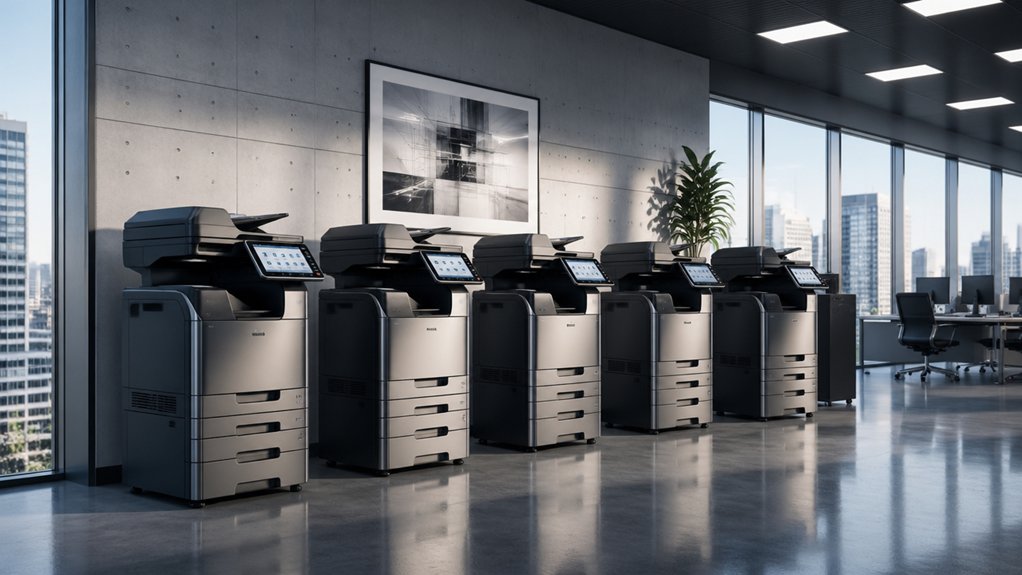

You’re looking to upgrade your office equipment, and choosing the right copier machine matters. The five models covered here—from HP and Brother to Canon—each deliver different strengths in speed, cost, and features. Before you decide which one fits your needs, you’ll need to understand what factors actually separate a good machine from the one that’ll genuinely improve your workflow.
| HP Laserjet Pro MFP 4101fdw All-in-One Laser Printer |

| Best for Small Teams | Device Type: All-in-One (printer, scanner, copier, fax) | Print Speed: 42 ppm (black & white) | Wireless Connectivity: Wireless printing from mobile devices; Bluetooth | VIEW LATEST PRICE | Read Our Analysis |
| Brother DCP-L2640DW Wireless Monochrome Laser Printer |

| Budget-Friendly Pick | Device Type: 3-in-1 (printer, scanner, copier) | Print Speed: 36 ppm | Wireless Connectivity: Dual-band wireless (2.4GHz/5GHz); Ethernet | VIEW LATEST PRICE | Read Our Analysis |
| Brother Professional Laser Printer All-in-One (MFC-L5915DW) |

| Best Overall | Device Type: All-in-One (printer, scanner, copier) | Print Speed: 50 ppm | Wireless Connectivity: Dual-band WiFi; Gigabit Ethernet | VIEW LATEST PRICE | Read Our Analysis |
| Brother MFC-L8930CDW Color Laser All-in-One Printer |

| Best Color Output | Device Type: All-in-One (printer, scanner, copier) | Print Speed: 33 ppm (color and black & white) | Wireless Connectivity: Dual-band wireless (2.4GHz/5GHz); Gigabit Ethernet | VIEW LATEST PRICE | Read Our Analysis |
| Canon MAXIFY MB2720 Wireless Color Photo Printer |

| Best for Home Offices | Device Type: All-in-One (printer, scanner, copier, fax) | Print Speed: 24 ppm (B&W); 15.5 ipm (color) | Wireless Connectivity: Built-in Wi-Fi; Canon PRINT app support | VIEW LATEST PRICE | Read Our Analysis |
More Details on Our Top Picks
HP Laserjet Pro MFP 4101fdw All-in-One Laser Printer
Looking for a copier that handles multiple office tasks without taking up much space? The HP LaserJet Pro MFP 4101fdw combines printing, scanning, copying, and faxing into one device. It prints up to 42 pages per minute and works with wireless, Ethernet, and USB connections. The auto document feeder and dual-sided printing speed up workflows for teams up to 10 users. Security features block non-HP cartridges while allowing remanufactured ones with genuine chips. The color touchscreen provides easy navigation. Its compact dimensions fit standard office desks. Set up wireless printing on your mobile devices, PCs, and tablets for flexible document access. Use the high-volume scanning capability for digitizing paperwork quickly.
- Device Type:All-in-One (printer, scanner, copier, fax)
- Print Speed:42 ppm (black & white)
- Wireless Connectivity:Wireless printing from mobile devices; Bluetooth
- Automatic Document Feeder:Auto document feeder (capacity not specified)
- Duplex Printing:Auto 2-sided printing
- Warranty:1-year limited hardware warranty
- Additional Feature:HP Wolf Pro Security
- Additional Feature:Blocks non-HP cartridges
- Additional Feature:Color touchscreen display
Brother DCP-L2640DW Wireless Monochrome Laser Printer
Need a budget-friendly pick that handles printing, scanning, and copying without taking up valuable desk space? The Brother DCP-L2640DW delivers all three functions in a compact 15.7″ by 16.1″ footprint. You’ll get 36 ppm print speed, 23.6 ipm black scan speed, and a 50-page automatic document feeder for batch jobs. Dual-band wireless and USB connectivity let you print from phones via Brother Mobile Connect. The 250-sheet paper tray handles routine tasks, while duplex printing cuts paper use. ENERGY STAR compliance keeps operating costs down. You can enroll in the Refresh EZ Print subscription for up to 50% toner savings with a free trial.
- Device Type:3-in-1 (printer, scanner, copier)
- Print Speed:36 ppm
- Wireless Connectivity:Dual-band wireless (2.4GHz/5GHz); Ethernet
- Automatic Document Feeder:50-page auto document feeder
- Duplex Printing:Automatic duplex printing
- Warranty:1-year limited warranty
- Additional Feature:Refresh EZ Print Subscription
- Additional Feature:ENERGY STAR compliant
- Additional Feature:Toner Save Mode
Brother Professional Laser Printer All-in-One (MFC-L5915DW)
The Brother MFC-L5915DW stands out as the top choice if your office handles high-volume printing and copying daily. This all-in-one device prints at 50 pages per minute and scans two-sided documents at 56 images per minute using its 70-page automatic feeder. You’ll reduce toner costs by using the ultra high-yield TN920UXXL cartridge, which yields 18,000 pages. Connect via Gigabit Ethernet or dual-band WiFi for seamless network integration. The 5-inch touchscreen lets you customize shortcuts and access mobile printing features. Print from USB flash drives or cloud services directly. Triple Layer Security protects your documents and network against unauthorized access, making this machine ideal for security-conscious offices managing substantial document workflows.
- Device Type:All-in-One (printer, scanner, copier)
- Print Speed:50 ppm
- Wireless Connectivity:Dual-band WiFi; Gigabit Ethernet
- Automatic Document Feeder:70-page auto document feeder
- Duplex Printing:Auto 2-sided printing
- Warranty:1-year limited warranty
- Additional Feature:Triple Layer Security protection
- Additional Feature:70-page auto document feeder
- Additional Feature:Ultra high-yield toner cartridges
Brother MFC-L8930CDW Color Laser All-in-One Printer
For teams that need sharp, lifelike color output without sacrificing speed, Brother’s MFC-L8930CDW delivers professional documents at 33 pages per minute for both color and black-and-white printing. You’ll handle scanning at 104 ipm with the 80-page auto document feeder, managing legal-size originals efficiently. The 7-inch touchscreen gives you quick access to 64 shortcuts for streamlined workflows. You can scan directly to cloud storage, email, or SharePoint, converting documents into searchable Microsoft Office files. With an integrated NFC card reader, you control access through badge authentication. The super high-yield toner cartridges—black at 7,500 pages and color at 6,500 pages—keep your per-page costs low. Triple Layer Security protects your documents in transit and safeguards your network throughout daily operations.
- Device Type:All-in-One (printer, scanner, copier)
- Print Speed:33 ppm (color and black & white)
- Wireless Connectivity:Dual-band wireless (2.4GHz/5GHz); Gigabit Ethernet
- Automatic Document Feeder:80-page auto document feeder
- Duplex Printing:Auto 2-sided printing
- Warranty:1-year limited warranty
- Additional Feature:Integrated NFC card reader
- Additional Feature:7″ color touchscreen display
- Additional Feature:Scan to cloud/email/SharePoint
Canon MAXIFY MB2720 Wireless Color Photo Printer
Looking to consolidate your home office equipment into one device? The Canon MAXIFY MB2720 combines printing, scanning, copying, and faxing capabilities. You’ll print at 24 ipm for black-and-white documents and 15.5 ipm for color pages. The two paper cassettes hold 500 sheets total, supporting sizes from 4×6 to 8.5×14 inches. Connect via built-in Wi-Fi to print from smartphones and tablets using the Canon PRINT app. XL ink tanks deliver cost-effective operation with laser-sharp, smudge-resistant text. The 20,000-page duty cycle suits small teams of one to four users, making this inkjet all-in-one practical for home-based businesses requiring daily multifunctional performance.
- Device Type:All-in-One (printer, scanner, copier, fax)
- Print Speed:24 ppm (B&W); 15.5 ipm (color)
- Wireless Connectivity:Built-in Wi-Fi; Canon PRINT app support
- Automatic Document Feeder:No auto document feeder listed
- Duplex Printing:Duplex printing
- Warranty:1-year limited warranty
- Additional Feature:XL ink tanks included
- Additional Feature:4800×1200 dpi color printing
- Additional Feature:100% U.S.-based customer support
Factors to Consider When Choosing a Copier Machine for Business
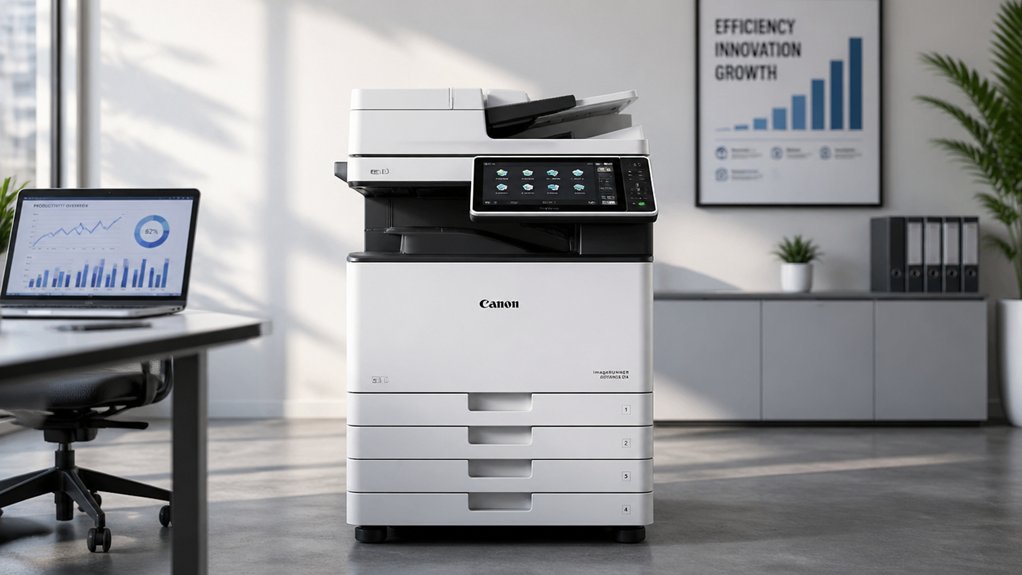
When selecting a copier machine for your business, you’ll need to evaluate print speed and volume to match your daily workflow demands, assess document scanning capabilities to determine if you can digitize paperwork efficiently, and confirm wireless connectivity options so your team can print from various devices. Next, you should examine the security and access control features that protect sensitive documents and restrict unauthorized use, then compare toner costs and efficiency ratings across models to calculate your long-term operational expenses. These five factors work together to determine whether a copier will actually improve your office productivity or create bottlenecks and unexpected costs.
Print Speed And Volume
How fast does your office actually need to copy? Start by measuring your monthly print volume and matching it to a copier’s duty cycle, which indicates the maximum pages it can handle monthly without performance issues. Next, evaluate print speed in pages per minute (ppm). Monochrome copiers typically deliver higher ppm than color models, making them ideal for high-volume departments. Choose machines offering dual-sided printing at rated speed to maximize throughput while reducing paper consumption. Finally, pair faster ppm with a large automatic document feeder to enable continuous multi-page scanning with minimal manual intervention. Align these specifications directly with your office’s actual demands to prevent bottlenecks and excessive equipment wear.
Document Scanning Capabilities
Your copier’s scanning features directly impact how efficiently your team converts paper documents into digital files. Evaluate the automatic document feeder capacity—50 to 70-page models enable unattended batch scanning. Select a copier with single-pass duplex scanning to process both sides simultaneously, reducing total scan time for multi-page documents. Check the scan speed in pages per minute (ppm) or images per minute (ipm) for black-and-white and color output respectively. Confirm the machine supports your maximum document sizes, whether legal or tabloid, and can handle mixed-media items like cards and envelopes. Review available software features: scan-to-email, scan-to-cloud, and searchable PDF capabilities streamline document management and accessibility. Match these capabilities to your workflow demands.
Wireless Connectivity Options
Modern offices need more than efficient scanning—they need seamless connectivity across multiple devices and networks. When evaluating copiers, examine their wireless options carefully. Most machines offer dual-band Wi-Fi (2.4GHz/5GHz), Ethernet, USB, and Bluetooth connectivity. These options let you print from Windows, macOS, iOS, and Android devices simultaneously. Check whether the copier supports mobile printing through AirPrint, Brother Mobile Connect, or Canon PRINT, depending on your equipment choice. Verify the machine includes secure wireless connections with encryption and network authentication to protect sensitive data. Advanced features like cloud printing and scan-to-email capabilities streamline your workflow further. Confirm the copier’s management app allows remote monitoring and job scheduling from your smartphone or tablet.
Security And Access Control
What’s the point of having a copier if unauthorized users can access your sensitive documents? You need multi-layer security features to protect your office. Start by implementing user authentication through NFC badge readers or PIN/username combinations that restrict who can operate the machine. Next, enable role-based access control so employees only access documents relevant to their job. Configure audit trails to log all activity—scanning, copying, printing—which helps you track who handled sensitive materials. Require encryption for documents in transit and at rest using SSL/TLS protocols. Finally, ensure the device itself has triple-layer security, firmware integrity checks, and regular security updates. These steps work together to block unauthorized access and meet compliance requirements.
Toner Costs And Efficiency
Calculate your toner expenses by examining the cost per page, which depends directly on cartridge yield and actual print density. High-yield cartridges reduce per-page costs substantially compared to standard cartridges, though they require larger upfront investment. Mono printers generally cost less to operate than color models because they use fewer consumables. To lower toner consumption, enable duplex printing and activate toner-saving modes on your copier. These settings reduce overall page counts and extend cartridge life. Remember that page yield ratings represent estimates; your actual results depend on document content and coverage density. Compare genuine high-yield toner options against starter cartridges included with machines to determine true long-term expenses for your office’s typical monthly volume.
Physical Size And Space
Have you measured your office space before selecting a copier? Start by determining your available workspace dimensions, then compare them against the copier’s depth, width, and height. Compact models typically measure 16–20 inches wide and 12–19 inches deep, while all-in-one units occupy larger footprints. Next, consider the paper tray capacity—250–350 sheets or higher—since larger trays require additional horizontal space. Plan for 1–2 inches of clearance around the entire unit to accommodate ventilation, cable access, and operation, particularly if the copier includes an automatic document feeder. Account for extra vertical space above the device if it has duplex printing hardware or a document feeder. Finally, verify your surface can support the copier’s weight, typically 25–38 pounds or more, plus potential future upgrades.
Warranty And Technical Support
When you’re investing in a copier machine for your business, understanding the warranty and support options available should factor heavily into your decision. Most copier models include a standard 1-year limited warranty covering hardware replacement or exchange services. Beyond the manufacturer warranty, verify whether your retailer offers additional return windows—many provide 30-day return policies through platforms like Amazon. Check what technical support channels you’ll access: online resources, phone support, or chat assistance. For consumables like toners and drums, review separate warranty terms, as these often carry their own coverage. Additionally, confirm that security and firmware updates are included during your warranty period to maintain system protection and compatibility. Comparing these elements ensures you select appropriate coverage for your office needs.
Final Thoughts
You’ll improve your office productivity by selecting a copier that matches your specific needs. Review your print volume, color requirements, and budget. Compare the five models based on speed, connectivity, and toner costs. Test each machine’s ease of use before purchasing. Once you’ve chosen, set up wireless connectivity and configure cloud integration to maximize efficiency and streamline your team’s daily workflow.

Meet Ry, “TechGuru,” a 36-year-old technology enthusiast with a deep passion for tech innovations. With extensive experience, he specializes in gaming hardware and software, and has expertise in gadgets, custom PCs, and audio.
Besides writing about tech and reviewing new products, he enjoys traveling, hiking, and photography. Committed to keeping up with the latest industry trends, he aims to guide readers in making informed tech decisions.