

If you transcribe regularly, you know that foot pedals directly affect your comfort and productivity. Choosing the right pedal means evaluating durability, ergonomic design, USB compatibility, and programmable features that match your workflow. The market offers numerous options—from the widely-trusted Infinity USB models to gaming-focused alternatives—each with distinct advantages. Understanding what separates the best performers from standard options requires examining specific features and real-world performance.
| Infinity 3 USB Foot Pedal Control with Computer Plug In one unit |

| Compact & Ergonomic | Number of Pedals: 3 pedals (Play, Fast Forward, Rewind) | Connection Type: USB wired | Programmability: Fixed (Play, Fast Forward, Rewind) | VIEW LATEST PRICE | Read Our Analysis |
| Infinity USB Digital Foot Control with Computer Plug (in-USB3) |

| Best Overall | Number of Pedals: 3 buttons | Connection Type: USB wired | Programmability: Fixed (3-button controller) | VIEW LATEST PRICE | Read Our Analysis |
| ECS-IN-USB-1 Foot Pedal Transcription Control Ergonomic |

| Professional-Grade Standard | Number of Pedals: Single pedal | Connection Type: USB (Micro USB 2.0) | Programmability: Fixed controls | VIEW LATEST PRICE | Read Our Analysis |
| USB Foot Pedal Programmable Switch for PC Gaming |

| Most Versatile | Number of Pedals: Single pedal | Connection Type: USB wired (6.6ft/2m cable) | Programmability: Fully programmable (5 modes; ElfKey software) | VIEW LATEST PRICE | Read Our Analysis |
| iKKEGOL USB Triple Foot Pedal Programmable Mechanical Switch |

| Heavy-Duty Triple Pedal | Number of Pedals: 3 pedals | Connection Type: USB wired | Programmability: Fully programmable (ElfKey software) | VIEW LATEST PRICE | Read Our Analysis |
| iKKEGOL USB Triple Foot Pedal Switch Controller |

| Silent & Programmable | Number of Pedals: 3 pedals | Connection Type: USB wired (1.8m/6ft cable) | Programmability: Fully programmable (Windows/Mac software) | VIEW LATEST PRICE | Read Our Analysis |
| iKKEGOL USB Foot Pedal Programmable Footswitch |

| Waterproof Workhorse | Number of Pedals: Single pedal | Connection Type: USB wired | Programmability: Single-key programmable | VIEW LATEST PRICE | Read Our Analysis |
| iKKEGOL USB Double Foot Switch Control Pedal |

| Budget-Friendly Option | Number of Pedals: 2 pedals | Connection Type: USB wired | Programmability: Fully programmable (Windows software) | VIEW LATEST PRICE | Read Our Analysis |
| Philips ACC2320 Foot Control for Digital Dictation Systems |

| Enterprise-Level Solution | Number of Pedals: 3 pedals (Rewind, Playback, Fast Forward) | Connection Type: USB 3.0 | Programmability: Configurable via SpeechExec software | VIEW LATEST PRICE | Read Our Analysis |
| Express Scribe Transcription Kit with Foot Pedal |

| Complete Transcription Kit | Number of Pedals: Single pedal (Infinity IN-USB-3) | Connection Type: USB wired | Programmability: Fixed (Infinity pedal controls) | VIEW LATEST PRICE | Read Our Analysis |
More Details on Our Top Picks
Infinity 3 USB Foot Pedal Control with Computer Plug In one unit
Why’d you struggle with keyboard shortcuts when you’re transcribing audio? The Infinity 3 USB foot pedal eliminates that problem by letting you control playback without your hands. This three-function pedal gives you Play, Fast Forward, and Rewind controls directly under your feet. Simply plug the USB connector into your computer and start using it immediately with your transcription software. The wide central pedal slopes ergonomically to support smooth foot movement between functions. Heavy-duty micro switches inside ensure long-lasting durability through daily use. The large pedal size accommodates comfortable extended sessions, reducing foot fatigue during lengthy transcription projects.
- Number of Pedals:3 pedals (Play, Fast Forward, Rewind)
- Connection Type:USB wired
- Programmability:Fixed (Play, Fast Forward, Rewind)
- Operating System Compatibility:Windows/Mac/Linux
- Warranty:No warranty specified
- Weight:Not specified
- Additional Feature:Ultra-heavy-duty micro switches
- Additional Feature:Wide central sloping Play pedal
- Additional Feature:Large size easy transitions
Infinity USB Digital Foot Control with Computer Plug (in-USB3)
The VEC Infinity USB Digital Foot Control (Model IN-USB-3) is built for transcriptionists who need reliable hands-free control during extended work sessions. This three-button ergonomic pedal connects directly to your PC via USB, requiring no additional software or configuration. The low-profile design with a wider base prevents slipping during use, while durable internal switches handle continuous operation without degradation. At 9.6 by 7.8 inches, it fits comfortably under most desks. The corded power source ensures consistent connectivity. With a 4.6-star rating from 362 reviews and a 90-day warranty, this pedal delivers the dependable functionality transcriptionists require for daily productivity.
- Number of Pedals:3 buttons
- Connection Type:USB wired
- Programmability:Fixed (3-button controller)
- Operating System Compatibility:PC USB ports
- Warranty:90-day warranty
- Weight:2.1 lbs
- Additional Feature:Low-profile design greater stability
- Additional Feature:Re-sculpted contour non-slip surface
- Additional Feature:4.6 out of 5 stars
ECS-IN-USB-1 Foot Pedal Transcription Control Ergonomic
If you’re spending hours transcribing medical records, legal documents, insurance claims, or public safety reports, you’ll want a foot pedal that won’t leave your feet cramped and fatigued by day’s end. The ECS-IN-USB-1 addresses this need with its ergonomic, contoured design that supports natural foot positioning. Simply plug the micro USB 2.0 connector into your computer and begin controlling playback without interrupting your typing flow. The pedal’s compact dimensions (7.5 x 5.5 x 1.75 inches) fit standard workspaces. It operates on minimal power (9 volts, 5 milliamps) through USB connectivity. The ECS-IN-USB-1 works with major dictation and transcription platforms, making integration straightforward. You’ll receive a one-year warranty covering parts and labor, plus a 30-day return guarantee for risk-free evaluation.
- Number of Pedals:Single pedal
- Connection Type:USB (Micro USB 2.0)
- Programmability:Fixed controls
- Operating System Compatibility:Broad software compatibility (major dictation/transcription platforms)
- Warranty:1-year mail-in parts/labor
- Weight:386 grams (0.85 lbs)
- Additional Feature:1 year mail-in warranty
- Additional Feature:Micro USB 2.0 interface
- Additional Feature:Professional-grade medical/legal applications
USB Foot Pedal Programmable Switch for PC Gaming
Need hands-free control without disruptive noise during live streams, video calls, or transcription work? This USB foot pedal uses silent optical sensors for zero mechanical noise. Plug it in directly—no software required initially. You’ll get preset keyboard, mouse, and multimedia functions immediately. For custom commands, download ElfKey software to program macros and text strings into onboard memory. The ergonomic front-hinged design reduces ankle strain during extended sessions. Use it to control Discord PTT, Zoom mutes, Adobe Premiere scrubbing, or VS Code commands. The reinforced ABS shell with anti-slip base keeps it stable on any desk surface during intense work sessions.
- Number of Pedals:Single pedal
- Connection Type:USB wired (6.6ft/2m cable)
- Programmability:Fully programmable (5 modes; ElfKey software)
- Operating System Compatibility:Windows/Mac
- Warranty:Complete support and warranty included
- Weight:Not specified
- Additional Feature:Silent optical photoelectric sensors
- Additional Feature:5-in-1 dedicated control modes
- Additional Feature:Onboard memory custom macros
iKKEGOL USB Triple Foot Pedal Programmable Mechanical Switch
Looking for a foot pedal that’ll keep your hands free during long transcription sessions? iKKEGOL’s triple foot pedal system lets you execute three separate functions—play, pause, rewind—using only your feet, which means you’ll never interrupt your typing flow. The device connects via USB and works as a standard HID device on Windows XP through Windows 11, macOS, and Linux. You’ll download ElfKey software to program each pedal for your specific needs. The wide pedals feature durable mechanical switches with minimal resistance, and four TPU rubber pads prevent slipping on hard floors. The system supports your weight up to 100 kg, ensuring stability throughout extended work sessions without repositioning required.
- Number of Pedals:3 pedals
- Connection Type:USB wired
- Programmability:Fully programmable (ElfKey software)
- Operating System Compatibility:Windows XP, 10, 11; Mac; Linux
- Warranty:1-year
- Weight:Not specified (supports >100 kg load)
- Additional Feature:Supports over 100 kg
- Additional Feature:4 TPU rubber pads
- Additional Feature:ElfKey configuration software included
iKKEGOL USB Triple Foot Pedal Switch Controller
The iKKEGOL USB Triple Foot Pedal Switch Controller delivers hands-free control through three individually programmable foot switches that you’ll configure once on a Windows PC and then use across all your programs without reconfiguration. Each pedal’s wide surface and optical switch technology provide quiet, responsive operation suitable for transcription work. You download the software, plug in the USB cable, install the program, and assign keyboard or mouse actions to each pedal. After programming, your settings apply universally across all applications. The device weighs 420 grams, measures 14.5 by 5.6 by 1.7 inches, and connects via a 1.8-meter USB cable. It’s compatible with Windows, Linux, Mac, and Android systems.
- Number of Pedals:3 pedals
- Connection Type:USB wired (1.8m/6ft cable)
- Programmability:Fully programmable (Windows/Mac software)
- Operating System Compatibility:DOS, Windows 2000/XP/7/8/10; Mac; Linux; Android
- Warranty:1-year
- Weight:420 grams (14.8 oz); supports >100 kg load
- Additional Feature:Quiet optical switch technology
- Additional Feature:Over 100,000 activations lifetime
- Additional Feature:1.8 meter USB cable
iKKEGOL USB Foot Pedal Programmable Footswitch
Transcriptionists who need a durable, programmable pedal that won’t quit after months of constant use should consider the iKKEGOL USB Foot Pedal. This single-key switch connects via USB to Windows, Mac, and Linux systems without requiring drivers. You’ll program it using the included software to customize actions for your transcription software, whether that’s Express Scribe or similar platforms. The IP37 waterproof rating protects against spills in busy workspaces, while the rubber base prevents slipping during extended sessions. Once programmed, the pedal works as plug-and-play across any system, making transitions between computers seamless and efficient.
- Number of Pedals:Single pedal
- Connection Type:USB wired
- Programmability:Single-key programmable
- Operating System Compatibility:Windows 2000/XP/Vista/7/8/10/11; Mac; Linux
- Warranty:Implied coverage (30-day return guarantee)
- Weight:Not specified
- Additional Feature:IP37 waterproof splash-resistant design
- Additional Feature:Single-key programmable footswitch
- Additional Feature:Express Scribe compatible software
iKKEGOL USB Double Foot Switch Control Pedal
If you’re seeking a foot pedal that doesn’t require driver installation and works across multiple operating systems, the iKKEGOL USB Double Foot Switch Control Pedal delivers that flexibility through its plug-and-play HID (Human Interface Device) design. You’ll configure the two programmable switches on Windows first, then use the device on Linux, Mac, or other systems without reconfiguration. The aluminum alloy base supports over 100 KG, ensuring durability during extended transcription sessions. Each foot switch you program can execute single keys, multiple key combinations, or hotkeys tailored to your transcription software. The FCC and CE certifications confirm safety and quality standards. You’ll receive one device with a one-year warranty, making this option practical for transcriptionists who need reliable multi-platform compatibility.
- Number of Pedals:2 pedals
- Connection Type:USB wired
- Programmability:Fully programmable (Windows software)
- Operating System Compatibility:DOS, Windows 2000/XP/Vista/7/8/10; Mac; Linux
- Warranty:1-year
- Weight:Not specified; supports >100 kg load
- Additional Feature:High quality aluminum alloy
- Additional Feature:Supports over 100 kg
- Additional Feature:FCC CE certified
Philips ACC2320 Foot Control for Digital Dictation Systems
Want a foot pedal that’ll handle hours of transcription without your foot slipping or your muscles straining? The Philips ACC2320 delivers with its three-pedal design controlling rewind, fast forward, and playback. You’ll appreciate the bumps on top that prevent foot sliding and the anti-slip bottom that grips carpet, tile, or wood flooring. The ergonomic design reduces strain during extended use. Connect via USB to Philips SpeechExec or SpeechControl software and configure each pedal to match your workflow. Magnetically controlled switches ensure durability through heavy daily use. At 650 grams, it’s portable yet substantial enough for stability.
- Number of Pedals:3 pedals (Rewind, Playback, Fast Forward)
- Connection Type:USB 3.0
- Programmability:Configurable via SpeechExec software
- Operating System Compatibility:Philips SpeechExec Transcribe 5.0+; SpeechExec Pro/Enterprise
- Warranty:30-day Amazon return guarantee
- Weight:650 grams (23 oz)
- Additional Feature:Magnetically controlled contact switches
- Additional Feature:Anti-slip bottom design
- Additional Feature:Bumps prevent foot sliding
Express Scribe Transcription Kit with Foot Pedal
Looking for a complete transcription setup that doesn’t require piecing together separate components? The Express Scribe Transcription Kit bundles three essential items: the Heavy Duty Infinity IN-USB-3 foot pedal, Spectra FLX-10 headset, and Express Scribe Professional software. The foot pedal features easy-touch response with low resistance, accommodating various foot sizes through durable switches. The lightweight headset includes a 10-foot cord and delivers clear digital sound for extended sessions. Express Scribe software supports variable speed playback, multi-channel control, and video playback. You’ll connect everything via USB to your personal computer. The kit includes 16 GB built-in memory and doesn’t require CD installation. Amazon’s 30-day return guarantee provides purchase protection.
- Number of Pedals:Single pedal (Infinity IN-USB-3)
- Connection Type:USB wired
- Programmability:Fixed (Infinity pedal controls)
- Operating System Compatibility:Windows/Mac; Express Scribe software
- Warranty:30-day Amazon return guarantee
- Weight:3 pounds (includes headset and software)
- Additional Feature:Includes Spectra FLX-10 headset
- Additional Feature:Express Scribe Professional License included
- Additional Feature:Variable speed playback support
Factors to Consider When Choosing Foot Pedals for Transcriptionists
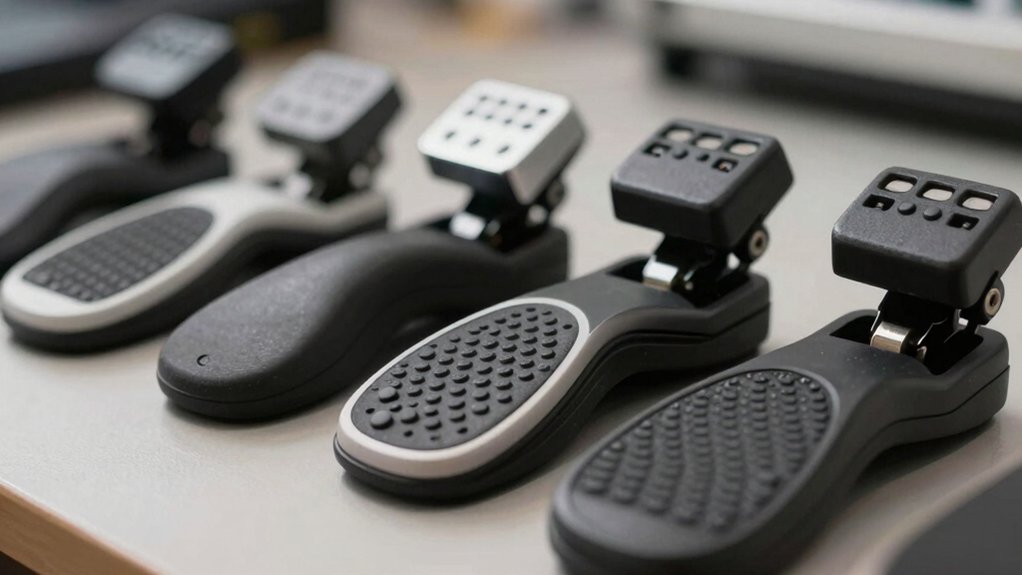
When you’re selecting a foot pedal for transcription work, you’ll want to evaluate five key factors that directly impact your productivity and comfort. First, assess the ergonomic design to guarantee the pedal reduces strain during long typing sessions, check USB connectivity to confirm compatibility with your computer setup, examine the build quality for durability through repeated daily use, review the pedal configuration options to match your preferred control layout, and verify software integration support so the pedal works seamlessly with your transcription program. Each of these factors plays a specific role in determining whether a pedal will serve your transcription needs effectively.
Ergonomic Design Comfort
Because you’ll spend hours with your foot on a transcription pedal, the physical design directly affects your comfort and productivity. Look for a wide, large pedal area that supports your entire foot and reduces fatigue during extended sessions. Choose an ergonomic layout with a sloped central Play button for quick transitions between playback and navigation controls. A low-profile or compact design minimizes ankle strain while keeping stable floor contact. Verify the pedal has a sturdy, non-slip base with rubber feet to stay secure on various floor surfaces and eliminate constant micro-adjustments. Additionally, select models with quiet or noiseless actuation, such as optical switches, to minimize distractions during your workflow and maintain concentration on transcription accuracy.
USB Connectivity Compatibility
How does your foot pedal connect to your transcription setup? Most modern transcription pedals use USB connectivity as their primary interface, allowing plug-and-play operation on PCs and laptops without additional adapters. Check whether your pedal requires initial configuration through software like ElfKey before functioning across multiple operating systems. USB-powered models operate via wired connections without batteries and may specify USB 2.0 or 3.0 compatibility for optimal speed and performance. Verify that your chosen pedal supports your transcription software—popular options include Express Scribe and Philips SpeechExec through USB control mappings. After programming on a Windows computer, most pedals function as plug-and-play devices across Linux, macOS, and Android systems. This setup streamlines your workflow and ensures consistent compatibility across your devices.
Durability and Build Quality
Beyond ensuring your pedal connects seamlessly to your transcription software, you’ll want to assess whether it can withstand the physical demands of daily use. Check for sturdy, durable construction with robust internal switches rated for extended transcription sessions. Examine the pedal’s base—wider, non-slip surfaces prevent movement during long work hours and reduce fatigue. Heavier pedals with reinforced shells stay stable on various floor types, minimizing shifting. Look for high-reliability switches like ultra-heavy-duty or optical designs that minimize wear from repeated foot presses. Review the warranty coverage; at least one year signals manufacturer confidence in longevity and post-purchase support. These durability factors directly impact your pedal’s lifespan and your workflow consistency.
Pedal Configuration Options
What configuration’ll work best for your transcription needs? You’ll find two main options: basic three-button layouts with Play, Fast Forward, and Rewind functions, or advanced five-mode pedals offering keyboard, mouse, text input, multimedia, and macro capabilities. Assess your workflow first. If you need only playback control, three buttons suffice. For complex transcription tasks requiring frequent software switching, five-mode pedals provide flexibility. Next, consider pedal layout. Adjustable configurations with wide, non-slip bases minimize foot movement during rapid transitions between controls. Finally, decide on memory features. Onboard profiles or on-device memory allow your saved settings to transfer between different transcription software without reprogramming. Select your configuration based on your specific workflow demands and platform requirements.
Software Integration Support
Since you’ll spend hours each day using your foot pedal with transcription software, compatibility with your platforms should be your primary concern. Verify that your pedal supports Express Scribe, Philips SpeechExec, and similar programs you currently use. Check for USB interface compatibility and optional remote software for configuration management. Confirm the pedal offers dedicated playback controls—play, rewind, and fast-forward functions—that integrate seamlessly with your workflow. Review whether configuration software like ElfKey allows you to create custom macros and shortcuts that save directly to the device. This ensures your settings persist across different applications without requiring reconfiguration. Test Windows and Mac compatibility if you switch between systems, confirming plug-and-play functionality after initial setup completes successfully.
Noise Level Performance
How much noise your foot pedal produces directly affects your transcription environment and work quality. Optical sensors operate quieter than mechanical switches, reducing audible disruption during dictation. When evaluating pedals, check manufacturer specifications for decibel ratings or “noiseless” claims. Read user reviews that describe actual noise characteristics during extended use. Silent actuation minimizes interference with spoken audio and headset clarity. Ergonomic designs combined with quiet switches lower cumulative noise fatigue for you and nearby colleagues during longer sessions. Compare switch technology across your options, prioritizing photoelectric sensors over traditional mechanical alternatives. Test pedals when possible to assess noise levels in your specific work setting. Match noise performance with build quality and software compatibility to ensure optimal transcription conditions.
Warranty and Return Policy
Manufacturer and seller warranties protect your investment in a foot pedal, so you’ll want to understand the coverage before making your purchase. Most foot pedals sold on Amazon include a 30-day return window for items that are dead on arrival, damaged, or unopened. Beyond that period, manufacturer warranties typically cover parts and labor for around one year. Check the product page or warranty documentation for specific terms, as coverage varies by seller and model. Some vendors offer longer-term support through dedicated warranty links or guarantees extending past the standard return period. If you’re purchasing from a third-party seller rather than directly from the manufacturer, review their individual return policies, as restocking fees may apply. Compare these terms across options before deciding.
Final Thoughts
You’ll want to select a foot pedal based on your transcription needs and budget. Compare the Infinity IN-USB-3 for durability and comfort, or the ECS-IN-USB-1 for compact ergonomics. Check compatibility with your transcription software before purchasing. Verify warranty coverage and return policies. Test the pedal’s responsiveness during your workflow. Match programmable features to your specific transcription tasks. Invest in a quality pedal to reduce hand strain and improve productivity.

Meet Ry, “TechGuru,” a 36-year-old technology enthusiast with a deep passion for tech innovations. With extensive experience, he specializes in gaming hardware and software, and has expertise in gadgets, custom PCs, and audio.
Besides writing about tech and reviewing new products, he enjoys traveling, hiking, and photography. Committed to keeping up with the latest industry trends, he aims to guide readers in making informed tech decisions.