
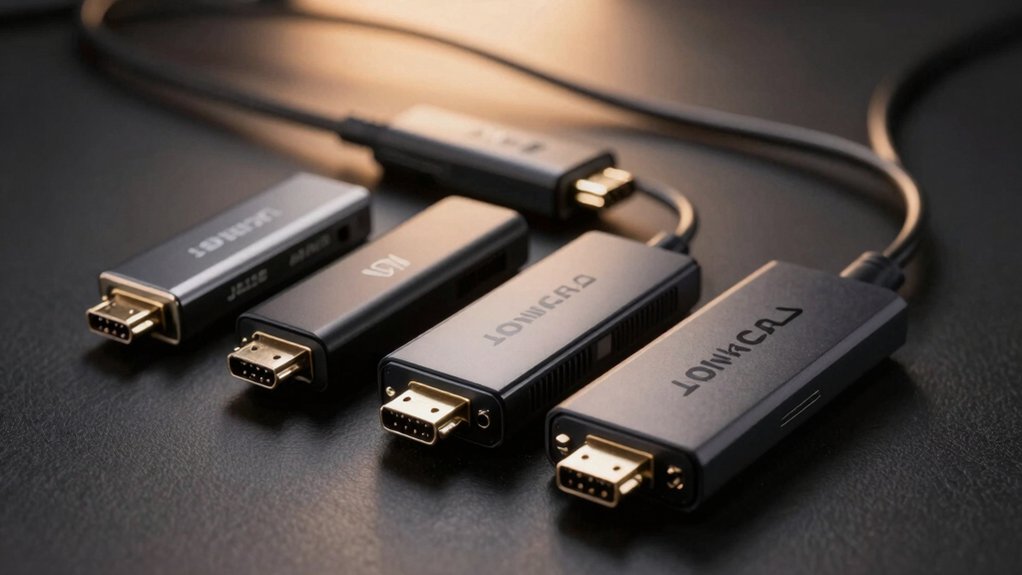

You’re looking to connect multiple displays to your soundbar setup, but standard HDMI splitters often cause handshake failures and audio dropouts. The right splitter eliminates these problems by handling 4K resolution, HDR signals, and EDID management simultaneously. However, not all splitters perform equally—some lack the power infrastructure needed for stable connections, while others miss critical audio extraction features. Understanding which specifications actually matter will determine whether your setup works flawlessly or frustrates you with constant reconnections.
| HDMI Splitter 1 in 2 Out 4K@60Hz with Cable |

| Best All-Around Performance | 4K Video Support: 4K@60Hz | Audio Output Options: HDMI audio passthrough (Dolby Atmos, DTS:X, TrueHD, DTS-HD Master) | Primary Function: HDMI splitter (1 input to 2 outputs) | VIEW LATEST PRICE | Read Our Analysis |
| VPFET HDMI Audio Extractor 4K Optical AUX Adapter |

| Audio Extraction Specialist | 4K Video Support: 4K@30Hz | Audio Output Options: Optical (DTS 5.1) and 3.5mm stereo | Primary Function: Audio extractor (HDMI to audio conversion) | VIEW LATEST PRICE | Read Our Analysis |
| GANA HDMI Switch 4K@60Hz Bidirectional Splitter |

| Manual Control Option | 4K Video Support: 4K@60Hz | Audio Output Options: HDMI audio passthrough | Primary Function: Bidirectional switcher (2 inputs to 1 output or 1 input to 2 outputs) | VIEW LATEST PRICE | Read Our Analysis |
| 4K HDMI Splitter with Audio Extractor |

| Best Audio Versatility | 4K Video Support: 4K@60Hz | Audio Output Options: Coaxial, 3.5mm, and Optical TOSLINK SPDIF | Primary Function: HDMI splitter with audio extraction (1 input to 2 video outputs + audio) | VIEW LATEST PRICE | Read Our Analysis |
| CORSAHD 4K HDMI Splitter 1×2 with HDR Support |

| Premium HDR Support | 4K Video Support: 4K@60Hz | Audio Output Options: HDMI audio passthrough (Dolby Atmos, Dolby TrueHD, DTS-HD Master Audio) | Primary Function: HDMI splitter (1 input to 2 outputs) | VIEW LATEST PRICE | Read Our Analysis |
More Details on Our Top Picks
HDMI Splitter 1 in 2 Out 4K@60Hz with Cable
Are you trying to connect a single media source—like a PS5, streaming device, or cable box—to both your TV and soundbar simultaneously? This 1-in-2-out splitter handles the job with 4K@60Hz support and includes a 4ft HDMI cable. Connect your source to the input, then run cables from each output to your TV and soundbar. The splitter requires a 5V 1A power adapter for stable operation. Use the EDID dial to control resolution matching: select Mix for independent displays, or A/B to mirror one output’s settings. Keep cable runs under 16.4 feet for 4K reliability.
- 4K Video Support:4K@60Hz
- Audio Output Options:HDMI audio passthrough (Dolby Atmos, DTS:X, TrueHD, DTS-HD Master)
- Primary Function:HDMI splitter (1 input to 2 outputs)
- Power Requirements:5V 1A power adapter (included)
- HDCP Support:HDCP 2.2
- Setup Type:Plug and play (requires power adapter)
- Additional Feature:M-A-B EDID dial for mixed resolutions
- Additional Feature:Includes 4ft HDMI cable
- Additional Feature:Supports Dolby Atmos 7.1ch audio
VPFET HDMI Audio Extractor 4K Optical AUX Adapter
If you’re connecting older audio equipment or devices without built-in ARC support to your soundbar, the VPFET HDMI Audio Extractor offers a straightforward solution by pulling audio from your HDMI source and routing it through optical or 3.5mm outputs. The device works with most HDMI sources—Blu-ray players, gaming consoles, streaming devices, and PCs—requiring only USB 5V power to operate. Choose your audio output based on your soundbar’s inputs: use the optical port for 5.1 surround sound or the 3.5mm jack for standard stereo. If you don’t get audio initially, switch to PASS mode to resolve compatibility issues. The extractor supports 4K resolution at 30Hz, making it compatible with modern video sources while extracting audio separately.
- 4K Video Support:4K@30Hz
- Audio Output Options:Optical (DTS 5.1) and 3.5mm stereo
- Primary Function:Audio extractor (HDMI to audio conversion)
- Power Requirements:USB 5V power
- HDCP Support:HDCP 1.4
- Setup Type:Plug and play (requires USB power)
- Additional Feature:Splits audio to optical/3.5mm outputs
- Additional Feature:Three audio modes switchable
- Additional Feature:1-year warranty included
GANA HDMI Switch 4K@60Hz Bidirectional Splitter
The GANA HDMI Switch works best for you if you’re juggling multiple video sources—like a gaming console, streaming device, and Blu-ray player—but only have one TV or monitor to connect them to. This aluminum switcher features three HDMI ports and lets you connect two sources to one display or one source to two displays, with only one active at a time. You’ll press a button on the switch box to change inputs without unplugging cables. The device supports 4K at 60Hz and works backward compatible with 1080p, requires no external power, and includes LED indicators showing which port is active. Keep HDMI cables under 3 meters for optimal 4K performance.
- 4K Video Support:4K@60Hz
- Audio Output Options:HDMI audio passthrough
- Primary Function:Bidirectional switcher (2 inputs to 1 output or 1 input to 2 outputs)
- Power Requirements:No external power required
- HDCP Support:Standard HDCP (2.0 compatible)
- Setup Type:Plug and play (no driver, manual button switching)
- Additional Feature:Bidirectional 2 in 1 out switching
- Additional Feature:Aluminum enclosure for stability
- Additional Feature:Lifetime technical support
4K HDMI Splitter with Audio Extractor
Looking to send video to two displays while routing audio separately to your soundbar? This splitter mirrors one HDMI source to two TVs or monitors simultaneously while extracting audio to 3.5mm, coaxial, or optical outputs. It supports 4K@60Hz, 2K@144Hz, and 1080P@240Hz with HDR and ultra-wide formats. Separate scalers sync 4K and 1080P displays together, making mixed-resolution setups seamless. You’ll extract audio via coaxial, 3.5mm, or SPDIF, supporting formats like Dolby Atmos, DTS:X, and surround configurations. The external EDID selector lets you choose audio formats matching your soundbar or audio device. Works with Blu-ray players, Apple TV, PS5, and game capture devices. A UL-certified power adapter prevents screen flicker and disconnections from insufficient power.
- 4K Video Support:4K@60Hz
- Audio Output Options:Coaxial, 3.5mm, and Optical TOSLINK SPDIF
- Primary Function:HDMI splitter with audio extraction (1 input to 2 video outputs + audio)
- Power Requirements:UL-certified power adapter (included)
- HDCP Support:HDCP 2.3
- Setup Type:Plug and play (no driver required)
- Additional Feature:Separate scalers for mixed resolutions
- Additional Feature:Extracts to coaxial/optical/3.5mm
- Additional Feature:External EDID selection capability
CORSAHD 4K HDMI Splitter 1×2 with HDR Support
Want to send 4K video to your TV while simultaneously routing audio to your soundbar without buying separate devices? The CORSAHD 4K HDMI Splitter 1×2 accomplishes this in one unit. Connect your source device to the single input, then route one output to your TV and the second to your soundbar or receiver. Set your EDID mode to match your setup—choose 4K HDR for the TV output and 1080P for the soundbar if needed. This splitter supports Dolby Atmos, Dolby Vision, and 7.1-channel audio, keeping video and audio synchronized. It works with PS5, Xbox, Apple TV, and Fire Stick. No drivers required; simply plug in and configure your EDID settings.
- 4K Video Support:4K@60Hz
- Audio Output Options:HDMI audio passthrough (Dolby Atmos, Dolby TrueHD, DTS-HD Master Audio)
- Primary Function:HDMI splitter (1 input to 2 outputs)
- Power Requirements:Plug-and-play (no external power specified)
- HDCP Support:HDCP 2.2/2.3
- Setup Type:Plug and play (no driver needed)
- Additional Feature:HDCP bypass with EDID management
- Additional Feature:Synchronous 4K HDR output capability
- Additional Feature:Downscaler function for resolution matching
Factors to Consider When Choosing HDMI Splitter for Soundbar
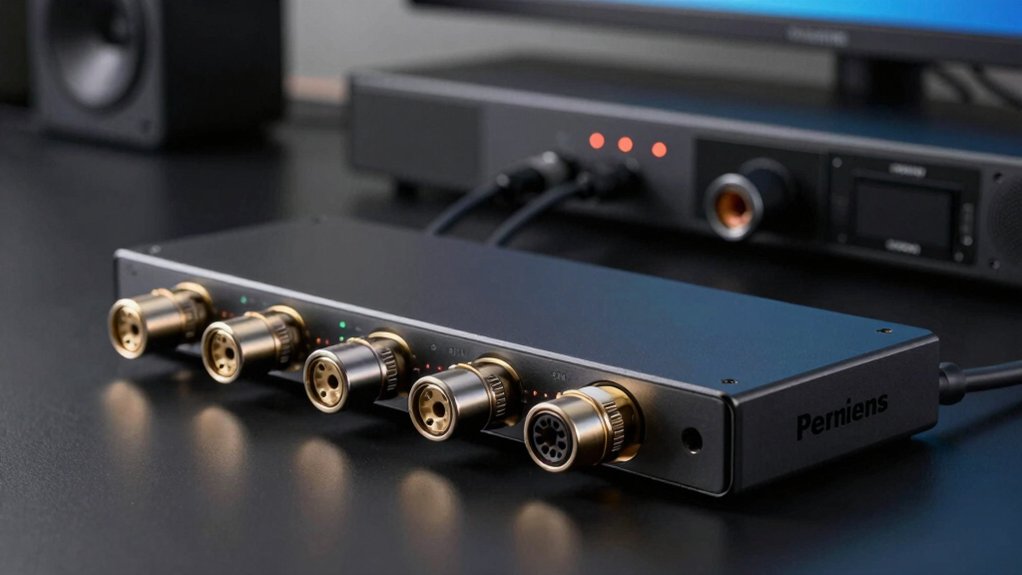
You’ll need to verify that your splitter’s audio output compatibility matches your soundbar’s input type—whether it uses optical, HDMI ARC, or 3.5mm connections. Check the HDMI version (2.0 or higher for 4K support), resolution capabilities up to your display’s maximum, refresh rate requirements, and whether the splitter requires external power or draws it from the HDMI source. Finally, confirm the device has EDID management features that’ll properly communicate your TV and soundbar’s capabilities to your source device, preventing compatibility conflicts.
Audio Output Compatibility
When selecting an HDMI splitter for your soundbar, how does audio actually reach your speakers through the device? You’ll need to verify that your splitter supports the audio formats your soundbar requires. Check whether it handles HDMI ARC/eARC, PCM, Dolby Digital, DTS, or Dolby Atmos. Next, confirm the splitter extracts audio to multiple outputs—3.5mm, optical/SPDIF, or coaxial—so you can connect directly to your soundbar without extra adapters. Review the device’s EDID management to prevent audio format mismatches that could mute or degrade sound quality. Finally, test whether upscaling or downscaling in EDID modes disrupts audio signal quality or creates lip-sync issues. Be aware that HDCP compliance may block certain audio formats for protected content.
HDMI Version Requirements
What HDMI version does your splitter actually need to support your soundbar setup? You’ll want at least HDMI 2.0, which provides 18 Gbps bandwidth to handle 4K@60Hz with 4:4:4 chroma and HDR content. This bandwidth supports the data demands when you’re mirroring video to two displays simultaneously.
Check your splitter’s specifications for HDMI 2.0 or higher compatibility. If your soundbar uses ARC (Audio Return Channel) for audio routing, verify the splitter supports this feature—not all models do. HDMI 2.1 is optional unless you need 8K resolution or higher refresh rates, which most soundbar setups don’t require.
Review the splitter’s HDCP 2.2 or 2.3 certification to ensure copy-protected content displays properly on your TV and soundbar.
Resolution And Refresh Rate
How does your splitter handle the resolution and refresh rate demands of your specific setup? You need a splitter supporting at least 4K@60Hz to match HDR and VRR content on your soundbar-enabled display. If your source or display requires smoother motion, confirm compatibility with 1080P@120Hz or 1080P@240Hz. Check that the splitter uses HDMI 2.0 or higher for sufficient bandwidth to carry 4K video alongside multi-channel audio formats simultaneously. Verify the EDID management aligns both outputs so displays maintain your desired resolution and refresh rate without unexpected downscaling. Some splitters downscale to match lower-performing displays unless you explicitly configure EDID settings to preserve higher refresh rates, which impacts audio synchronization with video on your soundbar setup.
Power Supply Specifications
Your HDMI splitter’s power supply directly affects its stability and performance, especially when routing 4K video and audio to multiple displays simultaneously. Check whether your splitter includes a dedicated external power adapter. A stable 5V 1A power supply prevents signal dropouts, flickering, and audio issues when mirroring to two displays. Some splitters operate plug-and-play without external power, relying on HDMI power alone—this approach may prove insufficient for 4K/60Hz signals or longer cable runs. Higher bandwidth features like HDCP 2.2, HDR, and 4K@60Hz typically require external power. If your splitter lacks an external power option, verify that your source device and cables can supply adequate HDMI power without stability problems. Always use the included power adapter when available for optimal reliability.
EDID Management Capabilities
When you’re connecting a soundbar alongside one or more displays to an HDMI splitter, EDID management becomes critical for preventing compatibility issues and ensuring all devices negotiate the correct video format and resolution. Look for splitters offering EDID copy modes that let both outputs follow a single EDID or mix resolutions when the difference is small. Downscaling EDID capabilities allow one output to mirror a higher-resolution source while the other displays lower resolution, supporting synchronized playback between soundbar and TV. Advanced options should include 4K@60Hz 4:4:4 support and HDR compatibility. These features prevent HDCP handshake failures that cause picture loss or flickering, directly impacting your setup’s reliability and performance across all connected devices.
Cable Length Considerations
While EDID management handles device negotiation, the physical distance your cables span directly affects signal strength and audio reliability at each output. Keep 4K connections under 16.4 feet to maintain 60Hz performance; 1080p can extend to 32.8 feet safely. When routing audio to a soundbar, maintain shorter runs—ideally 6 to 10 feet—to preserve both video and audio quality. Longer cable distances increase signal degradation, particularly when extracting audio through coaxial or optical outputs in splitters. Use a powered splitter with the included 5V 1A adapter to strengthen signals over extended runs. Plan your setup by measuring distances first, then selecting cable lengths that match your resolution needs and equipment placement.
Final Thoughts
You’ve now reviewed five reliable HDMI splitters designed specifically for soundbar setups. Choose a powered 1×2 splitter with EDID management and 4K@60Hz support to avoid handshake issues. Verify HDMI 2.0+ compatibility and confirm your cable runs stay under 16.4 feet for stable performance. If you need separate soundbar audio, select a model with audio extraction capability. Brands like CORSAHD and VPFET offer dependable options that deliver consistent results.

Meet Ry, “TechGuru,” a 36-year-old technology enthusiast with a deep passion for tech innovations. With extensive experience, he specializes in gaming hardware and software, and has expertise in gadgets, custom PCs, and audio.
Besides writing about tech and reviewing new products, he enjoys traveling, hiking, and photography. Committed to keeping up with the latest industry trends, he aims to guide readers in making informed tech decisions.