
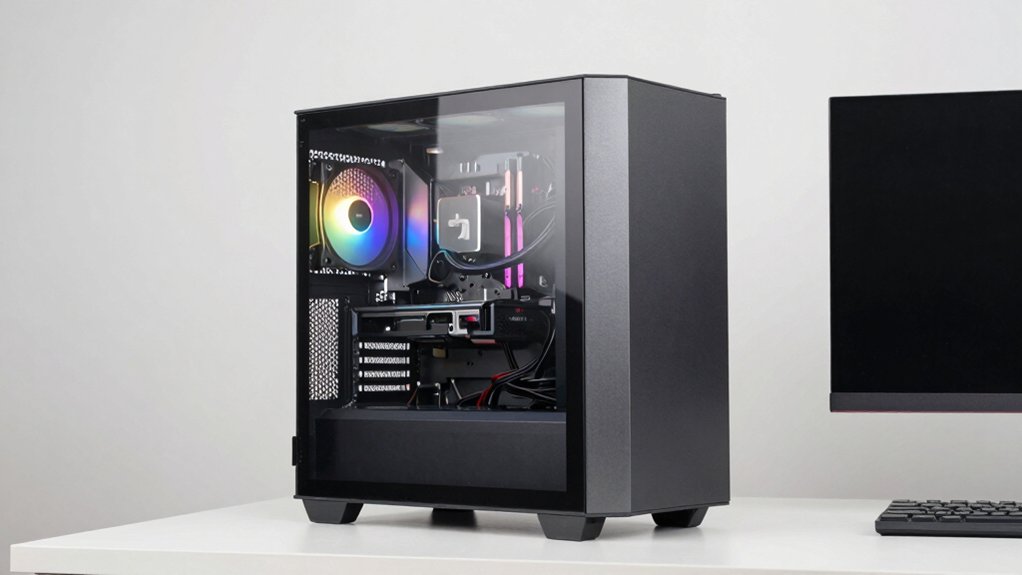

To pick five top horizontal PC cases you’ll want on your desk, start with open‑air benches that support ATX/MATX and stack up to 10 in horizontal mode for visibility. Consider SilverStone Grandia 11 for dual‑chamber cooling, GAMDIAS NESO P1 RGB for full visibility, Thermaltake Tower 600 for 420mm radiators, and SilverStone GD09 for slim HTPC needs. Ensure GPU length, fan/radiator options, and SSI‑CEB compatibility fit your setup, then confirm future expansion and stand options for horizontal use. More details await.
| Open Air PC Case and Bench for ATX/MATX Motherboards |
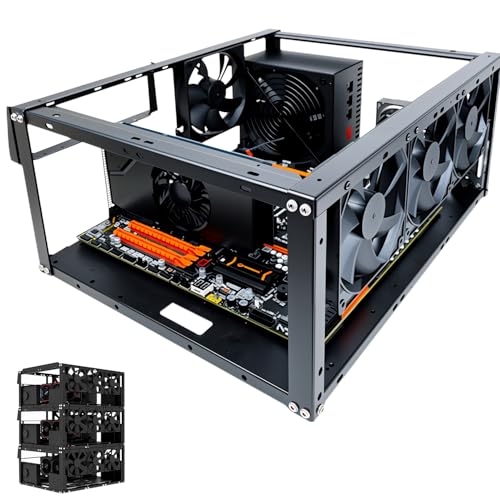
| Versatile Open Bench | Form factor: Open air/test bench chassis | Supported motherboard types: ATX, MATX, ITX (EATX supported area) | Cooling options: Air and water cooling (up to 8x 120mm, multiple radiator options) | VIEW LATEST PRICE | Read Our Analysis |
| SilverStone Grandia 11 HTPC Case with 240mm Radiator |
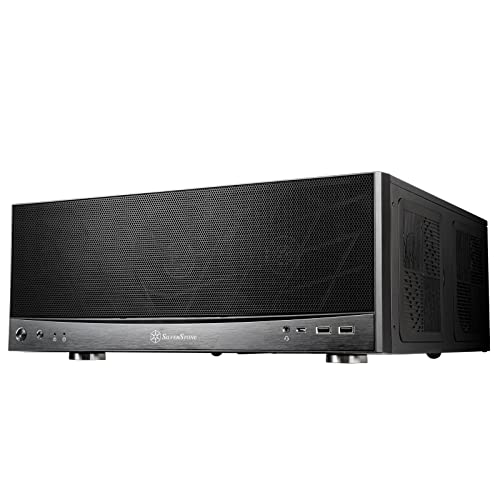
| HTPC Ready | Form factor: HTPC chassis | Supported motherboard types: ATX, SSI-CEB | Cooling options: 240mm radiator support; dual-path CPU/GPU cooling | VIEW LATEST PRICE | Read Our Analysis |
| GAMDIAS RGB Tempered Glass PC Case with RGB airflow |

| Showpiece RGB | Form factor: Full-tower tempered glass case | Supported motherboard types: E-ATX | Cooling options: Airflow-focused with perforated panels; supports wide airflow paths | VIEW LATEST PRICE | Read Our Analysis |
| Thermaltake Tower 600 Mid Tower with 420mm Radiator |

| Modular Extremes | Form factor: Mid tower chassis | Supported motherboard types: ATX | Cooling options: Supports multiple fans; radiator options | VIEW LATEST PRICE | Read Our Analysis |
| Silverstone GD09 HTPC Case for ATX Micro-ATX |
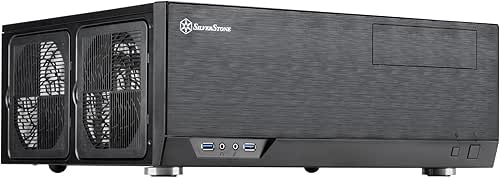
| Quiet Living Room | Form factor: HTPC case | Supported motherboard types: ATX, Micro-ATX | Cooling options: Positive pressure cooling; filters for dust prevention | VIEW LATEST PRICE | Read Our Analysis |
More Details on Our Top Picks
Open Air PC Case and Bench for ATX/MATX Motherboards
If you’re aiming to showcase your desk setup with a compact, open-air build, the Open Air PC Case and Bench is the best choice for ATX or MAtX motherboards because it doubles as both a test bench and a display unit. This unit supports horizontal and vertical placement and can stack up to 10 in horizontal mode, making it flexible for desks and small racks. It fits EATX, ATX, Micro ATX, and ITX boards, with a max 330 × 330 mm area. Install up to 8 fans, or 360 mm water cooling, and rack two HDDs plus three SSDs.
- Form factor:Open air/test bench chassis
- Supported motherboard types:ATX, MATX, ITX (EATX supported area)
- Cooling options:Air and water cooling (up to 8x 120mm, multiple radiator options)
- Display/visibility or presentation:Open frame/display-ready bench
- Expansion capacity:HDD/SSD bays; extensive fan/radiator support
- Purpose/target usage:DIY test bench/workstation
- Additional Feature:Stackable up to 10 units
- Additional Feature:1.5mm SPCC panels
- Additional Feature:360mm water cooling option
SilverStone Grandia 11 HTPC Case with 240mm Radiator
The SilverStone Grandia 11 HTPC Case with 240mm Radiator stands out for its dual-chamber cooling and compact HTPC footprint, making it a solid pick if you want a quiet, living-room-friendly build that still handles robust cooling. You install it in a narrow space, align the 240mm radiator with the CPU path, and use the dual-chamber design to separate CPU cooling from GPU airflow. Choose CPU cooling with a 240mm liquid option or 2x120mm fans, and add side 2x120mm fans for GPU. Ensure the front panel remains fully meshed for best intake and dust prevention. Verify SSI-CEB compatibility and length of GPUs.
- Form factor:HTPC chassis
- Supported motherboard types:ATX, SSI-CEB
- Cooling options:240mm radiator support; dual-path CPU/GPU cooling
- Display/visibility or presentation:Front mesh visibility; HTPC living-room suitable
- Expansion capacity:Room for long GPUs; multiple mounting options
- Purpose/target usage:Living-room HTPC
- Additional Feature:Positive air pressure design
- Additional Feature:SSI-CEB/ATX compatibility
- Additional Feature:Fully meshed front panel
GAMDIAS RGB Tempered Glass PC Case with RGB airflow
Choose the GAMDIAS NESO P1 RGB Tempered Glass Gaming PC Case when you want a 2-way oriented chassis that doubles as a desk centerpiece. You set it up in two orientations, vertical or horizontal, using the included pedestals to rotate layouts. Inspect the distinctive trapezoidal form to plan display of hardware. Open the one-touch access to upgrades and maintenance, then confirm full panoramic visibility through the open dual-chamber E-ATX design. Check airflow options: fully perforated mesh panels and optimized routes for intake and exhaust. Ensure compatibility with up to E-ATX boards and 426mm VGA cards.
- Form factor:Full-tower tempered glass case
- Supported motherboard types:E-ATX
- Cooling options:Airflow-focused with perforated panels; supports wide airflow paths
- Display/visibility or presentation:Full-tower tempered glass display
- Expansion capacity:Large interior for E-ATX and long GPUs
- Purpose/target usage:Gaming/showcase rig
- Additional Feature:Two-way orientation
- Additional Feature:Open dual-chamber E-ATX
- Additional Feature:Tempered glass with RGB elements
Thermaltake Tower 600 Mid Tower with 420mm Radiator
This case shines when you want a horizontal pedestal that doubles as a showpiece, thanks to its unique octagon chassis and vertical-or-horizontal presentation options. You set up in ATX form, then check GPU clearance up to 400mm and CPU cooler height to 210mm. Install the 420mm radiator on the left or 360mm on the right, and mount two 140mm CT fans at the top. Use the rotatable PCIe slots to align cards. Plan cable routing with hidden cutouts for ATX hidden connector motherboards. Consider the horizontal stand kit and LCD display for enhanced presentation.
- Form factor:Mid tower chassis
- Supported motherboard types:ATX
- Cooling options:Supports multiple fans; radiator options
- Display/visibility or presentation:Chassis can be displayed horizontally or vertically
- Expansion capacity:GPU length up to 400mm; high fan capacity
- Purpose/target usage:Enthusiast/modder display/rig
- Additional Feature:Octagon chassis design
- Additional Feature:Rotatable PCIe slots
- Additional Feature:LCD display option (sold separately)
Silverstone GD09 HTPC Case for ATX Micro-ATX
For a compact HTPC build that stays tucked in a cabinet while still delivering solid airflow, the SilverStone GD09 HTPC Case for ATX Micro-ATX is a strong option. You use a faux aluminum design and model SST-GD09B to fit ATX and Micro-ATX motherboards. It employs a positive air pressure design for cooling and quiet operation, with dust-prevention through quick access filters. It supports SSI-CEB, ATX, and Micro-ATX boards and includes SilverStone RA02 rackmount ears. This case fits inside most home theater cabinets, offers easy access filters, and provides streamlined airflow for maintenance and long-term setup.
- Form factor:HTPC case
- Supported motherboard types:ATX, Micro-ATX
- Cooling options:Positive pressure cooling; filters for dust prevention
- Display/visibility or presentation:HTPC-friendly aesthetic with dust filters
- Expansion capacity:SSI-CEB/ATX-compatible with rack/tray options
- Purpose/target usage:Home theater PC (HTPC) cabinet integration
- Additional Feature:Positive air pressure design
- Additional Feature:Quick access dust filters
- Additional Feature:SSI-CEB/ATX/Micro-ATX compatibility
Factors to Consider When Choosing Horizontal PC Cases
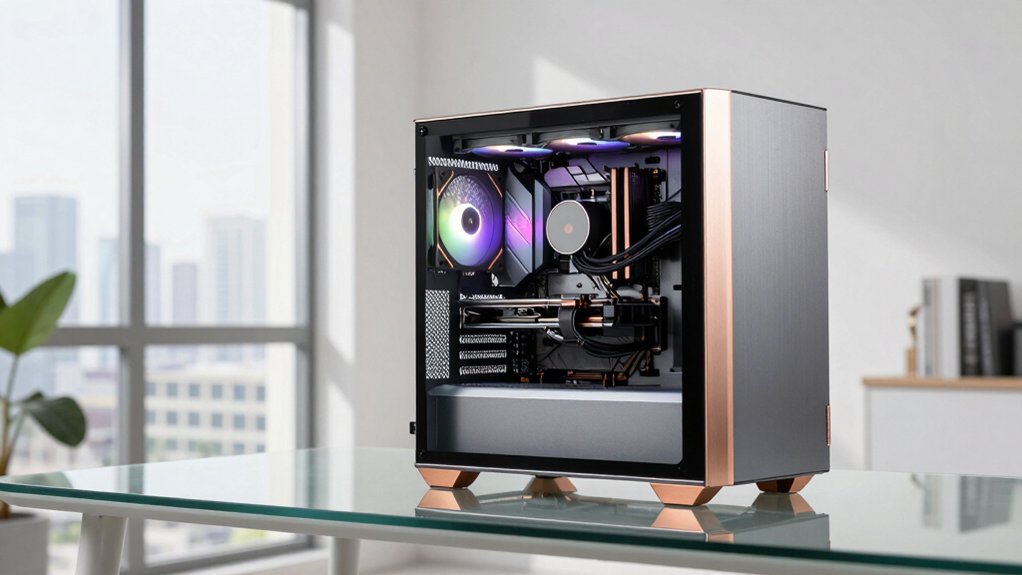
When choosing horizontal PC cases, start by evaluating space efficiency—measure your desk area and compare case footprint, height, and clearance. Check cooling and airflow layouts, noting fan positions, radiator options, and potential bottlenecks for GPU and CPU temps, then confirm there’s sufficient clearance for cards and coolers. Finally, evaluate mounting prospects and cable management ease, outlining steps to route cables cleanly and test security, with concrete examples for each option.
Space Efficiency Considerations
If you’re optimizing a horizontal PC case for space, start by evaluating how the layout affects desk or rack footprint. Look for cases that align components side-by-side and support stacking in multi-case setups, as this directly reduces width and depth. Check whether the model supports horizontal mounting and whether it can stack up to 10 units, which boosts space efficiency for compact workstations or server racks. Assess GPU clearance and radiator support relative to case depth to keep a low-profile footprint while accommodating full-length GPUs or large cooling radiators. Review cable management and internal layout, prioritizing front-to-back airflow and easy front I/O access to minimize vertical space use. Consider modular or dual-chamber designs to separate CPU and GPU paths without increasing height.
Cooling And Airflow Layout
Start by evaluating how cooling paths will run in a horizontal layout, then choose a design that separates CPU and GPU airflow to avoid hot spots. Use dual-chamber or open-frame designs to route air independently, ensuring CPU and GPU receive clean paths. Favor positive air pressure by securing front or top mesh with filters, which helps push cool air in and reduce dust. Consider radiator mounting options, such as top or side placements for 240mm or 360mm radiators, to align fan direction with intake and exhaust flow. Look for rotatable or modular chassis features that reconfigure airflow when switching orientations. Plan cable management with dedicated channels and hooks to minimize obstructions, preserving clear airflow routes throughout the case.
GPU And CPU Clearance
First, verify vertical and horizontal clearances for CPU coolers and GPUs. Check that the installed height of a CPU cooler laid flat does not block drive bays or side panels. Confirm GPU length fits inside the case’s internal allowance, typically 310–335 mm, to avoid contact with front fans or radiator mounts in a horizontal layout. Assess cable routing space behind the motherboard tray to prevent bulges that could obstruct airflow or panel fitment. Review maximum cooler height for open-frame or test-bench designs if you plan horizontal stacking, for example up to 165 mm. Finally, verify radiator and fan clearance at top or side mounting points, noting possible 360 mm radiators or multiple 120–140 mm fans for proper fit.
Horizontal Mounting Prospects
Horizontal mounting offers practical benefits you can leverage right away. You place open-air cases or test benches flat on a surface to save desk space and ensure stability. Some open-frame designs explicitly support horizontal orientation and let you stack up to 10 units for scalable testing setups. Look for units designed for horizontal use, and confirm their footprint fits your workspace. Horizontal layouts give easier access to front I/O and drive bays without tilting or removing components, so plan cable routing accordingly. Check case height and clearance to accommodate the horizontal footprint, including GPU length and CPU cooler height, to avoid conflicts. Ventilation relies on bottom or side airflow paths, so position fans and radiators with these paths in mind.
Cable Management Ease
Cable management in horizontal PC cases should start with accessible routing channels and ample tie-down points. Plan routes for power, data, and front-panel cables so they don’t block airflow. Use cases with modular or removable drive cages to simplify cable lengths and reduce clutter behind the motherboard tray. Look for integrated grommets or cutouts at case edges to route cables neatly from the PSU, motherboard, and fans while keeping a clean exterior profile. Choose designs with separate compartments or trays for PSU and drives to minimize cross-area cable mess and improve airflow. Ensure clear labeling and dedicated routing paths for front-panel connectors like power, reset, USB, and audio to speed assembly and maintenance.
Compatibility And Expansion
To guarantee compatibility, start by verifying the motherboard form factor you plan to use (ATX, Micro-ATX, ITX, or EATX) and confirm the case’s maximum motherboard area fits inside the chassis footprint. Check GPU length clearance for horizontal orientation, including any internal vs. external fan mounting options, to avoid clearance issues with long graphics cards. Confirm the available expansion slots and drive bays align with your desired storage and PCIe devices, noting any limitations in horizontal configurations. Verify radiator and fan support that matches your cooling plan (e.g., number and size of fans, 240/360 mm radiator compatibility) for effective horizontal airflow. Assess whether the case offers stackability or modularity in horizontal mode, including any required stands or brackets, to meet future expansion goals.
Final Thoughts
To pick a horizontal PC case, compare size, motherboard support, and radiator options. Start by checking compatibility with ATX, MATX, or mini-ITX boards, then note whether the case supports a full or partial water cooling loop and the maximum radiator size. Assess front-to-back airflow, cable routing, and drive bays. Decide between open-air, HTPC, or mid-tower styles, and pick a model that matches your desk space and upgrade plans. Finally, confirm budget and warranty details before purchase.

Meet Ry, “TechGuru,” a 36-year-old technology enthusiast with a deep passion for tech innovations. With extensive experience, he specializes in gaming hardware and software, and has expertise in gadgets, custom PCs, and audio.
Besides writing about tech and reviewing new products, he enjoys traveling, hiking, and photography. Committed to keeping up with the latest industry trends, he aims to guide readers in making informed tech decisions.