
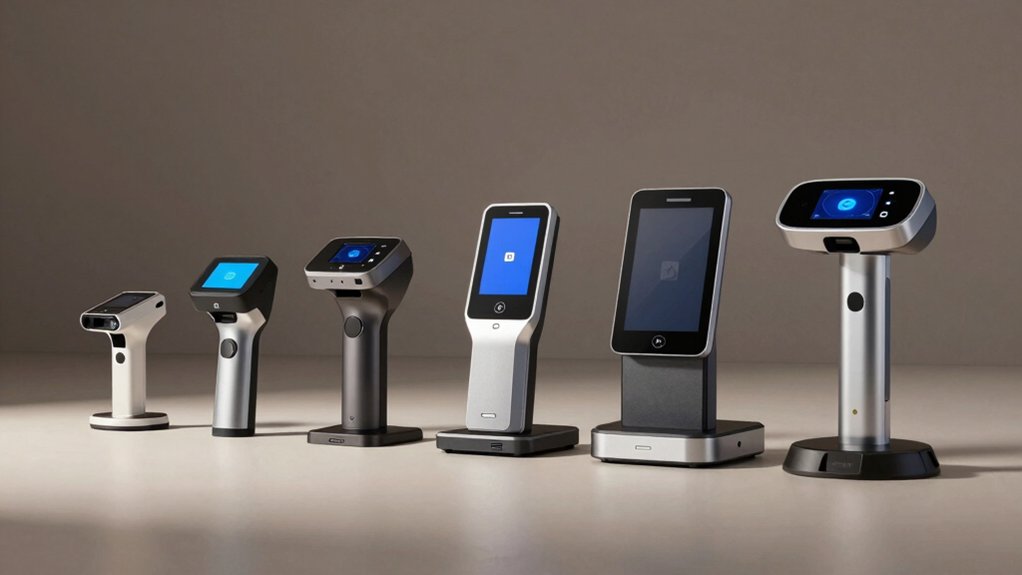

You’re running a dispensary and need to verify customer IDs quickly without errors. The right scanner streamlines your checkout process, protects you legally, and keeps your operation compliant. But not all scanners work the same way—some read all state licenses, others integrate with your POS system, and some offer cloud backup for your records. Before you choose, you’ll want to understand which features matter most for your specific setup.
| IDVisor Smart V2 ID Scanner & Age Verification |

| Best Overall | ID Reading Capability: Passports, all 50 state IDs, Canadian provinces, Military IDs via 2D barcode | Age Verification: Automatic age calculation with color-coded alerts and challenge questions | Data Export/Management: Excel export via USB/WiFi; cloud upload/download via IDVisor Sync | VIEW LATEST PRICE | Read Our Analysis |
| Swish S1 Medical Insurance and Photo ID Scanner |

| Best for Insurance Cards | ID Reading Capability: Photo IDs, insurance cards, medical cards, driver licenses (image capture only) | Age Verification: No age verification capability | Data Export/Management: PDF/JPEG/TIF/BMP formats to PC folders or network | VIEW LATEST PRICE | Read Our Analysis |
| ViAge Solutions ID Scanner Driver’s License CAV2000 |

| Budget-Friendly Pick | ID Reading Capability: Magnetic stripe IDs from 8 compatible states only | Age Verification: Automatic age calculation with expired ID alerts | Data Export/Management: No export capability; stand-alone display only | VIEW LATEST PRICE | Read Our Analysis |
| Medical Insurance Card and ID Card Scanner (w/Scan-ID LITE for Windows) |

| Compact & Affordable | ID Reading Capability: Medical insurance cards, IDs, photos (image capture only) | Age Verification: No age verification capability | Data Export/Management: PDF/JPEG/TIF formats; TWAIN compliant with imaging apps | VIEW LATEST PRICE | Read Our Analysis |
| IDVisor Smart Plus ID Scanner with 5″ LCD Screen |

| Premium Choice | ID Reading Capability: Passports, all 50 state IDs, Canadian provinces, Military IDs via 2D barcode | Age Verification: Automatic age calculation with color-coded alerts and challenge questions | Data Export/Management: Excel export via USB/WiFi; optional cloud database sync | VIEW LATEST PRICE | Read Our Analysis |
More Details on Our Top Picks
IDVisor Smart V2 ID Scanner & Age Verification
Are you running a dispensary where speed and accuracy matter? The IDVisor Smart V2 reads IDs from all 50 states, Canadian provinces, and military credentials in under one second. You’ll receive automatic age calculations with color-coded alerts—yellow, red, and green—for immediate verification. The device flags underage and expired IDs instantly. You can customize age thresholds to match your jurisdiction’s requirements and add challenge questions like zodiac signs or state capitals. The scanner stores up to 50,000 customer records with two photos each, tracks repeat visitors, and tags VIP or banned customers with custom notes. Export your data via USB or WiFi to Excel for record-keeping.
- ID Reading Capability:Passports, all 50 state IDs, Canadian provinces, Military IDs via 2D barcode
- Age Verification:Automatic age calculation with color-coded alerts and challenge questions
- Data Export/Management:Excel export via USB/WiFi; cloud upload/download via IDVisor Sync
- Scanning Speed:Less than 1 second per scan
- Platform Compatibility:Windows 7+, MAC, Linux via USB
- Battery/Power Operation:12+ hour battery; 350+ hour standby; includes spare battery
- Additional Feature:Find My Device GPS tracking
- Additional Feature:VIP/Banned customer tagging
- Additional Feature:Holds 100,000 photos onboard
Swish S1 Medical Insurance and Photo ID Scanner
If you’re running a dispensary that needs quick, reliable ID verification without complicated setup, the Swish S1 offers a straightforward solution. This USB scanner captures high-resolution images of IDs, insurance cards, and licenses using a drop-and-scan design—no narrow slots required. It’s Windows-compatible and self-powered from your USB port, taking up minimal desk space at 5.2 by 4.5 inches. The included ScanToFile app saves images as PDF, JPEG, TIF, or BMP files to your chosen folders. Dual-side scanning technology captures both front and back, combining them into one composite image. TWAIN compliance lets you integrate it with your existing practice management systems for seamless workflow.
- ID Reading Capability:Photo IDs, insurance cards, medical cards, driver licenses (image capture only)
- Age Verification:No age verification capability
- Data Export/Management:PDF/JPEG/TIF/BMP formats to PC folders or network
- Scanning Speed:No speed specification provided
- Platform Compatibility:Windows only; NOT MAC compatible
- Battery/Power Operation:USB powered; no external power required
- Additional Feature:Drop-and-scan card design
- Additional Feature:Dual-side composite image capture
- Additional Feature:No external power required
ViAge Solutions ID Scanner Driver’s License CAV2000
The ViAge Solutions CAV2000 works best for dispensaries operating in states where magnetic stripe readers remain compatible: Alabama, Arizona, Colorado, Louisiana, Minnesota, New Mexico, Ohio, and British Columbia in Canada. This portable scanner reads only magnetic stripe IDs and doesn’t process barcode-formatted cards. You’ll swipe a customer’s driver’s license once, and the device immediately displays their age, name, and date of birth on its graphic LCD screen. If an ID’s expired, the scanner alerts you with a double beep and shows an expired message. The CAV2000 operates standalone using an adaptor or two AA batteries, requiring no contracts or fees. Setup takes no training—you simply implement it and start scanning.
- ID Reading Capability:Magnetic stripe IDs from 8 compatible states only
- Age Verification:Automatic age calculation with expired ID alerts
- Data Export/Management:No export capability; stand-alone display only
- Scanning Speed:Simple one-swipe operation with no training required
- Platform Compatibility:Stand-alone device; no computer required
- Battery/Power Operation:2 AA batteries or AC adapter; stand-alone operation
- Additional Feature:Magnetic stripe reader technology
- Additional Feature:Simple one-swipe operation
- Additional Feature:Audio/buzzer alert system
Medical Insurance Card and ID Card Scanner (w/Scan-ID LITE for Windows)
Looking for a budget-friendly scanner that handles medical insurance cards and standard IDs without requiring driver’s license verification? The BCR901 Simplex USB scanner offers a compact solution for your dispensary. This single-sided optical scanner captures medical insurance cards, laminated IDs, and photos directly to PDF, JPEG, or TIF formats. The included Scan-ID LITE software automatically saves scanned images to designated folders while managing your card image database. You’ll manually enter all card information into your system. The scanner works with Windows computers only and integrates with TWAIN-compliant applications used in banking, medical, and healthcare environments. Mount it horizontally or vertically based on your workspace layout.
- ID Reading Capability:Medical insurance cards, IDs, photos (image capture only)
- Age Verification:No age verification capability
- Data Export/Management:PDF/JPEG/TIF formats; TWAIN compliant with imaging apps
- Scanning Speed:No speed specification provided
- Platform Compatibility:Windows only; NOT MAC compatible
- Battery/Power Operation:USB powered; no external power required
- Additional Feature:Ultra-compact horizontal/vertical mounting
- Additional Feature:TWAIN compliant integration
- Additional Feature:Automatic image folder saving
IDVisor Smart Plus ID Scanner with 5″ LCD Screen
Want a scanner that delivers results in one second flat while giving you a display large enough to read without squinting? The IDVisor Smart Plus offers exactly that with its 5″ LCD screen and rapid scanning capability. You’ll scan passports, driver’s licenses from all 50 states, and military IDs instantly. The device runs 12+ hours on battery power, includes a charger cradle and hand strap, and provides lifetime software updates. You’ll receive age verification alerts, customize checks by jurisdiction, and tag customers as VIP or banned. Export scan records to Excel via WiFi or USB, track occupancy and visit times, and locate your scanner remotely through GPS if needed.
- ID Reading Capability:Passports, all 50 state IDs, Canadian provinces, Military IDs via 2D barcode
- Age Verification:Automatic age calculation with color-coded alerts and challenge questions
- Data Export/Management:Excel export via USB/WiFi; optional cloud database sync
- Scanning Speed:1 second per scan
- Platform Compatibility:Not explicitly specified; implies Windows based on software features
- Battery/Power Operation:12+ hour battery; 350+ hour standby
- Additional Feature:Extra large 5″ LCD display
- Additional Feature:Remote lock/erase capability
- Additional Feature:Loyalty membership assignment feature
Factors to Consider When Choosing ID Scanners for Dispensaries
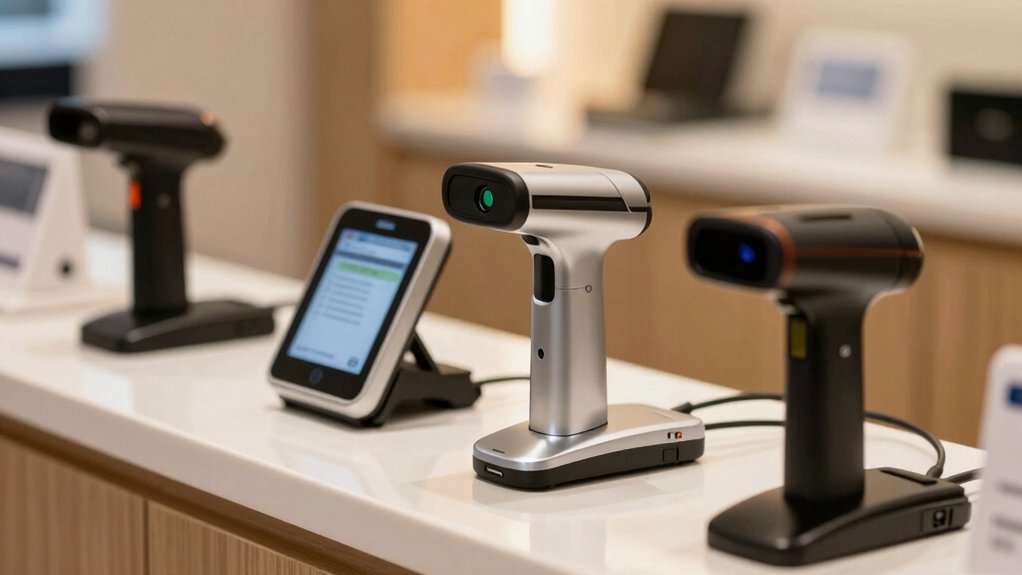
When selecting an ID scanner for your dispensary, you’ll need to evaluate five critical factors: geographic compatibility requirements that match your state’s regulations, speed and scanning performance that keeps lines moving efficiently, age verification features that prevent underage sales, data management capabilities that secure customer information, and durability and portability that withstand daily use in your specific environment. Start by confirming which scanner models comply with your state’s ID verification standards, then compare scan times across options to identify which reduces customer wait times. Finally, assess each device’s build quality, data encryption standards, and whether its size and weight fit your counter layout and budget constraints.
Geographic Compatibility Requirements
Does your ID scanner actually work in every state where your dispensary operates? You must verify that your device supports all required states and regions before purchasing. Check the vendor’s compatibility list against your operating locations, including any recent changes to state support. Confirm whether the scanner reads magnetic stripes, barcodes, and embedded chip data, as different states use different ID formats. Determine if the device accepts both U.S. and Canadian IDs, plus whether it excludes specific jurisdictions. Review the scanner’s jurisdiction-specific age verification rules and confirm these thresholds match your local laws. Finally, assess whether the vendor provides timelines for updating support in restricted or newly regulated states to ensure long-term compliance.
Speed And Scanning Performance
Narrowing down your ID scanner choice requires you to prioritize scanning speed and reliability, since these factors directly impact your dispensary’s efficiency during peak hours. Look for models that complete reads in approximately one second per ID or passport, enabling you to process customers quickly without creating bottlenecks at checkout. Evaluate devices using 2D barcodes or magnetic stripe technology, which capture data faster than manual entry and reduce verification time. Choose drop-and-scan or swipe designs that minimize handling and jam risks, keeping your throughput consistent. Consider dual-side imaging capabilities that capture front and back information simultaneously, improving data completeness in a single action. Test scanners under your typical conditions—lighting, card wear, and thickness variations—to ensure they maintain performance reliability and reduce costly re-scans.
Age Verification Features
How can you make certain your dispensary catches every underage customer and expired ID without slowing down your checkout process? Choose a scanner with automated age calculation and color-coded warnings. Yellow alerts flag customers nearing your age threshold, while green indicates compliant ages and red stops underage sales immediately. Set customizable age thresholds matching your jurisdiction’s requirements directly into the system. Configure pop-up notifications for expired IDs, flagged records, and banned customers. Add challenge questions—zodiac signs, state capitals, or area codes—as a secondary verification layer beyond visual checks. This two-step approach catches false IDs and ensures staff respond promptly to risk indicators. Your scanner should deliver these features without creating bottlenecks at the register.
Data Management Capabilities
What’ll really set your dispensary up for success is choosing an ID scanner that handles your data intelligently and securely. You need export capabilities that let you download scan histories and customer records to Excel via USB or WiFi. Built-in CRM features distinguish new from returning clients and flag important notes for VIP or banned customers. Select systems offering cloud or local backup options so you can upload, download, and synchronize ID data across multiple devices. Verify the scanner outputs records in common formats—PDF, JPEG, TIFF, BMP—and saves to your specified folders or network locations. Finally, confirm the system includes secure remote features like Find My Device and remote lock/erase, plus data governance controls such as expiration rules and audit trails.
Durability And Portability
While data management keeps your operations running smoothly behind the scenes, the physical durability and portability of your ID scanner determine whether it’ll survive the demanding daily reality of a busy dispensary floor. Look for ruggedized housing that withstands drops from at least 5 feet onto concrete. Choose compact designs measuring roughly 5–6 inches tall and 3 inches wide to fit easily into checkout areas. Verify splash or water resistance for protection against spills common in retail environments. Select lightweight models with secure carry straps or ergonomic grips for handheld scanning during peak hours. Confirm battery life of 12+ hours minimum with hot-swappable power options. These features directly reduce downtime, replacement costs, and workflow interruptions throughout your shift.
Long-Term Cost Considerations
Several cost factors extend beyond the initial scanner purchase and directly impact your dispensary’s budget over time. Calculate total ownership by adding upfront device costs, accessories like cradles and spare batteries, and recurring software fees. Confirm whether vendors charge monthly subscriptions for cloud services or updates, as some claim no fees but require payments later. Battery life matters considerably—choose scanners lasting 12+ hours to avoid productivity gaps during shifts. Evaluate data export options: USB or WiFi compatibility with Excel and CSV formats reduces integration costs with your existing POS system. Finally, assess warranty coverage and support availability. A one-year manufacturer warranty protects against accidental damage, while lifetime software updates and US-based support prevent expensive migrations down the road.
Final Thoughts
You’ll want to select an ID scanner that matches your dispensary’s specific needs. Compare each model’s speed, compatibility with your POS system, and backup options. Test the device’s durability and battery life before committing. Verify that it reads all required ID types in your state. Check warranty coverage and support availability. Once you’ve matched your requirements to a scanner’s features, you’re ready to implement it into your daily operations.

Meet Ry, “TechGuru,” a 36-year-old technology enthusiast with a deep passion for tech innovations. With extensive experience, he specializes in gaming hardware and software, and has expertise in gadgets, custom PCs, and audio.
Besides writing about tech and reviewing new products, he enjoys traveling, hiking, and photography. Committed to keeping up with the latest industry trends, he aims to guide readers in making informed tech decisions.