


When your iPad Air M2 or M3 screen cracks or fails, you’ll need to find a replacement LCD that matches your device’s model number and size. You can choose from budget-friendly options or premium packages with better coatings and warranties. Each replacement comes with different tools and installation guides. Before you decide which screen fits your needs and budget, you should understand what makes each option distinct.
| 11″ LCD Screen Replacement for iPad Air 6 M2/Air 7 M3 Repair Tools & Guide |

| Complete Repair Solution | Compatible iPad Air Models: iPad Air 11″ M2 (2024) & M3 (2025) | Screen Assembly Type: Complete LCD display + touch digitizer assembly | Installation Tools Included: Repair kit (specific tools not detailed) | VIEW LATEST PRICE | Read Our Analysis |
| LCD Display Replacement for iPad Air 6 11 |
| Budget-Friendly Pick | Compatible iPad Air Models: iPad Air 6 11″ (2024) M2/M3 | Screen Assembly Type: LCD display + touch screen digitizer assembly | Installation Tools Included: Special removal tools (screwdriver color varies) | VIEW LATEST PRICE | Read Our Analysis |
| 11″ for iPad Air 6 6th (2024) M2/ Air 7 7th (2025) M3 Screen Replacement |

| Best Overall | Compatible iPad Air Models: iPad Air 11″ M2 (2024) 6th Gen & M3 (2025) 7th Gen | Screen Assembly Type: LCD display + touch digitizer assembly | Installation Tools Included: Tools included (specific types not detailed) | VIEW LATEST PRICE | Read Our Analysis |
| Compatible iPad Air 13″ LCD Touch Screen Assembly |

| 13-Inch Specialist | Compatible iPad Air Models: iPad Air 13″ (2024-2025) M2/M3 | Screen Assembly Type: IPS LCD panel + integrated touch digitizer | Installation Tools Included: Not specified in product details | VIEW LATEST PRICE | Read Our Analysis |
| ZTR iPad Air 6/7 Screen Replacement LCD Display |

| Premium Tool Kit | Compatible iPad Air Models: iPad Air 6/7 11″ (M2 2024 & M3 2025) | Screen Assembly Type: Full-coverage LCD with anti-fingerprint + touch | Installation Tools Included: Screwdriver bits, metal scraper, pry bar, suction cup, triangle tools, card pin | VIEW LATEST PRICE | Read Our Analysis |
| iPad Air 11 inch LCD Screen Replacement Kit (M2 2024) |
| Best Value | Compatible iPad Air Models: iPad Air 11″ M2 (2024) 6th Generation | Screen Assembly Type: LCD display + glass touch digitizer assembly | Installation Tools Included: Screwdriver, opening tool, spudger, tweezers, cleaning cloth, adhesive pad | VIEW LATEST PRICE | Read Our Analysis |
| Screen Replacement for iPad Air 11 LCD Display |

| Professional Grade | Compatible iPad Air Models: iPad Air 11″ (2026) | Screen Assembly Type: Pre-laminated LCD + digitizer with Liquid Retina display | Installation Tools Included: Precision screwdrivers, spudgers, suction cup, adhesive strips, tweezers | VIEW LATEST PRICE | Read Our Analysis |
| LCD Touch Screen Digitizer for iPad Air 6 |

| Budget Pick | Compatible iPad Air Models: iPad Air 6 11″ | Screen Assembly Type: LCD display + touch screen digitizer assembly | Installation Tools Included: Tool included (specific types not detailed) | VIEW LATEST PRICE | Read Our Analysis |
More Details on Our Top Picks
11″ LCD Screen Replacement for iPad Air 6 M2/Air 7 M3 Repair Tools & Guide
If you’ve got a cracked, unresponsive, or malfunctioning display, this replacement screen offers you a complete repair solution with everything included. The assembly fits iPad Air 11-inch M2 (2024) and M3 (2025) models, so verify your model number first: A2902, A2903, A2904, A3266, A3267, or A3270. Your package contains the LCD screen assembly, installation guide, and repair kit with necessary tools. Each screen undergoes testing before shipping to ensure clear display, responsive touch, and no defects. The illustrated instructions and installation video guide you through the replacement process step-by-step. Customer support is available 24/7 if you encounter issues during installation.
- Compatible iPad Air Models:iPad Air 11″ M2 (2024) & M3 (2025)
- Screen Assembly Type:Complete LCD display + touch digitizer assembly
- Installation Tools Included:Repair kit (specific tools not detailed)
- Quality Testing & Warranty:Pre-shipment tested; product warranty available
- Package Dimensions:12.05 x 9.06 x 1.42 inches
- Installation Requirements:Illustrated instructions & installation video provided
- Additional Feature:24/7 online customer support
- Additional Feature:Tests for dead pixels/lines
- Additional Feature:Like-new display restoration
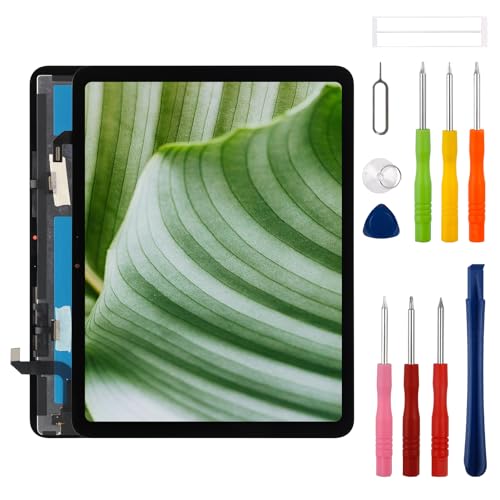
LCD Display Replacement for iPad Air 6 11
Need a budget-friendly pick for your cracked or malfunctioning iPad Air 6 screen? This replacement assembly fits iPad Air 6 11″ 2024 and M2/M3 models A2902, A2903, A2904. You’ll receive one IPS TFT Corning Gorilla Glass display and a special removal tools kit. Before installing, watch YouTube tutorials and power off your device completely. Disconnect the battery to prevent damage. Handle the flex cable carefully—pulling it causes black screens or blurred displays. Mark all screws by size and location since they vary. Keep the screen away from keys, coins, and magnets. The manufacturer offers replacement services if transportation or performance issues occur. Contact customer support within 24 hours with any questions.
- Compatible iPad Air Models:iPad Air 6 11″ (2024) M2/M3
- Screen Assembly Type:LCD display + touch screen digitizer assembly
- Installation Tools Included:Special removal tools (screwdriver color varies)
- Quality Testing & Warranty:100% QC tested before shipment; product warranty available
- Package Dimensions:11.61 x 7.76 x 1.61 inches
- Installation Requirements:YouTube instruction video recommended; professional installation advised
- Additional Feature:Corning Gorilla Glass screen
- Additional Feature:Upgraded repair tools kit
- Additional Feature:100% QC tested
11″ for iPad Air 6 6th (2024) M2/ Air 7 7th (2025) M3 Screen Replacement
Replacing your iPad Air 11″ M2 screen doesn’t have to be complicated. First, confirm your model number—A2902, A2903, or A2904—in General Settings. Ground yourself with an ESD strap to prevent static damage, then disconnect the battery. Connect the flex cable carefully, avoiding bends over 90 degrees that cause dark displays. Test the screen before reassembling by restarting your device. If testing passes, proceed with full installation. If issues occur, contact support for free replacement on qualifying defects. This replacement kit includes tools and a professional-grade display matching original quality.
- Compatible iPad Air Models:iPad Air 11″ M2 (2024) 6th Gen & M3 (2025) 7th Gen
- Screen Assembly Type:LCD display + touch digitizer assembly
- Installation Tools Included:Tools included (specific types not detailed)
- Quality Testing & Warranty:Professionally inspected; free replacement for qualifying issues; product warranty available
- Package Dimensions:0.39 x 0.39 x 0.39 inches
- Installation Requirements:Test before full install; ground with ESD strap; avoid static damage
- Additional Feature:ESD strap grounding recommended
- Additional Feature:Reinforced hard cowhide packaging
- Additional Feature:Free replacement for defects
Compatible iPad Air 13″ LCD Touch Screen Assembly
This 13-inch specialist assembly suits you if you’re repairing iPad Air models from 2024-2025. The IPS LCD panel delivers clear visuals while the integrated touch digitizer simplifies installation. You’ll get responsive touch performance that handles daily use reliably. Before you install it, the screen’s already passed function tests at the factory, so you’re receiving a verified component. This assembly fits iPad Air 6th and 7th generation models precisely, matching model numbers A2898, A2899, A3268, and A3269. The package weighs 1.76 ounces and measures 3.94 inches per side, making it compact for shipping and storage. Follow standard LCD assembly installation procedures to complete your repair efficiently.
- Compatible iPad Air Models:iPad Air 13″ (2024-2025) M2/M3
- Screen Assembly Type:IPS LCD panel + integrated touch digitizer
- Installation Tools Included:Not specified in product details
- Quality Testing & Warranty:Function tests before delivery; product warranty available
- Package Dimensions:3.94 x 3.94 x 3.94 inches
- Installation Requirements:Not specified in details
- Additional Feature:Integrated touch digitizer assembly
- Additional Feature:13-inch precise fitment
- Additional Feature:Function tested before delivery
ZTR iPad Air 6/7 Screen Replacement LCD Display
ZTR’s premium tool kit serves iPad Air 6 and 7 owners who need a complete screen replacement solution. You’ll receive the LCD display, screw handle, three screwdriver bits, metal scraper, plastic pry bar, suction cup, two triangle opening tools, and card pin. Before starting, watch YouTube installation videos to understand the process thoroughly. Handle components carefully to prevent damage. The full-coverage LCD features anti-fingerprint coating and smooth touch response. All screens undergo rigorous double testing before shipment. If problems occur after delivery, contact customer service for assessment and solutions. The kit fits iPad Air 6 (M2) 2024 and Air 7 (M3) 2025 models A2902, A2903, A2904, A3266, A3267, and A3270.
- Compatible iPad Air Models:iPad Air 6/7 11″ (M2 2024 & M3 2025)
- Screen Assembly Type:Full-coverage LCD with anti-fingerprint + touch
- Installation Tools Included:Screwdriver bits, metal scraper, pry bar, suction cup, triangle tools, card pin
- Quality Testing & Warranty:Strict QC double testing; product warranty available
- Package Dimensions:0.08 x 9.75 x 7 inches
- Installation Requirements:Prior installation experience required; YouTube video recommended
- Additional Feature:Anti-fingerprint full coverage
- Additional Feature:Nine-piece tool kit included
- Additional Feature:Double QC testing process
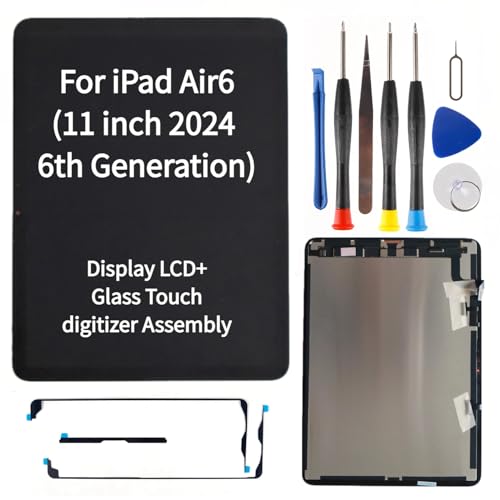
iPad Air 11 inch LCD Screen Replacement Kit (M2 2024)
If your 11-inch iPad Air M2 (2024) displays dead pixels, color bleeding, or a dim backlight, this factory-direct LCD assembly restores your screen without overpaying for dealer service. You’ll receive a complete LCD display with glass touch digitizer, plus a premium tool kit containing a screwdriver, opening tool, nylon spudger, tweezers, cleaning cloth, and adhesive removal pad. Before starting, power off your device completely. After installation, test the touch functionality thoroughly and verify all connectors are fully seated. The kit covers model numbers A2902, A2903, and A2904. YQD backs this replacement with a three-month warranty for manufacturing defects. Factory testing ensures quality before shipment arrives at your door.
- Compatible iPad Air Models:iPad Air 11″ M2 (2024) 6th Generation
- Screen Assembly Type:LCD display + glass touch digitizer assembly
- Installation Tools Included:Screwdriver, opening tool, spudger, tweezers, cleaning cloth, adhesive pad
- Quality Testing & Warranty:Factory tested before shipping; 3-month warranty
- Package Dimensions:13 x 10 x 1.5 inches
- Installation Requirements:Power off before assembly; test touch before full installation
- Additional Feature:Glass touch digitizer included
- Additional Feature:Premium 6-piece tool kit
- Additional Feature:3-month quality warranty
Screen Replacement for iPad Air 11 LCD Display
Your iPad Air 11 needs a professional-grade LCD replacement? This full LCD digitizer assembly delivers Liquid Retina clarity at 1668×2420 pixels with 500 nits brightness. The pre-laminated screen integrates touch functionality and arrives with pre-installed adhesive, eliminating messy glue application. You’ll receive precision tools: screwdrivers, spudgers, suction cup, and tweezers. Compatible with iPad Air 11 models A3460, A3463, and A3459, this solution preserves your existing Touch ID. Follow the included QR code tutorial, disconnect your battery, secure ribbon cables, and transfer your home button using the provided bracket. Quality control includes pixel verification and multi-touch testing. A-MIND backs this product with a three-month warranty against manufacturing defects.
- Compatible iPad Air Models:iPad Air 11″ (2026)
- Screen Assembly Type:Pre-laminated LCD + digitizer with Liquid Retina display
- Installation Tools Included:Precision screwdrivers, spudgers, suction cup, adhesive strips, tweezers
- Quality Testing & Warranty:Rigorous quality control + pixel/touch/color tests; 3-month warranty
- Package Dimensions:0.39 x 0.39 x 0.39 inches
- Installation Requirements:QR code tutorial video; step-by-step guidance; power down & disconnect battery
- Additional Feature:Pre-installed professional adhesive included
- Additional Feature:Home button bracket alignment
- Additional Feature:QR code video tutorial
LCD Touch Screen Digitizer for iPad Air 6
The budget-friendly LCD Touch Screen Digitizer Assembly works as a replacement display for your 11-inch iPad Air 6 when the original screen cracks, shatters, or stops responding to touch. You’ll receive one LCD display and one tool in your package. Before installing, confirm your iPad model matches the 11-inch Air 6. During installation, clean the connector carefully and restart your tablet after connecting the display. If touch doesn’t work, power off and retry. Should problems persist, consult a professional video or technician, as improper installation can damage the LCD. The manufacturer offers a three-month guarantee with six-month coverage for quality defects. Professional installation is recommended to avoid damage.
- Compatible iPad Air Models:iPad Air 6 11″
- Screen Assembly Type:LCD display + touch screen digitizer assembly
- Installation Tools Included:Tool included (specific types not detailed)
- Quality Testing & Warranty:Tested before shipping; 3-month guarantee with 6-month exchange option
- Package Dimensions:0.39 x 0.39 x 0.39 inches
- Installation Requirements:Professional installation recommended; watch professional video; restart after LCD connection
- Additional Feature:Tempered glass included
- Additional Feature:6-month exchange eligibility
- Additional Feature:Film peel protection included
Factors to Consider When Choosing an iPad Air M2 and M3 11″ and 13″ Replacement LCD Screen

When you select a replacement LCD screen for your iPad Air M2 or M3, you’ll need to verify compatibility with your specific model size (11″ or 13″) and generation to ensure proper fit and function. You should evaluate the LCD quality by checking the display resolution, color accuracy, and brightness specifications, then assess the touch digitizer’s responsiveness through user reviews or product specifications that confirm fast and accurate touch recognition. Finally, you’ll want to compare the installation difficulty level by reviewing repair guides and checking whether the package includes necessary tools like adhesive strips, screen removal picks, and screwdrivers, since these factors affect both your repair timeline and overall project cost.
Compatibility With Your Model
How do you know which replacement LCD screen will really fit your iPad Air? Start by locating your model number in Settings under General > About. You’ll find it listed as A2902, A2903, or A2904 for 11-inch models, or A2898, A2899, A3268, or A3269 for 13-inch variants. Match this number exactly to your replacement listing. Next, confirm your screen size—11-inch or 13-inch—since physical dimensions differ between these versions. Verify your generation: iPad Air 6th Gen uses M2 chips (2024), while 7th Gen features M3 chips (2025). Finally, check whether you need a complete LCD plus digitizer assembly or just the glass layer. This distinction determines what components you’re really replacing and ensures compatibility with your specific device.
LCD Quality And Display Performance
Start by understanding that LCD quality directly affects your iPad Air’s visual experience, and you’ll want to prioritize several key factors when comparing replacement screens. Check the panel type—IPS LCD panels on 11-inch models provide wide viewing angles and accurate color reproduction. For 13-inch replacements, verify that brightness and color rendering match your original display standards. Examine resolution specifications like 1668×2420 to ensure sharpness and detail preservation. Review testing guarantees that confirm dead pixel checks, line inspections, and backlight uniformity before shipping. Consider anti-reflective or anti-fingerprint treatments to reduce smudges and maintain clarity long-term. Compare these specifications across your options to select the LCD that best restores your device’s display performance.
Touch Digitizer Responsiveness
Why does your iPad Air’s touch screen sometimes feel sluggish or unresponsive after a screen replacement? The digitizer—the layer detecting your touches—requires proper installation to function correctly. ensure the flex cable connecting your digitizer sits fully in its connector without bends exceeding 90 degrees. Misaligned or loose cables delay touch input significantly. Before completing installation, test the digitizer’s responsiveness by tapping across the entire screen surface. High-quality replacement kits include pre-installed adhesive and alignment guides that maintain consistent touch performance after sealing. Match your digitizer and LCD display signals precisely; mismatched components cause lag or misinterpreted taps. Avoid static discharge and prevent touching integrated circuits during handling. These steps guarantee reliable touch responsiveness on your replacement screen.
Installation Difficulty Level
When you’re selecting a replacement LCD screen for your iPad Air M2 or M3, the installation difficulty level directly affects whether you’ll handle the job yourself or seek professional help. Some kits require professional installation and demand careful procedures like disconnecting the battery and using an ESD strap to prevent damage. You’ll encounter varying complexity levels across different kits. Many include full repair toolkits with pre-installed adhesive and alignment aids to simplify assembly. Others warn against bending cables or touching IC areas, requiring precision handling. Before committing to installation, watch instructional videos or QR-code tutorials specific to your model. Test the LCD by connecting flex cables and verifying display function, touch response, and image quality before final assembly.
Included Repair Tools
What’s included in your replacement LCD kit will substantially impact whether you can complete the installation yourself or need to hire a technician. Some kits provide comprehensive toolsets featuring screwdrivers, spudgers, suction cups, pry bars, and opening tools. Others include only the LCD assembly with minimal equipment. Before purchasing, verify what tools you already own to avoid duplicate purchases. Check whether the kit contains an installation guide or QR video for reference during repair. Review listings carefully for anti-static protection requirements and testing procedures. Kits offering tested-before-shipment assurance reduce risk of defective displays arriving at your location. Prioritize kits that include organized screw storage systems to prevent losing hardware during reassembly. Comprehensive toolsets eliminate additional shopping trips and reduce installation frustration.
Warranty And Support Coverage
Once you’ve confirmed that your kit includes the right tools, you’ll want to examine the warranty and support options before completing your purchase. Most sellers offer warranties covering manufacturing defects and quality issues, typically lasting three months. Review the specific coverage terms on each product page to understand what’s included and excluded. Check whether the seller provides free replacement for qualifying defects and whether they conduct pre-dispatch testing. Locate the support contact method—usually an online messaging system or support link. Verify the promised response time, commonly within 24 hours. Note that warranties typically exclude damage from improper installation or user error. Contact the seller directly if you have questions about coverage before buying.
Packaging And Shipping Protection
Proper packaging and shipping protection directly affect whether your replacement LCD screen arrives in working condition. Look for sellers who use reinforced hard boxes with cushioning foam specifically designed for LCD protection. Verify that listings detail precise dimensions and weights to confirm your screen fits securely in protective materials. Check whether vendors conduct pre-dispatch testing and quality checks to identify damaged units before shipping. Confirm that packaging includes anti-static precautions, since static electricity can damage sensitive components during handling. Prioritize sellers offering double testing and QC processes with warranties covering packaging-related damage. Review seller policies on how they handle transit issues. These protections significantly reduce the risk of receiving a defective screen, saving you time and money on replacements or returns.
Final Thoughts
You’ll want to verify your iPad Air’s model number (A2902-A2904 for 11″, A2898-A3269 for 13″) before purchasing. Compare budget and premium options like ZTR or A-MIND packages based on your needs. Check that kits include tools and guides. Confirm pre-shipment testing certifications for touch responsiveness and clarity. Install following provided instructions carefully, or consider professional repair if you’re uncomfortable with the process.

TechGuru
Meet Ry, "TechGuru," a 36-year-old technology enthusiast with a deep passion for tech innovations. With extensive experience, he specializes in gaming hardware and software, and has expertise in gadgets, custom PCs, and audio.
Besides writing about tech and reviewing new products, he enjoys traveling, hiking, and photography. Committed to keeping up with the latest industry trends, he aims to guide readers in making informed tech decisions.
Read author profile →

