
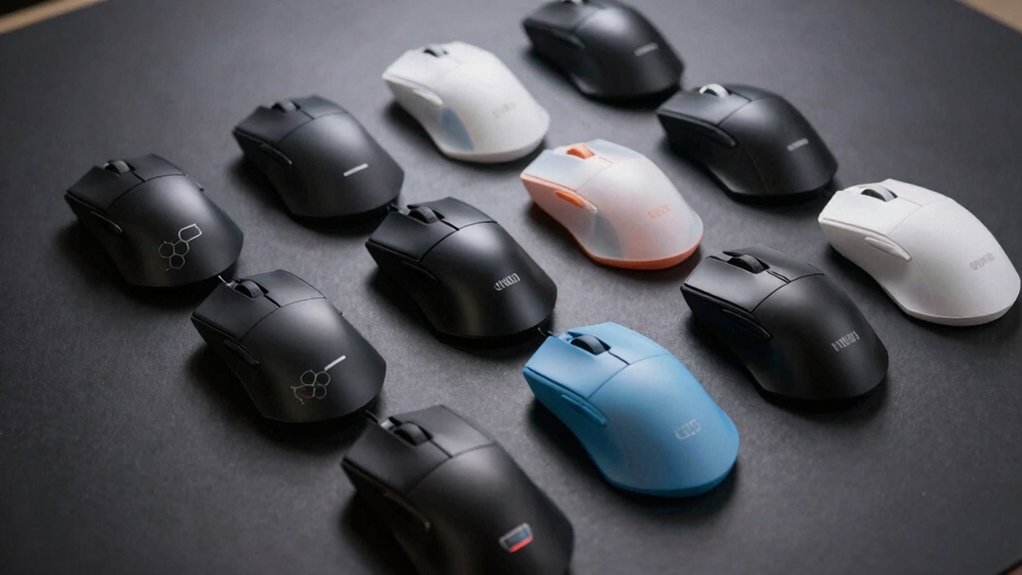

If you’re serious about gaming performance, your mouse weight matters more than you might think. A lighter mouse reduces arm fatigue and lets you make faster, more precise movements during competitive play. You’ll find options ranging from 36 grams to under 50 grams, each with different sensor speeds and connection types. The question isn’t just how light—it’s which lightweight option matches your specific gaming needs and budget. Here’s what you should know.
| Logitech G PRO X Superlight Wireless Gaming Mouse |

| Esports Professional Choice | Weight: Under 63g | Sensor Type & DPI: Hero 25K sensor | Connectivity: Lightspeed wireless | VIEW LATEST PRICE | Read Our Analysis |
| ATTACK SHARK X3 Lightweight Wireless Gaming Mouse |

| Best All-Around Value | Weight: 49g | Sensor Type & DPI: PAW3395 26K DPI optical sensor | Connectivity: Bluetooth 5.2, 2.4GHz wireless, USB-C wired | VIEW LATEST PRICE | Read Our Analysis |
| Corsair Sabre v2 PRO Wireless Gaming Mouse |

| Ultimate Lightweight Champion | Weight: 36g | Sensor Type & DPI: MARKSMAN S sensor, 33,000 DPI | Connectivity: Wireless or wired | VIEW LATEST PRICE | Read Our Analysis |
| Razer Viper V3 Pro Wireless Gaming Mouse |

| Tournament-Ready Precision | Weight: 54g | Sensor Type & DPI: Focus Pro 35K Optical Sensor Gen-2 | Connectivity: 8000 Hz HyperPolling wireless | VIEW LATEST PRICE | Read Our Analysis |
| Logitech G305 Lightspeed Wireless Gaming Mouse |

| Best Battery Life | Weight: 3.4 oz (96g) | Sensor Type & DPI: HERO sensor, 12,000 DPI | Connectivity: LIGHTSPEED wireless | VIEW LATEST PRICE | Read Our Analysis |
| SteelSeries Aerox 5 RGB Gaming Mouse Ultra-Lightweight |

| Most Durable Build | Weight: 59g | Sensor Type & DPI: TrueMove Air optical sensor | Connectivity: Wireless | VIEW LATEST PRICE | Read Our Analysis |
| Redragon M724 Ultra-Light Wired Gaming Mouse |

| Budget Wired Option | Weight: 42g | Sensor Type & DPI: Optical sensor, 12,400 DPI | Connectivity: Wired USB | VIEW LATEST PRICE | Read Our Analysis |
| GravaStar Mercury M2 Wireless Gaming Mouse 26000 DPI |

| Most Customizable Features | Weight: 79g | Sensor Type & DPI: PAW3395DM sensor, 26,000 DPI | Connectivity: 2.4G wireless, Bluetooth, wired | VIEW LATEST PRICE | Read Our Analysis |
| ARBITER Akitsu Small Carbon Fiber Gaming Mouse 38g |

| Premium Carbon Fiber | Weight: 38g | Sensor Type & DPI: PIXART 3395 optical sensor | Connectivity: 8K wireless polling (8000Hz) | VIEW LATEST PRICE | Read Our Analysis |
| Aula SC620 Wireless Gaming Mouse with RGB Light |
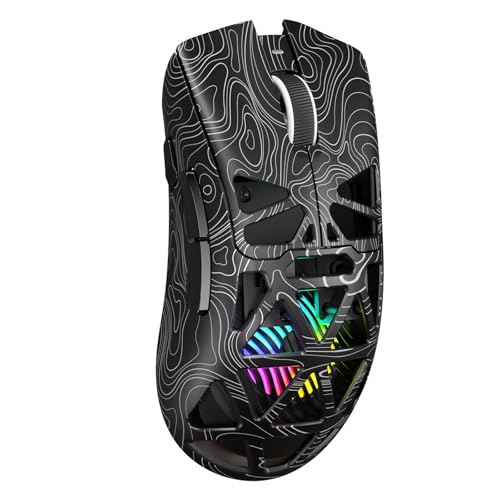
| Best Connectivity Options | Weight: 67g | Sensor Type & DPI: 12,000 DPI adjustable sensor | Connectivity: 2.4GHz wireless, BT5.3, wired USB | VIEW LATEST PRICE | Read Our Analysis |
More Details on Our Top Picks
Logitech G PRO X Superlight Wireless Gaming Mouse
If you’re a competitive gamer who needs the fastest, lightest mouse available, the Logitech G PRO X Superlight Wireless Gaming Mouse delivers what you’re looking for. Weighing under 63 grams, it reduces weight by approximately 25% compared to the standard PRO Wireless model. The mouse features Lightspeed wireless technology for reliable connectivity and includes a Hero 25K sensor that provides precise, fast response. Large PTFE feet enable smooth gliding across surfaces. You’ll need Windows 8 or later, or macOS 10.11 or later. The package includes a USB receiver. Professional esports players collaborated on its design, making it engineered specifically for competitive gaming performance.
- Weight:Under 63g
- Sensor Type & DPI:Hero 25K sensor
- Connectivity:Lightspeed wireless
- Battery Life:Long battery life (unspecified)
- Programmable Buttons:Not specified
- Design Style:Hyper-minimal, ambidextrous
- Additional Feature:Hyper-minimal ~25% weight reduction
- Additional Feature:Large zero-additive PTFE feet
- Additional Feature:Meticulously designed with esports pros
ATTACK SHARK X3 Lightweight Wireless Gaming Mouse
Are you looking for a mouse that delivers professional-grade performance without the weight penalty that typically comes with advanced features? The ATTACK SHARK X3 weighs just 49 grams and offers tri-mode connectivity: Bluetooth 5.2, 2.4GHz wireless, and USB-C wired. You’ll get a PAW3395 sensor with 26K DPI, 650 IPS speed, and 1000Hz polling rate for competitive gaming. The ambidextrous design includes grip-friendly surfaces and anti-sweat materials. You can customize six programmable buttons, DPI settings, and macros through the software. With 200 hours of battery life, you won’t need frequent charging. PTFE feet ensure stable tracking and durability.
- Weight:49g
- Sensor Type & DPI:PAW3395 26K DPI optical sensor
- Connectivity:Bluetooth 5.2, 2.4GHz wireless, USB-C wired
- Battery Life:200 hours maximum
- Programmable Buttons:6 programmable buttons
- Design Style:Symmetrical, ambidextrous
- Additional Feature:Tri-Mode connectivity (Bluetooth/2.4GHz/Wired)
- Additional Feature:200 hours maximum battery life
- Additional Feature:Fully customizable software with macros
Corsair Sabre v2 PRO Wireless Gaming Mouse
The Corsair Sabre v2 PRO Wireless Gaming Mouse delivers an ultralight 36-gram frame that’s engineered for competitive FPS players who demand maximum agility during fast-paced matches. You’ll benefit from the MARKSMAN S sensor, which tracks movements at 33,000 DPI with 750 IPS speed and 50G acceleration for precise aim. The 8,000Hz hyper-polling processes input eight times faster than standard mice, though your CPU must support this feature. Custom mechanical switches withstand up to 100 million clicks, ensuring durability through extended tournaments. For battery life, you’ll get up to 70 hours of wireless usage per charge, eliminating frequent recharging. You can switch between wireless and wired modes instantly, and upcoming iCUE software support will expand customization options.
- Weight:36g
- Sensor Type & DPI:MARKSMAN S sensor, 33,000 DPI
- Connectivity:Wireless or wired
- Battery Life:Up to 70 hours
- Programmable Buttons:Not specified
- Design Style:Ultralight, symmetrical
- Additional Feature:8,000Hz hyper-polling latency reduction
- Additional Feature:100 million click durability rating
- Additional Feature:70-hour wireless battery endurance
Razer Viper V3 Pro Wireless Gaming Mouse
Competitive esports players and serious gamers who demand lightweight precision will find the Razer Viper V3 Pro Wireless an excellent match, weighing just 54 grams with a symmetrical design that suits any grip style. You’ll benefit from the Focus Pro 35K Optical Sensor Gen-2, which delivers 1-DPI step adjustments for granular aim control. The Gen-3 optical switches offer 0.2 ms actuation with no debounce delay, ensuring responsive gameplay. You can program eight buttons to match your preferences. The 8000 Hz HyperPolling technology provides true polling rates up to 8000 Hz, while HyperSpeed Wireless maintains reliability in tournament environments. Position your wireless dongle within 30 centimeters of your mousepad with clear line of sight. You’ll get up to 95 hours of battery life per charge, plus a 2-year manufacturer warranty.
- Weight:54g
- Sensor Type & DPI:Focus Pro 35K Optical Sensor Gen-2
- Connectivity:8000 Hz HyperPolling wireless
- Battery Life:Up to 95 hours
- Programmable Buttons:8 programmable buttons
- Design Style:Symmetrical, esports-focused
- Additional Feature:8000 Hz HyperPolling technology
- Additional Feature:95 hours battery life
- Additional Feature:2-year manufacturer warranty included
Logitech G305 Lightspeed Wireless Gaming Mouse
Looking for a wireless gaming mouse that won’t compromise on speed or battery efficiency? The Logitech G305 Lightspeed delivers both. This mouse weighs just 3.4 ounces, making it lightweight enough for competitive gaming without sacrificing performance. Its HERO sensor provides up to 12,000 DPI sensitivity and 400 IPS precision for responsive gameplay. The LIGHTSPEED wireless technology operates at a 1 ms report rate, eliminating lag concerns. You’ll get 250 hours of battery life from a single AA battery, or activate Endurance mode through Logitech G HUB software to extend battery life up to nine months. The compact design includes built-in nano receiver storage, making it portable for traveling between gaming setups. Compatible with both PC and Mac, the G305 stores your settings on-board for instant profile access across devices.
- Weight:3.4 oz (96g)
- Sensor Type & DPI:HERO sensor, 12,000 DPI
- Connectivity:LIGHTSPEED wireless
- Battery Life:250 hours on one AA battery
- Programmable Buttons:Not specified
- Design Style:Compact, portable
- Additional Feature:250 hours single AA battery
- Additional Feature:Built-in nano receiver storage
- Additional Feature:10x power efficiency improvement
SteelSeries Aerox 5 RGB Gaming Mouse Ultra-Lightweight
At just 59 grams, SteelSeries’ Aerox 5 RGB delivers the lightweight performance you’ll want if you’re prioritizing speed and reduced hand fatigue during extended gaming sessions. The holey shell design removes unnecessary weight while maintaining comfort and durability. You’ll find nine programmable buttons with customizable layouts, letting you assign functions to suit your gaming style. The Golden Micro IP54 switches provide crispy clicks and resist dust and water damage. Its TrueMove Air optical sensor offers pixel-perfect accuracy for competitive play. The IP54-rated protection and Aquabarrier technology shield internal components from water splashes and dirt. This combination of lightweight construction, customizable controls, and durability makes it a practical choice for gamers seeking performance without compromises.
- Weight:59g
- Sensor Type & DPI:TrueMove Air optical sensor
- Connectivity:Wireless
- Battery Life:Not specified
- Programmable Buttons:9 programmable buttons
- Design Style:Holey shell design, battle-tested shape
- Additional Feature:IP54 water/dust resistance rated
- Additional Feature:Aquabarrier water-resistant technology
- Additional Feature:9 programmable buttons customizable
Redragon M724 Ultra-Light Wired Gaming Mouse
The Redragon M724 weighs just 42 grams, making it one of the lightest options available if you’re a competitive gamer or content creator who spends hours at your desk and wants to minimize hand fatigue. You’ll get five programmable buttons and an optical sensor for precise tracking across games requiring fast aiming or slashing mechanics. The mouse supports DPI levels from 200 to 12,400, with default presets at 1200, 2400, 3500, 5500, and 12400. You can customize these settings through Redragon’s dedicated software, which also controls hotkeys and media functions. Its ergonomic right-handed design fits naturally in your grip during extended sessions. The wired USB connection provides reliable performance on Windows PCs without wireless latency concerns.
- Weight:42g
- Sensor Type & DPI:Optical sensor, 12,400 DPI
- Connectivity:Wired USB
- Battery Life:N/A (wired)
- Programmable Buttons:5 programmable buttons
- Design Style:Ergonomic, right-handed
- Additional Feature:5 programmable buttons included
- Additional Feature:200-12,400 DPI software support
- Additional Feature:1-year manufacturer warranty
GravaStar Mercury M2 Wireless Gaming Mouse 26000 DPI
If you’re a competitive gamer who prioritizes lightweight equipment without sacrificing performance, you’ll want to contemplate the GravaStar Mercury M2 Wireless Gaming Mouse. Weighing just 79 grams, this mouse features a hollowed-out design that reduces weight while maintaining durability. The PAW3395DM sensor delivers 26,000 DPI for precise tracking, and the 1K Hz polling rate ensures sharp accuracy during gameplay. You’ll benefit from three connectivity options: 2.4G wireless, Bluetooth, or wired connection. With an 82-hour battery life and 30-foot wireless range, you can game without interruption. Five programmable buttons let you customize macros and functions through software, adapting the mouse to your specific gaming needs.
- Weight:79g
- Sensor Type & DPI:PAW3395DM sensor, 26,000 DPI
- Connectivity:2.4G wireless, Bluetooth, wired
- Battery Life:Average 82 hours
- Programmable Buttons:5 programmable buttons
- Design Style:Hollowed-out, ambidextrous
- Additional Feature:Hollowed-out design aesthetic appearance
- Additional Feature:82 hours average battery life
- Additional Feature:TUROSPEED wireless multi-connectivity option
ARBITER Akitsu Small Carbon Fiber Gaming Mouse 38g
Want a mouse that delivers competitive-grade performance without the weight penalty? The ARBITER Akitsu offers exactly that at just 38 grams. Its full carbon fiber construction keeps it lightweight while maintaining durability through Dragon Claw micro-switches rated for 80 million clicks. The PIXART 3395 optical sensor provides pinpoint accuracy for competitive gaming. You’ll get 8K wireless polling at 8000Hz, ensuring responsive gameplay without lag. The integrated LCD display lets you monitor polling rate, DPI settings, and battery life in real time. Battery performance reaches 60 hours per charge, so you’re gaming longer between recharges. Included accessories—USB-C cable, grip tape, extra PTFE skates, and paracord cable—give you everything needed to customize your setup immediately.
- Weight:38g
- Sensor Type & DPI:PIXART 3395 optical sensor
- Connectivity:8K wireless polling (8000Hz)
- Battery Life:Up to 60 hours
- Programmable Buttons:Not specified
- Design Style:Carbon fiber composite, compact
- Additional Feature:Full carbon fiber composite material
- Additional Feature:Integrated LCD display screen
- Additional Feature:80M click rated micro-switch
Aula SC620 Wireless Gaming Mouse with RGB Light
Looking for a lightweight gaming mouse that doesn’t compromise on customization? The Aula SC620 weighs just 67g, making it ideal for extended gaming sessions without fatigue. You’ll connect via 2.4GHz wireless, Bluetooth 5.3, or wired USB, storing up to four devices for quick switching. The mouse features seven programmable buttons you can remap through the AULA driver at soaidriver.com, plus a dedicated fire button for burst actions and MMO combos. You’ll adjust DPI across six levels up to 12,000 and customize 16.8 million RGB colors. Its ergonomic design accommodates claw, palm, and fingertip grips, supporting Windows, Mac OS, Linux, and Android platforms.
- Weight:67g
- Sensor Type & DPI:12,000 DPI adjustable sensor
- Connectivity:2.4GHz wireless, BT5.3, wired USB
- Battery Life:Long-lasting (unspecified duration)
- Programmable Buttons:7 programmable buttons
- Design Style:Ergonomic, lightweight streamlined
- Additional Feature:Dedicated one-click Fire Button
- Additional Feature:Stores 4 devices memory
- Additional Feature:16.8 million color RGB customization
Factors to Consider When Choosing the Lightest Mice for Gaming
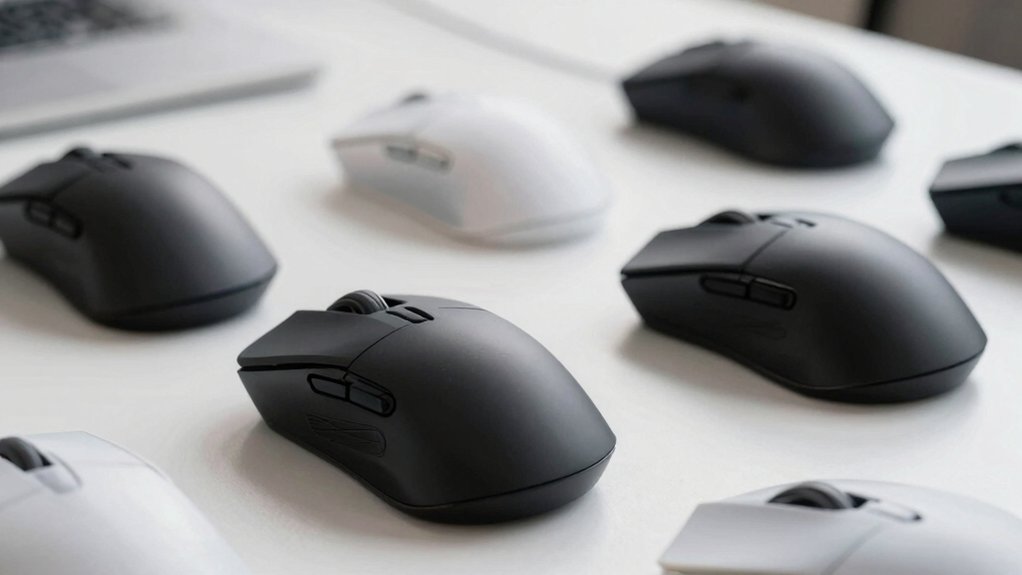
When you’re choosing a lightweight gaming mouse, you’ll need to evaluate weight and portability alongside sensor accuracy and performance to ensure the mouse delivers both speed and precision during gameplay. Check the battery life and connectivity options—whether the mouse uses wireless or wired connections—then assess the ergonomic design and comfort features so you can use it for extended sessions without hand fatigue. Finally, examine the durability and build quality by reviewing the materials, construction methods, and warranty coverage to confirm your investment will last through regular gaming use.
Weight and Portability
How much does a gaming mouse’s weight actually matter for your performance? A lighter mouse reduces the physical effort required to move it across your mousepad, lowering fatigue during extended gaming sessions. Mice weighing 36–42 grams require less arm tension than heavier models, enabling faster, more precise movements.
Consider portability alongside weight. Lightweight mice typically feature compact designs that fit easily into bags or laptop cases, making them ideal if you travel to tournaments or gaming cafes. Check the mouse’s dimensions and shape to ensure it’ll fit your carrying setup.
Evaluate wireless versus wired options. Wireless lightweight models use optimized battery systems to maintain sub-60-gram weights without compromising performance. Weigh the convenience of wireless functionality against the minimal weight advantage of wired alternatives.
Sensor Accuracy and Performance
While a lightweight design reduces fatigue and improves portability, you’ll also need to evaluate the sensor’s tracking accuracy to ensure your mouse performs consistently during competitive gameplay. Look for mice with 26K or 33K DPI optical sensors, such as the PAW3395 or HERO series, which deliver precise tracking across different surfaces. Check the polling rate—1000 Hz or 8000 Hz hyper-polling ensures rapid input data transmission to your CPU. Verify the IPS rating falls between 650–750 to confirm the mouse maintains accuracy at high speeds. Additionally, confirm the lift-off distance is low, preventing unintended cursor movement when you reposition your grip. These sensor specifications work together to eliminate lag and improve your in-game responsiveness without compromising the lightweight advantage.
Battery Life and Connectivity
Since you’re investing in a lightweight gaming mouse, you’ll also need to contemplate how long it’ll run between charges and which connection method suits your setup. Check the battery specifications: some wireless models deliver 250 hours on a single AA battery, while rechargeable options provide 82–95 hours per charge. Consider your polling rate choice, as higher settings like 8000 Hz drain power faster than standard 1000 Hz models. Evaluate multi-mode connectivity options—Bluetooth, 2.4GHz, and wired modes let you switch to lower-energy settings when not actively gaming. Look for mice with efficient power management and optional endurance modes to extend runtime. Integrated nano receivers provide fast, low-latency connections while minimizing power consumption during gameplay.
Ergonomic Design and Comfort
What makes ergonomic design so critical when you’re selecting an ultra-light gaming mouse? Lightweight mice reduce fatigue during extended gaming sessions by distributing weight evenly across your hand. Look for ambidextrous or symmetrical designs that accommodate your natural grip style, whether you palm, claw, or fingertip grip.
Choose mice with hollowed or perforated frames that maintain structural support while lowering mass. Compact dimensions enhance maneuverability, reducing muscle effort during rapid aiming movements. Verify that grip surfaces include textured coatings or grip tape to minimize hand slipping and micro-adjustments that cause strain.
Check palm coverage dimensions against your hand size to ensure proper support. Prioritize models featuring contoured rests that align with your wrist position naturally. These design elements combined enable comfortable, fatigue-free gaming performance.
Durability and Build Quality
The materials and construction methods used in ultra-light gaming mice directly impact how long they’ll perform reliably. Look for mice featuring carbon fiber or reinforced composite shells, which provide strength without excess weight. Check switch ratings, targeting models with switches rated for tens of millions of clicks to handle intensive gaming sessions. Examine the feet material—PTFE feet resist wear better than standard alternatives. Consider sealed or protected internals that defend against dust and moisture, extending lifespan in demanding environments. Evaluate the housing design for potential stress points where durability might fail. These construction details determine whether your lightweight mouse maintains peak performance over months of use or deteriorates quickly. Prioritize build quality alongside weight reduction for sustained reliability.
Final Thoughts
You’ve reviewed the lightest gaming mice available. Now select based on your needs: prioritize weight under 50g for speed-focused play, choose wireless for freedom of movement, and verify the sensor meets your DPI requirements. Check polling rate compatibility with your setup. Consider ergonomics for your grip style. Test return policies before purchasing. Compare prices across retailers. Your choice directly impacts your competitive performance.

Meet Ry, “TechGuru,” a 36-year-old technology enthusiast with a deep passion for tech innovations. With extensive experience, he specializes in gaming hardware and software, and has expertise in gadgets, custom PCs, and audio.
Besides writing about tech and reviewing new products, he enjoys traveling, hiking, and photography. Committed to keeping up with the latest industry trends, he aims to guide readers in making informed tech decisions.