


When you’re dealing with lag during online gaming, powerline ethernet adapters offer a direct solution by transmitting data through your home’s electrical wiring. You’ll find several reliable options ranging from budget-friendly models to high-performance units, each with different speeds and features designed to stabilize your connection. Understanding the key differences between these adapters—and knowing which one fits your setup—makes the difference between frustrating disconnects and smooth gameplay. Here’s how to identify your best option.
| TP-Link AV2000 Powerline Ethernet Adapter Kit |
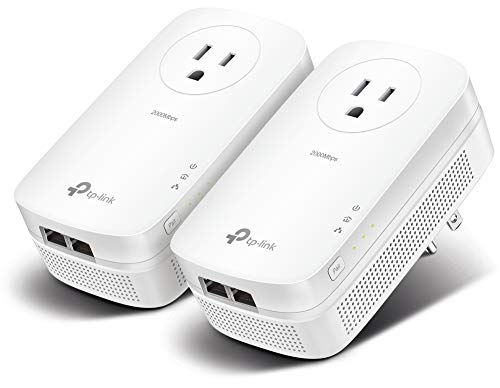
| Best Overall | Maximum Speed: AV2000 (2000 Mbps) | Installation Type: Plug and pair into wall outlets | Network Medium: Electrical wiring | VIEW LATEST PRICE | Read Our Analysis |
| TP-Link AV1000 Powerline Ethernet Adapter Kit |
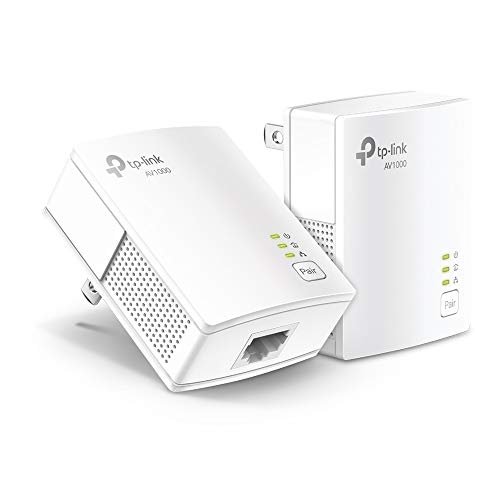
| Best Value | Maximum Speed: AV1000 (1000 Mbps) | Installation Type: Plug and pair into wall outlets | Network Medium: Electrical wiring | VIEW LATEST PRICE | Read Our Analysis |
| G.hn Powerline Ethernet Adapter Kit (GPL-1200-KIT) |

| Best Performance | Maximum Speed: G.hn 1200 (1200 Mbps) | Installation Type: Plug into power outlets | Network Medium: Electrical wiring | VIEW LATEST PRICE | Read Our Analysis |
| Tenda AV1000 Powerline Adapter Kit with Gigabit Ports (PH3) |

| Best For Streaming | Maximum Speed: AV1000 (1000 Mbps) | Installation Type: Plug and pair into wall outlets | Network Medium: Electrical wiring | VIEW LATEST PRICE | Read Our Analysis |
| TRENDnet Powerline 500 AV Nano Adapter Kit |

| Most Compact | Maximum Speed: Powerline 500 (500 Mbps) | Installation Type: Plug into wall outlets with guided setup | Network Medium: Electrical wiring | VIEW LATEST PRICE | Read Our Analysis |
| Tenda AV1000 WiFi Powerline Adapter Kit (PH10) |

| Best Hybrid Option | Maximum Speed: AV1000 (1000 Mbps) | Installation Type: Plug and pair into wall outlets | Network Medium: Electrical wiring | VIEW LATEST PRICE | Read Our Analysis |
| TRENDnet Powerline 1300 AV2 Adapter Kit (TPL-422E2K) |

| Professional Grade | Maximum Speed: Powerline 1300 (1300 Mbps) | Installation Type: Plug and auto-connect into outlets | Network Medium: Electrical wiring | VIEW LATEST PRICE | Read Our Analysis |
| ReadyNet E200 200Mbps Ethernet Power Adapter (2-Pack) |

| Budget-Friendly Pick | Maximum Speed: 200 Mbps | Installation Type: Plug and play into wall outlets | Network Medium: Electrical wiring | VIEW LATEST PRICE | Read Our Analysis |
| TP-Link AV1000 Powerline Ethernet Adapter (TL-PA7010) |

| Best For Expansion | Maximum Speed: AV1000 (1000 Mbps) | Installation Type: Plug and play into electrical circuit | Network Medium: Electrical wiring | VIEW LATEST PRICE | Read Our Analysis |
| Kiwee MoCA 2.5 Adapter Dual 2.5GbE Ports (2-Pack) |
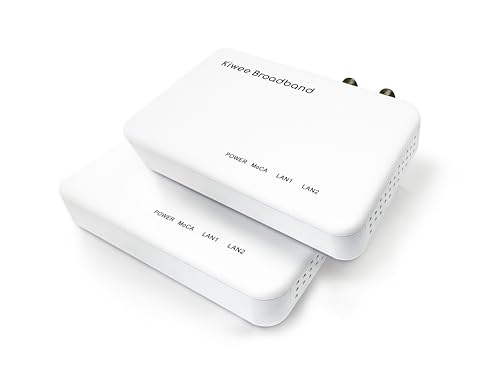
| Fastest Speed | Maximum Speed: MoCA 2.5 (2500 Mbps) | Installation Type: Plug and play into coaxial cables | Network Medium: Coaxial cables | VIEW LATEST PRICE | Read Our Analysis |
More Details on Our Top Picks
TP-Link AV2000 Powerline Ethernet Adapter Kit
Need a wired gaming connection without running cables through your home? The TP-Link AV2000 uses your electrical outlets to transmit data. Plug one adapter into an outlet near your router and connect it with an Ethernet cable. Plug the second adapter where you need the connection—your gaming setup, for example. The adapters automatically pair and deliver stable speeds up to 750 feet through walls. You get two Gigabit ports per adapter for multiple devices. They work on the same electrical circuit without configuration. Power-saving mode reduces energy use by 85%. Avoid surge protectors; use direct outlets only. Compatible with other TP-Link powerline models for expanding your network.
- Maximum Speed:AV2000 (2000 Mbps)
- Installation Type:Plug and pair into wall outlets
- Network Medium:Electrical wiring
- Number of Ports:2 Gigabit Ethernet ports
- Network Expansion Capacity:Compatible with multiple TP-Link powerline models
- Security Encryption:CISA Secure-by-Design compliant
- Additional Feature:Reaches 750 feet through walls
- Additional Feature:Power saving mode (85% reduction)
- Additional Feature:CISA Secure-by-Design pledge signatory
TP-Link AV1000 Powerline Ethernet Adapter Kit
What’s holding back your gaming setup—thick walls between your console and router? The TP-Link AV1000 solves this by running Ethernet through your home’s electrical wiring. You’ll plug one adapter into a wall outlet near your router, then connect another near your gaming device. Both adapters must be on the same electrical circuit and plugged directly into outlets, not power strips. Avoid placing them near large appliances like refrigerators or washing machines, which cause interference. The kit delivers speeds up to 750 feet using HomePlug AV2 technology. You’ll get a secure wired connection without Wi-Fi, reducing lag for competitive gaming. Setup requires no configuration—just plug and connect your devices via the included Gigabit Ethernet cables.
- Maximum Speed:AV1000 (1000 Mbps)
- Installation Type:Plug and pair into wall outlets
- Network Medium:Electrical wiring
- Number of Ports:1 Gigabit Ethernet port
- Network Expansion Capacity:Compatible with all TP-Link powerline adapters
- Security Encryption:CISA Secure-by-Design compliant with wired security
- Additional Feature:Reaches 750 feet distance coverage
- Additional Feature:Power saving mode (85% reduction)
- Additional Feature:CISA Secure-by-Design pledge signatory
G.hn Powerline Ethernet Adapter Kit (GPL-1200-KIT)
The GPL-1200-KIT delivers top-tier performance for gamers and streamers who can’t run Ethernet cables through their homes. This Gigabit Ethernet adapter uses G.hn Wave 1 technology to reduce lag and minimize dropped frames during gameplay. Simply plug both units into power outlets—one near your router, one near your gaming device—then connect them with Ethernet cables. The kit supports up to 16 compatible devices for network expansion. If you need faster speeds later, you can upgrade to G.hn Wave 2 technology. The MIMO Dual Phase design handles interference well in apartments and offices.
- Maximum Speed:G.hn 1200 (1200 Mbps)
- Installation Type:Plug into power outlets
- Network Medium:Electrical wiring
- Number of Ports:1 Gigabit Ethernet port
- Network Expansion Capacity:Up to 16 compatible powerline devices
- Security Encryption:G.hn security features
- Additional Feature:Supports up to 16 devices
- Additional Feature:G.hn Wave 1 technology standard
- Additional Feature:MIMO Dual Phase busy environment
Tenda AV1000 Powerline Adapter Kit with Gigabit Ports (PH3)
Gamers and streamers struggling with weak WiFi signals will find reliable wired connectivity through your home’s electrical outlets. The Tenda AV1000 delivers up to 1000 Mbps performance over your existing electrical wiring, eliminating lag during competitive gaming and HD streaming. Setup takes minutes: plug both adapters into wall outlets on the same circuit, press the pair button, and you’re connected. You’ll extend your network to basements, garages, and upstairs rooms where WiFi struggles. Remember to plug adapters directly into outlets, never power strips, for optimal performance and stability.
- Maximum Speed:AV1000 (1000 Mbps)
- Installation Type:Plug and pair into wall outlets
- Network Medium:Electrical wiring
- Number of Ports:1 Gigabit Ethernet port
- Network Expansion Capacity:Expandable network capability
- Security Encryption:Secure powerline network
- Additional Feature:Gigabit Ethernet Port included
- Additional Feature:Plug & Play setup simplicity
- Additional Feature:Hard-to-reach area coverage solution
TRENDnet Powerline 500 AV Nano Adapter Kit
Looking for a network solution that doesn’t require running cables through your home? The TRENDnet Powerline 500 AV Nano Adapter Kit uses your electrical system to transmit internet signals. You’ll plug one adapter into an outlet near your router and connect it with an ethernet cable. Then plug the second adapter into an outlet in another room where you need internet access. Connect your gaming device directly to the adapter’s ethernet port for a wired connection that reduces lag. The kit supports up to eight adapters total, letting you expand to multiple rooms. Setup takes minutes—the signal auto-encrypts over your existing wiring. TRENDnet backs this with three years of manufacturer protection and English-speaking technical support during business hours.
- Maximum Speed:Powerline 500 (500 Mbps)
- Installation Type:Plug into wall outlets with guided setup
- Network Medium:Electrical wiring
- Number of Ports:1 Ethernet port
- Network Expansion Capacity:Up to 8 adapters supported
- Security Encryption:Pre-encrypted Powerline signal
- Additional Feature:Compact nano form factor design
- Additional Feature:Pre-encrypted Powerline signal convenience
- Additional Feature:NDAA compliant (U.S./Canada only)
Tenda AV1000 WiFi Powerline Adapter Kit (PH10)
Want stable connections without running cables through your home? The Tenda AV1000 uses your existing electrical wiring to deliver up to 1000 Mbps over HomePlug AV2. Plug both adapters directly into wall outlets on the same circuit, then press the pair button to establish your secure network. Connect your gaming console or PC to the Gigabit Ethernet port for reliable performance. This setup eliminates WiFi interference and weak signals in basements, garages, or upstairs rooms. Remember that actual speeds depend on your internet plan and wiring quality. For optimal results, avoid power strips and ensure proper adapter placement.
- Maximum Speed:AV1000 (1000 Mbps)
- Installation Type:Plug and pair into wall outlets
- Network Medium:Electrical wiring
- Number of Ports:1 Gigabit Ethernet port (plus WiFi)
- Network Expansion Capacity:Expandable network capability
- Security Encryption:Secure powerline network
- Additional Feature:Gigabit Ethernet Port included
- Additional Feature:Plug & Play setup simplicity
- Additional Feature:HD/3D/4K video streaming support
TRENDnet Powerline 1300 AV2 Adapter Kit (TPL-422E2K)
The TRENDnet Powerline 1300 AV2 offers professional-grade networking through your home’s existing electrical system. You’ll plug the first adapter into your router, then connect the second adapter elsewhere for instant internet access. This kit supports up to eight adapters on a single network, reaching distances of 300 meters. The Gigabit port ensures fast data transfer, while 128-bit AES encryption protects your connection. You’ll benefit from Powerline 1300 technology with MIMO and Beamforming, which optimizes performance across electrical wires. Setup requires no configuration—adapters auto-connect immediately after plugging in.
- Maximum Speed:Powerline 1300 (1300 Mbps)
- Installation Type:Plug and auto-connect into outlets
- Network Medium:Electrical wiring
- Number of Ports:1 Gigabit port
- Network Expansion Capacity:Up to 8 adapters on single network
- Security Encryption:128-bit AES encryption
- Additional Feature:Range up to 984 feet
- Additional Feature:MIMO and Beamforming technology
- Additional Feature:Supports up to 8 adapters
ReadyNet E200 200Mbps Ethernet Power Adapter (2-Pack)
If you’re gaming on a budget without wanting to run Ethernet cables through your home, the ReadyNet E200’s plug-and-play setup makes this a budget-friendly pick that gets you online in under five minutes. Insert both adapters into wall outlets, connect your gaming device with the included Ethernet cable, and you’re ready. The 200Mbps data transfer rate supports streaming multiple HD videos simultaneously, handling most gaming demands. You’ll get 128-bit AES encryption protecting your connection. The two-pack expands easily—add single units later if needed. It’s HomePlug AV 2.0 compliant, working with other compatible brand devices. This option delivers straightforward performance without complications.
- Maximum Speed:200 Mbps
- Installation Type:Plug and play into wall outlets
- Network Medium:Electrical wiring
- Number of Ports:1 Ethernet port
- Network Expansion Capacity:Expandable with additional units
- Security Encryption:128-bit AES encryption
- Additional Feature:Supports three simultaneous HD videos
- Additional Feature:128-bit AES data encryption
- Additional Feature:Coexists with HomePlug 1.0 devices
TP-Link AV1000 Powerline Ethernet Adapter (TL-PA7010)
Gamers seeking reliable network expansion through existing electrical outlets should consider TP-Link’s AV1000 model, which delivers ethernet connectivity without running new cables through walls or crawlspaces. The TL-PA7010 kit provides up to 1000Mbps speed over your home’s electrical circuit, reaching distances up to 300 meters. Setup requires no configuration—simply plug adapters into outlets and connect ethernet cables. The built-in gigabit port supports fast data transfer, while 128-bit AES encryption protects your gaming sessions. Power-saving technology reduces energy consumption by 85%, lowering electricity costs. You’ll find compatibility with multiple TP-Link models and support for Windows, Mac, and Linux systems. TP-Link backs this solution with a two-year warranty and 24/7 technical support.
- Maximum Speed:AV1000 (1000 Mbps)
- Installation Type:Plug and play into electrical circuit
- Network Medium:Electrical wiring
- Number of Ports:1 Gigabit port
- Network Expansion Capacity:Compatible with multiple TP-Link AV adapters
- Security Encryption:128-bit AES data encryption
- Additional Feature:Range up to 984.25 feet
- Additional Feature:Power saving (85% reduction)
- Additional Feature:2-year warranty included standard
Kiwee MoCA 2.5 Adapter Dual 2.5GbE Ports (2-Pack)
Want your gaming setup to finally match your fastest speed requirements? The Kiwee MoCA 2.5 Adapter delivers up to 2.5 Gbps speeds using your existing coaxial cables. You’ll get two Ethernet ports per adapter, letting you connect multiple devices simultaneously without speed drops. The package includes all necessary cables, so you’ll install it in minutes—just connect the coaxial line and plug in your devices. This setup eliminates WiFi interference and latency issues that plague wireless gaming. You’ll experience stable, lag-free performance for competitive gaming, 4K streaming, and large file transfers. The adapters work with your current router, mesh systems, and major ISPs without requiring new infrastructure or technical expertise.
- Maximum Speed:MoCA 2.5 (2500 Mbps)
- Installation Type:Plug and play into coaxial cables
- Network Medium:Coaxial cables
- Number of Ports:2x 2.5 Gigabit Ethernet ports
- Network Expansion Capacity:Works with major routers and mesh systems
- Security Encryption:Industry-standard encryption for coaxial transmission
- Additional Feature:Dual 2.5GbE ports exclusive
- Additional Feature:All-inclusive install cable kit
- Additional Feature:2.5x faster than MoCA
Factors to Consider When Choosing Powerline Ethernet for Gaming

You’ll need to evaluate your speed and bandwidth needs first, then assess your home’s wiring quality and check device compatibility to ensure smooth performance. Next, measure your network’s latency and stability on your current setup, and identify the optimal installation locations that avoid interference from electrical appliances and metal obstacles. Finally, verify that your powerline adapters match your devices’ port specifications and test your connection before committing to the system.
Speed and Bandwidth Requirements
How do powerline adapters’ advertised speeds in fact translate to your gaming setup? Manufacturers claim AV1000 speeds reach 1000 Mbps, yet real-world throughput drops significantly due to wiring quality and distance. You’ll experience reduced performance on older electrical circuits or when adapters sit more than 300 meters apart. For gaming, you need consistent bandwidth, not peak speeds. Most modern games require 5–25 Mbps for smooth play. Check your actual throughput using speed-test tools after installation. Position adapters on the same circuit and plug them directly into wall outlets—not power strips—to maintain stable speeds. Distance, interference from appliances, and circuit quality directly impact your connection’s reliability and responsiveness during gameplay.
Latency and Network Stability
Powerline adapters can deliver lower latency than WiFi, but only when wiring quality and circuit conditions support a stable connection. You’ll see the best results when your adapters sit on the same electrical circuit as your router. Plug adapters directly into wall outlets instead of surge protectors or power strips—this removes extra filtering that causes latency spikes. Distance matters too; keep adapters closer together for stable paths. Technologies like MIMO, beamforming, and LDPC error correction help maintain consistent connections by reducing dropped packets. Don’t assume higher advertised speeds like AV2000 guarantee lower lag. Poor wiring or circuit interference can bottleneck your link regardless of specs. For gaming, multi-adapter setups on a single circuit preserve a wired path that stays reliable during peak usage.
Home Wiring Quality Impact
What’s the real bottleneck holding back your powerline setup? Your home’s wiring quality. Older wiring limits you to lower speeds, while newer, better-maintained wiring supports nominal AV speeds like AV1000 or AV2000. Check your home’s electrical infrastructure first. If you’ve got outdated wiring, you’ll experience slower connections regardless of adapter quality. Distance matters too. Place adapters on the same circuit and as close together as possible to reduce signal degradation through walls and floors. Avoid different circuits entirely—they’ll block performance. Finally, use direct wall outlets instead of power strips or surge protectors. These devices introduce noise that destabilizes your connection. Your wiring quality determines your ceiling; everything else follows.
Device Compatibility Verification
Before you buy a powerline kit, verify that your adapters will work together and with your existing network hardware. Check whether your devices support the same standard—HomePlug AV2, G.hn, or MoCA. Many kits offer cross-compatibility across AV2000, AV1300, AV1200, and AV1000 models, but you’ll need to confirm this before mixing brands. Write down your current router model and any other network equipment you own. Contact the manufacturer’s support team or review the product documentation to confirm compatibility. Test cross-model functionality if you’re combining different brands or standards. This verification step prevents purchasing incompatible equipment and ensures your network operates at intended speeds and stability for gaming performance.
Installation Location Optimization
Where you place your adapters directly impacts your gaming performance, so choose wall outlets on the same electrical circuit rather than relying on power strips or surge protectors. Position adapters away from large appliances like washing machines or refrigerators, which generate interference that degrades speed and stability. Spread multiple units across different rooms on the same circuit—place one near your router and another closer to your gaming setup for optimal coverage. Real-world speeds depend on wiring quality and distance, so expect potential reductions from your plan limits due to line noise. Use multi-adapter kits with two or more units to establish a robust network across multiple rooms or floors instead of depending on a single pair.
Final Thoughts
You’ll reduce gaming lag by selecting AV2 or G.hn powerline adapters, placing them on the same circuit, and using wired connections directly to your console or PC. Test your setup with real-world speed checks to confirm you’re getting stable throughput. Pair adapters using their buttons, enable encryption for security, and avoid daisy-chaining outlets. This approach delivers the reliable, low-latency connection you need for competitive gaming.

Meet Ry, “TechGuru,” a 36-year-old technology enthusiast with a deep passion for tech innovations. With extensive experience, he specializes in gaming hardware and software, and has expertise in gadgets, custom PCs, and audio.
Besides writing about tech and reviewing new products, he enjoys traveling, hiking, and photography. Committed to keeping up with the latest industry trends, he aims to guide readers in making informed tech decisions.