
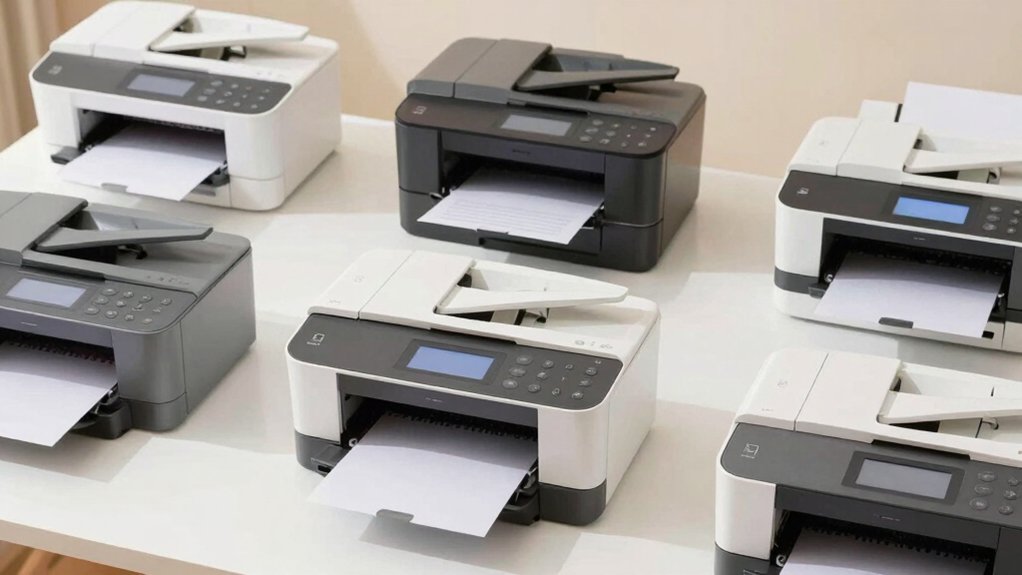

If you’re looking for a printer that won’t frustrate you with complicated setups or confusing menus, you’ve got options designed specifically with your needs in mind. The right printer should connect easily to your wifi, display clear buttons you can actually see, and handle basic tasks like printing photos or documents without requiring a manual. We’ll walk you through seven straightforward models and explain exactly what makes each one work for seniors—but first, here’s what you need to know.
| HP DeskJet 2855e Wireless All-in-One Inkjet Printer |

| Best All-in-One | Printer Type: All-in-one (print, scan, copy) | Wireless Connectivity: 2.4 GHz Wi-Fi single-band | Print Speed: 5.5 ppm color / 7.5 ppm black | VIEW LATEST PRICE | Read Our Analysis |
| Canon PIXMA TS3720 Wireless All-in-One Printer |

| Easiest Setup | Printer Type: All-in-one (print, scan, copy) | Wireless Connectivity: Dual-band Wi-Fi (2.4GHz/5GHz) | Print Speed: 7.7 ppm black / 4 ppm color | VIEW LATEST PRICE | Read Our Analysis |
| HP DeskJet 4255e Wireless All-in-One Inkjet Printer |

| Best Value | Printer Type: All-in-one (print, scan, copy) | Wireless Connectivity: 2.4 GHz Wi-Fi single-band | Print Speed: 5.5 ppm color / 8.5 ppm black | VIEW LATEST PRICE | Read Our Analysis |
| Canon PIXMA TS6520 Wireless Color Inkjet Printer |

| Most Reliable | Printer Type: All-in-one (print, scan, copy) | Wireless Connectivity: Dual-band Wi-Fi (2.4GHz/5GHz) | Print Speed: 9 ppm color / 14 ppm black | VIEW LATEST PRICE | Read Our Analysis |
| HP LaserJet M110w Wireless Black & White Printer |

| Professional Grade | Printer Type: Black & white laser printer only | Wireless Connectivity: Wireless with self-reset connectivity | Print Speed: 21 ppm black-and-white | VIEW LATEST PRICE | Read Our Analysis |
| Epson EcoTank ET-2800 Wireless All-in-One Printer |

| Most Economical | Printer Type: All-in-one (print, scan, copy) | Wireless Connectivity: USB/Wi-Fi connectivity | Print Speed: 10 ppm black/white | VIEW LATEST PRICE | Read Our Analysis |
| Canon PIXMA TR160 Wireless Portable Printer |

| Most Portable | Printer Type: Portable inkjet printer (print only) | Wireless Connectivity: Wireless with Direct Mode option | Print Speed: 9 ppm black / 5.5 ppm color | VIEW LATEST PRICE | Read Our Analysis |
More Details on Our Top Picks
HP DeskJet 2855e Wireless All-in-One Inkjet Printer
The HP DeskJet 2855e is designed for seniors who want a single device that handles printing, scanning, and copying without complicated setup or confusing features. You’ll connect via 2.4 GHz Wi-Fi or USB cable. The 60-sheet paper tray holds standard documents, envelopes, and photo paper. Print speeds reach 7.5 pages per minute for black-and-white and 5.5 for color. You’ll control printing through the HP app on your phone, tablet, or computer, or use the USB port for direct connection. HP+ activation provides three months of included ink delivery. The flatbed scanner copies documents at 4800 x 1200 dpi quality.
- Printer Type:All-in-one (print, scan, copy)
- Wireless Connectivity:2.4 GHz Wi-Fi single-band
- Print Speed:5.5 ppm color / 7.5 ppm black
- Mobile/App Support:HP app for print, scan, copy, fax
- Warranty:One-year limited hardware warranty
- Weight/Portability:7.55 pounds (compact home use)
- Additional Feature:HP+ AI features included
- Additional Feature:4800 x 1200 dpi resolution
- Additional Feature:3 months Instant Ink trial
Canon PIXMA TS3720 Wireless All-in-One Printer
Looking for a printer that won’t overwhelm you with complicated menus and setup procedures? The Canon PIXMA TS3720 delivers straightforward printing, copying, and scanning in one device. You’ll appreciate its dual-band Wi-Fi that connects in minutes without needing a computer. The 1.5-inch LCD screen displays clear, easy-to-navigate options. Print speeds reach 7.7 pages per minute for black and 4 for color. You can load envelopes, photos, and specialty papers into the versatile media tray. Mobile printing works through the Canon PRINT app, Apple AirPrint, and Mopria Print Service. Installation takes minimal effort with two simple ink cartridges. A one-year warranty provides coverage if issues arise.
- Printer Type:All-in-one (print, scan, copy)
- Wireless Connectivity:Dual-band Wi-Fi (2.4GHz/5GHz)
- Print Speed:7.7 ppm black / 4 ppm color
- Mobile/App Support:Canon PRINT app, Apple AirPrint, Mopria
- Warranty:One-year warranty
- Weight/Portability:Compact design (weight not specified)
- Additional Feature:Dual-band Wi-Fi connectivity
- Additional Feature:Posterartist Online free tool
- Additional Feature:5″×5″ square photo printing
HP DeskJet 4255e Wireless All-in-One Inkjet Printer
If you want a printer that handles multiple tasks without complicated setup, HP’s DeskJet 4255e combines printing, scanning, and copying in one compact device. You’ll print color documents at 5.5 pages per minute and black at 8.5 pages per minute. The 60-sheet input tray reduces frequent paper reloading. You can scan documents using the flatbed scanner or auto document feeder, then convert them to PDF files. Wireless printing works through your home Wi-Fi network using the HP app on your smartphone. Manual duplex printing lets you print two-sided documents by flipping pages. The one-year warranty extends to two years with HP+ activation, which also includes a three-month Instant Ink trial for automatic cartridge delivery.
- Printer Type:All-in-one (print, scan, copy)
- Wireless Connectivity:2.4 GHz Wi-Fi single-band
- Print Speed:5.5 ppm color / 8.5 ppm black
- Mobile/App Support:HP app for print, scan, copy, fax
- Warranty:One-year limited hardware (extendable to two years with HP+)
- Weight/Portability:10.6 pounds (compact home use)
- Additional Feature:Manual duplex printing capability
- Additional Feature:60% recycled plastic construction
- Additional Feature:AI-enabled workflow adaptation
Canon PIXMA TS6520 Wireless Color Inkjet Printer
Canon’s PIXMA TS6520 combines three core functions—printing, scanning, and copying—in a compact machine designed specifically for families and students who need occasional printing without navigating complex features. The 1.42″ OLED display shows ink levels and printer status at a glance. You’ll print documents at 14 pages per minute in black and white or 9 pages per minute in color, with sharp text and vibrant photos at 1200 x 1200 dpi. The dual-band Wi-Fi connects to your smartphone via the Canon PRINT App or Apple AirPrint. Auto duplex printing saves paper by printing both sides automatically. Setup takes minutes, and the compact design fits easily on shelves or desks without consuming much space.
- Printer Type:All-in-one (print, scan, copy)
- Wireless Connectivity:Dual-band Wi-Fi (2.4GHz/5GHz)
- Print Speed:9 ppm color / 14 ppm black
- Mobile/App Support:Canon PRINT app, Apple AirPrint, Mopria
- Warranty:Limited warranty
- Weight/Portability:15.65 pounds (compact design)
- Additional Feature:Auto 2-sided printing included
- Additional Feature:1.42″ OLED display screen
- Additional Feature:2-cartridge hybrid ink system
HP LaserJet M110w Wireless Black & White Printer
The HP LaserJet M110w is the right choice if you’re printing for one to three people and want a printer that’s genuinely simple to set up and use. This wireless printer delivers fast black-and-white printing at 21 pages per minute. You’ll connect it to your home network once, then print from your smartphone, tablet, or computer without cables. The HP Smart app lets you print, scan documents to cloud storage, and copy directly from your phone. Cartridges contain original HP chips, so you’ll only buy genuine replacements. Automatic firmware updates keep the printer functioning smoothly over time.
- Printer Type:Black & white laser printer only
- Wireless Connectivity:Wireless with self-reset connectivity
- Print Speed:21 ppm black-and-white
- Mobile/App Support:HP Smart app; Microsoft, Mac, AirPrint, Android, Chromebook
- Warranty:Limited warranty (cartridge chip protection)
- Weight/Portability:Smallest laser in its class (weight not specified)
- Additional Feature:21 pages per minute speed
- Additional Feature:World’s smallest laser class
- Additional Feature:HP chip cartridge security
Epson EcoTank ET-2800 Wireless All-in-One Printer
Worried about constantly buying expensive ink cartridges? The Epson EcoTank ET-2800 replaces cartridges with refillable ink tanks, saving you up to 90% on ink costs. You’ll get up to 4,500 black pages and 7,500 color pages per ink set. This wireless all-in-one printer handles printing, scanning, and copying. It prints at 10 pages per minute and supports various paper types up to 8.5×14 inches. The printer weighs 8.8 pounds and fits most desks. Use genuine Epson ink to maintain your warranty. Setup requires downloading the Epson Connect app for voice activation and wireless features.
- Printer Type:All-in-one (print, scan, copy)
- Wireless Connectivity:USB/Wi-Fi connectivity
- Print Speed:10 ppm black/white
- Mobile/App Support:Epson Connect with voice activation
- Warranty:One-year manufacturer’s limited warranty
- Weight/Portability:8.8 pounds (basic home printer)
- Additional Feature:Refillable ink tank system
- Additional Feature:4,500 black page yields
- Additional Feature:90% ink cost savings
Canon PIXMA TR160 Wireless Portable Printer
If you need a printer you can take anywhere, the PIXMA TR160 offers portability without sacrificing print quality. This lightweight inkjet weighs just 4.5 pounds and fits easily in a bag. You’ll connect wirelessly via the Canon PRINT app or AirPrint from your phone or tablet. The 1.44″ display lets you check ink levels and access five saved templates directly from the printer. You can print documents, photos, and cards up to 8.5″ x 11″ at 9 pages per minute for black-and-white and 5.5 for color. An optional battery enables printing almost anywhere, making it ideal for travel or remote work.
- Printer Type:Portable inkjet printer (print only)
- Wireless Connectivity:Wireless with Direct Mode option
- Print Speed:9 ppm black / 5.5 ppm color
- Mobile/App Support:Canon PRINT app, Apple AirPrint, Mopria, cloud printing
- Warranty:One-year manufacturer’s limited warranty
- Weight/Portability:4.5 pounds (portable/lightweight)
- Additional Feature:Optional battery portability feature
- Additional Feature:5-color hybrid ink system
- Additional Feature:Wireless Direct Mode connection
Factors to Consider When Choosing Simple Printers for Seniors
When you’re selecting a printer for seniors, you’ll want to evaluate five key factors: ease of setup (which determines how quickly someone can get started without technical help), a simple display interface (that uses large text and straightforward menus), wireless connectivity options (that let you print from phones or tablets without cables), print speed performance (measured in pages per minute, typically 10–15 ppm for basic needs), and ink cost efficiency (calculated by dividing the cost per page). You should compare printers side by side on each factor, prioritizing the ones that matter most to the senior user—for example, if they rarely print photos, you can skip high-quality color printing and choose a basic model that saves money on ink. Finally, you’ll test the setup process yourself by following only the printed manual, without using online support, to confirm that a senior can realistically complete it alone.
Ease Of Setup
What makes a printer truly senior-friendly? The setup process. You’ll want a model that requires only three basic steps: plug in the device, connect to Wi-Fi, and install software through either a mobile app or computer wizard. Look for printers with auto-connect or self-reset Wi-Fi features to eliminate troubleshooting frustration. Check that the printer has a clear, large on-device display or straightforward app interface guiding you through each setup step. Included illustrated setup guides reduce confusion during installation. Verify the printer comes with starter ink or toner so you avoid extra purchases immediately. All-in-one models combining print, scan, and copy functions into a single menu prevent you from learning multiple interfaces. These features combined ensure quick, confident setup without technical complications.
Simple Display Interface
Once you’ve completed the initial setup, you’ll interact with your printer’s display every time you print, scan, or copy. Look for models with displays measuring 1.5″–2.0″ featuring large, high-contrast text and icons that reduce reading strain and operational errors. Choose printers with minimal menus and clearly labeled buttons arranged in a logical sequence. A straightforward progress indicator shows you what’s happening during each task. Physical LED indicators displaying ready, printing, and error statuses provide quick visual confirmation without requiring screen reading. On-screen prompts guide you through each step. Select models offering optional spoken instructions or large-print documentation for users less comfortable with technology. These display features work together to help you complete printing tasks confidently and independently without confusion or frustration.
Wireless Connectivity Options
How you’ll connect your printer to devices depends on which wireless features the model offers. Most printers include either single-band 2.4 GHz Wi-Fi or dual-band Wi-Fi (2.4 GHz/5 GHz) for network connectivity. Wi-Fi Direct eliminates the need for an active network, allowing you to print directly from your phone or tablet without setup complexity. Download the manufacturer’s mobile app—such as HP Smart or Canon PRINT—to enable printing from smartphones and tablets. Check for Apple AirPrint and Mopria compatibility to ensure your devices work seamlessly. USB connections remain available as a backup local option. Verify that your printer supports your ecosystem, whether you use PCs, Macs, Chromebooks, or iOS and Android devices, ensuring compatibility across all your devices.
Print Speed Performance
When you’re selecting a printer for regular use, print speed matters because it determines how long you’ll wait for documents to finish. Look for black-and-white speeds between 7–15 ppm and color speeds between 4–9 ppm for typical home printing. Check the first-page-out time (FPOT), which affects how quickly single documents print—important for recipes or forms. Consider your printing habits: if you print frequently in color, prioritize faster color speeds. Review whether the printer offers eco or draft modes that reduce speed but conserve ink. Decide if standard mode speed suits your needs, or if you’ll primarily use economy settings. Match the printer’s speed to your actual usage patterns to avoid unnecessary waiting.
Ink Cost Efficiency
Beyond print speed, you’ll want to examine what you’ll actually spend on ink over time, since replacement cartridges can add up quickly. Compare page yields—higher yields mean lower cost per page. Choose printers with refillable tanks or EcoTank-style systems, which substantially reduce ongoing expenses compared to standard cartridges. If you use subscription programs like Instant Ink, verify your monthly printing volume matches the plan to avoid overage charges. For black-and-white documents, select models optimized for economical text printing, as color jobs drive higher per-page costs. Check that replacement inks are readily available and affordable in your area. Prioritize cartridges known for reliability and longevity to minimize frequent repurchasing and unnecessary spending.
Reliable Warranty Support
What warranty coverage‘ll actually protect your printer investment? Check that your printer includes a clear one-year hardware warranty with documented coverage details. Confirm the manufacturer offers easy claim processes—you’ll want to know exactly how to file if problems occur. Verify extended warranty options exist through subscription plans or at purchase, and review what they cover: parts, labor, and shipping costs. Contact customer service using phone, chat, or email to test their responsiveness and learn typical response times. Confirm that firmware and software updates remain supported during your warranty period to maintain security and performance. Finally, research user-reported defect rates and reliability data; lower failure rates indicate stronger warranty support and fewer printer interruptions when you need them most.
Final Thoughts
You’ll find the right printer by prioritizing wireless connectivity, all-in-one capabilities, and straightforward controls. Start by identifying your primary needs—printing, scanning, or copying. Compare the models’ setup processes and app compatibility with your smartphone. Check ink costs and warranty support. Test the display menus for clarity. Select a printer that matches your comfort level with technology while offering reliable performance for daily use.

Meet Ry, “TechGuru,” a 36-year-old technology enthusiast with a deep passion for tech innovations. With extensive experience, he specializes in gaming hardware and software, and has expertise in gadgets, custom PCs, and audio.
Besides writing about tech and reviewing new products, he enjoys traveling, hiking, and photography. Committed to keeping up with the latest industry trends, he aims to guide readers in making informed tech decisions.