
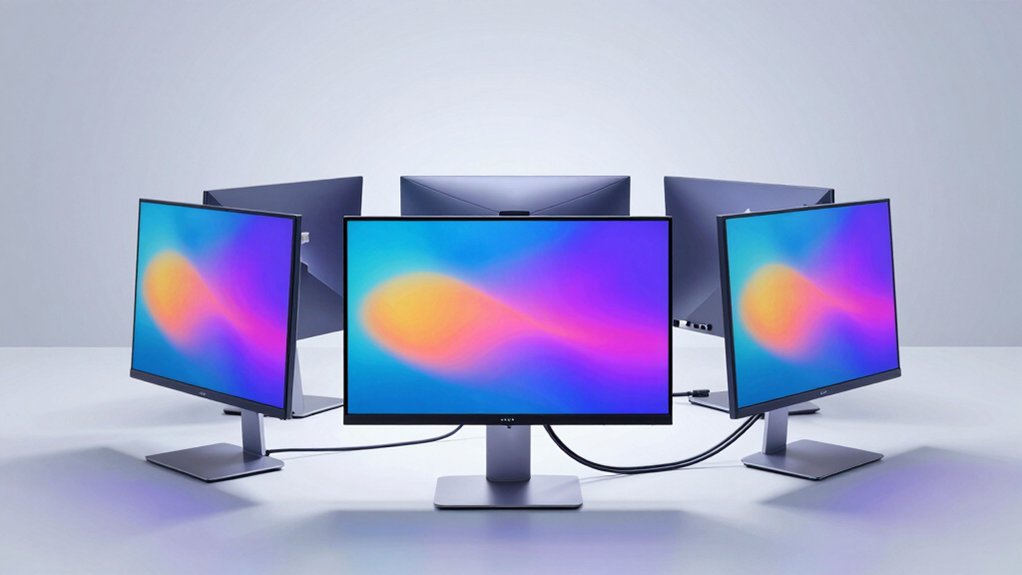

If you’re tired of managing multiple cables for video, data, and power, USB-C monitors can streamline your workspace markedly. These displays combine three functions into one connection, reducing clutter and simplifying your setup. You’ll find options ranging from compact 23.8-inch models to expansive 34-inch curved screens, each offering different features like high refresh rates and built-in USB hubs. But which monitor truly fits your needs?
| LG 27U631A-B 27-inch QHD IPS Computer Monitor |

| Best Overall | Screen Size: 27 inches | Resolution: 2560×1440 (QHD) | Panel Type: IPS | VIEW LATEST PRICE | Read Our Analysis |
| BenQ GW2790C 27″ 144Hz IPS Eye-Care Monitor |

| Best Eye Care | Screen Size: 27 inches | Resolution: 1920×1080 (FHD) | Panel Type: IPS | VIEW LATEST PRICE | Read Our Analysis |
| Lenovo L27m-30 27 Inch FHD Monitor with FreeSync |

| Best Budget Pick | Screen Size: 27 inches | Resolution: 1920×1080 (FHD) | Panel Type: IPS | VIEW LATEST PRICE | Read Our Analysis |
| Sceptre 27-inch IPS Gaming Monitor 100Hz (E275W-FP100T) |
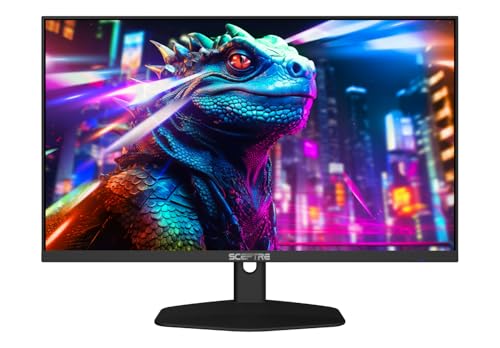
| Best Gaming Value | Screen Size: 27 inches | Resolution: 1920×1080 (FHD) | Panel Type: IPS | VIEW LATEST PRICE | Read Our Analysis |
| Dell 27 Plus QHD USB-C Monitor (S2725DC) |

| Best Productivity | Screen Size: 27 inches | Resolution: 2560×1440 (QHD) | Panel Type: IPS | VIEW LATEST PRICE | Read Our Analysis |
| Dell 27 Plus 4K USB-C Monitor (S2725QC) |

| Best Premium Option | Screen Size: 27 inches | Resolution: 3840×2160 (4K) | Panel Type: IPS | VIEW LATEST PRICE | Read Our Analysis |
| LG 32U631A-B 32-inch QHD IPS Computer Monitor |
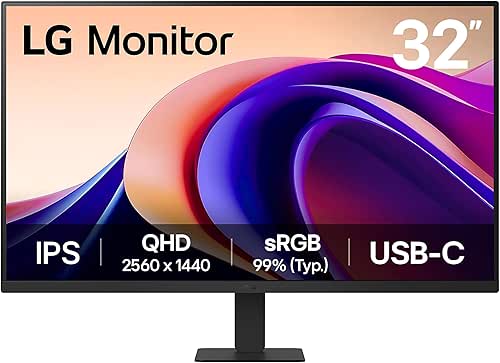
| Best Large Screen | Screen Size: 32 inches | Resolution: 2560×1440 (QHD) | Panel Type: IPS | VIEW LATEST PRICE | Read Our Analysis |
| Dell S2722DC 27-inch WQHD Monitor USB-C |

| Best Mid-Range | Screen Size: 27 inches | Resolution: 2560×1440 (WQHD) | Panel Type: WQHD (panel type not specified) | VIEW LATEST PRICE | Read Our Analysis |
| ASUS 23.8″ 1080P Docking Monitor (VA24ECPSN) |

| Best Compact Docking | Screen Size: 23.8 inches | Resolution: 1920×1080 (FHD) | Panel Type: IPS | VIEW LATEST PRICE | Read Our Analysis |
| Dell 34 Plus USB-C Curved Monitor (S3425DW) |

| Best Ultrawide | Screen Size: 34 inches | Resolution: 3440×1440 (Ultrawide) | Panel Type: VA | VIEW LATEST PRICE | Read Our Analysis |
More Details on Our Top Picks
LG 27U631A-B 27-inch QHD IPS Computer Monitor
If you’re juggling multiple devices and cables on your desk, the LG 27U631A-B delivers a streamlined workspace through its USB Type-C connection with 15W power delivery, allowing you to charge your device and transmit video through a single cable instead of managing separate connections. The 27-inch QHD IPS display produces sharp visuals at 2560×1440 resolution with a 100Hz refresh rate and 5ms response time, making it suitable for both work and light gaming. You’ll access the built-in webOS platform to handle multitasking, streaming, and video calls without additional devices. The Switch app lets you split your screen into up to six customizable sections for efficient workflow organization. Reader Mode reduces blue light exposure during extended use, minimizing eye strain throughout your workday.
- Screen Size:27 inches
- Resolution:2560×1440 (QHD)
- Panel Type:IPS
- Refresh Rate:100Hz
- USB-C Power Delivery:15W
- Eye Care Technology:Reader Mode, Black Stabilizer
- Additional Feature:Split screen up to 6 sections
- Additional Feature:Built-in webOS streaming platform
- Additional Feature:Virtually borderless three-side design
BenQ GW2790C 27″ 144Hz IPS Eye-Care Monitor
You’ll want the BenQ GW2790C if you spend extended hours at your desk and need certified eye protection without sacrificing performance. This 27″ monitor combines a 144Hz refresh rate with IPS technology, delivering smooth visuals and accurate colors from any angle. The display features BenQ’s Triple Eye Protection system—Visual Optimizer, Low Blue Light, and Flicker-Free technology—all backed by TÜV 4-star Eye Comfort and Eyesafe 2.0 certifications. The USB-C port streamlines your setup by powering and connecting devices simultaneously. The 1920×1080 resolution with 99% sRGB coverage handles everyday work and gaming without eye strain, making it ideal for professionals seeking productivity and health-conscious features.
- Screen Size:27 inches
- Resolution:1920×1080 (FHD)
- Panel Type:IPS
- Refresh Rate:144Hz
- USB-C Power Delivery:Present (wattage not specified)
- Eye Care Technology:BenQ Triple Eye Protection, TÜV Eye Comfort, Eyesafe Certified 2.0
- Additional Feature:TÜV Eye Comfort certified
- Additional Feature:Eyesafe Certified 2.0 endorsement
- Additional Feature:Visual Optimizer included
Lenovo L27m-30 27 Inch FHD Monitor with FreeSync
Remote workers and gamers who want to declutter their desk setup will find the Lenovo L27m-30 especially useful because its single USB-C connection handles data, video, audio, and power delivery up to 75W simultaneously. The 27-inch FHD display with an IPS panel gives you wide viewing angles up to 178 degrees, eliminating color distortion when you shift positions during video calls. AMD FreeSync technology reduces screen tearing during gaming sessions. The ergonomic stand offers tilt, lift, pivot, and swivel adjustments to match your preferred working height and angle. Four additional USB 3.2 ports expand your connectivity options for peripherals. Built-in dual speakers eliminate the need for external audio equipment.
- Screen Size:27 inches
- Resolution:1920×1080 (FHD)
- Panel Type:IPS
- Refresh Rate:75Hz
- USB-C Power Delivery:75W
- Eye Care Technology:Not specified
- Additional Feature:Four USB 3.2 ports
- Additional Feature:Dual-tone metal phone holder
- Additional Feature:Built-in dual speakers
Sceptre 27-inch IPS Gaming Monitor 100Hz (E275W-FP100T)
Want a monitor that handles both professional color work and gaming without compromise? The Sceptre 27-inch IPS Gaming Monitor delivers exactly that combination. You’ll get an IPS panel with 100% sRGB color accuracy, ensuring your design work and photos display correctly. For gaming, you’re looking at a 100Hz refresh rate and 1ms response time that keep motion smooth. The monitor includes USB Type-C connectivity to simplify your desk setup by reducing cable clutter. Built-in speakers eliminate the need for separate audio equipment. Blue-Light Shift technology reduces eye strain during long work sessions. This monitor works well when you alternate between color-critical tasks and gaming throughout your day.
- Screen Size:27 inches
- Resolution:1920×1080 (FHD)
- Panel Type:IPS
- Refresh Rate:100Hz
- USB-C Power Delivery:Present (wattage not specified)
- Eye Care Technology:Blue-Light Shift
- Additional Feature:Blue-Light Shift technology
- Additional Feature:1ms response time
- Additional Feature:Integrated speakers included
Dell 27 Plus QHD USB-C Monitor (S2725DC)
If you’re working with multiple devices and tired of juggling cables, the Dell S2725DC delivers a streamlined setup through its USB-C connectivity with 65W power delivery. The 27-inch QHD display offers 2560×1440 resolution and 144Hz refresh rate for sharp visuals and smooth motion. Position the monitor using its adjustable stand—height, tilt, pivot, and swivel functions let you customize your viewing angle. The TÜV-certified panel reduces blue light while maintaining color accuracy, supporting extended work sessions. Connect your laptop via USB-C for both video and power simultaneously, eliminating separate power adapters. Integrated 3W speakers and DisplayPort 1.4 support provide additional flexibility for your workspace configuration.
- Screen Size:27 inches
- Resolution:2560×1440 (QHD)
- Panel Type:IPS
- Refresh Rate:144Hz
- USB-C Power Delivery:65W
- Eye Care Technology:TÜV-certified, Reduced blue light
- Additional Feature:TÜV-certified display
- Additional Feature:Pop-out quick access port
- Additional Feature:Integrated dual 3W speakers
Dell 27 Plus 4K USB-C Monitor (S2725QC)
The Dell 27 Plus 4K USB-C Monitor stands out for professionals who need to consolidate their workspace without compromising on display quality or power delivery. This 27-inch 4K display delivers 3840 x 2160 resolution with 99% sRGB color coverage, making it ideal for design work and content creation. The single USB-C cable handles video, data transfer, and up to 65W power delivery simultaneously, eliminating multiple cables from your desk. You’ll experience smooth visuals at up to 120Hz refresh rate with a 0.03ms response time through AMD FreeSync Premium. ComfortView Plus reduces blue light to 35% or less, allowing extended work sessions without eye strain while maintaining accurate colors.
- Screen Size:27 inches
- Resolution:3840×2160 (4K)
- Panel Type:IPS
- Refresh Rate:120Hz
- USB-C Power Delivery:65W
- Eye Care Technology:ComfortView Plus, Blue light reduction
- Additional Feature:AMD FreeSync Premium support
- Additional Feature:0.03ms ultra-low response time
- Additional Feature:99% sRGB color coverage
LG 32U631A-B 32-inch QHD IPS Computer Monitor
LG’s 32U631A-B delivers a 32-inch QHD display built for professionals who need screen real estate without sacrificing desk space. The 2560×1440 resolution pairs with a 99% sRGB coverage IPS panel, ensuring accurate colors across wide viewing angles. USB Type-C connectivity supports up to 15W power delivery, enabling you to charge devices while transferring data. The matte finish reduces glare during extended work sessions. Use the built-in split-screen feature to divide your display into up to six customizable sections, streamlining multitasking workflows. At 29 watts typical power consumption, this monitor operates efficiently. The slim stand minimizes desk footprint, keeping your workspace organized and clutter-free.
- Screen Size:32 inches
- Resolution:2560×1440 (QHD)
- Panel Type:IPS
- Refresh Rate:100Hz
- USB-C Power Delivery:15W
- Eye Care Technology:Flicker Safe, Reader Mode
- Additional Feature:Split screen customizable layouts
- Additional Feature:Black Stabilizer for gaming
- Additional Feature:Built-in webOS streaming platform
Dell S2722DC 27-inch WQHD Monitor USB-C
Are you juggling multiple cables across your desk while trying to charge your laptop? The Dell S2722DC replaces cable clutter with a single USB-C connection that handles power, video, audio, and data simultaneously. This 27-inch WQHD monitor delivers 2560×1440 resolution for sharp image clarity. Its 75Hz refresh rate and 4ms response time support responsive gaming and everyday tasks. The monitor includes a quick-access USB 3.2 Gen 1 Type-A port for charging peripherals. AMD FreeSync eliminates screen tearing during gaming sessions. Height-adjustable with tilt, swivel, and pivot features, you’ll customize your viewing angle. The integrated speaker provides built-in audio without additional equipment. With 65W power delivery, you’ll charge most laptops directly from the monitor.
- Screen Size:27 inches
- Resolution:2560×1440 (WQHD)
- Panel Type:WQHD (panel type not specified)
- Refresh Rate:75Hz
- USB-C Power Delivery:65W
- Eye Care Technology:Not specified
- Additional Feature:AMD FreeSync tear-free gaming
- Additional Feature:Quick-access USB 3.2 port
- Additional Feature:Built-in speaker
ASUS 23.8″ 1080P Docking Monitor (VA24ECPSN)
If you’re juggling multiple cables between your laptop and monitor, ASUS’s 23.8″ 1080P Docking Monitor (VA24ECPSN) consolidates your setup into one connection. The USB-C port delivers data, video, and up to 65W charging through a single cable, eliminating cable clutter. This Full HD IPS monitor includes HDMI and DisplayPort options for flexibility. You’ll find a USB hub, RJ45 LAN port, and earphone jack built in. The ergonomic design offers tilt, swivel, pivot, and height adjustments for comfortable viewing. Adaptive-Sync technology works with NVIDIA GeForce and AMD Radeon graphics to reduce motion blur. The monitor’s 75Hz refresh rate handles everyday tasks smoothly.
- Screen Size:23.8 inches
- Resolution:1920×1080 (FHD)
- Panel Type:IPS
- Refresh Rate:75Hz
- USB-C Power Delivery:65W
- Eye Care Technology:TÜV Flicker-Free, Low Blue Light
- Additional Feature:RJ45 LAN port included
- Additional Feature:Adaptive-Sync technology
- Additional Feature:1-month Adobe Creative Cloud
Dell 34 Plus USB-C Curved Monitor (S3425DW)
Who needs a curved ultrawide monitor that powers your laptop while organizing your entire desk? The Dell 34 Plus delivers a 34-inch curved display with 3440 x 1440 resolution, offering expansive workspace for multitasking. You’ll connect one USB-C cable that provides 65W power delivery, eliminating extra adapters and cables. The VA panel produces 99% sRGB color accuracy, supporting professional work and gaming. With 120 Hz refresh rates, AMD FreeSync Premium support, and 0.03 ms response time, you’ll experience smooth performance across applications. ComfortView Plus reduces blue light emissions while preserving color accuracy for extended viewing sessions.
- Screen Size:34 inches
- Resolution:3440×1440 (Ultrawide)
- Panel Type:VA
- Refresh Rate:120Hz
- USB-C Power Delivery:65W
- Eye Care Technology:ComfortView Plus, Blue light reduction
- Additional Feature:21:9 ultrawide aspect ratio
- Additional Feature:AMD FreeSync Premium support
- Additional Feature:Re-engineered audio quality
Factors to Consider When Choosing USB-C Monitors
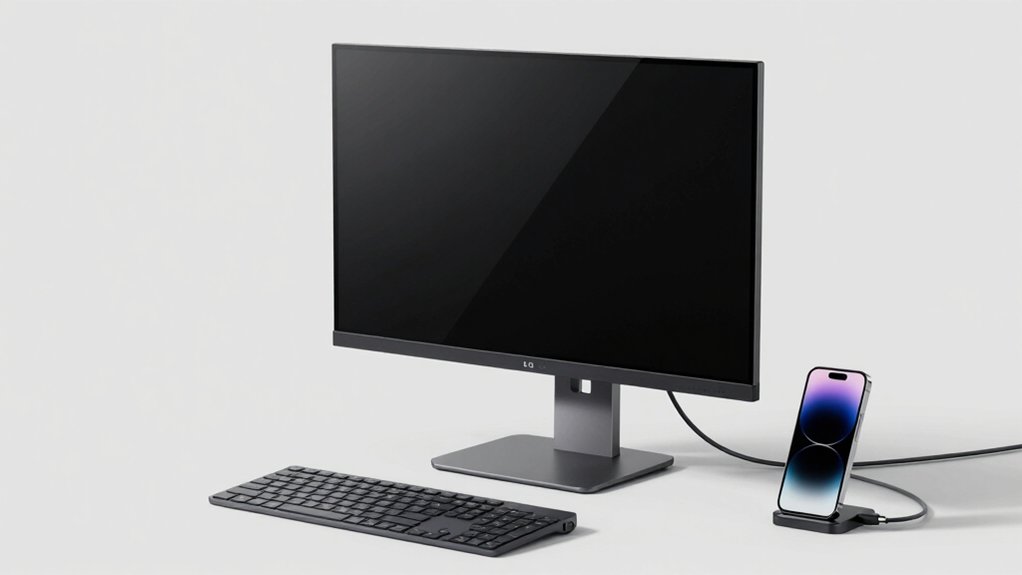
Before you select a USB-C monitor, you’ll need to evaluate five critical specifications that directly impact how well the display fits your workflow. First, check the power delivery wattage (typically 65W to 140W) to ensure it can charge your laptop while you work, then verify the resolution and screen size match your task requirements, confirm the refresh rate supports your usage whether it’s office work or gaming, review all available ports like HDMI and DisplayPort for device compatibility, and finally assess the stand’s adjustment options including height, tilt, and swivel to position the screen at eye level. Taking time to compare these factors before purchasing will prevent compatibility issues and ensure the monitor actually simplifies rather than complicates your setup.
Power Delivery Capabilities
How much power does your monitor need to deliver? You’ll find USB-C Power Delivery ranging from 15W to 65W across models. Start by checking your device’s power requirements—laptops typically need 45W to 65W, while tablets and phones require less. Next, match the monitor’s PD output to these needs. A 65W monitor charges most laptops without a separate adapter, simplifying your desk setup. Lower wattage options like 15W or 30W work for phones and lightweight devices only. Verify both specifications before purchasing: the monitor’s PD capability and your device’s power draw. Mismatched wattage means slower charging or insufficient power. This step prevents compatibility issues and ensures your monitor truly reduces cable clutter effectively.
Display Resolution and Size
Once you’ve confirmed your monitor’s power delivery matches your device’s needs, you’ll want to evaluate the display itself—specifically its resolution and size, since these two factors work together to determine image sharpness and usability. Choose from 1080p, 1440p (QHD), or 4K resolutions based on your work demands. Pair larger displays—27 to 34 inches—with higher resolutions to maintain clarity. A 1440p monitor on a 27-inch screen delivers noticeably sharper text and objects than 1080p at the same size. Consider wide aspect ratios like 21:9 on ultrawide models, which expand horizontal workspace but may affect UI scaling. Match resolution to screen size, then assess whether the additional sharpness justifies the cost and processing power required for your specific tasks.
Refresh Rate Performance
Why does refresh rate matter for your USB-C monitor? Refresh rate directly affects motion smoothness and clarity during fast-paced activities. A 60Hz panel displays 60 frames per second, while 120Hz and 144Hz panels show 120 and 144 frames respectively, delivering noticeably smoother motion and reduced blur.
Consider your primary use. For gaming and action-heavy content, choose 144Hz for the crispest experience. For general work and browsing, 100Hz with a 5ms response time provides adequate improvement over standard 60Hz without extra cost.
Response time also matters. Lower millisecond ratings minimize ghosting during rapid transitions. Pair higher refresh rates with faster response times for optimal motion clarity.
Verify your USB-C monitor’s bandwidth supports your target refresh rate, power delivery, and video data simultaneously over a single cable.
Connectivity Port Options
When selecting a USB-C monitor, you’ll want to evaluate what ports it offers beyond the primary USB-C connection. Check whether the monitor includes HDMI and DisplayPort inputs, which ensure compatibility with devices that lack USB-C. Verify the power delivery capacity—models offering 65W or 75W can charge your laptop while displaying video through a single cable. Examine whether the USB-C port functions as a hub with downstream USB-A or USB-C ports, allowing you to connect peripherals like keyboards and mice without additional cables. Review the total port configuration to determine if the monitor can consolidate your desk setup, reducing cable clutter and simplifying your workspace organization.
Ergonomic Adjustment Features
Beyond consolidating your cables, you’ll want to examine how well a monitor’s physical design supports your comfort during extended work sessions. Look for monitors with adjustable stands that offer height, tilt, pivot, and swivel functions. These adjustments let you position the screen at eye level, reducing neck and shoulder strain. Check whether the monitor includes ergonomic features like reader mode or low blue light settings to minimize eye fatigue. Verify VESA compatibility for flexible mounting options if you need alternative positioning. Built-in tilt and swivel capabilities accommodate different desk orientations and shared workstation layouts. Prioritize models combining multiple adjustment options, as this flexibility directly impacts your posture and long-term comfort throughout your workday.
Final Thoughts
You’ll simplify your workspace by selecting a USB-C monitor that matches your needs. Identify your required resolution—27-inch QHD or 34-inch ultrawide options deliver sharp visuals. Check power delivery wattage to ensure it charges your laptop. Verify the built-in USB hub has enough ports for your devices. Compare refresh rates: choose 144Hz for gaming, standard rates for work. Match your budget and panel type, then connect one cable for video, data, and power.

Meet Ry, “TechGuru,” a 36-year-old technology enthusiast with a deep passion for tech innovations. With extensive experience, he specializes in gaming hardware and software, and has expertise in gadgets, custom PCs, and audio.
Besides writing about tech and reviewing new products, he enjoys traveling, hiking, and photography. Committed to keeping up with the latest industry trends, he aims to guide readers in making informed tech decisions.