
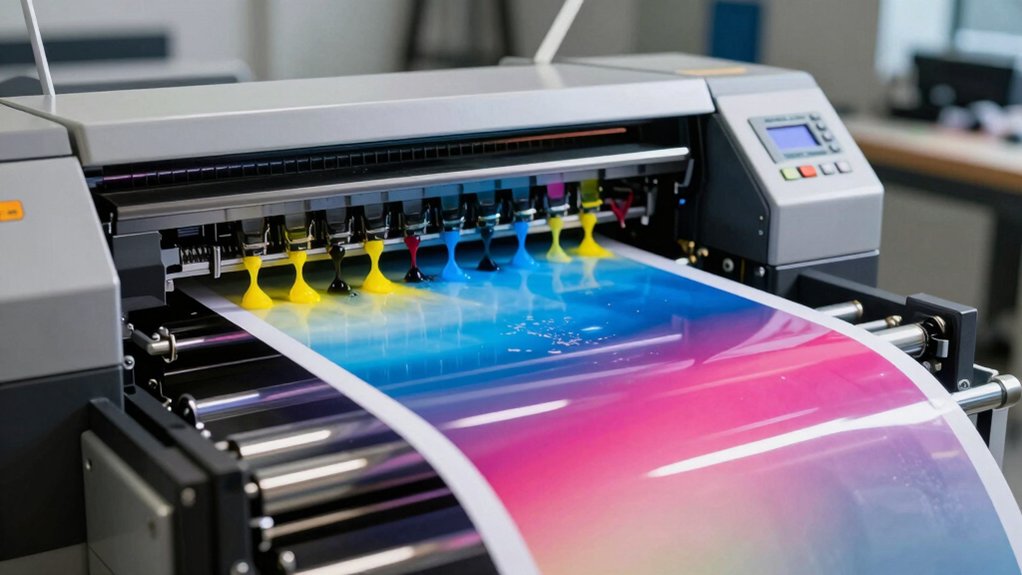

When you need a wide-format printer for professional work, you’re choosing between several proven options. Epson, HP, and Canon each offer models designed for different tasks—from everyday office printing to large posters and technical drawings. Your choice depends on your budget, volume needs, and the types of materials you print. Understanding what each printer does well helps you pick the right tool for your specific workflow. Let’s examine each option and what matters most in your decision.
| Epson Workforce Pro WF-7820 Wireless All-in-One Printer |

| Versatile Office Powerhouse | Maximum Print Width: 13″ x 19″ | Primary Functions: Print, scan, copy | Wireless Connectivity: 802.11a/b/g/n/ac Wi-Fi | VIEW LATEST PRICE | Read Our Analysis |
| HP OfficeJet Pro 9730e Wireless All-in-One Printer |
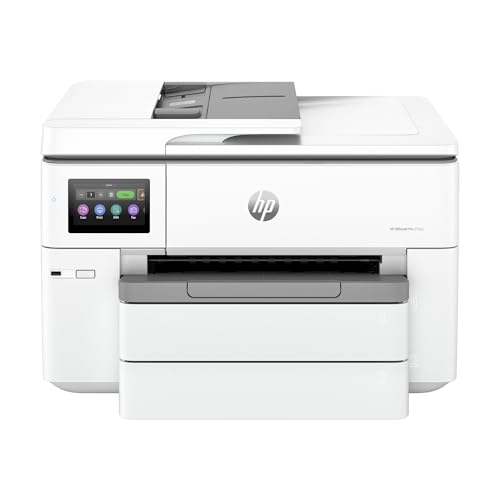
| AI-Powered Professional Choice | Maximum Print Width: 11″ x 17″ | Primary Functions: Print, scan, copy, fax | Wireless Connectivity: Dual-band Wi-Fi | VIEW LATEST PRICE | Read Our Analysis |
| HP DesignJet T210 24-inch Color Plotter Printer (8AG32D) |

| Technical Drawing Specialist | Maximum Print Width: 24″ rolls; 13″ x 19″ sheets | Primary Functions: Print (technical drawings/CAD) | Wireless Connectivity: Wi-Fi 802.11 b/g/n | VIEW LATEST PRICE | Read Our Analysis |
| Epson EcoTank ET-15000 Wireless All-in-One Printer |

| High-Volume Budget Option | Maximum Print Width: 13″ x 19″ | Primary Functions: Print, scan, copy, fax | Wireless Connectivity: 802.11b/g/n Wi-Fi | VIEW LATEST PRICE | Read Our Analysis |
| HP OfficeJet Pro 9720e Wide Format Inkjet Printer |

| Best Overall Wide Format | Maximum Print Width: 11″ x 17″ | Primary Functions: Print, scan, copy | Wireless Connectivity: Wireless connectivity | VIEW LATEST PRICE | Read Our Analysis |
| Epson EcoTank ET-8550 Wireless All-in-One Printer |

| Photo Quality Leader | Maximum Print Width: 13″ x 19″ | Primary Functions: Print, scan, copy, fax | Wireless Connectivity: Built-in wireless 802.11b/g/n | VIEW LATEST PRICE | Read Our Analysis |
| Canon Pixma iX6820 Wireless Business Printer |

| Creative Professional Pick | Maximum Print Width: 13″ x 19″ | Primary Functions: Print | Wireless Connectivity: Built-in wireless | VIEW LATEST PRICE | Read Our Analysis |
| Canon imagePROGRAF TC-21 24″ Large Format Printer |

| Poster Production Expert | Maximum Print Width: 24″ | Primary Functions: Print (posters/large format) | Wireless Connectivity: Built-in Wi-Fi | VIEW LATEST PRICE | Read Our Analysis |
| Canon imagePROGRAF TM-240 24″ Large Format Printer |

| Speed and Precision Leader | Maximum Print Width: 24″ | Primary Functions: Print (technical drawings/large format) | Wireless Connectivity: Built-in Wi-Fi | VIEW LATEST PRICE | Read Our Analysis |
More Details on Our Top Picks
Epson Workforce Pro WF-7820 Wireless All-in-One Printer
How can you handle wide-format printing, scanning, and copying in a single machine? The Epson Workforce Pro WF-7820 delivers all three functions with 13″ x 19″ printing capability. You’ll appreciate the PrecisionCore Heat-Free technology that produces fast, professional-quality prints without delays. The automatic document feeder accommodates 50 pages, while the 250-sheet paper capacity reduces frequent refilling. DURABrite Ultra ink dries quickly, minimizing smudging on your finished work. For connectivity, you can print wirelessly via 802.11ac or use mobile apps including Epson iPrint, Apple AirPrint, and Android printing. The machine integrates with Alexa for voice-controlled printing. Auto 2-sided printing and scanning features reduce manual workload and paper consumption, making this unit efficient for office environments requiring versatile wide-format capabilities.
- Maximum Print Width:13″ x 19″
- Primary Functions:Print, scan, copy
- Wireless Connectivity:802.11a/b/g/n/ac Wi-Fi
- Mobile/Cloud Printing Support:Epson Connect, AirPrint, Android, Mopria, Alexa
- Automatic Document Feeder (ADF):50-page ADF
- Print Speed (Black & White):Not specified
- Additional Feature:Wide-format up to 13″ x 19″
- Additional Feature:DURABrite Ultra quick-drying ink
- Additional Feature:Alexa voice control compatible
HP OfficeJet Pro 9730e Wireless All-in-One Printer
If you’re printing professional documents larger than standard letter size—think architectural floorplans, marketing mood boards, or detailed spreadsheets—the HP OfficeJet Pro 9730e delivers the wide-format capability you need in a single device. You’ll get print speeds up to 22 ppm for black-and-white and 18 ppm for color, with maximum resolution at 4800 x 1200 dpi. The AI-enabled P3 color gamut ensures accurate color reproduction compared to standard sRGB. You can handle media up to 11 x 17 inches using dual 250-sheet input trays. Built-in HP Wolf Pro Security protects your network, while duplex printing and the automatic document feeder streamline your workflow. Mobile printing through the HP App lets you print, scan, and copy directly from your devices via dual-band Wi-Fi connectivity.
- Maximum Print Width:11″ x 17″
- Primary Functions:Print, scan, copy, fax
- Wireless Connectivity:Dual-band Wi-Fi
- Mobile/Cloud Printing Support:HP App, HP+ Instant Ink (3 months included)
- Automatic Document Feeder (ADF):Auto document feeder
- Print Speed (Black & White):22 ppm
- Additional Feature:P3 color gamut AI technology
- Additional Feature:HP Wolf Pro Security suite
- Additional Feature:500-sheet total paper capacity
HP DesignJet T210 24-inch Color Plotter Printer (8AG32D)
The HP DesignJet T210 serves technical professionals who need crisp line work and precise rendering without the expense of larger format systems. You’ll handle up to 24-inch wide rolls or optional 13×19-inch sheets, accommodating technical drawings, maps, and sewing patterns. Print speeds reach 45 seconds per A1 page, delivering 59 prints hourly. The automatic cutter simplifies workflow, while drag-and-drop functionality and PDF error checking streamline your process. Connect via Ethernet, USB, or Wi-Fi to print directly from CAD applications. The 500 MB memory supports multiple file formats including DWF and HP-GL/2. HP 712 cartridges and 713 printheads keep operating costs manageable through efficient ink usage.
- Maximum Print Width:24″ rolls; 13″ x 19″ sheets
- Primary Functions:Print (technical drawings/CAD)
- Wireless Connectivity:Wi-Fi 802.11 b/g/n
- Mobile/Cloud Printing Support:HP Smart app, 1-Click printing
- Automatic Document Feeder (ADF):No ADF (roll/sheet feed)
- Print Speed (Black & White):59 A1/D prints per hour
- Additional Feature:Technical CAD/design application support
- Additional Feature:24-inch roll media capability
- Additional Feature:Automatic horizontal media cutter
Epson EcoTank ET-15000 Wireless All-in-One Printer
Looking for a single machine that handles printing, scanning, copying, and faxing without constant ink refills? The Epson EcoTank ET-15000 delivers all four functions in one device. You’ll print borderless color photos up to 11 x 17 inches and documents up to 13 x 19 inches. Its supertank design holds enough ink for high-volume work, reducing refill frequency. Connect via built-in wireless, Ethernet, or USB to print from phones and tablets. Scan directly to email, copy materials for coworkers, and send faxes for business communications. This all-in-one setup eliminates multiple trips between devices, streamlining your workflow for flyers, contracts, and standard business documents.
- Maximum Print Width:13″ x 19″
- Primary Functions:Print, scan, copy, fax
- Wireless Connectivity:802.11b/g/n Wi-Fi
- Mobile/Cloud Printing Support:Epson Smart Panel app, wireless printing
- Automatic Document Feeder (ADF):No ADF mentioned
- Print Speed (Black & White):Not specified
- Additional Feature:Borderless photos up to 11×17″
- Additional Feature:Built-in fax capability
- Additional Feature:High-volume supertank design
HP OfficeJet Pro 9720e Wide Format Inkjet Printer
Want a wide-format printer that handles professional color work without sacrificing office versatility? The HP OfficeJet Pro 9720e delivers. You’ll print up to 18 ppm in color and 22 ppm in black and white on media sizes from 8.5×11 to 11×17 inches. The printer uses P3 color gamut technology for accurate color reproduction. You can scan and copy documents with your flatbed scanner at 600 dpi resolution. The automatic document feeder processes multiple pages, while dual input trays with 250-sheet capacity reduce reload frequency. You’ll access security features through HP Wolf Pro Security and connect via wireless, Ethernet, or USB. The integrated touchscreen display lets you manage jobs directly at the device.
- Maximum Print Width:11″ x 17″
- Primary Functions:Print, scan, copy
- Wireless Connectivity:Wireless connectivity
- Mobile/Cloud Printing Support:AirPrint, HP+ Instant Ink (3 months trial)
- Automatic Document Feeder (ADF):Auto document feeder
- Print Speed (Black & White):22 ppm
- Additional Feature:P3 color gamut true-to-screen
- Additional Feature:HP Wolf Pro Security suite
- Additional Feature:30% recycled plastic construction
Epson EcoTank ET-8550 Wireless All-in-One Printer
If you’re printing high-volume photo projects or creative work without breaking your budget, the Epson EcoTank ET-8550 delivers cartridge-free printing with lab-quality results. You’ll save up to 80% on ink costs compared to traditional cartridges, printing 4×6 photos for about 4 cents each. The six-color Claria ET inks produce professional-quality images while the 4.3-inch touchscreen lets you control printing from your device. You can print borderless photos up to 13×19 inches and handle cardstock up to 1.3mm thick. With wireless connectivity and the Epson Smart Panel app, you print from multiple devices efficiently. Auto two-sided printing maximizes your paper usage, and replacement ink bottles provide enough supply for approximately two years of printing.
- Maximum Print Width:13″ x 19″
- Primary Functions:Print, scan, copy, fax
- Wireless Connectivity:Built-in wireless 802.11b/g/n
- Mobile/Cloud Printing Support:Epson Smart Panel app (iOS/Android)
- Automatic Document Feeder (ADF):No ADF mentioned
- Print Speed (Black & White):Not specified
- Additional Feature:Lab-quality 6-color photo printing
- Additional Feature:4×6 photos cost ~4¢
- Additional Feature:Borderless photos up to 13×19″
Canon Pixma iX6820 Wireless Business Printer
The Canon Pixma iX6820 delivers professional-quality photo and document printing for creative professionals and small business owners who need borderless prints up to 13″ x 19″. This five-ink system produces sharp output at 9600 x 2400 dpi resolution. Print speeds reach 14.5 pages per minute for black and white documents and 10.4 pages per minute for color. You’ll access mobile printing through AirPrint, Google Cloud Print, or the Pixma Printing Solutions app. The 150-sheet auto feeder handles varied paper types efficiently. Wireless and Ethernet connectivity simplify network integration. My Image Garden software organizes photos with facial recognition and offers creative layout templates for quick project completion.
- Maximum Print Width:13″ x 19″
- Primary Functions:Print
- Wireless Connectivity:Built-in wireless
- Mobile/Cloud Printing Support:AirPrint, Google Cloud Print, PPS app
- Automatic Document Feeder (ADF):No ADF mentioned
- Print Speed (Black & White):14.5 ipm
- Additional Feature:9600 x 2400 dpi resolution
- Additional Feature:Five individual ink tanks
- Additional Feature:Full HD Movie Print compatible
Canon imagePROGRAF TC-21 24″ Large Format Printer
For professionals who need to produce high-quality posters and technical plots without constant maintenance headaches, Canon’s imagePROGRAF TC-21 delivers dependable performance in a compact 24-inch format. You’ll operate the printer through its tiltable touchscreen panel, which guides you through setup with animated instructions. The device accepts both roll and sheet media, so you can switch between formats based on your project needs. Its 4-color ink system ships with 280 ml total capacity—70 ml per color, the most in its class. You’ll access the top and front interior for quick ink refills and paper replacement. Wi-Fi, USB, and Ethernet connectivity let you print wirelessly from multiple devices. The TC-21 earns ENERGY STAR and EPEAT Gold certifications, reducing your operating costs.
- Maximum Print Width:24″
- Primary Functions:Print (posters/large format)
- Wireless Connectivity:Built-in Wi-Fi
- Mobile/Cloud Printing Support:Wireless printing support
- Automatic Document Feeder (ADF):No ADF (automatic roll feeder)
- Print Speed (Black & White):Not specified
- Additional Feature:24-inch automatic roll feeder
- Additional Feature:70ml ink cartridges included
- Additional Feature:ENERGY STAR/EPEAT Gold rated
Canon imagePROGRAF TM-240 24″ Large Format Printer
Canon’s imagePROGRAF TM-240 stands out when you’re printing large-format documents that need to withstand outdoor conditions. The printer delivers speeds up to 3.2 ppm for 24 x 36 sheets using Canon’s L-COA PRO II processor, making it approximately 30 percent faster than previous models. Its 6-channel PF-06 printhead produces 5 picoliter ink droplets with 2400 x 1200 dpi maximum resolution, ensuring sharp detail and clean lines. The 5-color UV and water-resistant ink set works with compatible media to create outdoor-resistant documents suitable for construction sites, job sites, and store signage. Automatic media detection identifies type, length, and width instantly, while built-in calibration maintains color consistency across devices and time.
- Maximum Print Width:24″
- Primary Functions:Print (technical drawings/large format)
- Wireless Connectivity:Built-in Wi-Fi
- Mobile/Cloud Printing Support:USB and Ethernet connectivity
- Automatic Document Feeder (ADF):No ADF (automatic media handling)
- Print Speed (Black & White):Approximately 30% faster than previous models; 3.2 ppm for 24 x 36 sheet
- Additional Feature:30% faster than predecessors
- Additional Feature:UV and water-resistant inks
- Additional Feature:6-channel PF-06 high-density printhead
Factors to Consider When Choosing Wide Format Printers
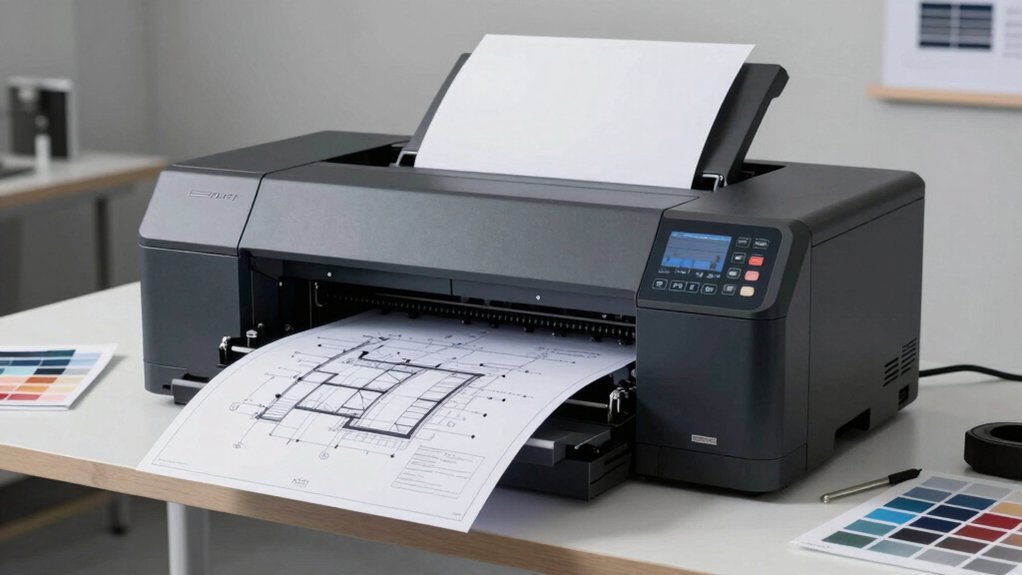
When you’re selecting a wide format printer, you’ll need to evaluate five critical factors: print speed and performance to match your production demands, media size and capacity to handle your project specifications, color accuracy and quality to meet your output standards, connectivity and workflow integration to streamline your operations, and total cost of ownership to understand your long-term investment. Start by identifying which factor carries the most weight for your specific work—for instance, if you’re printing high-volume technical drawings, speed becomes primary, while fine art reproduction prioritizes color accuracy. Next, compare how each printer option performs across all five areas so you can make a decision based on your actual business needs rather than marketing claims alone.
Print Speed and Performance
How quickly can a wide-format printer complete your projects? You’ll find that print speeds vary by format size and media type. Standard sizes typically produce faster output than larger formats like A1 or D-size. Plain paper prints quicker than glossy or rigid media because ink needs less drying time. Check manufacturer specifications for both color and black-and-white speeds measured in pages per minute. Some models list speeds per hour for continuous production to show real-world throughput. Consider draft or fast-mode settings if you’re printing technical drawings or posters where speed matters more than quality. Match the printer’s speed capabilities to your workflow demands—faster engines with efficient ink delivery systems minimize delays between jobs.
Media Size and Capacity
Every wide-format printer has maximum media width specifications—commonly 24 inches, 36 inches, or 44 inches—that determine the largest prints you can produce. Check your printer’s input tray configuration next, as paper capacity varies by model. Most machines include two trays holding 250–500 sheets combined, though roll feeders expand capacity for ongoing jobs. Consider whether you’ll print sheets, rolls, or both, since media type support varies. Verify the printer accepts your standard paper dimensions to avoid compatibility issues. Some models offer automatic media switching and cutter systems, which streamline workflow when alternating between different sizes. Borderless printing capabilities also matter if you need edge-to-edge output. Assess your typical job requirements—single prints versus high-volume mixed-media projects—to select adequate capacity.
Color Accuracy and Quality
What separates a mediocre wide-format print from a professional one? Color accuracy and quality.
You’ll want to examine the printer’s color gamut first. Wider gamuts like Adobe RGB or P3 capture more colors than sRGB, delivering richer prints. Next, check the resolution in dpi—higher dpi produces smoother gradients and sharper detail.
Consider the ink system. Multi-ink setups beyond CMYK expand your color range and improve photo fidelity. Verify the printer supports ICC profiles that match your on-screen previews to actual output.
You should also evaluate ink formulation. Pigment-based inks resist fading and water damage better than dyes, protecting color longevity. Finally, confirm the printer integrates with your workflow software—CAD/CAM or HP/GL-2 support ensures consistent color across different file types and projects.
Connectivity and Workflow Integration
Modern wide-format printers must connect seamlessly to your network and software ecosystem to maximize productivity. Verify that your printer supports both Wi-Fi and Ethernet connectivity for reliable networked printing across departments. Check compatibility with mobile printing apps like Apple AirPrint and Android printing to enable remote workflow integration. Confirm the printer accepts cloud printing and email printing features, allowing multiple users to submit documents without visiting the device. Review support for your file types—CAD software requires HP/GL-2, DWF, PDF, and TIFF compatibility. Ensure the printer includes firmware updates and network protection suites to maintain security across your office network. These connectivity options directly reduce printing delays and streamline document routing between teams and locations.
Total Cost of Ownership
Most professionals focus on the upfront purchase price when selecting a wide-format printer, but you’ll find that the true expense extends far beyond the initial investment—it includes ink or toner costs, maintenance fees, warranty plans, and service agreements spread across the printer’s entire lifespan. Evaluate supertank or high-yield ink systems, which drastically reduce per-page printing costs compared to cartridge-based models. Consider media handling capabilities, including paper capacity and supported sizes, since limited capacity increases refill frequency and downtime. Factor in energy consumption, waste management, and maintenance demands like head cleaning or clog prevention. Finally, review firmware updates and security features that may require ongoing subscriptions. Calculate total cost by multiplying estimated annual pages by per-page costs, then add annual maintenance expenses and any service plan fees.
Final Thoughts
You’ll find the right wide-format printer by matching your specific needs to each model’s strengths. Epson offers speed and affordability; Canon delivers color accuracy; HP provides CAD compatibility. Evaluate your volume requirements, media types, and budget first. Then select based on print quality, throughput, and features you’ll actually use. Test models when possible before committing to ensure they fit your workflow.

Meet Ry, “TechGuru,” a 36-year-old technology enthusiast with a deep passion for tech innovations. With extensive experience, he specializes in gaming hardware and software, and has expertise in gadgets, custom PCs, and audio.
Besides writing about tech and reviewing new products, he enjoys traveling, hiking, and photography. Committed to keeping up with the latest industry trends, he aims to guide readers in making informed tech decisions.