
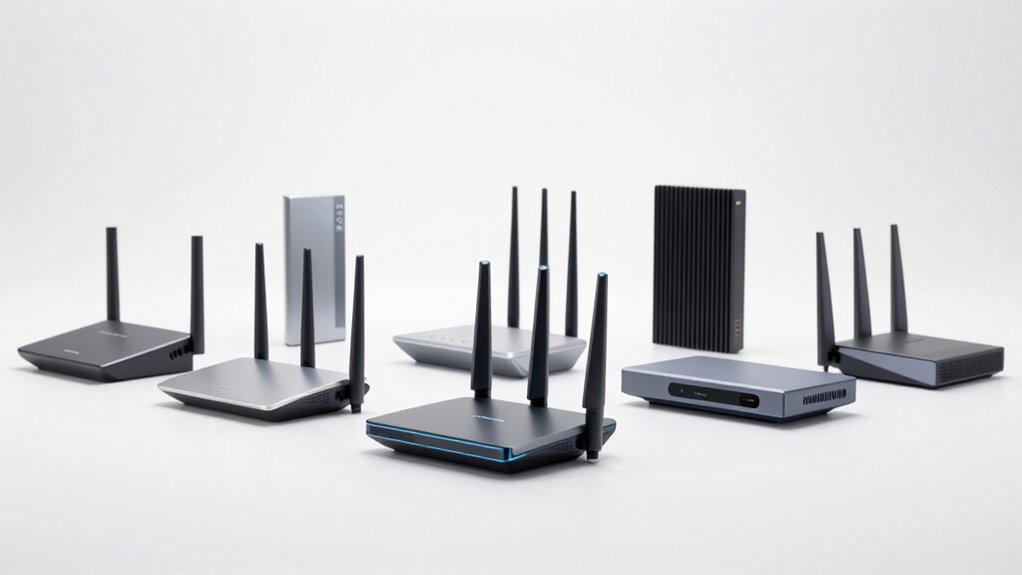

You’re dealing with WiFi dead zones, buffering, and devices constantly dropping connection. The solution isn’t complicated—you need a WiFi 7 router built for your specific situation. Whether you prioritize gaming performance, multi-device handling, or whole-home coverage, the right router exists for your needs. To find it, you’ll need to understand what features matter most and how routers differ. Here’s what separates the best options from the rest.
| TP-Link Archer BE230 Dual-Band Wi-Fi 7 Router |

| Best Budget Option | WiFi 7 Band Configuration: Dual-band (5 GHz, 2.4 GHz) | Maximum WiFi Speed: 3,570 Mbps (5 GHz: 2,882 Mbps + 2.4 GHz: 688 Mbps) | Coverage Area: Up to 2,000 sq. ft. | VIEW LATEST PRICE | Read Our Analysis |
| TP-Link BE6500 WiFi 7 Router with Dual 2.5Gbps Ports |

| Best Mid-Range Pick | WiFi 7 Band Configuration: Dual-band (5 GHz, 2.4 GHz) | Maximum WiFi Speed: 6,452 Mbps (5 GHz: 5,764 Mbps + 2.4 GHz: 688 Mbps) | Coverage Area: Up to 2,400 sq. ft. | VIEW LATEST PRICE | Read Our Analysis |
| TP-Link Archer BE600 WiFi 7 Router with 10G Port |

| Best Overall | WiFi 7 Band Configuration: Tri-band (6 GHz, 5 GHz, 2.4 GHz) | Maximum WiFi Speed: 9,679 Mbps (6 GHz: 5,765 Mbps + 5 GHz: 2,882 Mbps + 2.4 GHz: 1,032 Mbps) | Coverage Area: Up to 2,600 sq. ft. | VIEW LATEST PRICE | Read Our Analysis |
| NETGEAR Nighthawk WiFi 7 Router (BE9300) |

| Best Alternative Brand | WiFi 7 Band Configuration: Tri-band | Maximum WiFi Speed: 9.3 Gbps | Coverage Area: Up to 2,500 sq. ft. | VIEW LATEST PRICE | Read Our Analysis |
| TP-Link Archer BE260 WiFi 7 Dual-Band Router |

| Best Dual-Band | WiFi 7 Band Configuration: Dual-band (5 GHz, 2.4 GHz) | Maximum WiFi Speed: 5,012 Mbps (5 GHz: 4,324 Mbps + 2.4 GHz: 688 Mbps) | Coverage Area: Up to 2,400 sq. ft. | VIEW LATEST PRICE | Read Our Analysis |
| TP-Link Deco 7 BE25 WiFi 7 Mesh Router |

| Best Mesh System | WiFi 7 Band Configuration: Dual-band (5 GHz, 2.4 GHz) | Maximum WiFi Speed: Up to 2.4 GHz (exact speeds not specified; 4-stream configuration) | Coverage Area: Up to 2,600 sq. ft. | VIEW LATEST PRICE | Read Our Analysis |
| ASUS ROG Rapture GT-BE98 PRO WiFi 7 Gaming Router |

| Best Gaming Router | WiFi 7 Band Configuration: Quad-band (dual 6 GHz, 5 GHz, 2.4 GHz) | Maximum WiFi Speed: 30 Gbps | Coverage Area: Coverage area not specified | VIEW LATEST PRICE | Read Our Analysis |
| ASUS ROG Strix GS-BE12000 WiFi 7 Router |

| Most Powerful | WiFi 7 Band Configuration: Tri-band (6 GHz, 5 GHz, 2.4 GHz) | Maximum WiFi Speed: 12 Gbps | Coverage Area: Up to 3,000 sq. ft. | VIEW LATEST PRICE | Read Our Analysis |
| TP-Link Archer GE650 Wi-Fi 7 Gaming Router |

| Best Premium Gaming | WiFi 7 Band Configuration: Tri-band (6 GHz, 5 GHz, 2.4 GHz) | Maximum WiFi Speed: 11 Gbps (6 GHz: 5,764 Mbps + 5 GHz: 4,320 Mbps + 2.4 GHz: 574 Mbps) | Coverage Area: Coverage area not specified | VIEW LATEST PRICE | Read Our Analysis |
| ASUS RT-BE92U BE9700 WiFi 7 Router |

| Best Multi-Purpose | WiFi 7 Band Configuration: Tri-band (6 GHz, 5 GHz, 2.4 GHz) | Maximum WiFi Speed: 9.7 Gbps | Coverage Area: Coverage area not specified | VIEW LATEST PRICE | Read Our Analysis |
More Details on Our Top Picks
TP-Link Archer BE230 Dual-Band Wi-Fi 7 Router
If you’re managing a household where multiple devices connect simultaneously—smartphones, laptops, tablets, smart speakers, and IoT gadgets—the TP-Link Archer BE230 delivers the capacity you need. This Wi-Fi 7 router supports up to 60 devices across 2,000 square feet using its quad-core processor and four internal antennas with beamforming. You’ll get 2882 Mbps on the 5 GHz band and 688 Mbps on 2.4 GHz. The 2.5G WAN and LAN ports handle faster internet speeds. Setup takes minutes through the Tether app, and you can enable HomeShield protection for network security and parental controls immediately after installation.
- WiFi 7 Band Configuration:Dual-band (5 GHz, 2.4 GHz)
- Maximum WiFi Speed:3,570 Mbps (5 GHz: 2,882 Mbps + 2.4 GHz: 688 Mbps)
- Coverage Area:Up to 2,000 sq. ft.
- Device Capacity:Up to 60 devices
- Wired Port Configuration:1× 2.5G WAN, 1× 2.5G LAN, 3× 1G LAN
- Security & Management:HomeShield (network protection, parental controls, IoT security); VPN support
- Additional Feature:EasyMesh compatibility for seamless expansion
- Additional Feature:Amazon Alexa/Google Assistant voice control
- Additional Feature:4-antenna beamforming design
TP-Link BE6500 WiFi 7 Router with Dual 2.5Gbps Ports
The TP-Link BE6500 delivers the performance you need when you’re juggling multiple high-bandwidth activities simultaneously—whether you’re streaming 4K video, gaming competitively, or working from home with video calls. This Wi-Fi 7 router reaches up to 5764 Mbps on 5GHz and 688 Mbps on 2.4GHz, supporting 90 devices across 2,400 square feet. You’ll get dual 2.5 Gbps ports plus three 1 Gbps LAN ports for wired connections. The router features Multi-Link Operation, which improves throughput and reduces latency across your activities. Set it up quickly through the Tether app on Android or iOS, then activate TP-Link HomeShield for real-time IoT security and parental controls. For expanded coverage, you can mesh it with EasyMesh-compatible devices.
- WiFi 7 Band Configuration:Dual-band (5 GHz, 2.4 GHz)
- Maximum WiFi Speed:6,452 Mbps (5 GHz: 5,764 Mbps + 2.4 GHz: 688 Mbps)
- Coverage Area:Up to 2,400 sq. ft.
- Device Capacity:Up to 90 devices
- Wired Port Configuration:1× 2.5G WAN/LAN, 1× 2.5G LAN, 3× 1G LAN
- Security & Management:HomeShield (network protection, parental controls, IoT security); VPN client/server
- Additional Feature:Dual 2.5 Gbps wired ports
- Additional Feature:VPN client/server simultaneous support
- Additional Feature:Supports 90 devices simultaneously
TP-Link Archer BE600 WiFi 7 Router with 10G Port
Want a router that handles serious bandwidth demands without breaking a sweat? The TP-Link Archer BE600 delivers with its 10 Gbps WAN/LAN port, supporting speeds up to 5,765 Mbps across tri-band WiFi 7. You’ll connect up to 120 devices simultaneously while maintaining coverage across 2,600 square feet. The router’s Multi-Link Operation and 4K-QAM technology optimize performance for latest devices like iPhone 16 Pro and PS5 Pro. Setup takes minutes through the Tether app or web interface. You get comprehensive security via HomeShield, VPN support for remote access, and dedicated customer support. Its multi-gig ports accommodate high-speed modems, making it ideal for fiber internet or demanding workflows.
- WiFi 7 Band Configuration:Tri-band (6 GHz, 5 GHz, 2.4 GHz)
- Maximum WiFi Speed:9,679 Mbps (6 GHz: 5,765 Mbps + 5 GHz: 2,882 Mbps + 2.4 GHz: 1,032 Mbps)
- Coverage Area:Up to 2,600 sq. ft.
- Device Capacity:Up to 120 devices
- Wired Port Configuration:1× 10G WAN/LAN, 1× 2.5G WAN/LAN, 3× 2.5G LAN
- Security & Management:HomeShield (network protection, parental controls, IoT security); VPN client/server
- Additional Feature:10 Gbps WAN/LAN port
- Additional Feature:Tri-band with 6 GHz support
- Additional Feature:Supports 120 devices simultaneously
NETGEAR Nighthawk WiFi 7 Router (BE9300)
Looking for a standalone router that won’t require you to replace your existing modem? The NETGEAR Nighthawk WiFi 7 Router delivers 9.3 Gbps speeds—2.4 times faster than WiFi 6—across its tri-band design. You’ll get coverage up to 2,500 square feet with a compact footprint and high-performance antennas. The 2.5 Gigabit internet port supports multi-gig speeds for cable or fiber plans. NETGEAR Armor protects against hackers, malware, and identity theft with automatic updates. Set up and manage your network through the Nighthawk app. This router works with any internet service provider and includes a 30-day trial. It’s designed for gaming, streaming, and video conferencing.
- WiFi 7 Band Configuration:Tri-band
- Maximum WiFi Speed:9.3 Gbps
- Coverage Area:Up to 2,500 sq. ft.
- Device Capacity:Device capacity not specified
- Wired Port Configuration:1× 2.5G internet port (additional ports not detailed)
- Security & Management:NETGEAR Armor (malware/hacker/identity theft protection); built-in security
- Additional Feature:NETGEAR Armor security included
- Additional Feature:30-day trial protection offer
- Additional Feature:Sleek compact body design
TP-Link Archer BE260 WiFi 7 Dual-Band Router
If you’re streaming 4K video, gaming in VR, or connecting 80+ devices across your home, the TP-Link Archer BE260 delivers the speed and coverage you need. This BE5000 WiFi 7 router offers 4324 Mbps on 5GHz and 688 Mbps on 2.4GHz with dual 2.5 Gbps ports for fast wired connections. Set up network security using TP-Link HomeShield for parental controls and real-time IoT protection. Connect the router to your modem, use the Tether app to manage your network, and expand coverage with EasyMesh devices. The router covers 2,400 square feet and supports backward compatibility with older WiFi devices, making it practical for mixed-device households.
- WiFi 7 Band Configuration:Dual-band (5 GHz, 2.4 GHz)
- Maximum WiFi Speed:5,012 Mbps (5 GHz: 4,324 Mbps + 2.4 GHz: 688 Mbps)
- Coverage Area:Up to 2,400 sq. ft.
- Device Capacity:Up to 80 devices
- Wired Port Configuration:1× 2.5G WAN, 1× 2.5G LAN, 3× 1G LAN
- Security & Management:HomeShield (network protection, parental controls, IoT security); VPN client/server
- Additional Feature:5 external antennas with beamforming
- Additional Feature:Amazon Alexa/Google Assistant compatibility
- Additional Feature:EasyMesh whole-home networking expansion
TP-Link Deco 7 BE25 WiFi 7 Mesh Router
The TP-Link Deco 7 BE25 works best for households that need reliable coverage across 2,600 square feet without experiencing performance drops when connecting 150+ devices simultaneously. This mesh system features WiFi 7 support, 4-stream technology, and dual 2.5G ports per unit for flexible wired or wireless backhaul setup. You’ll benefit from AI-driven roaming that automatically optimizes your connection as you move through rooms. The system includes HomeShield security features like network scanning and IoT device identification. For enhanced protection, upgrade to HomeShield premium for comprehensive device defense. Setup involves placing additional units strategically throughout your space to maintain seamless coverage under your single network name.
- WiFi 7 Band Configuration:Dual-band (5 GHz, 2.4 GHz)
- Maximum WiFi Speed:Up to 2.4 GHz (exact speeds not specified; 4-stream configuration)
- Coverage Area:Up to 2,600 sq. ft.
- Device Capacity:150+ devices
- Wired Port Configuration:2× 2.5G WAN/LAN per unit
- Security & Management:HomeShield premium (network/device protection); free HomeShield (basic security, parental controls); VPN client/server
- Additional Feature:AI-driven seamless roaming technology
- Additional Feature:Wireless and wired backhaul capable
- Additional Feature:Supports 150+ devices simultaneously
ASUS ROG Rapture GT-BE98 PRO WiFi 7 Gaming Router
For gamers and content creators who need ultra-fast, reliable connectivity across multiple devices, the ASUS ROG Rapture GT-BE98 PRO delivers quad-band WiFi 7 speeds up to 30 Gbps with three critical advantages: Multi-link Operation that connects your devices to multiple bands simultaneously, dual 10G ethernet ports plus quad 2.5G ports for lag-free wired connections, and Mobile Game Mode with Triple-Level Game Acceleration to prioritize gaming traffic over other network activity. The router’s 320MHz channels in the 6 GHz band and 4096-QAM technology maximize data transfer rates. Eight external antennas enhance coverage across your space. You’ll access management through the mobile app or web GUI, with WPA3-Personal security protecting your network. AiMesh support lets you expand coverage by adding compatible routers when needed.
- WiFi 7 Band Configuration:Quad-band (dual 6 GHz, 5 GHz, 2.4 GHz)
- Maximum WiFi Speed:30 Gbps
- Coverage Area:Coverage area not specified
- Device Capacity:Device capacity not specified
- Wired Port Configuration:2× 10G ports, 4× 2.5G ports
- Security & Management:Subscription-free security; WPA2-Enterprise, WPA3-Personal; VPN features
- Additional Feature:Dual 10G ports for gaming
- Additional Feature:Mobile game mode acceleration
- Additional Feature:Dual 6 GHz bands support
ASUS ROG Strix GS-BE12000 WiFi 7 Router
Gaming enthusiasts who demand low-latency connections and expansive network coverage should consider the ASUS ROG Strix GS-BE12000. This WiFi 7 tri-band router delivers 12000 Mbps speeds across 3,000 square feet with eight internal antennas and 4×4 MIMO technology. It features one 2.5G WAN port and seven 2.5G LAN ports for wired connections reaching 6000 Mbps upstream. The quad-core 2.0 GHz processor manages multiple devices simultaneously. Security includes WPA3 encryption, AiProtection Pro, and a firewall. You’ll appreciate the Gaming Network single SSID for accelerated gameplay and AiMesh compatibility for expanded coverage throughout your home.
- WiFi 7 Band Configuration:Tri-band (6 GHz, 5 GHz, 2.4 GHz)
- Maximum WiFi Speed:12 Gbps
- Coverage Area:Up to 3,000 sq. ft.
- Device Capacity:Device capacity not specified
- Wired Port Configuration:1× 2.5G WAN, 7× 2.5G LAN
- Security & Management:AiProtection Pro; Triple-Level Network Security; VPN; WPA/WPA2/WPA3
- Additional Feature:Seven 2.5G LAN ports
- Additional Feature:Gaming Network single SSID acceleration
- Additional Feature:Smart Home Master IoT management
TP-Link Archer GE650 Wi-Fi 7 Gaming Router
TP-Link’s Archer GE650 delivers a tri-band Wi-Fi 7 setup built specifically for gamers who need low-latency connections and high-speed performance across multiple devices. The router supports 11 Gbps total speeds with dedicated gaming acceleration features and a gaming panel that displays which devices receive priority bandwidth. Its 2×5G and 3×2.5G ports handle multiple high-speed connections simultaneously. You’ll get three 320 MHz channels across the 6 GHz band, enabling faster data transmission. The HomeShield security system protects your network with antivirus protection and parental controls, while the Tether app lets you manage settings from your phone quickly.
- WiFi 7 Band Configuration:Tri-band (6 GHz, 5 GHz, 2.4 GHz)
- Maximum WiFi Speed:11 Gbps (6 GHz: 5,764 Mbps + 5 GHz: 4,320 Mbps + 2.4 GHz: 574 Mbps)
- Coverage Area:Coverage area not specified
- Device Capacity:Up to 100 devices
- Wired Port Configuration:1× 5G WAN, 1× 5G LAN, 3× 2.5G LAN
- Security & Management:HomeShield (antivirus); parental controls; QoS; VPN server/client
- Additional Feature:Dedicated gaming port dashboard
- Additional Feature:Volcano-inspired RGB lighting design
- Additional Feature:Game acceleration with band steering
ASUS RT-BE92U BE9700 WiFi 7 Router
The ASUS RT-BE92U delivers WiFi 7 speeds up to 9700 Mbps using 320MHz channels in the 6 GHz band, making it an ideal choice when you’re managing multiple connected devices across your home or small business. You’ll appreciate the multi-link operation feature, which connects multiple bands simultaneously for stable, efficient data transfers. Set up three separate SSIDs through Smart Home Master to organize IoT devices, work equipment, and personal gadgets into distinct networks. Enable AiProtection Pro for subscription-free security powered by Trend Micro, then run one-tap security scans regularly. Configure AI WAN detection to automatically optimize your internet connection, and use the USB port to add 4G LTE or 5G mobile backup connectivity when needed. Expand coverage with AiMesh support for seamless mesh network expansion.
- WiFi 7 Band Configuration:Tri-band (6 GHz, 5 GHz, 2.4 GHz)
- Maximum WiFi Speed:9.7 Gbps
- Coverage Area:Coverage area not specified
- Device Capacity:Device capacity not specified
- Wired Port Configuration:Details on specific port types not provided
- Security & Management:AiProtection Pro (Trend Micro); one-tap security scan; Safe Browsing; instant VPN
- Additional Feature:AI WAN detection simplification
- Additional Feature:4G LTE/5G mobile tethering ready
- Additional Feature:Smart Home Master IoT setup
Factors to Consider When Choosing WiFi 7 Routers
When you’re shopping for a WiFi 7 router, you’ll want to evaluate five key areas: coverage and device capacity (how many devices you can connect and how far the signal reaches), speed and performance specifications (the total bandwidth and real-world throughput you’ll get), security and privacy features (encryption standards and built-in protections), wired port connectivity options (the number and type of ethernet ports available), and mesh compatibility and expandability (whether you can add additional units to expand your network). Each factor directly affects how well the router will perform in your home or office, so you should match these specifications to your specific needs before making a purchase. Start by listing your requirements—such as the square footage you need to cover, the number of devices you’ll connect, and whether you need ethernet ports for gaming or streaming—then compare routers based on how they address each requirement.
Coverage And Device Capacity
Before you select a WiFi 7 router, you’ll need to evaluate both the physical space it can cover and how many devices it can handle at once. Most WiFi 7 routers cover 2,000 to 2,600 square feet, which suits standard homes. However, larger spaces may require mesh systems with additional nodes for consistent signal strength. Simultaneously, these routers support 60–120 active devices through Multi-Link Operation and 4K-QAM coding, allowing gaming, streaming, and smart-home devices to run without interference. For dense networks, choose 6-stream or tri-band models with multiple 2.5 Gbps ports to prevent bottlenecks. If your home exceeds standard coverage or device counts, invest in EasyMesh-capable systems that scale reliably across multiple zones.
Speed And Performance Specifications
Several key technical specifications directly impact how fast your WiFi 7 router performs and how reliably it delivers that speed to your devices. Check the maximum theoretical speeds listed for each band: 5 GHz models typically reach 5–6 Gbps, while 6 GHz variants support 9–12 Gbps. Examine the channel width capacity, particularly 320 MHz channels on 6 GHz, which enable wider spectral channels and higher peak data rates. Review the number of spatial streams—6–8 streams improve multi-device throughput and reduce interference. Verify multi-link operation (MLO) support, which increases overall data throughput across bands. Finally, assess wired port specifications: 2.5 Gbps and 10 Gbps options enable multi-gig backhaul for lower latency and higher total bandwidth capacity.
Security And Privacy Features
Protection against cyber threats should rank high on your priority list when evaluating WiFi 7 routers. Look for models featuring advanced security suites like TP-Link HomeShield or AiProtection Pro, which provide real-time IoT protection, threat detection, and parental controls across your entire network. Verify that your router supports WPA3 encryption to strengthen data protection. Check whether the router offers VPN client/server capabilities, allowing you to access your network remotely without installing VPN apps on individual devices. Consider routers aligned with the CISA Secure-by-Design pledge, indicating formal cybersecurity commitments. Finally, prioritize models with private IoT network options through segmented SSIDs, enabling you to isolate connected devices and reduce exposure to potential vulnerabilities while protecting your main network.
Wired Port Connectivity Options
Why should you care about wired ports on a WiFi 7 router? Wired connections provide faster, more stable data transfer than wireless. When selecting a router, evaluate the port options available. Most models include multiple 1 Gbps LAN ports for standard devices. Check if the router offers 2.5 Gbps or 10 Gbps ports for high-speed connections. These multi-gig ports work best for gaming consoles, computers, and network servers. Verify whether your router has multi-gig modem compatibility for direct WAN connections without external adapters. Review the total number of ports to accommodate all your wired devices. Some routers include USB ports for alternative connections like tethering, though these aren’t primary network backhaul options. Match your port configuration to your devices’ connection requirements.
Mesh Compatibility And Expandability
While wired connections deliver speed and stability for individual devices, mesh networks extend that same reliable coverage across your entire home by linking multiple routers together. Check whether your WiFi 7 router supports EasyMesh or similar multi-router standards to ensure compatibility with existing extenders and compatible devices. Verify the maximum number of mesh nodes your system supports, as this determines how extensively you can expand coverage. Decide between wired backhaul, which provides superior performance, or wireless backhaul, which offers flexibility in router placement. Confirm that all mesh nodes share a single network name (SSID) to simplify handoff transitions as you move between areas. Avoid routers that operate only as standalone devices, since true mesh capability requires compatible extenders. These factors directly impact your network’s scalability and long-term performance.
Final Thoughts
You’ll find the right WiFi 7 router by identifying your needs: coverage area, device count, and budget. Compare port options (2.5 Gbps versus 10 Gbps), stream count, and security features across models. Check compatibility with your devices and existing mesh systems. Review setup requirements and app functionality. Test return policies before purchasing. Select a router matching your specific performance demands and home layout.

Meet Ry, “TechGuru,” a 36-year-old technology enthusiast with a deep passion for tech innovations. With extensive experience, he specializes in gaming hardware and software, and has expertise in gadgets, custom PCs, and audio.
Besides writing about tech and reviewing new products, he enjoys traveling, hiking, and photography. Committed to keeping up with the latest industry trends, he aims to guide readers in making informed tech decisions.