
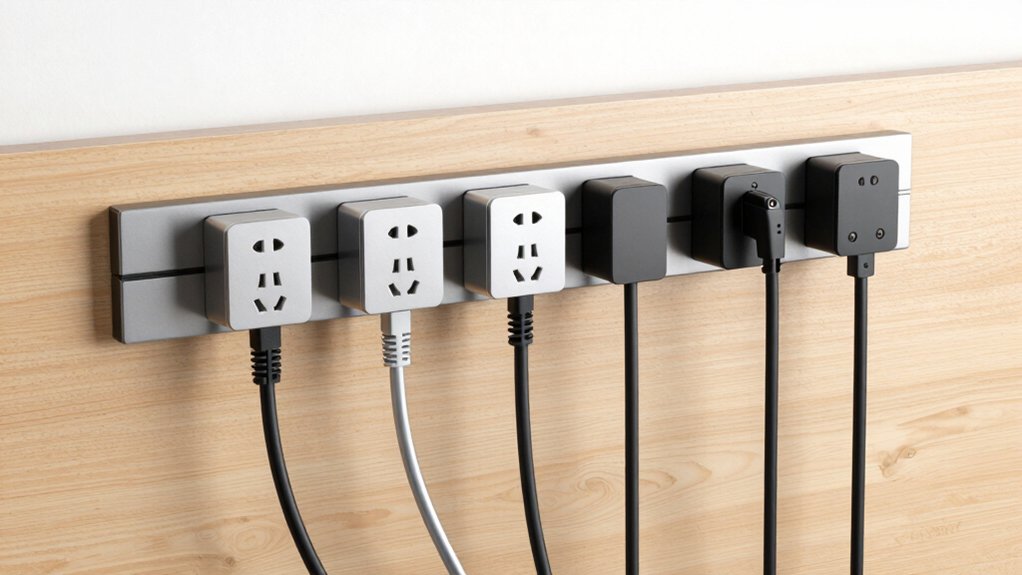

You’ve likely struggled with tangled cords and limited outlets cluttering your workspace. Mountable under-desk power strips solve this problem by combining multiple AC outlets, USB ports, and surge protection in a compact, organized setup. These strips mount securely beneath your desk, freeing up floor space while keeping chargers accessible. To find the right option for your needs, you’ll want to understand what features matter most—and we’ve identified six top models worth considering.
| 40W Fast Charging Power Strip with 12 Outlets |

| Best Fast Charging | AC Outlets: 12 outlets | USB Ports: 4 USB ports (40W total) | Surge Protection: 1200 Joules | VIEW LATEST PRICE | Read Our Analysis |
| Surge Protector Power Strip with 12 Outlets & 3 USB |
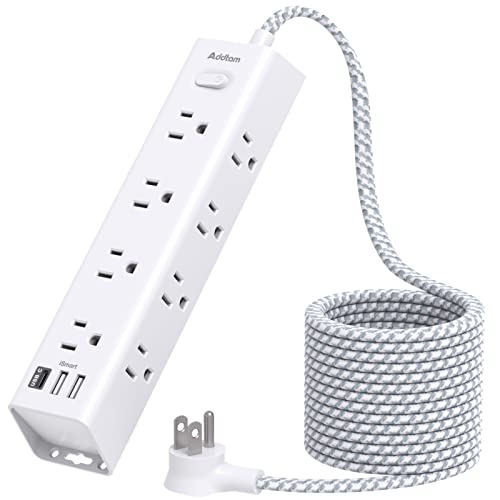
| Most Versatile Design | AC Outlets: 12 outlets | USB Ports: 3 USB ports (3A total) | Surge Protection: 1050 Joules | VIEW LATEST PRICE | Read Our Analysis |
| HHSOET Metal 8 Outlet Mountable Power Strip |
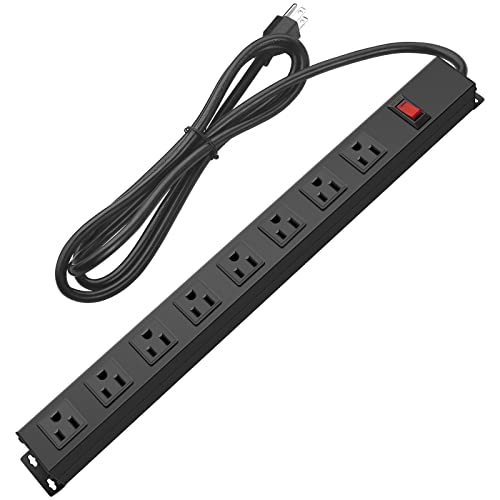
| Heavy-Duty Workhorse | AC Outlets: 8 outlets | USB Ports: 0 USB ports | Surge Protection: 1200 Joules | VIEW LATEST PRICE | Read Our Analysis |
| TROND Surge Protector Power Strip with USB-C Ports |

| Premium Protection Choice | AC Outlets: 13 outlets | USB Ports: 4 USB ports (17W total) | Surge Protection: 4000 Joules | VIEW LATEST PRICE | Read Our Analysis |
| Anker Power Strip Surge Protector with USB Ports |

| Best Warranty Coverage | AC Outlets: 12 outlets | USB Ports: 3 USB ports (1 USB-C 20W, 2 USB-A) | Surge Protection: 8-point safety system (surge included) | VIEW LATEST PRICE | Read Our Analysis |
| Dual Layer Desk Clamp Power Strip 13 Outlets |

| Most Flexible Setup | AC Outlets: 13 outlets | USB Ports: 4 USB ports (2 USB-C, 2 USB-A) | Surge Protection: 1700 Joules | VIEW LATEST PRICE | Read Our Analysis |
More Details on Our Top Picks
40W Fast Charging Power Strip with 12 Outlets
If you’re struggling to find space for multiple devices and chargers on your desk, the ANNQUAN 40W Fast Charging Power Strip with 12 Outlets delivers the outlet capacity and USB charging speed you need without consuming desktop real estate. Mount it under your desk or on a wall using the provided hardware. The 6-foot flat extension cord fits behind furniture, and the 45° angled plug measures just 0.35 inches thick, fitting into tight spaces. You’ll access 12 standard outlets plus 4 USB ports simultaneously. The USB ports provide 40W total output across a PD20W USB-C port and two QC20W USB-A ports, charging compatible devices four times faster than standard 5W chargers. Surge protection covers 1200 Joules, and the 1500W overload protection with an on/off switch safeguards your equipment.
- AC Outlets:12 outlets
- USB Ports:4 USB ports (40W total)
- Surge Protection:1200 Joules
- Extension Cord Length:6 feet
- Mounting Type:Desk or wall mountable
- Plug Design:45° left-angled flat plug (0.35 inch)
- Additional Feature:40W fast USB charging
- Additional Feature:4-side adapter design
- Additional Feature:Compact, highly portable
Surge Protector Power Strip with 12 Outlets & 3 USB
For anyone needing to charge multiple devices simultaneously while keeping a desk or workspace organized, the Addtam AD12W3U delivers 15 total charging ports—12 AC outlets plus 3 USB ports—in a compact, mountable design. You’ll appreciate the 10-foot extension cord with a flat plug that positions at a 45-degree angle, preventing obstruction behind desks or furniture. The widely spaced outlets accommodate large power adapters without blocking adjacent ports. Mount it using the included screws on both ends, or place it on your nightstand or desktop. The 1050 Joules surge protection rating safeguards your devices against voltage spikes, while overload, short-circuit, and overheating protections activate automatically. Each USB port delivers 5V/2.4A output, supporting smartphones, tablets, and power banks simultaneously with auto-detection optimization.
- AC Outlets:12 outlets
- USB Ports:3 USB ports (3A total)
- Surge Protection:1050 Joules
- Extension Cord Length:10 feet
- Mounting Type:Wall mountable (screw fixation)
- Plug Design:45° right-angle flat plug
- Additional Feature:10 ft extension cord
- Additional Feature:3-sided design layout
- Additional Feature:Wall-mountable screw fixation
HHSOET Metal 8 Outlet Mountable Power Strip
The HHSOET Metal 8 Outlet Mountable Power Strip is your best choice when you need reliable power access in workshops, garages, or office spaces without cluttering your desk surface. This heavy-duty metal strip features eight widely-spaced outlets (0.55 inches apart), accommodating large plugs easily. Mount it securely to your wall or workbench using the included screws and mounting holes. The 6-foot power cord reaches standard outlets conveniently. You’ll get built-in 1200J surge protection with an on/off switch for safety. Operating at 15A, 125V, and 1875W capacity, it handles multiple devices simultaneously while meeting safety standards. Its compact 17.3-by-1.6-inch design minimizes space usage effectively.
- AC Outlets:8 outlets
- USB Ports:0 USB ports
- Surge Protection:1200 Joules
- Extension Cord Length:6 feet
- Mounting Type:Wall mountable or furniture/workbench attachment
- Plug Design:Standard power cord
- Additional Feature:Heavy-duty metal shell
- Additional Feature:Wide 0.55-inch outlet spacing
- Additional Feature:SGS certified safety standards
TROND Surge Protector Power Strip with USB-C Ports
Want to power up to 17 devices from a single wall outlet without cluttering your workspace? The TROND Surge Protector Power Strip delivers 13 AC outlets and 4 USB ports with 4000 Joules of surge protection. Mount it under your desk using the four screw tabs, and you’ll keep cables organized and equipment protected. The 5-foot extension cord lets you position the strip exactly where you need it. Its low-profile flat plug won’t block adjacent outlets, while widely spaced outlets accommodate bulky adapters. With 1875W maximum power capacity, you can safely run computers, monitors, printers, and entertainment devices simultaneously without overloading circuits.
- AC Outlets:13 outlets
- USB Ports:4 USB ports (17W total)
- Surge Protection:4000 Joules
- Extension Cord Length:5 feet
- Mounting Type:Wall mountable (screw tabs)
- Plug Design:45° angled low-profile flat plug
- Additional Feature:4000 Joules surge protection
- Additional Feature:38mm widely spaced outlets
- Additional Feature:Supports up to 17 devices
Anker Power Strip Surge Protector with USB Ports
Need to charge multiple devices while keeping your desk clutter-free? The Anker Power Strip offers 12 AC outlets plus USB charging capability. You’ll find one USB-C port delivering 20W power—charging your iPhone 15 from zero to 50% in 26 minutes—along with two USB-A ports. The 5-foot extension cord reaches under or behind your desk easily. An 8-point safety system protects your devices through surge protection, fire resistance, and overload protection. The optimized outlet layout provides extra space between ports, accommodating bulky plugs without obstruction. Mounting screws let you secure it permanently underneath. You receive an 18-month warranty plus a lifetime $200,000 connected equipment warranty, ensuring long-term protection and peace of mind.
- AC Outlets:12 outlets
- USB Ports:3 USB ports (1 USB-C 20W, 2 USB-A)
- Surge Protection:8-point safety system (surge included)
- Extension Cord Length:5 feet
- Mounting Type:Desk mountable (screws included)
- Plug Design:Not specified
- Additional Feature:8-point safety system
- Additional Feature:Fast iPhone 15 charging
- Additional Feature:18-month worry-free warranty
Dual Layer Desk Clamp Power Strip 13 Outlets
If you’re juggling multiple devices and limited desk space, this 17-in-1 dual layer desk clamp power strip offers a practical solution with 13 AC outlets and 4 USB ports (including 2 USB-C) to charge up to 17 devices simultaneously. You’ll clamp it to your desk without tools—simply twist to secure and adjust for tables up to 7 cm thick. The removable top strip suits travel, while the bottom detaches for wall mounting. Its 1700 Joule surge protector and 15A overload switch safeguard your equipment, automatically disconnecting when power exceeds 1875W. The ultra-thin flat plug measures 0.33 inches with a 45° angle, preventing outlet blockage. Its 10-foot extension cord, 50% thinner than standard cords, runs discreetly under rugs or along walls for organized cable management.
- AC Outlets:13 outlets
- USB Ports:4 USB ports (2 USB-C, 2 USB-A)
- Surge Protection:1700 Joules
- Extension Cord Length:10 feet
- Mounting Type:Desk clamp (no drilling required)
- Plug Design:45° right-angle ultra-thin flat plug (0.33 inch)
- Additional Feature:Removable dual-layer design
- Additional Feature:Adjustable up to 7cm
- Additional Feature:1700 Joule surge protection
Factors to Consider When Choosing a Mountable Under Desk Power Strip
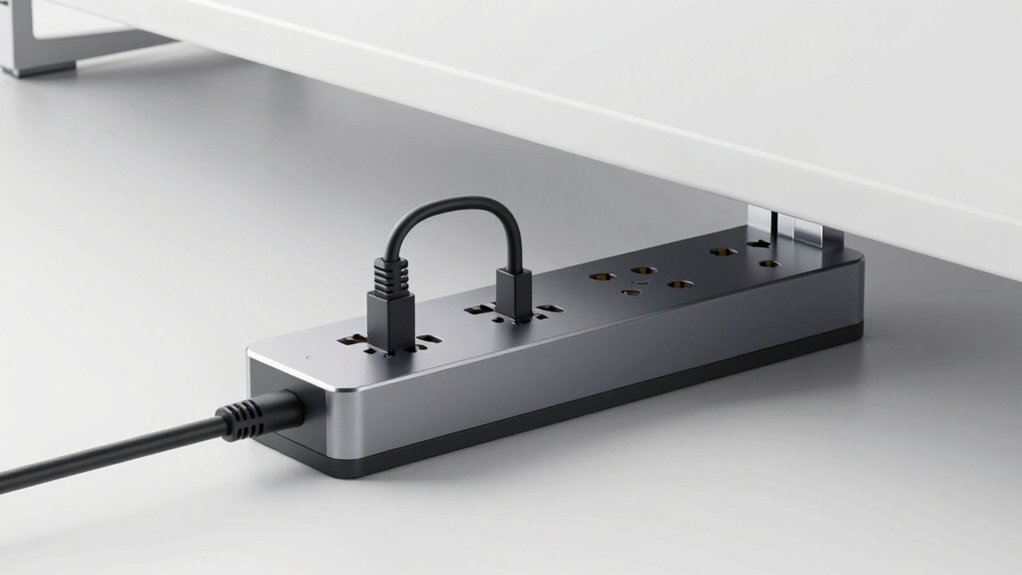
When you’re selecting a mountable under desk power strip, you’ll need to evaluate several key factors: outlet count and spacing to fit your devices, surge protection rating to safeguard your electronics, and USB charging capacity for phones and tablets. Next, consider the cord length and design to ensure it reaches your power source without creating clutter, along with the mounting installation options that work best with your desk type and setup. By assessing each of these elements against your specific workspace needs, you’ll find the power strip that maximizes your desk organization while protecting your equipment.
Outlet Count And Spacing
How many devices do you actually need to power at your desk? Count everything: monitor, keyboard, mouse, lamp, phone charger, and speakers. Most mountable under-desk models offer 8 to 13 outlets, so choose based on your total device count plus room for future additions.
Outlet spacing matters equally. Look for widely spaced outlets—measure the distance in millimeters or inches—to fit bulky power adapters without blocking adjacent sockets. Some models feature dual rows or 3-sided spacing, which maximizes accessibility in confined under-desk areas.
Verify the specific layout before purchasing. Check whether the strip accommodates your existing power bricks and adapters. Models with flat or angled plugs and flat extension cords reduce obstruction when mounting behind desks or furniture.
Surge Protection Rating
Because your desk setup likely includes expensive electronics like computers and monitors, you’ll want to prioritize surge protection when selecting an under-desk power strip. Check the joule rating, which measures how much energy the strip absorbs during a power surge. Common ratings range from 1200J to 4000J. Higher joule ratings provide better protection and last longer under repeated surge events. Compare exact joule specifications across models you’re considering. Look for power strips with protection indicators or modes that show active protection status. Additionally, verify that the unit carries safety certifications, as overall device protection depends on both joule rating and design quality. Select a model with ratings appropriate to your equipment’s value and sensitivity.
USB Charging Capacity
USB charging capacity is a critical factor in selecting an under-desk power strip, as it determines how quickly and efficiently you can charge phones, tablets, and other portable devices simultaneously. Check the total wattage output—strips typically offer 40W combined across multiple ports. Examine individual port specifications: USB-A ports usually deliver 2.0A each with a shared total limit, while USB-C Power Delivery ports can provide up to 20W for faster charging. Verify that the strip’s total USB output doesn’t exceed its overall power budget when you’re using outlets simultaneously. Look for models with auto-detection technology that optimizes charging for your specific devices. Calculate your actual needs by listing devices you’ll charge together, then match that requirement to the strip’s capacity.
Cord Length And Design
What distance separates your desk from the nearest wall outlet? Measure this distance first. You’ll find cord lengths ranging from 5 ft to 10 ft in most mountable strips. A 6 ft to 10 ft cord allows flexible positioning behind desks, sofas, or along walls without stretching. Shorter cords limit placement options and create tension on connections.
Next, consider plug design. A flat or 45° angled plug prevents obstruction and enables closer placement behind furniture. Standard right-angle plugs may block adjacent outlets.
Finally, examine how the cord enters the mounting bracket. Aligned cord entry supports discreet installation and easier cable management underneath your desk. Check that your chosen strip’s cord length and plug design match your specific desk layout and outlet location.
Mounting Installation Options
How you’ll secure your power strip under the desk depends on the mounting system it offers. Most models feature either 4-screw mounting plates or adjustable clamps that attach to your desk edge or underside. Check the mounting specification to confirm it matches your desk thickness before purchasing. Screw-in options work best for permanent placement, while clamps allow repositioning without tools. Wall-mount compatibility suits desks positioned against walls, offering a stable alternative to furniture attachment. Some units support behind-furniture placement, though you’ll need adequate clearance for plugs and ventilation. Review compatibility notes carefully to determine whether the model suits desk, wall, or furniture mounting. Select the option that aligns with your workspace layout and how you plan to arrange your cables and devices.
Adapter Compatibility Considerations
Before you buy a mountable under desk power strip, you’ll need to check whether it’ll actually fit your devices and accommodate your charging needs. Examine the outlet spacing on each model to see if your adapters will block adjacent ports. Many power strips feature wide spacing or 4-side layouts that prevent large chargers from covering multiple outlets. Count the total number of outlets and USB ports available—options range from 12 outlets with 4 USB ports to 13 outlets with 4 USB ports and beyond. Match this capacity to your devices: laptops, monitors, phone chargers, and desk accessories. Verify that each outlet can handle your specific adapter types and sizes without overlap or obstruction during simultaneous use.
Safety Features And Certifications
Once you’ve confirmed your power strip will physically accommodate your devices, you’ll need to evaluate the safety protections built into the unit itself. Look for surge protection ratings measured in joules—higher ratings like 4000J absorb more energy than 1200J. Verify the strip has an on/off switch and over-current/short-circuit protection to prevent damage from electrical overloads. Check for safety certifications such as ETL or SGS, which confirm the unit meets recognized safety standards. Confirm the materials are flame-retardant, typically UL94 V-0 rated, reducing fire risk during overheats or electrical faults. Finally, ensure proper grounding connections and a sturdy mounting design that’ll keep the strip stable and secure under your desk during daily use.
Power Capacity Requirements
What wattage do your devices actually need? Multiply your voltage (125V) by the maximum current rating—typically 12A or 15A—to determine total power capacity. Next, verify the strip’s claimed maximum wattage (usually 1500W–1875W) matches your anticipated load, especially when connecting high-draw devices like computers, monitors, and printers. Check surge protection ratings (1200J–4000J) as an indirect measure of transient energy absorption during power spikes. If your strip includes USB ports, confirm their combined output (often 40W across 4 ports) doesn’t exceed subsystem capacity when multiple devices charge simultaneously. Finally, account for cord length—6–10 ft extensions may introduce minor voltage drop, reducing practical power delivery. Calculate these factors before purchasing to avoid overloading circuits.
Final Thoughts
You’ll want to select a mountable under-desk power strip based on your outlet needs, charging requirements, and mounting space. Compare the outlet count, USB port types, and joule ratings across models. Measure your desk’s underside to confirm fit. Check the cord length matches your setup. Install using provided screws for stability. Verify surge protection coverage meets your device specifications. Review warranty terms before purchasing.

Meet Ry, “TechGuru,” a 36-year-old technology enthusiast with a deep passion for tech innovations. With extensive experience, he specializes in gaming hardware and software, and has expertise in gadgets, custom PCs, and audio.
Besides writing about tech and reviewing new products, he enjoys traveling, hiking, and photography. Committed to keeping up with the latest industry trends, he aims to guide readers in making informed tech decisions.