
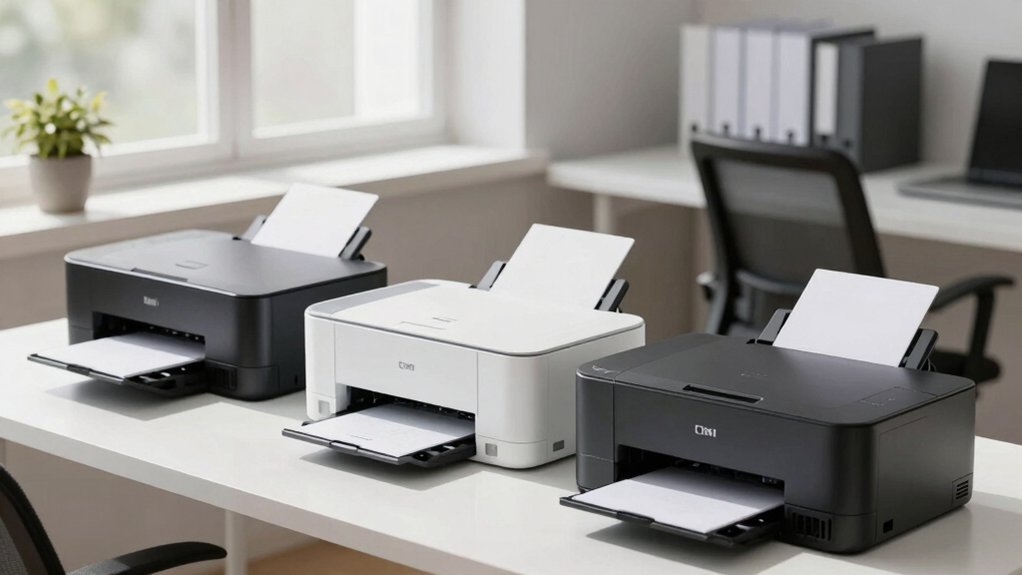

You’ll find that setting up a home office printer doesn’t have to be complicated. Start by identifying your core needs: do you need scanning and copying, or just printing? Next, consider your budget for both the device and ongoing ink costs. Then, evaluate connectivity options like wireless or Bluetooth for seamless smartphone printing. Finally, review compact designs that fit your workspace. These factors guide your decision, but several standout models deserve closer examination.
| Canon PIXMA TS3720 Wireless All-in-One Printer |

| Best For Home | Printer Type: Inkjet all-in-one (print, copy, scan) | Connectivity Options: Wi-Fi (dual-band 2.4GHz/5GHz), mobile apps | Print Speed (Black/Color): 7.7 black / 4 color ppm | VIEW LATEST PRICE | Read Our Analysis |
| HP DeskJet 2855e Wireless All-in-One Inkjet Printer |

| Budget-Friendly Pick | Printer Type: Inkjet all-in-one (print, copy, scan) | Connectivity Options: Wi-Fi (2.4GHz only), USB 2.0, mobile apps | Print Speed (Black/Color): 7.5 black / 5.5 color ppm | VIEW LATEST PRICE | Read Our Analysis |
| HP Envy 6155e Wireless All-in-One Inkjet Printer |
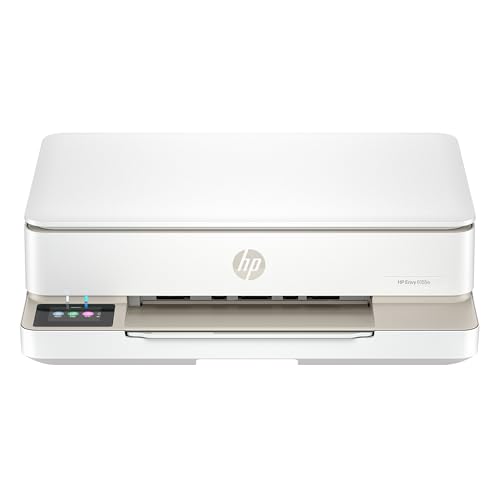
| Best All-Arounder | Printer Type: Inkjet all-in-one (print, copy, scan) | Connectivity Options: Wi-Fi (dual-band), mobile apps | Print Speed (Black/Color): 10 black / 7 color ppm | VIEW LATEST PRICE | Read Our Analysis |
| HP DeskJet 2827e Wireless All-in-One Printer (6W7F5A) |

| Most Compact | Printer Type: Inkjet all-in-one (print, copy, scan) | Connectivity Options: Wi-Fi, USB, mobile apps | Print Speed (Black/Color): 7.5 black / 5.5 color ppm | VIEW LATEST PRICE | Read Our Analysis |
| Epson EcoTank ET-2800 Wireless All-in-One Printer |

| Most Economical | Printer Type: Inkjet all-in-one (print, copy, scan) | Connectivity Options: Wi-Fi, USB, mobile apps | Print Speed (Black/Color): 10 black / up to 10 color ppm | VIEW LATEST PRICE | Read Our Analysis |
| HP Envy 6555e Wireless All-in-One Inkjet Printer |

| Best Photo Quality | Printer Type: Inkjet all-in-one (print, copy, scan) | Connectivity Options: Wi-Fi (dual-band), mobile apps | Print Speed (Black/Color): 10 black / 7 color ppm | VIEW LATEST PRICE | Read Our Analysis |
| Canon MegaTank G3270 All-in-One Wireless Printer |

| Best Long-Term Value | Printer Type: Inkjet all-in-one (print, copy, scan) | Connectivity Options: Wi-Fi, USB, mobile apps | Print Speed (Black/Color): Speed not specified | VIEW LATEST PRICE | Read Our Analysis |
| HP LaserJet M110w Wireless Black & White Printer |

| Best For Small Teams | Printer Type: Laser black & white printer | Connectivity Options: Wi-Fi, mobile apps | Print Speed (Black/Color): 21 black ppm (black & white only) | VIEW LATEST PRICE | Read Our Analysis |
| NDYIN N80 Wireless Thermal Printer for Travel |

| Most Portable | Printer Type: Thermal portable printer | Connectivity Options: Bluetooth, USB-C, mobile app | Print Speed (Black/Color): Speed not specified | VIEW LATEST PRICE | Read Our Analysis |
| HP LaserJet M209d Laser Printer (8J9L0F) |

| Best For Speed | Printer Type: Laser black & white printer | Connectivity Options: USB 2.0 only | Print Speed (Black/Color): 30 black ppm (black & white only) | VIEW LATEST PRICE | Read Our Analysis |
| HP OfficeJet Pro 8125e Wireless All-in-One Printer |

| Professional Grade | Printer Type: Inkjet all-in-one (print, copy, scan) | Connectivity Options: Wi-Fi (dual-band), Ethernet, USB, mobile apps | Print Speed (Black/Color): 20 black / 10 color ppm | VIEW LATEST PRICE | Read Our Analysis |
More Details on Our Top Picks
Canon PIXMA TS3720 Wireless All-in-One Printer
Looking to set up a home office without spending hours on installation? The Canon PIXMA TS3720 gets you printing within minutes. You’ll find dual-band Wi-Fi connectivity lets you connect directly to your network without a computer. The printer handles printing, copying, and scanning through its 1.5-inch LCD screen. You’ve got straightforward ink replacement with two cartridges that slot in easily. Print speeds reach 7.7 pages per minute for black and 4 for color. The versatile media support accommodates envelopes, photos, and banners. You can print borderless photos up to 5-by-7 inches or square 5-by-5 images. Mobile printing works through the Canon PRINT app, Apple AirPrint, and Mopria Print Service, plus Chromebook compatibility.
- Printer Type:Inkjet all-in-one (print, copy, scan)
- Connectivity Options:Wi-Fi (dual-band 2.4GHz/5GHz), mobile apps
- Print Speed (Black/Color):7.7 black / 4 color ppm
- Ink System:2 cartridges (black, tri-color)
- Paper Capacity:Standard tray (not specified)
- Warranty & Support:1-year warranty
- Additional Feature:Borderless 5″×7″ photos
- Additional Feature:Dual-band Wi-Fi connectivity
- Additional Feature:PosterArtist online creation tool
HP DeskJet 2855e Wireless All-in-One Inkjet Printer
The HP DeskJet 2855e is built for home offices that need basic printing, scanning, and copying without complexity. You’ll connect via 2.4 GHz Wi-Fi or USB, then control it through the HP app on your phone, tablet, or computer. Print speeds reach 7.5 pages per minute for black-and-white documents and 5.5 for color. The 60-sheet paper tray handles standard letter-size pages, envelopes, and photo paper. You get three months of Instant Ink included when you activate HP+, which automatically delivers cartridges when you’re running low. The flatbed scanner captures documents at 4800 x 1200 dpi resolution for crisp digital copies.
- Printer Type:Inkjet all-in-one (print, copy, scan)
- Connectivity Options:Wi-Fi (2.4GHz only), USB 2.0, mobile apps
- Print Speed (Black/Color):7.5 black / 5.5 color ppm
- Ink System:HP 67 cartridges (black, tri-color)
- Paper Capacity:60-sheet input tray
- Warranty & Support:1-year limited hardware warranty
- Additional Feature:4800 x 1200 dpi resolution
- Additional Feature:60-sheet input tray capacity
- Additional Feature:HP+ AI features included
HP Envy 6155e Wireless All-in-One Inkjet Printer
Need a printer that handles everyday home office tasks without complexity? The HP Envy 6155e delivers print, copy, and scan functions with wireless connectivity for seamless setup. You’ll get color prints at 7 ppm and black prints at 10 ppm, suitable for documents and borderless photos. The 2.4-inch touchscreen provides straightforward navigation. Connect via dual-band Wi-Fi, then print directly from your smartphone, tablet, or computer using the HP App. The 100-sheet input tray reduces frequent paper refilling. HP+ membership includes three months of Instant Ink service, automatically delivering cartridges before you run out. After the trial period ends, you’ll pay a monthly fee unless you cancel.
- Printer Type:Inkjet all-in-one (print, copy, scan)
- Connectivity Options:Wi-Fi (dual-band), mobile apps
- Print Speed (Black/Color):10 black / 7 color ppm
- Ink System:HP cartridges with chips (black, tri-color)
- Paper Capacity:100-sheet input tray
- Warranty & Support:Limited warranty (varies by region)
- Additional Feature:Auto 2-sided printing capability
- Additional Feature:HP P3 vibrant color technology
- Additional Feature:100-sheet input tray
HP DeskJet 2827e Wireless All-in-One Printer (6W7F5A)
If you’re setting up a home office and need a compact device that handles printing, scanning, and copying without taking up much space, HP’s DeskJet 2827e delivers all three functions in one unit. The printer produces color pages at 5.5 ppm and black-and-white pages at 7.5 ppm, with maximum color resolution of 4800 x 1200 dpi. Its 60-sheet input tray accommodates standard paper sizes up to 8.5 x 14 inches. You’ll connect via Wi-Fi or USB and control operations through the LED display. The device includes three months of Instant Ink service with HP+ activation, which automatically delivers cartridges before you run out. After the trial period, you can continue the subscription or cancel without penalty. The compact design weighs 3.42 kilograms and fits easily on shelves or desks.
- Printer Type:Inkjet all-in-one (print, copy, scan)
- Connectivity Options:Wi-Fi, USB, mobile apps
- Print Speed (Black/Color):7.5 black / 5.5 color ppm
- Ink System:HP 67 cartridges (black, tri-color)
- Paper Capacity:60-sheet input tray
- Warranty & Support:1-year limited warranty
- Additional Feature:Auto issue resolution feature
- Additional Feature:60% recycled plastic design
- Additional Feature:Energy Star/EPEAT certified
Epson EcoTank ET-2800 Wireless All-in-One Printer
Cartridge-free printing with refillable ink tanks makes this Epson model ideal for home office users who want to cut printing costs without sacrificing quality. You’ll save up to 90% on ink replacement costs compared to traditional cartridges. The included ink bottles yield up to 4,500 black pages and 7,500 color pages per set, lasting approximately two years with normal use. This all-in-one printer scans, copies, and prints at ten pages per minute in black and white. Connect via USB or Wi-Fi, and use Epson Connect features for remote printing. Download the required app to access voice activation capabilities. Purchase genuine Epson ink to maintain your one-year warranty and ensure optimal print quality.
- Printer Type:Inkjet all-in-one (print, copy, scan)
- Connectivity Options:Wi-Fi, USB, mobile apps
- Print Speed (Black/Color):10 black / up to 10 color ppm
- Ink System:Refillable ink tanks (cartridge-free)
- Paper Capacity:100-sheet capacity
- Warranty & Support:1-year limited warranty
- Additional Feature:Refillable ink tank system
- Additional Feature:Save up to 90% ink
- Additional Feature:4,500 black/7,500 color pages
HP Envy 6555e Wireless All-in-One Inkjet Printer
The HP Envy 6555e works best for home users who print everyday color documents like homework assignments and borderless photos. You’ll get print speeds up to 10 ppm black and 7 ppm color with automatic two-sided printing. The 35-sheet auto document feeder and 100-sheet input tray handle most tasks efficiently. Connect via dual-band Wi-Fi to print from your smartphone, PC, or tablet using the HP App. The 2.4-inch touchscreen simplifies navigation. Note that this printer requires HP cartridges with chips; non-HP cartridges won’t work. HP+ activation includes three months of Instant Ink service, with monthly fees continuing unless you cancel.
- Printer Type:Inkjet all-in-one (print, copy, scan)
- Connectivity Options:Wi-Fi (dual-band), mobile apps
- Print Speed (Black/Color):10 black / 7 color ppm
- Ink System:HP cartridges with chips (black, tri-color)
- Paper Capacity:100-sheet input tray + 35-sheet auto document feeder
- Warranty & Support:Limited warranty (varies by region)
- Additional Feature:35-sheet auto document feeder
- Additional Feature:Unwanted content removal AI
- Additional Feature:Forest protection initiative
Canon MegaTank G3270 All-in-One Wireless Printer
You’ll want to contemplate the Canon MegaTank G3270 if you’re looking to cut ink costs while maintaining a reliable all-in-one printer for your home office. This wireless inkjet printer handles printing, scanning, and copying with a 1.35-inch LCD display. The GI-21 ink bottles deliver up to 6,000 black pages or 7,700 color pages per set, saving you approximately $1,000 on ink over two years. Connect via USB or Wi-Fi to smartphones and tablets. The flatbed scanner supports various media types including glossy photo paper and card stock, with a 100-sheet paper tray capacity.
- Printer Type:Inkjet all-in-one (print, copy, scan)
- Connectivity Options:Wi-Fi, USB, mobile apps
- Print Speed (Black/Color):Speed not specified
- Ink System:GI-21 ink bottles (CMYK+black)
- Paper Capacity:100-sheet capacity
- Warranty & Support:1-year warranty
- Additional Feature:Up to 2 years ink
- Additional Feature:6,000 black/7,700 color pages
- Additional Feature:Save up to $1,000 ink
HP LaserJet M110w Wireless Black & White Printer
If you’re setting up a home office for one to three people, the HP LaserJet M110w delivers compact laser printing without sacrificing performance. This printer prints up to 21 pages per minute in black and white. Connect wirelessly to your phone, tablet, or computer using the HP Smart app to print, scan, and copy directly from your smartphone. The self-resetting wireless connection keeps you online automatically. Works with Windows, Mac, iOS, Android, and Chromebook devices. Use only original HP cartridges with genuine HP chips; non-HP cartridges won’t function. Firmware updates automatically maintain security and performance features.
- Printer Type:Laser black & white printer
- Connectivity Options:Wi-Fi, mobile apps
- Print Speed (Black/Color):21 black ppm (black & white only)
- Ink System:Toner cartridge (black & white only)
- Paper Capacity:Not applicable (mobile printing only)
- Warranty & Support:1-year warranty (not specified as limited)
- Additional Feature:World’s smallest laser printer
- Additional Feature:21 pages per minute speed
- Additional Feature:Self-reset wireless connectivity
NDYIN N80 Wireless Thermal Printer for Travel
Need a printer that fits in your backpack and doesn’t require ink cartridges? The NDYIN N80 weighs 1.5 pounds and uses direct thermal printing technology, eliminating ink costs. Connect via Bluetooth to your smartphone or tablet using the Nada Print app, or plug into a laptop with the included USB-C cable after installing the driver. The printer handles US Letter and A4 thermal paper only—standard paper won’t work. On a full charge, you’ll print up to 160 sheets of 8.5 by 11-inch pages. This device suits business travel, construction sites, and mobile offices where compact printing matters.
- Printer Type:Thermal portable printer
- Connectivity Options:Bluetooth, USB-C, mobile app
- Print Speed (Black/Color):Speed not specified
- Ink System:No ink (direct thermal printing)
- Paper Capacity:N/A (thermal paper rolls)
- Warranty & Support:1-year warranty (not specified as limited)
- Additional Feature:No ink/toner required
- Additional Feature:2600 mAh rechargeable battery
- Additional Feature:160-sheet print capacity
HP LaserJet M209d Laser Printer (8J9L0F)
The HP LaserJet M209d delivers monochrome printing at 30 pages per minute with automatic two-sided printing, making it ideal for home offices that need fast, efficient output without consuming much desk space. Set up the printer by connecting the included USB cable directly to your computer—no network setup required. Load plain paper into the 150-sheet input tray, which accommodates sizes from 4 x 6 to 8.5 x 14 inches. The printer’s compact design (13.98 x 8.07 x 11 inches) fits easily into tight home office areas. Enable auto-duplex printing to save paper automatically. The 600 x 600 dpi resolution produces sharp black-and-white documents. Note that this printer accepts only HP cartridges with HP chips. Your one-year limited hardware warranty covers defects during normal use. Energy-efficient operation keeps utility costs manageable while quiet performance prevents office disruption.
- Printer Type:Laser black & white printer
- Connectivity Options:USB 2.0 only
- Print Speed (Black/Color):30 black ppm (black & white only)
- Ink System:Toner cartridge (black & white only)
- Paper Capacity:150-sheet input tray
- Warranty & Support:1-year limited hardware warranty
- Additional Feature:30 ppm monochrome printing
- Additional Feature:In-class fastest duplex printing
- Additional Feature:Compact space-saving design
HP OfficeJet Pro 8125e Wireless All-in-One Printer
For a home office that requires scanning documents alongside everyday printing, HP’s OfficeJet Pro 8125e delivers reliable all-in-one functionality without unnecessary complexity. Print at 20 ppm black or 10 ppm color, then scan with its flatbed or 1-sided ADF. The 225-sheet input tray and duplex printing handle standard office tasks efficiently. Connect via Wi-Fi or USB to access printing and scanning from your smartphone through the HP Smart app. Set up takes minutes—install the included HP 923 cartridges, load paper, and activate HP+ for extended warranty options and cloud printing features.
- Printer Type:Inkjet all-in-one (print, copy, scan)
- Connectivity Options:Wi-Fi (dual-band), Ethernet, USB, mobile apps
- Print Speed (Black/Color):20 black / 10 color ppm
- Ink System:HP 923 cartridges (CMYK)
- Paper Capacity:225-sheet input tray
- Warranty & Support:1-year limited hardware warranty
- Additional Feature:225-sheet paper capacity
- Additional Feature:60-page ADF output capacity
- Additional Feature:VPN printing via HP+
Factors to Consider When Choosing a Simple Printer for Home Use
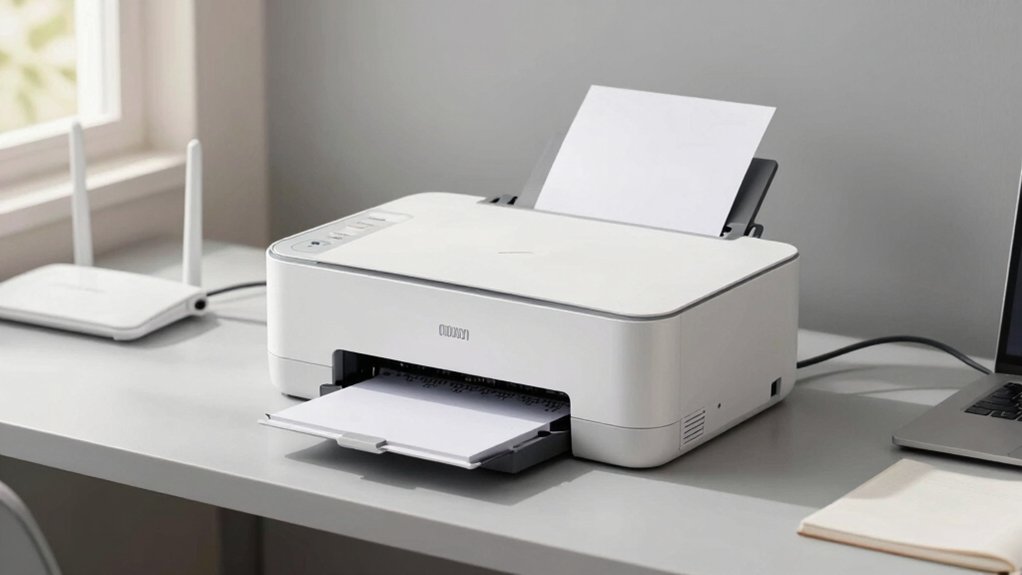
Before you buy a printer, determine your print speed needs by calculating how many pages you’ll produce weekly, then evaluate whether you need wireless connectivity for convenience and whether an all-in-one model with scanning and copying functions fits your workflow. Next, compare ink costs across brands by checking the price per page and page yield of cartridges, and assess your paper handling needs by considering whether you’ll print standard documents only or need to handle envelopes and specialty sizes. These five factors—speed, connectivity, all-in-one capability, ink expense, and paper capacity—form the foundation for selecting a printer that matches your actual home office requirements without paying for unnecessary features.
Print Speed Requirements
How fast does your printer actually need to be? For home use, you should prioritize printers delivering at least 7–10 pages per minute (ppm) for black-and-white documents and 5–10 ppm for color. Text-heavy documents typically print faster at 7–10 ppm black, while color photos and graphics move slower at 4–6 ppm color. Account for real-world speeds being lower than listed maximums, so choose models with a comfortable margin above your typical workload. If you print occasionally, a lower continuous speed may suffice, but verify the device supports your expected page counts without frequent slowdowns. For double-sided documents, select printers with auto-duplex capability to avoid manual page flipping.
Wireless Connectivity Options
When you’re setting up a home office printer, wireless connectivity determines how easily you can print from different devices throughout your space. Dual-band Wi‑Fi printers operating on 2.4 GHz or 5 GHz frequencies provide stable connections for reliable printing. USB-only models require direct computer connection or adapters, limiting flexibility. Check if your printer supports wireless direct printing or smartphone apps for iOS and Android, enabling remote printing without accessing your main computer. Verify firmware updates and password protection settings to maintain network security. Review the printer’s app ecosystem to confirm it handles printing, scanning, and copying tasks. Prioritize models with strong wireless capabilities if multiple household members need printing access.
All-in-One Functionality Needs
Beyond wireless connectivity, you’ll want to evaluate what tasks your printer can actually perform. An all-in-one device combines printing, scanning, and copying into a single machine, eliminating the need for separate equipment in your home office. Consider whether you need scanning capabilities for documents and photos, which requires a flatbed scanner for reliable results. If you regularly handle multi-page documents, an automatic document feeder (ADF) speeds up both copying and scanning without manual reloading between pages. Auto duplex printing reduces paper consumption by printing on both sides automatically. Determine which features match your actual workflow: basic printing only, or printing plus scanning and copying. This assessment prevents you from paying for unnecessary functions while ensuring you don’t lack essential capabilities.
Ink Cost Considerations
Most printer owners don’t realize that ink expenses often exceed the initial machine cost over time, making it essential to evaluate cartridge pricing before you buy. Compare per-page costs across models by checking manufacturer specifications. High-yield and XL cartridges reduce costs substantially compared to standard cartridges. Consider Supertank or MegaTank systems, which use refillable ink tanks and dramatically lower your per-page expenses. Evaluate whether you’ll print primarily black-and-white or color; black-and-white pages cost less per page. Check cartridge compatibility policies—some printers block non-OEM cartridges through firmware restrictions, locking you into expensive branded supplies. Factor in subscription services like HP+ Instant Ink, which provide automatic delivery but require ongoing fees. Calculate your expected annual printing volume and match it to the most cost-effective system.
Paper Handling Capacity
After you’ve settled on a printer model that fits your budget and ink costs, you’ll want to examine how much paper it can hold at once. Most home printers accommodate 60 to 225 sheets in their input tray. A higher capacity means you’ll refill less frequently when printing homework, bills, or multi-page documents. Check your printer’s output tray capacity too—it’s usually lower than input capacity and affects performance during busy print cycles. If your printer includes an automatic document feeder for scanning or copying, note its separate sheet capacity. Consider what paper types you’ll use: plain paper, envelopes, photo paper, and legal sizes. Verify your printer supports these media options and compatible tray configurations before purchasing.
Display Interface Usability
How easily can you navigate your printer’s controls? A 1.5″ LCD or 2.4″ color touchscreen substantially simplifies setup and daily operation. Choose a printer with clear on-device menus and intuitive icons that reduce learning time for copying, scanning, and duplex printing tasks.
Look for consistent, legible font sizes and straightforward prompts on the display. These features improve accessibility if you have vision limitations. On-display status indicators for Wi-Fi connection, ink or tank levels, and paper jam alerts help you troubleshoot problems without consulting a computer.
Pair your printer with its mobile app to gain smartphone and tablet control. This capability lets you print and scan remotely without being physically present at the device, streamlining your home office workflow considerably.
Warranty and Support Coverage
When you’re selecting a printer for your home office, understanding what warranty protection and customer support you’ll receive should factor into your decision. Most models offer a standard 1-year limited hardware warranty covering defects. You can extend coverage to 2 years through programs like HP+ enrollment. Check warranty terms carefully—they typically exclude non-HP cartridges and third-party ink issues. Access customer support via manufacturer websites or mobile apps, which provide setup guides, manuals, and troubleshooting resources. Before purchasing, verify the retailer’s 30-day return policy, which applies regardless of warranty terms. Some printers include ecosystem benefits such as Instant Ink trials that influence long-term ink supply costs. Review these options systematically to match your support needs and budget.
Final Thoughts
You’ll want to match your printer choice to your specific needs. If you’re printing documents regularly, choose a laser model for lower per-page costs. For occasional color printing, select an inkjet with subscription services like HP+. Measure your space to ensure the printer fits your desk. Compare ink or toner costs before purchasing. Test the app connectivity on your smartphone to confirm it meets your workflow requirements.

Meet Ry, “TechGuru,” a 36-year-old technology enthusiast with a deep passion for tech innovations. With extensive experience, he specializes in gaming hardware and software, and has expertise in gadgets, custom PCs, and audio.
Besides writing about tech and reviewing new products, he enjoys traveling, hiking, and photography. Committed to keeping up with the latest industry trends, he aims to guide readers in making informed tech decisions.