
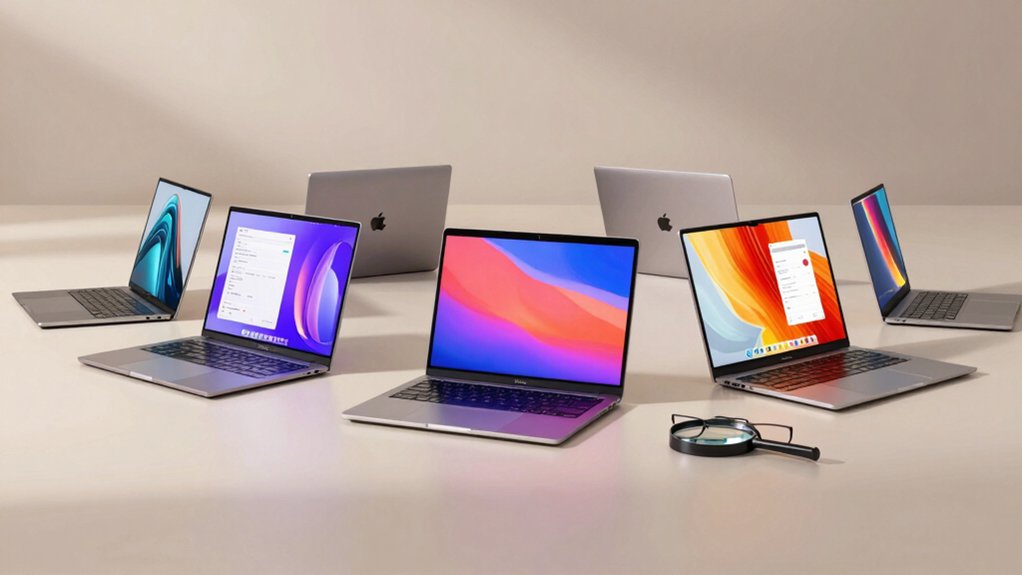

When you’re shopping for a laptop for yourself or an older adult, you’ll need to focus on specific features that make daily computing easier. You should prioritize models with clear screens, simple operating systems, and dependable battery life. You’ll find several solid options that fit these needs, but understanding what separates the best choices from the rest requires knowing which specs actually matter most.
| HP Chromebook 14 Laptop Intel Celeron N4120 |

| Best All-Around | Display Size: 14-inch HD (1366 x 768) | Processor: Intel Celeron N4120 Quad-core | RAM: 4 GB DDR | VIEW LATEST PRICE | Read Our Analysis |
| Dell Chromebook 11 3100 (Renewed) |

| Best Budget Pick | Display Size: 11.6-inch HD (1366 x 768) | Processor: Celeron N4020 (1.1 GHz base) | RAM: 4 GB DDR | VIEW LATEST PRICE | Read Our Analysis |
| HP 2023 Chromebook Laptop 14 Inch Display |

| Most Storage | Display Size: 14-inch HD (1366 x 768) | Processor: Intel Celeron N4120 (1.1 GHz, Turbo 2.6 GHz) | RAM: Up to 4 GB DDR4 | VIEW LATEST PRICE | Read Our Analysis |
| HP 14 Laptop Intel Celeron N4020 64GB |

| Windows Alternative | Display Size: 14-inch HD (1366 x 768) | Processor: Intel Celeron N4020 Dual-core | RAM: 4 GB DDR | VIEW LATEST PRICE | Read Our Analysis |
| HP Home and Student Essential Laptop with Microsoft 365 |
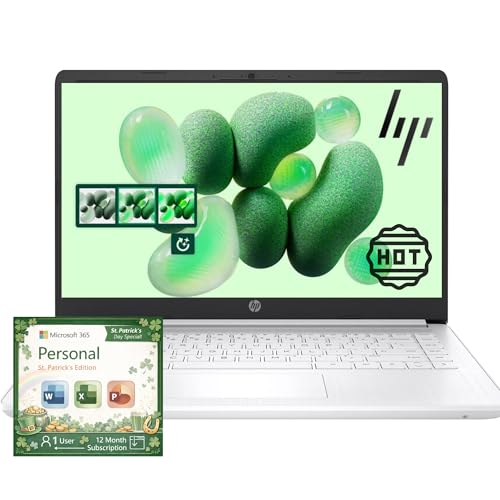
| Best Productivity Suite | Display Size: 14-inch HD (1366 x 768) | Processor: Intel Celeron N4500 (2 cores, 2 threads) | RAM: 8 GB DDR4 | VIEW LATEST PRICE | Read Our Analysis |
More Details on Our Top Picks
HP Chromebook 14 Laptop Intel Celeron N4120
Why choose the HP Chromebook 14 if you’re a senior looking for straightforward computing? You’ll appreciate its 14-inch HD display, which shows text and images clearly without strain. The Intel Celeron processor handles email, web browsing, and video calls smoothly. Chrome OS keeps your device secure automatically—you don’t manage updates yourself. With 4 GB RAM and 64 GB storage, you’ll store photos and documents easily. The keyboard and touchpad respond to your input predictably. Battery life reaches 14 hours, letting you work all day without charging. Fast Charge technology brings power from zero to 50% in 45 minutes when you need it quickly. At 3.24 pounds, you’ll carry it comfortably between rooms or locations.
- Display Size:14-inch HD (1366 x 768)
- Processor:Intel Celeron N4120 Quad-core
- RAM:4 GB DDR
- Storage:64 GB eMMC
- Battery Life:Up to 14 hours
- Weight:3.24 pounds
- Additional Feature:Up to 14-hour battery life
- Additional Feature:Chrome OS with Google Play
- Additional Feature:Four-finger gesture touchpad
Dell Chromebook 11 3100 (Renewed)
The Dell Chromebook 11 3100 works well for seniors who want a lightweight, portable device that’s straightforward to use. This renewed model weighs 2.85 pounds, making it easy to carry between rooms or travel. The 11.6-inch display shows clear text and images without overwhelming your screen space. You’ll get 4 GB of RAM and 16 GB storage for everyday tasks like email, video calls, and web browsing. The Celeron N4020 processor handles these activities smoothly. Battery life reaches 14 hours, so you won’t need frequent charging. Chrome OS simplifies software management since updates happen automatically in the background.
- Display Size:11.6-inch HD (1366 x 768)
- Processor:Celeron N4020 (1.1 GHz base)
- RAM:4 GB DDR
- Storage:16 GB flash memory (SSD)
- Battery Life:14 hours average
- Weight:2.85 pounds
- Additional Feature:11.6-inch compact display
- Additional Feature:Chrome OS operating system
- Additional Feature:Renewed/refurbished condition
HP 2023 Chromebook Laptop 14 Inch Display
If you’re looking for a laptop that starts up quickly and keeps things simple, the HP 2023 Chromebook with its 14-inch display delivers exactly that. The Intel Celeron processor handles documents, web browsing, and streaming without lag. You get 4GB of RAM and up to 128GB storage for your files. The 1366 x 768 display shows text and images clearly. Chrome OS boots fast and connects seamlessly to Google services. Three USB ports let you attach external devices easily. WiFi 5 provides reliable internet connection. This Chromebook suits seniors who need straightforward computing for everyday tasks without complexity.
- Display Size:14-inch HD (1366 x 768)
- Processor:Intel Celeron N4120 (1.1 GHz, Turbo 2.6 GHz)
- RAM:Up to 4 GB DDR4
- Storage:Up to 128 GB eMMC
- Battery Life:Not specified
- Weight:Not specified
- Additional Feature:WiFi 5 connectivity
- Additional Feature:Up to 128GB storage
- Additional Feature:Chrome OS fast boot
HP 14 Laptop Intel Celeron N4020 64GB
You’re looking at a laptop designed for straightforward computing tasks—browsing, email, document editing, and streaming video. The HP 14 features a dual-core Intel Celeron N4020 processor that handles everyday work efficiently. You’ll get 4GB RAM and 64GB storage for documents and media files. The 14-inch HD display with micro-edge bezels gives you more screen space for viewing. Windows 11 Home comes preloaded, and you’ll receive one year of Microsoft 365. The thin design and light weight make it portable for moving between rooms or taking to appointments. This laptop balances affordability with reliable performance for basic computing needs.
- Display Size:14-inch HD (1366 x 768)
- Processor:Intel Celeron N4020 Dual-core
- RAM:4 GB DDR
- Storage:64 GB embedded multimedia card
- Battery Life:All-day performance (unspecified hours)
- Weight:Not specified
- Additional Feature:Windows 11 Home included
- Additional Feature:One Year Microsoft 365
- Additional Feature:79% screen-to-body ratio
HP Home and Student Essential Laptop with Microsoft 365
Looking for a lightweight laptop that won’t strain your budget or your wrists? The HP Home and Student Essential Laptop delivers practical features you’ll use daily. At 3.24 pounds, it’s easy to carry between rooms or to appointments. You’ll get a clear 14-inch display, 8GB of RAM for smooth performance, and a full year of Microsoft 365, which includes Word, Excel, and PowerPoint. The battery lasts up to 11.5 hours, so you won’t constantly hunt for outlets. Storage combines 64GB on the device with 1TB cloud backup. The Intel Celeron processor handles email, web browsing, and document editing without lag. Dual microphones ensure video calls sound clear.
- Display Size:14-inch HD (1366 x 768)
- Processor:Intel Celeron N4500 (2 cores, 2 threads)
- RAM:8 GB DDR4
- Storage:64 GB SSD plus 1 TB cloud storage
- Battery Life:Up to 11.5 hours video playback; 9 hours wireless streaming
- Weight:3.24 pounds
- Additional Feature:One-year Microsoft 365 subscription
- Additional Feature:Windows 11 Home (switchable)
- Additional Feature:1TB cloud storage included
Factors to Consider When Choosing an Easy to Use Laptop for Seniors
When you’re selecting a laptop for senior use, you’ll want to evaluate five key factors: display size and clarity so text and images are readable without strain, processing power that handles everyday tasks like email and web browsing without lag, battery life that lasts through a full day of use, keyboard and touchpad comfort for extended typing sessions, and operating system simplicity that minimizes confusion during navigation. Start by checking the screen resolution and brightness specifications, then test the keyboard feel in person if possible, since these physical elements directly affect daily usability. Finally, compare how each operating system (Windows, macOS, or Chrome OS) presents its menus and settings, as the simplest interface will reduce frustration and support independent use.
Display Size And Clarity
Three key elements—screen size, resolution, and surface quality—determine how easily your senior can read and use a laptop. Choose a display around 14 inches with 1366 x 768 resolution to provide clear, legible images without overwhelming the screen with tiny text. Select an anti-glare screen to reduce reflections and eye strain during extended use. Verify higher brightness and contrast settings to improve readability in different room lighting conditions. Check that color rendering remains consistent across web pages and documents, enabling quick content recognition. These display features support easier video chatting and streaming, eliminating the need to squint or repeatedly zoom. Prioritize these specifications when evaluating laptop options for your senior.
Processing Power Requirements
What processing power does your senior actually need? A dual-core processor like the Celeron N4020 or N4120 handles everyday tasks without lag. These chips manage web browsing, email, and video streaming efficiently. Look for turbo frequencies around 2.5 GHz to handle sudden workload spikes, such as opening multiple browser tabs during video calls. Pair the processor with at least 4 GB of RAM for smooth multitasking. Eight gigabytes improves responsiveness when switching between apps and keeping several tabs open simultaneously. Integrated graphics like Intel UHD Graphics 600 suffice for everyday tasks and light media playback. Choose a storage drive of 64 GB or larger—either eMMC or SSD—to reduce slowdowns from limited space. These specifications provide reliable performance for typical senior computing needs.
Battery Life Expectations
Battery longevity matters just as much as processing power when you’re selecting a laptop for your senior. Aim for devices offering 10–14 hours of battery life to support a full day without recharging. Check real-world reviews and manufacturer specifications for typical tasks like web browsing and video streaming. Prioritize models with fast-charge capability, reaching 50% capacity in 45 minutes or less, so brief charging breaks suffice. Select laptops weighing under 3.5 pounds to reduce fatigue during extended use. Choose devices with efficient processors and operating systems like Chrome OS or Windows with built-in power-saving modes. These features maximize screen-on time and reduce your senior’s need for frequent charging, enhancing their daily independence and usability experience.
Keyboard And Touchpad Comfort
How comfortable you’ll find typing on a laptop depends largely on the keyboard’s design and responsiveness. Look for full-size keyboards with well-spaced keys and adequate travel distance to reduce typing fatigue during extended use. Check that keys have consistent feel and clear labels to minimize errors, especially if you’re new to laptops.
Examine the touchpad next. You’ll want a large, smooth surface with precise cursor control and low click resistance to prevent accidental presses. Multi-touch support enables four-finger gestures for easier navigation without an external mouse.
Consider keyboard backlighting for low-light visibility, though it’s not standard on all models. Test both features before purchasing to ensure they meet your comfort needs.
Operating System Simplicity
When you’re selecting a laptop for senior use, the operating system you choose’ll determine how intuitive daily tasks feel. Chrome OS offers a lightweight interface with automatic updates and Google Play Store access, simplifying everyday activities. Windows 11 in S mode provides a locked-down environment that reduces distractions, though you can switch to full Windows 11 for broader app options. Consider your needs: if you primarily browse the web and use basic apps, Chrome OS works well. If you need more software flexibility, Windows 11 suits you better. Both systems include built-in accessibility features like large text and simple task-switching. Test the operating system before purchasing to ensure it matches your comfort level and usage patterns.
Weight And Portability
Portability matters considerably when you’re choosing a laptop for senior use, since you’ll likely carry it between rooms, to appointments, or while traveling. Look for models weighing 2.5 to 3.5 pounds, which reduce shoulder and wrist strain during daily handling. Select a 11–14 inch screen that balances readability with manageable size for transport and small spaces. Choose a slim profile of about 0.7 to 1 inch thickness so the device slides easily into bags or onto shelves. Prioritize 10+ hour battery life to minimize frequent recharging and support continuous use away from outlets. Examine the chassis for durability and minimal protruding parts that could break during transfer. These specifications work together to make carrying and using your laptop throughout your day genuinely practical and sustainable.
Connectivity And Port Options
Why does connectivity matter so much for seniors? You’ll want reliable wireless and physical connections to stay connected with family, access video calls, and transfer files easily.
First, look for laptops with Wi-Fi 5 (802.11ac) or newer standards. These provide stable connections for streaming and video calls without frequent disconnections.
Next, verify the laptop has multiple USB ports: at least one USB-C and two USB-A ports. This lets you plug in external drives, printers, and other devices without needing adapters.
Check for Bluetooth 4.0 or newer to pair wireless keyboards, mice, and headsets smoothly.
Finally, confirm the laptop includes an HDMI port or microSD slot for screen sharing and media transfer. A dedicated headphone jack ensures you can use wired headsets for clear communication during calls.
Warranty And Support Access
Once you’ve confirmed your laptop has the connectivity you need, you’ll want to examine what happens if something goes wrong. Look for manufacturers offering at least a one-year limited hardware warranty with clear, written terms you can understand without technical expertise. Verify that customer support is accessible through phone, chat, or email during defined business hours with stated response times. Check whether the warranty covers battery health, screen damage, and accidental drops—and identify any exclusions. Confirm whether repair options include mail-in or on-site service. Review whether extended service plans are available for additional protection. Request warranty documentation in plain language, and ensure you understand what proof of purchase you’ll need to file claims if problems arise.
Final Thoughts
You’ll find the best laptop by testing models in person before buying. Check that you can read the screen comfortably, use the keyboard without strain, and navigate applications easily. Prioritize Chromebooks for simplicity or Windows laptops if you need specific software. Verify battery life meets 10+ hours, ports include USB-C and USB-A, and customer support’s accessible. Make your final choice based on which device feels most natural to you during hands-on testing.

Meet Ry, “TechGuru,” a 36-year-old technology enthusiast with a deep passion for tech innovations. With extensive experience, he specializes in gaming hardware and software, and has expertise in gadgets, custom PCs, and audio.
Besides writing about tech and reviewing new products, he enjoys traveling, hiking, and photography. Committed to keeping up with the latest industry trends, he aims to guide readers in making informed tech decisions.