
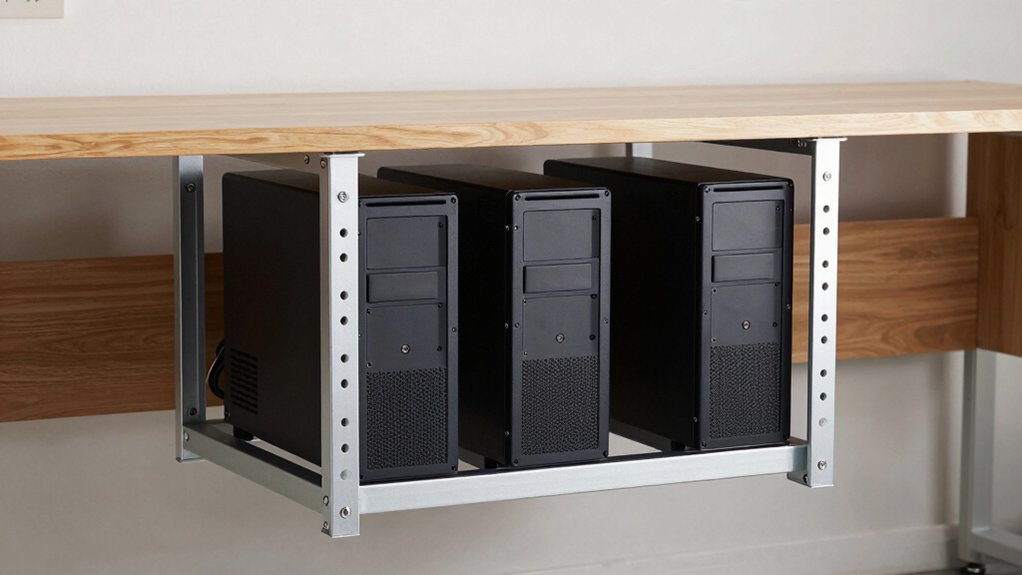

You’re losing valuable desk space to your PC, and that’s a problem you can fix. Under-desk mount kits solve this by securing your computer beneath your work surface, freeing up room for monitors, keyboards, and other essentials. The right mount keeps your system stable, accessible, and properly ventilated. But choosing between options—from basic brackets to heavy-duty steel supports—requires understanding what matters most for your setup. Here’s what you need to know.
| Under Desk Mini PC Mount Bracket (Height Adjustable) |

| Best for Mac Mini | Mount Type: Under-desk shelf mount | Weight Capacity: Not specified | Adjustability: 5-level height adjustment (1.8″-3.3″), width-adjustable | VIEW LATEST PRICE | Read Our Analysis |
| Under Desk Laptop/Mini PC Storage Mount Holder |

| Most Compact Option | Mount Type: Under-desk bracket mount | Weight Capacity: Not specified | Adjustability: Fixed mounting position | VIEW LATEST PRICE | Read Our Analysis |
| Heavy Duty Under Desk PC Holder Mount |

| Heavy-Duty Champion | Mount Type: Under-desk tower mount | Weight Capacity: Up to 77 lbs | Adjustability: Height, width, and depth adjustable | VIEW LATEST PRICE | Read Our Analysis |
| VIVO Under-Desk and Wall Mount PC Holder (MOUNT-PC02S) |

| Most Versatile Strap | Mount Type: Under-desk/wall mount | Weight Capacity: Up to 44 lbs | Adjustability: Width and depth adjustable via slotted holes | VIEW LATEST PRICE | Read Our Analysis |
| VIVO Adjustable Under Desk PC Mount (MOUNT-PC01) |

| Best Overall Value | Mount Type: Under-desk/wall mount | Weight Capacity: Up to 22 lbs | Adjustability: Height (11.5″-20.5″) and width (3.5″-7.8″) adjustable | VIEW LATEST PRICE | Read Our Analysis |
More Details on Our Top Picks
Under Desk Mini PC Mount Bracket (Height Adjustable)
If you’ve got a Mac mini, Intel NUC, or other compact PC taking up valuable desk real estate, the Under Desk Mini PC Mount Bracket is the solution you’re looking for. This metal bracket mounts securely beneath your desk using included screws and a positioning template for accurate installation. You’ll adjust the height across five levels, ranging from 1.8 to 3.3 inches, accommodating different device sizes and ensuring proper airflow. The width-adjustable side brackets fit various small PCs, including Mac mini, Xbox, and Mac mini with dock. The reinforced steel frame supports your device reliably over time. Installation requires only basic tools and the provided template, making setup straightforward for most users.
- Mount Type:Under-desk shelf mount
- Weight Capacity:Not specified
- Adjustability:5-level height adjustment (1.8″-3.3″), width-adjustable
- Installation Components:Mounting screws and positioning template
- Device Protection:Sturdy metal construction
- Material Construction:Powder-coated steel
- Additional Feature:Mac mini/small PC specialized
- Additional Feature:5-level height adjustment system
- Additional Feature:Positioning template included
Under Desk Laptop/Mini PC Storage Mount Holder
Are you looking to free up valuable desk surface by storing your laptop or mini PC underneath? This mount holder accommodates devices under 1.85 inches thick, including Dell OptiPlex and MacBook models. Installation requires six screws into your desktop’s underside, provided your tabletop measures at least 0.78 inches thick. The package includes a mounting template that accurately locates hole positions, enabling faster drilling and proper placement. Soft padding protects your device from scratches during storage. The straightforward installation process takes minimal time, making this an efficient solution for reclaiming desk space while keeping your equipment secure and accessible.
- Mount Type:Under-desk bracket mount
- Weight Capacity:Not specified
- Adjustability:Fixed mounting position
- Installation Components:6 screws, manual, and mounting template
- Device Protection:Soft padding prevents scratching
- Material Construction:Metal with soft padding
- Additional Feature:Soft padding prevents scratching
- Additional Feature:Supports devices under 1.85″
- Additional Feature:Mounting template accuracy feature
Heavy Duty Under Desk PC Holder Mount
For users whose PC cases weigh considerably more than standard builds, this mount delivers the structural support you need. The steel construction supports loads up to 77 lb, accommodating various tower sizes. Installation involves using the included drilling template to secure the mount beneath your desk. Two support pillars distribute weight evenly, while protective mats prevent case damage. You’ll adjust height, width, and underdesk clearance to fit your workspace precisely. Multiple ventilation slots promote cooling and maintain a clean appearance. The 30-day refund guarantee lets you test the mount risk-free, and responsive customer service addresses concerns promptly.
- Mount Type:Under-desk tower mount
- Weight Capacity:Up to 77 lbs
- Adjustability:Height, width, and depth adjustable
- Installation Components:Drilling template included
- Device Protection:Protective mats included
- Material Construction:Solid steel with two support pillars
- Additional Feature:Supports up to 77 lbs
- Additional Feature:Multiple ventilation slots integrated
- Additional Feature:Two support pillars design
VIVO Under-Desk and Wall Mount PC Holder (MOUNT-PC02S)
The VIVO MOUNT-PC02S works best for anyone who wants to reclaim desk surface area while keeping their PC case elevated and protected from dust and ground vibrations. This mount secures cases weighing up to 44 lbs using two adjustable anti-skid straps that accommodate widths from 3.15 to 27.58 inches and heights from 1.18 to 25.61 inches. Install it under your desk or on a wall using the included hardware. The slotted screw-hole pattern lets you fine-tune width and depth positioning after initial fastening. Simply position your case, tighten the straps, and verify the bracket supports your setup securely before loading your PC.
- Mount Type:Under-desk/wall mount
- Weight Capacity:Up to 44 lbs
- Adjustability:Width and depth adjustable via slotted holes
- Installation Components:All mounting hardware included
- Device Protection:Anti-skid straps
- Material Construction:Heavy-duty steel with adjustable straps
- Additional Feature:Adjustable anti-skid straps included
- Additional Feature:Supports up to 44 lbs
- Additional Feature:Wall mount option available
VIVO Adjustable Under Desk PC Mount (MOUNT-PC01)
Looking to reclaim desktop real estate without sacrificing PC accessibility? The VIVO Adjustable Under Desk PC Mount (MOUNT-PC01) installs underneath your desk or on walls, freeing up valuable surface space. You’ll adjust the width from 3.5 to 7.8 inches and height from 11.5 to 20.5 inches to fit your tower PC. The solid steel construction supports up to 22 pounds, and protective padding prevents scratches. A 135-degree swivel provides easy access to rear ports and cables. Install it under any surface at least 1 inch thick, ensuring adequate desk overhang. The mount includes a three-year warranty and qualifies for Amazon’s 30-day return guarantee.
- Mount Type:Under-desk/wall mount
- Weight Capacity:Up to 22 lbs
- Adjustability:Height (11.5″-20.5″) and width (3.5″-7.8″) adjustable
- Installation Components:Mounting hardware included
- Device Protection:Protective padding with thick dots
- Material Construction:Solid matte steel with protective padding
- Additional Feature:135-degree swivel capability
- Additional Feature:3-year warranty included
- Additional Feature:Thick protective padding dots
Factors to Consider When Choosing Under-Desk Mount Kits for PCs
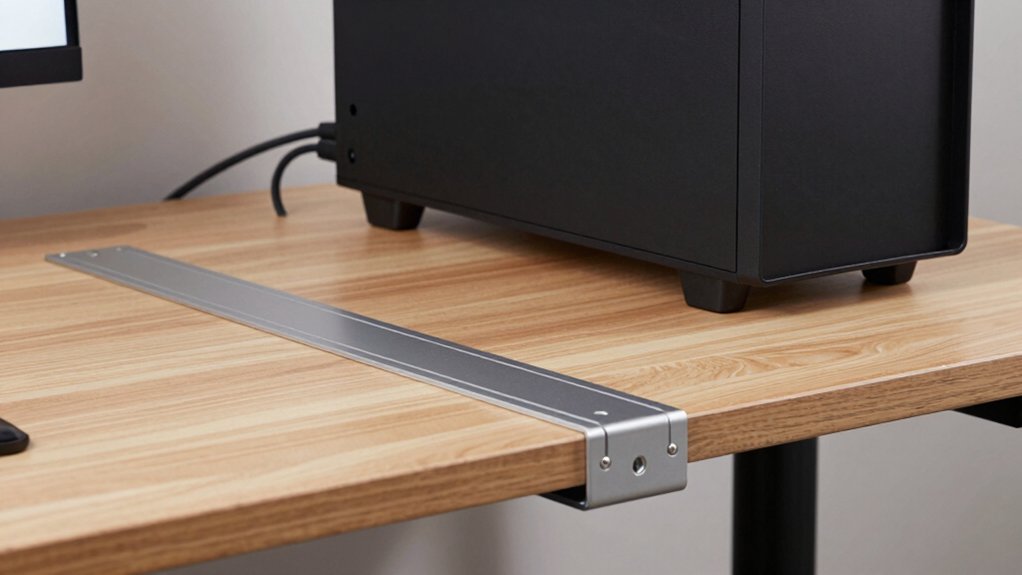
When selecting an under-desk PC mount, you’ll need to evaluate five key factors: device size and compatibility to ensure your PC fits securely, weight capacity requirements to confirm the mount supports your system’s total mass, installation difficulty and tools needed to assess whether you can set it up yourself, adjustability and customization options to position your PC where you want it, and material quality and durability to guarantee the mount lasts through regular use. Start by measuring your PC’s dimensions and weight, then check the mount’s specifications against these numbers to confirm compatibility. Next, review the installation instructions to identify required tools and time commitment, then examine the mount’s adjustment range and materials to determine if it meets your long-term needs.
Device Size And Compatibility
Five key factors determine whether an under-desk mount kit‘ll work for your PC setup. First, measure your device’s width since mounts accommodate ranges from 3.5 to nearly 8 inches. Second, check height and depth compatibility to ensure your PC fits under the desk with proper air circulation. Third, confirm the mount supports your specific form factor—whether Mac mini, mini PC, Intel NUC, or tower PC. Fourth, verify the weight capacity matches your case’s weight, as models support 44–77 pounds depending on the design. Fifth, check thickness requirements, typically under 1.85 inches, for a secure and stable fit. Gathering these measurements before purchasing prevents incompatibility issues and ensures a proper installation.
Weight Capacity Requirements
Once you’ve confirmed your PC’s dimensions fit under your desk, you’ll need to verify the mount can actually support its weight. Check the manufacturer’s weight capacity specification, which typically ranges from 22 to 77 pounds depending on the model. Weigh your tower with all accessories attached—monitors, cables, and additional drives included—then compare this total to the advertised limit. Select a mount rated significantly higher than your device’s weight to account for future upgrades. Prioritize mounts featuring dual support pillars or reinforced steel construction, as these features reduce sagging under heavy loads. Confirm the package includes proper mounting hardware and installation templates. This ensures you’ll secure your PC safely without risking detachment or structural failure over time.
Installation Difficulty And Tools
Most under-desk mount kits fall into two installation categories: simple screw-in designs and multi-part assemblies requiring additional tools and wall anchors. Simple mounts need only a drill and screwdriver, taking 15–30 minutes to complete. You’ll secure brackets underneath your desk using provided hardware, assuming your desk meets the minimum thickness requirement of about 0.78 inches.
Complex assemblies demand more equipment: a power drill, level, stud finder, and possibly a socket wrench. These installations involve mounting multiple components and may require wall anchoring for stability. Many kits include drilling templates that help you mark hole locations accurately before drilling.
Review what tools you already own before purchasing. Check whether the kit provides all necessary hardware, screws, and brackets. Some packages include padded protection to prevent device scratches during the mounting process.
Adjustability And Customization Options
After you’ve confirmed that installation fits your skill level and available tools, you’ll want to examine how well each mount adapts to your specific setup. Check the height adjustment range to verify your PC fits between the desk and mount without blocking airflow or creating clearance issues. Look for width-adjustable brackets or slotted holes that accommodate different case sizes, from compact minis to larger towers. Verify whether the mount offers adjustable straps, pillars, or toggle mechanisms for fine-tuning device position after installation. Confirm the product includes a drilling template or mounting guide for precise, repeatable placement. These customization features let you optimize spacing, cable routing, and ventilation based on your exact desk configuration and PC dimensions.
Material Quality And Durability
What’ll determine whether your mount holds up under daily use and repeated adjustments? Material quality. Look for reinforced steel construction, which provides the strength needed to support heavy PC components without warping or bending over time. Check the mounting brackets and frame for thickness and rigidity. Thinner materials fail faster under weight stress.
Next, verify that protective padding or anti-scratch features cover contact points where your PC sits. This prevents casing damage during installation and daily use. Examine ventilation design—slots and open construction allow airflow around your equipment, reducing heat buildup that can degrade both the mount and your PC.
Finally, confirm mounting hardware includes quality screws and installation templates. Poor-quality fasteners loosen easily, compromising stability and safety.
Cooling And Ventilation Features
Beyond material durability, you’ll need to contemplate how well your mount manages heat around your PC. Check if the frame includes multiple slots or perforations that promote consistent airflow. Verify the mount design positions your PC with open sides or gaps underneath to prevent hot air from getting trapped. Look for mounts incorporating protective padding with integrated airflow channels—these balance cushioning with heat escape. Heavy-duty steel frames often feature strategic cutouts that maintain structural integrity while allowing ventilation. Review the adjustable height and width options, as proper clearance directly impacts cooling efficiency. Position your mount to maximize distance from walls and obstructions. Test airflow paths by ensuring nothing blocks air circulation around your device. These steps prevent thermal buildup and extend your PC’s operational lifespan.
Final Thoughts
You’ve reviewed five under-desk PC mounts that fit different needs and budgets. To choose yours, measure your desk thickness and PC weight, then match those specs to each mount’s capacity. Check whether you need height adjustment, wall-mounting options, or cable management features. Install your selected mount following the manufacturer’s instructions, ensuring all bolts are tight. You’ll reclaim valuable desk space while keeping your system secure and properly ventilated.

Meet Ry, “TechGuru,” a 36-year-old technology enthusiast with a deep passion for tech innovations. With extensive experience, he specializes in gaming hardware and software, and has expertise in gadgets, custom PCs, and audio.
Besides writing about tech and reviewing new products, he enjoys traveling, hiking, and photography. Committed to keeping up with the latest industry trends, he aims to guide readers in making informed tech decisions.