
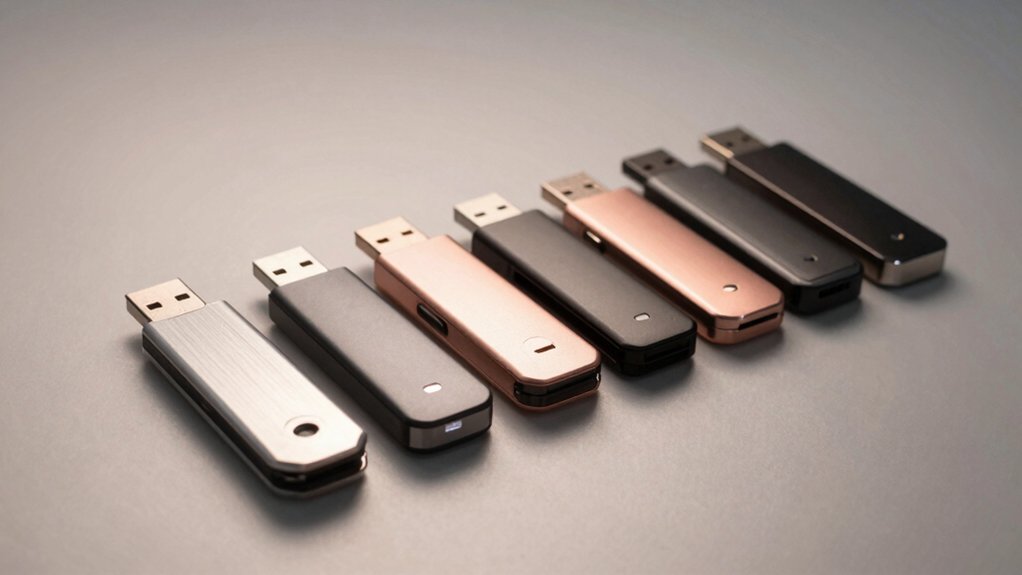

You need to protect sensitive files, and an encrypted USB drive offers the most practical solution. These devices use hardware-based encryption to safeguard your data against unauthorized access. When you select the right drive, you’ll gain features like 256-bit AES encryption, dual-access controls, and tamper-resistant technology. But choosing between Kingston, Apricorn, Lexar, and SanDisk requires understanding what each option delivers—and which specifications actually matter for your specific needs.
| Kingston IronKey Locker+ 32GB Encrypted USB Flash Drive |

| Best Overall | Encryption Type: XTS-AES hardware encryption | Storage Capacity: 32GB | USB Connectivity: USB Type A, USB 3.2 Gen 1 | VIEW LATEST PRICE | Read Our Analysis |
| Kingston Ironkey Keypad 200 32GB Encrypted USB |

| Military-Grade Security | Encryption Type: XTS-AES 256-bit hardware encryption | Storage Capacity: 32GB | USB Connectivity: USB Type A, USB 3.2 | VIEW LATEST PRICE | Read Our Analysis |
| Kingston Ironkey Locker+ 64GB Encrypted USB Flash Drive |

| Best Value | Encryption Type: XTS-AES hardware encryption | Storage Capacity: 64GB | USB Connectivity: USB Type A, USB 3.2 Gen 1 | VIEW LATEST PRICE | Read Our Analysis |
| Apricorn 128GB Aegis Secure Key 3 USB Flash Drive |

| Most Secure | Encryption Type: 256-bit AES-XTS hardware encryption | Storage Capacity: 128GB | USB Connectivity: USB Type C, USB 3.2 | VIEW LATEST PRICE | Read Our Analysis |
| Integral 4GB Encrypted USB Flash Drive FIPS 197 |

| Budget-Friendly Pick | Encryption Type: 256-bit hardware encryption | Storage Capacity: 4GB | USB Connectivity: USB Type A and C, USB 3.0 | VIEW LATEST PRICE | Read Our Analysis |
| Apricorn 2TB Aegis Padlock Encrypted External Hard Drive |

| Best External Storage | Encryption Type: 256-bit AES XTS hardware encryption | Storage Capacity: 2TB | USB Connectivity: USB 3.0 | VIEW LATEST PRICE | Read Our Analysis |
| Integral 64GB Secure 360 Encrypted USB3.0 Flash Drive |
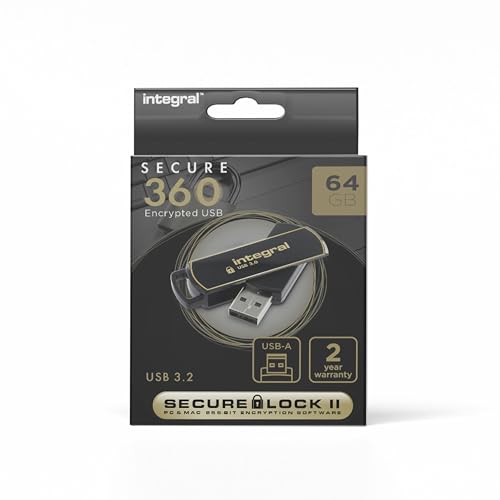
| High-Speed Performance | Encryption Type: 256-bit AES hardware encryption | Storage Capacity: 64GB | USB Connectivity: USB Type A, USB 3.0 | VIEW LATEST PRICE | Read Our Analysis |
| Lexar D40E 128GB USB 3.2 Type-C Flash Drive |

| Most Versatile | Encryption Type: 256-bit AES encryption | Storage Capacity: 128GB | USB Connectivity: USB Type A and C, USB 3.2 Gen 1 | VIEW LATEST PRICE | Read Our Analysis |
| SANDISK 512GB Ultra USB 3.0 Flash Drive – SDCZ48-512G-G46 Black |
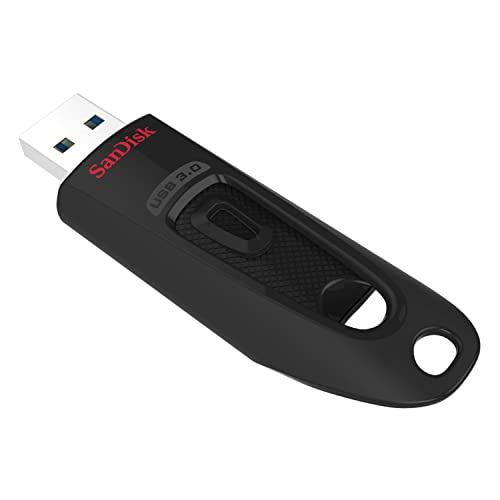
| Largest Capacity | Encryption Type: Secure file encryption | Storage Capacity: 512GB | USB Connectivity: USB 3.0 | VIEW LATEST PRICE | Read Our Analysis |
More Details on Our Top Picks
Kingston IronKey Locker+ 32GB Encrypted USB Flash Drive
Looking for military-grade security without complicated setup? The Kingston IronKey Locker+ delivers XTS-AES hardware encryption that protects your files automatically. You’ll get read speeds up to 145 MB/s and write speeds of 115 MB/s for efficient transfers. Set up dual passwords—one admin and one user—using complex or passphrase modes. Use the virtual keyboard during login to block keyloggers and screenloggers from capturing your password. The drive resists brute force and BadUSB attacks, safeguarding against unauthorized access attempts. At 32GB capacity with a durable metal casing, this USB 3.2 Gen 1 drive fits standard ports. It’s backed by customer ratings of 4.5 out of 5 stars across 811 reviews.
- Encryption Type:XTS-AES hardware encryption
- Storage Capacity:32GB
- USB Connectivity:USB Type A, USB 3.2 Gen 1
- Password Protection:Multi-password (Admin/User) with virtual keyboard
- Brute Force Protection:Brute force attack protection
- Read Speed:Up to 145 MB/s
- Additional Feature:Virtual keyboard shields keyloggers
- Additional Feature:Automatic cloud backup
- Additional Feature:Metal casing construction
Kingston Ironkey Keypad 200 32GB Encrypted USB
Need hardware-level encryption that doesn’t rely on software passwords you might forget? The Kingston IronKey Keypad 200 uses an alphanumeric keypad to set separate admin and user pins, securing your data with XTS-AES 256-bit encryption. This drive holds 32GB and reads files at speeds up to 145 MB/s. The device resists tampering through epoxy-coated circuitry and digitally signed firmware, blocking BadUSB attacks. It carries FIPS 140-3 Level 3 certification, meeting military-grade security standards. The compact design fits easily in your pocket. You’ll need one AA battery to operate the keypad. This drive works with any device running USB Type A, regardless of operating system.
- Encryption Type:XTS-AES 256-bit hardware encryption
- Storage Capacity:32GB
- USB Connectivity:USB Type A, USB 3.2
- Password Protection:Alphanumeric keypad (Admin/User)
- Brute Force Protection:Brute force password attack protection
- Read Speed:Up to 145 MB/s
- Additional Feature:Alphanumeric keypad access
- Additional Feature:Tamper-evident epoxy coating
- Additional Feature:FIPS 140-3 Level 3 certified
Kingston Ironkey Locker+ 64GB Encrypted USB Flash Drive
The Kingston Ironkey Locker+ 64GB works best for professionals and organizations that need military-grade security without sacrificing speed. You’ll get XTS-AES encryption protecting your data against unauthorized access. The drive shields your password entry using a virtual keyboard that blocks keyloggers and screenloggers. You can set up two separate passwords—one for administrators and one for regular users—controlling access levels. The metal casing provides durability for frequent transport. You’ll achieve read speeds up to 145 MB/s and write speeds up to 115 MB/s, enabling efficient file transfers. BadUSB attack protection prevents malicious firmware from compromising your system. Automatic cloud backup ensures you won’t lose critical files.
- Encryption Type:XTS-AES hardware encryption
- Storage Capacity:64GB
- USB Connectivity:USB Type A, USB 3.2 Gen 1
- Password Protection:Multi-password (Admin/User) with virtual keyboard
- Brute Force Protection:Brute force protection
- Read Speed:Up to 145 MB/s
- Additional Feature:Virtual keyboard shields keyloggers
- Additional Feature:Automatic cloud backup
- Additional Feature:TAA compliant
Apricorn 128GB Aegis Secure Key 3 USB Flash Drive
If you’re handling sensitive files on multiple operating systems and need military-grade encryption without installing extra software, Apricorn’s 128GB Aegis Secure Key 3 delivers hardware-based protection across Windows, Mac, and Linux platforms. The drive uses 256-bit AES-XTS encryption built directly into the device, eliminating dependency on software installations. You’ll authenticate through separate admin and user modes, controlling access levels based on your security needs. With USB 3.2 Type-C connectivity, you get fast data transfer speeds. The FIPS 140-3 Level 3 validation confirms it meets federal security standards. You can immediately start protecting files without additional setup or configuration steps, making it practical for professionals who require certified encryption.
- Encryption Type:256-bit AES-XTS hardware encryption
- Storage Capacity:128GB
- USB Connectivity:USB Type C, USB 3.2
- Password Protection:Separate Admin/User modes
- Brute Force Protection:Brute force protection
- Read Speed:Not specified
- Additional Feature:Software-free authentication operation
- Additional Feature:FIPS 140-3 Level 3 validated
- Additional Feature:Type-C USB connector
Integral 4GB Encrypted USB Flash Drive FIPS 197
For users who need government-approved security without installing software, Integral’s 4GB Crypto-197 delivers FIPS 197-certified hardware encryption that works immediately upon connection. You’ll set an 8–16 character alphanumeric password and gain automatic data locking when you remove the drive or enable screen protection. The 256-bit encryption protects against brute-force attacks by erasing data after six failed access attempts. Its dual-layer waterproof design withstands drops and moisture exposure. With USB 3.0 connectivity offering 120 MB/s read speeds, you’ll transfer files quickly. The drive supports both Mac and PC, making it versatile for different systems.
- Encryption Type:256-bit hardware encryption
- Storage Capacity:4GB
- USB Connectivity:USB Type A and C, USB 3.0
- Password Protection:Alphanumeric password (8-16 characters)
- Brute Force Protection:Data erased after 6 unsuccessful attempts
- Read Speed:120 MB/s
- Additional Feature:Auto-lock when removed
- Additional Feature:Waterproof dual-layer design
- Additional Feature:Data erased after failures
Apricorn 2TB Aegis Padlock Encrypted External Hard Drive
Looking for an encrypted drive that doesn’t require software installation or administrator permissions? The Apricorn 2TB Aegis Padlock delivers hardware-based security through 256-bit AES XTS encryption validated by FIPS standards. You access your data by entering a PIN on the wear-resistant keypad, which triggers the drive’s brute force self-destruct feature after failed attempts. The rugged design includes epoxy coating for physical attack protection and bus-powered operation, eliminating external power needs. USB 3.0 connectivity provides transfer speeds considerably faster than USB 2.0. With 2TB capacity and straightforward PIN access, you get portable, secure storage without complex setup or software dependencies.
- Encryption Type:256-bit AES XTS hardware encryption
- Storage Capacity:2TB
- USB Connectivity:USB 3.0
- Password Protection:Administrator password with pin access
- Brute Force Protection:Brute force self-destruct feature
- Read Speed:Not specified
- Additional Feature:Brute force self-destruct
- Additional Feature:Bus-powered operation
- Additional Feature:Pin access keypad
Integral 64GB Secure 360 Encrypted USB3.0 Flash Drive
The Integral 64GB Secure 360 Encrypted USB3.0 Flash Drive works best if you need substantial storage capacity without sacrificing speed or security. This device delivers 625 MB/s read speeds through USB 3.0, making file transfers quick and efficient. The 256-bit AES encryption protects your data with military-grade security standards. You’ll get 64GB of storage space, suitable for backing up documents, photos, and videos. The compact design measures 2.44 by 0.67 by 0.39 inches, fitting easily in your pocket or bag. With a 3.8-star rating from 63 customer reviews, users report reliable performance. The drive remains actively supported, with no discontinuation announced by the manufacturer.
- Encryption Type:256-bit AES hardware encryption
- Storage Capacity:64GB
- USB Connectivity:USB Type A, USB 3.0
- Password Protection:Password protection
- Brute Force Protection:Not specified
- Read Speed:625 MB/s
- Additional Feature:625 MB/s read speed
- Additional Feature:Discontinued: No
- Additional Feature:Mac hardware platform
Lexar D40E 128GB USB 3.2 Type-C Flash Drive
Anyone who needs to transfer files between USB Type-C and Type-A devices will find the Lexar D40E’s dual-connector design especially practical. This 128GB drive features 256-bit AES encryption to protect your data during transfers. You’ll experience speeds up to 100 MB/s, though actual performance depends on your host device. The swivel metal housing protects both connectors when you’re not using them. Simply plug it into your device—no software installation required. The drive works with smartphones, tablets, laptops, and Macs. It comes with a 3-year limited warranty and weighs just 26 grams, making it highly portable.
- Encryption Type:256-bit AES encryption
- Storage Capacity:128GB
- USB Connectivity:USB Type A and C, USB 3.2 Gen 1
- Password Protection:Password protection
- Brute Force Protection:Not specified
- Read Speed:Up to 100 MB/s
- Additional Feature:360° swivel design
- Additional Feature:Type-C OTG compatible
- Additional Feature:3-year limited warranty
SANDISK 512GB Ultra USB 3.0 Flash Drive – SDCZ48-512G-G46 Black
Need a high-capacity encrypted drive that won’t slow down your file transfers? The SanDisk 512GB Ultra USB 3.0 Flash Drive delivers both. You’ll experience read speeds up to 130MB/s, making it considerably faster than older USB 2.0 drives. The drive includes secure file encryption and password protection to safeguard your sensitive data. With 512GB capacity, you can store large files and multiple projects without frequent transfers. It’s backward compatible with USB 2.0 ports, though you’ll need USB 3.0 for peak performance. This drive suits professionals managing substantial data volumes while requiring encryption security during transport or storage.
- Encryption Type:Secure file encryption
- Storage Capacity:512GB
- USB Connectivity:USB 3.0
- Password Protection:Password protection
- Brute Force Protection:Not specified
- Read Speed:Up to 130 MB/s
- Additional Feature:10x faster than USB 2.0
- Additional Feature:Backward compatible USB 2.0
- Additional Feature:Secure file encryption
Factors to Consider When Choosing Encrypted USB Drives
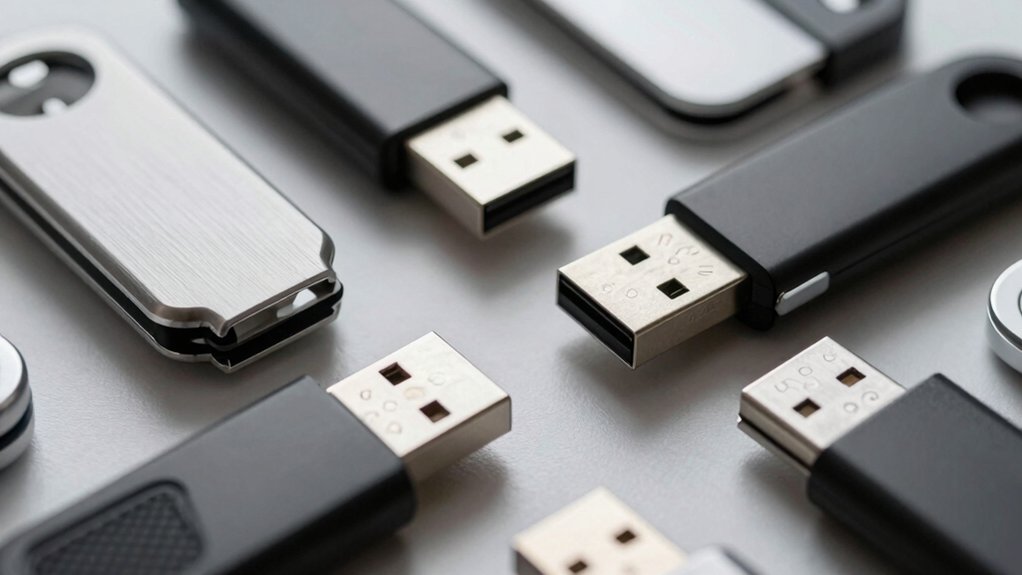
When selecting an encrypted USB drive, you’ll need to evaluate your security level requirements first, then match them against your storage capacity needs, USB connector type compatibility with your devices, and the read/write speed performance your workflow demands. Consider your budget range alongside these technical specifications, as prices vary substantially depending on encryption strength, storage size, and brand reputation. Balance these five factors based on your priorities—for example, a user handling sensitive documents may prioritize security level over speed, while someone transferring large media files might weight performance more heavily than encryption features.
Security Level Requirements
What encryption strength do you actually need for your data? Start by matching your security level to your data’s sensitivity. Standard protection uses XTS-AES 128-bit encryption for basic files and documents. Choose XTS-AES 256-bit encryption if you’re storing financial records, medical information, or confidential business data. Next, verify the drive carries FIPS 140-3 Level 3 certification or higher, which confirms formal validation of hardware security features. Check for additional protections: brute-force attack resistance, badUSB protection, and tamper-detection alerts. These features directly prevent unauthorized access attempts. Finally, prioritize hardware-backed encryption over software-based options because it eliminates software vulnerabilities. Physical tamper-resistance through epoxy-coated circuitry and rugged casings provides security beyond encryption alone. Match these elements to your specific data requirements.
Storage Capacity Needs
Once you’ve confirmed your drive meets security standards, you’ll want to match its storage capacity to your actual data volume. Start by calculating how much data you need to store—sensitive files only, or backups too. For small document collections, 64GB suffices. If you’re storing larger files or multiple backups, choose 128GB to 512GB options instead. Review your current usage and plan for growth. Higher capacity drives cost more per unit, but they provide necessary headroom for expanding datasets. Remember that capacity doesn’t affect encryption strength; drives across all sizes maintain standards like XTS-AES encryption equally well. Select the smallest capacity that covers your needs plus 20% extra space for future additions.
USB Connector Type Compatibility
Which connector types does your device actually have? Check your laptop, tablet, and phone for USB-A ports, USB-C ports, or both. This step determines which drive you can use without adapters.
USB Type-A drives work with older computers and devices that have standard USB ports. USB-C drives connect directly to modern laptops, tablets, and phones supporting USB-C. Dual-connector drives include both Type-A and Type-C options, eliminating the need for adapters across different devices.
Verify the connector type before purchasing. If you use multiple device types—say, an older desktop and a newer smartphone—a dual-connector drive offers the most flexibility. Review your device specifications to confirm port availability, then match your drive’s connectors accordingly to ensure seamless compatibility without additional purchases.
Read/Write Speed Performance
After confirming your device’s connector type, you’ll want to evaluate how fast the encrypted drive actually transfers your files. Read speeds typically range from 130 MB/s to 625 MB/s, while write speeds vary from 115 MB/s upward. USB 3.0 and 3.2 Gen 1 connections generally deliver faster performance than older standards. Check the manufacturer’s specifications, but understand these represent maximum speeds under ideal conditions. Real-world performance often differs due to your computer’s capabilities, file sizes, and encryption overhead. Dual-interface drives (USB-C/USB-A) may experience speed limitations depending on which port you use. Consider your typical file transfer needs—basic document work requires less speed than moving large video files—and choose accordingly.
Budget and Price Range
Encrypted USB drives span a wide price range depending on capacity, security features, and functionality, so you’ll need to determine your budget before making a purchase. Entry-level 32GB models start around $50–$100, while 128GB–512GB drives typically cost $150–$400 or more. You should expect higher prices for drives with FIPS 140-3 certification and tamper protection features. Additional built-in features like keypads, dual admin/user access, and cloud backup integration increase costs within the same capacity tier. You’ll also notice price variations based on read/write speeds and connector compatibility (USB-C versus USB-A). Compare specifications across models at your target capacity to identify which security features and performance levels justify the price difference for your needs.
Certification and Compliance Standards
Once you’ve set your budget, you’ll want to verify that any drive you’re considering meets recognized security certifications and compliance standards. Look for FIPS 140-3 Level 3 certification, which indicates the drive has undergone rigorous testing for tamper-resistance and validated cryptographic protection. Check that the drive uses XTS-AES hardware encryption, meaning encryption happens on the device itself rather than through your computer’s software. Review the manufacturer’s documentation for tamper-evident circuitry and digitally signed firmware, both of which protect against unauthorized modifications. Confirm the drive supports discrete admin and user passwords or PINs, allowing you to control access levels. Finally, verify the certification applies across operating systems, ensuring the drive works securely with Windows, Mac, or Linux without relying on platform-specific software protections.
Final Thoughts
You’ll want to select an encrypted USB drive based on your storage needs and security requirements. Compare the models listed by capacity, encryption standard, and certification level. If you need portability, choose compact designs with USB-C connectors. For maximum security, prioritize FIPS 140-3 certified drives with hardware encryption. Check your budget, then purchase from reputable retailers to ensure authenticity and warranty protection.

Meet Ry, “TechGuru,” a 36-year-old technology enthusiast with a deep passion for tech innovations. With extensive experience, he specializes in gaming hardware and software, and has expertise in gadgets, custom PCs, and audio.
Besides writing about tech and reviewing new products, he enjoys traveling, hiking, and photography. Committed to keeping up with the latest industry trends, he aims to guide readers in making informed tech decisions.