
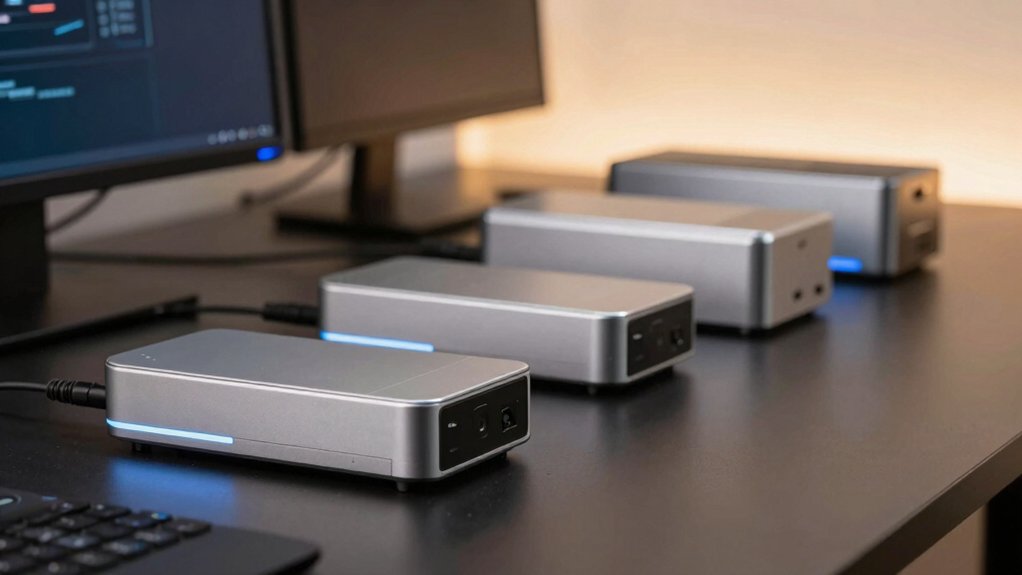

When you’re setting up a media center, you’ll need a device that handles multiple displays, streams content smoothly, and fits your space constraints. You’re looking at five solid options, each with different strengths—from gaming-grade performance to compact efficiency. Your choice depends on your specific needs: display count, processing power, upgradability, and budget. Let’s examine what makes each option stand out and which features matter most for your setup.
| KAMRUI Pinova P1 Mini PC Computer with AMD Ryzen |

| Best for NAS & Streaming | Processor: AMD Ryzen 4300U (4C/4T, up to 3.7 GHz) | RAM: 16GB DDR4 (upgradeable to 64GB) | Storage: 256GB M.2 SSD (expandable to 4TB) | VIEW LATEST PRICE | Read Our Analysis |
| BOSGAME P3 Mini Gaming PC AMD Ryzen 7 7840HS |

| Best Gaming Performance | Processor: AMD Ryzen 7 7840HS (8C/16T, up to 5.1 GHz) | RAM: 32GB DDR5 (upgradeable to 64GB) | Storage: 1TB M.2 NVMe Gen4 SSD (additional slot available) | VIEW LATEST PRICE | Read Our Analysis |
| GEEKOM A5 Mini PC AMD Ryzen 5 7430U 16GB RAM |
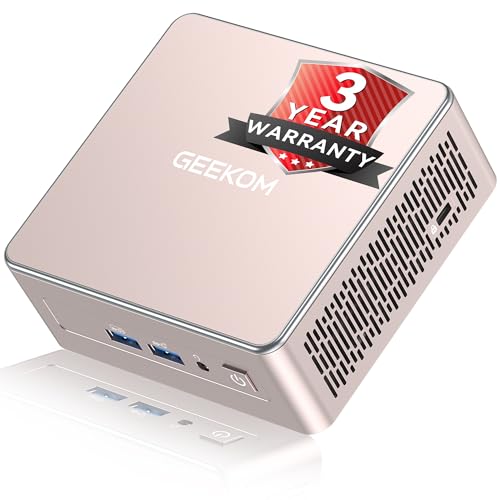
| Best Overall Value | Processor: AMD Ryzen 5 7430U (6C/6T, 15W TDP) | RAM: 16GB DDR5 (upgradeable to 64GB) | Storage: 512GB M.2 NVMe SSD (expandable to 4TB with HDD bay) | VIEW LATEST PRICE | Read Our Analysis |
| Mini PC Intel N3150 8GB RAM 256GB SSD |

| Budget-Friendly Pick | Processor: Intel Celeron N3150 (4C/4T, up to 2.08 GHz) | RAM: 8GB DDR3 | Storage: 256GB SSD | VIEW LATEST PRICE | Read Our Analysis |
| C2 Neo N95 Mini PC with Triple Display |

| Best Energy Efficiency | Processor: Intel N95 (4C/4T, up to 3.4 GHz, 25W TDP) | RAM: 12GB LPDDR5 | Storage: 512GB NVMe PCIe 3.0 SSD | VIEW LATEST PRICE | Read Our Analysis |
More Details on Our Top Picks
KAMRUI Pinova P1 Mini PC Computer with AMD Ryzen
Why choose the KAMRUI Pinova P1 if you’re building a media center that needs reliable streaming performance? This mini PC delivers consistent results with its AMD Ryzen 4300U processor, which runs at 2.7 GHz base speed and boosts to 3.7 GHz. You’ll get smooth multitasking and handle multiple streaming apps simultaneously. The 16GB DDR4 RAM and 256GB SSD provide sufficient storage for your media library. Triple 4K display support through HDMI 2.0, DisplayPort 1.4, and USB-C lets you connect multiple screens. Six USB 3.2 ports plus gigabit Ethernet ensure you’ve got plenty of connectivity options for peripherals and stable internet access.
- Processor:AMD Ryzen 4300U (4C/4T, up to 3.7 GHz)
- RAM:16GB DDR4 (upgradeable to 64GB)
- Storage:256GB M.2 SSD (expandable to 4TB)
- Display Outputs:Triple 4K (HDMI 2.0, DisplayPort 1.4, USB-C DP Alt Mode)
- Connectivity:6x USB 3.2, Gigabit Ethernet, Wi-Fi 802.11ac, 3.5mm audio
- Operating System:Pre-installed (OS not specified)
- Additional Feature:24/7 operation capable
- Additional Feature:Triple 4K display support
- Additional Feature:Expandable up to 64GB RAM
BOSGAME P3 Mini Gaming PC AMD Ryzen 7 7840HS
If you’re building a media center that needs to handle gaming alongside 4K video editing and streaming, the BOSGAME P3 delivers desktop-class performance in a compact form factor. The AMD Ryzen 7 7840HS processor with integrated Radeon 780M GPU handles AAA games and 4K content seamlessly. You’ll get 32GB DDR5 RAM and 1TB NVMe storage, expandable to 64GB and additional drives. Connect up to three 4K displays simultaneously via HDMI, DisplayPort, and USB-C. Dual Ethernet ports ensure stable streaming, while Wi-Fi 6E and Bluetooth 5.2 provide wireless flexibility. The one-year warranty and 24/7 support round out a capable media center solution.
- Processor:AMD Ryzen 7 7840HS (8C/16T, up to 5.1 GHz)
- RAM:32GB DDR5 (upgradeable to 64GB)
- Storage:1TB M.2 NVMe Gen4 SSD (additional slot available)
- Display Outputs:Triple 4K (HDMI, DisplayPort, USB-C)
- Connectivity:Dual RJ45 LAN, Wi-Fi 6E, Bluetooth 5.2, USB-C charging
- Operating System:Pre-installed (OS not specified)
- Additional Feature:GTX 1060 gaming performance
- Additional Feature:AV1 decode/encode support
- Additional Feature:24/7 technical support included
GEEKOM A5 Mini PC AMD Ryzen 5 7430U 16GB RAM
The GEEKOM A5 delivers reliable performance for media centers that demand both power and durability, making it an ideal choice for users who need a compact system they won’t have to replace soon. The AMD Ryzen 5 7430U processor handles 4K streaming, video conferencing, and light creative work without lag. You’ll get 16GB RAM upgradeable to 64GB and 512GB storage expandable to 4TB. Connect up to four displays via dual HDMI and USB-C ports for comprehensive/setup flexibility. Wi-Fi 6 ensures stable streaming. The three-year warranty, reinforced shell construction, and dedicated support team protect your investment long-term.
- Processor:AMD Ryzen 5 7430U (6C/6T, 15W TDP)
- RAM:16GB DDR5 (upgradeable to 64GB)
- Storage:512GB M.2 NVMe SSD (expandable to 4TB with HDD bay)
- Display Outputs:Quad display via 4K (2x HDMI, 2x USB-C Type-C)
- Connectivity:Multiple USB 3.2 ports, Wi-Fi 6, Bluetooth 5.2, SD card slot
- Operating System:Windows 11 Pro
- Additional Feature:3-year comprehensive warranty coverage
- Additional Feature:4-screen display setup support
- Additional Feature:2.5″ HDD bay included
Mini PC Intel N3150 8GB RAM 256GB SSD
Looking for a compact media center that won’t drain your electricity bill or take up valuable desk space? The Intel N3150 Mini PC delivers reliable performance for streaming and media tasks. Its quad-core processor handles standard video playback and web browsing smoothly. The 8GB RAM supports multiple applications running simultaneously, while the 256GB SSD stores your media library efficiently. Dual HDMI outputs enable 4K 60Hz display on two screens for productivity or entertainment. Built-in WiFi 5 and Bluetooth 4.2 ensure stable wireless streaming. This energy-efficient device operates quietly, making it ideal for bedroom or living room setups without noise disruption or high power consumption.
- Processor:Intel Celeron N3150 (4C/4T, up to 2.08 GHz)
- RAM:8GB DDR3
- Storage:256GB SSD
- Display Outputs:Dual 4K HDMI outputs
- Connectivity:USB 2.0/3.0, Gigabit Ethernet, Wi-Fi 5, Bluetooth 4.2
- Operating System:Windows 11 Pro
- Additional Feature:Dual HDMI 4K outputs
- Additional Feature:Ultra-compact micro desktop design
- Additional Feature:30-day return window available
C2 Neo N95 Mini PC with Triple Display
For users who need to manage multiple monitors simultaneously without breaking their budget, the C2 Neo N95 Mini PC delivers triple display support through two HDMI 2.0 ports and one DisplayPort, all capable of outputting 4K resolution at 60Hz. You’ll benefit from the Intel N95 processor‘s 4 cores and efficient 25W power consumption, which keeps your electricity costs low during extended operation. The 12GB LPDDR5 memory and 512GB SSD enable smooth multitasking across your displays. You can deploy this device as a media center, home router, or NAS without worrying about noise or heat generation. Dual gigabit Ethernet ports and three USB 3.2 ports provide ample connectivity for your peripherals and streaming devices.
- Processor:Intel N95 (4C/4T, up to 3.4 GHz, 25W TDP)
- RAM:12GB LPDDR5
- Storage:512GB NVMe PCIe 3.0 SSD
- Display Outputs:Triple 4K (2x HDMI 2.0, 1x DisplayPort)
- Connectivity:Dual Gigabit Ethernet, 3x USB 3.2 Gen1, audio combo jack
- Operating System:Pre-installed (OS not specified)
- Additional Feature:Maximum 25W TDP efficiency
- Additional Feature:Triple 4K display capability
- Additional Feature:Dual gigabit Ethernet ports
Factors to Consider When Choosing Mini PCs for Media Centers
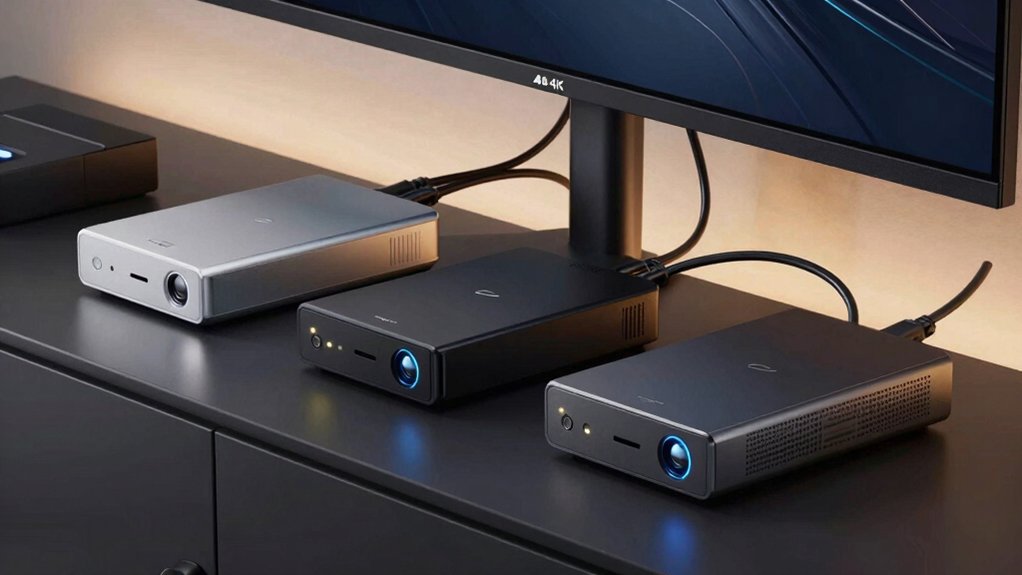
When you’re selecting a mini PC for your media center, you’ll need to evaluate processing power to handle streaming without buffering, check display outputs (HDMI, DisplayPort, USB-C) to match your monitors or TVs, and verify storage capacity plus expansion slots for your media library. You should also examine the cooling system to prevent overheating during extended use and confirm connectivity options like Wi-Fi, Ethernet, and USB ports to connect your streaming devices, external drives, and network sources. These five factors work together to determine whether a mini PC will reliably stream, display, and manage your media content.
Processing Power Requirements
What CPU specs should you prioritize for a media center that won’t lag during playback or struggle with background tasks? Start by selecting processors with at least 8 cores to handle video playback, transcoding, and simultaneous apps without stuttering. Choose CPUs with higher base and boost clocks—these speeds prevent delays when streaming 4K content. Next, prioritize low TDP ratings, typically under 35W, which keep your system quiet during extended use. Ensure your mini PC includes 16–32GB of dual-channel RAM to support responsive media library access. Finally, verify the integrated GPU supports AV1 codec and DirectX 12 for smooth 4K rendering. This combination delivers stable performance across all media center tasks without compromise.
Display Output Capabilities
Your mini PC’s display output directly determines how many screens you can connect and whether they’ll all perform smoothly during media playback. Look for multiple independent video outputs—HDMI, DisplayPort, and USB-C with DisplayPort Alt Mode—to drive several displays simultaneously. Verify that each output supports 4K resolution at 4K60 or higher for smooth streaming without lag. Check whether your mini PC can handle 3–4 displays combined, such as 3x4K or 2x4K plus 1080p, without performance drops. Confirm daisy-chaining or switching capabilities for flexible setup options. Finally, ensure HDCP compatibility and AV1 codec acceleration so you can decode 4K content efficiently across all connected displays without throttling under typical media center workloads.
Storage And Expansion Options
How much storage capacity you’ll actually need depends on the size of your media library and your upgrade preferences. Look for mini PCs offering multiple M.2 NVMe slots and 2.5″ HDD/SSD bays to maximize both capacity and speed. Check the maximum supported storage per slot—many devices support up to 4TB per slot, allowing you to plan for expanding video collections. Prioritize models with dual or additional NVMe slots so you can expand storage without compromising OS performance. Verify PCIe Gen3 or Gen4 interface support to ensure compatibility with high-speed media drives. Finally, confirm the device has user-accessible panels or documented upgrade paths, enabling you to replace or add drives easily as your media needs grow.
Thermal Management And Cooling
Why does thermal management matter for your media center mini PC? Extended video playback and transcoding generate sustained heat that can trigger thermal throttling, reducing performance during critical tasks. You’ll want to prioritize devices with low-power CPUs (sub-25W TDP) that naturally produce less heat. Evaluate cooling solutions by comparing active fans versus passive designs—fans provide better thermal headroom for 4K/8K workloads but require quiet operation. Check ventilation accessibility and heatsink design to prevent hotspots on processors and GPUs. Verify the device maintains safe temperatures under continuous playback conditions. Select models with robust cooling profiles that minimize performance drops during long media sessions. This approach ensures your mini PC delivers consistent streaming without interruption.
Connectivity For Media Sources
Connectivity forms the backbone of any media center mini PC, directly determining which content sources you can access and how smoothly you’ll stream video and audio. You need multiple video outputs—HDMI 2.0, DisplayPort 1.4, and USB-C with DisplayPort Alt Mode—to support 4K displays and multi-monitor setups. Ensure at least one USB-C port outputs DisplayPort for flexible connections to newer displays or docks. For reliable streaming, prioritize dual networking through Wi-Fi 6/6E and Bluetooth 5.x. Built-in media acceleration and AV1/HEVC decode support prevent CPU strain during high-resolution playback. Finally, verify USB 3.2 or higher ports with multiple USB-A and USB-C connections. This combination prevents bottlenecks when connecting external storage, peripherals, and media accessories simultaneously.
Long-Term Reliability And Warranty
Durability and manufacturer support directly impact how long your media center mini PC’ll serve you without costly repairs or replacements. Look for models offering three-year warranties and comprehensive aftersales support. Check that enclosures feature vibration-damping design and proven 24/7 operation readiness. Verify the unit supports accessible upgrades—non-soldered RAM and M.2 slots let you expand storage without major downtime. Confirm industry certifications like UL and ENERGY STAR, which indicate quality standards and lower failure risk. Review connectivity features including Wake-on-LAN for remote management, reducing maintenance demands. Prioritize brands with documented reliability records in continuous playback environments. These specifications directly reduce your total cost of ownership and ensure your media center operates consistently over years of daily use.
Final Thoughts
You’ll choose your ideal media center mini PC by matching your specific needs to each model’s strengths. If you need multiple 4K outputs, pick the Kamrui Pinova P1 or C2 Neo N95. For gaming-focused streaming, select the BOSGAME P3. Want upgradeable components? Go with the GEEKOM A5. Need a compact, efficient setup? Choose the Intel N3150. Evaluate your display requirements, performance demands, and budget constraints before deciding.

Meet Ry, “TechGuru,” a 36-year-old technology enthusiast with a deep passion for tech innovations. With extensive experience, he specializes in gaming hardware and software, and has expertise in gadgets, custom PCs, and audio.
Besides writing about tech and reviewing new products, he enjoys traveling, hiking, and photography. Committed to keeping up with the latest industry trends, he aims to guide readers in making informed tech decisions.