
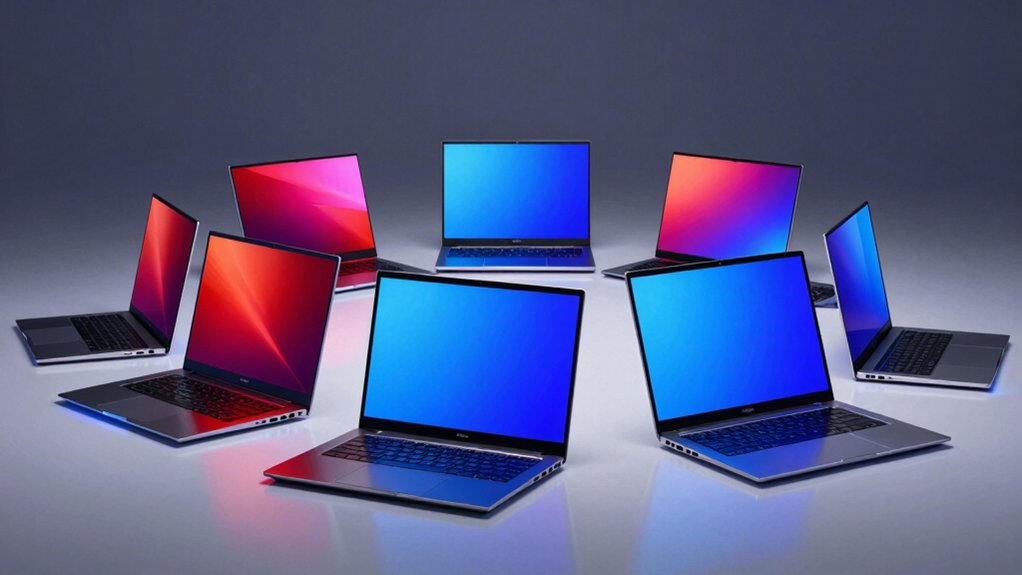

If you’re shopping for a new laptop, you’ve likely noticed that OLED displays are becoming standard on premium models. You’ll want to understand what makes these screens different and how they affect your work or gaming experience. Before you commit to a purchase, you should know the specific features that matter most for your needs. We’ll break down seven top options and the key factors you need to evaluate to make the right choice.
| HP OmniBook 5 14 inch AI PC with OLED Display |

| Best Battery Life | Display Size: 14 inches | Display Resolution: 1920×1200 (2K) | RAM: 16 GB | VIEW LATEST PRICE | Read Our Analysis |
| ASUS Vivobook S16 AI PC Laptop 16″ OLED |
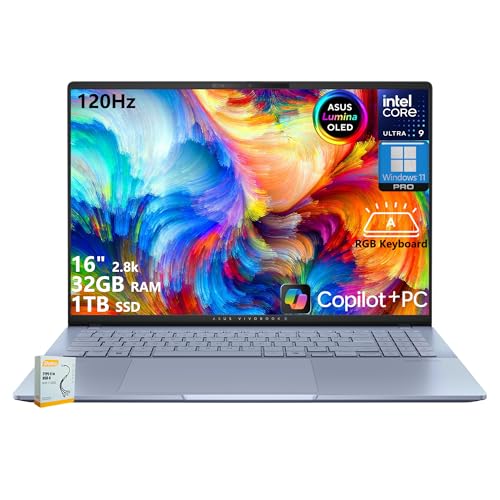
| Best For Creators | Display Size: 16 inches | Display Resolution: 2880×1800 (2.8K WQXGA+) | RAM: 32 GB | VIEW LATEST PRICE | Read Our Analysis |
| Lenovo Yoga 7 2-in-1 Laptop 14″ OLED Touch Display |

| Best 2-in-1 Versatility | Display Size: 14 inches | Display Resolution: 1920×1200 (WUXGA) | RAM: 16 GB | VIEW LATEST PRICE | Read Our Analysis |
| Lenovo Legion Pro 7i AI Gaming Laptop RTX 5070 |

| Best Gaming Performance | Display Size: 16 inches | Display Resolution: Crystal-clear resolution (specific resolution not stated) | RAM: 32 GB | VIEW LATEST PRICE | Read Our Analysis |
| Lenovo Legion 5i Gaming Laptop RTX 5070 OLED |

| Best Gaming Value | Display Size: 15 inches | Display Resolution: 2.5K | RAM: 16 GB | VIEW LATEST PRICE | Read Our Analysis |
| Lenovo Slim 7i Aura Edition Copilot+ PC |
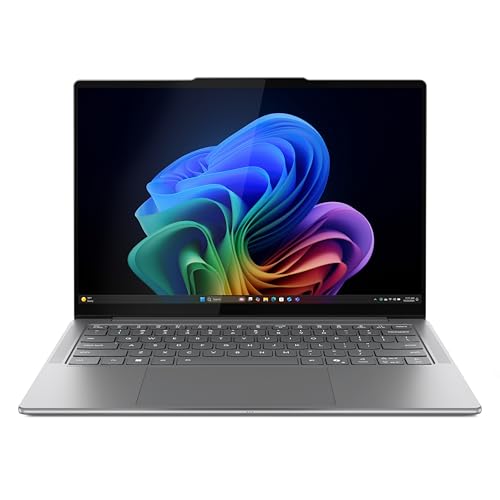
| Best Ultraportable | Display Size: 14 inches | Display Resolution: 1920×1200 (WUXGA) | RAM: 16 GB | VIEW LATEST PRICE | Read Our Analysis |
| Lenovo Yoga Slim 7X Laptop Snapdragon X Elite |
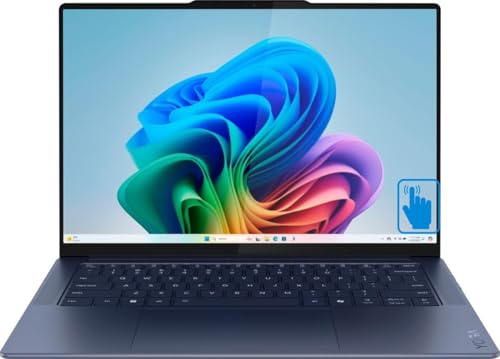
| Best AI Efficiency | Display Size: 14.5 inches | Display Resolution: 2944×1840 (3K) | RAM: 16 GB | VIEW LATEST PRICE | Read Our Analysis |
More Details on Our Top Picks
HP OmniBook 5 14 inch AI PC with OLED Display
Want a laptop that delivers exceptional battery life without sacrificing display quality? The HP OmniBook 5 14 inch AI PC offers a 2K OLED display with 1920×1200 resolution and 0.2 ms response time, making it ideal for work and entertainment. You’ll get up to 34 hours of battery life, and you can charge from 0 to 50% in approximately 30 minutes using HP Fast Charge. The Snapdragon X Plus processor handles multitasking efficiently while the Adreno GPU manages graphics and connectivity. You also receive 16GB RAM and 1TB storage. The device includes sustainable materials like ocean-bound plastic and recycled metal, plus Windows 11 Home and Copilot+ PC features for on-device AI productivity tools.
- Display Size:14 inches
- Display Resolution:1920×1200 (2K)
- RAM:16 GB
- Storage:1 TB PCIe Gen4 NVMe SSD
- Processor Type:Snapdragon X Plus
- Weight:Not specified
- Additional Feature:Up to 34 hours battery
- Additional Feature:HP Fast Charge technology
- Additional Feature:Ocean-bound recycled materials
ASUS Vivobook S16 AI PC Laptop 16″ OLED
The ASUS Vivobook S16 Ultra 9 delivers a 16″ 2.8K OLED display that makes it an excellent choice if you’re a creator, designer, or business professional who needs accurate color representation and sharp visuals for your work. The Intel Core Ultra 9 285H processor handles demanding tasks efficiently with its 16 cores and up to 5.4 GHz speed. You’ll get 32GB of LPDDR5X RAM and 1TB SSD storage for multitasking and file management. The OLED panel offers 100% DCI-P3 color coverage and 600 nits peak brightness, ensuring vibrant, accurate colors. Connectivity options include two Thunderbolt 4 ports, HDMI 2.1, and Wi-Fi 7. The included privacy shutter on the infrared camera and Windows 11 Pro enhance your security and productivity.
- Display Size:16 inches
- Display Resolution:2880×1800 (2.8K WQXGA+)
- RAM:32 GB
- Storage:1 TB SSD
- Processor Type:Intel Core Ultra 9 285H
- Weight:Not specified
- Additional Feature:120Hz refresh rate display
- Additional Feature:Wi-Fi 7 connectivity
- Additional Feature:Thunderbolt 4 ports
Lenovo Yoga 7 2-in-1 Laptop 14″ OLED Touch Display
If you’re a creative professional or content creator who demands color accuracy and flexibility, Lenovo’s Yoga 7 2-in-1 delivers what you need: a 14″ OLED display with 100% DCI-P3 color coverage, 600 nits peak brightness, and Dolby Vision support that renders your work with precision and vibrancy. The AMD Ryzen AI 5 340 processor with integrated Radeon 840M graphics handles demanding creative tasks efficiently. You’ll get 16GB LPDDR5x memory and 1TB SSD storage for managing large project files. The 2-in-1 design flips into tablet mode for sketching or presentations. Thunderbolt 4 ports support external displays and fast data transfer. Weighing 3.04 pounds, you’ll transport this machine comfortably between locations.
- Display Size:14 inches
- Display Resolution:1920×1200 (WUXGA)
- RAM:16 GB
- Storage:1 TB NVMe SSD
- Processor Type:AMD Ryzen AI 5 340
- Weight:~3.04 lbs
- Additional Feature:2-in-1 convertible design
- Additional Feature:70Wh rapid charge express
- Additional Feature:Included Yoga Pen stylus
Lenovo Legion Pro 7i AI Gaming Laptop RTX 5070
For gamers and creators who need a portable powerhouse that doesn’t compromise on performance, the Lenovo Legion Pro 7i delivers desktop-level capabilities in a laptop form. The Intel Core Ultra 7 255HX processor handles demanding games and creative work efficiently. You’ll experience smooth gameplay on the 16″ OLED display with its 240Hz refresh rate and sub-0.5ms response time. The RTX 5070 Ti GPU with DLSS technology boosts frame rates substantially. The Legion Coldfront vapor cooling system keeps temperatures manageable during extended sessions. With 32GB memory and 2TB storage, you’ll manage multiple applications simultaneously. Lenovo AI Engine+ optimizes performance in real time, allocating resources where you need them most.
- Display Size:16 inches
- Display Resolution:Crystal-clear resolution (specific resolution not stated)
- RAM:32 GB
- Storage:2 TB storage
- Processor Type:Intel Core Ultra 7 255HX
- Weight:Not specified
- Additional Feature:RTX 5070 Ti GPU
- Additional Feature:Legion Coldfront vapor cooling
- Additional Feature:240Hz refresh rate display
Lenovo Legion 5i Gaming Laptop RTX 5070 OLED
Want a laptop that handles demanding games, creative software, and coursework without compromise? The Legion 5i delivers with an Intel Core i7-14700HX processor paired with an RTX 5070 GPU. Its 15″ 2.5K OLED display runs at 165Hz, ensuring sharp visuals and smooth gameplay. You’ll get 16GB memory and 1TB storage for multitasking. The Legion Coldfront cooling system keeps temperatures low during intensive sessions. Fast USB Type-C charging reaches 70% in under 30 minutes. Included PC Game Pass provides immediate access to hundreds of titles, making this laptop practical for gamers and students needing portable performance.
- Display Size:15 inches
- Display Resolution:2.5K
- RAM:16 GB
- Storage:1 TB storage
- Processor Type:Intel Core i7-14700HX
- Weight:Not specified
- Additional Feature:RTX 5070 Blackwell GPU
- Additional Feature:165Hz refresh rate display
- Additional Feature:30-minute fast charging capability
Lenovo Slim 7i Aura Edition Copilot+ PC
The Lenovo Slim 7i Aura Edition Copilot+ PC delivers a 14″ WUXGA OLED display with DisplayHDR True Black 500 and 600 nits peak brightness—making it ideal if you’re a creative professional who needs accurate colors for photo editing, video rendering, or design work. The Core Ultra 7 processor, paired with 16GB memory and 1TB storage, handles demanding tasks efficiently. You’ll get 17 hours of battery life for all-day productivity. At 2.82 lbs, the aluminum chassis stays lightweight and portable. AI features personalize your experience, while Intel Unison connects your Android or iOS phone instantly for seamless file sharing and collaboration.
- Display Size:14 inches
- Display Resolution:1920×1200 (WUXGA)
- RAM:16 GB
- Storage:1 TB storage
- Processor Type:Core Ultra 7
- Weight:Starts at 2.82 lbs
- Additional Feature:17 hours battery life
- Additional Feature:Intel Unison phone integration
- Additional Feature:30W TDP efficiency
Lenovo Yoga Slim 7X Laptop Snapdragon X Elite
If you’re seeking an ultraportable laptop that doesn’t compromise on display quality, the Lenovo Yoga Slim 7X delivers a 14.5″ 3K OLED touchscreen with exceptional brightness—1000 nits peak and 500 nits typical—making it ideal for creative professionals, content creators, and anyone who needs accurate color representation and sharp visuals while working on the move. The Snapdragon X Elite processor handles demanding tasks efficiently while consuming minimal power, enabling up to 23.5 hours of video playback per charge. You’ll get 16GB RAM and 1TB SSD for multitasking and storage. At 2.82 lbs, this laptop fits easily into bags. Three USB-C ports with USB4 40Gbps connectivity support fast data transfers and external displays. The device passed 21 military durability tests, ensuring reliability across work environments.
- Display Size:14.5 inches
- Display Resolution:2944×1840 (3K)
- RAM:16 GB
- Storage:1 TB SSD
- Processor Type:Snapdragon X Elite
- Weight:2.82 lbs
- Additional Feature:23.5 hours video playback
- Additional Feature:Snapdragon X Elite processor
- Additional Feature:MIL-STD-810H durability certified
Factors to Consider When Choosing Laptops With OLED Displays

When you’re selecting an OLED laptop, you’ll need to evaluate five key areas: check the display resolution and brightness levels to ensure sharp visuals and visibility in different lighting conditions, assess the processor performance and AI capabilities to match your workload demands, examine battery life and charging speed since OLED screens consume power differently than traditional displays, compare refresh rates and response times if you plan to use the laptop for gaming or video editing, and finally, weigh the price against the overall value proposition to determine if the OLED features justify the cost for your specific needs.
Display Resolution and Brightness
How do you evaluate whether an OLED laptop’s display meets your needs? Start by checking the resolution. OLED laptops typically offer 1920×1200 (2K) or 2880×1800 (2.8K) resolutions, which maximize sharpness for detailed work and media viewing. Next, assess brightness levels for your environment. Standard OLED panels deliver around 400 nits, while HDR-capable models reach 600 nits peak brightness, making them suitable for well-lit spaces. If you work outdoors or near windows frequently, prioritize the higher brightness specification. For color-critical tasks like photo editing, confirm the panel provides 100% DCI-P3 color coverage. Match these specifications to your primary use case—whether that’s document work, content creation, or entertainment—to ensure optimal visual performance and readability in your specific conditions.
Processor Performance and AI
What makes processor choice essential for OLED laptops is that your CPU directly determines how well on-device AI features perform alongside your everyday tasks. Look for AI-oriented processors like Snapdragon X Plus, AMD Ryzen AI, or Intel Core Ultra with AI Engine+ to accelerate Copilot+ features and creative applications without relying on cloud processing. Compare core counts carefully: 16-core CPUs handle parallel AI workloads efficiently, while 6-core options balance AI tasks with general performance. Check integrated GPU specifications like Adreno or Radeon 840M, though dedicated CPU accelerators matter more for AI speed. Finally, verify battery life ratings and cooling systems—extended runtimes (17+ hours) and advanced thermal management maintain consistent AI processing speed during long working sessions.
Battery Life and Charging
OLED displays offer stunning visuals, but they’ll drain your battery faster than traditional LCD panels if you don’t account for power consumption in your buying decision. Check manufacturer specifications for advertised battery life during mixed usage and video playback. Compare runtime across different brightness levels, since brighter content consumes more power than darker scenes. Evaluate laptops with power-efficient components and AI-assisted features that extend productivity task runtime. Look for rapid charging capabilities that quickly restore usable charge levels. Review firmware optimizations designed to offset OLED panel power usage. Consider your typical usage patterns—if you frequently use HDR or peak brightness at 600 nits, expect shorter battery life than stated specifications. Match the laptop’s battery capacity and charging speed to your daily work requirements.
Refresh Rate and Response Time
Why does refresh rate matter when you’re shopping for an OLED laptop? Higher refresh rates, like 120 Hz, deliver smoother scrolling and gaming. You’ll notice less motion blur during fast movements. OLED panels also offer sub-millisecond response times, which means images change almost instantly on screen. This reduces ghosting—the blurry trail that appears behind moving objects. However, higher refresh rates drain your battery faster than lower rates do. Consider your priorities: if you game or scroll frequently, prioritize 120 Hz. If battery life matters most, choose a lower refresh rate. Check whether the laptop supports variable refresh to balance performance and power consumption. Match the refresh rate to your GPU’s capabilities so your laptop can actually render that many frames per second.
Price and Value Proposition
Once you’ve settled on your preferred refresh rate and response time, you’ll need to evaluate whether an OLED laptop’s higher cost aligns with your needs and budget. Compare the total component value by examining the CPU, GPU, RAM, and battery specifications alongside the display quality. OLED models typically cost more than LCD alternatives, but justify this premium through superior contrast and color accuracy. Check whether bundled software—such as PC Game Pass or Copilot+ AI features—adds meaningful value to your purchase. Consider your intended use: creators and developers benefit from OLED’s color performance, while casual users may find standard displays adequate. Calculate the price-per-performance ratio by dividing total cost by your specific requirements, not marketing claims alone.
Portability and Weight Considerations
When you’re evaluating whether an OLED laptop will work for your lifestyle, weight and overall portability should rank high on your priority list. Most 14–15 inch OLED models weigh between 2.8 and 3.1 pounds, making them suitable for frequent travel. If you need maximum mobility, look for ultra-slim configurations under 3.0 pounds. Smaller screens generally offer thinner profiles and lighter frames than 16–17 inch options. Check the chassis material—aluminum and composite shells provide rigidity while keeping weight minimal. Consider battery life and thermal design carefully, since high-brightness OLED displays require effective heat management in lighter form factors. Assess your daily commute and travel patterns to determine whether a portable OLED laptop matches your actual needs.
Final Thoughts
You’ve reviewed seven top OLED laptops with distinct strengths. Determine your primary use: content creation, gaming, or everyday computing. Compare specs like processor, RAM, and refresh rates against your budget. Check display brightness, color accuracy, and battery life. Visit retailer websites to compare prices and availability. Test models in-store if possible. Select the laptop that matches your performance needs and budget requirements.

Meet Ry, “TechGuru,” a 36-year-old technology enthusiast with a deep passion for tech innovations. With extensive experience, he specializes in gaming hardware and software, and has expertise in gadgets, custom PCs, and audio.
Besides writing about tech and reviewing new products, he enjoys traveling, hiking, and photography. Committed to keeping up with the latest industry trends, he aims to guide readers in making informed tech decisions.