
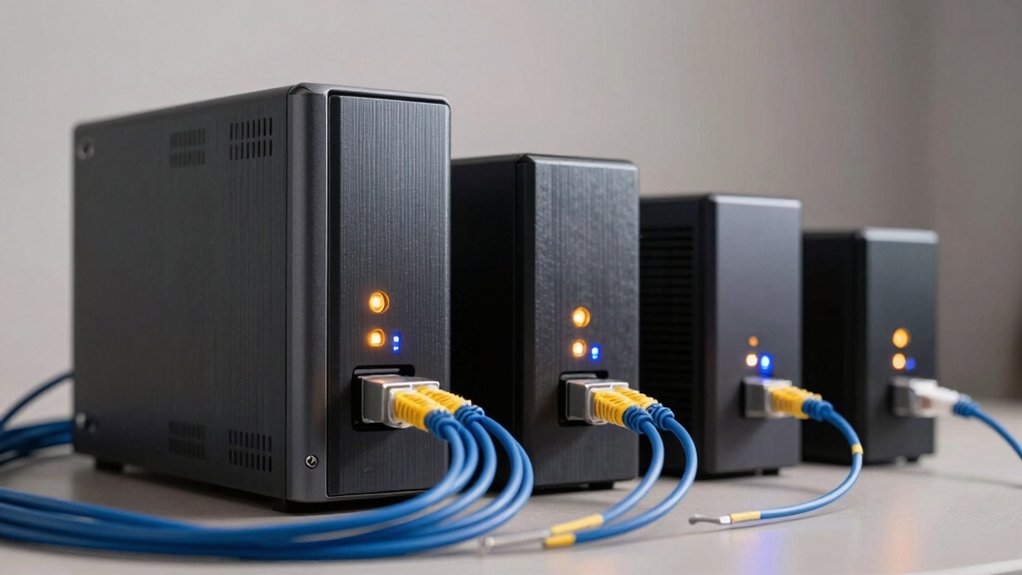

When you’re archiving 4K and 8K video files, you need NAS drives that handle constant data writes without failing. Standard drives won’t cut it—they’re designed for occasional use, not the demands of large video libraries. You’ll want drives built specifically for network storage, with features like enhanced cooling and health monitoring. But which drives actually deliver the performance your archive requires? Here’s what separates the reliable options from the rest.
| Seagate IronWolf 8TB NAS Internal Hard Drive |

| Best Performance | Form Factor: 3.5-inch internal HDD | Storage Capacity: 8TB | Interface Type: SATA 6 Gb/s | VIEW LATEST PRICE | Read Our Analysis |
| Seagate IronWolf 4TB NAS Internal Hard Drive (ST4000VNZ08) |
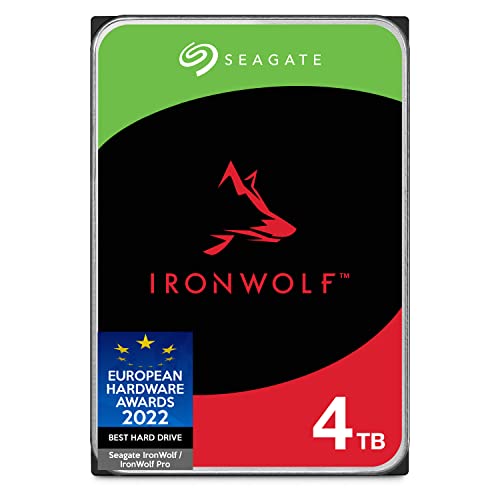
| Budget-Friendly Pick | Form Factor: 3.5-inch internal HDD | Storage Capacity: 4TB | Interface Type: SATA 6 Gb/s | VIEW LATEST PRICE | Read Our Analysis |
| TERRAMASTER F8 SSD NAS Storage 8-Bay Server |

| Professional Grade | Form Factor: Compact all-SSD 8-bay NAS server | Storage Capacity: Up to 64TB (8 × 8TB M.2 NVMe SSDs) | Interface Type: NVMe M.2 2280 / 10GbE port | VIEW LATEST PRICE | Read Our Analysis |
| Western Digital 4TB WD Red Plus NAS Hard Drive |

| Best Value | Form Factor: 3.5-inch internal HDD | Storage Capacity: 4TB | Interface Type: SATA 6 Gb/s | VIEW LATEST PRICE | Read Our Analysis |
More Details on Our Top Picks
Seagate IronWolf 8TB NAS Internal Hard Drive
If you’re building a multi-user NAS system that’ll handle 4K and 8K video files without constant drive failures, the Seagate IronWolf 8TB is built specifically for that job. You get 210 MB/s read speeds and a 256MB cache, which handles video streaming across multiple users simultaneously. The 7200 RPM drive works in NAS enclosures up to 8 bays, meaning you can scale storage as your video library grows. Its 1,000,000-hour MTBF rating ensures long-term reliability, while IronWolf Health Management monitors drive condition continuously. The three-year warranty and included data recovery service protect your archived content. Install this drive in any SATA-compatible NAS enclosure to start storing video files efficiently.
- Form Factor:3.5-inch internal HDD
- Storage Capacity:8TB
- Interface Type:SATA 6 Gb/s
- Max Transfer Speed:210 MB/s read
- Warranty & Data Recovery:3-year limited warranty + Rescue Data Recovery Service
- Reliability (MTBF):1,000,000 hours MTBF
- Additional Feature:IronWolf Health Management integration
- Additional Feature:256MB cache memory
- Additional Feature:7200 RPM rotational speed
Seagate IronWolf 4TB NAS Internal Hard Drive (ST4000VNZ08)
What’re you storing in your NAS system—4K video files that demand reliability, or multiple streams of archival content? The Seagate IronWolf 4TB delivers solid performance for smaller-scale setups. You’ll get 180MB/s read speeds and a 64MB cache, which handles consistent data transfers without lag. Built for up to 8-bay NAS environments, this drive includes IronWolf Health Management to monitor drive status continuously. The 5900 RPM speed keeps noise minimal while maintaining stability. You’re protected by a three-year warranty and data recovery service, making it dependable for video archive work requiring consistent uptime.
- Form Factor:3.5-inch internal HDD
- Storage Capacity:4TB
- Interface Type:SATA 6 Gb/s
- Max Transfer Speed:180 MB/s read
- Warranty & Data Recovery:3-year limited warranty + Rescue Data Recovery Service
- Reliability (MTBF):1,000,000 hours MTBF
- Additional Feature:IronWolf Health Management system
- Additional Feature:64MB cache memory
- Additional Feature:5900 RPM rotational speed
TERRAMASTER F8 SSD NAS Storage 8-Bay Server
For professionals and businesses that need fast, reliable storage for 4K and 8K video projects without the noise and heat of traditional drives, the TerraMaster F8 SSD delivers compact, high-performance archiving. You’ll install up to eight M.2 NVMe SSDs, each supporting 8TB capacity for a total of 64TB. The N95 processor handles transfer speeds up to 1024MB/s via the 10GbE port, enabling quick file access. Advanced cooling with heat sinks on each drive maintains stable performance during heavy editing sessions. Silent operation keeps standby noise below 19dB, making it suitable for office environments. Tool-free SSD installation takes roughly two minutes, allowing you to expand storage without technical expertise.
- Form Factor:Compact all-SSD 8-bay NAS server
- Storage Capacity:Up to 64TB (8 × 8TB M.2 NVMe SSDs)
- Interface Type:NVMe M.2 2280 / 10GbE port
- Max Transfer Speed:Up to 1024 MB/s
- Warranty & Data Recovery:Not specified in details
- Reliability (MTBF):Not specified in details
- Additional Feature:10GbE port connectivity
- Additional Feature:Tool-free SSD installation
- Additional Feature:Advanced heat sink cooling
Western Digital 4TB WD Red Plus NAS Hard Drive
The WD Red Plus 4TB drive is built specifically for small to medium business NAS systems that run 24/7, making it an ideal choice if you’re archiving large video files and need reliable performance without interruption. This model features a 3.5″ form factor, 5400 RPM speed, and 256MB cache with SATA 6 Gb/s interface. You’ll get CMR technology supporting up to 180 TB/year workload capacity. The drive includes NASware firmware for seamless compatibility with your existing NAS infrastructure. Western Digital backs it with a 3-year limited warranty. Note that actual usable capacity may vary depending on your operating environment and system configuration.
- Form Factor:3.5-inch internal HDD
- Storage Capacity:4TB
- Interface Type:SATA 6 Gb/s
- Max Transfer Speed:Not specified (5400 RPM workload rated 180 TB/yr)
- Warranty & Data Recovery:3-year limited warranty
- Reliability (MTBF):MTBF specifications provided (varies with workload/temperature conditions)
- Additional Feature:NASware firmware compatibility
- Additional Feature:180 TB/year workload rate
- Additional Feature:256MB cache memory
Factors to Consider When Choosing NAS Drives for 4K and 8K Video Archives
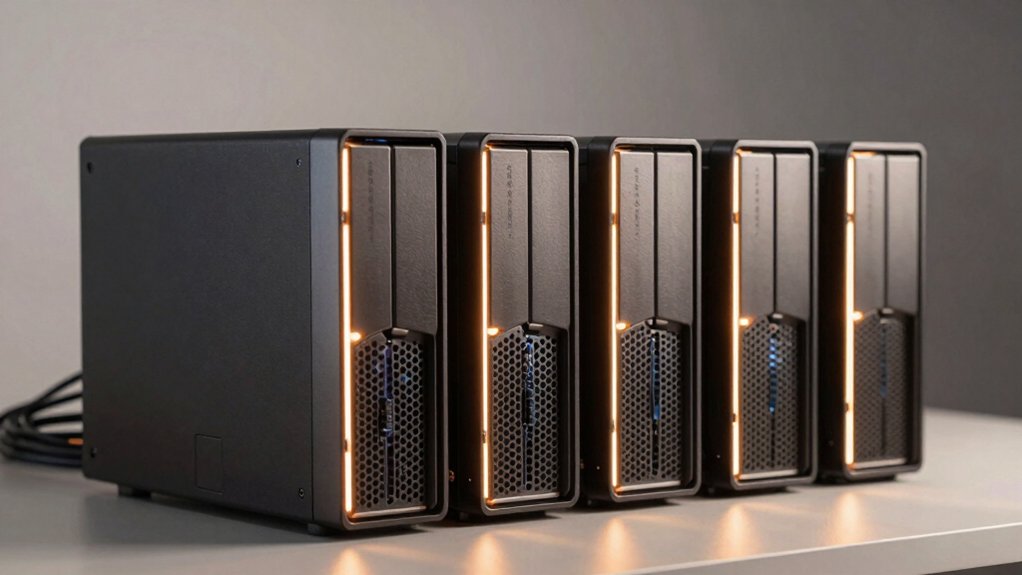
When selecting a NAS drive for high-resolution video storage, you need to evaluate five critical factors: storage capacity (calculate your total footage size plus backup redundancy), data transfer speed (measure in MB/s to ensure smooth 4K and 8K playback without bottlenecks), reliability ratings (check MTBF values—mean time between failures—to predict drive longevity), thermal management (verify operating temperatures stay within safe limits during continuous use), and power consumption (compare watts to reduce electricity costs on always-on systems). You’ll want to balance these elements against your budget, as higher performance typically costs more but prevents costly data loss and workflow interruptions. Start by listing your specific needs—footage volume, access frequency, and redundancy requirements—then cross-reference each candidate drive against this checklist to identify the best match.
Storage Capacity Requirements
How much storage do you actually need for your 4K and 8K video archives? Start by calculating your project file sizes. A single hour of 4K video typically consumes 300GB to 500GB, while 8K demands 1TB or more per hour. Next, multiply your total archived hours by these figures. Then add 30–50% extra capacity for versioning and backups. For multi-user NAS setups, 4TB to 8TB drives provide a solid baseline. Larger 8TB drives extend retention before requiring expansion. Finally, account for RAID overhead. If you’re using RAID 6 with eight bays, your usable capacity equals raw capacity minus parity space. This calculation ensures you’re not forced into costly migrations mid-project.
Data Transfer Speed Performance
Storage capacity alone won’t guarantee smooth 4K and 8K workflows—you’ll also need sufficient data transfer speed to move those massive files without bottlenecks. SATA 6Gb/s drives max out at 750 MB/s theoretically, but real-world performance delivers only 180–210 MB/s sustained, which slows video transfers and backups considerably. NVMe and SSD-based NAS options deliver hundreds to thousands of MB/s, making them better for direct editing or streaming 8K footage. Cache size matters too—64–256 MB buffers help during sudden large file transfers common in 4K/8K pipelines. For multi-user environments, prioritize sustained transfer rates and fast RAID rebuild speeds to minimize downtime when drives fail or during large transfers.
Reliability And MTBF Ratings
Dependability becomes critical when you’re archiving irreplaceable 4K and 8K footage, making MTBF (mean time between failures) ratings one of the most important specifications you’ll evaluate. Most NAS drives cite MTBF ratings around 1,000,000 hours, translating to roughly 114 years of expected life under typical conditions. This metric helps you plan realistic service intervals and replacement schedules. You’ll also want drives designed specifically for multi-user NAS environments, as they’re built to handle sustained read/write operations without failure. Look for health monitoring features that alert you to potential problems before drives fail. RAID-aware drives further reduce data loss risks during extended archive sessions, protecting your valuable content from unexpected downtime.
Thermal Management Considerations
While MTBF ratings give you a baseline expectation for drive longevity, they assume prime operating conditions—and temperature control is what actually determines whether your drives meet those promises. During sustained 4K/8K writes exceeding 180 TB yearly, your drives generate significant heat that degrades performance and shortens lifespan if left unmanaged.
Select NAS enclosures with airflow-friendly designs and distributed heat sinks to prevent thermal hotspots across multiple drives. For 3.5-inch 7200 RPM drives with 256 MB cache, prioritize cases featuring low-vibration cooling systems that maintain steady airflow without noise.
If you’re using SSDs, active cooling becomes critical to prevent throttling during continuous transfers. Monitor internal temperatures regularly and ensure your enclosure keeps all drives below manufacturer-specified limits during peak workloads.
Power Consumption Efficiency
You’ll consistently find that higher-capacity NAS drives designed for archival work use 5400–7200 RPM spindle speeds to balance the throughput you need for 4K and 8K transfers against the energy costs of running drives continuously. Drives with larger caches—256 MB or more—reduce spin-up cycles and improve sequential performance, which lowers power consumption during extended transfers. When selecting drives, prioritize models optimized for NAS environments, as they’re engineered for sustained reliability and minimal idle power draw. For multi-bay configurations, choosing power-efficient drives keeps total system electricity consumption and heat generation manageable. If you’re running an 8-bay setup, each drive’s efficiency rating directly affects your monthly operating costs and equipment longevity.
Warranty And Support Options
Beyond selecting the most efficient drives for your setup, you need to understand what protection comes with your investment. Most NAS drives include a 3-year limited warranty covering manufacturing defects. You’ll also get access to Rescue Data Recovery Services, which help retrieve data if a drive fails. Check your vendor’s specific coverage details, as warranty terms vary by region and manufacturer. All drives feature a MTBF rating of 1,000,000 hours, indicating expected reliability over time. Take advantage of health monitoring features like IronWolf Health Management to catch potential failures early. Review your drive’s documentation to confirm what’s covered and excluded. Consider purchasing from vendors offering Frustration Free Packaging for easier returns if warranty service becomes necessary.
Final Thoughts
You’ll find that choosing the right NAS drive depends on your specific needs. If you’re prioritizing reliability, you’ll want the Seagate IronWolf 8TB. For budget-conscious setups, consider the 4TB options from either Seagate or Western Digital. If you need maximum speed and storage capacity, the TERRAMASTER F8 offers superior performance. Evaluate your archive size, transfer speed requirements, and budget before making your final decision.

Meet Ry, “TechGuru,” a 36-year-old technology enthusiast with a deep passion for tech innovations. With extensive experience, he specializes in gaming hardware and software, and has expertise in gadgets, custom PCs, and audio.
Besides writing about tech and reviewing new products, he enjoys traveling, hiking, and photography. Committed to keeping up with the latest industry trends, he aims to guide readers in making informed tech decisions.