
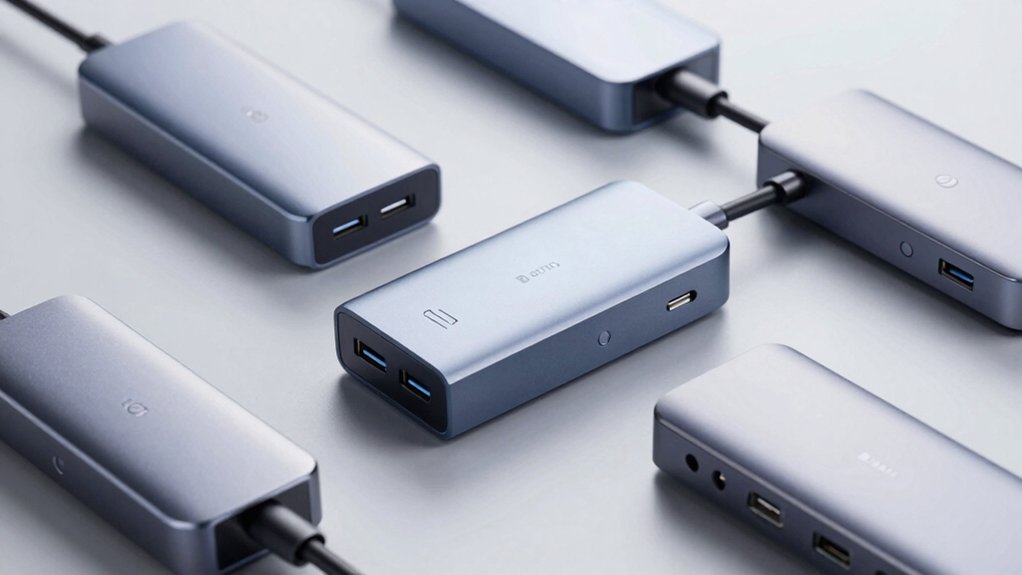

When you’re setting up a high-performance workstation, you’ll need a Thunderbolt 5 dock that matches your specific requirements. You’ve got options ranging from compact 5-port hubs to expansive 17-in-1 stations, each offering different power delivery, display outputs, and port configurations. The right choice depends on your device count, charging needs, and display setup—but which dock truly fits your workflow?
| Anker Prime TB5 Docking Station 14-in-1 Thunderbolt |

| Best Overall | Maximum Data Transfer Speed: 120 Gbps (Thunderbolt 5) | Maximum Power Delivery: 140W max (PD 3.1) | Display Support: Dual 8K@60Hz (Thunderbolt 5 Windows laptops); single 8K@60Hz max for others | VIEW LATEST PRICE | Read Our Analysis |
| CalDigit E5 Thunderbolt 5 Hub 9-Port |

| Most Versatile | Maximum Data Transfer Speed: 120 Gbps (Bandwidth Boost) | Maximum Power Delivery: 90W to connected devices (180W total supply) | Display Support: Windows up to three 4K@144Hz; macOS up to dual 6K@60Hz or 8K@60Hz | VIEW LATEST PRICE | Read Our Analysis |
| OWC Thunderbolt 5 Hub 5-Port Expansion for Mac & PC |

| Best For Mac | Maximum Data Transfer Speed: 120 Gbps (higher display bandwidth) | Maximum Power Delivery: Up to 140W to notebooks | Display Support: Up to three 8K displays | VIEW LATEST PRICE | Read Our Analysis |
| UGREEN Maxidok Thunderbolt 5 Dock Station (17-in-1) |

| Most Feature-Rich | Maximum Data Transfer Speed: 120 Gbps (Intel-certified) | Maximum Power Delivery: 240W total system power | Display Support: Triple independent displays on Windows (single 8K@60Hz or dual 6K@60Hz); dual on Mac | VIEW LATEST PRICE | Read Our Analysis |
| WAVLINK Thunderbolt 5 Docking Station with 140W Charging |

| Best Value | Maximum Data Transfer Speed: 120 Gbps (boost mode) | Maximum Power Delivery: 140W to laptop | Display Support: Single 8K@144Hz or dual 8K@60Hz; Windows triple 4K@144Hz | VIEW LATEST PRICE | Read Our Analysis |
| Dell DELL-SD25TB5 Pro Thunderbolt 5 Smart Dock |

| Professional Grade | Maximum Data Transfer Speed: Up to 1.25 GB/s (Thunderbolt 5) | Maximum Power Delivery: 300W for Dell systems (140W non-Dell) | Display Support: Up to four 8K@60Hz or 4K@120Hz external displays | VIEW LATEST PRICE | Read Our Analysis |
| iVANKY Thunderbolt 5 FusionDock Max 2 MacBook Docking Station |

| Best For MacBook | Maximum Data Transfer Speed: 120 Gbps (3x Thunderbolt 5 ports) | Maximum Power Delivery: Supports triple 120 Gbps ports with integrated power | Display Support: Triple displays up to 6K@60Hz (M1-M5 dependent) | VIEW LATEST PRICE | Read Our Analysis |
| UGREEN Thunderbolt 5 Dock 13-in-1 with 140W Charging |

| Compact Powerhouse | Maximum Data Transfer Speed: 120 Gbps (Thunderbolt 5) | Maximum Power Delivery: 140W dynamic charging | Display Support: Dual 6K@60Hz or single 8K display | VIEW LATEST PRICE | Read Our Analysis |
| OWC 11-Port Thunderbolt 5 Docking Station |

| Best Durability | Maximum Data Transfer Speed: Up to 80 Gbps bi-directional | Maximum Power Delivery: Up to 140W power delivery | Display Support: Up to three displays with enhanced visual clarity | VIEW LATEST PRICE | Read Our Analysis |
| Lenovo ThinkPad Thunderbolt 5 Smart Dock 7500 |

| Enterprise-Grade | Maximum Data Transfer Speed: 120 Gbps (Thunderbolt 5) | Maximum Power Delivery: 180W Power Delivery (PD 3.1) | Display Support: Up to three 8K@60Hz or four monitors in various configurations | VIEW LATEST PRICE | Read Our Analysis |
| Satechi Thunderbolt 5 CubeDock Station with 140W Charging |

| Built-In Storage | Maximum Data Transfer Speed: 80 Gbps/120 Gbps (USB4 v2 compatible) | Maximum Power Delivery: 140W host charging (30W USB-C PD) | Display Support: 1x8K@144Hz, 2x8K@120Hz, 3x8K@60Hz on Windows; dual 6K@60Hz on macOS M3/M5 | VIEW LATEST PRICE | Read Our Analysis |
More Details on Our Top Picks
Anker Prime TB5 Docking Station 14-in-1 Thunderbolt
The Anker Prime TB5 Docking Station 14-in-1 works best if you’re running multiple displays and need fast file transfers on a single cable. Connect your laptop to the upstream Thunderbolt 5 port and attach displays via HDMI 2.1 or DisplayPort 2.1. You’ll get dual 8K@60Hz support on compatible Windows laptops. For file transfers, you can move 150GB in roughly 25 seconds through the Thunderbolt 5 ports. The dock supplies up to 140W of power via PD 3.1 protocol for charging. Use the three USB-A ports, two USB-C ports, and card readers for peripherals. An active cooling system manages heat during heavy workloads. The package includes a 3.3-foot Thunderbolt 5 cable and 24-month warranty.
- Maximum Data Transfer Speed:120 Gbps (Thunderbolt 5)
- Maximum Power Delivery:140W max (PD 3.1)
- Display Support:Dual 8K@60Hz (Thunderbolt 5 Windows laptops); single 8K@60Hz max for others
- Total Port Count:14 ports
- Ethernet Speed:2.5 Gbps
- Warranty Period:24 months
- Additional Feature:Active cooling system included
- Additional Feature:Dual Thunderbolt 5 video outputs
- Additional Feature:150GB transfer in ~25 seconds
CalDigit E5 Thunderbolt 5 Hub 9-Port
CalDigit’s E5 hub works best if you’re running multiple high-bandwidth devices simultaneously on a Mac or Windows PC. The 9-port design includes four Thunderbolt 5 ports, three USB-A ports, and two USB-C ports. You’ll get up to 120Gb/s bandwidth with Bandwidth Boost technology, allowing you to connect fast external SSDs reaching 6,200MB/s speeds. The hub delivers 90W power to devices while maintaining a 180W total power supply. Windows users can display three 4K@144Hz screens; Mac users can run two 6K@60Hz displays. Connect your hub using the included 0.8m cable, then attach your peripherals based on bandwidth needs.
- Maximum Data Transfer Speed:120 Gbps (Bandwidth Boost)
- Maximum Power Delivery:90W to connected devices (180W total supply)
- Display Support:Windows up to three 4K@144Hz; macOS up to dual 6K@60Hz or 8K@60Hz
- Total Port Count:9 ports
- Ethernet Speed:Not specified
- Warranty Period:2 years (manufacturer)
- Additional Feature:Offline device charging capability
- Additional Feature:64Gb/s PCIe support
- Additional Feature:Up to 6,200MB/s SSD speeds
OWC Thunderbolt 5 Hub 5-Port Expansion for Mac & PC
OWC’s Thunderbolt 5 Hub stands out as the ideal choice if you’re working with multiple high-bandwidth devices and need future-proof connectivity across both Mac and PC systems. This 5-port hub delivers up to 80Gb/s bi-directional data speeds and supports up to three 8K displays simultaneously. You’ll get 140 watts of power delivery for charging notebooks, plus the ability to create three separate daisy chains without interrupting other connected devices. The fanless aluminum design keeps your setup silent while maintaining reliable performance. With Thunderbolt Certification and a 2-year warranty, you’re investing in dependable connectivity that works with Thunderbolt 5, 4, 3, USB4, and USB-C devices.
- Maximum Data Transfer Speed:120 Gbps (higher display bandwidth)
- Maximum Power Delivery:Up to 140W to notebooks
- Display Support:Up to three 8K displays
- Total Port Count:5 ports
- Ethernet Speed:Not specified
- Warranty Period:2 years (OWC Limited Warranty)
- Additional Feature:Three separate daisy chains
- Additional Feature:Fanless aluminum enclosure design
- Additional Feature:Up to 140W power delivery
UGREEN Maxidok Thunderbolt 5 Dock Station (17-in-1)
Need a single dock that handles multiple displays, high-speed storage, and extensive connectivity without sacrificing desk space? The UGREEN Maxidok delivers 17 ports across five functional categories. Connect three independent displays simultaneously on Windows using dual Thunderbolt 5 and DisplayPort outputs. Add external storage by inserting an M.2 NVMe drive into the built-in slot, supporting capacities up to 8TB. Utilize three USB-A and three USB-C ports for peripheral connections, plus 2.5GbE Ethernet for networking. The aluminum chassis includes active cooling to maintain stable performance during demanding workflows. Power delivery reaches 240W total system capacity, supporting multiple connected devices efficiently.
- Maximum Data Transfer Speed:120 Gbps (Intel-certified)
- Maximum Power Delivery:240W total system power
- Display Support:Triple independent displays on Windows (single 8K@60Hz or dual 6K@60Hz); dual on Mac
- Total Port Count:17 ports
- Ethernet Speed:2.5G Ethernet
- Warranty Period:Not specified
- Additional Feature:Built-in NVMe M.2 slot
- Additional Feature:Supports up to 8TB storage
- Additional Feature:AI cooling with ultra-thin fan
WAVLINK Thunderbolt 5 Docking Station with 140W Charging
If you’re running multiple high-resolution displays while powering a demanding laptop, the WAVLINK Thunderbolt 5 Docking Station delivers the connectivity and charging capacity you’ll need. This 12-in-1 hub supports single 8K@144Hz or dual 8K@60Hz displays, with Windows 11 enabling triple 4K@144Hz setups. The 140W Power Delivery charges your laptop while three downstream Thunderbolt 5 ports accommodate peripherals with dedicated 15W and 30W power options. Four USB-A 3.2 ports, 2.5G Ethernet, and an SD 4.0 reader (312 MB/s) complete your workspace. Verify your laptop has a Thunderbolt 4 or 5 USB-C port for maximum performance.
- Maximum Data Transfer Speed:120 Gbps (boost mode)
- Maximum Power Delivery:140W to laptop
- Display Support:Single 8K@144Hz or dual 8K@60Hz; Windows triple 4K@144Hz
- Total Port Count:12 ports
- Ethernet Speed:2.5G Ethernet
- Warranty Period:2 years (manufacturer)
- Additional Feature:SD 4.0 reader (312MB/s)
- Additional Feature:Anti-slip pads included
- Additional Feature:Kensington lock slot
Dell DELL-SD25TB5 Pro Thunderbolt 5 Smart Dock
The Dell DELL-SD25TB5 Pro Thunderbolt 5 Smart Dock stands out for enterprise users and IT professionals who need centralized device management alongside high-performance connectivity. You’ll connect up to four external displays at 8K or 4K resolution while transferring data at 1.25 GB/s. The dock delivers 300W power to Dell systems and 140W to non-Dell devices, keeping everything charged during work. You’ll access six USB ports, HDMI 2.1, DisplayPort 2.1, and 2.5Gb Ethernet for flexible expansion. Advanced features like MAC address pass-through, PXE boot, and Wake-on-LAN simplify IT management. Physical security options include Kensington lock slots. This dock works with Windows, macOS, ChromeOS, and Linux, backed by a three-year warranty.
- Maximum Data Transfer Speed:Up to 1.25 GB/s (Thunderbolt 5)
- Maximum Power Delivery:300W for Dell systems (140W non-Dell)
- Display Support:Up to four 8K@60Hz or 4K@120Hz external displays
- Total Port Count:Multiple ports (USB-C, USB-A, HDMI 2.1, DisplayPort 2.1, Ethernet, up to 6 USB total)
- Ethernet Speed:2.5Gb Ethernet
- Warranty Period:3 years (limited hardware warranty)
- Additional Feature:Up to 300W Dell power
- Additional Feature:MAC address pass-through capability
- Additional Feature:Wake-on-LAN remote management
iVANKY Thunderbolt 5 FusionDock Max 2 MacBook Docking Station
For MacBook users who need to connect multiple displays and peripherals simultaneously, the iVANKY FusionDock Max 2 delivers 23 ports in a single compact unit. This Intel-certified dock supports triple 6K displays at 60Hz on M1–M5 Max chips, dual 6K displays on M4/M5 base and M1–M4 Pro models, and single 6K on M1–M3 base chips. You’ll access three Thunderbolt 5 ports, ten USB ports, SD/TF card readers, and 2.5 Gbps Ethernet. The hybrid cooling system with internal copper plate and built-in fan maintains performance during extended use. The dock works exclusively with macOS 10.15 Catalina or later and includes a 24-month warranty.
- Maximum Data Transfer Speed:120 Gbps (3x Thunderbolt 5 ports)
- Maximum Power Delivery:Supports triple 120 Gbps ports with integrated power
- Display Support:Triple displays up to 6K@60Hz (M1-M5 dependent)
- Total Port Count:23 ports
- Ethernet Speed:2.5 Gbps RJ45
- Warranty Period:24 months
- Additional Feature:Triple 6K@60Hz display support
- Additional Feature:Multi-layer heat dissipation system
- Additional Feature:MacBook-exclusive compatibility only
UGREEN Thunderbolt 5 Dock 13-in-1 with 140W Charging
Looking to connect multiple devices while charging your laptop simultaneously? The UGREEN Revodok Max 2131 delivers 140W dynamic charging through its compact 180W GaN adapter. You’ll access 120Gbps Thunderbolt 5 speed across four ports, supporting dual 6K displays or one 8K display. Connect up to five USB devices using four USB-A and one USB-C port. Add SD/TF card reading via the UHS-II slot, Ethernet networking at 2.5Gb speed, and 3.5mm audio. The aluminum design with dual-layer cooling prevents overheating. You can position it vertically or horizontally using rubber pads. With a 2-year warranty and 30-day return guarantee, you’ll get reliable docking for Thunderbolt 5/4 laptops running Windows or macOS.
- Maximum Data Transfer Speed:120 Gbps (Thunderbolt 5)
- Maximum Power Delivery:140W dynamic charging
- Display Support:Dual 6K@60Hz or single 8K display
- Total Port Count:13 ports
- Ethernet Speed:2.5Gb Ethernet with 10G bandwidth
- Warranty Period:2 years
- Additional Feature:180W compact GaN adapter
- Additional Feature:33% smaller power supply
- Additional Feature:Dual-orientation placement design
OWC 11-Port Thunderbolt 5 Docking Station
Need a single dock that’ll handle multiple displays, fast data transfers, and keep your laptop powered without taking up much desk space? The OWC 11-Port Thunderbolt 5 Docking Station delivers exactly that. You’ll connect three Thunderbolt 5 ports for maximum bandwidth and support up to three displays simultaneously. The dock provides 140W power delivery to charge your notebook continuously. You’ll also access SD and MicroSD card readers for quick photo and video transfers, plus 2.5GbE networking that’s 2.5x faster than standard Ethernet. The fanless aluminum design operates silently through passive cooling. You can daisy chain up to three device groups and enjoy bus-powered capability. OWC backs this with a two-year limited warranty.
- Maximum Data Transfer Speed:Up to 80 Gbps bi-directional
- Maximum Power Delivery:Up to 140W power delivery
- Display Support:Up to three displays with enhanced visual clarity
- Total Port Count:11 ports
- Ethernet Speed:2.5GbE
- Warranty Period:2 years (OWC Limited Warranty)
- Additional Feature:MicroSD and SD 4.0 readers
- Additional Feature:Bus-powered daisy chain capability
- Additional Feature:2.5x faster Ethernet connection
Lenovo ThinkPad Thunderbolt 5 Smart Dock 7500
The Lenovo ThinkPad Thunderbolt 5 Smart Dock 7500 delivers exceptional performance for professionals who need to connect multiple high-resolution displays while charging their laptop simultaneously. This dock supports up to 180W Power Delivery, enabling fast notebook charging while docked. You can drive three 8K 60Hz displays or configure four monitors in various setups, such as two 4K 240Hz displays. The dock includes 11 total ports: Thunderbolt 5, HDMI 2.1, DisplayPort 2.1, four USB ports, 2.5Gbps Ethernet, and combo audio. Fleet managers benefit from Lenovo Accessories Fleet Manager, which provides cloud-based remote configuration and diagnostics across dock installations.
- Maximum Data Transfer Speed:120 Gbps (Thunderbolt 5)
- Maximum Power Delivery:180W Power Delivery (PD 3.1)
- Display Support:Up to three 8K@60Hz or four monitors in various configurations
- Total Port Count:11 ports
- Ethernet Speed:2.5Gbps Ethernet
- Warranty Period:3 years (manufacturer warranty)
- Additional Feature:Fleet management via cloud
- Additional Feature:Intel vPro technology integrated
- Additional Feature:90% recycled materials used
Satechi Thunderbolt 5 CubeDock Station with 140W Charging
When you’re juggling multiple displays, high-speed storage needs, and demanding workloads like video editing or 3D rendering, you’ll want a dock that handles it all without breaking a sweat—and that’s exactly what Satechi’s Thunderbolt 5 CubeDock delivers. You get 140W host charging, support for up to three 8K displays on Windows, and a built-in NVMe SSD enclosure with speeds reaching 6000 MB/s. The single Thunderbolt 5 connection eliminates cable clutter while providing 80Gbps bandwidth. You’ll also access USB-C/A ports, 2.5 Gb Ethernet, and SD card support. Active cooling keeps temperatures manageable during extended projects, making this compact cube essential for professionals handling intensive tasks.
- Maximum Data Transfer Speed:80 Gbps/120 Gbps (USB4 v2 compatible)
- Maximum Power Delivery:140W host charging (30W USB-C PD)
- Display Support:1x8K@144Hz, 2x8K@120Hz, 3x8K@60Hz on Windows; dual 6K@60Hz on macOS M3/M5
- Total Port Count:Multiple ports (Thunderbolt 5, USB-C/A, Ethernet, SD/microSD, audio)
- Ethernet Speed:2.5 Gb Ethernet
- Warranty Period:2 years (limited warranty)
- Additional Feature:Built-in NVMe SSD enclosure
- Additional Feature:Up to 6,000MB/s SSD speeds
- Additional Feature:No drivers or DisplayLink required
Factors to Consider When Choosing Thunderbolt 5 Docks
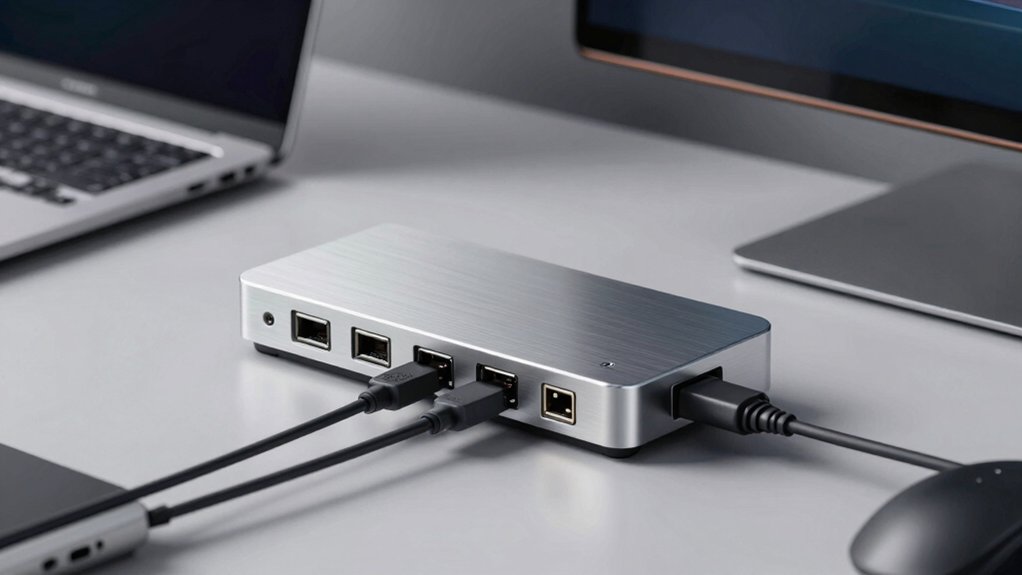
When selecting a Thunderbolt 5 dock, you’ll want to evaluate five key factors: display port configuration (which determines how many monitors you can connect), power delivery capacity (measured in watts, typically ranging from 96W to 240W depending on your device needs), port variety and compatibility (ensuring the dock includes USB-A, USB-C, HDMI, and SD card slots that match your peripherals), cooling system design (which prevents overheating during extended use), and data transfer speed (measured in Gbps, where Thunderbolt 5 supports up to 80 Gbps). You should match the power delivery wattage to your laptop’s requirements—for example, a 16-inch MacBook Pro needs at least 140W. Finally, count the specific ports you use daily and verify the dock includes those connections before purchasing.
Display Port Configuration
How many displays do you actually need to run simultaneously? Your answer determines which dock’s display configuration works best. Windows systems with Thunderbolt 5 support up to four 4K displays at high refresh rates like 144Hz, depending on your dock and bandwidth allocation. macOS on Apple Silicon typically limits you to one to three external displays due to GPU and operating system constraints. Check your dock’s output options: most include HDMI 2.1 and DisplayPort 2.1 ports alongside native Thunderbolt video outputs. These connections enable high-bandwidth video paths. Verify your host device’s Alt Mode support and PCIe bandwidth capacity, as these factors determine the maximum number and resolution of displays your specific setup can drive simultaneously.
Power Delivery Capacity
Most Thunderbolt 5 docks deliver between 140W and 300W of total power, split between your host device and connected peripherals. You’ll find models offering up to 180W to your laptop, with remaining capacity reserved for external devices. This power distribution prevents your device from draining while charging multiple peripherals simultaneously.
Evaluate your specific needs before selecting a dock. If you use power-hungry laptops with several connected devices, choose higher-capacity options like 300W total systems. For lighter workloads with fewer peripherals, 140W to 180W suffices. Some docks feature offline charging capabilities, allowing you to charge devices when disconnected from your host. Check your laptop’s maximum power requirements and add peripheral power consumption to determine the appropriate dock capacity for your setup.
Port Variety And Compatibility
Which ports does your workflow actually require? First, assess your peripherals: identify how many USB-A devices you connect, whether you need SD/TF card readers, and if Ethernet connectivity matters. Next, examine display needs—determine if you’re connecting one monitor or multiple displays, and note your resolution requirements. Then, check compatibility: verify your host device supports TB5 or USB4 v2 for full functionality, as this affects port performance and display bandwidth allocation. Finally, review the dock’s downstream TB5 ports for daisy-chaining additional devices, and confirm PCIe-based storage expansion availability if needed. Match these findings against each dock’s specifications, prioritizing models with sufficient PD budgets across all ports to avoid performance bottlenecks.
Cooling System Design
When you’re running multiple displays, transferring large files, or daisy-chaining devices through your dock, heat generation becomes a critical performance factor. Active cooling systems with 60mm fans maintain performance under heavy TB5 loads, though they produce noise. Passive designs use larger heat sinks or aluminum chassis for silent operation but may limit sustained performance. Dual-layer cooling solutions with copper heat dissipation plates and elevated chassis improve airflow during multi-monitor setups. Check whether your dock includes dedicated heat paths for NVMe storage to prevent throttling. Evaluate your workload: choose active cooling for continuous high-bandwidth use, or select fanless designs for quiet environments with moderate demands. Poor thermal design can throttle bandwidth when daisy-chaining multiple devices.
Data Transfer Speed
How fast can your dock actually move data? Thunderbolt 5 docks deliver theoretical speeds up to 120 Gbps per port, though real-world performance depends on your setup. Check whether your dock operates in PCIe or DisplayPort Alt Mode, as this affects actual throughput. Remember that bandwidth gets shared across all connected devices—data transfers, video output, and peripherals compete for the same resources. If you’re connecting external SSDs, look for docks offering 64 Gb/s PCIe lanes to support fast NVMe drives. Under optimal conditions, you’ll see transfer rates around 150 GB in 25 seconds. Verify your host device’s capabilities, since the dock can only perform as well as your computer allows. Test your specific configuration before committing to heavy workflows.
Build Quality And Materials
The physical construction of your Thunderbolt 5 dock determines how long it’ll last and how well it handles demanding workflows. Look for aluminum enclosures or metal housings, which provide durability and support active cooling systems during intensive data transfers and multi-display use. Check whether the dock includes integrated NVMe storage enclosures or dual-layer cooling to manage heat under sustained loads. Examine the base for anti-slip pads and Kensington lock compatibility to secure your investment on your desk. Review warranty offerings—typically two years—as an indicator of build confidence and long-term reliability. Consider the chassis design’s impact on cable management and physical footprint, since certain materials and cooling solutions enable vertical or compact placements to optimize your workspace.
Device Charging Capabilities
What power delivery specs’ll actually support your workflow? Check whether the dock delivers 140W to 300W total system power—this determines if your laptop charges fully during heavy use. Review if the dock splits power between your host device and accessories through dedicated multi-port distribution, typically offering 45W or more shared among USB-C ports. Verify whether your specific laptop model receives full PD or experiences throttling due to OS or hardware limits. Consider offline charging capability if you need devices to charge without the dock connected to a computer. Match the dock’s power output to your heaviest usage scenario: video editing, gaming, or streaming all demand different charging levels to maintain performance while charging simultaneously.
Operating System Support
Operating system support fundamentally determines whether your Thunderbolt 5 dock will function as intended on your specific device. Start by identifying your host OS and version—whether you’re using Windows, macOS M1–M5, or another platform. Next, verify the dock’s official compatibility list, paying special attention to multi-display limitations on newer MacBooks, which often restrict external displays more than Windows systems. Check whether your OS recognizes each display output independently, since some configurations cap active displays despite the dock supporting more. For Windows users, confirm USB4 v2 or TB5 support for optimal bandwidth. Finally, test display combinations before committing, as OS-level restrictions may prevent simultaneous use of all available outputs regardless of dock capabilities.
Final Thoughts
You’ll find the right Thunderbolt 5 dock by matching your needs to available features. First, count your devices and display requirements. Next, check power delivery wattage—140W handles most laptops. Then, verify port types: USB-A, USB-C, HDMI, or DisplayPort. Finally, consider your budget and whether you need storage expansion. Compare the eleven options listed, prioritizing your top three must-have features for your specific workflow.

Meet Ry, “TechGuru,” a 36-year-old technology enthusiast with a deep passion for tech innovations. With extensive experience, he specializes in gaming hardware and software, and has expertise in gadgets, custom PCs, and audio.
Besides writing about tech and reviewing new products, he enjoys traveling, hiking, and photography. Committed to keeping up with the latest industry trends, he aims to guide readers in making informed tech decisions.