
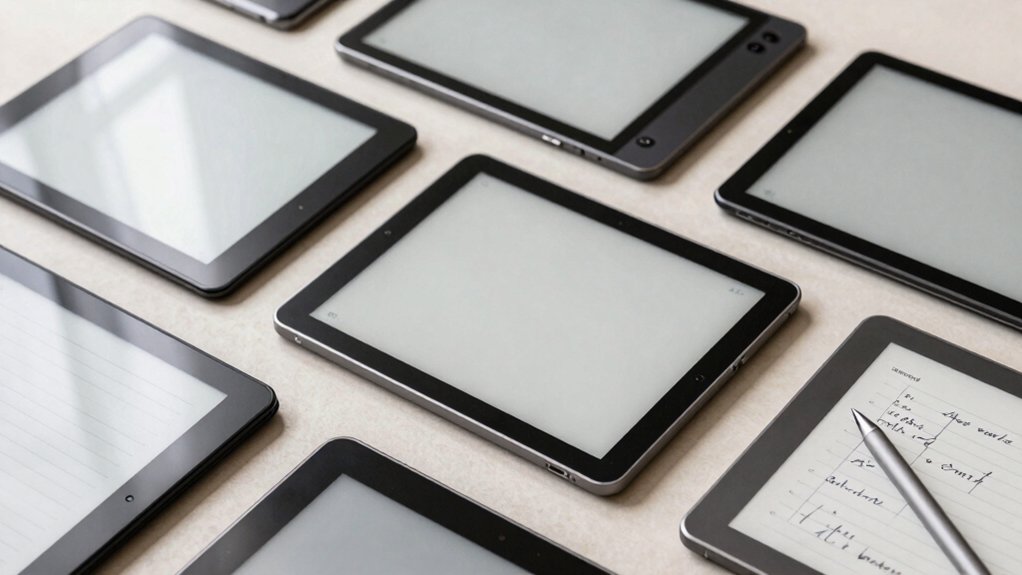

If you’re looking to upgrade your writing setup, you’ll want to compare tablets based on specific features that match your needs. Consider screen size, stylus pressure levels, storage capacity, and whether you need handwriting-to-text conversion. Each tablet on this list offers distinct advantages—from budget-friendly options to premium models with advanced AI tools. Understanding what each device delivers will help you make the right choice, but first you need to know what factors matter most.
| XP-Pen 3 in 1 Digital Notebook Tablet with Stylus |

| Best Feature-Rich | Display Size: 10.95 inches | Handwriting-to-Text Conversion: Yes (XPPen Notes app; MyScript support) | Storage Capacity: 128GB | VIEW LATEST PRICE | Read Our Analysis |
| Amazon Kindle Scribe 64GB with Premium Pen |

| Best For Readers | Display Size: 10.2 inches | Handwriting-to-Text Conversion: Yes (converts messy handwriting to readable font) | Storage Capacity: Not specified | VIEW LATEST PRICE | Read Our Analysis |
| BOOX Tablet Go Color 7 Gen II E Ink |

| Most Compact | Display Size: 7 inches | Handwriting-to-Text Conversion: Not mentioned | Storage Capacity: 64GB | VIEW LATEST PRICE | Read Our Analysis |
| BOOX Tablet 10.3″ Note Air 5 C 6G 64G E Ink Tablet Color ePaper Notebook |

| Best Large Screen | Display Size: 10.3 inches | Handwriting-to-Text Conversion: Not mentioned | Storage Capacity: 64GB | VIEW LATEST PRICE | Read Our Analysis |
| Penstar eNote 2 E-Ink Writing Tablet 10.3 |

| Best Handwriting Conversion | Display Size: 10.3 inches | Handwriting-to-Text Conversion: Yes (MyScript converts handwritten notes) | Storage Capacity: 128GB | VIEW LATEST PRICE | Read Our Analysis |
| iflytek AINOTE 2 E-Ink Tablet AI Note Taking |

| Best AI Integration | Display Size: 10.3 inches | Handwriting-to-Text Conversion: Yes (AI-assisted text conversion) | Storage Capacity: Not specified | VIEW LATEST PRICE | Read Our Analysis |
| Penstar eNote Pro 10.3″ E-Ink Tablet with Stylus |

| Best Color E Ink | Display Size: 10.3 inches | Handwriting-to-Text Conversion: Yes (MyScript handwriting conversion) | Storage Capacity: 128GB | VIEW LATEST PRICE | Read Our Analysis |
| HUION Note 2-in-1 Digital Notebook Drawing Tablet |

| Most Innovative Hybrid | Display Size: A5 (approximately 5.8 x 8.3 inches) | Handwriting-to-Text Conversion: Yes (vector line capture via Huion Note app) | Storage Capacity: Not applicable (physical notebook + app) | VIEW LATEST PRICE | Read Our Analysis |
| iFLYTEK AINOTE Air 2 E Ink Tablet with Stylus |
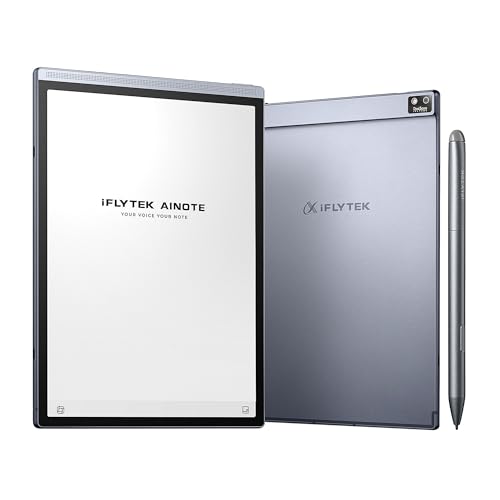
| Best Budget Pick | Display Size: 8.2 inches | Handwriting-to-Text Conversion: Yes (handwriting conversion in 83 languages) | Storage Capacity: 4GB | VIEW LATEST PRICE | Read Our Analysis |
| Carta 1300 AI E Ink Tablet with Stylus Pro Bundle |

| Best Value Pro | Display Size: 10.65 inches | Handwriting-to-Text Conversion: Yes (AI-assisted note organization) | Storage Capacity: 128GB | VIEW LATEST PRICE | Read Our Analysis |
| reMarkable Paper Pro Bundle 11.8″ Tablet and Marker Plus |
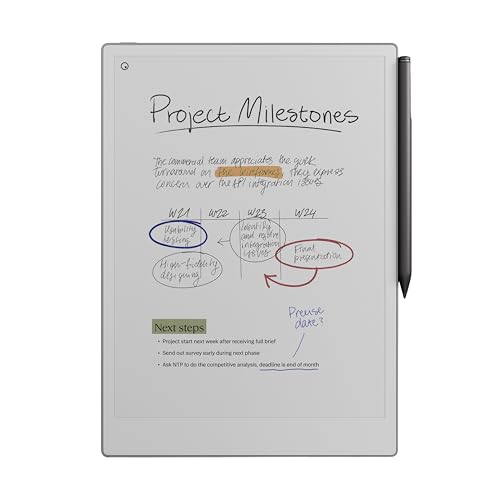
| Best Premium Option | Display Size: 11.8 inches | Handwriting-to-Text Conversion: Yes (convert handwriting to typed text) | Storage Capacity: Not specified | VIEW LATEST PRICE | Read Our Analysis |
| Android E-Ink Tablet with Stylus and Case (9.7″) |

| Best Beginner-Friendly | Display Size: 9.7 inches | Handwriting-to-Text Conversion: Yes (handwritten notes to text) | Storage Capacity: 32GB | VIEW LATEST PRICE | Read Our Analysis |
| X 10.65″ E Ink Paper Tablet with Stylus Pen |

| Best All-Purpose | Display Size: 10.65 inches | Handwriting-to-Text Conversion: Not mentioned | Storage Capacity: 128GB | VIEW LATEST PRICE | Read Our Analysis |
| TCL NXTPAPER 14 Android Tablet Paper-Like Display |
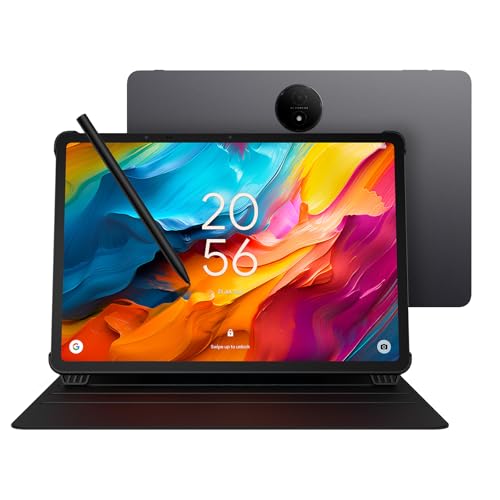
| Best Versatile Display | Display Size: 14.3 inches | Handwriting-to-Text Conversion: Not mentioned | Storage Capacity: 256GB | VIEW LATEST PRICE | Read Our Analysis |
More Details on Our Top Picks
XP-Pen 3 in 1 Digital Notebook Tablet with Stylus
The XP-Pen 3 in 1 Digital Notebook Tablet is best suited for writers who need a device that combines traditional note-taking feel with digital functionality. The 10.95-inch display uses TCL NXTpaper 3.0 technology with an AG nano-etched surface that mimics paper texture and reduces glare by up to 95 percent. The X3 Pro Pencil 2 offers 16,384 pressure levels and a soft nib for natural writing. You’ll access the native XPPen Notes app for handwriting-to-text conversion, PDF editing, and audio recording. The 128GB storage and 6GB RAM handle your documents efficiently. Android 14 lets you download additional apps from Google Play. The 8000mAh battery provides extended writing sessions before requiring the included 20W charger.
- Display Size:10.95 inches
- Handwriting-to-Text Conversion:Yes (XPPen Notes app; MyScript support)
- Storage Capacity:128GB
- Stylus Pressure Levels:16,384 levels
- Cloud Sync/File Sharing:XPPen Notes app sync
- Battery Life:8,000mAh (quick recharge with 20W charger)
- Additional Feature:Paper-like AG nano-etched display
- Additional Feature:AI note summarization and quizzes
- Additional Feature:90Hz high refresh rate
Amazon Kindle Scribe 64GB with Premium Pen
Want a single device that replaces your stack of notebooks while keeping you free from digital distractions? The Amazon Kindle Scribe delivers exactly that. You write with the Premium Pen on a 10.2-inch glare-free display that mimics pen-on-paper tactile experience. Built-in AI tools convert your messy handwriting into readable text, summarize notes in adjustable lengths and tones, and organize your thoughts efficiently. Import PDFs through Send to Kindle and mark them up directly. The device runs for months on reading, weeks on writing. No notifications interrupt your focus—only your ideas matter here.
- Display Size:10.2 inches
- Handwriting-to-Text Conversion:Yes (converts messy handwriting to readable font)
- Storage Capacity:Not specified
- Stylus Pressure Levels:Premium Pen (levels not specified)
- Cloud Sync/File Sharing:Send to Kindle; PDF import
- Battery Life:Reads for months; writes for weeks
- Additional Feature:Active Canvas margin expansion
- Additional Feature:Months-long battery life
- Additional Feature:Glare-free front-lit display
BOOX Tablet Go Color 7 Gen II E Ink
If you’re looking for a compact e-ink tablet that balances portability with functional color display capabilities, the BOOX Go Color 7 Gen II delivers a 7-inch Kaleido 3 screen in a device weighing just 195 grams. The tablet supports active stylus input through InkSense technology, enabling precise note-taking and drawing. You’ll access 64GB storage, Android 13 OS, and 4GB RAM for running third-party applications. The 1680 x 1264 resolution provides 300 ppi for black-and-white content and 150 ppi for color images. You can adjust refresh modes—HD, Balanced, Fast, or Ultrafast—to minimize ghosting based on your preferences. The device includes USB-C connectivity, microSD expansion, front lighting with warm and cold settings, and a 2,300 mAh battery for extended use.
- Display Size:7 inches
- Handwriting-to-Text Conversion:Not mentioned
- Storage Capacity:64GB
- Stylus Pressure Levels:Not included (InkSense support)
- Cloud Sync/File Sharing:Third-party app support
- Battery Life:2,300mAh
- Additional Feature:4096 color Kaleido 3
- Additional Feature:Compact 7-inch portable size
- Additional Feature:Four refresh mode options
BOOX Tablet 10.3″ Note Air 5 C 6G 64G E Ink Tablet Color ePaper Notebook
For writers who want a distraction-free device with color capability, the BOOX Note Air 5 C combines a 10.3-inch Kaleido 3 display with 4,096 colors and Android 15 functionality. You’ll get an octa-core processor with 6GB RAM and 64GB storage, enabling smooth note-taking and document management. The stylus offers 4,096 pressure levels for natural handwriting. You can expand storage via microSD card and connect peripherals through the USB-C port. The device weighs 430 grams, making it portable for writers on the move. Front lighting with warm and cold settings lets you work in various environments. Battery efficiency supports extended writing sessions without frequent charging interruptions.
- Display Size:10.3 inches
- Handwriting-to-Text Conversion:Not mentioned
- Storage Capacity:64GB
- Stylus Pressure Levels:4,096 levels
- Cloud Sync/File Sharing:Third-party app support
- Battery Life:Not specified
- Additional Feature:Warm and cold front light
- Additional Feature:4096 pressure level stylus
- Additional Feature:Android 15 operating system
Penstar eNote 2 E-Ink Writing Tablet 10.3
The Penstar eNote 2 delivers a paper-first writing experience on its 10.3” PureView display, making it an ideal choice for professionals, academics, and creative writers who need a distraction-free digital workspace without backlighting or screen glare. You’ll convert handwritten notes to editable text using MyScript, then organize them searchably across devices via Google Drive, OneDrive, or Dropbox. The included dual B5 styluses offer 8192 pressure sensitivity for detailed sketching and markup on 30+ document formats. You can program nine physical shortcut keys to match your workflow, then work offline without subscriptions. The 2-week battery life and 128GB storage support extended use, while the magnetic folio cover protects your investment.
- Display Size:10.3 inches
- Handwriting-to-Text Conversion:Yes (MyScript converts handwritten notes)
- Storage Capacity:128GB
- Stylus Pressure Levels:8,192 levels
- Cloud Sync/File Sharing:Google Drive, OneDrive, Dropbox sync
- Battery Life:Approximately 2 weeks typical use
- Additional Feature:Nine programmable physical shortcut keys
- Additional Feature:Real-time AI voice-to-text
- Additional Feature:Dual included digital styluses
iflytek AINOTE 2 E-Ink Tablet AI Note Taking
Writers and professionals who need seamless note-taking across meetings, lectures, and daily planning should consider the iflytek AINOTE 2, an ultra-thin 4.2 mm e-ink tablet that combines handwriting, transcription, and AI-powered organization in one device. You’ll access 16-language transcription for meetings and lectures when connected to the internet. The tablet offers eight brush styles with low-latency handwriting for a paper-like feel. You can sync notes across AINOTE Mobile and PC apps, maintain task tracking with stars and shapes, and manage your schedule through Google Calendar integration. Battery life reaches fourteen days with thirty minutes of daily use. Keep in mind that AI features require active internet, and the device isn’t designed for offline-heavy or confidential work environments. You’ll receive the tablet, stylus, USB cable, and manual; purchase a protective case separately.
- Display Size:10.3 inches
- Handwriting-to-Text Conversion:Yes (AI-assisted text conversion)
- Storage Capacity:Not specified
- Stylus Pressure Levels:Not specified
- Cloud Sync/File Sharing:Cloud sync via AINOTE Mobile and PC apps
- Battery Life:Up to 14 days (~30 min daily); standby 113 days
- Additional Feature:Ultra-thin 4.2mm design
- Additional Feature:16-language meeting transcription
- Additional Feature:Frontlight-free paper-like writing
Penstar eNote Pro 10.3″ E-Ink Tablet with Stylus
If you’re managing multiple projects across meetings, conferences, and brainstorming sessions, the Penstar eNote Pro delivers real-time AI voice-to-text in over 52 languages—a feature that captures spoken ideas and converts them into searchable, organized notes without requiring you to type. The 10.3″ Kaleido 3 display renders handwriting naturally while its 128 GB storage accommodates extensive projects. Convert handwritten notes to editable text using MyScript, then sync across devices via Google Drive, OneDrive, or Dropbox. The included B6 stylus provides precision writing, while five customizable buttons streamline navigation. Access your notes on phones, laptops, or iPads through the Penstar App. This setup eliminates friction between capturing ideas and organizing them for professional use.
- Display Size:10.3 inches
- Handwriting-to-Text Conversion:Yes (MyScript handwriting conversion)
- Storage Capacity:128GB
- Stylus Pressure Levels:Not specified
- Cloud Sync/File Sharing:Google Drive, OneDrive, Dropbox; Penstar App multi-device sync
- Battery Life:Not specified
- Additional Feature:Kaleido 3 color e-ink
- Additional Feature:AI-generated meeting summaries
- Additional Feature:Five customizable physical shortcut buttons
HUION Note 2-in-1 Digital Notebook Drawing Tablet
For anyone who wants the tactile experience of writing on paper while simultaneously creating digital records, Huion Note combines a physical A5 notebook with a digital pen and accompanying app to capture everything you write as vector lines. The device connects via Bluetooth 5.0 to iOS and Android apps, automatically syncing your notes. You can record audio alongside your writing, then replay the handwriting process to review what you wrote. Share completed notes as images, PDFs, or MP4 files with one click. The battery lasts eighteen hours on a full charge. Switch to Graphics Tablet Mode by connecting to your PC using the included USB-C cable for digital drawing capabilities.
- Display Size:A5 (approximately 5.8 x 8.3 inches)
- Handwriting-to-Text Conversion:Yes (vector line capture via Huion Note app)
- Storage Capacity:Not applicable (physical notebook + app)
- Stylus Pressure Levels:Not specified (ballpoint pen)
- Cloud Sync/File Sharing:Huion Note app sync; share as PDF/MP4
- Battery Life:Up to 18 hours; standby ~30 days
- Additional Feature:Physical A5 notebook included
- Additional Feature:Graphics tablet mode capability
- Additional Feature:Audio sync with notes
iFLYTEK AINOTE Air 2 E Ink Tablet with Stylus
The iFLYTEK AINOTE Air 2 Bundle works best for writers who need to convert handwritten notes into digital text across multiple languages while attending meetings or studying. This 8.2-inch E Ink tablet features 4096 pressure levels and supports transcription in 17 languages plus handwriting-to-text conversion in 83 languages. You’ll get a stylus with four pen shapes, adjustable brightness across 24 levels, and built-in AI tools for meeting summaries and weekly reports. The tablet weighs 8.16 ounces, includes 4GB RAM and storage, and connects via USB Type-C, Bluetooth, Wi-Fi, and 4G. Remember: complete voice transcription before attempting handwriting conversion.
- Display Size:8.2 inches
- Handwriting-to-Text Conversion:Yes (handwriting conversion in 83 languages)
- Storage Capacity:4GB
- Stylus Pressure Levels:4,096 levels
- Cloud Sync/File Sharing:Cloud sync and schedule management
- Battery Life:Not specified
- Additional Feature:17-language voice transcription
- Additional Feature:24 adjustable brightness levels
- Additional Feature:Dual-color reading light
Carta 1300 AI E Ink Tablet with Stylus Pro Bundle
Want a writing device that captures your thoughts with minimal lag and maximum clarity? The Carta 1300 AI delivers a 10.65-inch display with 300PPI resolution, ensuring sharp text and images. Its 750 µm pen-to-ink distance provides authentic paper-like feedback, reducing the frustration of writing delays. The device runs on an octa-core processor that handles large documents and rapid page flips without slowdown. You’ll access AI-assisted features that summarize and organize your notes automatically. With 128GB storage, you can store approximately 20,000 books. The tablet weighs only 370 grams and measures 4.5mm thick, making it portable for writers working across multiple locations. Cloud syncing with Google Drive, Dropbox, and OneDrive ensures your work stays accessible everywhere.
- Display Size:10.65 inches
- Handwriting-to-Text Conversion:Yes (AI-assisted note organization)
- Storage Capacity:128GB
- Stylus Pressure Levels:Not specified
- Cloud Sync/File Sharing:OneDrive, Google Drive, Dropbox via ViTransfer
- Battery Life:Not specified
- Additional Feature:Advanced Carta 1300 Mobius screen
- Additional Feature:Smart daily planner integration
- Additional Feature:750 µm pen-to-ink distance
reMarkable Paper Pro Bundle 11.8″ Tablet and Marker Plus
If you’re looking for a tablet that combines a full-size display with genuine paper-like writing, the reMarkable Paper Pro Bundle delivers both in one portable device. The 11.8″ color display enables you to write, sketch, and read in color while maintaining a low-glare, outdoor-readable surface. You organize notes using folders and tags, write directly on PDFs, and convert handwriting to typed text instantly. The included Marker Plus pen features a built-in eraser and realistic friction for natural writing feel. At 1.2 pounds, you carry it easily. The adjustable reading light supports day and night use. You receive six spare marker tips and a USB-C cable in the box, backed by a one-year limited warranty.
- Display Size:11.8 inches
- Handwriting-to-Text Conversion:Yes (convert handwriting to typed text)
- Storage Capacity:Not specified
- Stylus Pressure Levels:Marker Plus (levels not specified)
- Cloud Sync/File Sharing:Not specified
- Battery Life:Not specified
- Additional Feature:Canvas color display technology
- Additional Feature:Built-in eraser on pen
- Additional Feature:Outdoor-readable low-glare display
Android E-Ink Tablet with Stylus and Case (9.7″)
Looking for a capable e-ink tablet that won’t drain your battery or strain your eyes during marathon writing sessions? The KloudNote Mini delivers solid performance at a competitive price. Its 9.7-inch display uses e-ink technology without backlighting, reducing eye strain during extended writing. The 4100mAh battery lasts up to 40 hours between charges. You’ll write smoothly using the included electromagnetic pen with 4096 pressure levels and built-in eraser. Android 8.1 OS provides access to 39 note templates and cloud synchronization for backing up your work. The tablet weighs 420 grams and includes a protective case, making it portable for writers on the go.
- Display Size:9.7 inches
- Handwriting-to-Text Conversion:Yes (handwritten notes to text)
- Storage Capacity:32GB
- Stylus Pressure Levels:4,096 levels
- Cloud Sync/File Sharing:Multiple cloud storage sync; screen casting
- Battery Life:4,100mAh (up to 40 hours reading)
- Additional Feature:39 preset note templates
- Additional Feature:4096-level electromagnetic pen
- Additional Feature:Up to 40-hour battery
X 10.65″ E Ink Paper Tablet with Stylus Pen
The X 10.65″ E Ink Paper Tablet delivers the specifications you’ll need if you’re a writer who spends hours taking notes, marking up documents, or reading manuscripts. Its 2560×1920 display at 300 PPI provides sharp text rendering, while the 0.19-inch ultra-thin flexible screen reduces eye strain during extended sessions. The dual-input stylus offers paper-like writing with precise tracking, making annotations feel natural. Android 14 supports third-party apps, expanding your workflow options. With 8GB RAM and 128GB storage, you’ll handle large documents smoothly. The 4000mAh battery delivers 100+ hours of reading time, eliminating frequent charging interruptions during your writing projects.
- Display Size:10.65 inches
- Handwriting-to-Text Conversion:Not mentioned
- Storage Capacity:128GB
- Stylus Pressure Levels:Not specified
- Cloud Sync/File Sharing:Not specified
- Battery Life:4,000mAh (100+ hours reading; 30-day standby)
- Additional Feature:Ultra-thin 0.19-inch flexible screen
- Additional Feature:100+ hours reading endurance
- Additional Feature:Dual capacitive touch input
TCL NXTPAPER 14 Android Tablet Paper-Like Display
For writers and note-takers who need a large, distraction-free screen without eye strain, the TCL NXTPAPER 14 delivers a 14.3-inch display built specifically for extended writing sessions. You’ll work with NXTPAPER 3.0 technology that reduces glare and blue light while providing DC dimming for comfortable viewing. Switch between three modes using the NXTPAPER Key: Regular Mode for vibrant content, Ink Paper Mode for authentic e-paper texture ideal for notes and sheet music, and Color Paper Mode for digital art with soft, muted tones. The 4096-level T-PEN stylus enables precise fluid input. You get 8GB RAM, 256GB storage, MediaTek Helio G99 processor, and a 10,000 mAh battery lasting through full workdays. The Eye Care Assistant automatically adjusts brightness and reminds you to take breaks, protecting your vision during marathon writing sessions.
- Display Size:14.3 inches
- Handwriting-to-Text Conversion:Not mentioned
- Storage Capacity:256GB
- Stylus Pressure Levels:4,096 levels
- Cloud Sync/File Sharing:Screen mirroring; extended display support
- Battery Life:10,000mAh (fully recharged in ~2 hours)
- Additional Feature:3-in-1 NXTPAPER display modes
- Additional Feature:Quad stereo speakers included
- Additional Feature:Reverse charging capability
Factors to Consider When Choosing an E Ink Tablet for Note Taking
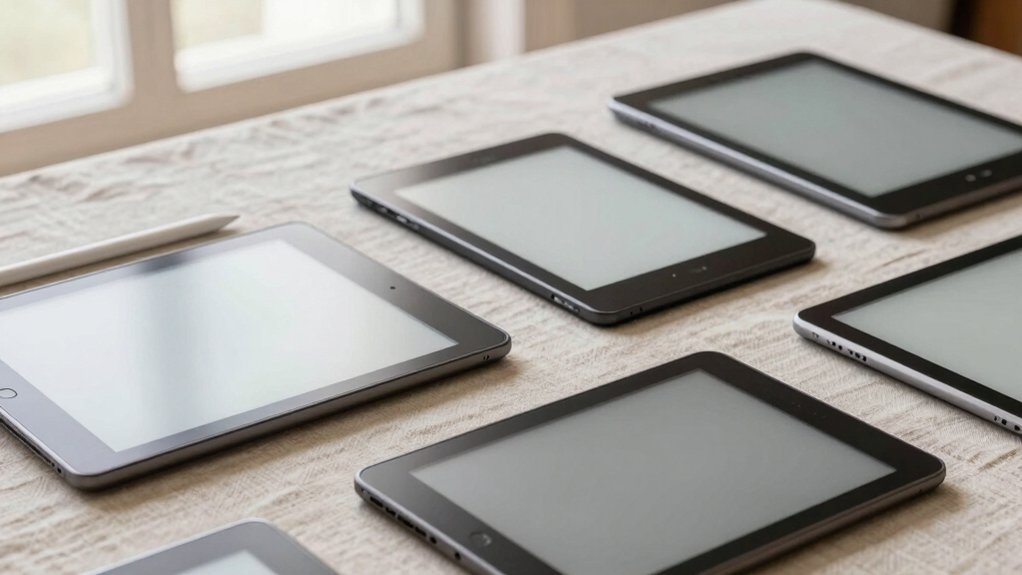
When you’re choosing an e-ink tablet for note-taking, you’ll want to evaluate five key factors that directly affect your writing experience: display quality and resolution determine how clearly you see your notes, battery life and endurance dictate how long you can work between charges, and stylus pressure sensitivity controls how naturally your handwriting feels on screen. You’ll also need to consider storage capacity and performance, which together determine how many notes you can store and how quickly your device responds to your input. Finally, check what software features and AI tools the tablet offers, since these capabilities can enhance your note-taking workflow with features like handwriting recognition or automatic organization.
Display Quality and Resolution
How does display resolution affect your note-taking experience on an e ink tablet? Resolution, measured in ppi (pixels per inch), directly determines how sharp your notes appear. Higher ppi delivers crisper handwriting and clearer text, making dense notes easier to read. When you choose a tablet, compare ppi specifications across models. Most quality options range from 200–300 ppi. Color E Ink displays like Kaleido 3 typically offer lower ppi than monochrome alternatives, which can reduce sharpness slightly. Consider your note-taking style: if you write small or create detailed diagrams, prioritize higher ppi. If you primarily take larger notes, mid-range ppi suffices. Test displays when possible to see how handwriting rendering matches your expectations and preferences.
Battery Life and Endurance
Battery endurance matters more than you might think when selecting an e ink tablet for note-taking, since it determines how often you’ll need to charge and whether the device fits your workflow. Look for devices with batteries of 4100 mAh or larger, which typically deliver days to weeks of usage on a single charge. Check manufacturer specifications for concrete figures—many models advertise two weeks of writing or months of reading. Understand that battery life depends on what you’re doing: using front lighting, wireless connectivity, and background processes all drain power faster than basic reading and writing. Compare standby times too, since devices vary in how long they’ll stay ready without active use. Match the battery capacity to your daily note-taking demands before purchasing.
Stylus Pressure Sensitivity
Once you’ve confirmed your tablet’s battery will last through your typical day, you’ll want to examine how the stylus responds to the pressure you apply while writing. Check the pressure level count—higher numbers like 4096 or 16K levels deliver finer line variations and more natural pen-on-paper feel. Test whether the tablet supports tilt recognition, which influences how pressure translates into stroke width. Verify that pressure responsiveness remains consistent across the entire writing area; inconsistent sensitivity causes abrupt stroke width changes mid-note. Some tablets offer interchangeable pen nibs designed to complement their pressure curves and enhance line dynamics. Compare these specifications across models to find which combination matches your writing style and produces the natural feel you need for detailed note-taking.
Storage Capacity and Performance
What storage capacity and processing power do you actually need in your e ink tablet? Start by evaluating your document volume. If you’re storing hundreds of PDFs, notes, and eBooks, choose 128 GB over 64 GB to avoid frequent deletions. Next, consider RAM requirements. For switching between multiple note apps and markup tools, 6 GB RAM handles multitasking better than 4 GB. Then assess your processor needs. An octa-core CPU at 2.0 GHz+ ensures smooth page rendering and AI-assisted writing features. Check whether your device supports microSD expansion, which lets you grow storage without replacing the tablet entirely. Finally, monitor how local storage affects battery life—larger libraries increase read/write activity, so pair substantial storage with devices offering extended endurance ratings.
Software Features and AI Tools
How important are AI-powered writing tools to your note-taking workflow? Consider what features you’ll actually use. Handwriting-to-text conversion requires a system upgrade or online connectivity for full functionality. Voice-to-text capabilities let you transcribe meetings in real time, though language support varies. Check if your tablet runs both handwriting conversion and voice recording simultaneously—many can’t do this.
Evaluate cloud sync options through Google Drive, OneDrive, or Dropbox for cross-device access. Decide whether offline mode matters for your privacy preferences. Document import and OCR-assisted organization help you search notes across PDFs and eBooks. Active canvases and margin-expansion features let you add insights without cluttering original pages. Test AI summarization tools to see if they match your preferred note length and tone adjustments.
Portability and Weight
You’ll want to evaluate portability based on your daily carrying habits and note-taking environment. E Ink tablets range from 195 g to 430 g, so weigh your device against how often you’ll transport it. Choose 7–10.3 inch models if you need both portability and adequate writing space; these typically measure 5–8 mm thick. Consider slimmer devices around 4.5–7 mm for pocket-friendly carrying, though you’ll sacrifice some physical controls and accessory compatibility. If you purchase bundle packages with folio covers or magnetic cases, factor in the added weight—protection and handling improve, but portability decreases slightly. Balance screen size, battery life, and weight to determine what supports comfortable all-day note-taking without strain during transport.
Final Thoughts
You’ll find the right e-ink tablet by matching your needs to key features: screen size, stylus pressure levels, storage capacity, and software compatibility. Start by determining your budget and whether you need color display or basic black-and-white. Next, compare battery life and syncing capabilities across models you’re considering. Finally, check return policies before purchasing to assure the tablet suits your writing style and workflow requirements.

Meet Ry, “TechGuru,” a 36-year-old technology enthusiast with a deep passion for tech innovations. With extensive experience, he specializes in gaming hardware and software, and has expertise in gadgets, custom PCs, and audio.
Besides writing about tech and reviewing new products, he enjoys traveling, hiking, and photography. Committed to keeping up with the latest industry trends, he aims to guide readers in making informed tech decisions.