
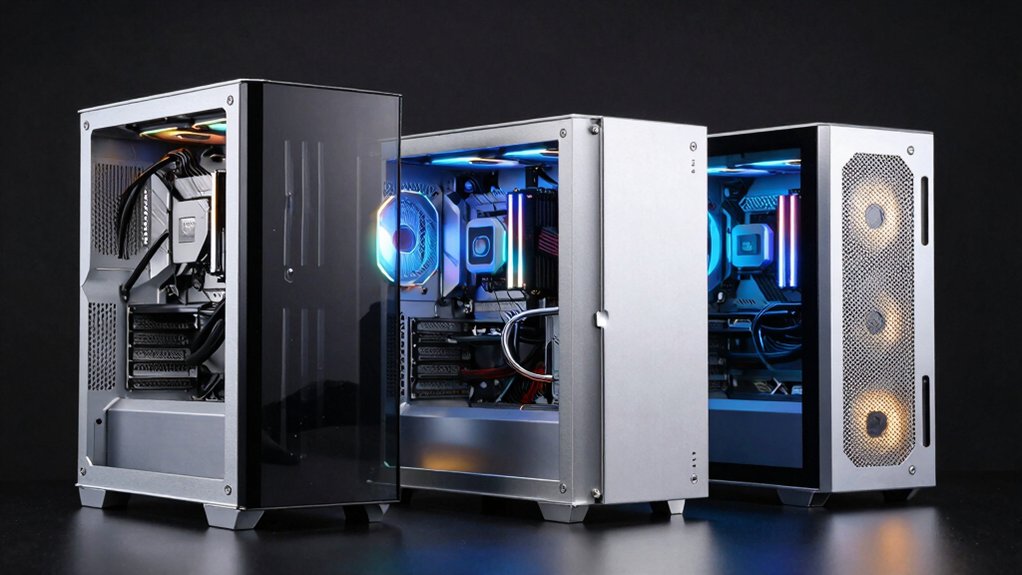

You’re building a gaming PC and need a case that handles heat efficiently without compromising performance. A hybrid airflow case balances intake and exhaust through smart dual-chamber designs, keeping your CPU and GPU cool under load. You’ll find options ranging from compact mid-towers to full-size builds, each with different fan configurations and radiator support. But which case matches your motherboard size, cooling needs, and budget?
| CORSAIR 4000D RS ARGB Mid-Tower PC Case |

| Most Customizable | Case Type: Mid-Tower ATX | Pre-Installed Fans: 3x RS ARGB PWM fans | Front Radiator Support: Dual 360mm radiators | VIEW LATEST PRICE | Read Our Analysis |
| NZXT H5 Flow Compact ATX Mid-Tower Gaming Case |

| Best GPU Cooling | Case Type: Compact ATX Mid-Tower | Pre-Installed Fans: 2x 120mm Quiet Airflow fans | Front Radiator Support: 360mm radiator | VIEW LATEST PRICE | Read Our Analysis |
| Lian Li V100 ATX Mid-Tower PC Case (V100RX) |

| Best Display Case | Case Type: ATX Mid-Tower | Pre-Installed Fans: 4x 120mm ARGB fans | Front Radiator Support: 360mm radiator | VIEW LATEST PRICE | Read Our Analysis |
| CORSAIR 7000D Airflow Full-Tower ATX PC Case |

| Best High-End Build | Case Type: Full-Tower ATX | Pre-Installed Fans: 3x 140mm AirGuide fans | Front Radiator Support: Up to three 360mm radiators | VIEW LATEST PRICE | Read Our Analysis |
| PC Case 6 PWM ARGB Fans Mid-Tower Gaming (G8) |

| Best Dual Airflow | Case Type: Mid-Tower Gaming | Pre-Installed Fans: 6x PWM ARGB fans | Front Radiator Support: 360mm radiator on top | VIEW LATEST PRICE | Read Our Analysis |
| Cooler Master MasterBox Q300L Micro-ATX PC Case |

| Best Compact | Case Type: Mini-Tower Micro-ATX | Pre-Installed Fans: 1x 120mm fan | Front Radiator Support: 240mm liquid cooler | VIEW LATEST PRICE | Read Our Analysis |
| MOROVOL ATX Gaming PC Case with RGB Fans |
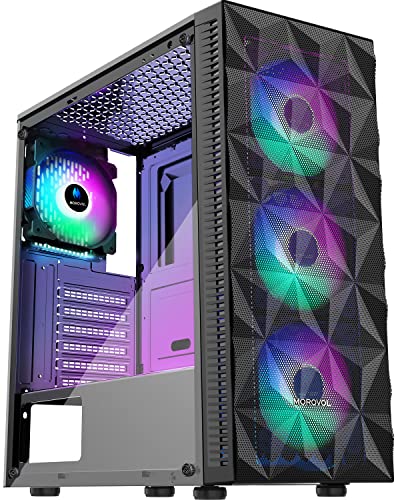
| Best Budget Pick | Case Type: ATX Mid-Tower | Pre-Installed Fans: 4x RGB 120mm fans | Front Radiator Support: Not specified | VIEW LATEST PRICE | Read Our Analysis |
| MUSETEX ATX Mid Tower PC Case with ARGB Fans (K2) |

| Best All-Around Value | Case Type: ATX Mid-Tower | Pre-Installed Fans: 6x PWM ARGB fans | Front Radiator Support: 360mm radiator on top | VIEW LATEST PRICE | Read Our Analysis |
| HAVN HS 420 Dual-Chamber Mid Tower PC Case |

| Best Dual-Chamber Design | Case Type: Dual-Chamber Mid-Tower | Pre-Installed Fans: None pre-installed | Front Radiator Support: 420mm radiator (top/right/bottom) | VIEW LATEST PRICE | Read Our Analysis |
| DARKROCK EC2 Black ATX Mid Tower PC Case |
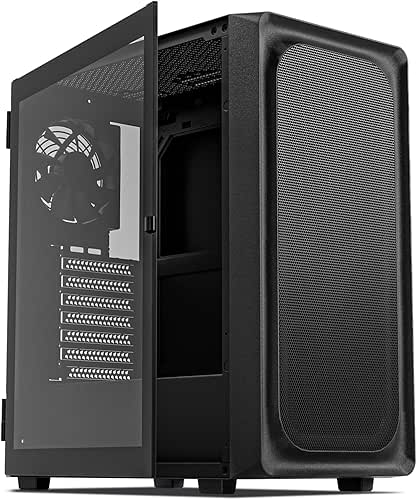
| Best Next-Gen Ready | Case Type: ATX Mid-Tower | Pre-Installed Fans: 1x pre-installed fan | Front Radiator Support: 360mm radiator on front | VIEW LATEST PRICE | Read Our Analysis |
| Corsair 3000D Airflow Mid-Tower PC Case |

| Best Balanced Performance | Case Type: Mid-Tower ATX | Pre-Installed Fans: 2x SP120 ELITE fans | Front Radiator Support: 360mm front; 280mm roof | VIEW LATEST PRICE | Read Our Analysis |
More Details on Our Top Picks
CORSAIR 4000D RS ARGB Mid-Tower PC Case
Looking for a case that adapts to your specific cooling setup without forcing compromises? The CORSAIR 4000D RS ARGB delivers flexible cooling options through its InfiniRail mounting system. You can position fans on the front, roof, or both locations to match your preferred airflow pattern. The case includes three pre-installed RS ARGB fans with daisy-chainable connectors that link directly to your motherboard. For liquid cooling, you’ll fit dual 360mm radiators across different positions. The 3D Y-Pattern front panel minimizes airflow obstruction while maintaining structural integrity. The FRAME modular system lets you swap internal components, adjust cable management with the side panel cover, or remove it for enhanced side ventilation. Dimensions measure 19.17″ deep by 9.41″ wide by 19.13″ high, supporting ATX, mATX, and ITX motherboards with seven total expansion slots.
- Case Type:Mid-Tower ATX
- Pre-Installed Fans:3x RS ARGB PWM fans
- Front Radiator Support:Dual 360mm radiators
- Motherboard Compatibility:ATX, mATX, ITX
- GPU Length Support:Powerful GPUs supported (unspecified length)
- Enclosure Materials:Alloy steel, aluminum
- Additional Feature:FRAME Modular customization system
- Additional Feature:InfiniRail flexible mounting system
- Additional Feature:Daisy-chainable ARGB fan connectors
NZXT H5 Flow Compact ATX Mid-Tower Gaming Case
The NZXT H5 Flow is your solution if you’re building a high-performance gaming PC that needs excellent GPU cooling without sacrificing airflow throughout the case. The perforated PSU shroud lets you install two 120mm intake fans at the bottom, directing cool air directly to your graphics card. Two pre-installed 120mm fans provide front and rear ventilation. You can mount up to a 360mm radiator in front or a 240mm on top for liquid cooling. The ultra-fine mesh panels on top, front, and side filter dust while maximizing airflow. Its compact mid-tower design fits ATX and Micro-ATX motherboards, making it ideal for gamers prioritizing GPU performance in a space-efficient package.
- Case Type:Compact ATX Mid-Tower
- Pre-Installed Fans:2x 120mm Quiet Airflow fans
- Front Radiator Support:360mm radiator
- Motherboard Compatibility:E-ATX, ATX, Micro-ATX, Mini-ITX
- GPU Length Support:Unspecified
- Enclosure Materials:Metal
- Additional Feature:Perforated PSU shroud GPU cooling
- Additional Feature:Ultra-fine mesh filtration panels
- Additional Feature:Wide cable management channels
Lian Li V100 ATX Mid-Tower PC Case (V100RX)
Want a mid-tower case that balances display aesthetics with practical cooling performance? The Lian Li V100RX delivers both. You’ll get four pre-installed PWM-controlled 120mm ARGB fans running at 1800 RPM, producing 61.47–60.4 CFM airflow. The case supports GPUs up to 420mm and CPU coolers up to 178mm, accommodating most high-performance components. Its 360mm radiator compatibility lets you upgrade cooling later if needed. The tempered glass display platform showcases your build while the slanted front PSU shroud optimizes airflow. Tool-less side panels grant quick access for maintenance. You can install ATX or Micro-ATX motherboards in the four internal bays. At 8,200 grams, it’s portable enough for transport between locations.
- Case Type:ATX Mid-Tower
- Pre-Installed Fans:4x 120mm ARGB fans
- Front Radiator Support:360mm radiator
- Motherboard Compatibility:ATX, Micro-ATX
- GPU Length Support:Up to 420mm
- Enclosure Materials:Plastic, stainless steel, tempered glass
- Additional Feature:Display platform for collectibles
- Additional Feature:Tool-less side panel access
- Additional Feature:26-LED ARGB strip included
CORSAIR 7000D Airflow Full-Tower ATX PC Case
If you’re building a high-performance system that demands serious cooling capacity, the CORSAIR 7000D Airflow delivers the space and airflow support you need. This full-tower case accommodates three 360mm radiators or two 420mm radiators simultaneously, giving you multiple cooling options. You can install up to twelve 120mm fans or seven 140mm fans for maximum thermal management. The case includes three 140mm AirGuide fans with anti-vortex vanes that concentrate airflow directly to components. Its spacious interior supports ten storage drives and a vertical GPU mount, while the RapidRoute cable system hides wiring behind a single channel. A hinged side door provides quick access during builds and upgrades.
- Case Type:Full-Tower ATX
- Pre-Installed Fans:3x 140mm AirGuide fans
- Front Radiator Support:Up to three 360mm radiators
- Motherboard Compatibility:ATX
- GPU Length Support:Unspecified
- Enclosure Materials:Optimized steel
- Additional Feature:Triple 360mm radiator support
- Additional Feature:RapidRoute hidden cable system
- Additional Feature:Vertical GPU mount option
PC Case 6 PWM ARGB Fans Mid-Tower Gaming (G8)
ANSAITE’s G8 case works best for builders who want solid cooling performance without investing in additional fans or complex RGB controllers. The case includes six pre-installed PWM ARGB fans that sync directly to your motherboard via a single +5V header, eliminating the need for a separate controller. You’ll get one 120mm rear fan, three 120mm bottom fans, and two 120mm side panel fans for comprehensive airflow coverage. The dual-channel design separates CPU and GPU cooling paths. The case supports graphics cards up to 440mm and CPU coolers up to 180mm, accommodating most mainstream components.
- Case Type:Mid-Tower Gaming
- Pre-Installed Fans:6x PWM ARGB fans
- Front Radiator Support:360mm radiator on top
- Motherboard Compatibility:ATX, Micro-ATX, Mini-ITX
- GPU Length Support:Up to 440mm
- Enclosure Materials:Metal frame, tempered glass
- Additional Feature:Panoramic 270° tempered glass
- Additional Feature:Dual-channel airflow design
- Additional Feature:USB 3.2 Gen 2 Type-C
Cooler Master MasterBox Q300L Micro-ATX PC Case
Building a compact gaming setup without sacrificing cooling performance? The Cooler Master MasterBox Q300L delivers. This micro-ATX case supports a 240 mm liquid cooler and up to five fans total, ensuring efficient heat management in tight spaces. Its perforated design on all sides maximizes airflow, while the magnetic dust filters maintain cleanliness without restricting ventilation. You’ll fit GPUs up to 360 mm and CPU coolers reaching 159 mm. The modular I/O panel adjusts across six locations, and the transparent side panel showcases your components. With four expansion slots and an open cube frame layout, you customize your build exactly as needed.
- Case Type:Mini-Tower Micro-ATX
- Pre-Installed Fans:1x 120mm fan
- Front Radiator Support:240mm liquid cooler
- Motherboard Compatibility:Micro-ATX, Mini-ITX
- GPU Length Support:Up to 360mm
- Enclosure Materials:Alloy steel, plastic
- Additional Feature:Adjustable modular I/O panel
- Additional Feature:Magnetic dust filter pattern
- Additional Feature:Open cube frame design
MOROVOL ATX Gaming PC Case with RGB Fans
The MOROVOL 621 delivers a complete cooling solution right out of the box—so which builder wants an affordable mid-tower that doesn’t require purchasing additional fans? You’ll install your graphics card (up to 300mm), power supply (up to 160mm), and CPU cooler (up to 155mm) without space conflicts. The diamond mesh front panel pairs with four pre-installed 120mm RGB fans to create strong airflow. You’ll access components easily through the removable tempered glass side panel. This case supports ATX, Micro-ATX, and Mini-ITX motherboards, holding two SSDs and two HDDs across seven expansion slots. The fixed RGB lighting illuminates your build without requiring software control.
- Case Type:ATX Mid-Tower
- Pre-Installed Fans:4x RGB 120mm fans
- Front Radiator Support:Not specified
- Motherboard Compatibility:ATX, Micro-ATX, Mini-ITX
- GPU Length Support:Up to 300mm
- Enclosure Materials:Metal, plastic, tempered glass
- Additional Feature:Diamond mesh front panel
- Additional Feature:Fixed RGB fan lighting
- Additional Feature:Removable tempered glass panel
MUSETEX ATX Mid Tower PC Case with ARGB Fans (K2)
Want a mid-tower case that arrives with six cooling fans already installed and ready to work? The MUSETEX K2 delivers exactly that. You’ll get adjustable PWM ARGB fans with anti-vortex blades designed to maximize airflow while minimizing noise. The case supports ATX, Micro ATX, and Mini ITX motherboards, accommodating GPUs up to 420mm and CPU coolers up to 178mm tall. Its dual tempered glass panels (270°) let you view your build while side panel intakes and magnetic dust filters maintain cooling efficiency. The Type-C front panel provides modern connectivity. With seven expansion slots and strong thermal performance, you’re building a practical, high-capacity system.
- Case Type:ATX Mid-Tower
- Pre-Installed Fans:6x PWM ARGB fans
- Front Radiator Support:360mm radiator on top
- Motherboard Compatibility:ATX, Micro-ATX, Mini-ITX
- GPU Length Support:Up to 420mm
- Enclosure Materials:Glass, metal, plastic
- Additional Feature:Full-view dual tempered glass
- Additional Feature:Anti-vortex fan blade design
- Additional Feature:Side panel air intakes
HAVN HS 420 Dual-Chamber Mid Tower PC Case
If you’re building a high-performance gaming PC and need superior airflow without compromise, you’ll want to contemplate a case that separates hot and cool air zones. The HAVN HS 420 accomplishes this through its dual-chamber design, directing cool air from bottom intake directly toward your GPU. You can install up to eleven 140mm fans and mount radiators up to 420mm on top, right, or bottom positions. The tempered glass panel lets you monitor internal temperatures and component placement. Use the adjustable GPU bracket to position your graphics card while keeping cable routing clean with the SimpliCable system. This mid-tower supports ATX and Micro ATX motherboards with seven expansion slots for storage and upgrades.
- Case Type:Dual-Chamber Mid-Tower
- Pre-Installed Fans:None pre-installed
- Front Radiator Support:420mm radiator (top/right/bottom)
- Motherboard Compatibility:ATX, Micro-ATX
- GPU Length Support:Unspecified
- Enclosure Materials:Tempered glass, metal
- Additional Feature:Dual-chamber thermal layout design
- Additional Feature:Heat-formed UniSheet glass panel
- Additional Feature:VESA display mount included
DARKROCK EC2 Black ATX Mid Tower PC Case
Building a high-performance gaming PC requires a case that balances cooling efficiency with component compatibility, which is where the DARKROCK EC2 Black excels for builders working with modern graphics cards and multi-fan setups. You’ll benefit from the mesh front panel design, which improves airflow to support up to eight 120mm fans or a 360mm radiator. The case accommodates GPUs up to 340mm long and accepts ATX, Micro-ATX, and Mini-ITX motherboards. Its tempered glass side panel lets you display your build while magnetic dust filters on top and bottom protect internal components. With Type-C connectivity and USB 3.0 ports, you’ll access modern peripherals easily. The bottom-mounted PSU design and seven expansion slots provide flexibility for future upgrades and additional cooling solutions.
- Case Type:ATX Mid-Tower
- Pre-Installed Fans:1x pre-installed fan
- Front Radiator Support:360mm radiator on front
- Motherboard Compatibility:ATX, Micro-ATX, Mini-ITX
- GPU Length Support:Up to 340mm
- Enclosure Materials:Metal, plastic, tempered glass
- Additional Feature:50 Series graphics card support
- Additional Feature:Type-C ready front panel
- Additional Feature:Magnetic top/bottom dust filters
Corsair 3000D Airflow Mid-Tower PC Case
The Corsair 3000D Airflow works best for builders who need reliable cooling without sacrificing GPU support or internal space. You’ll find two pre-installed 120mm fans with AirGuide technology directing airflow efficiently. The case supports front radiators up to 360mm and roof radiators up to 280mm, giving you flexibility for custom cooling setups. You can fit GPUs up to 360mm long and add two extra 120mm fans on the PSU shroud for direct GPU cooling. Its 12 internal bays accommodate both 3.5″ and 2.5″ drives, and the rear power supply mount keeps cables organized and out of airflow paths.
- Case Type:Mid-Tower ATX
- Pre-Installed Fans:2x SP120 ELITE fans
- Front Radiator Support:360mm front; 280mm roof
- Motherboard Compatibility:ATX
- GPU Length Support:Up to 360mm
- Enclosure Materials:Steel, tempered glass
- Additional Feature:AirGuide focused airflow technology
- Additional Feature:Dedicated PSU shroud GPU cooling
- Additional Feature:Quad-slot GPU support design
Factors to Consider When Choosing a Hybrid Airflow PC Case
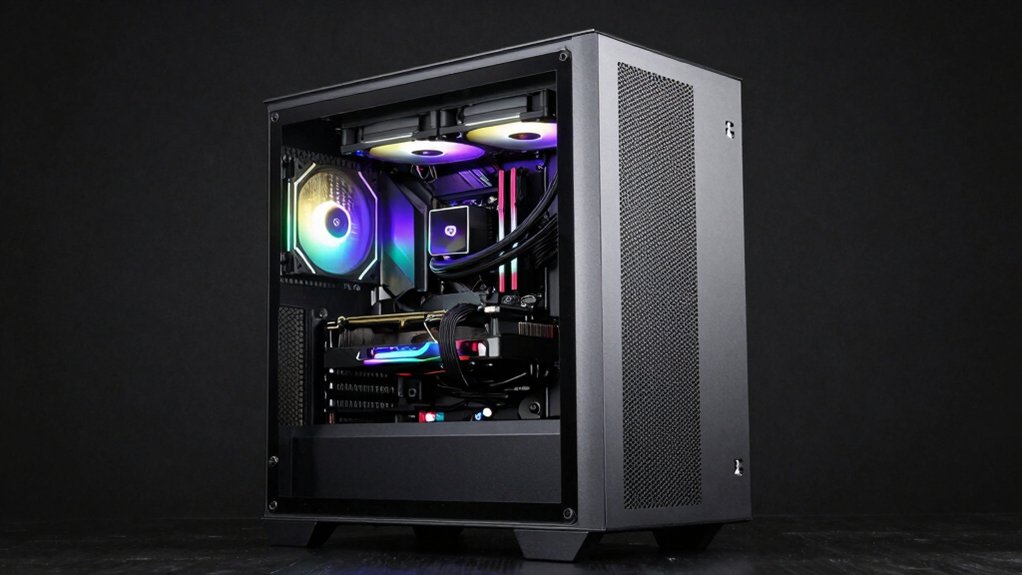
When selecting a hybrid airflow PC case, you’ll need to evaluate three critical elements: the dual-chamber layout design that separates your components to optimize airflow paths, the radiator compatibility and capacity that determines whether your liquid cooling setup fits properly, and the fan configuration options that let you customize intake and exhaust fans for your specific cooling needs. Start by measuring your radiator size and checking the case’s dedicated mounting locations, then review how the dual-chamber design directs cool air to your CPU and GPU separately from your power supply and storage drives. Finally, count the available fan slots in each chamber and confirm they accommodate your preferred fan sizes—typically 120mm or 140mm—so you can build an airflow strategy that matches your hardware.
Best Hybrid Airflow PC Case
What makes a hybrid airflow case right for your build? You’ll need to evaluate radiator compatibility first—check whether you can fit a 360mm unit in front and another on top. Next, inspect the internal layout for modular mounting rails that let you adjust fan positions without tools. Look at dust filtration coverage across the front, top, and sides to keep your components clean. Verify that your CPU cooler and GPU fit your case’s height and length limits. Finally, confirm the case supports PWM ARGB fans with motherboard headers, eliminating the need for separate controllers. These practical steps ensure you select a case matching your cooling and component requirements.
Factors to Consider When Choosing Hybrid Airflow PC Case
Beyond selecting a case that fits your components, you’ll want to prioritize several design features that directly impact cooling performance and build convenience. First, verify the case supports your intended radiator configuration—check maximum front and top radiator sizes against your cooler dimensions. Second, examine the front and top panels for mesh or perforated designs, which maximize intake airflow and dust filtration efficiency. Third, count pre-installed fans and confirm whether the case includes a fan hub or daisy-chain system to simplify wiring. Fourth, inspect internal layout features like adjustable GPU clearance, tool-less panels, and cable management channels. These elements reduce build time and prevent airflow obstruction. Finally, assess exhaust path design—rear and bottom options should channel hot air away from components effectively.
Dual-Chamber Layout Design
A dual-chamber layout divides your case into separate zones—one for heat-generating components like your GPU and CPU, and another isolated area for your power supply—so you’ll achieve better cooling efficiency and cleaner airflow management. You’ll benefit from rear- or bottom-mounted PSU shrouds that guide cool air toward your graphics card while directing warm air out of the system. This separation prevents hot air from the power supply from recirculating back to your components. You can position radiators flexibly on the front, top, or bottom faces to balance intake and exhaust flow across both chambers. Advanced cable routing systems keep wires out of airflow paths, reducing obstruction. This design accommodates graphics cards exceeding 420mm while maintaining effective thermal performance through completely separated cooling routes.
Radiator Compatibility & Capacity
When you’re selecting a hybrid airflow PC case, you’ll need to verify the radiator mounting positions and maximum sizes your case supports, since these factors directly impact your cooling setup’s effectiveness. Check what radiator capacity your case handles—whether it’s dual 360mm or three 360mm configurations. Identify available mounting positions: front, top, or rear. Confirm that different faces support different sizes, such as a 360mm front radiator paired with a 360mm top radiator. Measure internal clearance for GPU length, PSU depth, and motherboard spacing to ensure radiators fit without blocking components. Account for radiator thickness and fan configurations. Match your planned cooling solution to these specifications before purchasing your case.
Fan Configuration Options
Once you’ve confirmed your case’s radiator mounting positions and sizes, you’ll need to plan your fan configuration to match those radiator placements and support your cooling demands. Most hybrid airflow cases ship with 2–6 pre-installed fans, giving you a foundation to build on. You can add fans to front, top, rear, and sometimes bottom positions depending on your setup. Use daisy-chain connectors or fan hubs to simplify wiring multiple fans together. This approach lets you control fan speed and ARGB lighting simultaneously without cluttering your motherboard headers. Match your fan count to your radiator size—a 360mm radiator typically needs three fans, while a 240mm needs two. Adjust fan placement based on your component layout and cooling priorities to optimize airflow efficiency.
Motherboard & GPU Support
How do you know if your motherboard and graphics card will actually fit inside your chosen case? Start by matching your motherboard form factor—ATX, micro-ATX, Mini-ITX, or E-ATX—to what the case supports. Next, check the maximum GPU length clearance, which typically ranges from 360–420 mm depending on the model. Measure your graphics card’s length and compare it against this specification. Then verify CPU cooler height compatibility, usually between 155–178 mm, to ensure your cooler doesn’t obstruct other components. Finally, confirm the case provides enough PCIe expansion slots (7 or more) and drive bays (2–4) for your planned components. Cross-checking these specifications prevents costly incompatibility issues before purchase.
Cable Management Systems
Since cable management directly affects both airflow efficiency and build aesthetics, you’ll want to prioritize cases with robust routing features before making your purchase. Look for cases offering wide channels, hooks, and straps that route cables behind the motherboard tray. Choose models with at least 30mm of dedicated cable management space to keep wires away from your airflow path. Select cases featuring back-connected or “RapidRoute” style channels for streamlined installation. Verify the case includes removable or hinged side panels for easy cable access during builds. Check for dedicated GPU and PCIe cable routing options. Confirm the power supply mounting area provides convenient cable access. These features combine to eliminate clutter, reduce fan obstruction, and maintain clean front aesthetics while optimizing cooling performance.
Final Thoughts
You’ll want to prioritize cases matching your motherboard size and GPU length before deciding. Check radiator compatibility for your cooler, verify fan mounting locations, and confirm cable management routing separates PSU airflow from components. Compare mesh panel designs and dust filter accessibility across your top choices. Install fans according to manufacturer specs, ensuring intake and exhaust balance. This systematic approach guarantees optimal cooling performance for your build.

Meet Ry, “TechGuru,” a 36-year-old technology enthusiast with a deep passion for tech innovations. With extensive experience, he specializes in gaming hardware and software, and has expertise in gadgets, custom PCs, and audio.
Besides writing about tech and reviewing new products, he enjoys traveling, hiking, and photography. Committed to keeping up with the latest industry trends, he aims to guide readers in making informed tech decisions.