
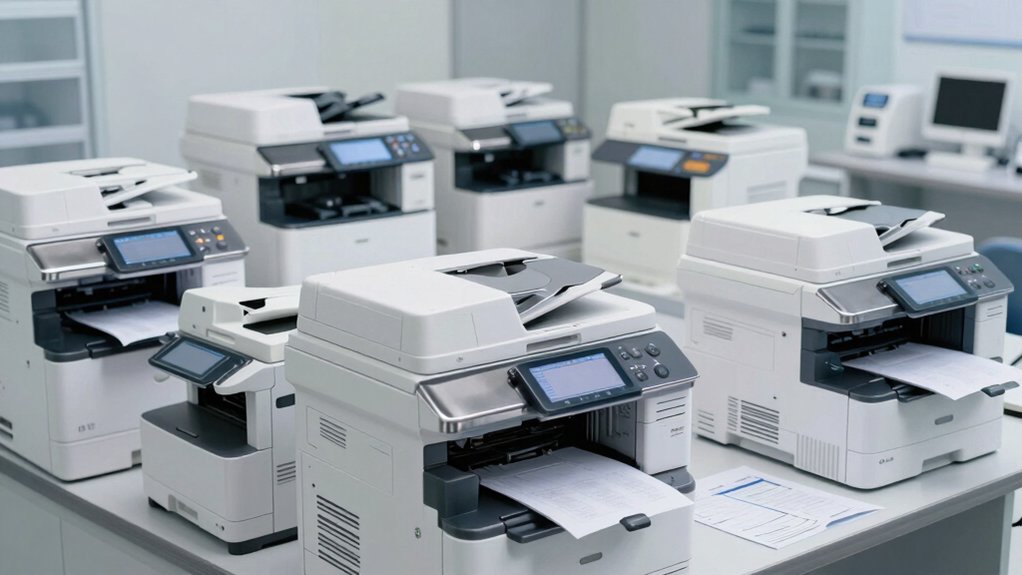

You need an office printer that handles your medical practice’s daily demands: high-volume printing, secure patient documents, and reliable scanning with OCR capabilities. The right model balances fast printing speeds, robust paper handling, and strong security features like user authentication and encrypted transmission. You’ll also want manageable maintenance costs and centralized administration options. But choosing between inkjet, laser, and tank-based systems requires understanding which factors matter most for your specific workflow—and we’ve identified nine models that excel in these areas.
| HP OfficeJet Pro 8125e All-in-One Wireless Printer |

| Best All-in-One | Printer Type: Thermal Inkjet | Primary Functions: Print, scan, copy with auto document feeder | Wireless Connectivity: Dual-band Wi-Fi, USB, Ethernet | VIEW LATEST PRICE | Read Our Analysis |
| HP Envy 6155e Wireless All-in-One Inkjet Printer |
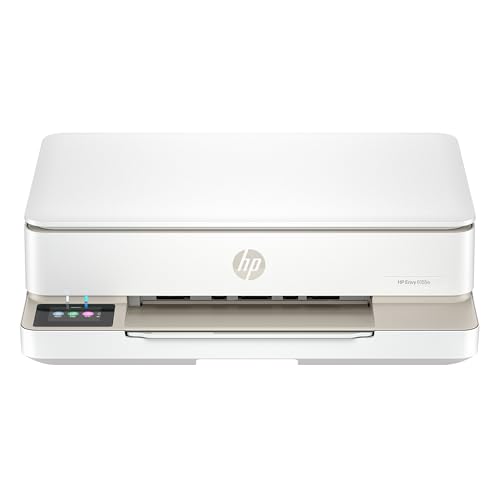
| Best Home Office | Printer Type: Thermal Inkjet | Primary Functions: Print, scan, copy | Wireless Connectivity: Dual-band Wi-Fi, USB 2.0 | VIEW LATEST PRICE | Read Our Analysis |
| HP Smart Tank 5101 Wireless All-in-One Printer |

| Best Value Printing | Printer Type: Thermal Inkjet | Primary Functions: Print, scan, copy | Wireless Connectivity: Wireless, USB 2.0 | VIEW LATEST PRICE | Read Our Analysis |
| Canon PIXMA TR4720 All-in-One Wireless Printer |

| Best Budget Pick | Printer Type: Inkjet | Primary Functions: Print, scan, copy, fax with auto document feeder | Wireless Connectivity: Wireless, USB | VIEW LATEST PRICE | Read Our Analysis |
| Canon PIXMA TS4320 Wireless Color Inkjet Printer |

| Most Compact | Printer Type: Inkjet | Primary Functions: Print, scan, copy | Wireless Connectivity: Dual-band Wi-Fi (2.4GHz/5GHz), USB | VIEW LATEST PRICE | Read Our Analysis |
| HP Smart Tank 5000 Wireless All-in-One Printer |

| Best Long-Term Savings | Printer Type: Thermal Inkjet | Primary Functions: Print, scan, copy | Wireless Connectivity: Wireless, USB 2.0 | VIEW LATEST PRICE | Read Our Analysis |
| HP LaserJet M110w Wireless Black & White Printer |

| Best Monochrome Speed | Printer Type: Laser (Monochrome) | Primary Functions: Print only | Wireless Connectivity: Wireless, USB 2.0 | VIEW LATEST PRICE | Read Our Analysis |
| HP Laserjet Pro 3001dw Wireless Printer (3G65OF) |

| Best Small Teams | Printer Type: Laser (Monochrome) | Primary Functions: Print (up to 7 users) | Wireless Connectivity: Ethernet, USB, Wi-Fi, Bluetooth | VIEW LATEST PRICE | Read Our Analysis |
| HP LaserJet MFP M234dw Wireless Printer |

| Best Multifunction Laser | Printer Type: Laser (Monochrome) | Primary Functions: Print, scan, copy | Wireless Connectivity: Wireless (dual-band), Ethernet, USB 2.0 | VIEW LATEST PRICE | Read Our Analysis |
More Details on Our Top Picks
HP OfficeJet Pro 8125e All-in-One Wireless Printer
If you’re running a medical practice that needs reliable printing without taking up much desk space, the HP OfficeJet Pro 8125e delivers the essential functions you’ll use daily: printing, scanning, copying, and faxing in one compact unit. You’ll print black-and-white documents at 20 pages per minute and color materials at 10 ppm, which handles routine patient records and forms efficiently. The automatic document feeder and duplex printing save you time on repetitive tasks. You can connect via Wi-Fi, USB, or Ethernet, then print directly from your mobile devices using the HP App or AirPrint compatibility. The 225-sheet paper capacity means you’ll refill less often during busy clinic days.
- Printer Type:Thermal Inkjet
- Primary Functions:Print, scan, copy with auto document feeder
- Wireless Connectivity:Dual-band Wi-Fi, USB, Ethernet
- Warranty:1-year limited; extendable to 2 years with HP+
- Auto Duplex Printing:Yes (automatic two-sided)
- Mobile Device Compatibility:Apple AirPrint, HP App, wireless direct printing
- Additional Feature:225-sheet paper capacity
- Additional Feature:HP+ ecosystem integration
- Additional Feature:AI-enabled document processing
HP Envy 6155e Wireless All-in-One Inkjet Printer
The HP Envy 6155e works best for medical practices that need to print patient documents, scan medical records, and copy forms without taking up much space. This wireless all-in-one printer delivers black-and-white printing at 10 pages per minute and color printing at 7 pages per minute. You can scan documents directly to email or HP Cloud, then copy up to 99 pages at 300 x 300 dpi resolution. The 100-sheet input tray handles standard paper sizes, and duplex printing reduces paper consumption. Connect via dual-band Wi-Fi or USB 2.0, then access printing and scanning functions through the HP app on your smartphone, tablet, or computer.
- Printer Type:Thermal Inkjet
- Primary Functions:Print, scan, copy
- Wireless Connectivity:Dual-band Wi-Fi, USB 2.0
- Warranty:1-year limited; extendable to 2 years with HP+
- Auto Duplex Printing:Yes
- Mobile Device Compatibility:HP App, dual-band Wi-Fi, iOS control
- Additional Feature:Borderless photo printing
- Additional Feature:HP True-to-Screen technology
- Additional Feature:2.4-inch touchscreen display
HP Smart Tank 5101 Wireless All-in-One Printer
Looking for a printer that’ll handle high-volume medical document printing without draining your budget? The HP Smart Tank 5101 delivers cartridge-free printing with two years of included ink—enough for thousands of pages. You’ll appreciate the mess-free refill system that eliminates spills and hassle. This wireless all-in-one handles printing, scanning, and copying across multiple devices via Alexa, Android, and iOS. The flatbed scanner captures documents at high resolution, while copy speeds reach ten pages per minute for black documents. Its durable tank design requires minimal maintenance, making it reliable for demanding medical office environments where consistent output matters.
- Printer Type:Thermal Inkjet
- Primary Functions:Print, scan, copy
- Wireless Connectivity:Wireless, USB 2.0
- Warranty:2-year limited
- Auto Duplex Printing:Yes
- Mobile Device Compatibility:Alexa, Android, iOS compatible
- Additional Feature:2 years ink included
- Additional Feature:Mess-free refill system
- Additional Feature:Cartridge-free design
Canon PIXMA TR4720 All-in-One Wireless Printer
Medical practices that need a compact, versatile printer without the complexity of larger office systems should consider the Canon PIXMA TR4720. This 4-in-1 inkjet handles printing, copying, scanning, and faxing through wireless or USB connectivity. You’ll achieve 8.8 ipm for black-and-white documents and 4.4 ipm for color at 4800 x 1200 dpi resolution. The 100-sheet auto document feeder processes up to 99 copies per run. Duplex printing reduces paper costs. The hybrid ink system produces sharp text and vibrant colors. Control the device via smartphone app or Alexa voice commands for low-ink alerts and automatic cartridge reordering. It weighs 12.7 pounds and operates on standard 110V power.
- Printer Type:Inkjet
- Primary Functions:Print, scan, copy, fax with auto document feeder
- Wireless Connectivity:Wireless, USB
- Warranty:1-year limited
- Auto Duplex Printing:Yes (letter-size documents)
- Mobile Device Compatibility:Mobile printing, Alexa-enabled
- Additional Feature:Auto document feeder
- Additional Feature:Built-in fax functionality
- Additional Feature:Hybrid ink system
Canon PIXMA TS4320 Wireless Color Inkjet Printer
Canon’s PIXMA TS4320 works best for medical practices that need basic printing, scanning, and copying without complexity or high-volume demands. Set up wireless connectivity using dual-band Wi-Fi for reliable document access across your office. Use the 2-cartridge hybrid ink system for sharp text and vivid color output on standard paper and photo stock. The flatbed scanner produces 600 x 600 dpi copies suitable for patient records and administrative documents. Auto-duplex printing reduces paper consumption, supporting your practice’s sustainability goals. Connect mobile devices through Canon PRINT App or AirPrint to print directly from computers and phones. This compact printer fits limited office space while handling routine tasks efficiently for small medical practices.
- Printer Type:Inkjet
- Primary Functions:Print, scan, copy
- Wireless Connectivity:Dual-band Wi-Fi (2.4GHz/5GHz), USB
- Warranty:1-year limited
- Auto Duplex Printing:Yes
- Mobile Device Compatibility:Canon PRINT App, Apple AirPrint, Mopria
- Additional Feature:Compact, stylish footprint
- Additional Feature:2-cartridge hybrid ink
- Additional Feature:EPEAT Silver certified
HP Smart Tank 5000 Wireless All-in-One Printer
The HP Smart Tank 5000 works well for medical practices that need to cut printing costs without sacrificing quality. You get two years of included ink, which covers up to 6,000 pages per color. The refillable tank system eliminates cartridge waste and mess. You’ll handle scanning, copying, and printing through one wireless device compatible with phones, tablets, and computers. The AI features help streamline document workflows by removing unwanted content and enhancing layouts. Setup requires minimal maintenance, and the 2-year warranty protects your investment for reliable daily operation.
- Printer Type:Thermal Inkjet
- Primary Functions:Print, scan, copy
- Wireless Connectivity:Wireless, USB 2.0
- Warranty:2-year limited
- Auto Duplex Printing:Yes
- Mobile Device Compatibility:Alexa, Android, iOS compatible
- Additional Feature:2 years ink included
- Additional Feature:Up to 6,000 pages
- Additional Feature:AI-powered layout optimization
HP LaserJet M110w Wireless Black & White Printer
Looking for a compact printer that won’t consume valuable desk space in your medical office? The HP LaserJet M110w delivers professional black and white printing at 21 pages per minute, making it ideal for small teams of 1-3 people. You’ll appreciate its wireless connectivity, mobile printing through smartphones and tablets, and compatibility with Windows, Mac, and AirPrint. The printer weighs just 8.34 pounds and supports various media types including labels and envelopes. You can manage printing remotely using the HP Smart app and control it through Alexa-compatible devices. Its Energy Star certification keeps operating costs low, while the pre-installed starter cartridge gets you printing immediately upon setup.
- Printer Type:Laser (Monochrome)
- Primary Functions:Print only
- Wireless Connectivity:Wireless, USB 2.0
- Warranty:1-year limited
- Auto Duplex Printing:No (single-sided only)
- Mobile Device Compatibility:AirPrint, Android, Chromebook, Alexa-compatible
- Additional Feature:World’s smallest laser
- Additional Feature:21 pages per minute
- Additional Feature:600 x 600 dpi resolution
HP Laserjet Pro 3001dw Wireless Printer (3G65OF)
HP’s LaserJet Pro 3001dw stands out for medical practices that need a reliable monochrome printer supporting up to seven concurrent users without sacrificing speed or security. You’ll get 35 pages per minute with automatic two-sided printing, reducing paper costs. The printer connects via Ethernet, USB, or Wi-Fi, allowing staff to print from laptops, smartphones, and tablets. HP Wolf Pro Security protects patient data with PIN authentication and preconfigured settings. Cloud-enabled printing lets you send documents remotely. Use HP Web JetAdmin for centralized management across your practice, simplifying device oversight and maintenance across multiple locations.
- Printer Type:Laser (Monochrome)
- Primary Functions:Print (up to 7 users)
- Wireless Connectivity:Ethernet, USB, Wi-Fi, Bluetooth
- Warranty:1-year limited
- Auto Duplex Printing:Yes (auto 2-sided)
- Mobile Device Compatibility:AirPrint, Android, Chromebook, cloud connectivity
- Additional Feature:Supports up to 7 users
- Additional Feature:HP Wolf Pro Security
- Additional Feature:35 pages per minute
HP LaserJet MFP M234dw Wireless Printer
Built for small medical teams of 1–5 people, this multifunction laser printer delivers high-speed, two-sided black and white printing at up to 30 pages per minute, with dual-sided output reaching 19 pages per minute. You’ll scan, copy, and print professional-quality documents directly from your smartphone using the HP Smart app, which also lets you automate repetitive tasks and send files to cloud storage. The printer connects wirelessly to laptops, PCs, and mobile devices via dual-band Wi-Fi, with self-reset functionality that resolves connectivity issues automatically. Strong built-in security features protect your patient data, while Energy Star certification reduces operational costs. Its compact dimensions—11.75″ x 14.49″ x 9.5″—fit easily into tight office spaces.
- Printer Type:Laser (Monochrome)
- Primary Functions:Print, scan, copy
- Wireless Connectivity:Wireless (dual-band), Ethernet, USB 2.0
- Warranty:1-year limited
- Auto Duplex Printing:Yes (up to 19 ipm two-sided)
- Mobile Device Compatibility:Cloud Print enabled, Alexa compatible, AirPrint, Android, Chromebook
- Additional Feature:30 ppm single-sided printing
- Additional Feature:19 ipm two-sided printing
- Additional Feature:Dual-band Wi-Fi connectivity
Factors to Consider When Choosing an Office Printer for Medical Practices
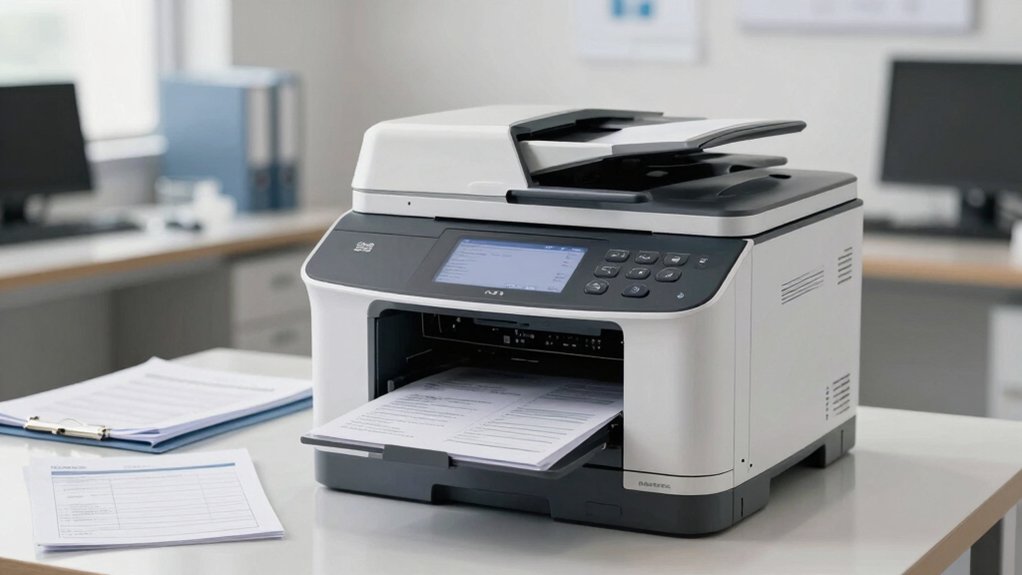
When selecting a printer for your medical practice, you’ll need to evaluate five critical factors that directly impact your operations and compliance. First, assess your compliance and security requirements, document volume and speed needs, and scanning capabilities for digital archiving—these elements determine whether the printer meets HIPAA standards and handles your daily workload. Second, calculate your total cost of ownership and verify the printer’s reliability and uptime record to ensure consistent performance without disrupting patient care.
Compliance and Security Requirements
How can you protect patient data when you’re selecting an office printer for your medical practice? You need to verify HIPAA compliance features built into the device. Check that the printer offers encrypted print jobs using IPsec or SSL/TLS protocols to secure data transmission. Confirm it supports secure pull printing, which requires user authentication before releasing documents. Look for printers with secure scanning capabilities that encrypt files sent to designated destinations. Review the device’s firmware update schedule and managed security patches to address vulnerabilities promptly. Enable user access controls and audit trails to track who printed what and when. Verify remote management and logging features so you can monitor failed print attempts and device activity. These safeguards ensure sensitive patient information stays protected throughout the printing workflow.
Document Volume and Speed
Because medical practices generate substantial paperwork daily, you’ll need a printer that handles high monthly duty cycles without frequent breakdowns. Look for models rated for 50,000 to 100,000+ pages monthly to sustain peak printing periods. Print speed matters significantly—choose printers offering at least 40 pages per minute (ppm) to process patient intake forms and discharge summaries quickly. Faster speeds reduce front-desk bottlenecks during busy hours. Duplex printing capabilities cut paper consumption and storage needs for extensive patient records. Additionally, verify the printer supports both letter and legal sizes for compliance documents and prescriptions. Confirm the device delivers consistent output quality across high-volume workflows to maintain legible, professional documents throughout your practice’s operations.
Scanning and Digital Archiving
Beyond managing high-volume printing output, you’ll need robust scanning and digital archiving capabilities built into your multifunction printer to streamline patient record management. Choose a scanner with at least 600 x 600 dpi resolution to ensure readability of patient records and legible document copies. An automatic document feeder (ADF) accelerates batch scanning of multi-page forms and consent documents, reducing manual handling time. Verify the printer includes reliable OCR capability to convert scanned pages into searchable text for efficient retrieval. Select cloud or network scanning options—scan to email, scan to cloud storage, or scan to folder—enabling secure, centralized access. Confirm security features including encrypted transmission, user authentication, and access controls to protect sensitive medical records during transfer and storage.
Cost of Ownership
Calculating the true cost of an office printer means looking beyond the initial purchase price to account for all expenses you’ll incur over the device’s lifetime. Factor in monthly subscription fees like HP Instant Ink, which continue after trial periods end. Compare cartridge yields and per-page costs across models; high-capacity tanks reduce long-term material expenses for high-volume printing. Check energy-efficient ratings to lower electricity costs. Review warranty options and extended service plans, which minimize downtime in your practice where printer availability directly affects operations. Multi-function devices with duplex printing cut paper usage and overhead. Calculate total ownership over three to five years by adding purchase price, estimated ink costs, subscription fees, energy consumption, and maintenance expenses. This comprehensive approach reveals your actual investment.
Reliability and Uptime
What makes a printer reliable enough for a medical practice? You need devices with high-duty cycles that handle continuous two-sided printing without frequent breakdowns. Look for models featuring robust network connectivity—dual-band Wi‑Fi, Ethernet, and auto-reconnect capabilities—so multiple staff members access the printer consistently. Check the manufacturer’s reliability history and warranty coverage. Purchase at least a one-year warranty, and consider extended HP+ or service plans for maximum uptime. Select printers with fast warm-up times and quick first-page-out speeds to minimize wait times during busy patient care cycles. Prioritize machines offering secure print features and remote management capabilities, allowing IT staff to monitor performance and troubleshoot issues without disrupting clinical operations.
Integration With Practice Systems
How you’ll integrate your printer into your practice’s existing technology ecosystem determines whether you’re streamlining workflows or creating bottlenecks.
Select printers with native drivers supporting your practice management and EHR systems. Verify cloud printing capabilities—AirPrint for iOS devices and Android printing for tablets and smartphones enable staff to scan directly to email or cloud storage without manual transfers.
Confirm encryption protocols protect patient data during transmission. Choose models offering centralized administration through web-based platforms like HP Web JetAdmin, allowing you to manage user permissions and control access across devices remotely.
Test compatibility with your current device ecosystem before purchasing. Request integration documentation from vendors to confirm seamless connections between your printer, practice software, and mobile devices. This prevents costly retrofitting and workflow disruptions after installation.
Final Thoughts
You’ll want to evaluate your practice’s specific needs—volume, color requirements, security features, and budget—before selecting a printer. Compare the speed, scanning capabilities, and network connectivity of each model. HP and Canon both offer reliable options across price points. Test security features and integration with your existing systems. Purchase from authorized dealers who provide support, and factor maintenance costs into your decision.

Meet Ry, “TechGuru,” a 36-year-old technology enthusiast with a deep passion for tech innovations. With extensive experience, he specializes in gaming hardware and software, and has expertise in gadgets, custom PCs, and audio.
Besides writing about tech and reviewing new products, he enjoys traveling, hiking, and photography. Committed to keeping up with the latest industry trends, he aims to guide readers in making informed tech decisions.