
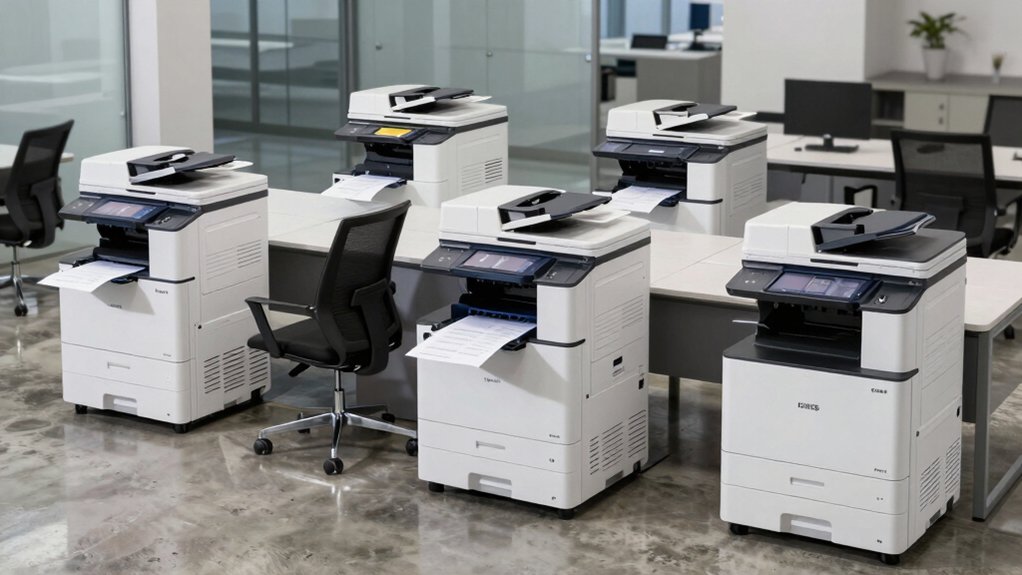

You’ll find that choosing the right office printer directly impacts your real estate business’s efficiency and client perception. Your daily workflow demands equipment that handles high-volume document printing, secure file scanning, and professional color output without slowing you down. Whether you’re printing listings from your office or managing documents on-site, the printer you select affects both productivity and costs. Understanding what each top model offers helps you match your specific needs—and we’ll explore five proven options that real estate professionals depend on.
| HP OfficeJet Pro 9125e All-in-One Wireless Printer |

| Best All-in-One | Printer Type: Color inkjet all-in-one | Print Speed: 22 ppm (black & white), 18 ppm (color) | Connectivity: Wireless dual-band Wi-Fi, Ethernet, USB | VIEW LATEST PRICE | Read Our Analysis |
| Brother DCP-L2640DW Wireless Monochrome Laser Printer |

| Budget-Friendly Pick | Printer Type: Monochrome laser all-in-one | Print Speed: 36 ppm (monochrome) | Connectivity: Dual-band wireless (2.4GHz/5GHz), Ethernet, USB 2.0 | VIEW LATEST PRICE | Read Our Analysis |
| HP Color LaserJet Pro 3201dw Wireless Printer (499Q9F) |

| Professional Grade | Printer Type: Color laser printer | Print Speed: 26 ppm (color and black & white) | Connectivity: Dual-band Wi-Fi, Ethernet, USB | VIEW LATEST PRICE | Read Our Analysis |
| HP Envy 6155e Wireless All-in-One Inkjet Printer |
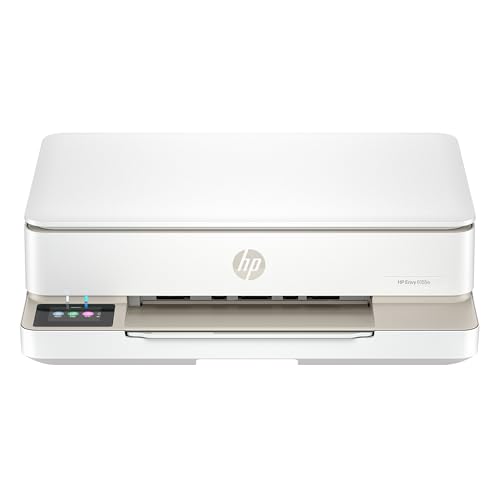
| Best for Home | Printer Type: Color inkjet all-in-one | Print Speed: 10 ppm (black & white), 7 ppm (color) | Connectivity: Dual-band Wi-Fi, USB 2.0 | VIEW LATEST PRICE | Read Our Analysis |
| HP Laserjet Pro MFP 4101fdw All-in-One Laser Printer |

| Best for Offices | Printer Type: Monochrome laser all-in-one | Print Speed: 42 ppm (black & white) | Connectivity: Wireless (intelligent Wi-Fi), Ethernet, USB | VIEW LATEST PRICE | Read Our Analysis |
More Details on Our Top Picks
HP OfficeJet Pro 9125e All-in-One Wireless Printer
Why should you consider the HP OfficeJet Pro 9125e if you’re a real estate agent managing high-volume document workflows? This all-in-one printer handles printing, scanning, copying, and faxing at speeds up to 22 pages per minute for black-and-white documents. The 250-sheet input tray reduces refilling frequency during busy listing seasons. Dual-band Wi-Fi connectivity lets you print directly from your smartphone, tablet, or PC without cables. The automatic document feeder and duplex scanning streamline processing property disclosures and contracts. HP’s AI-powered optimization removes formatting issues from web-based documents, ensuring professional output. The included Wolf Pro Security suite protects sensitive client data. Three months of Instant Ink service keeps ink costs predictable.
- Printer Type:Color inkjet all-in-one
- Print Speed:22 ppm (black & white), 18 ppm (color)
- Connectivity:Wireless dual-band Wi-Fi, Ethernet, USB
- Security Features:HP Wolf Pro Security suite with configurable tools
- Input Tray/Paper Capacity:250-sheet input tray
- Warranty:One-year limited hardware warranty; extendable to two years with HP+
- Additional Feature:AI-optimized web/email formatting
- Additional Feature:4800 x 1200 optimized dpi
- Additional Feature:Auto document feeder scanning
Brother DCP-L2640DW Wireless Monochrome Laser Printer
For real estate agents managing high-volume document workflows, the Brother DCP-L2640DW delivers the multifunction capability you’ll need in a compact footprint. This 3-in-1 device prints, scans, and copies at 36 ppm, handling property documents efficiently. The 50-page automatic document feeder processes multiple listings without manual intervention. Connect via dual-band wireless (2.4GHz/5GHz) or Ethernet for flexible office placement. Use the Brother Mobile Connect app to print and scan directly from your smartphone at showings. Duplex printing saves paper costs on contracts and disclosures. ENERGY STAR compliance reduces utility expenses. The 1-year warranty includes free online and phone support.
- Printer Type:Monochrome laser all-in-one
- Print Speed:36 ppm (monochrome)
- Connectivity:Dual-band wireless (2.4GHz/5GHz), Ethernet, USB 2.0
- Security Features:Advanced security features for secure connections
- Input Tray/Paper Capacity:250-sheet paper tray
- Warranty:One-year limited warranty
- Additional Feature:Alexa voice control compatible
- Additional Feature:ENERGY STAR/EPEAT Silver rated
- Additional Feature:Toner Save Mode capability
HP Color LaserJet Pro 3201dw Wireless Printer (499Q9F)
The HP Color LaserJet Pro 3201dw delivers professional-quality color output at 26 pages per minute, making it ideal for real estate agents who need to produce property listings, marketing materials, and client reports quickly without sacrificing print quality. You’ll appreciate the auto-duplex feature, which automatically prints on both sides of the page and reduces paper waste. The printer connects via Wi-Fi or Ethernet, so you can print directly from your computer or mobile device without physical cables. With a 250-sheet input tray and 600 x 600 dpi resolution, you’ll produce crisp, vibrant documents consistently. The HP Wolf Pro security features protect your sensitive client information from unauthorized access. You’re limited to print-only functions, but for agents focused on output quality and speed, this device meets professional demands reliably.
- Printer Type:Color laser printer
- Print Speed:26 ppm (color and black & white)
- Connectivity:Dual-band Wi-Fi, Ethernet, USB
- Security Features:HP Wolf Pro security with periodic firmware updates
- Input Tray/Paper Capacity:250-sheet input tray
- Warranty:One-year limited warranty
- Additional Feature:TerraJet vivid color toner
- Additional Feature:Small team ideal suitability
- Additional Feature:Award-winning reliability performance
HP Envy 6155e Wireless All-in-One Inkjet Printer
If you’re a real estate agent who regularly prints marketing materials, property listings, and professional documents, the HP Envy 6155e delivers the all-in-one functionality you need without consuming valuable desk space. This wireless inkjet printer handles color and black-and-white printing at 10 and 7 pages per minute respectively. You’ll scan documents directly to email or HP Cloud, copy up to 99 pages, and access printing from your smartphone via the HP app. The 2.4-inch touchscreen simplifies navigation. Its 100-sheet input tray accommodates standard paper sizes up to 8.5 by 11.7 inches. Borderless photo printing supports multiple formats, including 4×6 and 5×5 prints for property marketing materials. The one-year warranty extends to two years with HP+ enrollment.
- Printer Type:Color inkjet all-in-one
- Print Speed:10 ppm (black & white), 7 ppm (color)
- Connectivity:Dual-band Wi-Fi, USB 2.0
- Security Features:HP+ integration with periodic firmware updates
- Input Tray/Paper Capacity:100-sheet input tray
- Warranty:One-year limited hardware warranty; extendable to two years with HP+
- Additional Feature:Borderless photo printing support
- Additional Feature:HP True-to-Screen technology (P3)
- Additional Feature:60% recycled plastic construction
HP Laserjet Pro MFP 4101fdw All-in-One Laser Printer
Running a real estate office where you’re scanning property documents, printing contracts, copying listings, and faxing signed agreements all day? The HP LaserJet Pro MFP 4101fdw handles all four tasks efficiently. It prints 42 black-and-white pages per minute, features an auto document feeder for high-volume scanning, and supports wireless printing from your phone or tablet. The color touchscreen simplifies navigation, while duplex printing reduces paper costs. Set it up via Wi-Fi or Ethernet, connect across laptops and mobile devices, and rely on automatic firmware updates for security. This multifunction device accommodates teams up to ten people managing professional documents daily.
- Printer Type:Monochrome laser all-in-one
- Print Speed:42 ppm (black & white)
- Connectivity:Wireless (intelligent Wi-Fi), Ethernet, USB
- Security Features:HP Wolf Pro Security with customizable settings
- Input Tray/Paper Capacity:350-sheet maximum sheet capacity
- Warranty:One-year limited hardware warranty
- Additional Feature:High-volume scanning capability
- Additional Feature:Supports up to 10 people
- Additional Feature:42 pages per minute speed
Factors to Consider When Choosing an Office Printer for Real Estate
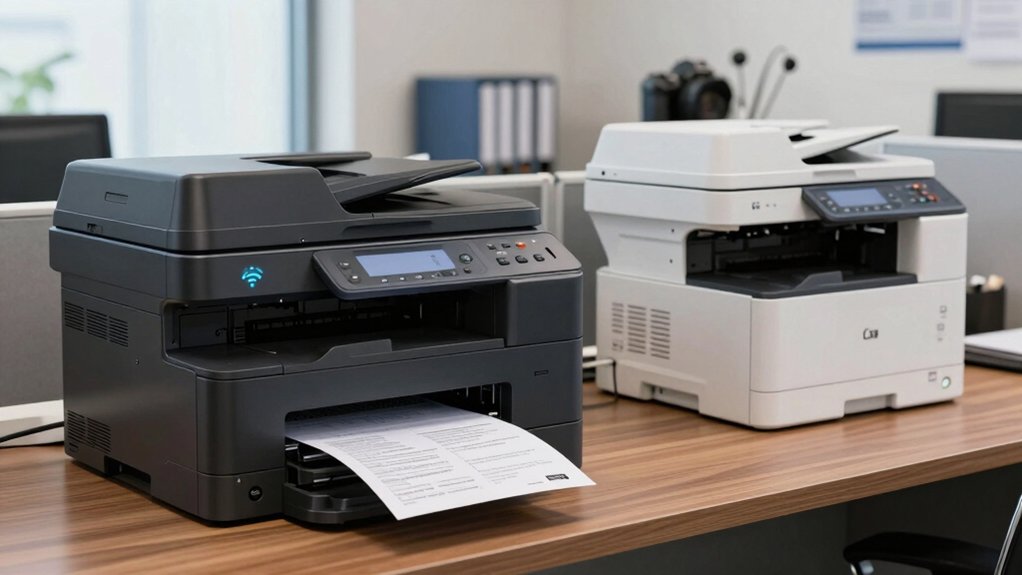
When you’re selecting an office printer for your real estate business, you’ll need to evaluate five key factors: volume printing capabilities to handle your daily output, document scanning speed to process contracts and listings efficiently, color output quality for professional marketing materials, network security features to protect client information, and multi-function workflow support to streamline your office operations. Start by ensuring your monthly printing volume and determine whether you need a device that can sustain high-speed production without quality degradation. Next, review each printer’s specifications for scan rates, color accuracy, encryption protocols, and integrated functions like copying and faxing to guarantee the machine supports your complete workflow.
Volume Printing Capabilities
Efficiency in document output directly shapes your daily workflow as a real estate agent, making volume printing capabilities a critical factor in printer selection. Look for laser printers that deliver 42 pages per minute for black-and-white documents, supporting your high-volume contract and disclosure printing needs. Verify that your chosen model includes duplex printing, which cuts paper usage in half during large contract runs. Check paper tray capacity—250 to 350 sheets allows extended printing sessions without frequent reloading. For scanning client packets and signed forms, prioritize an Auto Document Feeder with at least 50-page capacity to process multiple documents in one pass. These specifications directly reduce your time spent managing paper and reloading supplies during busy transaction periods.
Document Scanning Speed
How fast can your printer scan the documents you handle daily as a real estate agent?
Scanning speed, measured in images per minute (ipm), directly affects your workflow efficiency. Monochrome scanning typically runs faster than color scanning on most models. You’ll want to evaluate whether your scanner meets your document volume needs.
Look for a printer with a 50-page auto document feeder (ADF) to batch scan multi-page contracts and disclosures without manual reloading. Duplex scanning capabilities let you scan both sides of double-sided documents in a single pass, cutting your processing time in half.
Consider optical scanning resolution in dpi—higher dpi preserves fine details in floor plans and signatures. For real estate documents, 300 dpi provides adequate legibility, while 600 dpi ensures sharper contract text and architectural details.
Color Output Quality
What separates a professional marketing brochure from a mediocre one in real estate? Color output quality. You’ll want a laser printer for sharp, consistent color on standard documents, or an inkjet for rich photo-like quality on varied media. Check the printer’s DPI specification—higher DPI produces crisper text and more accurate colors. Next, match your media to your print job: use plain paper for documents and high-gloss or photo media for vibrant property images. Pro-grade color laser devices use specialized toner formulations that ensure vivid, accurate color reproduction. Finally, consider duplex printing; select media with uniform color handling to maintain consistent output on both sides. These choices directly impact how potential buyers perceive your listings.
Network Security Features
When you’re handling client data, property listings, and financial documents daily, your office printer shouldn’t be a weak link in your network’s defenses. Choose printers with built-in security features like HP Wolf Pro Security that protect against unauthorized access. Verify the device supports secure connections through dual-band Wi-Fi, Ethernet, and USB options for authenticated network access. Check that your printer includes firmware update mechanisms to patch vulnerabilities regularly. Configure available security tools such as user access controls, device hardening, and data encryption for files in transit and at rest. Select models that block non-manufacturer cartridges and require secure authentication, reducing risks from compromised supplies and unauthorized usage. These steps ensure your printer safeguards sensitive client information effectively.
Multi-Function Workflow Support
Why settle for a single-function printer when your real estate business demands handling client documents, property listings, contracts, and marketing materials daily? Multi-function devices—offering print, scan, copy, and fax capabilities—consolidate your workflow into one machine. You’ll reduce equipment clutter and simplify operations. Choose a 3-in-1 or 4-in-1 model that matches your document volume. Look for auto-document feeders with 50-page capacity and duplex scanning to process large property portfolios efficiently. Select color capabilities if you’re creating client-facing marketing materials and contracts. Enable wireless and mobile-app connectivity so you can print directly from laptops, smartphones, and tablets on-site or remotely. This setup minimizes turnaround times and keeps your team productive.
Long-Term Cost Efficiency
How you calculate printer costs will determine whether you’re truly getting value for your real estate business. Start by comparing upfront prices alongside replacement ink or toner costs over three to five years. Check the page yield—higher yields mean lower cost-per-page, which matters when you’re printing contracts and listings daily. Look for printers with duplex printing and toner-save modes to reduce paper and ink consumption immediately. Examine warranty options; extended coverage protects you from unexpected repair expenses. Review subscription plans like managed ink programs that align with your monthly document volume. Calculate your total cost of ownership by adding the initial purchase price, estimated annual supply costs, and potential maintenance fees. This complete picture shows you which printer delivers the best long-term value.
Final Thoughts
You’ll want to match your printer choice to your specific needs. If you handle high-volume listings, choose the HP OfficeJet Pro 9125e. For cost-efficiency with monochrome documents, select the Brother DCP-L2640DW. Need color quality for client presentations? Go with the HP Color LaserJet Pro 3201dw. Prioritize portability with the HP Envy 6155e, or select the HP LaserJet Pro MFP 4101fdw for speed and security combined.

Meet Ry, “TechGuru,” a 36-year-old technology enthusiast with a deep passion for tech innovations. With extensive experience, he specializes in gaming hardware and software, and has expertise in gadgets, custom PCs, and audio.
Besides writing about tech and reviewing new products, he enjoys traveling, hiking, and photography. Committed to keeping up with the latest industry trends, he aims to guide readers in making informed tech decisions.