
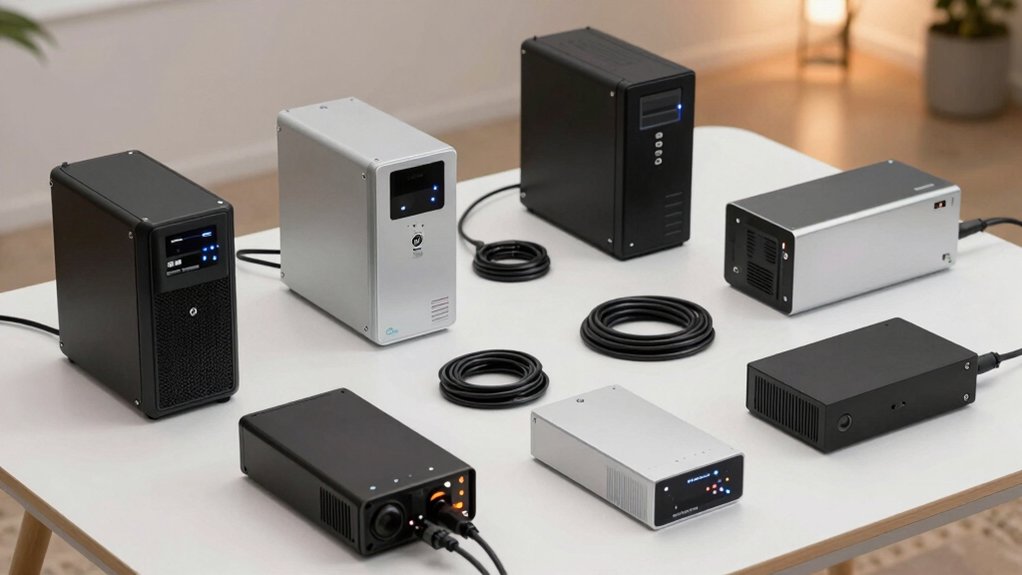

When you’re working from home, a power outage can shut down your productivity in seconds. You need a UPS system that keeps your computer, monitor, and router running until power returns or you safely save your work. The right UPS protects against surges, provides battery backup, and fits your space and budget. But choosing between compact models, high-capacity systems, and different backup types requires understanding what each offers—and which features actually matter for your setup.
| APC UPS 600VA Battery Backup & Surge Protector |

| Best Overall | Power Capacity (VA/W): 600VA / 330W | Total Outlets: 7 outlets | Battery Backup Outlets: 5 outlets | VIEW LATEST PRICE | Read Our Analysis |
| Amazon Basics UPS Battery Backup & Surge Protector |

| Budget-Friendly Pick | Power Capacity (VA/W): 400VA / 255W | Total Outlets: 6 outlets | Battery Backup Outlets: 3 outlets | VIEW LATEST PRICE | Read Our Analysis |
| CyberPower CP1500PFCLCD UPS Battery Backup Surge Protector |

| Professional Grade | Power Capacity (VA/W): 1500VA / 1000W | Total Outlets: 12 outlets | Battery Backup Outlets: 6 outlets | VIEW LATEST PRICE | Read Our Analysis |
| CyberPower CP1500AVRLCD3 Intelligent LCD UPS System |

| Editor’s Choice | Power Capacity (VA/W): 1500VA / 900W | Total Outlets: 12 outlets | Battery Backup Outlets: 6 outlets | VIEW LATEST PRICE | Read Our Analysis |
| CyberPower EC850LCD UPS Battery Backup Surge Protector |

| Best For Home Offices | Power Capacity (VA/W): 850VA / 510W | Total Outlets: 12 outlets | Battery Backup Outlets: 6 outlets | VIEW LATEST PRICE | Read Our Analysis |
| APC Back-UPS 425VA Battery Backup Surge Protector (BE425M) |

| Most Compact | Power Capacity (VA/W): 425VA / 255W | Total Outlets: 6 outlets | Battery Backup Outlets: 4 outlets | VIEW LATEST PRICE | Read Our Analysis |
| CyberPower ST425 Standby UPS Battery Backup |

| Best Value | Power Capacity (VA/W): 425VA / 260W | Total Outlets: 8 outlets | Battery Backup Outlets: 4 outlets | VIEW LATEST PRICE | Read Our Analysis |
| CyberPower SL700U Standby UPS Battery Backup |

| Most Versatile | Power Capacity (VA/W): 700VA / 370W | Total Outlets: 8 outlets | Battery Backup Outlets: 5 outlets | VIEW LATEST PRICE | Read Our Analysis |
| Amazon Basics UPS Battery Backup & Surge Protector |

| Best Power Capacity | Power Capacity (VA/W): 1500VA / 900W | Total Outlets: 10 outlets | Battery Backup Outlets: 5 outlets | VIEW LATEST PRICE | Read Our Analysis |
| Tripp Lite 600VA UPS Battery Backup (BC600R) |

| Best Mid-Range Option | Power Capacity (VA/W): 600VA / 300W | Total Outlets: 4 outlets | Battery Backup Outlets: 0 outlets (backup via battery cartridge) | VIEW LATEST PRICE | Read Our Analysis |
More Details on Our Top Picks
APC UPS 600VA Battery Backup & Surge Protector
If you’re setting up a home office where you can’t afford downtime during power outages, the APC UPS 600VA delivers the backup power you need to keep your work going. This unit provides 600VA/330W of backup power with up to 23 minutes of runtime at 100W load, enough time to save files and shut down safely. You’ll get 7 outlets—5 with battery backup plus surge protection and 2 surge-only—plus a USB charging port for your devices. The user-replaceable battery means you can maintain the system long-term. A 3-year warranty and $75,000 equipment protection cover your connected electronics against power-related damage.
- Power Capacity (VA/W):600VA / 330W
- Total Outlets:7 outlets
- Battery Backup Outlets:5 outlets
- Backup Runtime:Up to 23 minutes at 100W load
- USB Charging Ports:1 USB-A (1.5A)
- Equipment Protection Guarantee:$75,000 Equipment Protection
- Additional Feature:User-replaceable battery cartridge
- Additional Feature:Clear status indicators/audible alerts
- Additional Feature:$75,000 equipment protection guarantee
Amazon Basics UPS Battery Backup & Surge Protector
For home office workers on a tight budget, the Amazon Basics UPS Battery Backup & Surge Protector delivers essential power protection without premium pricing. This 400VA/255W unit provides 6 minutes of backup at half load, allowing time to save work during outages. It features 6 outlets: 3 with surge protection only and 3 with both surge protection and battery backup. Connect critical devices like computers and monitors to battery-backup outlets. Keep total load below 80% capacity for ideal performance. Download the included power management software to monitor your system. The compact design fits easily under desks or in tight spaces.
- Power Capacity (VA/W):400VA / 255W
- Total Outlets:6 outlets
- Battery Backup Outlets:3 outlets
- Backup Runtime:~6 minutes at half load (1.5 minutes at full load)
- USB Charging Ports:None listed
- Equipment Protection Guarantee:None listed
- Additional Feature:Compact/small form factor
- Additional Feature:Power management software available
- Additional Feature:Half-load runtime: ~6 minutes
CyberPower CP1500PFCLCD UPS Battery Backup Surge Protector
The CyberPower CP1500PFCLCD stands out for home office workers who need reliable protection against power interruptions without sacrificing compatibility with modern electronics. This 1500VA/1000W unit delivers 1000 watts of continuous power through six battery-backup outlets and six surge-protected outlets. The PFC sine wave technology supports both active PFC and conventional power supplies, making it compatible with sensitive office equipment. Automatic Voltage Regulation (AVR) corrects minor power fluctuations without draining the battery, extending its lifespan. The color LCD display alerts you to potential issues before downtime occurs. Two USB ports—Type-A and Type-C—charge your devices simultaneously. The three-year warranty and $500,000 Connected Equipment Guarantee provide substantial protection for your investment.
- Power Capacity (VA/W):1500VA / 1000W
- Total Outlets:12 outlets
- Battery Backup Outlets:6 outlets
- Backup Runtime:Extended runtime (duration varies by load)
- USB Charging Ports:2 USB ports (Type-A, Type-C)
- Equipment Protection Guarantee:$500,000 Connected Equipment Guarantee
- Additional Feature:PFC sine wave output
- Additional Feature:Tilting LCD panel (22°)
- Additional Feature:Automatic Voltage Regulation (AVR)
CyberPower CP1500AVRLCD3 Intelligent LCD UPS System
Need a reliable power backup that displays real-time information about your system’s status? The CP1500AVRLCD3 delivers 1500VA and 900W of power protection through 12 outlets—six battery-backed and six surge-protected. Its color LCD panel shows immediate details about battery conditions and power fluctuations, alerting you to potential problems before they disrupt your work. The Automatic Voltage Regulation (AVR) feature corrects minor power variations without draining the battery, preserving backup time for actual outages. You’ll receive free PowerPanel management software, two USB ports for device charging, and a three-year warranty covering the battery and equipment.
- Power Capacity (VA/W):1500VA / 900W
- Total Outlets:12 outlets
- Battery Backup Outlets:6 outlets
- Backup Runtime:Extended runtime (duration varies by load)
- USB Charging Ports:2 USB ports (Type-A, Type-C)
- Equipment Protection Guarantee:$500,000 Connected Equipment Guarantee
- Additional Feature:Simulated sine wave output
- Additional Feature:Automatic Voltage Regulation (AVR)
- Additional Feature:Free PowerPanel management software
CyberPower EC850LCD UPS Battery Backup Surge Protector
If you’re running multiple devices in your home office and want automatic power management without manual intervention, the CyberPower EC850LCD delivers 850VA/510W of backup power across 12 outlets. Six outlets provide battery backup and surge protection for critical equipment like computers and modems. The remaining six outlets offer surge protection only, with three controlled by ECO Mode. ECO Mode automatically detects when your computer powers down and shuts off connected peripherals, reducing energy consumption. The multifunction LCD panel displays real-time battery and power conditions. You’ll receive a three-year warranty covering the battery and a $100,000 Connected Equipment Guarantee. Download the free PowerPanel Personal Edition software for additional management capabilities.
- Power Capacity (VA/W):850VA / 510W
- Total Outlets:12 outlets
- Battery Backup Outlets:6 outlets
- Backup Runtime:Extended runtime (duration varies by load)
- USB Charging Ports:None listed
- Equipment Protection Guarantee:$100,000 Connected Equipment Guarantee
- Additional Feature:ECO mode power-down feature
- Additional Feature:Compact design/form factor
- Additional Feature:$100,000 equipment protection guarantee
APC Back-UPS 425VA Battery Backup Surge Protector (BE425M)
APC’s Back-UPS 425VA works best if you’re protecting essential home-office devices like routers, modems, and VoIP phones during power outages. The unit delivers 255W continuous power with a 425VA capacity, giving you roughly 4–15 minutes of runtime depending on your load. You’ll get four battery-backed outlets plus two surge-only outlets for total device coverage. Its 180-Joule surge rating shields against power spikes and lightning strikes. The compact design fits under desks or mounts on walls, making it ideal for apartments and dorm rooms. Setup takes minutes: plug it in, connect your devices to the appropriate outlets, and let the sealed lead-acid battery charge for eight hours before relying on backup power during outages.
- Power Capacity (VA/W):425VA / 255W
- Total Outlets:6 outlets
- Battery Backup Outlets:4 outlets
- Backup Runtime:4–15 minutes for light loads (100W)
- USB Charging Ports:None listed
- Equipment Protection Guarantee:$75,000 Equipment Protection
- Additional Feature:Wall-mountable/compact tower form
- Additional Feature:180 joules surge rating
- Additional Feature:$75,000 equipment protection guarantee
CyberPower ST425 Standby UPS Battery Backup
The CyberPower ST425 works well for home office workers who can’t afford extended downtime during power outages. This standby UPS delivers 425VA/260W of backup power across eight outlets—four battery-protected and four surge-protected. You’ll get approximately one minute of runtime at maximum capacity, enough time to save your work and shut down gracefully. The unit provides 890 Joules of surge protection against lightning strikes and power fluctuations. Its compact 3.8-pound design fits easily on desks or shelves. The three-year warranty covering the battery and $75,000 equipment guarantee offer substantial protection for your investment and connected devices.
- Power Capacity (VA/W):425VA / 260W
- Total Outlets:8 outlets
- Battery Backup Outlets:4 outlets
- Backup Runtime:~1 minute at full load
- USB Charging Ports:None listed
- Equipment Protection Guarantee:$75,000 Connected Equipment Guarantee
- Additional Feature:GREENPOWER high efficiency design
- Additional Feature:890 joules surge protection
- Additional Feature:Energy Star/RoHS compliant
CyberPower SL700U Standby UPS Battery Backup
Looking for a compact UPS that fits tight spaces without sacrificing backup power? The CyberPower SL700U delivers 700VA and 370W capacity in a slim design that mounts on walls using keyhole slots. You’ll get eight outlets—five with battery backup and surge protection, plus three with surge protection only. The unit provides roughly two minutes of runtime at full load, enough time to save work and shut down properly. Two USB ports deliver 2.4A combined charging power. Surge protection reaches 890 joules, safeguarding connected equipment under the $100,000 guarantee. The three-year warranty covers the battery, ensuring long-term reliability for home office setups requiring dependable backup during power interruptions.
- Power Capacity (VA/W):700VA / 370W
- Total Outlets:8 outlets
- Battery Backup Outlets:5 outlets
- Backup Runtime:~2 minutes at full load
- USB Charging Ports:2 USB ports (Type-A, 2.4A total)
- Equipment Protection Guarantee:$100,000 Connected Equipment Guarantee
- Additional Feature:Slim profile/wall-mount capability
- Additional Feature:Two widely-spaced outlets
- Additional Feature:$100,000 equipment protection guarantee
Amazon Basics UPS Battery Backup & Surge Protector
If you’re working from home and need reliable power protection without spending hundreds of dollars, Amazon Basics’ 1500VA/900W UPS offers practical backup power at an accessible price point. The unit features 10 outlets: 5 provide surge protection only, while 5 deliver both surge protection and battery backup. At half load, you’ll get approximately 10 minutes of runtime; at full load, expect about 1.5 minutes. The mini tower design fits under desks or in entertainment centers using its 6-foot power cord. Automatic Voltage Regulation and simulated sinewave technology protect your equipment from fluctuations and surges, preventing file loss and system damage during outages.
- Power Capacity (VA/W):1500VA / 900W
- Total Outlets:10 outlets
- Battery Backup Outlets:5 outlets
- Backup Runtime:~10 minutes at half load (1.5 minutes at full load)
- USB Charging Ports:None listed
- Equipment Protection Guarantee:None listed
- Additional Feature:Line interactive UPS topology
- Additional Feature:Automatic Voltage Regulation (AVR)
- Additional Feature:Simulated sinewave technology
Tripp Lite 600VA UPS Battery Backup (BC600R)
Compact desktop systems and small home offices benefit most from this 600VA unit, which delivers 300W of backup power through four standard outlets. Setup requires three steps: plug the UPS into a grounded outlet, power it on, and connect your devices. The unit provides 190 joules of surge protection and filters line noise through EMI/RFI technology. A resettable circuit breaker prevents overload damage. When power fails, an audible alarm and red LED alert you while the VRLA battery supports safe shutdown. The green LED indicates normal operation or battery mode. Wall mounting or desktop placement works equally well in home offices, retail environments, or light industrial settings. Battery replacement is straightforward with user-accessible cartridges.
- Power Capacity (VA/W):600VA / 300W
- Total Outlets:4 outlets
- Battery Backup Outlets:0 outlets (backup via battery cartridge)
- Backup Runtime:~1.2 minutes at full load
- USB Charging Ports:None listed
- Equipment Protection Guarantee:None listed
- Additional Feature:EMI/RFI filtration reduces interference
- Additional Feature:Self-test/resettable circuit breaker
- Additional Feature:Wall/VESA mounting compatible
Factors to Consider When Choosing a UPS for Home Office Setup
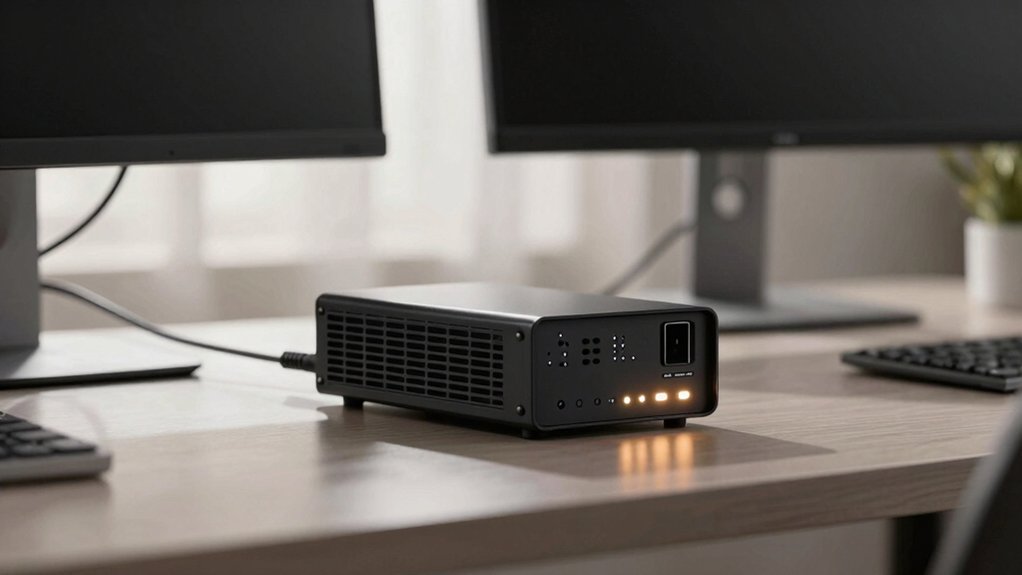
When selecting a UPS for your home office, you’ll want to evaluate five key factors that directly impact your setup’s reliability and performance. First, assess your power capacity requirements by calculating the total wattage of your devices, then examine the runtime and battery performance to determine how long the UPS will keep your equipment running during an outage. Next, review the outlet configuration options to ensure you have enough ports for your monitor, computer, router, and other peripherals, while also checking the protection features and warranty coverage that safeguard your investment against power surges and equipment failures. Finally, consider the noise level and physical form factor of the UPS, since a quieter, compact unit will integrate more seamlessly into your workspace without creating distractions or consuming excessive desk real estate.
Power Capacity Requirements
Since you’ll rely on your UPS to keep essential devices running during an outage, you’ve got to start by calculating your total power demand. List every device you want protected—monitor, computer, router, printer—and add up their wattage requirements. Choose a UPS with a watt (W) rating that exceeds your total, not just the VA rating, since real usable power comes from the watt specification. For example, a 1500VA unit might only deliver 1000W. Check your runtime needs: lightweight loads at 200W run 6–15 minutes, while full loads drop to 1–2 minutes. Build in a safety margin for surge protection and power fluctuations. Plan for future expansion by selecting a model with extra battery-backed outlets and headroom above your current load.
Runtime and Battery Performance
Runtime’s the amount of time your UPS’ll keep your devices running once the main power cuts out, and it’s directly tied to how much power you’re drawing. At 50% load, most units deliver 6–10 minutes of backup, while full-rated load typically drops to 1–2 minutes or less. Higher VA/W ratings extend runtime for identical loads, and larger battery capacity—like 1500VA/1000W models—outperform smaller units. Check specifications that list exact runtimes at specific wattages (200W or 100W) to estimate your actual backup time during typical work. Consider battery type and replacement availability too. User-replaceable packs or standard 12V batteries simplify future maintenance and keep your UPS viable long-term without costly replacements.
Outlet Configuration Options
Most UPS units distribute their outlets into two categories: battery-backed outlets that keep your essential gear running during a power failure, and surge-only outlets that protect non-critical devices from voltage spikes but won’t power them when the main power cuts out. Typical models offer 4 to 6 battery-backed outlets and 2 to 6 surge-protected outlets, giving you flexibility in equipment placement. Prioritize connecting your router, modem, and computer to battery-backed outlets to maintain productivity during outages. Reserve surge-only outlets for printers and monitors. Look for wall-mountable designs with evenly spaced outlets to accommodate larger adapters without blocking adjacent ports. Some units include USB Type-A and Type-C ports for charging peripheral devices during outages, expanding your power options.
Protection and Warranty Coverage
What protection does your UPS actually provide once the power fails? You need three essential layers of protection. First, verify the hardware warranty covers at least 3 years, protecting your investment against defects. Second, confirm the connected equipment guarantee—typically $500,000 to $750,000—covers damage to your devices from power surges. Third, check that surge protection measures at least 890–1,000 joules to shield equipment from electrical spikes. Look for automatic voltage regulation (AVR) to stabilize minor fluctuations without draining your battery. Finally, confirm the warranty includes the battery itself for the full duration. User-replaceable batteries are critical; identify the replacement model number beforehand. This multi-layered approach ensures comprehensive protection for your home office equipment and uninterrupted workflow during outages.
Noise Level and Form Factor
Have you considered how a noisy UPS will affect your focus during the workday? Standby and line-interactive models produce markedly less noise than online units, making them ideal for home offices where concentration matters. Choose a smaller form-factor model—mini towers or slim profiles fit under desks or on shelves without consuming workspace. Battery fans and inverter operation create audible hums during battery mode, so test units before purchasing if possible. Wall-mountable designs eliminate desk clutter entirely. Look for 8–12 outlet configurations with slim profiles that balance power capacity with compact placement. Prioritize quieter standby models over larger online units to maintain a professional, distraction-free work environment throughout your day.
Final Thoughts
You’ll want to choose a UPS that matches your equipment’s power needs and your budget. Check your devices’ wattage requirements, then select a unit with adequate VA capacity—typically 600–1500VA for home offices. Prioritize models with battery-backed outlets, AVR technology, and USB ports. Compare warranties and runtime specs. Install your UPS on a flat surface away from heat sources, connect critical devices, and test the battery backup regularly to ensure uninterrupted work protection.

Meet Ry, “TechGuru,” a 36-year-old technology enthusiast with a deep passion for tech innovations. With extensive experience, he specializes in gaming hardware and software, and has expertise in gadgets, custom PCs, and audio.
Besides writing about tech and reviewing new products, he enjoys traveling, hiking, and photography. Committed to keeping up with the latest industry trends, he aims to guide readers in making informed tech decisions.