
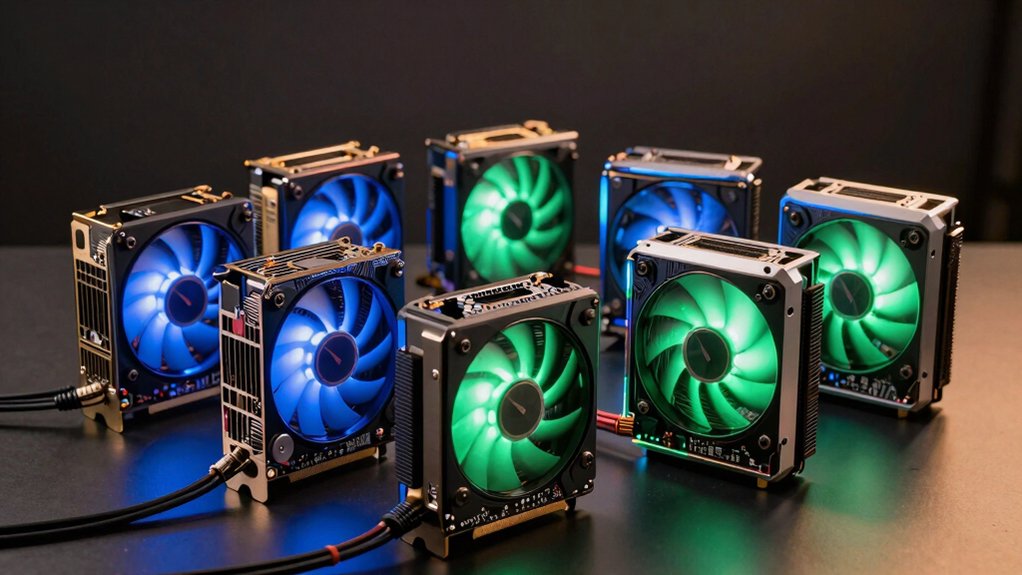

When you’re building a dual-GPU AI system, you’ll need to make strategic choices about GPU pairing, memory capacity, and cooling efficiency. Your setup directly impacts training speed and data processing capability. You can combine cards like the RTX 5060 Ti and RTX 5080 for balanced performance, or select pre-built options like the GEEKOM GT1 Mega for simplicity. But which configuration actually matches your specific workload requirements?
| ASUS Dual RTX 3050 6GB Gaming Graphics Card |

| Entry-Level Gaming | Warranty Coverage: 3-year limited warranty | Memory Type: GDDR6 | Display Outputs: HDMI 2.1, DisplayPort 1.4a | VIEW LATEST PRICE | Read Our Analysis |
| ASUS Dual GeForce RTX 5060 Ti OC 16GB GPU |
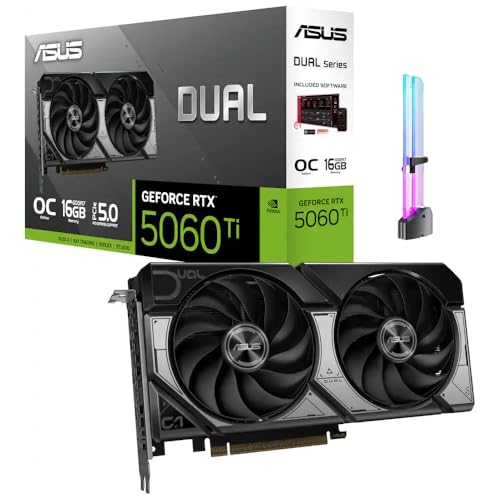
| High-Performance Creator | Warranty Coverage: 3-year limited warranty | Memory Type: GDDR7 | Display Outputs: HDMI 2.1b, 3x DisplayPort | VIEW LATEST PRICE | Read Our Analysis |
| ASUS Turbo Radeon AI Pro R9700 Graphics Card |

| AI Workload Specialist | Warranty Coverage: 3-year limited warranty | Memory Type: GDDR6 | Display Outputs: 2x HDMI 2.1b | VIEW LATEST PRICE | Read Our Analysis |
| ASUS GeForce RTX 5080 16GB Graphics Card Noctua OC |
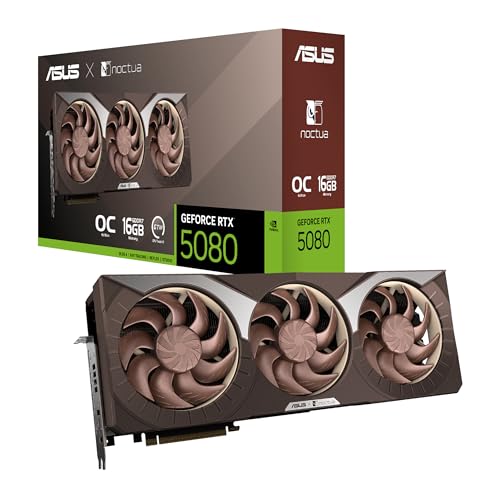
| Premium Quiet Computing | Warranty Coverage: 3-year limited warranty | Memory Type: GDDR7 | Display Outputs: 2x HDMI 2.1b, 3x DisplayPort 2.1b | VIEW LATEST PRICE | Read Our Analysis |
| GEEKOM GT1 Mega AI Mini PC with Intel Ultra 9 185H |
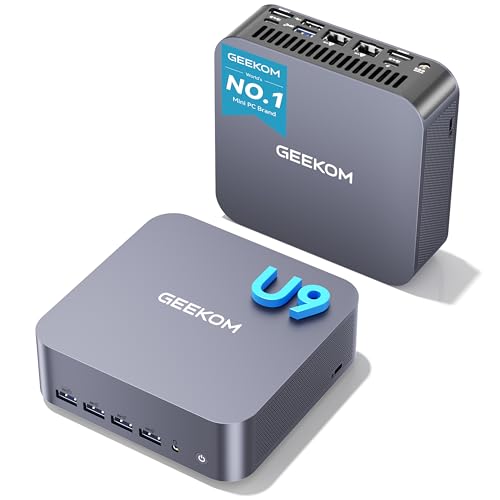
| Compact AI Powerhouse | Warranty Coverage: 3-year limited warranty | Memory Type: DDR5 RAM (16GB upgradable to 96GB) | Display Outputs: 2x HDMI 2.0 (4K@120Hz), dual 2.5 Gbps LAN, dual USB4.0 | VIEW LATEST PRICE | Read Our Analysis |
| ASUS TUF Gaming NVIDIA GeForce RTX 3080 V2 OC |

| Professional Reliability | Warranty Coverage: 3-year limited warranty | Memory Type: GDDR6X | Display Outputs: HDMI 2.1, DisplayPort 1.4a | VIEW LATEST PRICE | Read Our Analysis |
| PNY NVIDIA RTX 2000 Ada 16GB Graphics Card |

| Workstation Grade | Warranty Coverage: Warranty information available (via link) | Memory Type: GDDR6 with ECC | Display Outputs: 4x Mini DisplayPort | VIEW LATEST PRICE | Read Our Analysis |
More Details on Our Top Picks
ASUS Dual RTX 3050 6GB Gaming Graphics Card
Are you running AI workloads on a tight budget while you’re also gaming or doing graphics-intensive work? The ASUS Dual RTX 3050 6GB offers you a compact solution with dual Axial-tech fans that handle both tasks efficiently. You’ll get 6GB GDDR6 memory, PCIe 4.0 connectivity, and 3rd Generation Tensor Cores for AI acceleration. The card measures just 20cm, fitting easily into smaller chassis. Its 0dB Technology keeps noise minimal during lighter workloads. You’re looking at 2-slot design compatibility with most systems. Install it in your PCIe x16 slot, connect your displays via HDMI 2.1 or DisplayPort 1.4a, and you’re operational for modest AI tasks alongside gaming.
- Warranty Coverage:3-year limited warranty
- Memory Type:GDDR6
- Display Outputs:HDMI 2.1, DisplayPort 1.4a
- PCIe Interface:PCIe 4.0 x16
- Cooling System:Dual Axial-tech fans with 0dB technology
- Form Factor:2-slot design, 20cm length
- Additional Feature:0dB silent cooling technology
- Additional Feature:Compact 20cm length design
- Additional Feature:2X RT core throughput
ASUS Dual GeForce RTX 5060 Ti OC 16GB GPU
When you’re building a workstation that handles competitive gaming, AI workflows, and content creation simultaneously, the ASUS Dual GeForce RTX 5060 Ti OC 16GB GPU delivers the performance you need without requiring multiple cards in your system. The 16GB GDDR7 memory supports AI-assisted image generation and local AI tools while the 2632 MHz GPU clock maintains high frame rates in esports titles. You’ll benefit from PCIe 5.0 connectivity for faster data transfer during rendering tasks. The included RGB GPU holder stabilizes your card in glass-panel builds and reduces sag during extended gaming or streaming sessions. Four display outputs enable multi-monitor setups for monitoring chat, timelines, and editing tools simultaneously during content creation workflows.
- Warranty Coverage:3-year limited warranty
- Memory Type:GDDR7
- Display Outputs:HDMI 2.1b, 3x DisplayPort
- PCIe Interface:PCIe 5.0 x16
- Cooling System:2 fans with RGB GPU holder
- Form Factor:2.5-slot design
- Additional Feature:Included RGB GPU holder
- Additional Feature:GDDR7 memory technology
- Additional Feature:Multi-display creator support
ASUS Turbo Radeon AI Pro R9700 Graphics Card
If you’re building a dual GPU setup specifically for AI workloads that demand sustained performance and thermal stability, the ASUS Turbo Radeon AI Pro R9700 delivers the hardware you’ll need. This card features RDNA 4 architecture with 32GB GDDR6 VRAM, running at 2940 MHz to handle intensive computational tasks. The dual ball bearing fan and phase-change thermal pad ensure reliable cooling during extended operations. Its 2-slot form factor fits standard desktop systems, while dual HDMI 2.1b outputs support high-resolution displays up to 7680×4320. The PCI-Express x16 interface provides sufficient bandwidth for paired GPU configurations. You’ll receive three years of manufacturer warranty coverage, protecting your investment in AI infrastructure.
- Warranty Coverage:3-year limited warranty
- Memory Type:GDDR6
- Display Outputs:2x HDMI 2.1b
- PCIe Interface:PCI-Express x16
- Cooling System:Dual ball bearing fan with phase-change GPU thermal pad
- Form Factor:2-slot design
- Additional Feature:32GB GDDR6 VRAM capacity
- Additional Feature:Phase-change GPU thermal pad
- Additional Feature:Dual ball bearing fan
ASUS GeForce RTX 5080 16GB Graphics Card Noctua OC
The ASUS GeForce RTX 5080 16GB Graphics Card Noctua OC stands out for professionals and enthusiasts who need reliable cooling without sacrificing performance in dual GPU AI workloads. This card features three Noctua NF-A12x25 G2 PWM fans paired with a vapor chamber and phase-change thermal pad, delivering ultra-low noise operation during intensive computing tasks. The 16GB GDDR7 memory and 2730 MHz clock speed handle complex AI models efficiently. You’ll access dual BIOS profiles—Quiet and Performance—through GPU Tweak III software for thermal management and monitoring. The card’s PCIe x16 interface fits standard desktop systems, while its 0dB technology enables silent operation during light workloads. The 3-year warranty provides protection for your investment in serious AI computing infrastructure.
- Warranty Coverage:3-year limited warranty
- Memory Type:GDDR7
- Display Outputs:2x HDMI 2.1b, 3x DisplayPort 2.1b
- PCIe Interface:PCIe x16
- Cooling System:Three Noctua NF-A12x25 G2 PWM fans with vapor chamber
- Form Factor:Custom PCB (3-fan design)
- Additional Feature:Noctua co-engineered cooling fans
- Additional Feature:Dual BIOS Quiet/Performance profiles
- Additional Feature:0dB silent light gaming
GEEKOM GT1 Mega AI Mini PC with Intel Ultra 9 185H
Looking for a compact system that combines CPU and GPU power without requiring external graphics cards? The GEEKOM GT1 Mega packs a 14th Gen Intel Core Ultra9 185H with integrated Arc graphics featuring 8 Xe cores. You get 16GB DDR5 RAM upgradable to 96GB, 1TB NVMe storage expandable to 4TB, and dual 2.5 Gbps LAN ports. The system drives up to four displays simultaneously and includes Thunderbolt 4 connectivity for external expansion. Windows 11 Pro comes pre-installed. Its compact 1.5-pound design fits tight spaces while the IceBlast 2.0 cooling system reduces noise up to 40 percent. This configuration handles office work, content creation, and moderate gaming without dedicated GPU purchases.
- Warranty Coverage:3-year limited warranty
- Memory Type:DDR5 RAM (16GB upgradable to 96GB)
- Display Outputs:2x HDMI 2.0 (4K@120Hz), dual 2.5 Gbps LAN, dual USB4.0
- PCIe Interface:PCIe Gen4 x4 (NVMe storage)
- Cooling System:IceBlast 2.0 cooling system with larger heat pipes
- Form Factor:Mini PC (8.94 x 6.92 x 5.27 inches)
- Additional Feature:AI Boost 1.4GHz NPU processor
- Additional Feature:Supports 500+ AI models
- Additional Feature:Upgradable to 96GB RAM
ASUS TUF Gaming NVIDIA GeForce RTX 3080 V2 OC
Want a graphics card that handles intensive AI workloads without sacrificing gaming performance? The ASUS TUF Gaming RTX 3080 V2 OC delivers both capabilities through its 10GB GDDR6X memory and Ampere architecture. You’ll experience 2X FP32 throughput for faster computations and 3rd Generation Tensor Cores supporting AI frameworks like DLSS. The card’s three axial-tech fans with dual ball bearings maintain optimal temperatures during extended operations. With PCIe 4.0 support and boost clocks reaching 1815 MHz, you’re equipped for parallel processing tasks. The military-grade certification ensures durability across demanding environments.
- Warranty Coverage:3-year limited warranty
- Memory Type:GDDR6X
- Display Outputs:HDMI 2.1, DisplayPort 1.4a
- PCIe Interface:PCI Express x16
- Cooling System:Three axial-tech fans with dual ball bearings
- Form Factor:Multi-slot design with all-metal shroud
- Additional Feature:Military-Grade certification standards
- Additional Feature:8K resolution support capability
- Additional Feature:All-metal shroud construction
PNY NVIDIA RTX 2000 Ada 16GB Graphics Card
PNY’s RTX 2000 Ada delivers 2,816 CUDA cores and 16GB of ECC-protected GDDR6 memory in a dual-slot, low-profile form factor that fits workstations where space is limited. You’ll get 88 tensor cores and 22 ray tracing cores for AI workloads and visualization tasks. The card runs at 2130 MHz and connects via PCIe 4.0, supporting four Mini DisplayPort outputs for multi-monitor setups up to 8K resolution. Install it in any motherboard with a compatible PCIe slot, then connect your displays using the included Mini DisplayPort adapters. The active cooling system keeps temperatures manageable during extended compute sessions.
- Warranty Coverage:Warranty information available (via link)
- Memory Type:GDDR6 with ECC
- Display Outputs:4x Mini DisplayPort
- PCIe Interface:PCIe 4.0 x4
- Cooling System:Active fan with ultraleise cooling
- Form Factor:Dual-slot, low-profile
- Additional Feature:ECC memory error correction
- Additional Feature:Low-profile form factor design
- Additional Feature:2816 CUDA cores included
Factors to Consider When Choosing a Dual GPU AI Setup
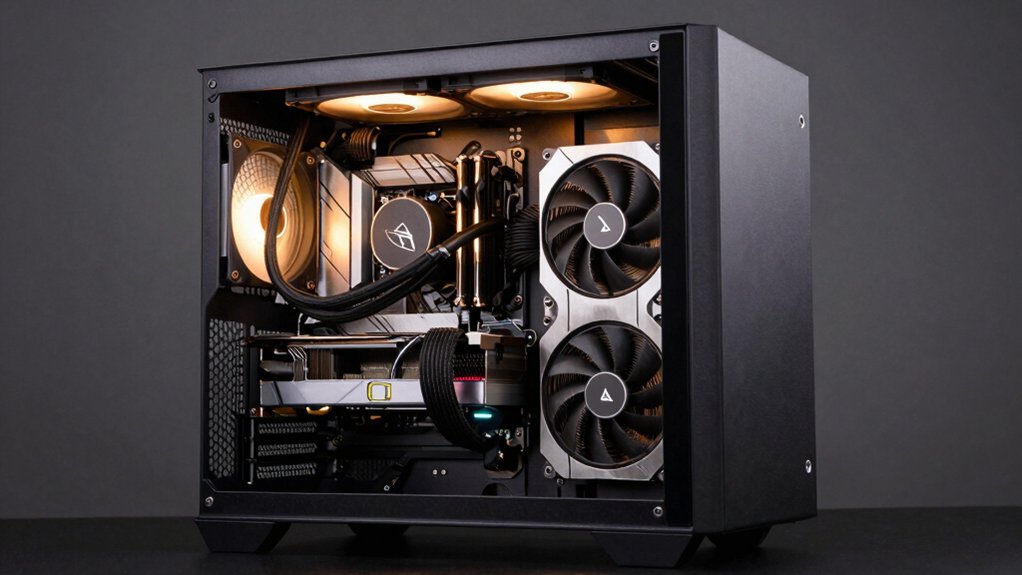
When you’re selecting a dual GPU AI setup, you’ll need to evaluate five critical factors: your memory capacity requirements based on your model sizes, the power efficiency of each GPU relative to your cooling infrastructure, your thermal management solutions to prevent throttling, the PCIe interface compatibility between your motherboard and GPUs, and how well each GPU optimizes for your specific AI workloads. Start by calculating the total VRAM you need for your largest models, then cross-reference that against the power consumption specs and your power supply’s capacity. Finally, confirm that your system’s PCIe generation and slot configuration can support both GPUs without bandwidth bottlenecks.
Memory Capacity Requirements
How much VRAM do you actually need in a dual GPU setup? Start by matching memory capacity to your workload. For AI tasks with large datasets, you’ll need 16 GB to 32 GB per card minimum. This prevents cross-card swapping, which slows performance significantly. If you’re processing 4K video or running 3D rendering alongside AI work, allocate 16 GB per GPU as your baseline. Next, consider your neural network size. Larger models require proportionally more VRAM. Finally, plan for scaling. As AI models grow annually, cards with higher memory bandwidth and total capacity accommodate future demands without hardware replacement. This approach ensures your setup handles current workloads smoothly while supporting tomorrow’s requirements.
Power Efficiency Considerations
You’ll want to prioritize power efficiency in your dual GPU setup because it directly affects your operating costs, cooling requirements, and system reliability over time. Check each GPU’s process node and architecture—newer nodes and optimized cores consume fewer watts per teraflop. Compare memory bandwidth specifications; GDDR6X delivers more work per joule than GDDR6. Verify PCIe generation support, as PCIe 4.0 and 5.0 reduce data transfer power overhead for memory-intensive tasks. Examine cooling solutions like vapor chambers and phase-change pads that prevent thermal throttling under sustained workloads. Enable synchronized power management features across both GPUs. Activate low-noise or 0dB cooling modes to minimize idle power draw. Calculate total system wattage against your power supply capacity to ensure efficient operation at peak performance.
Thermal Management Solutions
Efficient power delivery sets the stage for managing heat, and dual GPU systems generate significant thermal load that requires coordinated cooling strategies to prevent performance degradation. You’ll need multiple fans, vapor chambers, and barrier rings to eliminate hot spots during AI workloads. Install phase-change thermal pads and high-quality heat sinks to maintain stable temperatures during extended training sessions at elevated clock speeds. Consider 0dB silent modes for low-load tasks, though you’ll sacrifice active cooling efficiency when workloads spike. Address form factor constraints by selecting coolers compatible with 2-slot to 2.5-slot GPUs, such as axial-tech fans with dual-ball bearings. Use GPU holders and PCIe cooling solutions to prevent sag, ensuring optimal contact and consistent airflow across both processors.
PCIe Interface Compatibility
Because data transfer speeds directly impact dual GPU performance, you’ll need to match your GPUs and motherboard to compatible PCIe generations. First, check your motherboard’s PCIe slot specifications—confirm it supports multiple x16 slots at PCIe 5.0 or 4.0. Next, verify both GPUs use the same PCIe version to prevent bandwidth mismatches. Consider your GPU’s physical design: x16 cards occupy full slots, while x4 or 2.5-slot designs allow tighter spacing. Ensure your motherboard has enough available slots without blocking other components. Finally, confirm the motherboard runs both slots at full bandwidth simultaneously, not in reduced-speed mode. Aligning these elements eliminates bottlenecks and maximizes data throughput for your AI workloads.
AI Workload Optimization
What factors should you prioritize when selecting GPUs for your dual setup? First, match your GPU memory types and capacities to prevent bottlenecks during model loading and inference. Choose high-bandwidth options like GDDR6X or GDDR7 for faster data transfer between GPUs. Second, verify that both GPUs feature specialized tensor cores—such as 3rd Gen Tensor Cores—to accelerate deep learning operations and maximize throughput. Third, confirm your system supports adequate PCIe bandwidth; PCIe 4.0 or 5.0 enables faster inter-GPU communication essential for distributed tasks. Fourth, ensure each GPU has sufficient VRAM, ideally 16 GB or more, to handle larger models without requiring frequent data transfers. Finally, verify your power supply and cooling systems can sustain stable performance during extended compute workloads.
Cooling System Design
How you cool your dual GPU setup directly impacts sustained performance and component lifespan during intensive AI workloads. You’ll want to prioritize axial-tech or dual-fan configurations that deliver targeted airflow across both GPU dies and memory modules. Consider systems with large fin arrays and vapor chambers, which enhance heat transfer and maintain stable clock speeds. For quiet operation, select designs with 0dB silent modes that idle fans during low-load tasks while preserving thermal headroom. Multi-fan setups with optimized hub sizes reduce hot spots on compact GPUs. If you’re overclocking, invest in custom solutions like triple-fan designs that minimize noise while sustaining higher performance during extended AI processing sessions.
Form Factor Space Planning
While your cooling system keeps both GPUs running at peak efficiency, the physical space they occupy in your case directly determines whether your setup will actually fit and function properly. Start by measuring your case’s internal width and depth, then compare these dimensions against your GPU specifications. Check whether your cards use two-slot or 2.5-slot designs, as this affects PCIe clearance and expansion room. Verify card length against your case depth—compact 20 cm cards fit tighter spaces than larger dual-slot variants. Ensure neither GPU obstructs drive bays or conflicts with tall CPU coolers. Confirm your motherboard’s PCIe x16 slot positioning allows both cards to seat properly. Finally, account for airflow pathways between components to prevent thermal bottlenecks in your dual-GPU configuration.
Final Thoughts
You’ll maximize AI performance by selecting a dual-GPU setup that matches your specific workload requirements. Prioritize VRAM capacity (16–32GB minimum), PCIe 5.0 x16 bandwidth, and efficient cooling solutions. Match complementary GPUs like the RTX 5060 Ti with the RTX 5080 to balance memory and compute power. Verify your power supply supports the system, then monitor temperatures during training to ensure sustained performance and hardware longevity.

Meet Ry, “TechGuru,” a 36-year-old technology enthusiast with a deep passion for tech innovations. With extensive experience, he specializes in gaming hardware and software, and has expertise in gadgets, custom PCs, and audio.
Besides writing about tech and reviewing new products, he enjoys traveling, hiking, and photography. Committed to keeping up with the latest industry trends, he aims to guide readers in making informed tech decisions.