
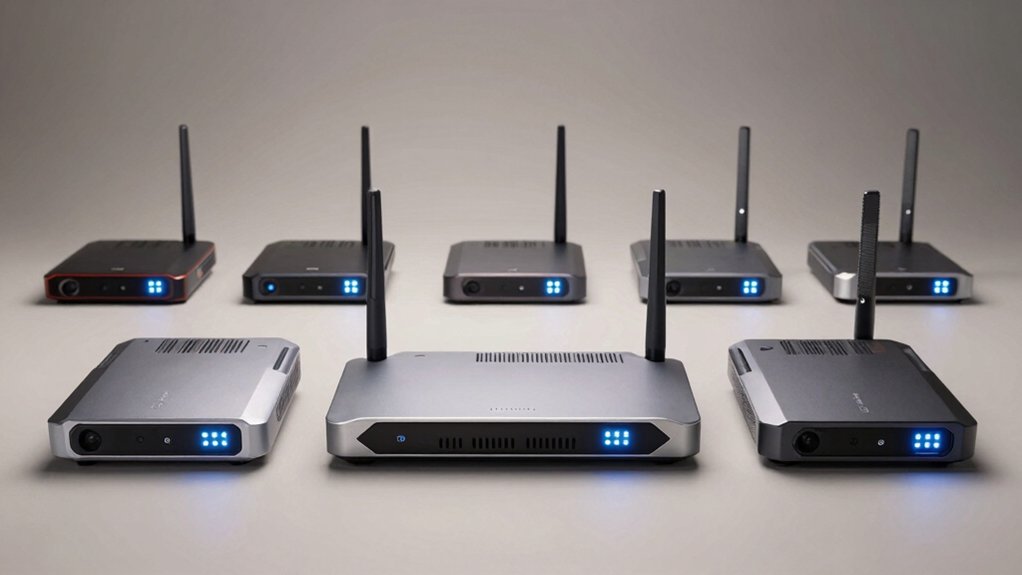

When you’re setting up network coverage for remote locations like farms or outbuildings, you’ll need to choose between different bridge types that offer varying speeds and installation options. WiFi 6 bridges deliver faster connections than older models, but selecting the right one requires you to evaluate antenna power, weatherproofing ratings, and power requirements. Understanding these specifications helps you avoid costly mistakes. Here’s what separates the top performers.
| Adalov WiFi 6 Wireless Bridge with Long Range |

| Best Long-Range Coverage | WiFi Standard & Speed: WiFi 6 (802.11ax), dual-band 2.4G/5.8G | Ethernet Connectivity: Dual Gigabit ports (2x 1000 Mbps) | Power Supply Method: PoE (24V or 48V) with included injectors | VIEW LATEST PRICE | Read Our Analysis |
| UeeVii CPE688KIT Wireless Bridge System WiFi 6 |

| Most Complete Kit | WiFi Standard & Speed: WiFi 6 AX3000, dual-band 2.4GHz/5GHz, up to 3000 Mbps | Ethernet Connectivity: Dual Gigabit ports (2x 1000 Mbps) per bridge | Power Supply Method: 48V PoE power supply | VIEW LATEST PRICE | Read Our Analysis |
| BrosTrend WiFi 6 AX3000 Ethernet Adapter |

| Best For Wired Devices | WiFi Standard & Speed: WiFi 6 AX3000, dual-band, 3000 Mbps total | Ethernet Connectivity: Single Gigabit port (1 Gbps) | Power Supply Method: DC power (adapter required) | VIEW LATEST PRICE | Read Our Analysis |
| TP-Link AX1800 Wi-Fi 6 Access Point (TL-WA1801) |

| Best Budget Access Point | WiFi Standard & Speed: WiFi 6 (802.11ax), dual-band, up to 1.8 Gbps | Ethernet Connectivity: Gigabit Ethernet port | Power Supply Method: Passive PoE | VIEW LATEST PRICE | Read Our Analysis |
| TP-Link AX1500 WiFi 6 Range Extender (RE500X) |

| Best Range Extender | WiFi Standard & Speed: WiFi 6, dual-band, up to 1.5 Gbps (1201 Mbps 5GHz, 300 Mbps 2.4GHz) | Ethernet Connectivity: Single Gigabit Ethernet port | Power Supply Method: AC power adapter (plug-in) | VIEW LATEST PRICE | Read Our Analysis |
| TP-Link WiFi 6 PCIe Card AX3000 (Archer TX55E) |

| Best For PC Gaming | WiFi Standard & Speed: WiFi 6 (802.11ax) AX3000, dual-band, up to 2.4 Gbps | Ethernet Connectivity: PCIe card (no Ethernet port) | Power Supply Method: PC PCIe slot power | VIEW LATEST PRICE | Read Our Analysis |
| EnGenius ENH500-AX Wi-Fi 6 Outdoor Wireless Bridge |

| Best Outdoor Performance | WiFi Standard & Speed: WiFi 6 (802.11ax), 5GHz only, up to 1,200 Mbps | Ethernet Connectivity: Gigabit Ethernet PoE port | Power Supply Method: Gigabit Ethernet PoE (injector included) | VIEW LATEST PRICE | Read Our Analysis |
| NETGEAR Cloud Managed WiFi 6E Access Point (WAX630EP) |

| Enterprise-Grade Solution | WiFi Standard & Speed: WiFi 6E (802.11ax) AXE7800, tri-band, up to 3000 Mbps | Ethernet Connectivity: Single 2.5G Ethernet port | Power Supply Method: PoE+ or optional PAV12V adapter | VIEW LATEST PRICE | Read Our Analysis |
More Details on Our Top Picks
Adalov WiFi 6 Wireless Bridge with Long Range
Are you trying to extend reliable internet to distant outbuildings, remote work areas, or surveillance zones on your property? The Adalov WiFi 6 Wireless Bridge delivers coverage up to 5 kilometers using its built-in 14dBi antenna. You’ll get dual-band WiFi 6 connectivity on 2.4G and 5.8G frequencies, supporting multiple devices simultaneously. Two Gigabit Ethernet ports enable wired connections for IP cameras and computers. The device features IP65 weatherproofing and lightning protection for outdoor installation. Setup requires minimal effort—it arrives pre-configured and plug-and-play ready. You can power it via 24V or 48V POE, and it’s compatible with Starlink systems. This bridge suits farms, garages, and large file transfer needs.
- WiFi Standard & Speed:WiFi 6 (802.11ax), dual-band 2.4G/5.8G
- Ethernet Connectivity:Dual Gigabit ports (2x 1000 Mbps)
- Power Supply Method:PoE (24V or 48V) with included injectors
- Weather Resistance & Durability:IP65 rated, TVS lightning protection
- Range & Coverage:Up to 5 kilometers with 14 dBi antenna
- Setup & Installation:Plug & play, pre-configured, no expertise required
- Additional Feature:5 kilometer long-range coverage
- Additional Feature:Dual Gigabit Ethernet ports
- Additional Feature:Starlink satellite internet compatible
UeeVii CPE688KIT Wireless Bridge System WiFi 6
Looking to extend your network across 5 kilometers to remote buildings, surveillance systems, or outdoor structures? The UeeVii CPE688KIT delivers a complete solution with two 5.8G wireless bridges, a WiFi 6 AX3000 router, and mounting brackets. You’ll get dual Gigabit Ethernet ports on each bridge for fast wired connections and 48V PoE power that simplifies installation by combining power and data through one cable. The IP66 weather-resistant design protects against rain and dust, making it suitable for outdoor deployment. Mount the bridges using adjustable brackets for optimal alignment, then connect your devices for immediate coverage.
- WiFi Standard & Speed:WiFi 6 AX3000, dual-band 2.4GHz/5GHz, up to 3000 Mbps
- Ethernet Connectivity:Dual Gigabit ports (2x 1000 Mbps) per bridge
- Power Supply Method:48V PoE power supply
- Weather Resistance & Durability:IP66 rated, weather-resistant design
- Range & Coverage:5 km point-to-point transmission
- Setup & Installation:Plug & play, pre-configured, adjustable mounting brackets
- Additional Feature:Two wireless bridges included kit
- Additional Feature:AX3000 WiFi 6 router included
- Additional Feature:Adjustable mounting brackets included
BrosTrend WiFi 6 AX3000 Ethernet Adapter
If you’ve got wired devices—like a smart TV, gaming console, or printer—that need WiFi 6 connectivity but lack built-in wireless capability, the BrosTrend WiFi 6 AX3000 Ethernet Adapter bridges that gap by connecting them directly to your dual-band router. Setup requires no driver installation; you’ll simply use WPS pairing to connect the adapter to your network. The device delivers 3000 Mbps total bandwidth across 5 GHz and 2.4 GHz bands with a Gigabit Ethernet port providing up to 1 Gbps transfer speeds. Two antennas and high-power amplifiers strengthen your signal. The 2-year warranty and included 5-foot Ethernet cable offer added value for home network upgrades.
- WiFi Standard & Speed:WiFi 6 AX3000, dual-band, 3000 Mbps total
- Ethernet Connectivity:Single Gigabit port (1 Gbps)
- Power Supply Method:DC power (adapter required)
- Weather Resistance & Durability:Indoor use only
- Range & Coverage:Standard WiFi range (specific distance not stated)
- Setup & Installation:WPS pairing, no driver software required
- Additional Feature:Two high-power signal amplifiers
- Additional Feature:WPS pairing setup simplicity
- Additional Feature:2-year manufacturer warranty included
TP-Link AX1800 Wi-Fi 6 Access Point (TL-WA1801)
The TP-Link AX1800 works best for users who need flexible placement options without rewiring their homes. This access point delivers combined Wi-Fi 6 speeds up to 1.8 Gbps across dual bands using MIMO technology. You’ll appreciate its passive PoE capability, which lets you place the device up to 100 feet from a power outlet. The four external antennas provide beamforming for stable connections throughout your space. You can configure it in multiple modes: Access Point, Client, Range Extender, or Multi-SSID with VLAN support for network segmentation. WPA3 encryption protects your home network with advanced security. This setup gives you reliable coverage without requiring new electrical installations or extensive rewiring.
- WiFi Standard & Speed:WiFi 6 (802.11ax), dual-band, up to 1.8 Gbps
- Ethernet Connectivity:Gigabit Ethernet port
- Power Supply Method:Passive PoE
- Weather Resistance & Durability:Indoor use (not specified as weather-resistant)
- Range & Coverage:Coverage up to 100 feet (PoE flexibility)
- Setup & Installation:Multiple operation modes (AP, Client, Range Extender, Multi-SSID)
- Additional Feature:Four external antennas included
- Additional Feature:Multi-SSID VLAN support capability
- Additional Feature:100 feet passive PoE range
TP-Link AX1500 WiFi 6 Range Extender (RE500X)
TP-Link’s AX1500 WiFi 6 Range Extender (RE500X) works best for you if you’re extending an existing router’s network across up to 1,500 square feet and need to support around 25 devices simultaneously. You’ll get dual-band coverage with total bandwidth up to 1.5 Gbps. Set it up using the TP-Link Tether app on Android or iOS for quick installation. The extender features a gigabit Ethernet port for wired connections and works with OneMesh-compatible routers. Note that real-world speeds may reach 50 percent of your current router’s speeds. It doesn’t support 6 GHz band operation, working only on 2.4 GHz and 5 GHz frequencies. You’ll receive a two-year manufacturer warranty with purchase.
- WiFi Standard & Speed:WiFi 6, dual-band, up to 1.5 Gbps (1201 Mbps 5GHz, 300 Mbps 2.4GHz)
- Ethernet Connectivity:Single Gigabit Ethernet port
- Power Supply Method:AC power adapter (plug-in)
- Weather Resistance & Durability:Indoor use (not specified as weather-resistant)
- Range & Coverage:Up to 1,500 sq.ft. coverage area
- Setup & Installation:TP-Link Tether app setup (Android/iOS), AP mode capable
- Additional Feature:OneMesh compatible multi-device support
- Additional Feature:Covers up to 1,500 sq.ft.
- Additional Feature:Intelligent signal placement indicator
TP-Link WiFi 6 PCIe Card AX3000 (Archer TX55E)
For desktop PC gamers and VR enthusiasts who need faster speeds and lower latency on busy networks, you’ll want to contemplate this internal WiFi card upgrade. The Archer TX55E delivers up to 2.4 Gbps through WiFi 6 technology with OFDMA and MU-MIMO features that reduce lag during gameplay. Install it into your PC’s PCIe slot using either the standard or low-profile bracket. Connect the two high-gain antennas to boost signal strength. Attach the Bluetooth USB cable to your F_USB connector for controller and headset connectivity. WPA3 security protects your wireless data. This card supports Windows 11 and Windows 10 64-bit systems only.
- WiFi Standard & Speed:WiFi 6 (802.11ax) AX3000, dual-band, up to 2.4 Gbps
- Ethernet Connectivity:PCIe card (no Ethernet port)
- Power Supply Method:PC PCIe slot power
- Weather Resistance & Durability:Indoor desktop (PCIe card)
- Range & Coverage:Extended range with 2 high-gain antennas
- Setup & Installation:Requires Windows 11/10 64-bit driver installation
- Additional Feature:Bluetooth 5.2 connectivity included
- Additional Feature:Ultra-low latency gaming performance
- Additional Feature:Windows 11/10 64-bit compatible
EnGenius ENH500-AX Wi-Fi 6 Outdoor Wireless Bridge
Need to extend your network across your yard or between buildings without running cables? The EnGenius ENH500-AX delivers Wi-Fi 6 performance specifically designed for outdoor environments. This 2×2 bridge reaches up to 5 miles point-to-point and provides 1,200 Mbps speeds on the 5 GHz band. Its 16 dBi directional antenna and 26 dBm transmit power ensure strong, stable connections across distances. The IP55-rated housing withstands rain, dust, and weather exposure. You’ll configure it using the EnWiFi app and choose from four operation modes: Access Point, Client Bridge, WDS Access Point, or WDS Station. Power arrives through the included PoE injector connected to your Gigabit Ethernet port. It handles up to 20 devices streaming 4K video simultaneously, making it ideal for outdoor security systems or remote workspace connectivity.
- WiFi Standard & Speed:WiFi 6 (802.11ax), 5GHz only, up to 1,200 Mbps
- Ethernet Connectivity:Gigabit Ethernet PoE port
- Power Supply Method:Gigabit Ethernet PoE (injector included)
- Weather Resistance & Durability:IP55 rated, weatherproof, dustproof
- Range & Coverage:Up to 5 miles with 16 dBi antenna
- Setup & Installation:EnWiFi app configuration, multiple operation modes (AP, Client Bridge, WDS)
- Additional Feature:26 dBm high transmit power
- Additional Feature:16 dBi integrated directional antenna
- Additional Feature:Five miles point-to-point range
NETGEAR Cloud Managed WiFi 6E Access Point (WAX630EP)
The WAX630EP delivers WiFi 6E tri-band performance across 7,800 Mbps, making it ideal for organizations that need enterprise-grade coverage without complicated setup procedures. You’ll get dual-band AX3000 speeds with MU-MIMO technology supporting up to 256 client devices across 2,750 square feet. Deploy it using PoE++ power or the optional PAV12V adapter. Connect your wired devices to the 2.5G port for maximum speed. You’ll manage everything remotely through the included one-year NETGEAR Insight subscription, where you can setup, configure, and monitor your network from anywhere using the Insight app. Install it on walls or suspended ceilings with the included mounting hardware.
- WiFi Standard & Speed:WiFi 6E (802.11ax) AXE7800, tri-band, up to 3000 Mbps
- Ethernet Connectivity:Single 2.5G Ethernet port
- Power Supply Method:PoE+ or optional PAV12V adapter
- Weather Resistance & Durability:Indoor use (cloud managed access point)
- Range & Coverage:2,750 sq.ft. coverage area
- Setup & Installation:NETGEAR Insight app management, 1-year free Insight subscription
- Additional Feature:Supports 256 simultaneous client devices
- Additional Feature:2.5G wired Ethernet port
- Additional Feature:NETGEAR Insight remote management included
Factors to Consider When Choosing a WiFi 6 Wireless Bridge
When selecting a WiFi 6 wireless bridge, you’ll need to evaluate several critical factors including range and coverage distance to ensure the device reaches all areas you want to connect, power supply options that fit your installation location, and weatherproofing ratings if you’re placing it outdoors or in humid environments. Check the bridge’s specifications for maximum transmission distance, whether it requires AC or PoE power, and its durability rating to withstand temperature fluctuations and moisture exposure. These three elements determine whether the bridge will function reliably in your specific setup and maintain consistent performance over time.
Best Wifi 6 Wireless Bridge
How do you pick a WiFi 6 wireless bridge that’ll actually work for your setup? Start by identifying your network’s backbone needs—check whether you need multi-Gigabit wired support like two 1 Gbps ports or a 2.5/10 Gbps uplink for cameras and switches. Next, assess your environment. If you’re deploying outdoors or in harsh conditions, select a model with high-gain external antennas (14-16 dBi) and IP66/IP65 ratings. For remote installations, prioritize PoE compatibility at 48V or 24V to simplify power delivery through Ethernet. Finally, verify the bridge supports your required operation modes—AP, client, range extender, or WDS—and includes WPA3 security for extended networks. Match these specifications to your specific deployment scenario.
Factors to Consider When Choosing Wifi 6 Wireless Bridge
What specifications should you prioritize when selecting a WiFi 6 wireless bridge for your network? First, verify WiFi 6 (802.11ax) support for faster speeds and lower latency across multiple devices. Next, evaluate range capabilities—check if the bridge offers 5 km point-to-point distance with high-gain antennas (14dBi or 16dBi) matching your terrain. Then, confirm port availability: you’ll want dual Gigabit Ethernet ports and POE support (48V or 24V) for streamlined installation. Review weatherproofing ratings (IP65 or IP66) and lightning protection for your climate conditions. Finally, assess management features including plug-and-play setup, WPA2/WPA3 security, and operational modes—bridge, AP, client, or WDS—that align with your network topology requirements.
Range And Coverage Distance
Range and coverage distance represent perhaps the most critical specification you’ll evaluate when selecting a WiFi 6 wireless bridge, since they directly determine whether the device’ll effectively span your intended distance. Outdoor-rated bridges typically achieve greater range than indoor units, often reaching up to 5 kilometers under optimal line-of-sight conditions. High-gain directional antennas—14 dBi or higher—significantly influence effective coverage. Beamforming and MU-MIMO technology sustain stable long-range connections by directing energy toward targeted devices and reducing interference. However, real-world performance differs substantially from advertised distances. Environmental obstacles, weather conditions, signal interference, and device alignment all reduce actual range. Measure your required distance precisely, then select a bridge rated above that specification to account for real-world performance degradation.
Power Supply And Installation
Once you’ve confirmed your bridge’ll reach the required distance, you’ll need to evaluate how you’ll power and position the unit at your installation site. Many WiFi 6 bridges support Power over Ethernet (PoE), which transmits both data and power through a single cable. This simplifies outdoor installations substantially. Standard options include 24V or 48V PoE injectors; verify your model’s compatibility before purchasing. For weatherproofing, select units with IP65 or IP66 ratings to protect against rain, dust, and temperature fluctuations. Built-in high-gain antennas (14dBi or 16dBi) enhance signal quality without requiring separate antenna installation. Most models offer plug-and-play configuration, reducing setup complexity. Confirm PoE voltage requirements, weatherproof ratings, and antenna specifications match your installation environment before deployment.
Weatherproofing And Durability
How’ll you know if your WiFi 6 bridge can survive outdoor conditions? Check the IP rating first. IP65 and IP66 ratings protect against dust and water exposure, making them suitable for outdoor use. Look for rugged enclosures and sealed connectors that withstand rain, temperature swings, and dust. Verify the device includes TVS lightning protection to guard against surge events common in outdoor environments. Choose corrosion-resistant materials for extended longevity in harsh settings like farms, barns, or construction sites. Confirm durable mounting hardware is included to reduce maintenance and downtime. Higher IP ratings combined with quality materials directly lower your replacement frequency and operational costs. These weatherproofing features ensure reliable performance regardless of environmental challenges.
Network Speed Performance
When evaluating a WiFi 6 wireless bridge, you’ll want to prioritize network speed performance since it directly affects your data transfer rates and application responsiveness. Check the device’s theoretical maximum speed rating, like AX3000 at 3000 Mbps, but understand that real-world speeds run lower due to channel width, MU-MIMO capabilities, and environmental conditions. Dual-band operation lets you aggregate 2.4 GHz and 5 GHz links, improving performance when multiple devices connect simultaneously. Look for bridges supporting OFDMA and MU-MIMO technologies, which reduce latency for gaming and real-time applications. Test the bridge in your specific location before committing, since actual throughput varies based on distance, obstacles, and interference. Compare specifications across models to match your bandwidth requirements and expected usage patterns.
Final Thoughts
You’ll choose the right WiFi 6 wireless bridge by matching your specific needs to each model’s features. Evaluate your coverage distance, power requirements, and installation location. Compare antenna strength, weatherproofing ratings, and security standards. Check whether you need point-to-point or multi-mode operation. Review PoE options for outdoor deployment. Test your selected bridge in your actual environment before full installation to confirm performance meets your requirements.

Meet Ry, “TechGuru,” a 36-year-old technology enthusiast with a deep passion for tech innovations. With extensive experience, he specializes in gaming hardware and software, and has expertise in gadgets, custom PCs, and audio.
Besides writing about tech and reviewing new products, he enjoys traveling, hiking, and photography. Committed to keeping up with the latest industry trends, he aims to guide readers in making informed tech decisions.