
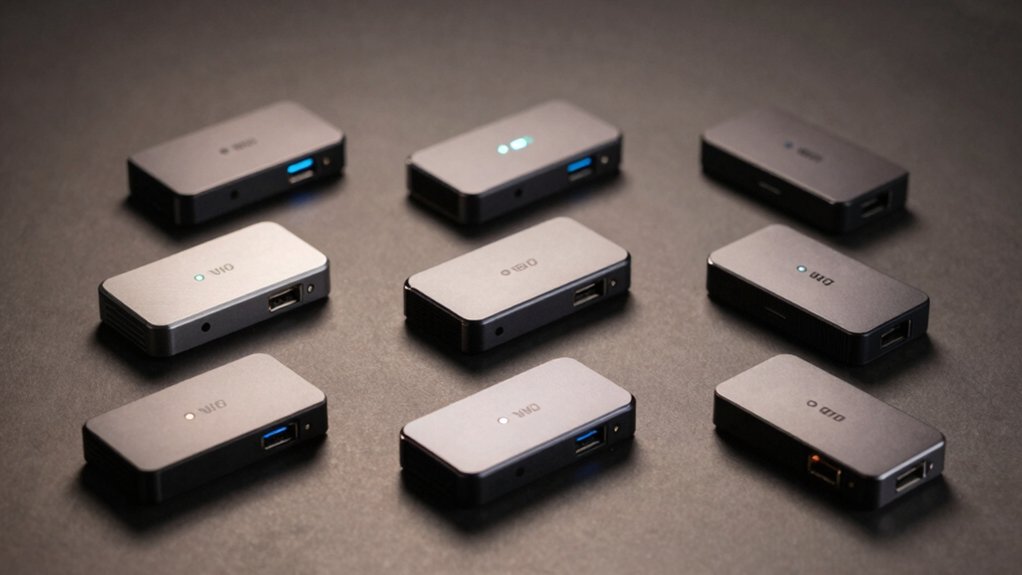

When you need reliable internet in a specific room but WiFi won’t cut it, you’ve got options. You can choose between dual-band adapters like the TP-Link RE315, budget-friendly models from BrosTrend, or powerline kits that use your home’s electrical wiring. Each approach solves different problems—but which one actually fits your setup? Here’s what you need to know to pick the right one.
| TP-Link AC1200 WiFi Extender with Dual Band (RE315) |

| WiFi Coverage Extender | Primary Function: WiFi range extender (wireless repeater) | Maximum Data Transfer Speed: 1.2 Gbps (AC1200) | Wired Ethernet Port: Yes (1 Fast Ethernet port) | VIEW LATEST PRICE | Read Our Analysis |
| BrosTrend AC1200 WiFi to Ethernet Adapter |

| Budget-Friendly Pick | Primary Function: WiFi to Ethernet adapter (wireless bridge) | Maximum Data Transfer Speed: 1.2 Gbps (AC1200; 867 Mbps 5GHz + 300 Mbps 2.4GHz) | Wired Ethernet Port: Yes (Ethernet port for wired device connection) | VIEW LATEST PRICE | Read Our Analysis |
| BrosTrend AC1200 WiFi to Ethernet Adapter with Gigabit Port |

| Best Value | Primary Function: WiFi to Ethernet adapter with Gigabit port (wireless bridge) | Maximum Data Transfer Speed: 1.2 Gbps (AC1200; 867 Mbps 5GHz + 300 Mbps 2.4GHz) | Wired Ethernet Port: Yes (1 Gbps Gigabit RJ45 port) | VIEW LATEST PRICE | Read Our Analysis |
| AC1200Mbps WiFi to Ethernet Adapter with RJ45 Port |

| Reliable Performer | Primary Function: WiFi to Ethernet adapter with RJ45 port (wireless bridge) | Maximum Data Transfer Speed: 1.2 Gbps (AC1200; 867 Mbps 5GHz + 300 Mbps 2.4GHz) | Wired Ethernet Port: Yes (Fast Ethernet RJ45 port) | VIEW LATEST PRICE | Read Our Analysis |
| IOGEAR Universal Ethernet to Wi-Fi N Adapter (GWU637) |

| Legacy Device Solution | Primary Function: WiFi to Ethernet adapter (wireless bridge) | Maximum Data Transfer Speed: 300 Mbps (2.4GHz only) | Wired Ethernet Port: Yes (Ethernet port) | VIEW LATEST PRICE | Read Our Analysis |
| TP-Link AC1900 WiFi Range Extender RE550 |

| Premium Range Extender | Primary Function: WiFi range extender with Gigabit port (wireless repeater) | Maximum Data Transfer Speed: 1.9 Gbps (AC1900; 1300 Mbps 5GHz + 600 Mbps 2.4GHz) | Wired Ethernet Port: Yes (1 Gbps Gigabit port) | VIEW LATEST PRICE | Read Our Analysis |
| BrosTrend WiFi 6 AX3000 WiFi to Ethernet Adapter |

| Best Overall | Primary Function: WiFi 6 to Ethernet adapter with Gigabit port (wireless bridge) | Maximum Data Transfer Speed: 3.0 Gbps (WiFi 6 AX3000) | Wired Ethernet Port: Yes (1 Gbps Gigabit port) | VIEW LATEST PRICE | Read Our Analysis |
| GL.iNet GL-SFT1200 Portable WiFi Travel Router |

| Travel Router | Primary Function: Portable WiFi travel router (mobile router/repeater) | Maximum Data Transfer Speed: 1.2 Gbps (AC1200; 867 Mbps 5GHz + 300 Mbps 2.4GHz) | Wired Ethernet Port: Yes (2 LAN + 1 WAN Gigabit ports) | VIEW LATEST PRICE | Read Our Analysis |
| TP-Link AV600 Powerline Ethernet Adapter Kit |

| Wired Network Alternative | Primary Function: Powerline Ethernet adapter kit (electrical circuit network) | Maximum Data Transfer Speed: 600 Mbps (AV600 powerline) | Wired Ethernet Port: Yes (100 Mbps Ethernet port on each adapter) | VIEW LATEST PRICE | Read Our Analysis |
More Details on Our Top Picks
TP-Link AC1200 WiFi Extender with Dual Band (RE315)
If you’re struggling with dead zones in your home or need to connect devices in rooms far from your router, the TP-Link RE315 is the best choice from this lineup because it delivers reliable coverage across up to 1500 square feet while maintaining consistent connection speeds. You’ll set it up through the TP-Link Tether app on your smartphone, then position it strategically using the app’s signal indicator to find the optimal location. The extender supports dual-band WiFi on both 5 GHz and 2.4 GHz frequencies, connecting up to 32 devices simultaneously. You can also use its Ethernet port to hardwire devices directly for added stability. The RE315 automatically connects to your strongest available signal, ensuring uninterrupted coverage as you move throughout your space.
- Primary Function:WiFi range extender (wireless repeater)
- Maximum Data Transfer Speed:1.2 Gbps (AC1200)
- Wired Ethernet Port:Yes (1 Fast Ethernet port)
- Wireless Band Support:Dual-band (5 GHz and 2.4 GHz)
- Setup Method:TP-Link Tether app (iOS/Android)
- Warranty Duration:Covered by TP-Link security commitment (warranty duration not specified)
- Additional Feature:Supports up to 32 devices
- Additional Feature:Adaptive Path Selection roaming
- Additional Feature:One-Touch Connection setup
BrosTrend AC1200 WiFi to Ethernet Adapter
The BrosTrend AC1200 WiFi to Ethernet Adapter works best for anyone who needs to connect a wired device—like a smart TV, game console, network printer, or computer—to your wireless network without running an Ethernet cable across your home. This dual-band adapter delivers up to 867 Mbps on 5 GHz and 300 Mbps on 2.4 GHz, making it suitable for streaming, gaming, and music. It’s compatible with any 802.11ax/ac/a/b/g/n Wi-Fi router. Two externally adjustable antennas improve signal reception. Setup requires no driver installation—you simply plug it into an outlet, connect your Ethernet device, and use WPS Easy Setup for quick pairing.
- Primary Function:WiFi to Ethernet adapter (wireless bridge)
- Maximum Data Transfer Speed:1.2 Gbps (AC1200; 867 Mbps 5GHz + 300 Mbps 2.4GHz)
- Wired Ethernet Port:Yes (Ethernet port for wired device connection)
- Wireless Band Support:Dual-band (5 GHz and 2.4 GHz)
- Setup Method:WPS Easy Setup button
- Warranty Duration:2-year manufacturer warranty (via registration)
- Additional Feature:2 externally adjustable antennas
- Additional Feature:No driver installation needed
- Additional Feature:Universal 802.11ac compatibility
BrosTrend AC1200 WiFi to Ethernet Adapter with Gigabit Port
Want to connect a single wired device—like a smart TV, gaming console, or printer—to your WiFi network without running an Ethernet cable across your home? The BrosTrend AC1200 delivers a 1 Gbps Ethernet port paired with dual-band WiFi (867 Mbps at 5 GHz, 300 Mbps at 2.4 GHz). Setup takes minutes: press the WPS button on your router, then on the adapter, or use the web interface from any device. No drivers required. The included Ethernet cable connects directly to your device. You’ll get stable wireless uplink performance without bottlenecks, backed by a two-year manufacturer warranty.
- Primary Function:WiFi to Ethernet adapter with Gigabit port (wireless bridge)
- Maximum Data Transfer Speed:1.2 Gbps (AC1200; 867 Mbps 5GHz + 300 Mbps 2.4GHz)
- Wired Ethernet Port:Yes (1 Gbps Gigabit RJ45 port)
- Wireless Band Support:Dual-band (5 GHz and 2.4 GHz)
- Setup Method:WPS button or Web UI via smartphone/tablet/computer
- Warranty Duration:2-year manufacturer warranty (via registration)
- Additional Feature:Gigabit Ethernet port included
- Additional Feature:WPS button fast pairing
- Additional Feature:2-year manufacturer warranty included
AC1200Mbps WiFi to Ethernet Adapter with RJ45 Port
Does your printer, TV, or game console sit too far from your router for a reliable wired connection? The AC1200Mbps WiFi to Ethernet Adapter bridges that gap. It delivers up to 867Mbps on 5GHz and 300Mbps on 2.4GHz, supporting streaming, VoIP, and downloads. The adapter requires no driver installation—simply connect it to your device’s Ethernet port and select your network. Two adjustable external antennas optimize signal strength and positioning. The package includes a 5-foot RJ45 cable, making setup straightforward. This adapter works with printers, cameras, TVs, Blu-ray players, gaming consoles, and computers, making it a practical solution for wired connectivity anywhere in your home.
- Primary Function:WiFi to Ethernet adapter with RJ45 port (wireless bridge)
- Maximum Data Transfer Speed:1.2 Gbps (AC1200; 867 Mbps 5GHz + 300 Mbps 2.4GHz)
- Wired Ethernet Port:Yes (Fast Ethernet RJ45 port)
- Wireless Band Support:Dual-band (5 GHz and 2.4 GHz)
- Setup Method:No driver installation required; WPS or browser setup
- Warranty Duration:2-year warranty registration
- Additional Feature:180-degree adjustable antennas
- Additional Feature:5-foot RJ45 cable included
- Additional Feature:No driver installation required
IOGEAR Universal Ethernet to Wi-Fi N Adapter (GWU637)
If you’ve got older devices stuck with Ethernet-only connections—network printers, VOIP phones, A/V receivers, or legacy laptops—this adapter transforms them into Wi-Fi enabled equipment without requiring a full replacement. The GWU637 delivers up to 300Mbps on 2.4GHz, sufficient for file transfers, music downloads, video streaming, and online gaming. Its compact design runs 40% smaller than previous models, fitting easily near your home theater setup or any wireless point. USB power eliminates outlet dependency—simply connect the included cable to USB-enabled devices. Setup occurs through Wi-Fi Protected Setup (WPS) or web browsers like Firefox, IE, or Safari. The adapter supports WEP, WPA, WPA2, TKIP, and AES encryption for secure connections. Note that it operates solely on 2.4GHz networks and connects directly to your wireless router without creating secondary networks.
- Primary Function:WiFi to Ethernet adapter (wireless bridge)
- Maximum Data Transfer Speed:300 Mbps (2.4GHz only)
- Wired Ethernet Port:Yes (Ethernet port)
- Wireless Band Support:Single-band (2.4 GHz only)
- Setup Method:WPS or web browser (Firefox, IE, Safari)
- Warranty Duration:Warranty not specified (safety/product resources referenced)
- Additional Feature:USB-powered, no outlet needed
- Additional Feature:Compact 40% smaller design
- Additional Feature:Wi-Fi Protected Setup (WPS) support
TP-Link AC1900 WiFi Range Extender RE550
The TP-Link AC1900 WiFi Range Extender RE550 works best for you if you’re looking to eliminate dead zones while maintaining fast speeds through both wired and wireless connections. This dual-band repeater delivers up to 1900 Mbps total bandwidth across 5 GHz and 2.4 GHz bands. You’ll connect it via its Gigabit Ethernet port to devices like gaming consoles or smart TVs for reliable wired access. Alternatively, switch it to Access Point mode to convert any wired connection into a Wi-Fi hotspot. Setup takes minutes through the Tether app, which also manages security features and firmware updates. Three external antennas optimize coverage across 2100 square feet.
- Primary Function:WiFi range extender with Gigabit port (wireless repeater)
- Maximum Data Transfer Speed:1.9 Gbps (AC1900; 1300 Mbps 5GHz + 600 Mbps 2.4GHz)
- Wired Ethernet Port:Yes (1 Gbps Gigabit port)
- Wireless Band Support:Dual-band (5 GHz and 2.4 GHz)
- Setup Method:TP-Link Tether app with intelligent signal indicator
- Warranty Duration:2-year manufacturer warranty
- Additional Feature:Three external antennas optimization
- Additional Feature:Access Point mode available
- Additional Feature:Covers up to 2100 sq.ft
BrosTrend WiFi 6 AX3000 WiFi to Ethernet Adapter
Want a WiFi to Ethernet adapter that works with nearly any wired device you own? The BrosTrend WiFi 6 AX3000 connects your TV, gaming console, printer, or computer directly to your WiFi 6 router. Set it up using WPS pairing—no software installation required. The adapter delivers 3000 Mbps total speed across dual bands and includes a Gigabit Ethernet port for reliable 1 Gbps connections. Two antennas with high-power amplifiers strengthen your signal. You’ll receive a 5-foot Ethernet cable, quick installation guide, and two-year warranty. This adapter works with devices needing stable wired connections from wireless networks.
- Primary Function:WiFi 6 to Ethernet adapter with Gigabit port (wireless bridge)
- Maximum Data Transfer Speed:3.0 Gbps (WiFi 6 AX3000)
- Wired Ethernet Port:Yes (1 Gbps Gigabit port)
- Wireless Band Support:Dual-band (5 GHz and 2.4 GHz with WiFi 6)
- Setup Method:WPS pairing; no driver software installation required
- Warranty Duration:2-year manufacturer warranty
- Additional Feature:WiFi 6 (802.11ax) support
- Additional Feature:2 high-power signal amplifiers
- Additional Feature:Gigabit Ethernet port included
GL.iNet GL-SFT1200 Portable WiFi Travel Router
You’ll find the GL-SFT1200 works best for travelers, remote workers, and RV users who need a compact router that converts public WiFi or wired connections into a private network. This AC1200 dual-band router delivers 300 Mbps on 2.4GHz and 867 Mbps on 5GHz through two retractable antennas. Connect it via Ethernet to a fiber optic modem or USB to your device, then configure your private network through the admin panel. The router supports OpenVPN and WireGuard encryption for secure browsing. Weighing just 145 grams with a 2-year warranty, it fits easily in your travel bag and handles repeater functions when public hotspots disconnect.
- Primary Function:Portable WiFi travel router (mobile router/repeater)
- Maximum Data Transfer Speed:1.2 Gbps (AC1200; 867 Mbps 5GHz + 300 Mbps 2.4GHz)
- Wired Ethernet Port:Yes (2 LAN + 1 WAN Gigabit ports)
- Wireless Band Support:Dual-band (5 GHz and 2.4 GHz)
- Setup Method:Manual setup via User Manual and setup video guide
- Warranty Duration:2-year limited warranty
- Additional Feature:OpenWrt-compatible router platform
- Additional Feature:Retractable dual antennas design
- Additional Feature:VPN client hardware switch
TP-Link AV600 Powerline Ethernet Adapter Kit
If you’re looking to extend your wired internet connection without running cables through walls or drilling holes, the TP-Link AV600 Powerline Ethernet Adapter Kit (TL-PA4010 KIT) converts your home’s existing electrical circuits into a network backbone. The kit includes two nano-sized adapters with Gigabit ports that deliver up to 600 Mbps theoretical speeds. Setup requires two steps: connect one adapter to your router, then plug the second adapter elsewhere on the same electrical circuit. The adapters work up to 300 meters apart and automatically enter power-saving mode when inactive. You’ll need at least two units, though you can add compatible TP-Link powerline adapters later. Note that actual speeds depend on your electrical wiring quality and network conditions.
- Primary Function:Powerline Ethernet adapter kit (electrical circuit network)
- Maximum Data Transfer Speed:600 Mbps (AV600 powerline)
- Wired Ethernet Port:Yes (100 Mbps Ethernet port on each adapter)
- Wireless Band Support:Not applicable (uses electrical powerline, not WiFi bands)
- Setup Method:Plug and Play (no configuration needed)
- Warranty Duration:2-year manufacturer warranty
- Additional Feature:Uses existing electrical wiring
- Additional Feature:Plug and Play setup
- Additional Feature:Automatic power saving mode
Factors to Consider When Choosing a WiFi to Ethernet Adapter
When you’re selecting a WiFi to Ethernet adapter, you’ll need to evaluate your bandwidth and speed requirements based on your internet plan, check that the Ethernet port type matches your devices, and verify the adapter’s wireless standard aligns with your router’s capabilities. Next, determine how many devices you’ll connect simultaneously and whether you need multiple ports, then assess the setup process to ensure it fits your technical comfort level. These factors work together to determine whether an adapter will deliver the fast, reliable connection you’re seeking.
Bandwidth and Speed Requirements
What bandwidth does your connected device actually need? Start by identifying your primary use: HD streaming requires sustained speeds around 25 Mbps, while gaming demands lower latency but similar bandwidth. AC1200 adapters deliver 867 Mbps on 5 GHz and 300 Mbps on 2.4 GHz, providing sufficient capacity for these tasks. However, real-world speeds fall below theoretical maximums due to Wi-Fi band limitations and your internet plan constraints. Choose an adapter with a Gigabit Ethernet port (1 Gbps) to prevent bottlenecking at 100 Mbps. For stability-dependent devices, prioritize dual-band support with robust signal amplification. Note that powerline and compact adapters may experience performance variance from electrical noise or circuit conditions, reducing achievable bandwidth despite advertised speeds.
Ethernet Port Type Matters
Your adapter’s Ethernet port type directly determines the maximum wired speed your connected devices can achieve, so you’ll want to understand the difference between the two main options: Fast Ethernet (100 Mbps) and Gigabit Ethernet (1 Gbps).
Fast Ethernet ports max out at 100 Mbps, which creates a bottleneck if you’re connecting high-performance devices. Gigabit Ethernet ports support 1 Gbps, preventing speed limitations and enabling stable connections for gaming consoles, PCs, and smart TVs that demand consistent throughput.
Choose a Gigabit port if you’re streaming 4K content or uplink the adapter to a high-speed Wi-Fi network. Without a 1 Gbps port, even fast wireless bridges can’t exceed 100 Mbps wired speeds, restricting your overall performance regardless of your Wi-Fi capabilities.
Wireless Standard Compatibility
How does your router communicate with devices on your network? Through wireless standards that determine compatibility. Your adapter must support the same standards as your router to function properly.
Check your router’s specifications for supported standards like 802.11ac, 802.11n, or the newer 802.11ax (Wi-Fi 6). Your adapter should match these standards. Most adapters support multiple generations—802.11ax/ac/a/b/g/n—ensuring broad compatibility with existing routers.
Next, verify dual-band capability. Some adapters work on both 2.4 GHz and 5 GHz frequencies, while others support only 2.4 GHz. Dual-band adapters connect to more networks and typically offer better performance.
Finally, confirm security protocol compatibility. Ensure your adapter supports WPA2 and WPA3 encryption to match your router’s security settings. Matching wireless standards, frequency bands, and security protocols guarantees stable, fast performance.
Device Connection Needs
Before selecting a WiFi to Ethernet adapter, you’ll need to identify how many devices you’re connecting and what they’ll do. Single-port adapters work for one device like a gaming console or printer, while multi-port adapters handle several devices simultaneously. Next, determine your usage requirements. Streaming video and online gaming demand higher bandwidth than email or web browsing. Check whether you need the adapter to function as a bridge, sharing connectivity across multiple wired devices, or simply connect one device to your Wi-Fi network. Finally, consider your physical setup. Some adapters require dedicated power outlets, limiting placement options, while USB-powered models offer greater flexibility. Match these needs to adapter capabilities before purchasing.
Setup and Installation Ease
When you’re ready to set up your WiFi to Ethernet adapter, prioritize models that offer quick-connect features like WPS pairing or smartphone app setup, since these options cut down on installation steps substantially. Look for adapters requiring no driver installation, which speeds up the process considerably. Check whether the device includes a simple Web UI or installer guide for straightforward configuration. Verify that your adapter supports universal compatibility with 802.11ac/n/a/g/b routers to ensure seamless connection to your existing network. Review included accessories like Ethernet cables and quick installation guides before purchasing. Additionally, examine LED or signal indicators on the device itself—these placement indicators help you locate optimal spots for the strongest wireless uplink. Finally, confirm warranty terms to address any post-purchase concerns.
Physical Size and Design
After you’ve confirmed installation simplicity and compatibility, you’ll need to evaluate the physical dimensions and design of your adapter, since placement directly affects performance and usability in your setup. Measure the space where you’ll position the unit—behind your TV, near a game console, or beside a printer—and compare it against the adapter’s exact dimensions and weight. Check whether the model uses external antennas, which require additional clearance and reduce placement flexibility. Review included hardware specifications, particularly cable lengths and mounting brackets, as these determine integration ease. Prioritize adapters with stable, non-slip designs that won’t shift during use. Verify that ports are positioned accessibly so you can connect cables without awkward angles or obstruction from nearby furniture.
Power Supply Options
Power delivery is a critical factor that’ll determine where you can place your adapter and how reliably it’ll operate. You’ll encounter three main power options: USB-powered adapters, dedicated power cables, and mains-powered setups. USB-powered adapters draw power directly from your host device’s USB port, eliminating wall outlet needs but potentially limiting placement if your device lacks adequate power output. Dedicated power cables connect to USB-enabled devices or TVs, offering more flexibility in positioning. Mains-powered adapters provide consistent, reliable operation without depending on your host device’s power capacity. Consider your setup’s power requirements carefully. Compact designs may generate heat during extended use, so guarantee adequate ventilation. Check warranty details accompanying your chosen power setup for support guidance if issues arise.
Warranty and Support Coverage
Warranty-and-support details matter because they determine how you’re protected if your adapter fails or underperforms. First, confirm the warranty period in writing—most adapters offer 2 years—and check whether you must register the product to activate coverage. Next, verify what the warranty covers: hardware defects alone or performance issues too. Review the return policy window, typically 30 days on marketplaces, and note any conditions affecting eligibility. Then confirm the manufacturer provides multiple support channels like phone, email, or live chat. Check for documented troubleshooting resources available online. Finally, identify regional limitations and seller-specific restrictions, including warranty extensions or open-box item exclusions. These details directly impact your ability to get repairs or replacements.
Final Thoughts
To select the right adapter, you’ll need to check your speed requirements and device compatibility. Verify that your adapter has a Gigabit Ethernet port to prevent slowdowns. Confirm dual-band support for better performance. Review setup options—WPS buttons offer quick connections, while web interfaces provide more control. Match the adapter’s speed rating to your internet plan. Test the connection after installation to ensure you’re getting expected throughput.

Meet Ry, “TechGuru,” a 36-year-old technology enthusiast with a deep passion for tech innovations. With extensive experience, he specializes in gaming hardware and software, and has expertise in gadgets, custom PCs, and audio.
Besides writing about tech and reviewing new products, he enjoys traveling, hiking, and photography. Committed to keeping up with the latest industry trends, he aims to guide readers in making informed tech decisions.