
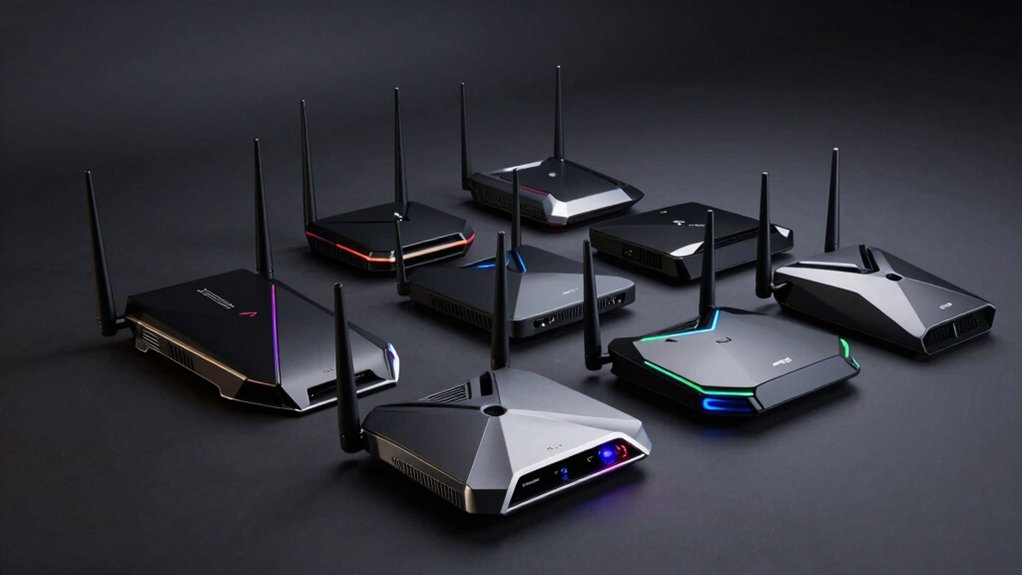

When you’re gaming online, your router’s performance directly impacts your experience. High latency causes lag, delays, and frustration during competitive play. You’ll want a router that prioritizes speed and stability over everything else. The seven routers we’ve identified offer different features, price points, and capabilities—but which one fits your needs? We’ll break down each option so you can make an informed choice.
| TP-Link Archer AX21 WiFi 6 Router |

| Budget Gaming Router | WiFi Standard: WiFi 6 (802.11ax) | Band Configuration: Dual-band (5 GHz + 2.4 GHz) | Security Features: WPA/WPA2/WPA3, VPN server support | VIEW LATEST PRICE | Read Our Analysis |
| TP-Link AXE5400 WiFi 6E Router (Archer AXE75) |

| Best Mid-Range Option | WiFi Standard: WiFi 6E (802.11ax) | Band Configuration: Tri-band (6 GHz + 5 GHz + 2.4 GHz) | Security Features: WPA3/WPA2/WPA2-Enterprise, VPN server/client, HomeShield | VIEW LATEST PRICE | Read Our Analysis |
| NETGEAR Nighthawk WiFi 7 Router (BE9300) |

| Ultimate Performance Leader | WiFi Standard: WiFi 7 | Band Configuration: Tri-band | Security Features: Built-in security, NETGEAR Armor suite | VIEW LATEST PRICE | Read Our Analysis |
| TP-Link BE6500 WiFi 7 Router (BE400) |

| Best WiFi 7 Value | WiFi Standard: WiFi 7 | Band Configuration: Dual-band (5 GHz + 2.4 GHz) | Security Features: WPA3, TP-Link HomeShield, VPN client/server | VIEW LATEST PRICE | Read Our Analysis |
| TP-Link Tri-Band BE9300 WiFi 7 Router (BE550) |

| Premium All-Rounder | WiFi Standard: WiFi 7 | Band Configuration: Tri-band (6 GHz + 5 GHz + 2.4 GHz) | Security Features: WPA3, TP-Link HomeShield, VPN client/server | VIEW LATEST PRICE | Read Our Analysis |
| GL.iNet GL-MT6000 WiFi 6 Gaming Router |

| Best VPN Gaming Router | WiFi Standard: WiFi 6 (802.11ax) | Band Configuration: Dual-band (5 GHz + 2.4 GHz) | Security Features: WPA3, built-in VPN, AdGuard Home support | VIEW LATEST PRICE | Read Our Analysis |
| HYPEREV AX3000 Gaming Router WiFi 6 Booster |

| Instant Gaming Boost | WiFi Standard: WiFi 6 (802.11ax) | Band Configuration: Dual-band (5 GHz + 2.4 GHz) | Security Features: Game acceleration focus, GearUP VIP plan included | VIEW LATEST PRICE | Read Our Analysis |
More Details on Our Top Picks
TP-Link Archer AX21 WiFi 6 Router
Want a router that delivers consistent, low-latency performance without breaking your budget? The TP-Link Archer AX21 offers Wi-Fi 6 technology with dual-band capability that reduces network congestion. You’ll get up to 1.8 Gbps total bandwidth across 5 GHz and 2.4 GHz bands. The router uses OFDMA technology to communicate with multiple devices simultaneously, preventing bottlenecks during gaming sessions. Its beamforming feature and four high-gain antennas focus your signal for stable connections. Setup requires a modem, standard Ethernet cable, and the included power adapter. You can manage settings through the Tether app and access 24/7 support. The two-year warranty covers hardware defects, ensuring reliable performance for competitive gaming.
- WiFi Standard:WiFi 6 (802.11ax)
- Band Configuration:Dual-band (5 GHz + 2.4 GHz)
- Security Features:WPA/WPA2/WPA3, VPN server support
- Maximum Device Support:Not specified
- WiFi Coverage Area:Long-range coverage (unspecified sq. ft.)
- Warranty & Support:2-year warranty, 24/7 technical support
- Additional Feature:Alexa voice control compatible
- Additional Feature:Easy Mesh setup support
- Additional Feature:OFDMA simultaneous device communication
TP-Link AXE5400 WiFi 6E Router (Archer AXE75)
Looking for a router that eliminates lag across multiple gaming devices simultaneously? The Archer AXE75 delivers tri-band WiFi 6E with speeds up to 5400 Mbps across three bands: 6 GHz at 2402 Mbps, 5 GHz at 2402 Mbps, and 2.4 GHz at 574 Mbps. The new 6 GHz band provides more available bandwidth and near-zero latency for gaming. OFDMA technology supports simultaneous device transmissions, preventing slowdowns when multiple players connect. Its 1.7 GHz quad-core CPU handles heavy network traffic efficiently. The router includes eight antennas for stronger coverage and five ports for wired connections. Enable QoS settings to prioritize gaming traffic. Connect your primary gaming device via Ethernet for optimal performance.
- WiFi Standard:WiFi 6E (802.11ax)
- Band Configuration:Tri-band (6 GHz + 5 GHz + 2.4 GHz)
- Security Features:WPA3/WPA2/WPA2-Enterprise, VPN server/client, HomeShield
- Maximum Device Support:Not specified
- WiFi Coverage Area:Not specified
- Warranty & Support:2-year warranty, 24/7 support
- Additional Feature:New 6GHz band addition
- Additional Feature:Quad-Core CPU processor
- Additional Feature:HomeShield IoT protection service
NETGEAR Nighthawk WiFi 7 Router (BE9300)
If you’re building a gaming setup that demands the fastest possible wireless speeds without lag, the NETGEAR Nighthawk WiFi 7 Router (BE9300) delivers 9.3Gbps of throughput—2.4x faster than WiFi 6—across its tri-band design. You’ll need a separate cable modem to connect to your internet service. The router covers up to 2,500 square feet and supports 100 devices simultaneously. Its 2.5 Gigabit internet port handles multi-gig speeds for competitive gaming and streaming. The compact design fits easily in your setup. Built-in security through NETGEAR Armor protects against threats. You’ll manage everything through the Nighthawk app for straightforward configuration and monitoring.
- WiFi Standard:WiFi 7
- Band Configuration:Tri-band
- Security Features:Built-in security, NETGEAR Armor suite
- Maximum Device Support:Up to 100 devices
- WiFi Coverage Area:Up to 2,500 sq. ft.
- Warranty & Support:Warranty included, built-in support via app
- Additional Feature:2.5 Gigabit internet port
- Additional Feature:Supports 100+ devices
- Additional Feature:2,500 sq ft coverage
TP-Link BE6500 WiFi 7 Router (BE400)
The TP-Link BE6500 delivers the low-latency performance that competitive gamers need through its Multi-Link Operation (MLO) technology, which reduces lag by splitting data across multiple frequency bands simultaneously. You’ll get up to 5764 Mbps on 5GHz and 688 Mbps on 2.4GHz across six streams. The router supports 90 devices, so your gaming sessions won’t slow down with other household activity. Its 2.5 Gbps wired ports connect directly to your gaming PC or console for maximum stability. Install HomeShield for real-time IoT security without performance impact. Use the Tether app to monitor network conditions and adjust settings quickly during gameplay.
- WiFi Standard:WiFi 7
- Band Configuration:Dual-band (5 GHz + 2.4 GHz)
- Security Features:WPA3, TP-Link HomeShield, VPN client/server
- Maximum Device Support:Up to 90 devices
- WiFi Coverage Area:Up to 2,400 sq. ft.
- Warranty & Support:2-year warranty, expert support available
- Additional Feature:Multi-Link Operation (MLO) tech
- Additional Feature:Dual 2.5 Gbps ports
- Additional Feature:4K/8K streaming optimized
TP-Link Tri-Band BE9300 WiFi 7 Router (BE550)
Want a router that handles multiple high-bandwidth gaming sessions without lag? The TP-Link Archer BE550 delivers with its WiFi 7 tri-band setup and 320 MHz channels. You’ll get speeds up to 5760 Mbps on the 6 GHz band, 2880 Mbps on 5 GHz, and 574 Mbps on 2.4 GHz. Its six internal antennas with beamforming maintain stable connections across 2,000 square feet. Connect your gaming devices to the 2.5G WAN port for optimal performance, then use the four 2.5G LAN ports for wired connections to reduce latency further. Enable WPA3 encryption and HomeShield protection to secure your network while gaming.
- WiFi Standard:WiFi 7
- Band Configuration:Tri-band (6 GHz + 5 GHz + 2.4 GHz)
- Security Features:WPA3, TP-Link HomeShield, VPN client/server
- Maximum Device Support:Not specified
- WiFi Coverage Area:Up to 2,000 sq. ft.
- Warranty & Support:2-year warranty
- Additional Feature:320 MHz channel support
- Additional Feature:Four 2.5G LAN ports
- Additional Feature:Private IoT Network separation
GL.iNet GL-MT6000 WiFi 6 Gaming Router
Looking for a router that combines fiber-optic connectivity with gaming-grade performance? The GL-MT6000 delivers WiFi 6 speeds up to 6 Gbps with ultra-low latency through its 8-stream technology. You’ll connect your fiber modem using either of two 2.5G Ethernet ports, then distribute connections across four 1G LAN ports and wireless bands. The router supports over one hundred devices simultaneously while maintaining stable connections. Setup requires you to connect via Ethernet, access the web Admin Panel, and update firmware for peak performance. WireGuard VPN reaches 900 Mbps, and AdGuard Home blocks ads at the DNS level. You get two years of warranty coverage with this black gaming-focused unit.
- WiFi Standard:WiFi 6 (802.11ax)
- Band Configuration:Dual-band (5 GHz + 2.4 GHz)
- Security Features:WPA3, built-in VPN, AdGuard Home support
- Maximum Device Support:Over 100 devices
- WiFi Coverage Area:Wide coverage
- Warranty & Support:2-year warranty
- Additional Feature:Dual 2.5G Ethernet ports
- Additional Feature:Built-in VPN support
- Additional Feature:AdGuard Home ad blocking
HYPEREV AX3000 Gaming Router WiFi 6 Booster
If you’re gaming on PS5, PC, or Switch without wanting to replace your entire router setup, the HYPEREV AX3000 works as a plug-and-play accelerator that reduces lag and stabilizes your connection immediately. You’ll connect it via Ethernet or wireless, then access acceleration settings through the GearUP Router app to optimize your gaming routes. The dual-band WiFi 6 system operates on both 5GHz and 2.4GHz frequencies, delivering speeds up to 2402 Mbps while minimizing packet loss and lowering ping across 1,000+ games. Your subscription includes a 90-day GearUP VIP Core Plan for game-specific optimization. Note that this booster isn’t compatible with Starlink connections.
- WiFi Standard:WiFi 6 (802.11ax)
- Band Configuration:Dual-band (5 GHz + 2.4 GHz)
- Security Features:Game acceleration focus, GearUP VIP plan included
- Maximum Device Support:1000+ games compatible
- WiFi Coverage Area:Not specified
- Warranty & Support:90-day GearUP VIP plan included
- Additional Feature:90-Day GearUP VIP included
- Additional Feature:Plug-and-play installation
- Additional Feature:Game-specific optimization routes
Factors to Consider When Choosing Low Latency Wifi Routers
You’ll need to evaluate WiFi 6 versus WiFi 7 technology based on your current devices and future needs, then choose between dual-band and tri-band options depending on how many devices you’ll connect simultaneously. Check the antenna configuration and beamforming capabilities to ensure the router directs signal strength toward your gaming setup, and verify the device capacity matches your household’s number of connected devices. Finally, confirm the wired port speed and connectivity options meet your needs, since hardwiring your gaming console or PC directly to the router through Ethernet reduces latency more effectively than wireless connections.
Wifi 6 Vs Wifi 7 Technology
When you’re selecting a low-latency router for gaming, understanding the core differences between WiFi 6 and WiFi 7 will help you make an informed decision. WiFi 6 delivers roughly 1.8 Gbps through OFDMA and MU-MIMO technology, which improves performance in crowded spaces. WiFi 7 pushes speeds to 7,000–9,000+ Mbps using wider channels and 4K-QAM modulation. For latency specifically, WiFi 7’s Multi-Link Operation and enhanced scheduling maintain consistently low delays during intense gaming sessions with multiple devices connected. WiFi 6E adds the 6 GHz band for reduced interference, improving real-world speeds. Choose WiFi 7 if you prioritize the lowest possible latency and highest sustained performance under heavy multi-device loads. Select WiFi 6E if you need significant improvements over standard WiFi 6 at a lower cost.
Dual-Band and Tri-Band Options
Router design fundamentally affects how your devices share bandwidth and maintain low latency during gaming. You’ll encounter two main options: dual-band and tri-band routers.
Dual-band routers operate on 2.4 GHz and 5 GHz frequencies. They combine total wireless throughput from both bands, but under heavy device loads, performance drops as congestion increases.
Tri-band routers add either a second 5 GHz band or a 6 GHz band (Wi-Fi 6E). This third band reduces congestion by distributing devices across three frequencies instead of two. You’ll experience more stable ping times when multiple devices stream simultaneously.
For gaming, choose tri-band if you have many connected devices. The dedicated bandwidth allocation keeps your latency consistent. Dual-band works adequately for lighter usage scenarios with fewer simultaneous connections.
Antenna Configuration and Beamforming
How does antenna design shape your router’s ability to deliver low latency? Your router’s antenna count and placement directly affect beamforming precision. More high-gain antennas enable targeted signal direction toward your devices, improving signal-to-noise ratio and reducing latency. Beamforming focuses Wi-Fi signals toward connected devices rather than broadcasting in all directions, enhancing link reliability and throughput at distance. Multi-antenna MIMO configurations, including tri- or quad-antenna setups, support simultaneous data streams, lowering device contention and improving per-device latency under heavy load. When selecting a router, prioritize models with at least three antennas positioned for optimal coverage in your space. Pair antenna selection with proper channel and band choices to minimize interference and retransmissions, yielding consistently lower latency in crowded environments.
Device Capacity and Simultaneous Connections
Why does your router’s device capacity matter for low latency gaming? Your router manages connections to every device on your network. When too many devices connect simultaneously, your router’s processor and memory get overloaded, causing lag spikes during competitive gameplay.
Check your router’s specifications for maximum supported device count. Tri-band and WiFi 6 routers typically handle more concurrent connections than dual-band models because they distribute traffic across additional channels. Look for routers with multi-core CPUs and at least 256MB RAM—these components process data faster under heavy loads.
If you’re adding devices frequently, consider mesh systems with OneMesh support. They expand capacity without saturating a single router. Enable QoS and band steering features to prioritize gaming traffic, ensuring your connections stay responsive regardless of household device count.
Wired Port Speed and Connectivity
While managing device capacity keeps your network from choking under load, your wired port speed determines how fast data actually moves through the physical connections that matter most for gaming. Look for routers with gigabit (1 Gbps) WAN/LAN ports at minimum. If you’re upgrading to fiber or higher-speed internet, choose models with 2.5 Gbps multi-gig ports to eliminate bottlenecks between modem and router. For multiple wired devices, connect an external switch to expand port availability while maintaining low-latency paths. Use Cat6a or Cat7 cables for runs beyond 100 feet to preserve speed reliability. Skip USB ports for gaming traffic—they can’t match dedicated Ethernet performance. Prioritize wired connections over wireless whenever possible for consistent, predictable latency.
VPN and Security Features
When you’re gaming online, you’ll want your router to protect your network without slowing down your connection. Your router should support VPN options like OpenVPN, PPTP, and L2TP for secure remote access. Check that it offers WPA3 or WPA2-Enterprise encryption to defend against unauthorized access. Built-in VPN client and server capabilities let you connect to remote networks while maintaining low-latency internet speeds. Look for additional security layers through features like TP-Link HomeShield or NETGEAR Armor, which provide multi-layer protection against network threats, IoT vulnerabilities, and malware. Verify that your router receives regular security-focused firmware updates and follows “Secure-by-Design” principles. These features reduce attack surfaces that could degrade performance, ensuring your gaming experience remains fast and protected.
Mesh Compatibility and Expandability
How do you expand your router’s coverage without sacrificing low latency? You’ll need mesh-compatible equipment that supports either EasyMesh or OneMesh standards. First, select additional nodes designed for your router’s brand or certified for cross-brand compatibility. Second, ensure all devices use the same network protocol and WPA3 security to maintain stable connections. Third, position nodes strategically—place primary nodes centrally and peripheral nodes at coverage edges. Fourth, configure dedicated or hybrid backhaul options to optimize latency between nodes. Finally, verify firmware compatibility before connecting new devices. The number of nodes you add directly affects performance, so start with one node and assess latency before expanding further. Proper placement and backhaul settings prevent performance degradation across your network.
Final Thoughts
To select your low latency WiFi router, identify your budget and gaming needs. Compare the routers’ specifications, focusing on WiFi 6 or WiFi 7 standards for faster speeds. Check your internet provider’s maximum speed to avoid overpaying. Read user reviews from gamers testing latency performance. Purchase from retailers with return policies. Install your router centrally in your home, away from obstacles, then run speed tests to confirm performance meets your requirements.

Meet Ry, “TechGuru,” a 36-year-old technology enthusiast with a deep passion for tech innovations. With extensive experience, he specializes in gaming hardware and software, and has expertise in gadgets, custom PCs, and audio.
Besides writing about tech and reviewing new products, he enjoys traveling, hiking, and photography. Committed to keeping up with the latest industry trends, he aims to guide readers in making informed tech decisions.