
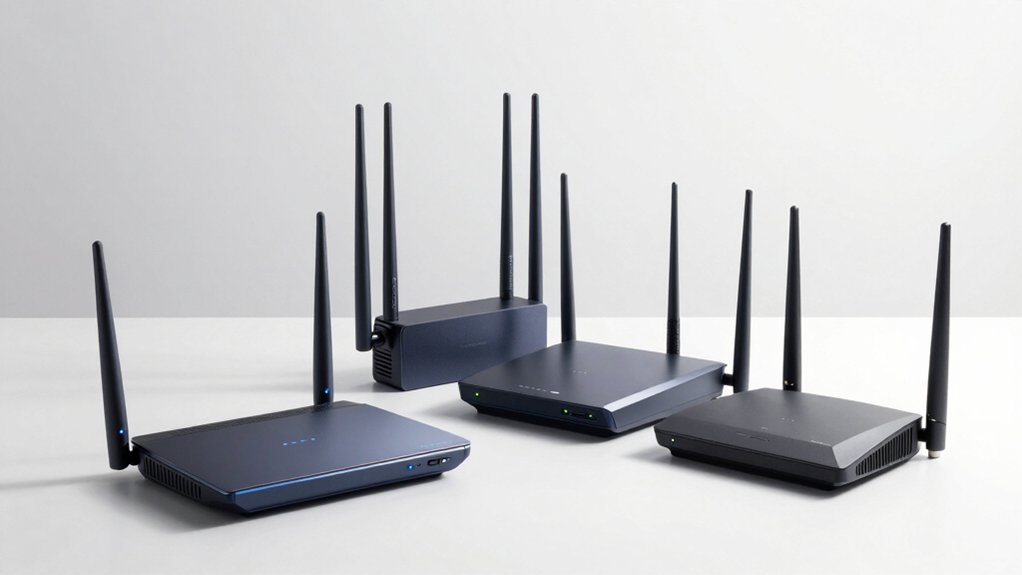

You need a router that prioritizes your bandwidth intelligently instead of letting every device compete equally. Smart Queue Management (SQM) does exactly that—it shapes traffic, reduces lag, and keeps your network responsive even when you’re streaming, gaming, and working simultaneously. But which router actually delivers these features without breaking your budget? We’ll show you the seven models that truly control bandwidth like professionals do.
| GL.iNet GL-MT6000 Flint 2 WiFi 6 Gaming Router |

| Best for Gaming | WiFi Standard: WiFi 6 (802.11ax) | Maximum Wireless Speed: Up to 6 Gbps | Band Configuration: Dual-band (5 GHz) | VIEW LATEST PRICE | Read Our Analysis |
| TP-Link AXE5400 WiFi 6E Router (Archer AXE75) |

| Most Advanced | WiFi Standard: WiFi 6E (802.11ax) | Maximum Wireless Speed: Up to 5.4 Gbps | Band Configuration: Tri-band (6 GHz, 5 GHz, 2.4 GHz) | VIEW LATEST PRICE | Read Our Analysis |
| TP-Link Archer AX55 Dual-Band Wi-Fi 6 Router |

| Best Value | WiFi Standard: WiFi 6 (802.11ax) | Maximum Wireless Speed: Up to 3 Gbps (2402 Mbps 5GHz + 574 Mbps 2.4GHz) | Band Configuration: Dual-band (5 GHz, 2.4 GHz) | VIEW LATEST PRICE | Read Our Analysis |
| NETGEAR Nighthawk WiFi 7 Router (BE9300) |

| Best Overall | WiFi Standard: WiFi 7 | Maximum Wireless Speed: Up to 9.3 Gbps | Band Configuration: Tri-band | VIEW LATEST PRICE | Read Our Analysis |
| TP-Link BE6500 WiFi 7 Router (BE400) |

| Future-Ready Pick | WiFi Standard: WiFi 7 | Maximum Wireless Speed: Up to 5.764 Gbps | Band Configuration: Dual-band (5 GHz, 2.4 GHz) | VIEW LATEST PRICE | Read Our Analysis |
| NETGEAR Nighthawk WiFi 7 Router BE3600 (RS90) |

| Budget Pick | WiFi Standard: WiFi 7 | Maximum Wireless Speed: Up to 3.6 Gbps | Band Configuration: Dual-band (5 GHz, 2.4 GHz) | VIEW LATEST PRICE | Read Our Analysis |
| TP-Link Archer A8 AC1900 Smart WiFi Router |

| Entry-Level Option | WiFi Standard: AC1900 (802.11ac Wave 2) | Maximum Wireless Speed: Up to 1.9 Gbps (1300 Mbps 5GHz + 600 Mbps 2.4GHz) | Band Configuration: Dual-band (5 GHz, 2.4 GHz) | VIEW LATEST PRICE | Read Our Analysis |
More Details on Our Top Picks
GL.iNet GL-MT6000 Flint 2 WiFi 6 Gaming Router
Are you managing a household or gaming setup where multiple devices compete for bandwidth and you need precise control over network traffic? The GL.iNet GL-MT6000 Flint 2 delivers WiFi 6 speeds up to 6 Gbps with ultra-low latency, making it suitable for gaming and streaming. You’ll access bandwidth management tools through the web Admin Panel after connecting via Ethernet. The router supports over 100 devices simultaneously while maintaining stable connections. Its dual-band 5 GHz technology and 8-stream WiFi 6 configuration ensure consistent performance. You can customize network controls through the plugin support system. The built-in security features, including WPA3 encryption, protect your managed traffic.
- WiFi Standard:WiFi 6 (802.11ax)
- Maximum Wireless Speed:Up to 6 Gbps
- Band Configuration:Dual-band (5 GHz)
- VPN Support:Yes (WireGuard up to 900 Mbps; OpenVPN up to 880 Mbps)
- WiFi Coverage Area:Wide coverage; supports 100+ devices
- Warranty:2-year manufacturer warranty
- Additional Feature:Built-in VPN and security features
- Additional Feature:AdGuard Home DNS ad blocking
- Additional Feature:Retractable antenna design
TP-Link AXE5400 WiFi 6E Router (Archer AXE75)
If you’re juggling multiple devices across your home while gaming, streaming, and working simultaneously, the TP-Link Archer AXE75 delivers the bandwidth management you need through its WiFi 6E tri-band system and robust QoS capabilities. The router’s tri-band setup allocates 2402 Mbps on 6GHz, 2402 Mbps on 5GHz, and 574 Mbps on 2.4GHz, ensuring sufficient bandwidth distribution. You’ll access QoS tools to prioritize traffic by application or device type. The quad-core CPU processes data efficiently across multiple simultaneous connections. Its eight antennas provide consistent coverage throughout your space. Configure priority settings through the admin interface to designate gaming or work devices first. The HomeShield security service monitors your network while maintaining performance. You’ll experience reduced latency on latency-sensitive tasks through intelligent traffic routing and OFDMA support.
- WiFi Standard:WiFi 6E (802.11ax)
- Maximum Wireless Speed:Up to 5.4 Gbps
- Band Configuration:Tri-band (6 GHz, 5 GHz, 2.4 GHz)
- VPN Support:Yes (OpenVPN/PPTP/L2TP VPN Server and Client)
- WiFi Coverage Area:Not specified (supports 100+ devices)
- Warranty:2-year manufacturer warranty
- Additional Feature:New 6GHz band support
- Additional Feature:OneMesh whole-home coverage
- Additional Feature:TP-Link HomeShield IoT protection
TP-Link Archer AX55 Dual-Band Wi-Fi 6 Router
The TP-Link Archer AX55 works best if you’re managing multiple devices on a single network and need reliable bandwidth control without breaking your budget. Its QoS feature prioritizes traffic for gaming, streaming, and work applications. The dual-band Wi-Fi 6 delivers 2402 Mbps on 5 GHz and 574 Mbps on 2.4 GHz, supporting simultaneous connections through OFDMA and MU-MIMO. You’ll access bandwidth controls through the intuitive web interface, where you can set limits per device or application. The built-in HomeShield security service monitors network activity while you manage data flow efficiently across your entire household.
- WiFi Standard:WiFi 6 (802.11ax)
- Maximum Wireless Speed:Up to 3 Gbps (2402 Mbps 5GHz + 574 Mbps 2.4GHz)
- Band Configuration:Dual-band (5 GHz, 2.4 GHz)
- VPN Support:Yes (VPN server and VPN client support)
- WiFi Coverage Area:Extended coverage via 4 high-gain antennas
- Warranty:2-year manufacturer warranty
- Additional Feature:EasyMesh compatible mesh support
- Additional Feature:Alexa voice control compatibility
- Additional Feature:Target Wake Time efficiency
NETGEAR Nighthawk WiFi 7 Router (BE9300)
Looking for a router that handles heavy device loads without sacrificing speed? The NETGEAR Nighthawk WiFi 7 Router (BE9300) delivers 9.3Gbps wireless speeds across its tri-band design, supporting up to 100 devices simultaneously. You’ll get 2,500 square feet of coverage with a 2.5 Gigabit internet port for multi-gig connections. Note that you’ll need a separate cable modem to connect to your internet service. The router includes NETGEAR Armor security with a 30-day trial and manages everything through the Nighthawk app. Its compact design fits most spaces efficiently. Set it up with any internet provider using the straightforward app interface for immediate bandwidth control and network management.
- WiFi Standard:WiFi 7
- Maximum Wireless Speed:Up to 9.3 Gbps
- Band Configuration:Tri-band
- VPN Support:VPN-ready
- WiFi Coverage Area:Up to 2,500 sq. ft.
- Warranty:Not specified
- Additional Feature:WiFi 7 (2.4x faster WiFi 6)
- Additional Feature:NETGEAR Armor security suite
- Additional Feature:2,500 sq. ft. coverage
TP-Link BE6500 WiFi 7 Router (BE400)
Want a router that handles heavy internet traffic without slowing down your streaming, gaming, or work calls? The TP-Link BE6500 delivers with Wi-Fi 7 technology supporting up to 5764 Mbps on 5GHz and 688 Mbps on 2.4GHz. You get dual 2.5 Gbps ports plus three 1 Gbps connections for wired devices, ensuring stable performance across 90 simultaneous devices. Set up the router using the Tether app or web interface, then expand coverage with EasyMesh-compatible devices for whole-home mesh capability. HomeShield protection manages bandwidth allocation while safeguarding your network from threats.
- WiFi Standard:WiFi 7
- Maximum Wireless Speed:Up to 5.764 Gbps
- Band Configuration:Dual-band (5 GHz, 2.4 GHz)
- VPN Support:Yes (VPN client/server support)
- WiFi Coverage Area:Up to 2,400 sq. ft.
- Warranty:Not specified
- Additional Feature:Multi-Link Operation (MLO) technology
- Additional Feature:Dual 2.5 Gbps ports
- Additional Feature:4K/8K streaming optimized
NETGEAR Nighthawk WiFi 7 Router BE3600 (RS90)
If you’re managing a household or small office where multiple devices compete for bandwidth, NETGEAR’s Nighthawk WiFi 7 Router BE3600 delivers the speed and coverage you need to keep everything running smoothly. This dual-band router reaches 3.6 Gbps, covering up to 2,000 square feet and supporting 50 devices simultaneously. You’ll connect through the 2.5 Gig internet port paired with your existing modem. The Nighthawk app lets you monitor and manage traffic across your network, prioritizing devices based on your needs. With WPA2/WPA3 security and automatic firmware updates, you maintain control over who accesses your bandwidth while staying protected against threats.
- WiFi Standard:WiFi 7
- Maximum Wireless Speed:Up to 3.6 Gbps
- Band Configuration:Dual-band (5 GHz, 2.4 GHz)
- VPN Support:Not specified
- WiFi Coverage Area:Up to 2,000 sq. ft.
- Warranty:1-year limited warranty
- Additional Feature:WiFi 7 speeds available
- Additional Feature:2.5 Gig internet port
- Additional Feature:Nighthawk app management
TP-Link Archer A8 AC1900 Smart WiFi Router
The TP-Link Archer A8 delivers solid dual-band performance for households that need reliable WiFi coverage without premium pricing. You’ll access QoS features to prioritize bandwidth for specific devices and applications. Set up guest WiFi to isolate visitor traffic from your main network. The router covers up to 1,200 square feet using MU-MIMO technology, which handles three simultaneous data streams efficiently. You get five Gigabit ports for wired connections and beamforming for stable, focused signal strength. Note that this model lacks USB and VPN support, unlike the Archer A9. Install firmware updates through the Tether app to maintain performance.
- WiFi Standard:AC1900 (802.11ac Wave 2)
- Maximum Wireless Speed:Up to 1.9 Gbps (1300 Mbps 5GHz + 600 Mbps 2.4GHz)
- Band Configuration:Dual-band (5 GHz, 2.4 GHz)
- VPN Support:No VPN support
- WiFi Coverage Area:Up to 1,200 sq. ft.
- Warranty:2-year manufacturer warranty
- Additional Feature:MU-MIMO 3 simultaneous streams
- Additional Feature:OneMesh extender compatibility
- Additional Feature:Parental controls content blocking
Factors to Consider When Choosing Routers With SQM
When selecting a router with SQM, you’ll need to evaluate your coverage area requirements, device capacity needs, security features priority, wireless performance standards, and network management tools to find the best fit for your network. Start by measuring your home or office square footage and counting how many devices you’ll connect simultaneously, then match these numbers against each router’s specifications. Finally, review each model’s security certifications, WiFi standard (like WiFi 6), and management dashboard features to confirm they meet your operational needs.
Coverage Area Requirements
How do you determine whether a router’s coverage area will actually work for your home? First, measure your home’s square footage and layout. Next, check the router’s labeled coverage specs, typically listed as “up to 2,500 sq ft.” Consider your building materials—concrete and thick walls reduce signal reach compared to drywall. External antenna count matters: more antennas generally extend coverage further. For larger homes or multi-story layouts, evaluate mesh compatibility or extender support to maintain consistent coverage throughout. In dense device environments with many connected items, prioritize tri-band or WiFi 6/7 models, which handle broader coverage and higher capacity than dual-band alternatives. Match the router’s specifications directly to your home’s dimensions and construction type for reliable performance.
Device Capacity Needs
Start by counting every device you’ll connect to your router simultaneously—smartphones, laptops, tablets, smart home devices, gaming consoles, and streaming systems all factor in. Next, check the router’s advertised device capacity; higher-end models support dozens to over 100 connections. Then evaluate concurrent connection features like MU-MIMO and OFDMA, which distribute bandwidth efficiently across multiple devices instead of serving them sequentially. Consider adding wired ports for bandwidth-heavy devices such as gaming consoles or streaming boxes to free wireless capacity for other connections. Finally, assess whether mesh or OneMesh support fits your needs, as multiple units distribute the load across your space. Match the router’s total wireless throughput to your square-meter area to guarantee adequate signal strength and performance for all simultaneous devices.
Security Features Priority
What’s the point of managing your bandwidth efficiently if intruders can compromise your network?
When selecting an SQM router, prioritize WPA3 security for the strongest wireless encryption available. Check for built-in security services like network-wide threat protection and IoT device monitoring, which block malicious traffic across all connected devices. Enable VPN support—either OpenVPN or WireGuard—to encrypt your data when accessing your network remotely.
Verify that your router receives automatic security updates without requiring manual intervention. This ensures vulnerabilities get patched immediately as they’re discovered. Review firewall features and remote access controls carefully; these regulate which connections can enter your network and significantly reduce external attack exposure.
These security layers work together to protect both your bandwidth management system and your devices from compromise.
Wireless Performance Standards
When you’re evaluating SQM routers, the wireless standard they support directly affects how efficiently they can manage your bandwidth across multiple devices. Wi-Fi 6 (802.11ax) delivers superior efficiency through OFDMA and MU-MIMO technologies, allowing multiple devices to transmit simultaneously without congestion. Wi-Fi 7 advances this further, reaching multi-gig speeds up to 9 Gbps with wider channels and multi-link operation for reduced latency. For optimal real-world performance, prioritize routers supporting Wi-Fi 6E, which adds the 6 GHz band—providing additional non-congested spectrum that significantly reduces interference. Tri-band or higher configurations enable more simultaneous connections in dense device environments. Compare aggregate theoretical speeds, real-world throughput, and latency performance when selecting your router to ensure SQM functions effectively across your network.
Network Management Tools
Beyond choosing the right wireless standard, you’ll want to examine the management tools built into your router, as these directly support how you’ll control bandwidth and monitor your network over time. Look for routers offering DNS-based ad blocking (like AdGuard Home), IoT device identification, and parental controls to enforce usage policies. Prioritize models with QoS features that let you allocate bandwidth to specific devices or applications. Check for VPN server/client support such as WireGuard or OpenVPN, enabling secure remote access and network control. Verify that your router supports automatic firmware updates and security patches to protect against emerging threats. Consider mesh compatibility options like EasyMesh or OneMesh if you need consistent management across multiple zones.
Installation And Setup
How you’ll get your router up and running matters just as much as the hardware you choose. Most routers start with an Ethernet connection to your modem, allowing you to access the web admin panel or mobile app for configuration. You’ll want to update the firmware immediately during setup to ensure optimal performance and security features work properly. Follow the quick-setup tutorial provided, which typically takes fifteen to twenty minutes for basic network activation. During this process, you can enable dual-band or tri-band settings, configure guest networks, and activate security features like ad-blocking. Take time to set up parental controls and access point mode if needed. Completing these steps correctly prevents connection problems later.
Warranty And Support
Warranty coverage is a critical factor that directly impacts your protection if a router fails or develops defects after purchase. Most routers include manufacturer warranties ranging from 1 to 2+ years, with premium models offering longer periods. Review what’s covered—typically defects in materials and workmanship—and consider optional extended warranties for additional protection. Support accessibility matters equally. Check whether the brand offers phone support, online chat, or 24/7 assistance, and verify if you can reach US-based representatives. Return policies also affect your risk; many retailers offer 30-day returns, allowing you to test performance before committing. Some manufacturers bundle extra perks like trial protections or security features. Compare these elements across your top choices to ensure you’re getting adequate coverage and accessible help when needed.
Final Thoughts
You’ve reviewed seven routers offering advanced SQM to manage your bandwidth efficiently. Select based on your needs: choose WiFi 6 models for standard homes, WiFi 6E for larger spaces, or WiFi 7 for future-proofing. Prioritize devices needing low latency, enable QoS settings in your router’s app, and monitor performance weekly. Match your router’s features to your device count and internet speed for optimal network control.

Meet Ry, “TechGuru,” a 36-year-old technology enthusiast with a deep passion for tech innovations. With extensive experience, he specializes in gaming hardware and software, and has expertise in gadgets, custom PCs, and audio.
Besides writing about tech and reviewing new products, he enjoys traveling, hiking, and photography. Committed to keeping up with the latest industry trends, he aims to guide readers in making informed tech decisions.