
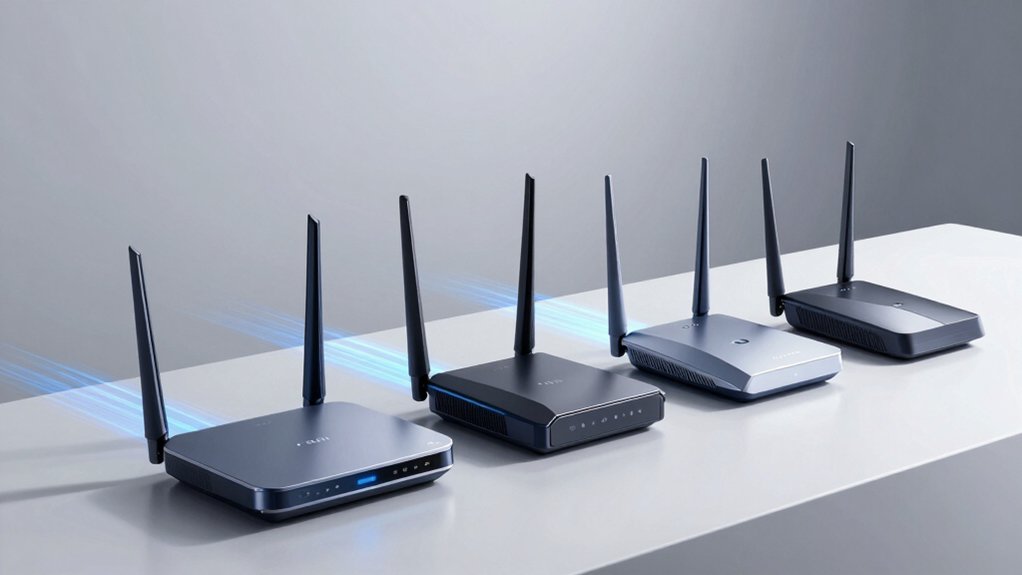

When you’re streaming VR content, your router determines whether you’ll experience smooth gameplay or frustrating lag. You’ll need a device that handles low latency, high throughput, and multiple simultaneous connections without dropping your signal. The right router can make the difference between an immersive experience and constant disconnections. To find out which models deliver the performance you actually need, consider these five top contenders that’re specifically built for VR demands.
| PRISMXR PC-VR Streaming Router for Meta Quest 3S/3/2 |

| Best for VR Performance | Wi-Fi Standard: Wi-Fi 6 (AX3000) | Total Network Speed: 3000 Mbps (5GHz: 2402 Mbps, 2.4GHz: 575 Mbps) | Primary Use Case: PC-VR streaming via Air Link | VIEW LATEST PRICE | Read Our Analysis |
| PRISMXR VR Router for Meta Quest PC-VR Streaming |
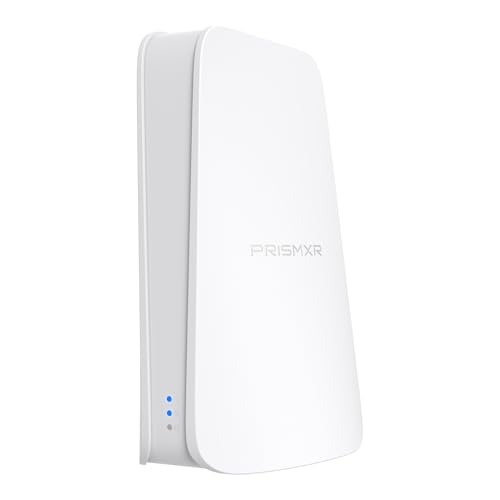
| Easiest Setup | Wi-Fi Standard: Wi-Fi 6 | Total Network Speed: 1500 Mbps (5GHz: 1200 Mbps, 2.4GHz: 300 Mbps) | Primary Use Case: PC-VR streaming via Air Link | VIEW LATEST PRICE | Read Our Analysis |
| TP-Link AX1800 WiFi 6 Router (Archer AX21 V5) |

| Budget-Friendly Pick | Wi-Fi Standard: Wi-Fi 6 (AX1800) | Total Network Speed: 1800 Mbps (5GHz: 1200 Mbps, 2.4GHz: 574 Mbps) | Primary Use Case: General home internet/all ISPs | VIEW LATEST PRICE | Read Our Analysis |
| TP-Link BE6500 WiFi 7 Router (BE400) |

| Future-Ready Premium | Wi-Fi Standard: Wi-Fi 7 (BE6500) | Total Network Speed: 6452 Mbps (5GHz: 5764 Mbps, 2.4GHz: 688 Mbps) | Primary Use Case: General home internet/4K-8K streaming/AR-VR gaming | VIEW LATEST PRICE | Read Our Analysis |
| Cudy AX3000 WiFi 6 Router WR3000 V2.0 |

| Best Value | Wi-Fi Standard: Wi-Fi 6 (AX3000) | Total Network Speed: 3000 Mbps | Primary Use Case: AR/VR gaming and remote access | VIEW LATEST PRICE | Read Our Analysis |
More Details on Our Top Picks
PRISMXR PC-VR Streaming Router for Meta Quest 3S/3/2
If you’re tired of being tethered to your PC with a Link Cable while playing VR games on your Meta Quest headset, the PRISMXR PC-VR Streaming Router offers a wireless alternative that replaces that cable connection entirely. This AX3000 Wi-Fi 6 router supports Quest 3S, 3, 2, and Pro models alongside Pico headsets. You’ll get 3000 Mbps total network speed with 2×2 MIMO and 160MHz bandwidth for stable streaming. The PrismPulse mode uses advanced beamforming to reduce interference during gameplay. Setup’s straightforward—download the PrismXR Desktop App, which includes a 21-item One-Click Scan and Fix tool. No drivers are required beforehand. The EaseLink feature establishes a secure Bluetooth connection between your app and router, streamlining device management without complications.
- Wi-Fi Standard:Wi-Fi 6 (AX3000)
- Total Network Speed:3000 Mbps (5GHz: 2402 Mbps, 2.4GHz: 575 Mbps)
- Primary Use Case:PC-VR streaming via Air Link
- Beamforming Technology:Advanced beamforming (interference reduction)
- Device Capacity:Optimized for VR headsets (Quest/Pico family)
- Setup Complexity:EaseLink Bluetooth setup; One-Click Scan and Fix via app
- Additional Feature:PrismPulse mode optimization
- Additional Feature:21-item One-Click Scan/Fix
- Additional Feature:EaseLink Bluetooth setup
PRISMXR VR Router for Meta Quest PC-VR Streaming
Do you want to stream PC-VR games to your Meta Quest headset without dealing with cables cluttering your setup? The PRISMXR VR Router replaces your Link Cable by creating a dedicated wireless connection. You plug in power and Ethernet, then use Air Link for streaming—no additional software setup required. Its Wi-Fi 6 technology delivers up to 1,500 Mbps with advanced beamforming to reduce interference. The included PrismXR Desktop App monitors your connection in real time, running 19 checks and offering up to 30 recommendations to fix streaming problems. One-Click Game Boost Mode optimizes performance for lag-free gameplay. The router works with Meta Quest, Steam Deck, Switch, and major streaming platforms like Virtual Desktop and Steam Link.
- Wi-Fi Standard:Wi-Fi 6
- Total Network Speed:1500 Mbps (5GHz: 1200 Mbps, 2.4GHz: 300 Mbps)
- Primary Use Case:PC-VR streaming via Air Link
- Beamforming Technology:Advanced beamforming (interference reduction)
- Device Capacity:Supports multiple headsets (Quest/Pico/Switch/Steam Deck)
- Setup Complexity:Plug-and-Play; One-Click Stream Check via app
- Additional Feature:One-Click Stream Check
- Additional Feature:One-Click Game Boost Mode
- Additional Feature:Dedicated PrismPulse streaming link
TP-Link AX1800 WiFi 6 Router (Archer AX21 V5)
The TP-Link Archer AX21 V5 works best for VR enthusiasts who need reliable performance without spending considerably on premium equipment. This WiFi 6 router delivers up to 1.8 Gbps across dual bands—1200 Mbps on 5 GHz and 574 Mbps on 2.4 GHz. Four high-gain antennas with beamforming focus your signal for stable connections during gameplay. The router supports multiple devices simultaneously using OFDMA technology, preventing lag when others use your network. Setup takes minutes with the included Ethernet cable and quick installation guide. Its Gigabit ports ensure wired connections reach maximum speeds. For VR headsets requiring consistent bandwidth, this router provides dependable performance at an accessible price point.
- Wi-Fi Standard:Wi-Fi 6 (AX1800)
- Total Network Speed:1800 Mbps (5GHz: 1200 Mbps, 2.4GHz: 574 Mbps)
- Primary Use Case:General home internet/all ISPs
- Beamforming Technology:Beamforming with 4 high-gain antennas
- Device Capacity:Works with all internet service providers
- Setup Complexity:Easy Mesh compatible; standard web/app setup
- Additional Feature:Compatible with all ISPs
- Additional Feature:EasyMesh support
- Additional Feature:VPN server functionality
TP-Link BE6500 WiFi 7 Router (BE400)
You’ll want the TP-Link BE6500 if you’re gaming, streaming 4K content, or using VR applications that demand fast, stable connections without lag. This Wi-Fi 7 router delivers up to 5764 Mbps on 5GHz and supports 90 devices simultaneously across 2,400 square feet. Multi-Link Operation technology reduces latency for smoother VR experiences. Set it up using the Tether app on Android or iOS, then expand coverage with EasyMesh-compatible devices for whole-home mesh networking. The 2.5 Gbps wired ports connect your modem directly, ensuring maximum speed delivery to your VR headset and gaming devices.
- Wi-Fi Standard:Wi-Fi 7 (BE6500)
- Total Network Speed:6452 Mbps (5GHz: 5764 Mbps, 2.4GHz: 688 Mbps)
- Primary Use Case:General home internet/4K-8K streaming/AR-VR gaming
- Beamforming Technology:Beamforming with 6 high-performance antennas
- Device Capacity:Supports up to 90 devices simultaneously
- Setup Complexity:Easy Mesh compatible; Tether app setup
- Additional Feature:Multi-Link Operation (MLO)
- Additional Feature:Supports 90 devices simultaneously
- Additional Feature:2.5 Gbps wired ports
Cudy AX3000 WiFi 6 Router WR3000 V2.0
If you’re gaming in VR or AR and need reliable connectivity across your entire home without dropping connection, this WiFi 6 router delivers the speed and coverage you’re after. The WR3000 V2.0 offers 3000 Mbps total speed with 160MHz bandwidth and beamforming technology that targets signals directly to your devices. Its 1.2 GHz dual-core CPU handles 100+ connected devices simultaneously, making it suitable for households with multiple users and smart devices. You’ll get coverage up to 1400 square feet with four external antennas. The router supports WireGuard and OpenVPN protocols for secure remote access, and you can manage it through the Cudy Cloud App. Setup includes standard ethernet connectivity with four gigabit LAN ports.
- Wi-Fi Standard:Wi-Fi 6 (AX3000)
- Total Network Speed:3000 Mbps
- Primary Use Case:AR/VR gaming and remote access
- Beamforming Technology:Beamforming technology
- Device Capacity:Designed for 100+ devices
- Setup Complexity:Cudy Cloud App management; Cudy Mesh compatible
- Additional Feature:WireGuard VPN compatibility
- Additional Feature:Cudy Mesh compatible
- Additional Feature:1400 sq.ft. coverage area
Factors to Consider When Choosing WiFi Routers for VR
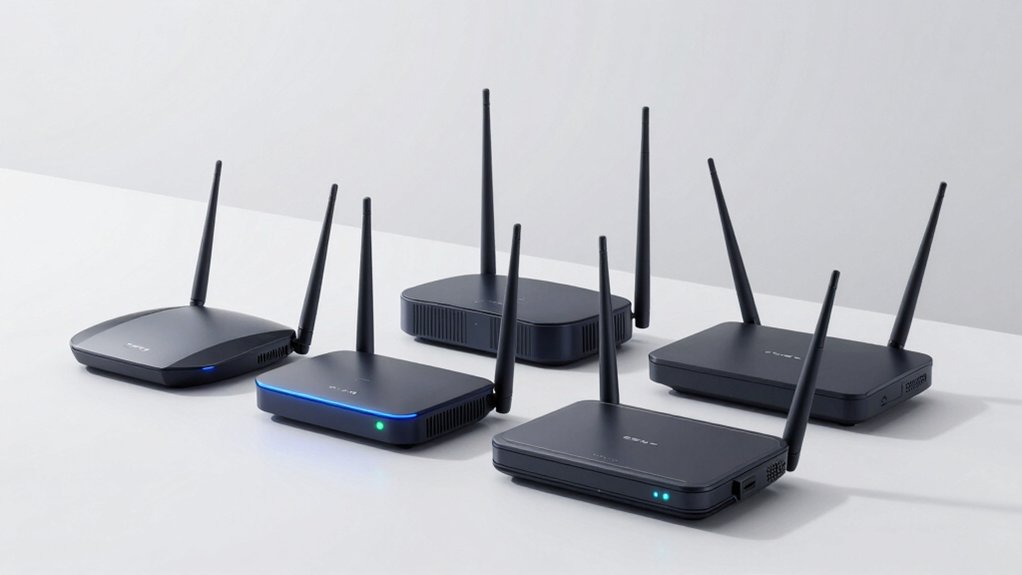
When selecting a WiFi router for VR, you’ll need to evaluate five key factors: bandwidth and speed requirements to handle data-intensive applications, low latency performance to prevent motion sickness and lag, wireless stability and interference management for consistent connections, headset compatibility to ensure your device works with the router, and coverage area to guarantee signal strength throughout your play space. Each factor directly impacts your VR experience, so you should assess your specific setup needs before making a purchase. Start by determining your headset’s specifications, measuring your play area, and identifying potential sources of interference like microwaves or neighboring networks.
Bandwidth and Speed Requirements
What bandwidth does your VR setup actually need? Aim for total bandwidth around 1.5–3.0 Gbps to support 4K and VR at 240Hz with overhead factored in. You’ll want a router with 5 GHz bands that use high QAM (1024-QAM) and 160 MHz wide channels for the peak speeds required by low-latency PC-VR experiences. Dual-band or tri-band routers separate VR traffic from regular devices, reducing interference and maintaining stable latency. Choose a router with MU-MIMO and beamforming capabilities to serve multiple devices simultaneously without sacrificing performance. When possible, use wired backhaul or dedicated streaming links to markedly improve consistent bandwidth and reduce jitter during your VR sessions.
Low Latency Performance
How’d you reduce latency in your VR setup? Start by choosing a router with Wi-Fi 6/6E and at least AX3000-class bandwidth. These standards handle high-resolution VR streams with minimal delays. Next, verify the router supports 2×2 MIMO and 160 MHz channel width—both increase per-stream throughput and reduce contention. Look for dedicated streaming modes like PrismPulse that prioritize VR traffic over background activities. Check that your router includes beamforming technology to minimize interference and maintain stable connections between your PC and headset. Finally, select a model with explicit latency-focused features: real-time streaming checks, one-click boost modes, and interference mitigation tools. These features deliver consistent low-latency performance across your VR sessions.
Wireless Stability and Interference
Beyond keeping latency low, you’ll need to maintain a rock-solid wireless connection that doesn’t drop or stutter during your VR sessions. Look for routers with advanced beamforming technology that concentrates Wi-Fi signals directly toward your headset, reducing interference from other devices. Choose models supporting 160 MHz channels on the 5 GHz band, which provide wider pathways for data transmission. Enable QoS (Quality of Service) features to create dedicated streaming links that prevent bandwidth drops when multiple devices connect simultaneously. Position your router centrally and elevated to maximize signal strength. Wi-Fi 6 or 6E routers handle multiple devices better while reducing jitter, keeping your experience smooth even in busy networks. These features work together to eliminate connection stuttering.
Headset Compatibility and Setup
When you’re selecting a router for VR streaming, you’ll need to verify that it supports your headset’s wireless protocol—whether that’s Meta’s Air Link, SteamVR Wireless, or another manufacturer’s standard—and confirm the router has sufficient bandwidth to transmit high-quality video without compression or noticeable lag. Check your headset’s documentation for required wireless standards like Wi-Fi 6 or 6E compatibility. Some headsets need integrated wireless receivers, so confirm whether your model requires additional hardware beyond the router itself. Look for routers offering plug-and-play setup or optimized streaming modes that minimize software configuration. This straightforward approach reduces setup complexity and gets your VR system operational faster without requiring advanced technical knowledge or multiple configuration steps.
Coverage Area and Range
You’ll want to evaluate your router’s coverage area by first measuring your VR play space in square feet or square meters, then comparing that figure against the router’s specifications—most high-end models cover 2,400 sq ft or more for uninterrupted PC-to-VR streaming. If your space spans multiple stories or contains obstacles like walls and furniture, plan for additional access points or mesh extensions to maintain consistent VR throughput. Check the router’s wireless standard (Wi-Fi 6, 6E, or 7) and beamforming capabilities, which focus signals toward your headset at distance. Count the antennas—more antennas generally improve fringe-area performance. Finally, consider pairing wireless coverage with wired backhaul options where possible to preserve VR stability across your entire streaming zone.
Network Device Capacity
How many devices can your router handle at once? You’ll want a router that supports 90+ connected devices to accommodate your VR headset, PC, sensors, and peripherals without bottlenecks. Look for routers with MU-MIMO and OFDMA technology, which enable efficient multi-device communication and reduce latency during VR streaming. These features allow multiple devices to transmit data simultaneously without degrading performance. Additionally, consider routers with Multi-Link Operation (MLO) and 160MHz channels, which increase aggregate throughput and maintain sustained data rates across many connected devices. If you anticipate heavy VR usage in multiple rooms, choose a mesh or EasyMesh-compatible router so you can add extenders or additional nodes to expand capacity in dense usage areas.
Final Thoughts
You’ll want to pick a router that matches your VR needs. If you’re streaming PC-VR games, choose PRISMXR’s specialized routers for lowest latency. For standard setups, TP-Link’s AX1800 or BE6500 deliver solid speeds. The Cudy AX3000 works well for budget-conscious users. Check your space size, device count, and whether you need wired backhaul. Test your connection before extended VR sessions to confirm smooth, lag-free performance.

Meet Ry, “TechGuru,” a 36-year-old technology enthusiast with a deep passion for tech innovations. With extensive experience, he specializes in gaming hardware and software, and has expertise in gadgets, custom PCs, and audio.
Besides writing about tech and reviewing new products, he enjoys traveling, hiking, and photography. Committed to keeping up with the latest industry trends, he aims to guide readers in making informed tech decisions.